Impromptu
Share what you're up to right now, see what your friends are doing, and find people nearby who are doing the same thing.
What it does
Impromptu is an iOS app built around statuses: short-lived "I'm doing this right now" posts like Grabbing coffee, Studying, or At the gym, each with an optional note and an end time.
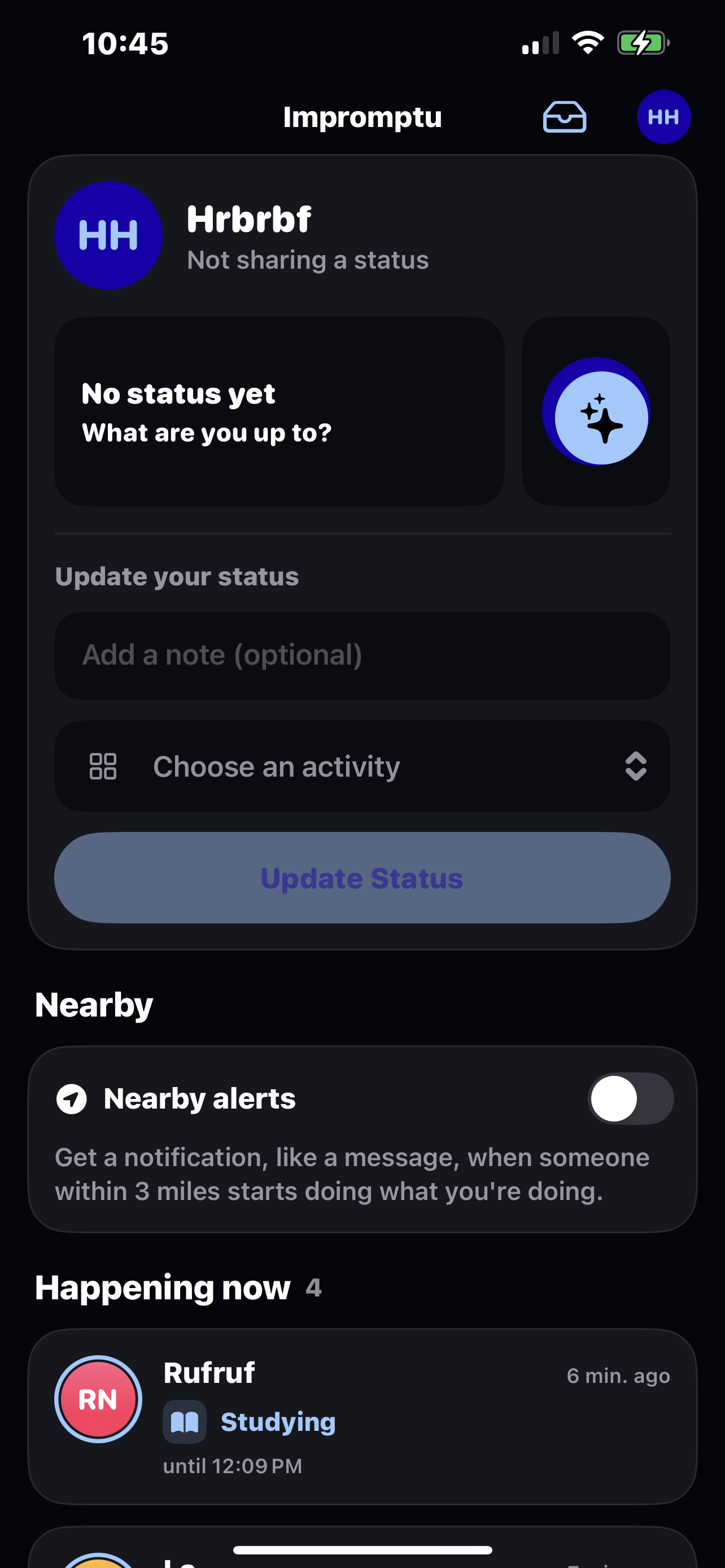
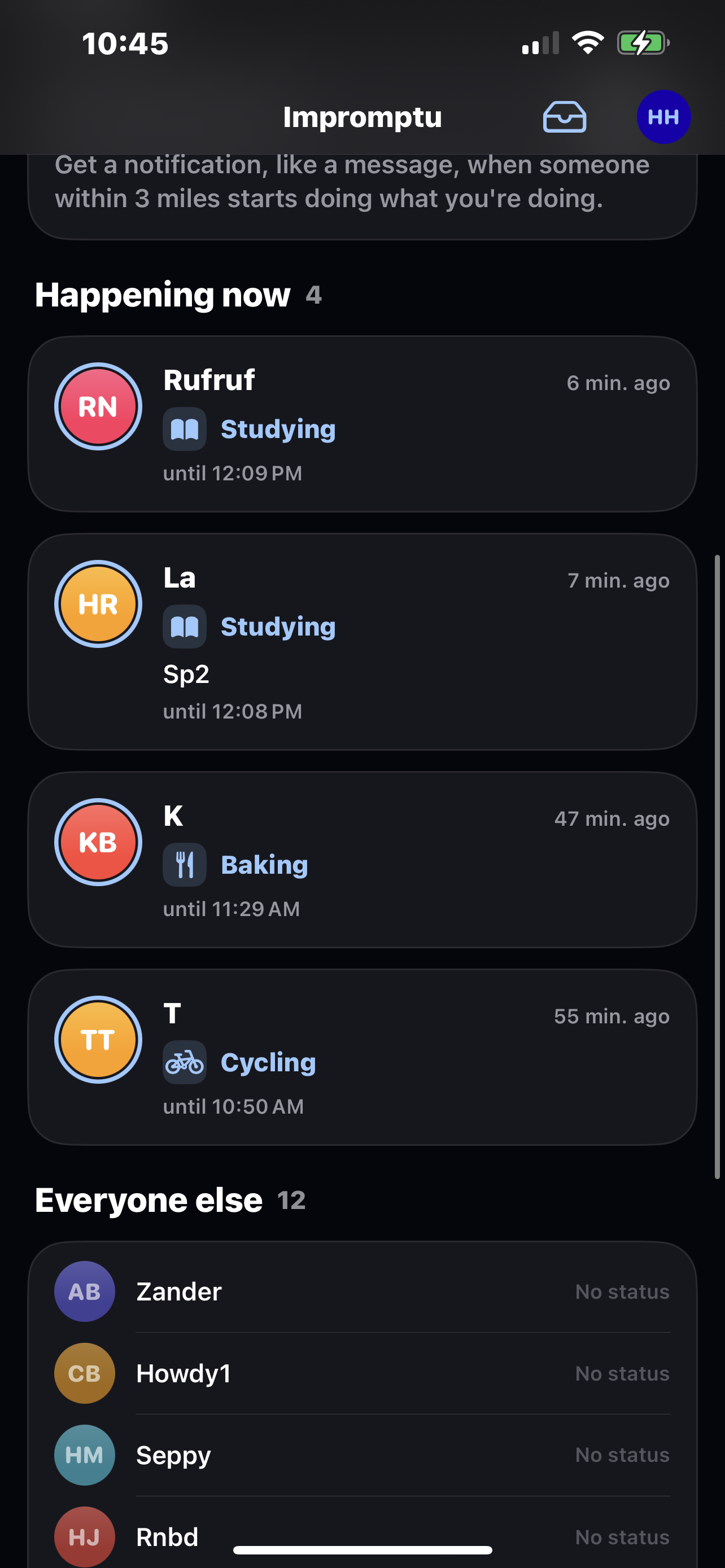
- A live feed. The home screen shows everyone's current status: what they're doing, their note, how long ago they started and when it ends. Your own status sits at the top in a drop-down where you pick an activity, add a note, choose how long, and post.
- Statuses from your calendar. Connect Google Calendar and Impromptu turns events into statuses as they start. Gemini reads the event (title, location, time, attendees) and picks the best-fitting activity, with a rule-based fallback when it's unavailable. Cancelled or moved events update automatically.
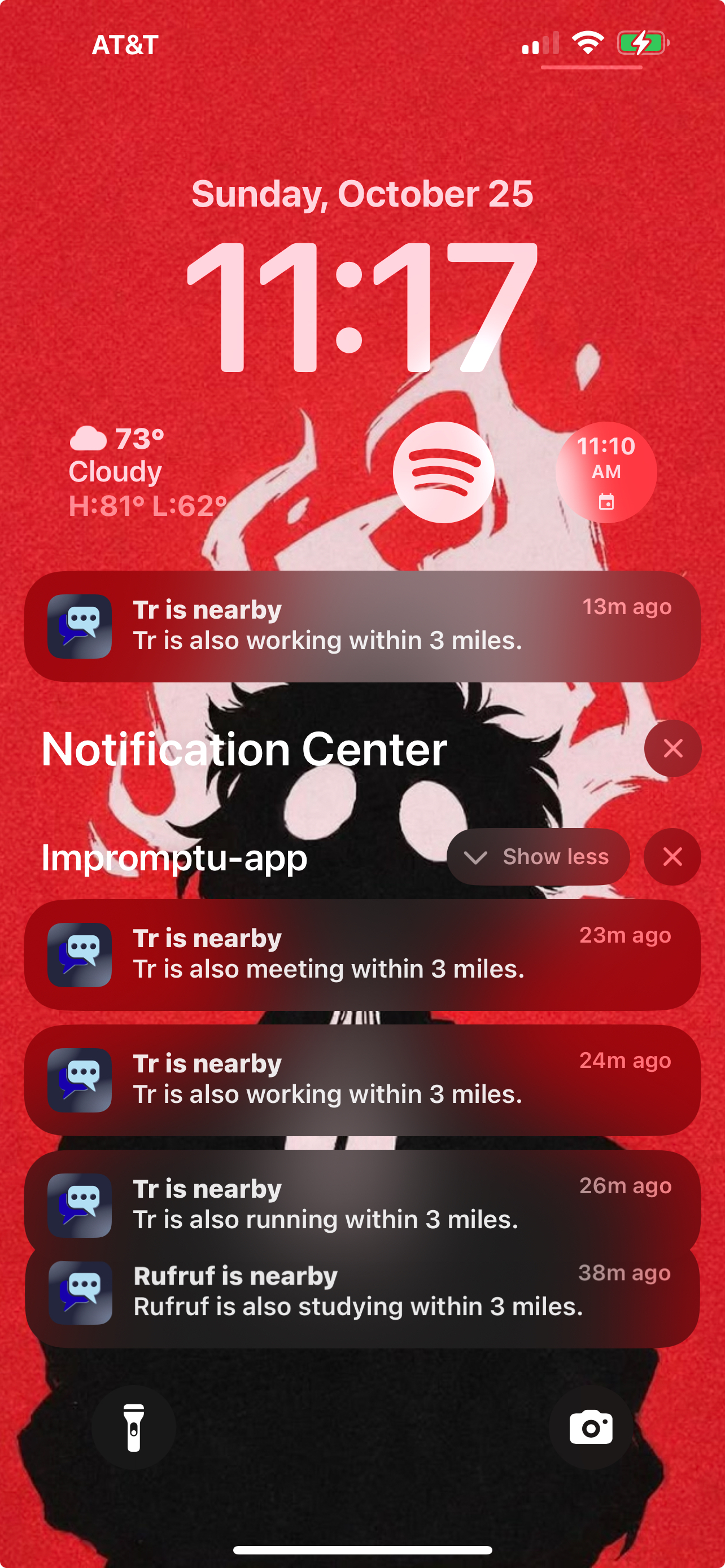
- Nearby alerts. Opt in, and Impromptu tells you when someone within about a mile is doing the same activity as you. You get at most one notification a minute, and only when someone new shows up. If it's the same people as last time, you hear nothing.
- Ask for a note. Tap a nearby notification to see who's around, closest first. Pick people (or tap Closest 3) and ask them for a note. They can reply with a message, a place ("PCL, 3rd floor").
- Your activities. Pick your go-to activities at sign-up, browse nearly 150 built-in ones, or make your own. Your list powers the quick-pick chips in the status drop-down.
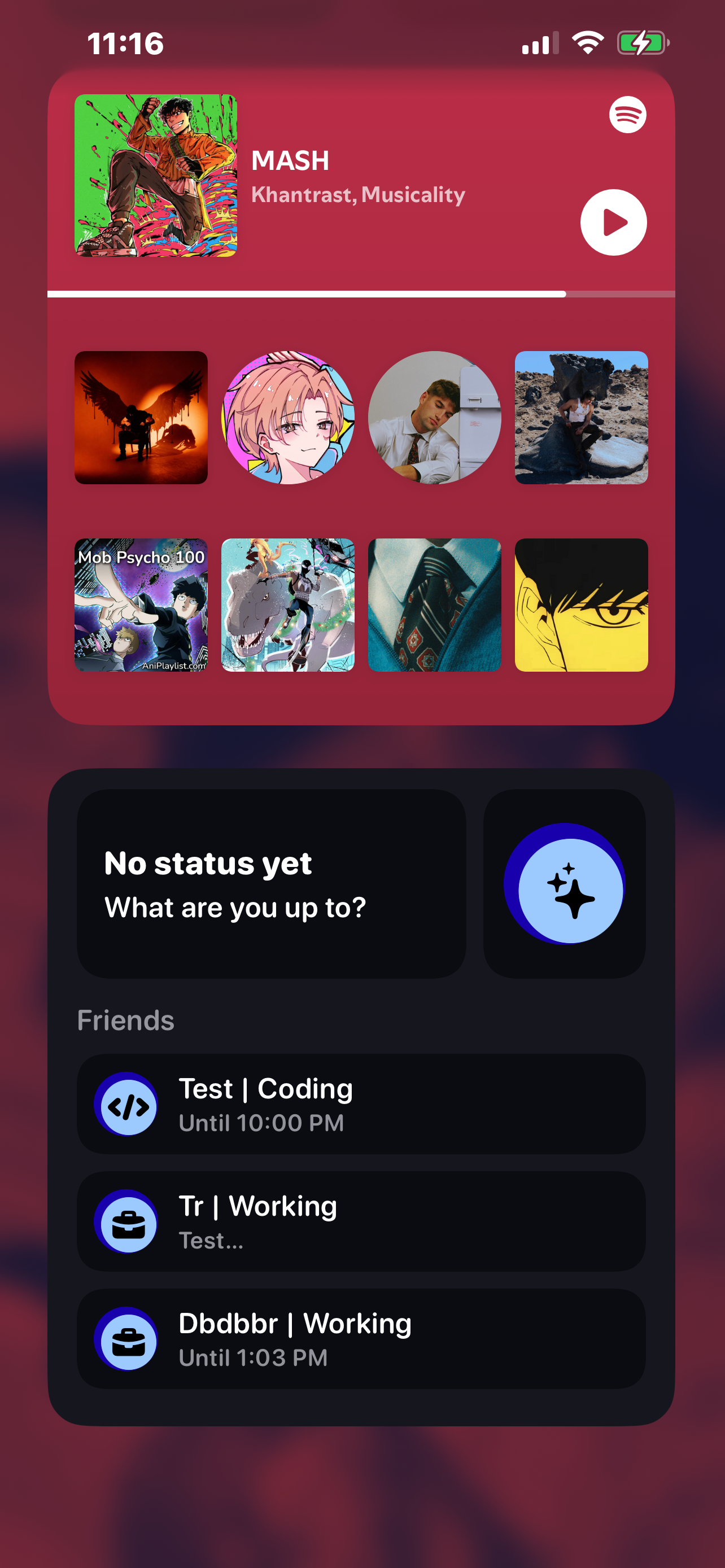
- Home screen widget. Small, medium and large widgets show your status (and friends' on the large size), and update whenever the app changes something.
- Friends. Add people by email and choose what each of them can see.
Location is private by design. Your exact position is never shown to anyone. Distances are rounded up to the nearest 100 m, positions older than two hours are ignored, and turning alerts off deletes your position from the server.
How we built it
iOS app: Swift and SwiftUI, MVVM.
- Layers: views,
@Observableview models, and a service layer (one protocol per area: accounts, activities, statuses, people, nearby, note requests). A dependency container hands services to view models, and every service has an in-memory mock, so previews and tests run without a backend. - Networking: a small
APIClientthat sends typedEndpoints, decodes the API's response envelopes and maps its error format. - Widget: a WidgetKit extension reads a snapshot the app writes to a shared App Group container, so the widget never touches the network.
- Location and notifications: Core Location's significant-change monitoring,
BGTaskSchedulerfor background checks, and local notifications that open the right screen when tapped. - Tests: 76 Swift Testing unit tests cover the notification rules, view models and API decoding.
API: Next.js (Pages Router) on Render.
- Routes: one handler per HTTP method, with errors in a standard
{ error: { code, message } }shape. - Validation: every request body is checked with Zod.
- Database: Drizzle ORM over PostgreSQL with PostGIS on Tiger Cloud.
ST_DWithinandST_Distanceon geography types answer "who's within a mile, closest first". - Background jobs: one runs every minute, turning Google Calendar events that just started into statuses, with Gemini classifying each event.
- Docs:
api/openapi.yamldocuments every route.
Challenges we ran into
- iOS Development Navigating and getting used to the Xcode IDE and IOS development proved challenging.
- Getting the api hosted Originally we planned on hosting it locally, however complications with the wifi forced us to host it to ensure stable connections.
Getting the notifications to work
Accomplishments that we're proud of
Nearby alerts that don't nag. "Only tell me about someone new" is a small rule that makes the feature feel considerate instead of noisy. People you've already seen in the app don't trigger a notification later.
Privacy built in, not bolted on. Rounded distances, no positions in responses, stale locations expiring, sharing your pin only when you choose, and turning the feature off deleting your data.
Testing against the real database without touching it. We ran migrations and the real query code against the hosted Postgres inside transactions that always roll back, which caught bugs before they shipped.
Calendar statuses that just appear. Gemini picking the right activity from a meeting title means your status updates while you go about your day.
A codebase that's easy to work in. Clean MVVM layers, mocks for every service, typed endpoints mirroring the OpenAPI spec, and a widget sharing data through a single, typed store.
What we learned
- Mobile background execution: what iOS will and won't let an app do while closed, and how to design features that degrade gracefully when the system says no.
- MVVM Architecture getting familiar with and implementing MVVM architecture, and learning it's strenghths over MVC in a project like this.
- Contracts between teammates: an OpenAPI spec and typed endpoints let the app and the API evolve in parallel, and a quick type check after every merge saves hours.
- Debugging the environment, not just the code: blocked ports, nested git repos and missing seed data all looked like code bugs at first.
What's next for Impromptu
- Instant delivery with push notifications. Note requests and replies currently arrive when the app checks in. Server-sent push notifications through Apple's push service would make them instant, even while the app is closed.
- Real sign-in. Replace the shared API key with per-user session tokens.
- Friends-only visibility. The schema already has sharing rules for location and notes; the next step is letting people choose exactly who can find them nearby.
- Conversations. Turn a note reply into a short chat thread (the
conversationsandmessagestables are already in place). - Smarter statuses. Suggest a status from places you visit often, and from what friends nearby are doing.
- Activity icons and themes. Real icons for every activity, so the feed is easier to scan at a glance.
Built With
- nextjs
- swift
- swiftui
- typescript

Log in or sign up for Devpost to join the conversation.