-
-
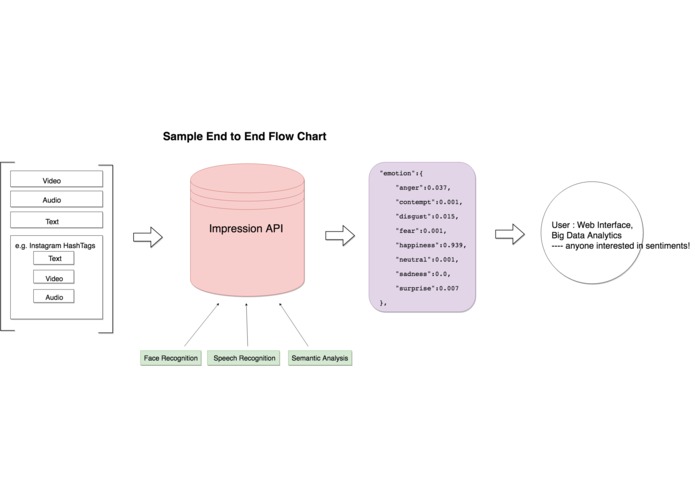
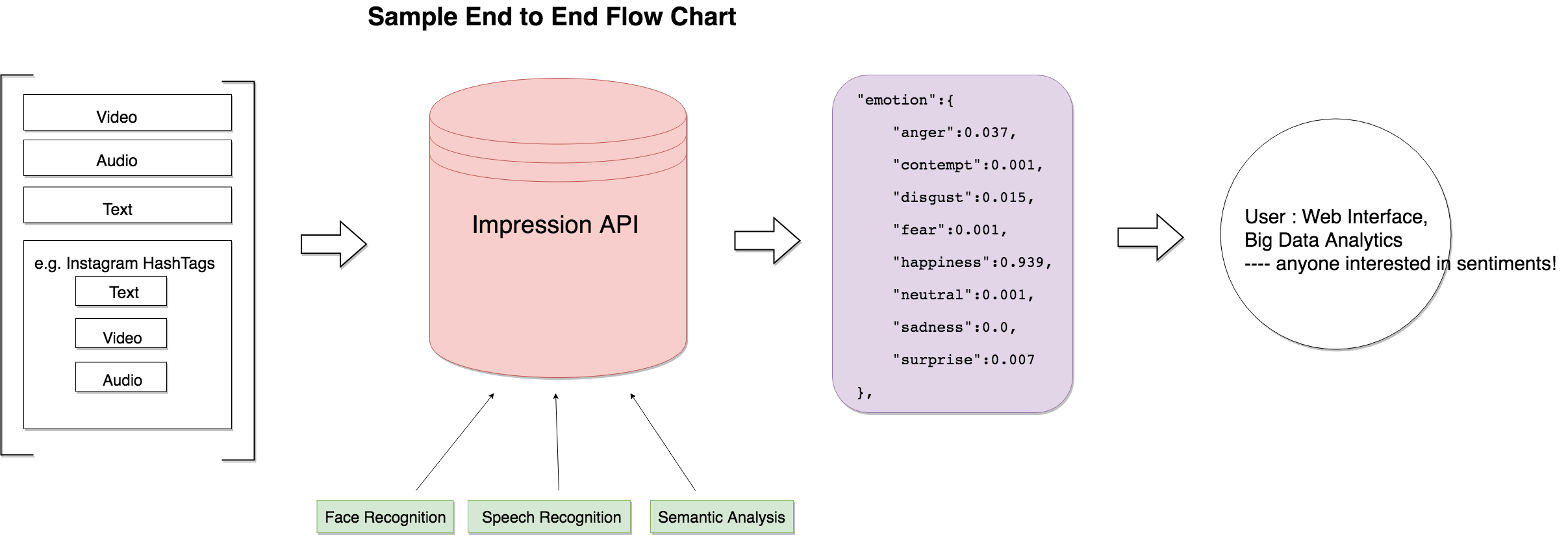
Flow Chart
-
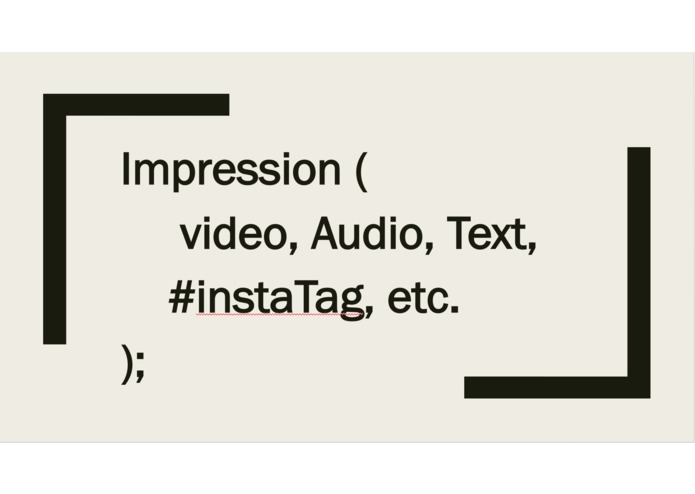
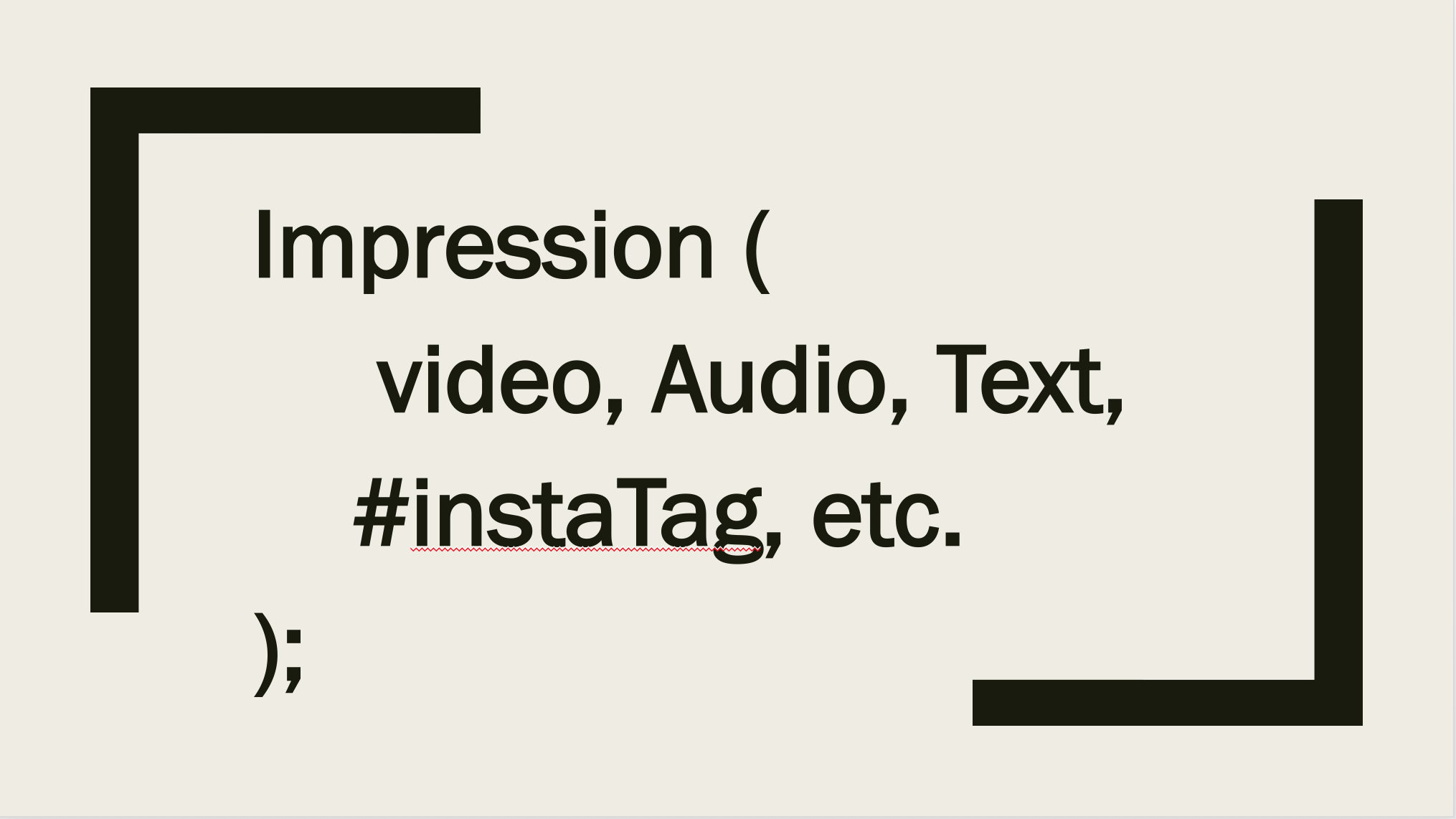
Function call illustration
Inspiration
Emotions are everywhere, and social media is always the go-to place to find them. But how exactly do people react to a certain event? What do they feel about it? Interested in uncovering this statistics, we started by using some sentiment analysis tools to see the emotion associated with a Instagram Hashtag. It's a surprise when we later realized that by integrating all sorts of sentiment analysis tools, we actually created a powerful API that takes any format of common input and shows the sentiment behind any digital content.
What it does
There are sentiment analysis APIs just for image, for text, but there isn't one that aggregates everything. Impression is the solution. Our API provides a simple function call "Impression()" that supports a variety of input parameters, including audio file, video file, text file, and a URL. This function will process the input, extract sentiment analysis via the following ways, and present to user a set of simple but accurate statistics of the sentiments behind the content.
Return type: Impression returns 8 sentiments (anger, contempt, disgust, fear, happiness, neutral, sadness, surprise) with a score from 0~100, representing the possibility of this sentiment in the input
Sample Output: { anger: 3.7, contempt: 0.1, disgust: 1.5, fear: 0.1, happiness: 93.89999999999999, neutral: 0.1, sadness: 0, surprise: 0.7000000000000001 }
Input type:
- Video file/url The Impression API takes in the video and process it frame by frame using the Microsoft Face API, which identifies peoples sentiment in each frame, and calculate the overall score of each single emotion by calculating the mean, median, standard deviation.
- Audio file/url The Impression API uses the Bing Speech API to convert speech to text, and utilizes the IBM Watson Tone Analysis API to calculate overall score of each single emotion in the sound track.
- Text file The Impression API utilizes the IBM Watson Tone Analysis API to get the sentiments in the speech.
- A random url to...Anything! For now: a Instagram hashtag The Impression API takes the url and identifies all available input source it can take. It will take whatever it finds (text, video, audio), and use them all together to create a comprehensive sentiment analysis. Our current version supports a random input of instagram hashtag search url, and Impression will get the post caption, image, video associated with the tag and generate a sentiment analysis, which gives us a unique insight of the sentiment associated with the hashtag. All these processes will be hidden from the user, and Impression simply returns a simple json data set that allows user to make use of it. To present this idea, we create a end-to-end model consisting of a Instagram input, our Impression server API, and a front-end web application, which displays the sentiment gathered for a hashtag search, and showcases a possible usage of the API.
How we built it
We use Microsoft Face API for image recognition and emotion detection, Bing Speech API for speech-to-text, IBM Watson Tone Analysis API for text tone analysis. We implement all these functionalities in separate functions and integrate them in a back end server.
Consistency based
Once we get all the data (from video, audio, text) with a raw score from 0~1, the server processes them by calculating the average, median, and standard deviation. Having more input (e.g. multiple instagram posts) allows the server to weight the input based on consistency of all the emotions across audio, video and text - if the audio and video return a similar sentiment result, it's more likely that the person will have this sentiment. We will standard deviation as an indication of consistency, and we subsequently assign different weight to sentiments from different source to generate a comprehensive result.
Challenges we ran into
- We can't really do audio analysis for all research results of a hashtag in real-time, because current speech-to-text APIs have to "listen" to the audio and perform a real-time transcription. It's impractical to get them all done in once.
- How to integrate all sorts of API is also a big challenge. The back-end server has to do all the job at the same time in order to generate a combined result; luckily most of the API we chose are from Microsoft and we can use one subscription key across all service.
Accomplishments that we're proud of
Putting all kinds of powerful sentiment analysis API together is a REAL thing. The idea of making it to be an API is even more exciting because this concept can then be easily integrated to other projects and create more possibilities. We are glad that we came to see a bigger picture from our original Instagram idea. From using API, we go to the stage of creating our own API!
What we learned
A better understanding of what it means to be a developer: it's not just copying code from the API's sample tutorial, but about giving it a purpose and use it in a creatively way.
What's next for Impression
There is certainly a lot more statistics we can do to improve the statistic analysis. After getting a large amount of data, we can use machine learning technique to create better algorithm for determining the sentiment weight and score. We also aim to support more input types. Why not supply your hand gestures, touch force, your pace or heart beat into Impression via hardware like Apple Watch? Impression is the ultimate aggregation tool that can take in everything, and if we can continue developing a way to analyze them, it can really be a cool developer tool for future hackers!
Built With
- angular.js
- bing-speech-api
- data-analysis
- ibm-watson-tone-analysis-api
- javascript
- microsoft-face-api
- microsoft-video-indexing-api
- node.js
- web-scraping


Log in or sign up for Devpost to join the conversation.