-
-
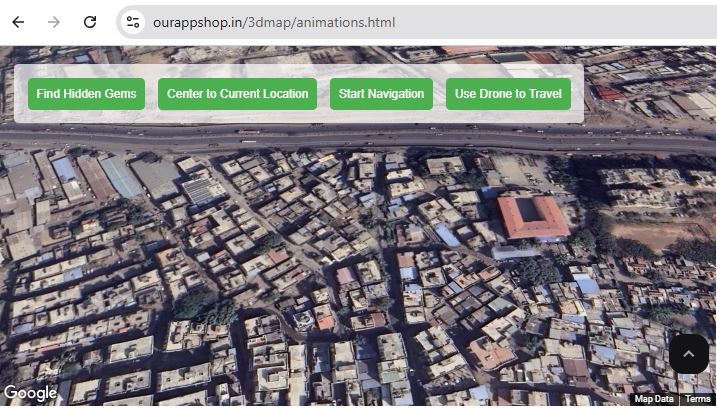
Immersive Marketing with 3D Maps
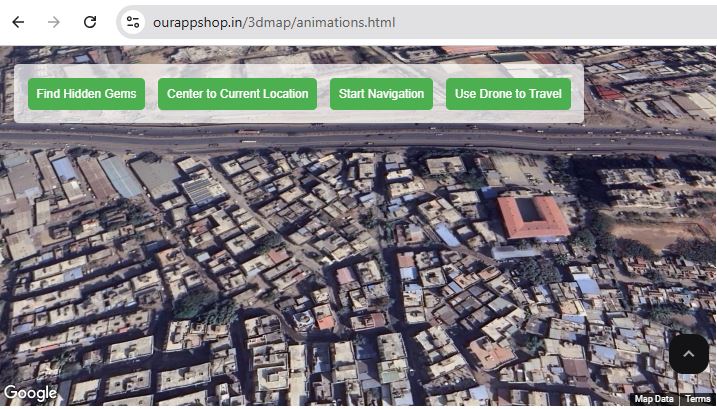
What it doesInspiration: The inspiration for this project came from the growing need for more engaging and innovative marketing techniques. Traditional methods often fail to capture the attention of modern audiences who are increasingly looking for interactive and immersive experiences. By leveraging 3D maps and photorealistic visualization, I aimed to create a marketing platform that blends the digital world with real-world environments, offering users a unique, interactive experience.
What I Learned: Through this project, I deepened my understanding of the power of 3D mapping technologies and the Google Maps API. I learned how to integrate 3D buildings, satellite imagery, and photorealistic models into a seamless, user-friendly interface. Additionally, I gained valuable experience in using JavaScript to enhance user interactions and create dynamic features like map tilting, view switching, and custom markers.
How I Built the Project: The project was built using HTML, CSS, and JavaScript, with the Google Maps API at its core. The process began with setting up the Google Maps platform and integrating it into a web page. I then added 3D map features to bring the city’s environment to life. Interactive buttons were implemented to allow users to toggle between map views, add sustainability-related markers (like energy-efficient buildings and green spaces), and control the tilt of the map for better perspectives.
The back-end logic was designed to handle user input and dynamically add markers, enhancing the user experience by making it interactive and customizable. Each feature, from the satellite view to sustainability markers, was carefully thought out to align with the goals of engaging users and promoting sustainability.
Challenges Faced: One of the main challenges was integrating 3D features in a way that was both visually appealing and functional. While the Google Maps API provides excellent tools, achieving a smooth user experience with 3D views and interactive layers required careful tuning of map settings. Additionally, handling different markers and layers dynamically involved troubleshooting issues related to map rendering and marker placement.
Another challenge was making the application responsive, ensuring that it worked well on various devices and screen sizes. Optimizing the performance of the 3D map to load quickly while providing a seamless experience was another hurdle that required fine-tuning.
Conclusion: Despite the challenges, this project taught me the immense potential of immersive technologies in transforming marketing strategies. By integrating 3D maps and interactive elements, I was able to create a platform that engages users in an innovative and impactful way. This experience not only enhanced my technical skills but also deepened my appreciation for the role of interactive technologies in modern marketing.

Log in or sign up for Devpost to join the conversation.