-
-
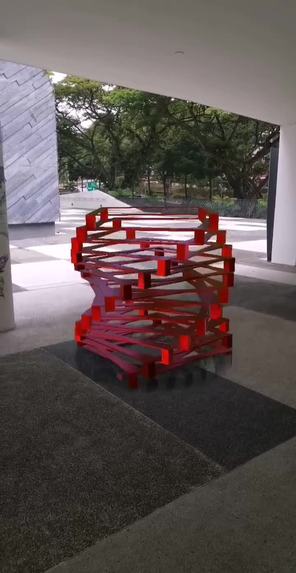
An example of Rotary placed in the real world space
Inspiration
I came across a series of rotating sculptures by John Edmark which use geometry to play with ideas of perception and transformation. I found this interesting as I often play around with geometry and procedural forms in my own body of work doing experimental 2D and 3D animation. This sparked the idea of combining the following into an augmented reality world effect: my own love for geometric forms, sculptural elements and animation.
What it does
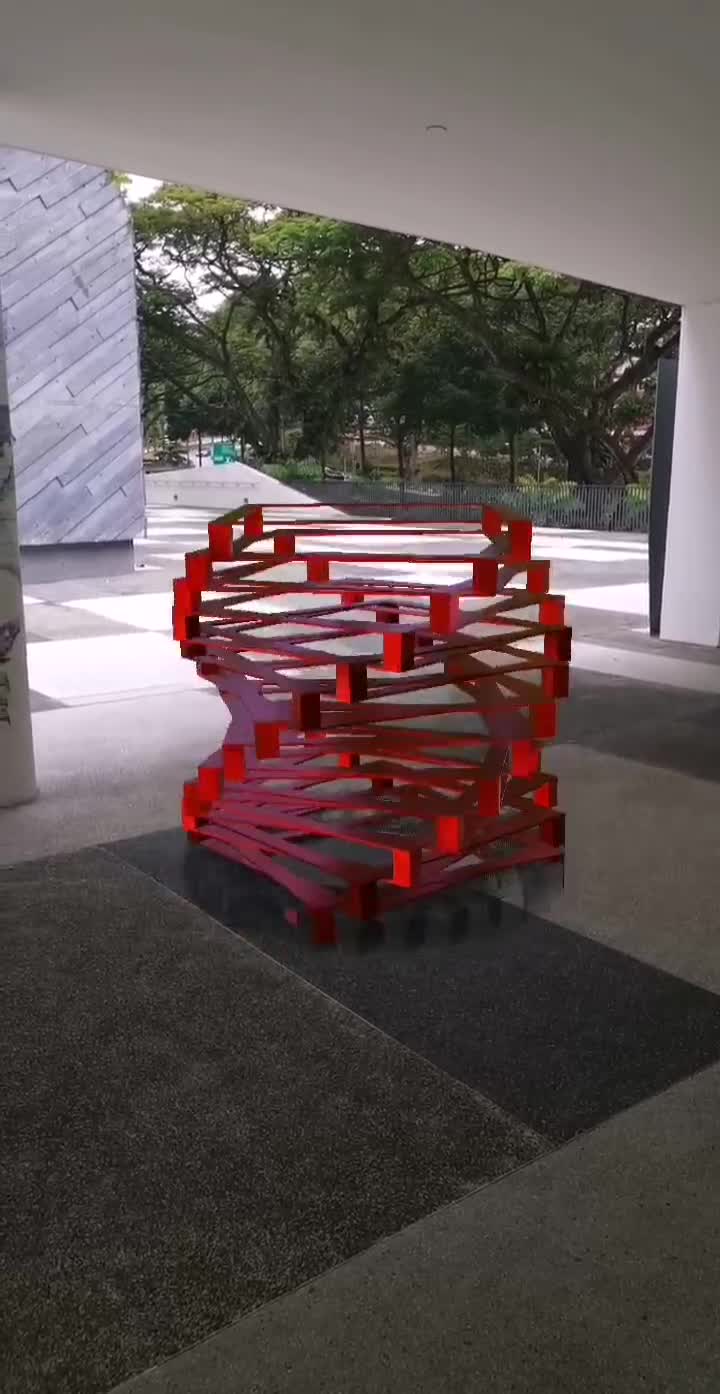
The effect places a kinetic sculptural form in the world space. It is made up of singular geometric modular units which are always in motion. Tapping on the sculptural forms cycles through various colours of the modular units. Tapping also changes the animation of the modular units (i.e. scales up and down each unit as it moves), which in turn changes the overall form of the kinetic sculpture. Pinch gestures scale up and down the sculptural form, and the user can easily change the position of the effect in the world space by pressing on it and moving it around.
How I built it
I created the main modular unit in Blender and brought that into Spark AR Studio. I used the sample World AR Effect template that comes with Spark AR Studio and replaced the default asset with my 3D object. The patch editor was used to create the rotating animation for all the 3D objects and interactions for object tap (i.e. tap to change colours, tap to change animation). The textures were default materials from Spark AR Studio.
Challenges I ran into
Creating shadows as each 3D object moved was a challenge. While the sample World AR Effect template does have a shadow object, this was not a good fit for my project as the shadow has to be an exact shape of my 3D object. As my 3D objects would be moving vertically, the shadows also had to react accordingly (i.e. if the object was closer to the ground, the shadow needs to be very distinct and vice versa).
Patch editor management was also another issue. Since my project deals with using the same 3D object as part of the whole sculpture, I was working with duplicated nodes and networks in the patch editor space. This would quickly become messy if I was not careful of where I was moving nodes or wiring things together.
Accomplishments that I'm proud of
Creating shadows that looked and reacted well as the 3D objects moved vertically in space was great! Doing all of my animations in Spark AR Studio was another plus! That makes this being my first augmented reality world effect to be that much sweeter :)
What I learned
I learned how to make my first augmented reality world effect! Sometimes wiring and testing out things in the patch editor can cause the software to become unstable and crash. It helps to always save often and have many different versions as a safety net. I also learned how to implement shadows for custom 3D objects which reacted believably enough in world space.
What's next for Rotary
Look at how to include more than one type of kinetic sculpture so users have more to play around with.
Built With
- blender
- sparkar


Log in or sign up for Devpost to join the conversation.