-
OG Photo
Inspiration
Imagen a Texto was inspired by a very common but surprisingly frustrating problem: text gets trapped inside images every day. Students take photos of notes, office workers receive receipts and forms as screenshots, support teams get error messages as images, and creators often save useful snippets from social posts, posters, PDFs, or scanned documents. In all of these cases, the text is visible, but it is not immediately usable.
I wanted to build a simple OCR tool that feels fast, private, and practical. Instead of forcing users to install software, create an account, or upload sensitive files to a server just to copy a few lines of text, Imagen a Texto focuses on a lightweight browser-based experience. The goal is to help people turn images into editable text with as little friction as possible.
What it does
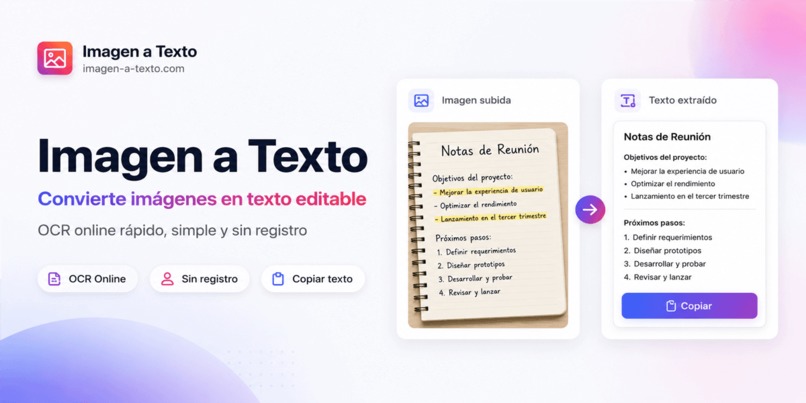
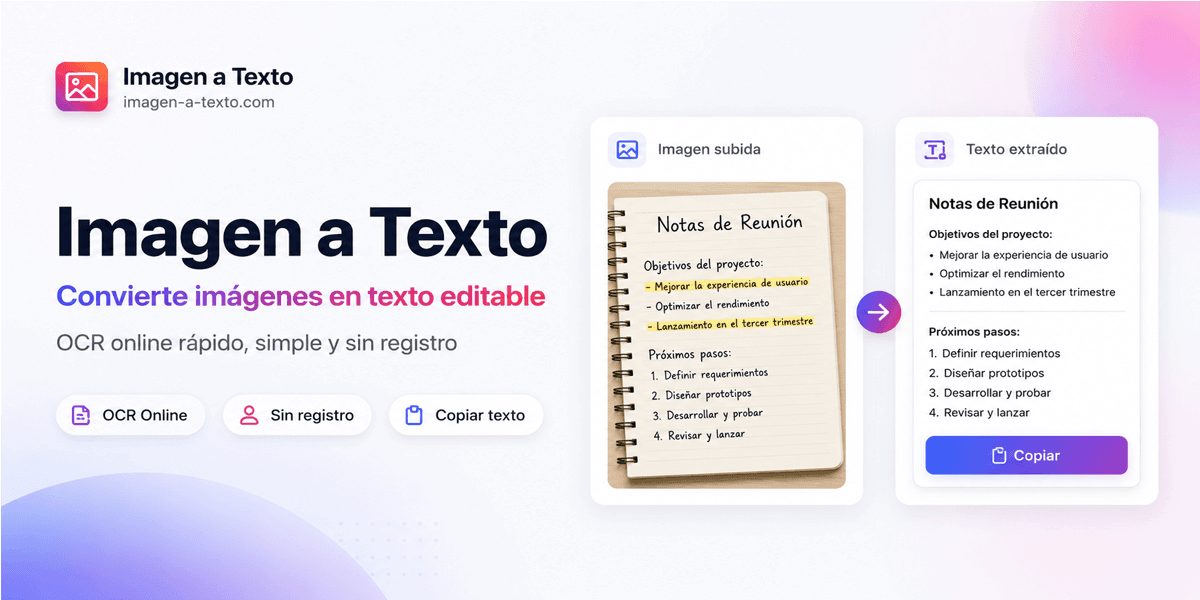
Imagen a Texto converts images, screenshots, and scanned documents into editable text. Users can upload common image formats such as JPG, PNG, WEBP, GIF, or TIFF, run OCR directly in the browser, and then review, copy, or download the extracted text.
The tool is designed for everyday use cases, including:
- Extracting text from screenshots
- Turning photographed notes into editable text
- Copying information from receipts, invoices, forms, or documents
- Recovering text from scanned pages
- Pulling useful details from app screenshots, support messages, or social media images
- Reducing manual typing when the original content is only available as an image
A key part of the project is privacy. The core OCR flow runs locally in the user’s browser, so images do not need to leave the device during basic processing. This makes the tool especially useful for personal screenshots, receipts, contracts, notes, or other files that users may not want to upload to a remote service.
How I built it
I built Imagen a Texto as a Next.js and TypeScript web application with a clean, responsive interface. The frontend is focused on a direct workflow: upload an image, process it with OCR, review the result, and copy or download the text.
For the OCR experience, I used a local browser-based recognition flow with OCR model assets served to the client. Processing is handled in the browser, with task states such as queued, processing, completed, and failed. This keeps the interface understandable while avoiding unnecessary uploads for the core extraction flow.
The project also includes support for multiple uploaded images, individual result cards, copy and download actions, and a “copy all / download all” workflow for users working with more than one file. I paid special attention to the output experience because OCR is only useful when the result is easy to review and reuse.
The broader application is structured with reusable components, localized content, routing configuration, and service layers. The UI is built with Tailwind CSS and component-based sections for the homepage, OCR tool area, benefits, how-it-works content, FAQ, and supporting pages.
Challenges I ran into
One of the biggest challenges was balancing simplicity with real usefulness. OCR tools can easily become complicated, but most users want a fast and obvious flow. I had to keep the interface minimal while still supporting practical actions like copying, downloading, clearing results, handling multiple files, and showing clear status feedback.
Another challenge was privacy. Many OCR products rely on uploading files to a server, but that can be uncomfortable for users who are working with personal documents, receipts, screenshots, or private notes. Running OCR locally in the browser creates a better privacy story, but it also requires careful handling of model loading, file limits, browser performance, and error states.
Output quality was also important. OCR is not just about detecting characters. Users care about whether the extracted text is readable, whether line breaks are preserved, whether the result can be copied cleanly, and whether they can quickly fix small recognition errors. This pushed the project toward a result-review workflow instead of only showing a raw OCR response.
Accomplishments that I'm proud of
I am proud that Imagen a Texto turns a common task into a simple browser workflow. A user can open the site, upload an image, extract text, and immediately reuse the result without installing anything.
I am also proud of the privacy-first direction. Keeping the basic OCR process local in the browser makes the tool feel safer and more transparent, especially for users handling personal or work-related documents.
Another accomplishment is making the tool useful beyond a single demo case. It supports everyday scenarios such as notes, receipts, screenshots, scanned documents, app screens, and images from social platforms. The result can be copied or downloaded, which makes it easier to move the extracted text into notes, emails, documents, forms, or spreadsheets.
What I learned
I learned that building a good OCR tool is less about simply recognizing text and more about designing the full user workflow around the result. Users need clear upload limits, visible progress, helpful errors, editable output, copy actions, download options, and privacy expectations that are easy to understand.
I also learned how important it is to communicate limitations honestly. OCR accuracy depends on image clarity, contrast, text size, language, angle, handwriting, and document structure. A useful product should help users understand that clearer images produce better results and that extracted text should be reviewed before being used in important documents.
From a technical perspective, I learned more about browser-side processing, OCR model loading, task queues, responsive UI states, and how to structure a practical tool so that it remains fast, approachable, and maintainable.
What's next for Imagen a Texto
Next, I want to improve the extraction quality and make the result-review experience even better. Possible improvements include smarter layout preservation, better handling for multi-column documents, improved support for tables and receipts, and clearer formatting for paragraphs and lists.
I also want to explore PDF support, batch processing improvements, language detection, and optional advanced modes for users who need higher accuracy or more structured output. Another useful direction would be adding export options such as TXT, Markdown, CSV, or DOCX depending on the type of content extracted.
Long term, Imagen a Texto can become a reliable privacy-friendly OCR workspace for students, office workers, support teams, researchers, and anyone who frequently needs to turn image-based text into something editable and reusable.
Built With
- next.js
- typescript

Log in or sign up for Devpost to join the conversation.