Inspiration
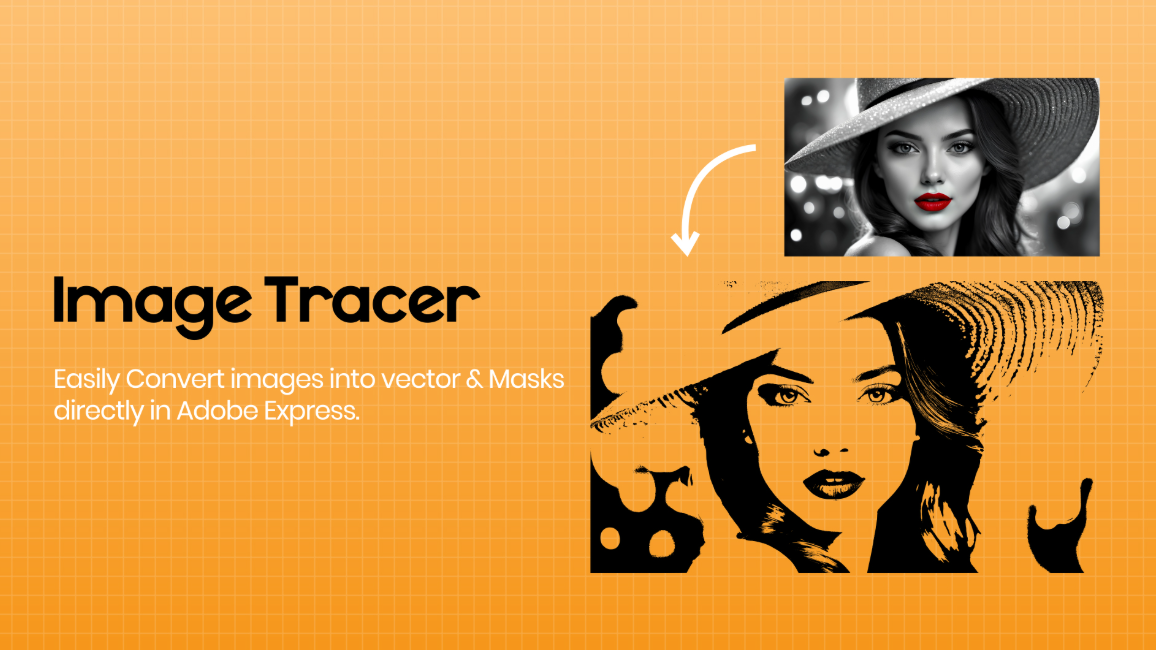
We noticed a growing need among designers and creators for a lightweight, intuitive tool that could convert raster images into clean, scalable vector graphics—directly inside creative environments like Adobe Express. Existing tools were often complex or required switching between apps. We wanted to simplify that.
What it does
Image Tracer allows users to:
Convert raster images (like PNGs or JPGs) into scalable vectors
Adjust threshold levels for fine control
Use traced images as clipping masks
Extract clean outlines or color-filled vectors
Edit results with strokes, fills, and effects
Apply traced vectors in high-resolution print or digital projects
How we built it
We used HTML5 Canvas and WebAssembly-powered image processing libraries for fast performance. The vector generation pipeline was optimized for browser use, and we integrated it with the Adobe Express Add-on SDK to ensure smooth UX.
Challenges we ran into
Balancing speed and accuracy in vector tracing
Keeping the UI responsive while processing large images
Ensuring compatibility across devices and browsers
Making sure exported vectors preserved fine details
Accomplishments that we're proud of
Created a tool that works fully inside Adobe Express with zero setup
Achieved real-time tracing and masking functionality
Enabled one-click conversion from image to mask-ready vector
What we learned
Designers want flexibility but simplicity—too many options can overwhelm
Performance optimization is critical, especially in the browser
Feedback loops with testers helped us polish both UI and results
What's next for Image Tracer
Multi-layer vector tracing support
Export as SVG with grouped paths
Integrating with other creative workflows (e.g., for video masking)
Built With
- adobe-express-add-on-sdk
- canvas-api
- css3
- fabric.js
- html5
- imagetracer.js
- javascript
- svg
- web-workers
- webassembly

Log in or sign up for Devpost to join the conversation.