Inspiration
The project was inspired by the increasing demand for high-quality video content in the digital world. Many creators struggle with the time and resources needed to create engaging videos from static images. I wanted to bridge this gap by using AI to simplify and automate the process, empowering anyone to convert images into professional-looking videos effortlessly.
What it does
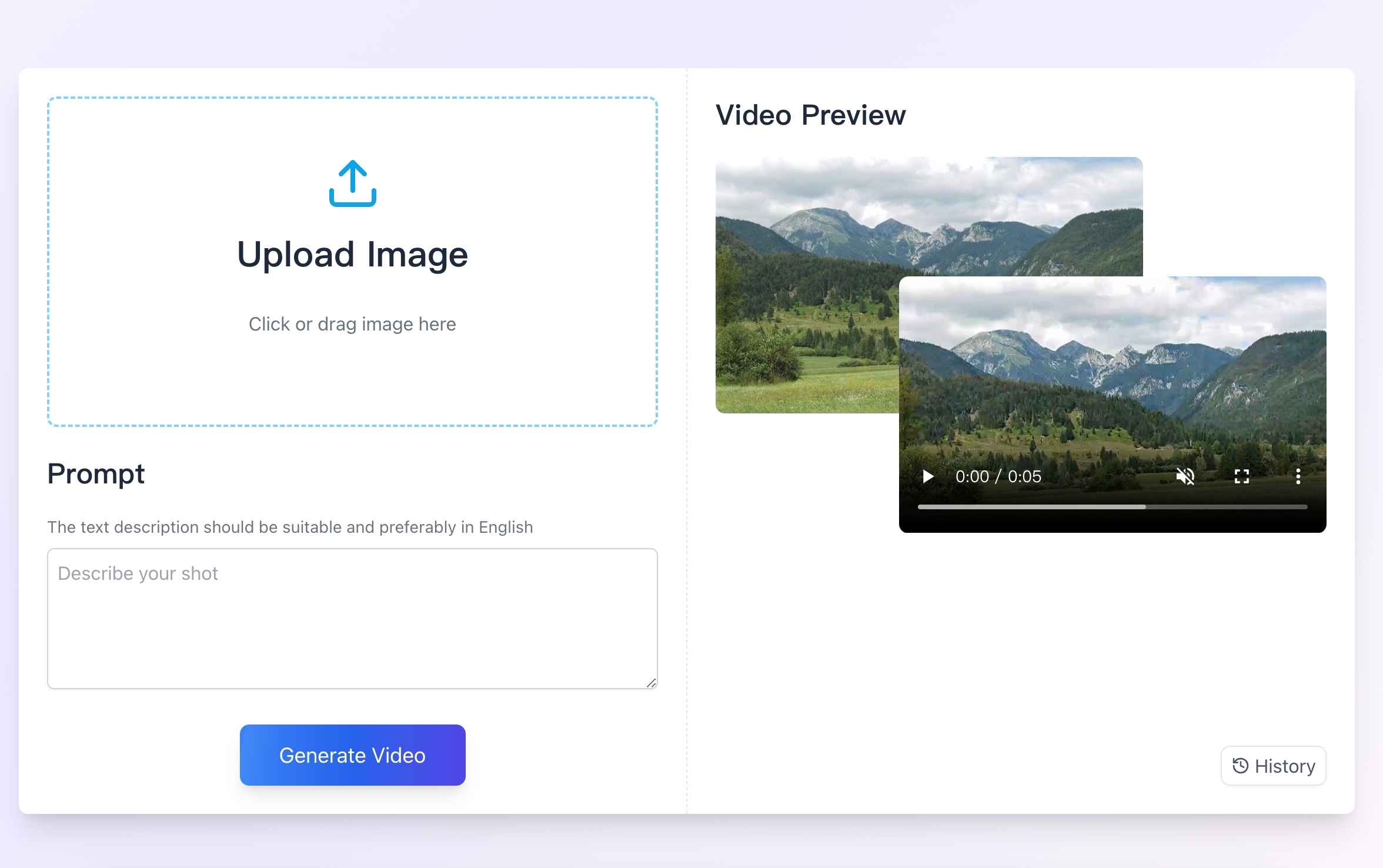
"Image to Video AI" allows users to upload images, customize animation styles, and instantly transform them into MP4 videos. It leverages cutting-edge AI to produce smooth transitions, visually appealing effects, and options for personalization, making it a versatile tool for content creators, marketers, and everyday users.
How I built it
- Frontend: Developed with Vue.js to create a clean and user-friendly interface for uploading images, setting preferences, and downloading videos.
- Backend: Used FlaskAPI to manage server-side logic, handle API requests, and integrate AI-based video generation tools.
- AI Integration: Connected with popular AI services for seamless text-to-video and image-to-video transformations.
- Deployment: Hosted the application on a cloud-based platform for scalability and reliability.
Challenges I ran into
- API Compatibility: Different AI APIs had varying input/output formats, making integration complex.
- Performance Optimization: Ensuring fast and reliable video generation while maintaining quality was a significant hurdle.
- User Experience: Designing an intuitive workflow required constant iterations and testing.
- Scalability: Handling a high volume of concurrent requests without performance degradation involved robust backend optimization and efficient resource management.
Accomplishments that I'm proud of
- Successfully developed and deployed a functional product that serves a real user need.
- Integrated advanced AI technology to deliver high-quality videos efficiently.
- Created an intuitive and visually appealing user interface that simplifies a complex process.
- Overcame performance bottlenecks to ensure a smooth user experience.
What I learned
- The intricacies of integrating AI APIs into a full-stack application.
- Effective techniques for optimizing performance in a resource-intensive application.
- The importance of user feedback in shaping the design and functionality of a product.
- Deployment best practices for scaling and maintaining a reliable service.
What's next for Image to Video AI: Convert Image to MP4, AI Video Maker
- Enhanced Features: Adding more customization options like audio integration, advanced effects, and different animation styles.
- AI Advancements: Exploring new AI models to improve video quality and processing speed.
- Mobile App: Developing a mobile version for greater accessibility.
- Community Feedback: Engaging with users to refine and expand the product based on their needs.
- Collaboration Opportunities: Partnering with creators and businesses to extend the tool's use cases.
Built With
- ai
- fastapi
- vue
- wordpress


Log in or sign up for Devpost to join the conversation.