-

Image to table extraction
Inspiration
Working with data extracted from images, especially tables, can be a tedious and error-prone task. Existing tools often require expensive subscriptions or fail to produce accurate table structures. I wanted to create a free, easy-to-use, and accessible tool that allows users to extract tabular data from images with minimal effort. This project was driven by the need for a lightweight, browser-friendly solution that simplifies data extraction without relying on complex installations or paid services. Take a brief look at the tool at this link
What It Does
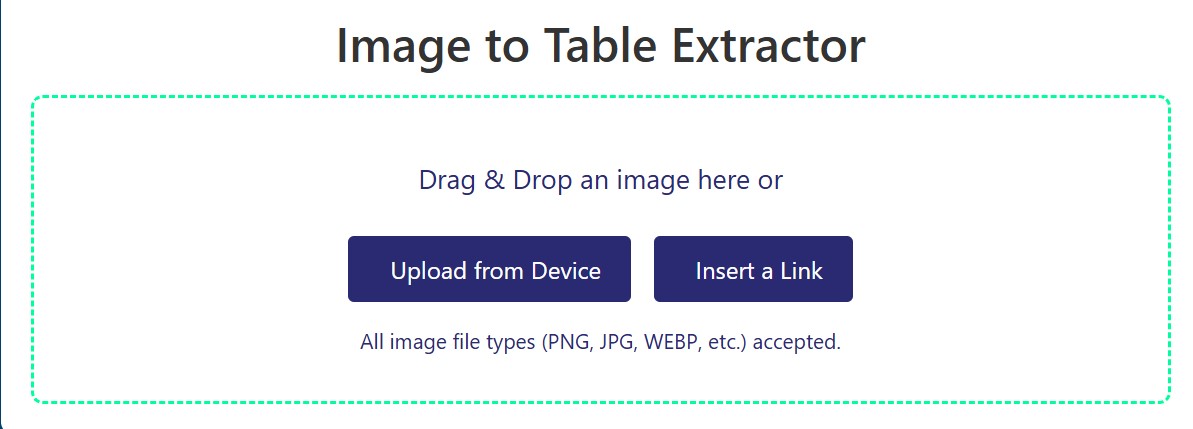
The Image to Table Converter Online takes an image containing a table and extracts its structured data, converting it into an editable format. Users can: ✅ Upload an image with a table ✅ Extract table contents using JavaScript-based image processing ✅ Copy or download the extracted table as a CSV or JSON file ✅ Adjust and edit the extracted data before exporting
This tool is particularly useful for students, researchers, data analysts, and professionals who need to digitize tabular data quickly.
How I Built It
I developed this tool using:
HTML, CSS, and JavaScript for the front-end interface Node.js for backend processing Tesseract.js (OCR library) to extract text from images Table parsing algorithms to structure the extracted text into an accurate table format Bootstrap and custom CSS for responsive UI design The entire project was designed to be lightweight and run efficiently in the browser without requiring complex server-side processing.
Challenges I Ran Into
OCR Accuracy: Extracting tabular data accurately from images was challenging, especially when dealing with blurred images, poor contrast, or misaligned table structures. Table Structure Detection: Tesseract.js extracts raw text, but formatting it into a proper table required implementing custom parsing and alignment logic. Performance Optimization: Processing high-resolution images without slowing down the browser required optimizations in JavaScript execution and memory management. Accomplishments That I'm Proud Of 🎯 Successfully built a fully functional and free table extraction tool 🎯 Integrated OCR and custom table parsing logic for better accuracy 🎯 Developed a responsive and user-friendly web interface 🎯 Made an open-source, no-installation-required alternative to paid tools
What I Learned
Improved my knowledge of OCR processing and how to enhance text recognition accuracy Worked extensively with Tesseract.js and image preprocessing techniques Learned better ways to structure and format extracted data into usable tables Gained experience optimizing JavaScript applications for better performance What's Next for Image to Table Converter Online 🚀 Better OCR Accuracy: Implementing image preprocessing techniques (e.g., grayscale conversion, contrast enhancement) for more reliable text extraction 🚀 Multi-language Support: Expanding recognition capabilities for tables containing non-English characters 🚀 Drag-and-Drop Feature: Improving user experience by allowing drag-and-drop image uploads 🚀 AI-based Table Detection: Exploring machine learning-based table recognition for more complex structures 🚀 Export to Google Sheets: Adding integration for direct export to Google Sheets


Log in or sign up for Devpost to join the conversation.