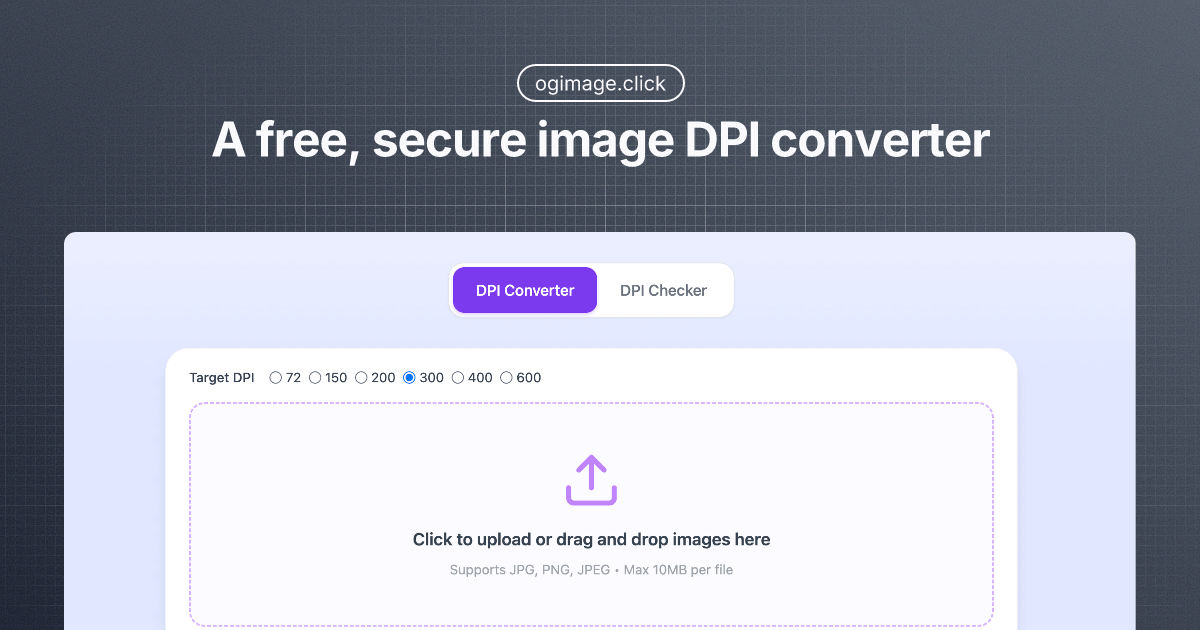
Image DPI Converter
Inspiration
The inspiration came from the common frustration of dealing with image DPI requirements for professional printing and web optimization. Many existing tools require uploading sensitive images to external servers, creating privacy concerns. I wanted to create a solution that combines professional-grade DPI conversion capabilities with complete privacy protection through local processing.
What it does
The Image DPI Converter is a comprehensive web-based tool that provides:
- DPI Checker: Instantly analyzes and displays the current DPI resolution of uploaded images with detailed metadata
- DPI Converter: Converts images to target DPI values (especially optimized for 300 DPI professional printing standards)
- Batch Processing: Handles multiple images simultaneously for efficient workflow
- Local Processing: All operations happen entirely in the user's browser without any file uploads
- Universal Format Support: Works with JPEG, PNG, and other major image formats
- Smart Metadata Modification: Changes DPI without re-encoding pixels, preserving original image quality
How I built it
The application was built using:
- Frontend: Modern JavaScript with HTML5 Canvas API for image processing
- Backend: PHP with Laravel framework for robust server-side architecture
- Local Processing Engine: Client-side JavaScript libraries for image metadata manipulation
- UI/UX: Responsive design with drag-and-drop functionality and real-time preview
- File Handling: Browser-based file processing using FileReader API and blob manipulation
- Batch Operations: Asynchronous processing queues for handling multiple files efficiently
Key technical implementations:
- EXIF data reading and modification for DPI metadata
- Canvas-based image processing without quality loss
- Memory-efficient handling of large image files
- Progressive enhancement for accessibility
Challenges I ran into
- Memory Management: Processing large images locally required careful memory optimization to prevent browser crashes
- Format Compatibility: Ensuring consistent DPI handling across different image formats and their metadata structures
- Performance Optimization: Balancing processing speed with quality, especially for batch operations
- Browser Limitations: Working within browser security constraints while maintaining full functionality
- Metadata Preservation: Modifying DPI values without corrupting other EXIF data or image quality
- Cross-browser Compatibility: Ensuring consistent behavior across different browsers and their Canvas implementations
Accomplishments that I'm proud of
- 100% Privacy Protection: Successfully implemented complete local processing without any server uploads
- Professional Quality Results: Achieved industry-standard 300 DPI conversion that meets professional printing requirements
- Intuitive User Experience: Created a seamless drag-and-drop interface that works for both technical and non-technical users
- Batch Processing Efficiency: Developed a system that can handle multiple images simultaneously without performance degradation
- Comprehensive Feature Set: Built both checking and conversion tools in a single, cohesive application
- SEO Optimization: Implemented proper metadata structure for discoverability while maintaining functionality
What I learned
- Client-side Image Processing: Gained deep expertise in browser-based image manipulation using Canvas API and blob operations
- DPI vs PPI Understanding: Learned the technical differences between DPI (printing) and PPI (digital display) and how to handle both properly
- Metadata Standards: Understood EXIF data structures and how to modify them without corrupting image files
- Performance Optimization: Mastered techniques for handling large files efficiently in memory-constrained browser environments
- Privacy-first Development: Learned to architect applications that provide professional functionality while respecting user privacy
- Print Industry Standards: Gained knowledge about professional printing requirements and quality standards
What's next for Image DPI Converter
- Advanced Format Support: Adding support for TIFF, WebP, and other professional image formats
- Bulk Operations Enhancement: Implementing folder-level batch processing with progress tracking
- AI-powered Optimization: Integrating smart DPI recommendations based on image analysis and intended use case
- Mobile App Development: Creating native mobile applications for on-the-go DPI conversion
- API Development: Building a developer API for integration with other tools and workflows
- Advanced Metadata Editing: Expanding to full EXIF data editing capabilities beyond just DPI
- Print Size Calculator: Adding tools to calculate optimal print sizes based on pixel dimensions and DPI
- Quality Enhancement: Implementing AI-powered upscaling for truly increasing image resolution, not just metadata
- Collaboration Features: Adding team sharing capabilities while maintaining privacy standards
- Integration Plugins: Developing plugins for popular design software like Photoshop and GIMP

Log in or sign up for Devpost to join the conversation.