-
-
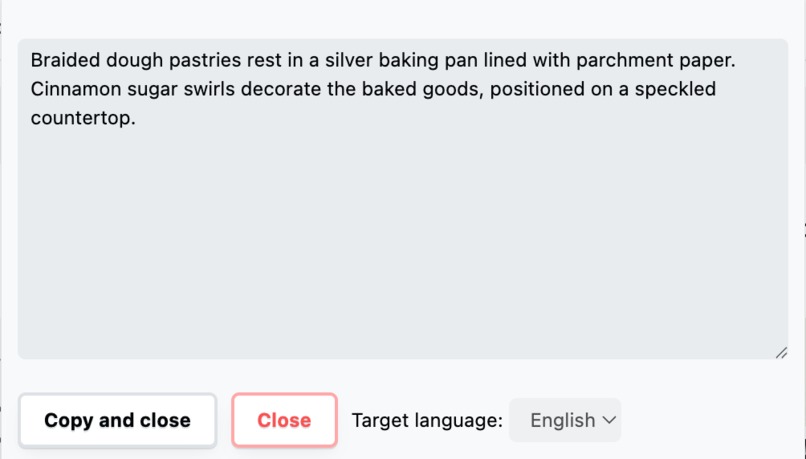
iScribr pop-up window

Inspiration
For 7 years, I was the Chief Architect of Pinterest. And for 5 of those years, I was also the executive sponsor for Pinterest's employee community that advocated for disabled people. We spent a lot of time to make our product and workplace more accessible. In particular, we worked with designers and engineers to make Pinterest better for people who use screen readers -- typically folks who are blind or have sight impairments. We made some progress, but we always got feedback that we weren't doing as well as we could with screen reader navigation.
What it does
The iScribr Chrome Extension provides a simple key sequence (Option-I on MacOS, Alt-I on Windows) to allow a user to request an image description. This approach solves a problem that has always been hard to figure out: when is the right time to provide a complete image description for a screen reader? iScribr's approach is to put the control in the hands of the user by making it easy to control the experience according to their own desires and needs.
While the extension works with many web sites, the extension also provides some navigation improvements that are specifically designed for Pinterest: ensuring that focus starts on the top left image, and returning focus to the correct image in a browsing session that is already in progress.
How I built it
I started with the Alt-texter sample Chrome extension, which demonstrates how to use on-device multimodal AI with Gemini Nano - image understanding. The code for the modifications was written with the Cursor integrated development environment.
I worked for a few hours per day over several days with the VoiceOver screen reader on MacOS to modify the code in order to improve the user experience.
Challenges I ran into
Getting the screen reader, the Pinterest web application, and the Chrome extension to work well together wasn't easy! There were a lot of subtle interactions that interrupted the flow of navigation. For example, VoiceOver would sometimes read the image description twice or sometimes not at all.
It was often the case that the Pinterest web application would put the input focus in an inconvenient location on the screen. I needed to tune the Chrome extension to put the focus in the expected location as often as possible.
Videos also presented a challenge. I chose to provide a description of the "poster" image associated with the video. This approach doesn't provide a full streaming experience, but it does help the user get the gist of the "aboutness" of the video content.
Accomplishments that I'm proud of
While at Pinterest, I led projects with dozens -- sometimes hundreds -- of engineers to improve the accessibility of the platform. We made a lot of progress, but I feel like I may have made more progress in just a few days with Built-In AI technology. The Gemini Nano model with image understanding gives pretty good (but not perfect) descriptions. Putting this power in the hands of screen reader users (combined with appropriate navigational improvements) has the potential to make the web much more accessible without compromising privacy.
What I learned
This is the first time that I've created a Chrome extension. It's also the first time that I've used an API to drive a machine learning model that's running locally in my device. All-in-all, the experience was productive and pretty easy.
I don't think that the way that I customized the navigation for Pinterest is really scalable (across all of Pinterest) or extendable (to other web applications). I think that it would be great if Chrome built-in AI had a model that is fine-tuned for understanding the structure of web applications. Would it be possible to provide a Chrome API that surfaced the most important content and navigational elements from a web app? Examples might include the image browsing structure of Pinterest (or Google Image Search) or an email being viewed in Gmail (or other email providers). With this kind of model, it would be easier to build different kinds of applications or extensions that enhance web apps in a variety of ways.
What's next for Image Describer Chrome Extension (iScribr)
I plan to use the extension to demo new approaches to accessibility to friends who are still at Pinterest.
I'm also planning to build other kinds of helpful web agents that are not directly related to accessibility.
