-
-
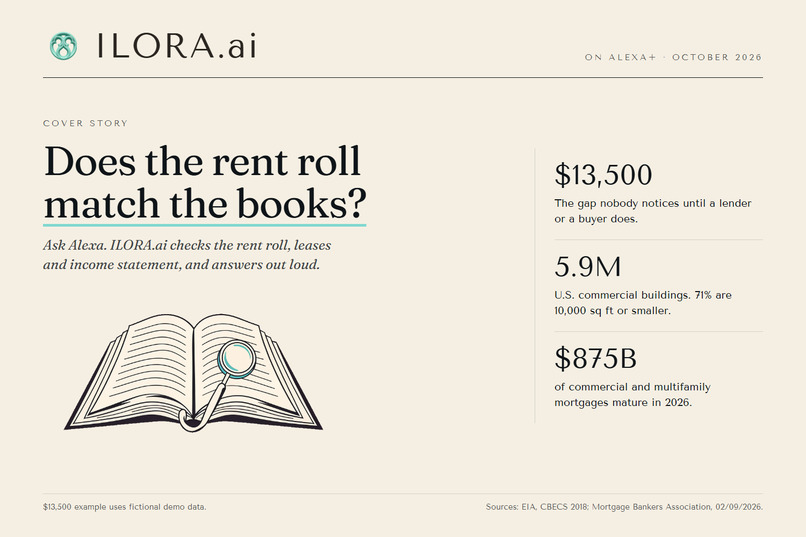
ILORA.ai on Alexa+: does the rent roll match the books? Ask Alexa and hear the checked answer.
-
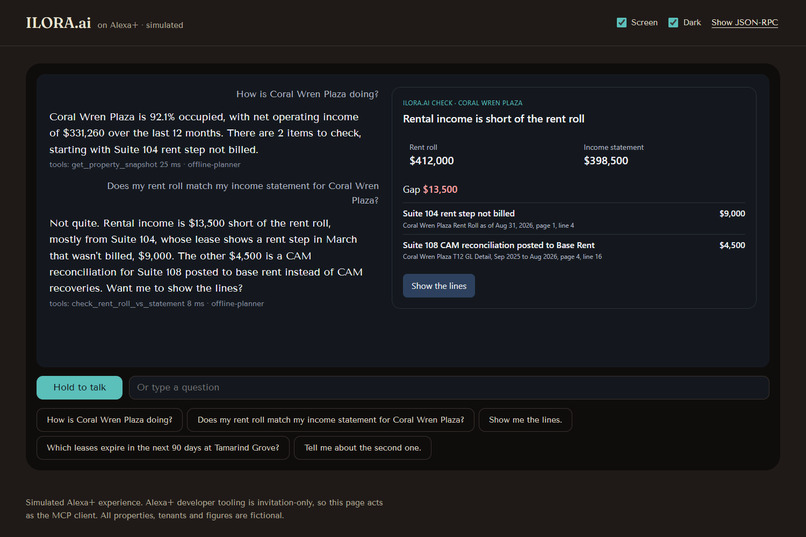
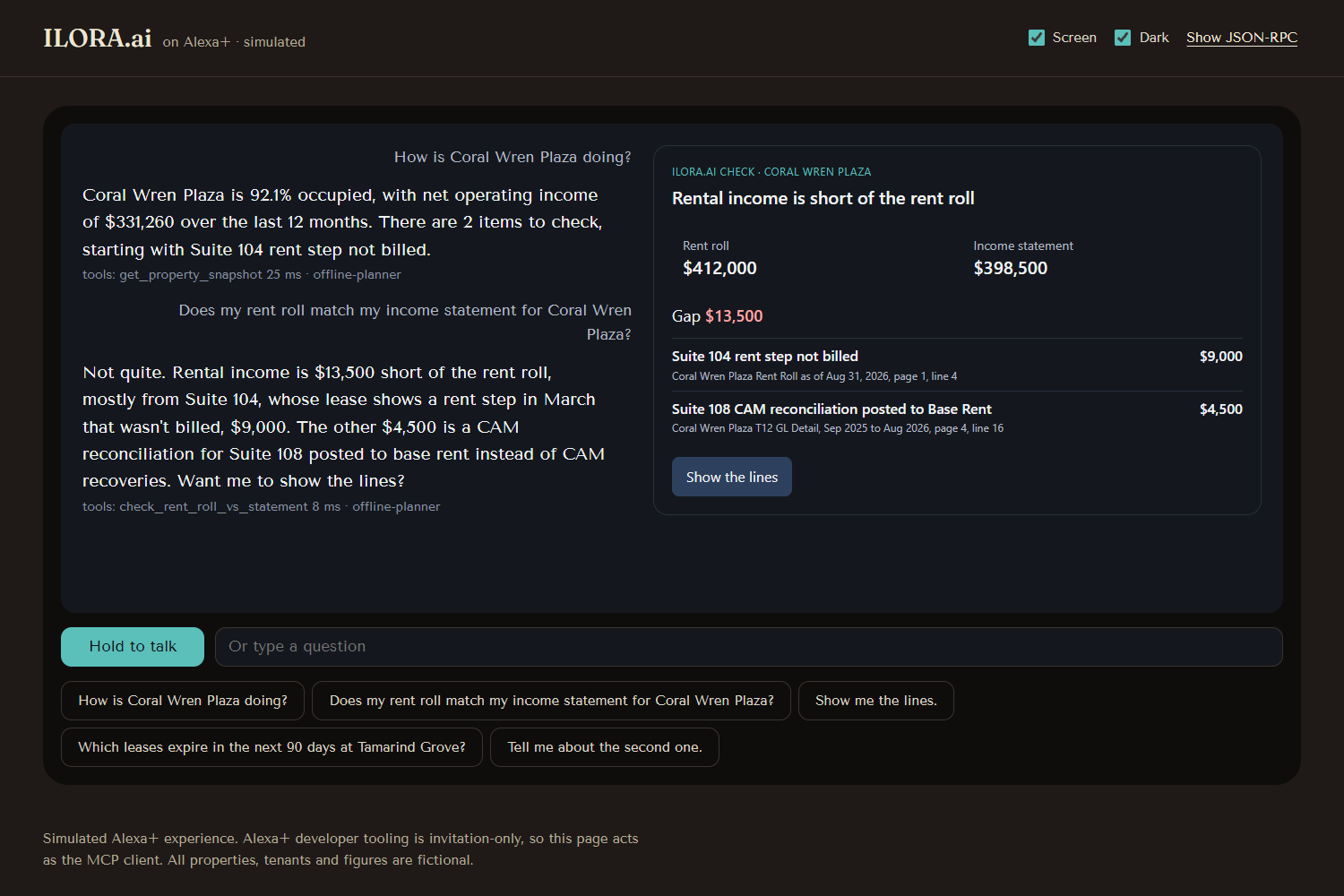
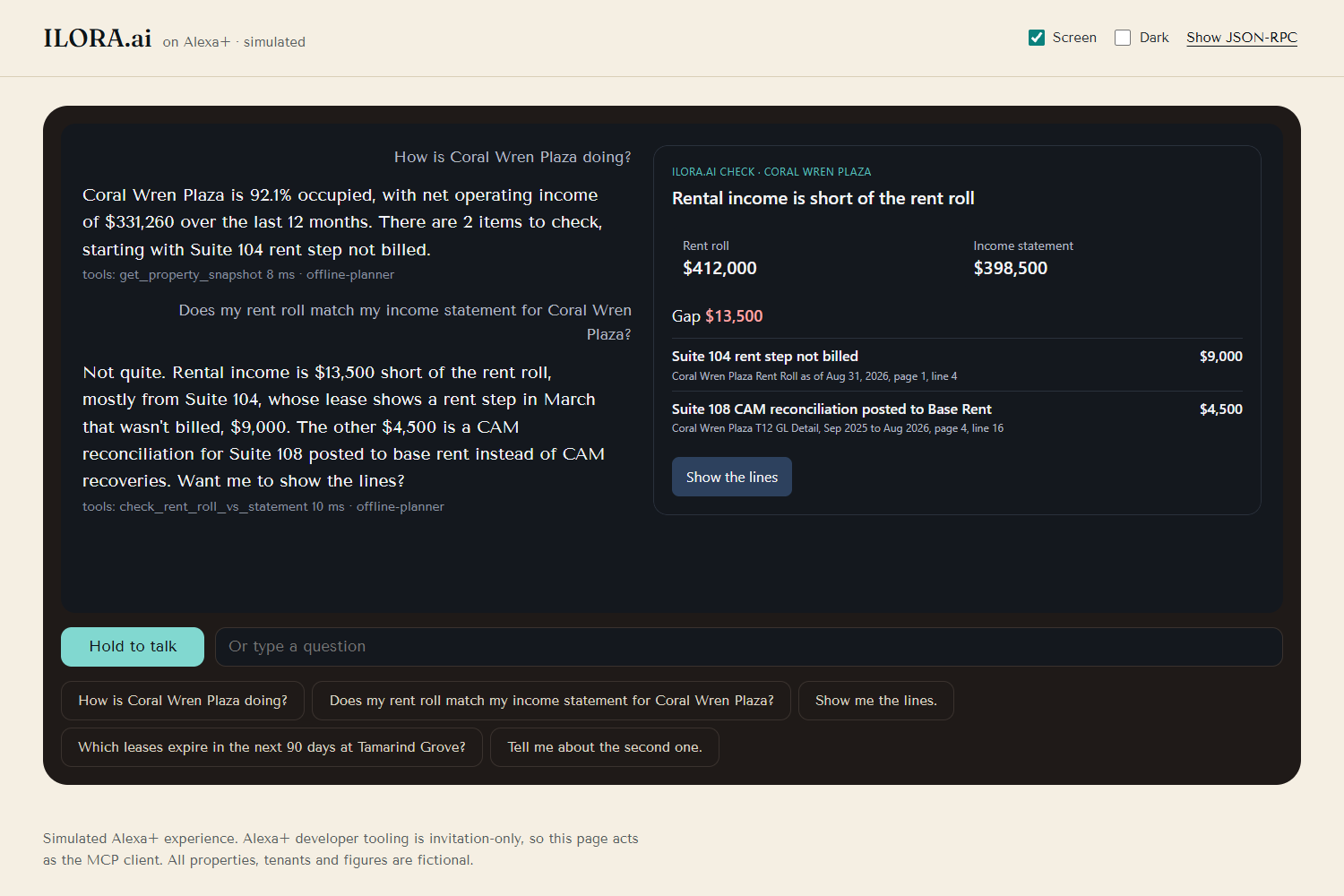
Does the rent roll match the income statement? Not quite: $13,500 short, with each cause, its amount and its source page and line.
-
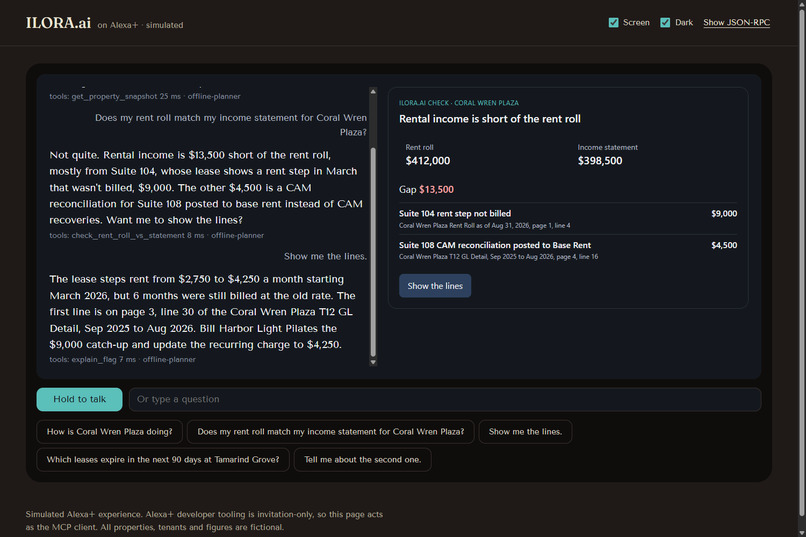
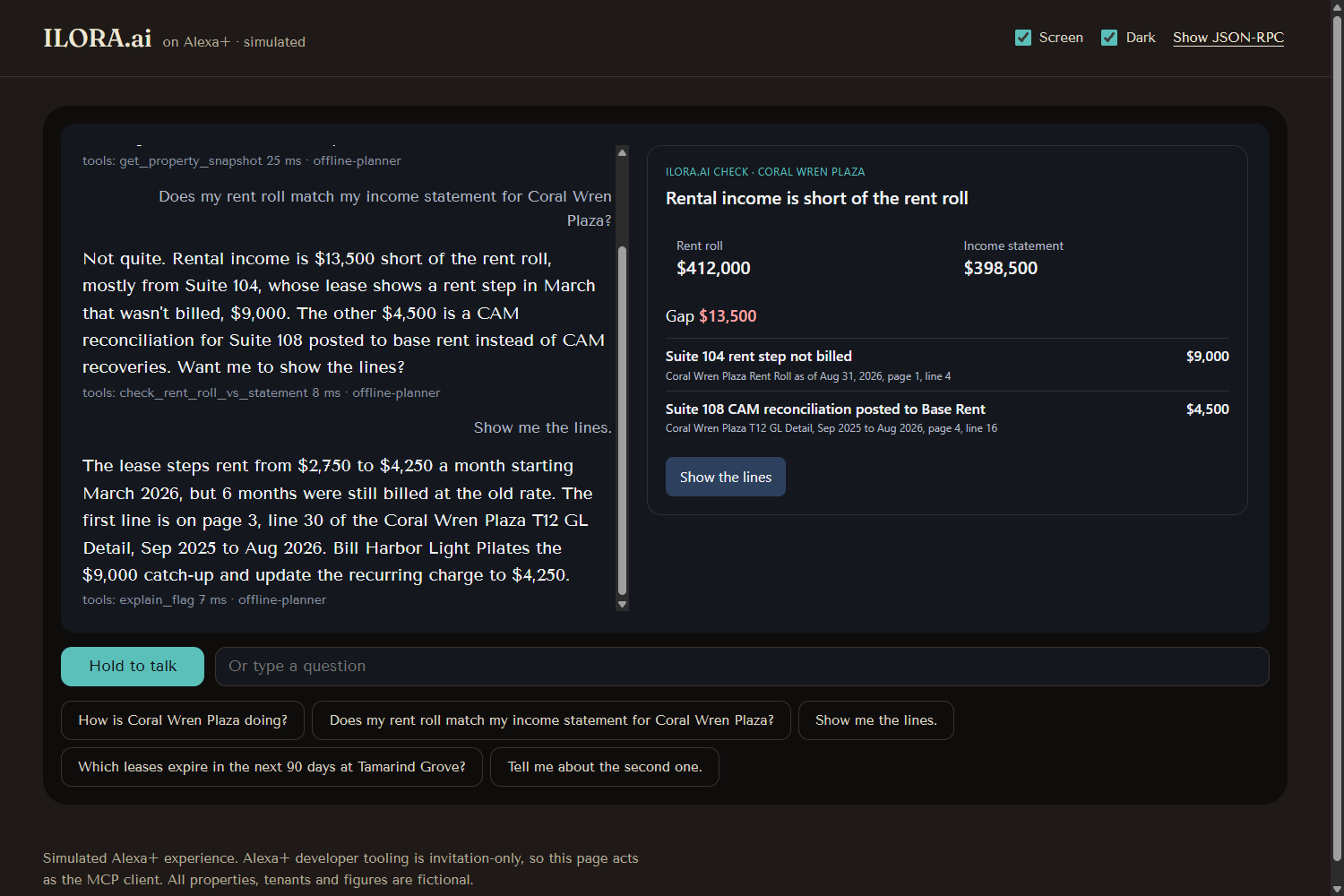
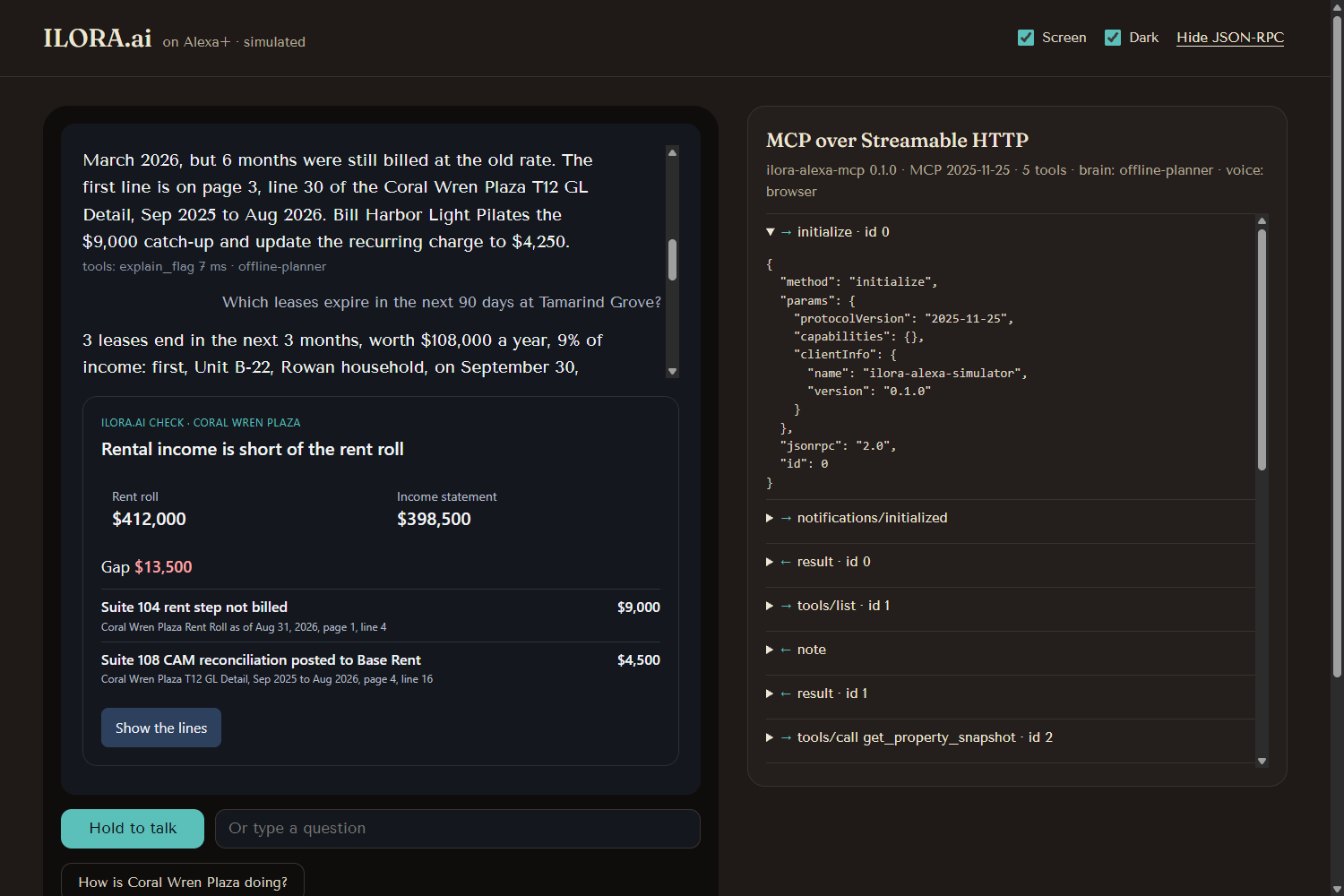
"Show me the lines": the unbilled March rent step for Suite 104, the exact statement line, and the fix.
-
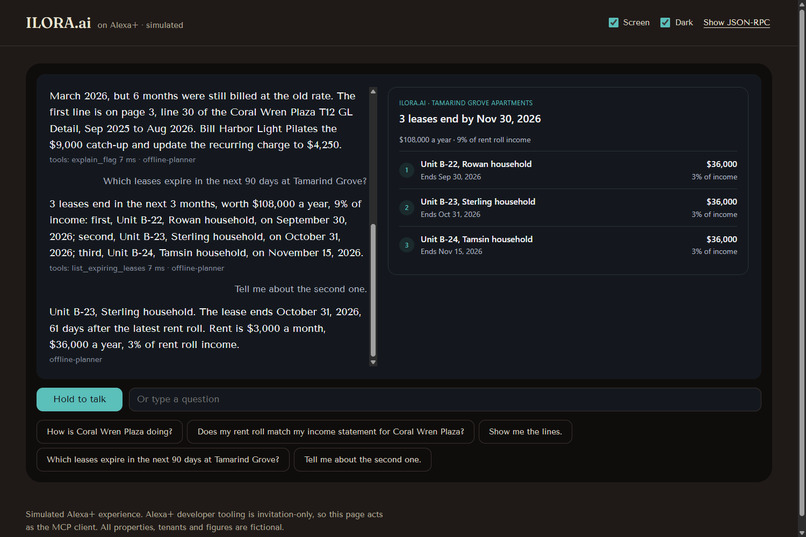
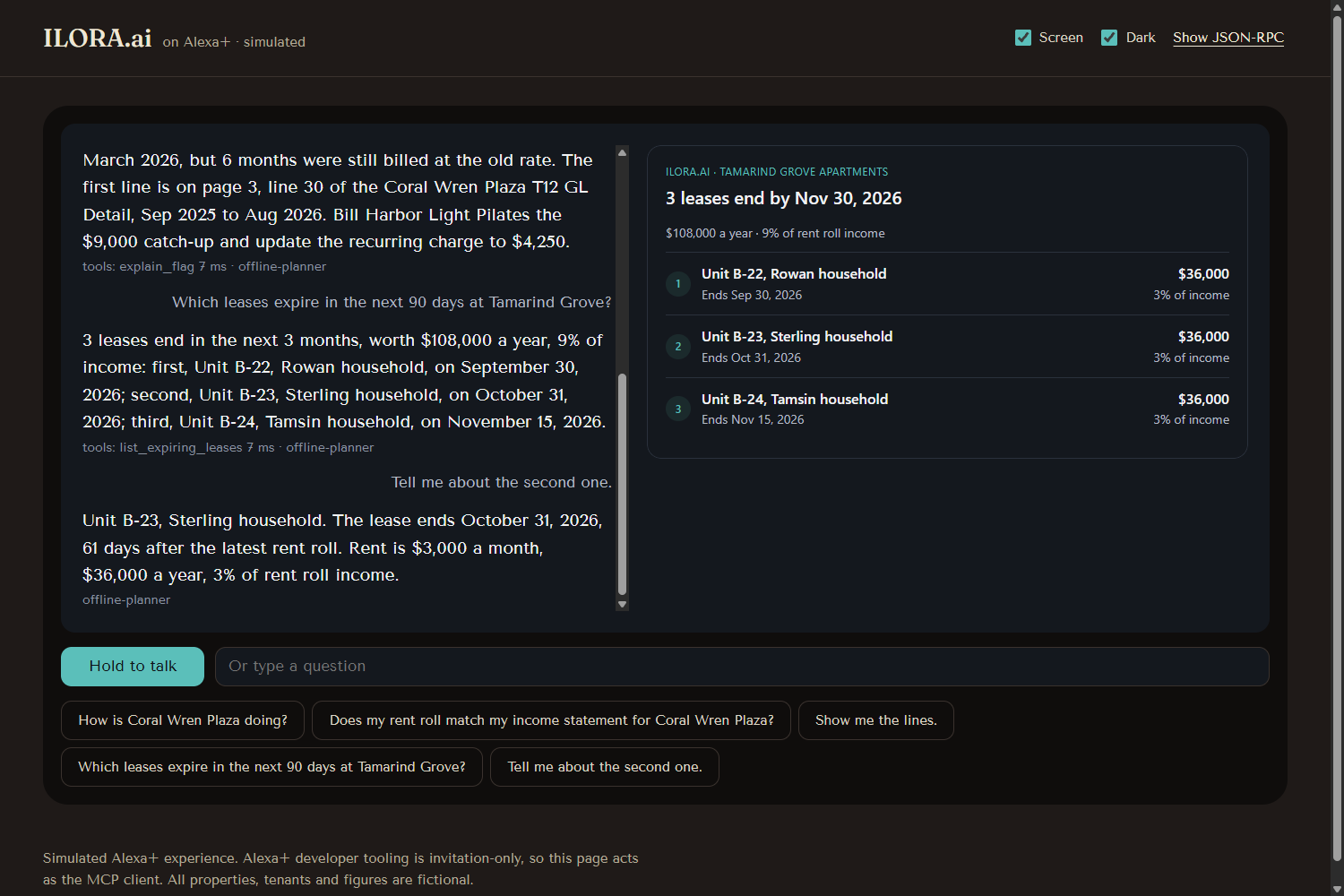
Three leases end in the next 90 days, 9% of income, shown as a List. Follow-up: "Tell me about the second one."
-
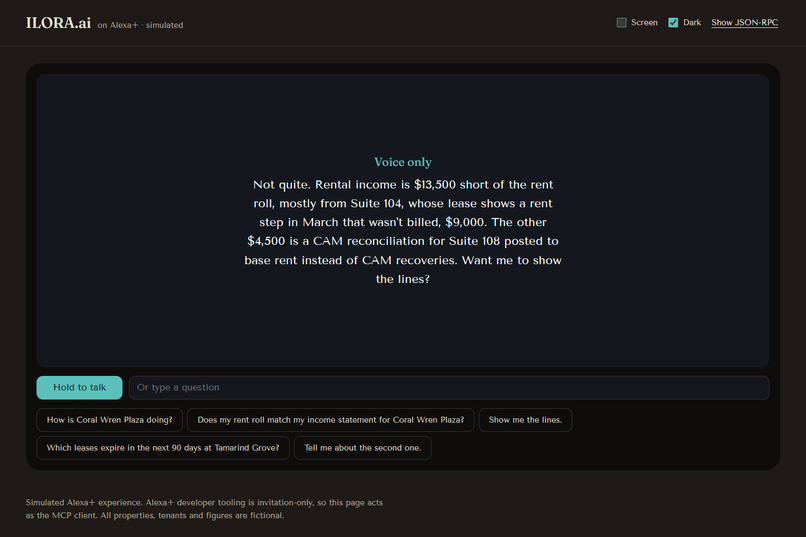
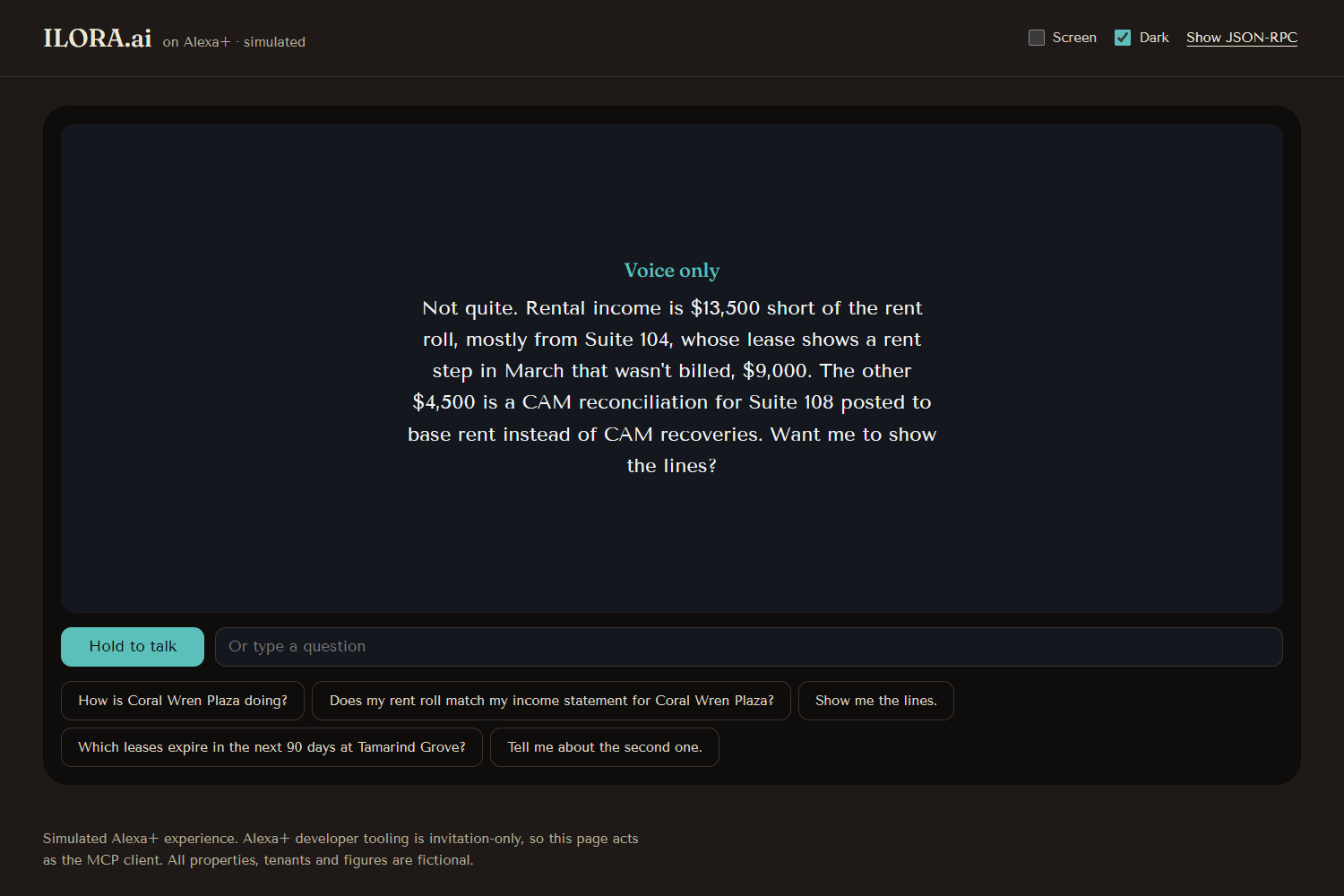
With the screen off, the same answer works by voice alone.
-
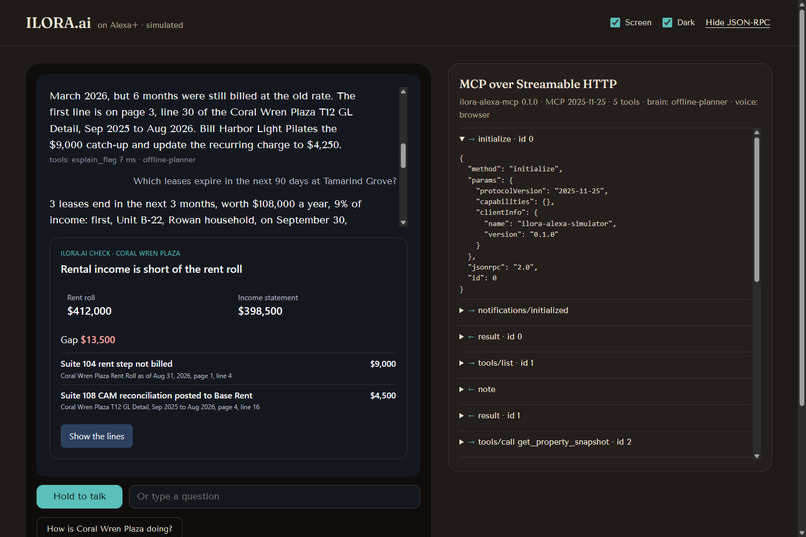
The page is a real MCP client: every JSON-RPC message over Streamable HTTP, protocol version 2025-11-25.
-
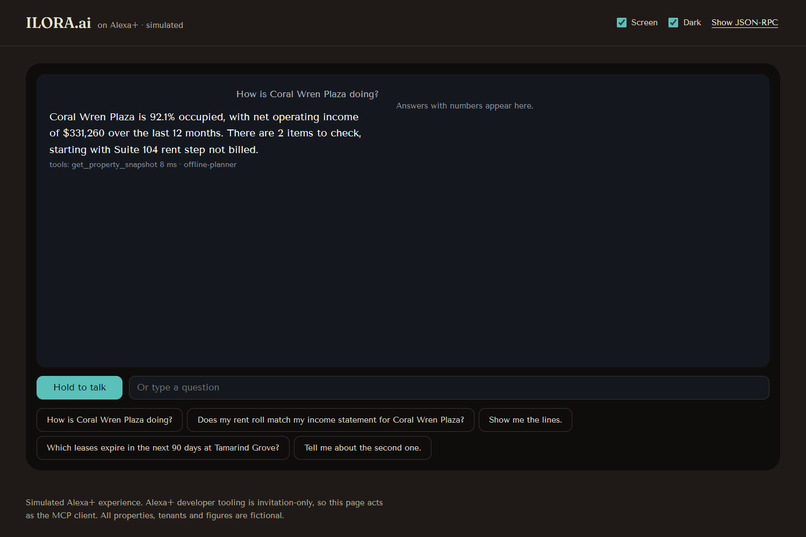
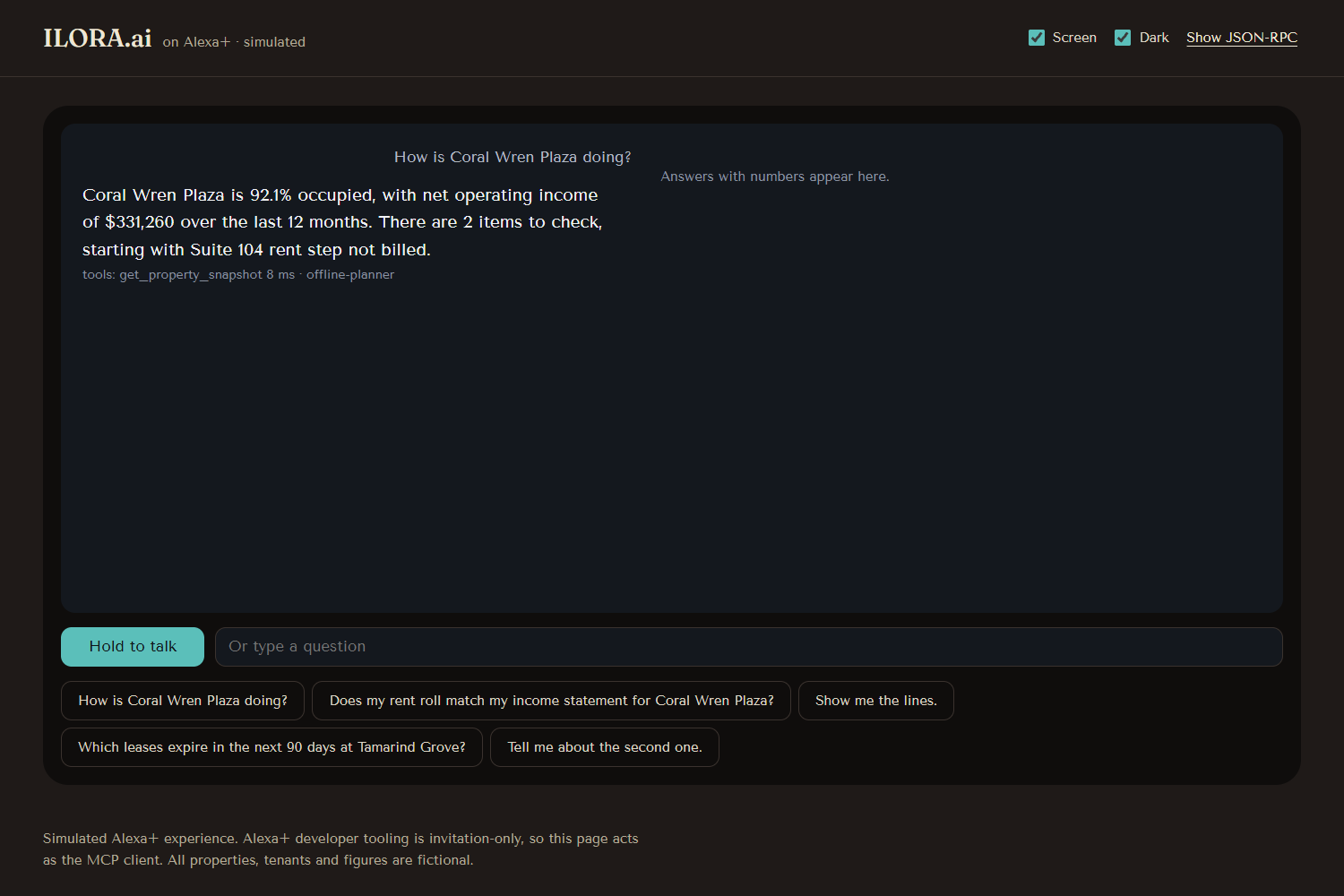
"How is Coral Wren Plaza doing?" Occupancy, 12-month NOI and open items in one answer.
-
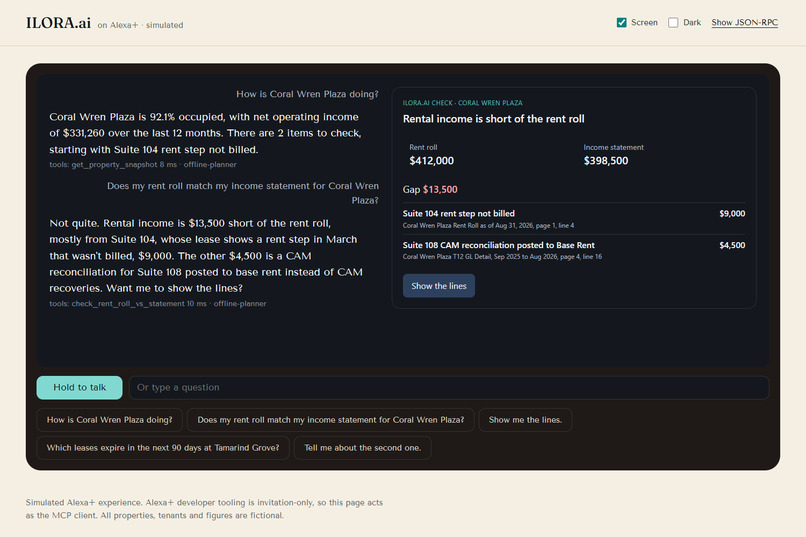
The same check with the page in light mode.
Inspiration
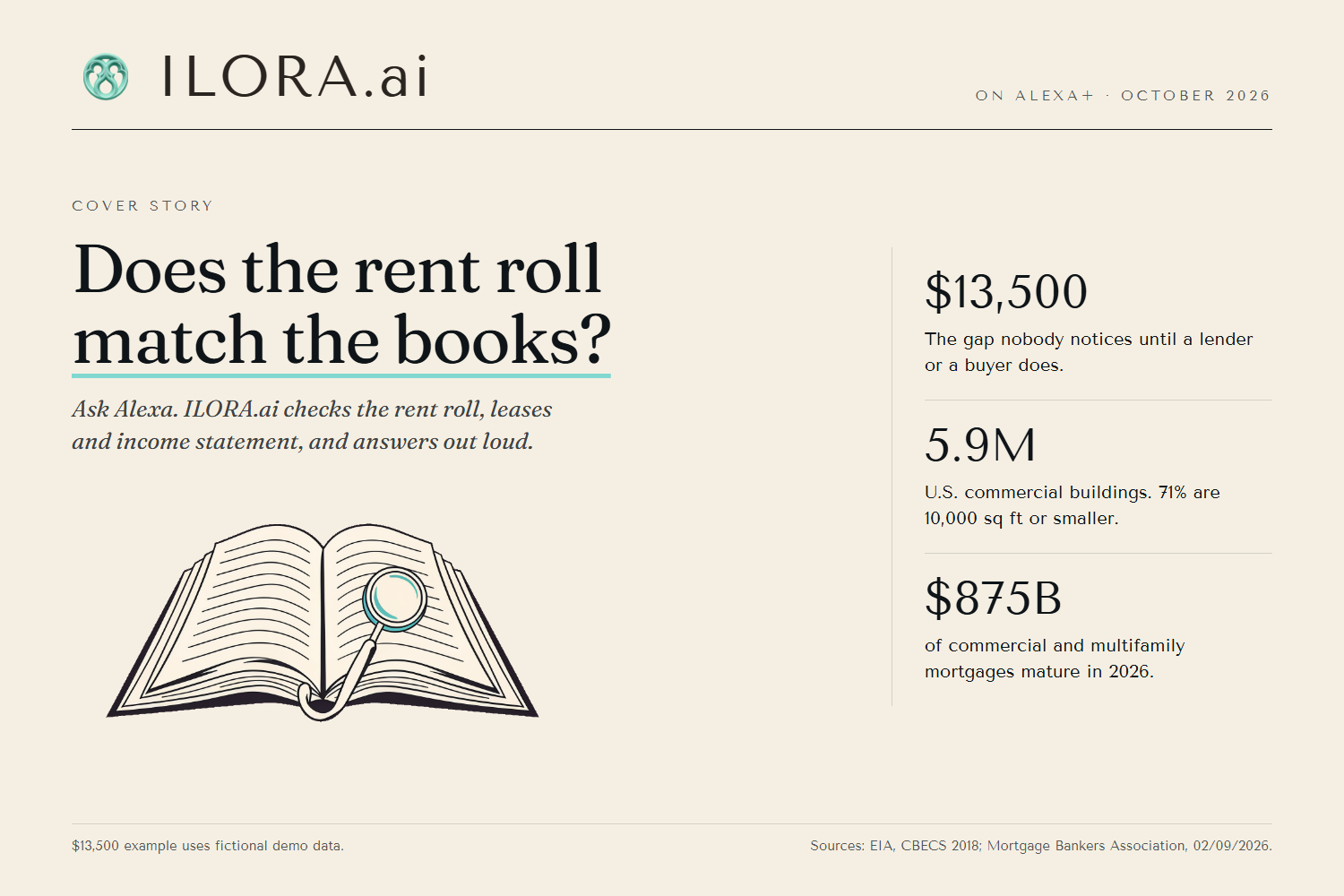
An independent owner's rent roll says $412,000 a year. The income statement says $398,500. Nobody notices the $13,500 gap until a lender or a buyer does, and by then it's a price cut or a delayed refinance. Big owners pay analysts to tie these documents out every month. The owner of one strip center or a 48-unit apartment building doesn't have an analyst, but they do have a voice assistant.
There are 5.9 million commercial buildings in the U.S., and 71% of them are 10,000 square feet or smaller (EIA, CBECS 2018, Table B6). In 2026, $875 billion of commercial and multifamily mortgages come due (Mortgage Bankers Association, February 9, 2026), and every refinance re-checks these numbers.
What it does
You ask about a property out loud:
- "How is Coral Wren Plaza doing?" Occupancy (92.1%), net operating income for the last 12 months ($331,260), and how many items need a look.
- "Does my rent roll match my income statement?" Both totals, the gap, and each cause ranked by dollars, with the source document, page and line: $9,000 from a March rent step for Suite 104 that was never billed, and $4,500 from a CAM reconciliation posted to base rent. A Card shows the numbers on screen.
- "Show me the lines." The lease clause, the rent roll line and the statement lines behind the gap, plus the fix.
- "Which leases expire in the next 90 days at Tamarind Grove?" Three leases, 9% of rent roll income, as a List. Then "Tell me about the second one."
With the screen turned off, every answer still makes sense by voice alone. Both properties, all tenants and every number are fictional.
How we built it
- MCP server, spec 2025-11-25, over Streamable HTTP at
/mcp, stateless, built with the official TypeScript MCP SDK. Five tools, one customer intent each, following the Alexa+ tool design guide: every tool declares an output schema and returns matching structured data, errors suggest alternatives ("did you mean Coral Wren Plaza?"), and stable ids and positions support follow-up questions. - MCP Apps Card and List views, using the Alexa+ Visual Foundations token values, in light and dark mode.
- Simulated Alexa+ client. The Alexa+ MCP Toolkit is invitation-only, so we built the client the hackathon FAQ describes: a web page that is a real MCP client (initialize, tools/list, tools/call, resources/read over Streamable HTTP), with push-to-talk, a voice-only mode, a host for the MCP Apps views, and a panel that shows every JSON-RPC message.
- AWS: AWS Lambda (function URL) serves the MCP endpoint and the simulator, Amazon Polly reads answers in a neural voice, and AWS SAM deploys and removes the stack with one command each. In the demo, a rules-based planner picks the tool. An Amazon Bedrock planner is also in the code, but our AWS account was blocked from Bedrock, so it is not used in the demo (see Challenges).
- Tests: 43 tests cover every tool (normal answer, unknown id, empty result), the schemas, a five-question demo conversation and latency. Warm tool calls take 3 to 21 ms on a laptop.
Challenges we ran into
- Amazon Bedrock refused every model with "Error 002: Access to Bedrock models is not allowed for this account", while its own availability API said the model was authorized. We kept the Bedrock code and ran the demo on the rules-based planner, which calls the same MCP tools.
- The MCP SDK client rejects error results when a tool has an output schema, so structured errors made the client throw. Errors now carry their JSON in text content.
- On Lambda, the MCP endpoint returned 415 behind an Express adapter. We moved
/mcpon Lambda to the SDK's web-standard transport. - The Alexa+ Card and List templates are described in prose, not code, so we built views that follow the patterns and token values.
Accomplishments that we're proud of
- The demo never contradicts itself: a test checks every seeded number to the dollar.
- The answer to "does it match?" names the cause and the page and line, not just the gap.
- Anyone can run it locally in five minutes with no accounts or keys.
What we learned
- Writing each tool description as "call this when…, returns…, does not…" made tool choice reliable, even for a simple planner.
- Returning complete data and letting the assistant write the words gives better voice answers than scripting speech.
What's next for ILORA.ai on Alexa+
- Connect to the ILORA.ai API with account linking, so owners hear about their own properties.
- Join the Alexa+ MCP Toolkit preview and run the same server inside Alexa+.
- More checks: CAM reconciliation, loan covenants (DSCR) and budget variance.
Built With
- alexa
- amazon-polly
- aws-lambda
- aws-sam
- express.js
- mcp-apps
- model-context-protocol
- node.js
- typescript
- vite
- vitest
- web-speech-api
- zod


Log in or sign up for Devpost to join the conversation.