-
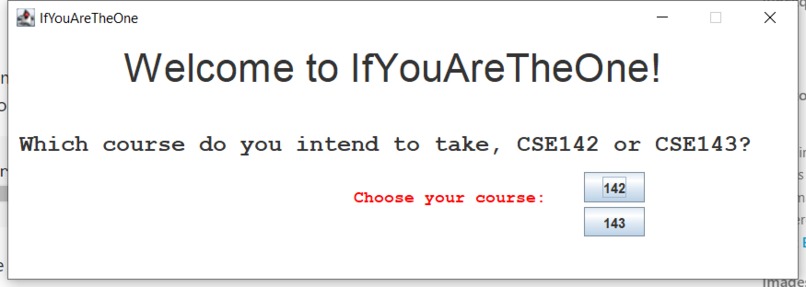
main panel
-
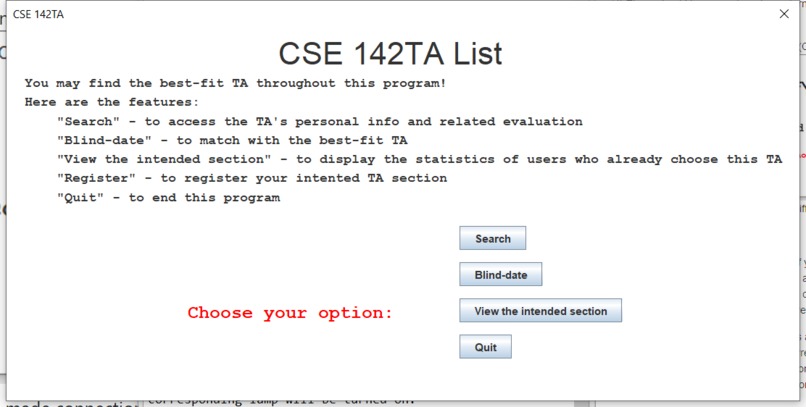
option panel
-
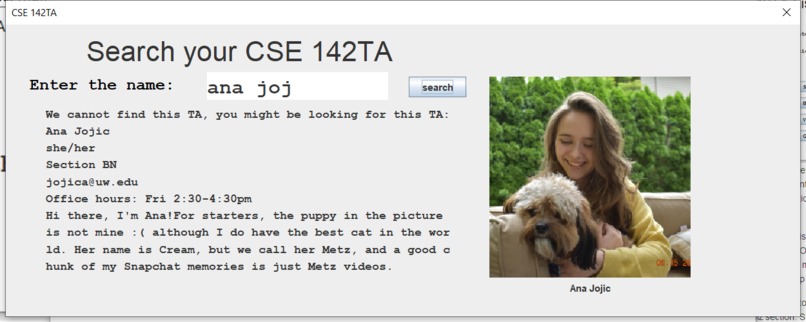
searchTA
-
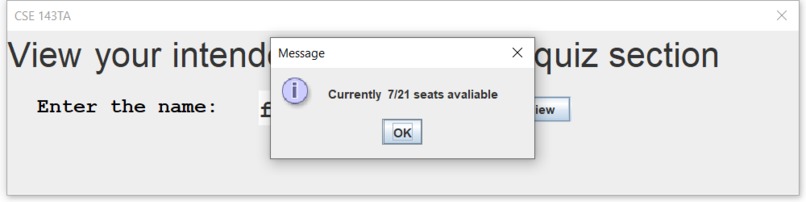
viewTA
-
blindDate
Hello! We are Group 22. Our program is called "If You Are The One", aimed at helping students find their best fit TA. We have 3 functions, all of which would have interaction with users in a web app:
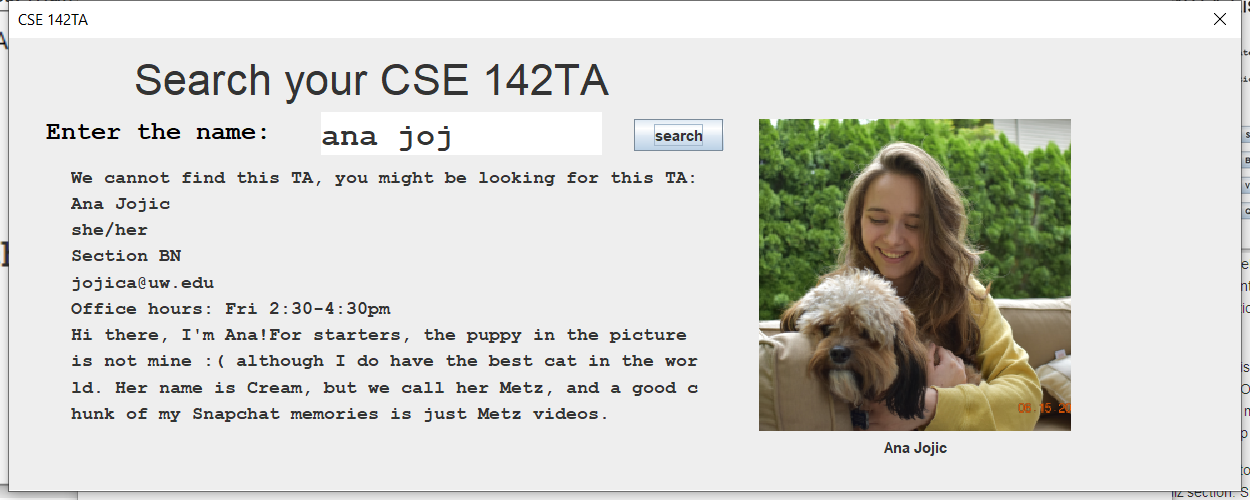
"Search": In this function, user can search for any TA's information, including the name, picture,pronoun, email, quiz section, IPL time, and a personal introduction. This function helps users to be familiar with the basic information of this TA.
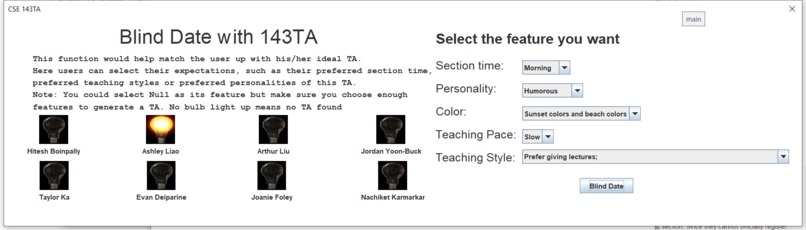
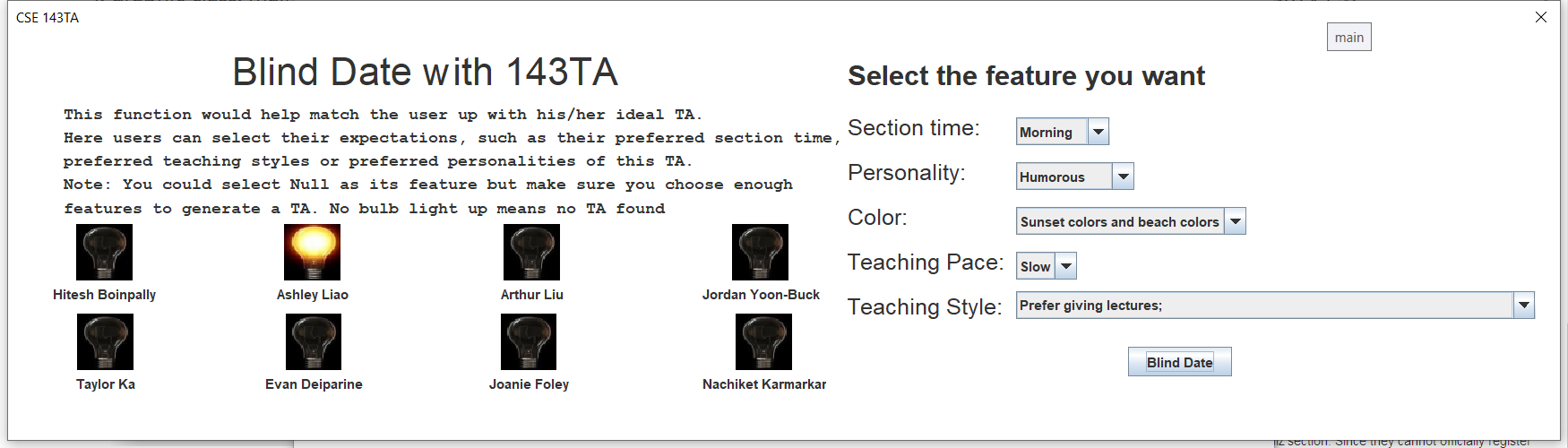
"Blind date": This function would help match the user up with his/her ideal TA. Each TA is represented as a bulb and here users can select their expectations, such as their anticipated section time or teaching styles. After the selection, the TA satisfied most preferred types, or in other words, has the highest scores, is displayed by lighting the related bulb. Note that we only have 8 data used in this function.
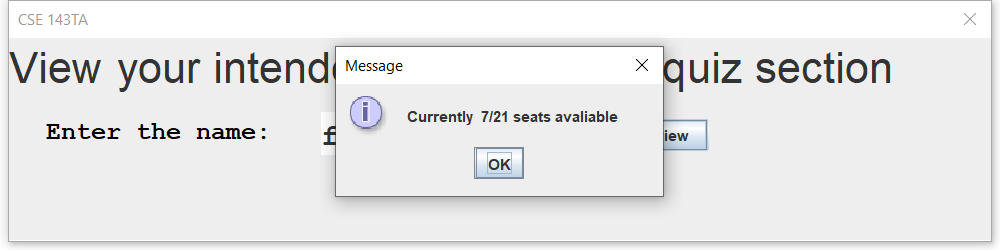
"View the intended Section": In this funtion, we will present the statistics of users who have already chosen the same TA and the capacity of this section. Given that there are usually limited spots in the registration of a section and each student's registration time is usually different, it's better for a user to know how many other students want this TA too. Thus it would give the user a second chance to think about whether this TA/section is the most suitable.
In the three functions above, users can end the program anytime and directly display the results.
2. Run this program on ed
To run this program on ed, you'll need to do the following steps:
See our overall toggle tree by clicking the button "Toggle Tree View" in the top left.
Find and click "graphic.java" on the left side.
Click the button "Open Terminal" on the top, open a terminal and type the following:
javac graphic.java && java graphic;
There should be a remote web app turning up. If not, then click the "Remote App" button on the top.
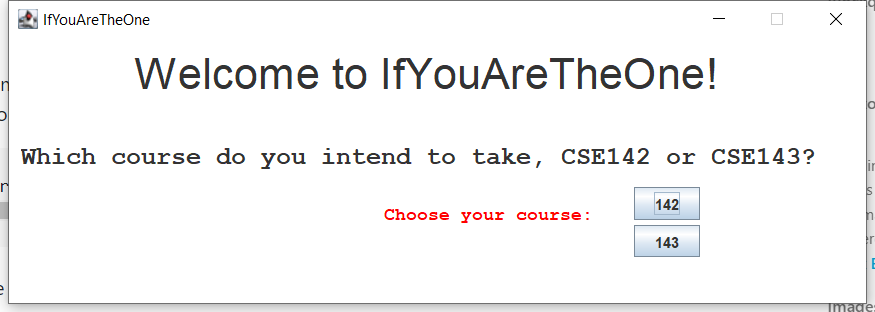
The first frame is asking which course (CSE 142/143) you are interested in. Input different course will lead you to the different search system and dataset.
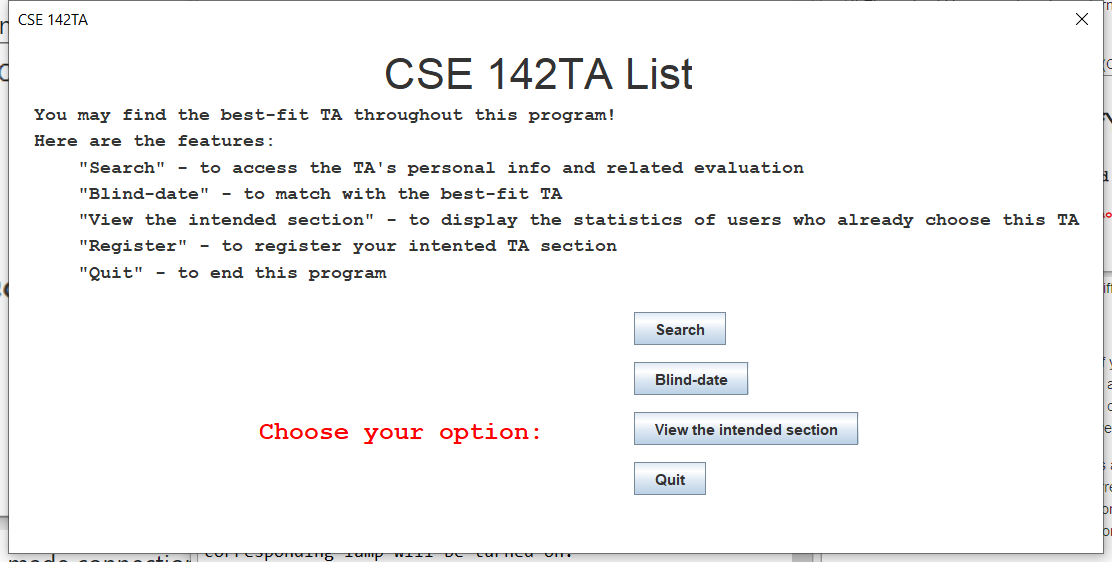
Choose one of the 3 functions:
- In "Search", type in the name of any TA. If you misspell the name, the program will automatically do the auto-correct process and present the closest result;
* In "Blind-date", choose your preferred types. You can either select one specific option or null.
Then choose the "Blind Date" button, and the best-fitted TAs will be displayed and their corresponding bulb will be turned on.
* In "View the Intended Section", type in the name of TA and the related statistics will be displayed. Autocorrect is also
enabled for this feature.
- End the Program
Click "Quit" to exit the program.
Built With
- datastructure
- gui
- java


Log in or sign up for Devpost to join the conversation.