Inspiration
One of our team members was stunned by the number of colleagues who became self-described "shopaholics" during the pandemic. Understanding their wishes to return to normal spending habits, we thought of a helper extension to keep them on the right track.
What it does
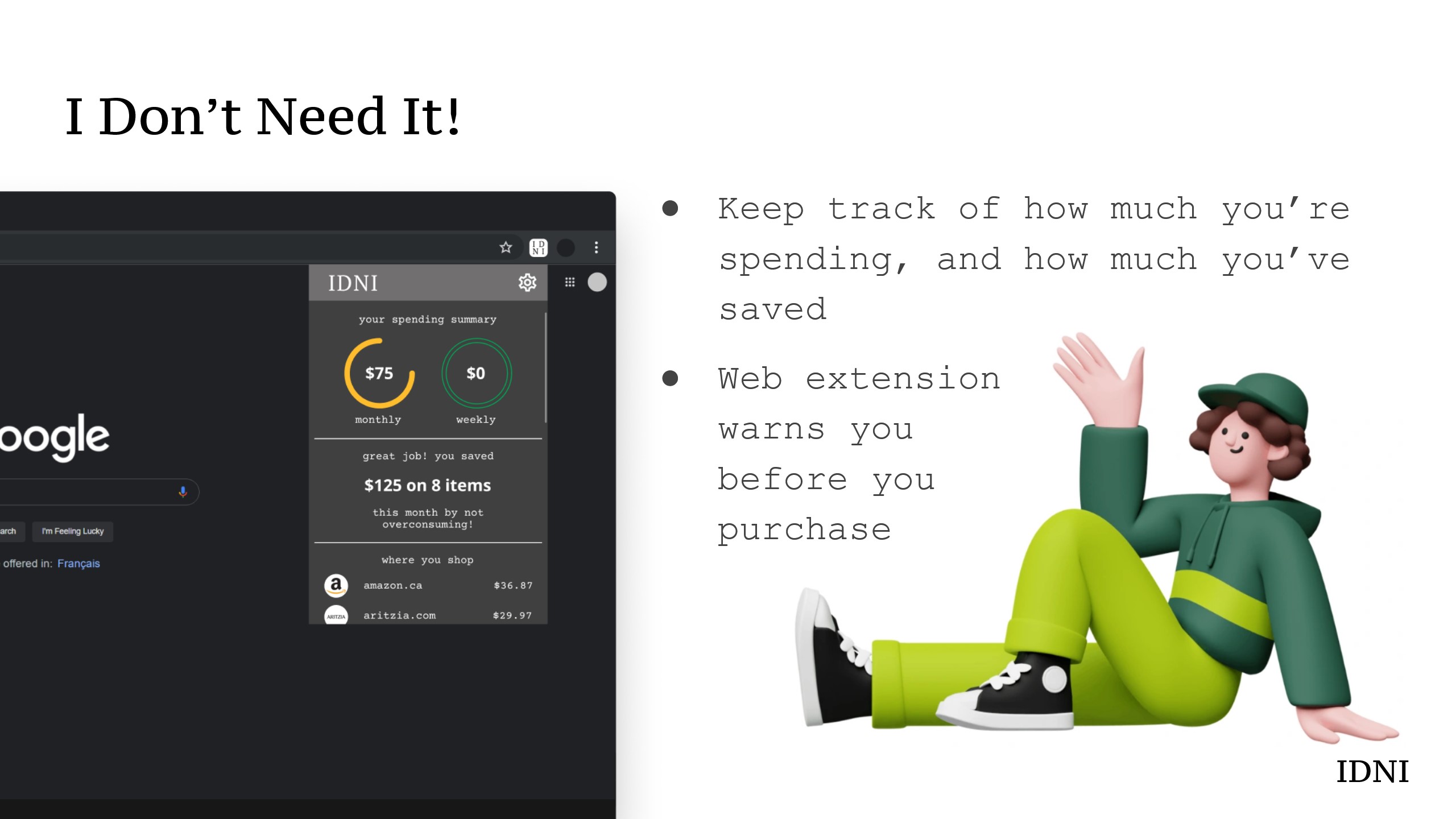
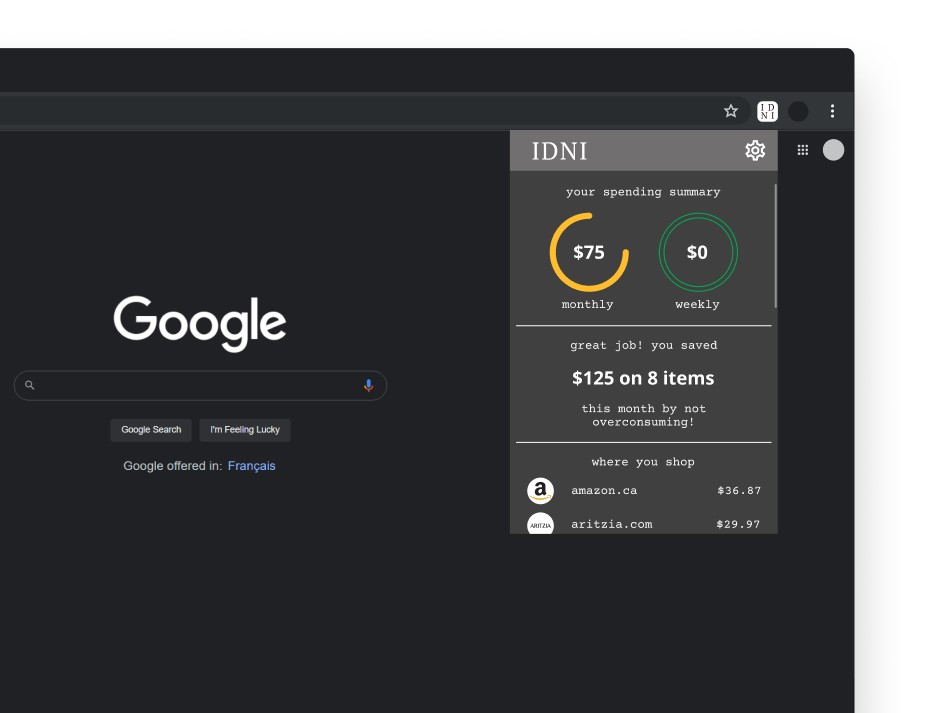
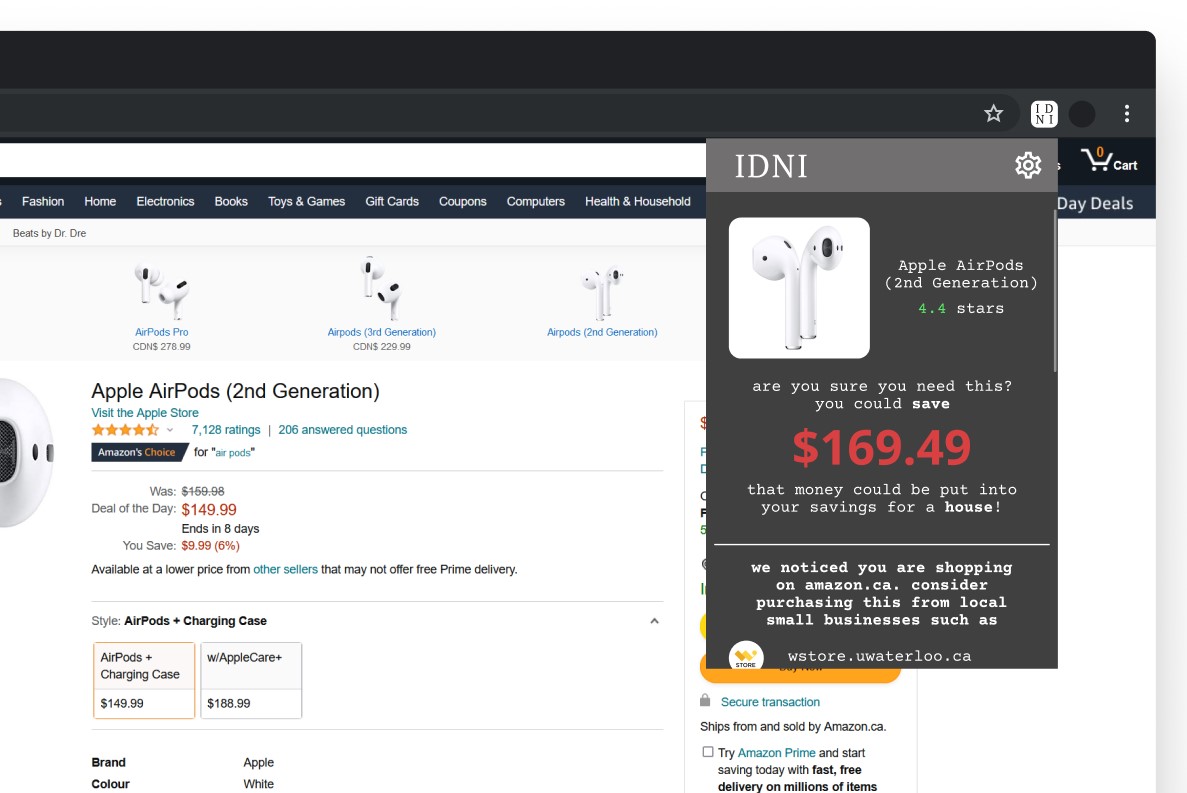
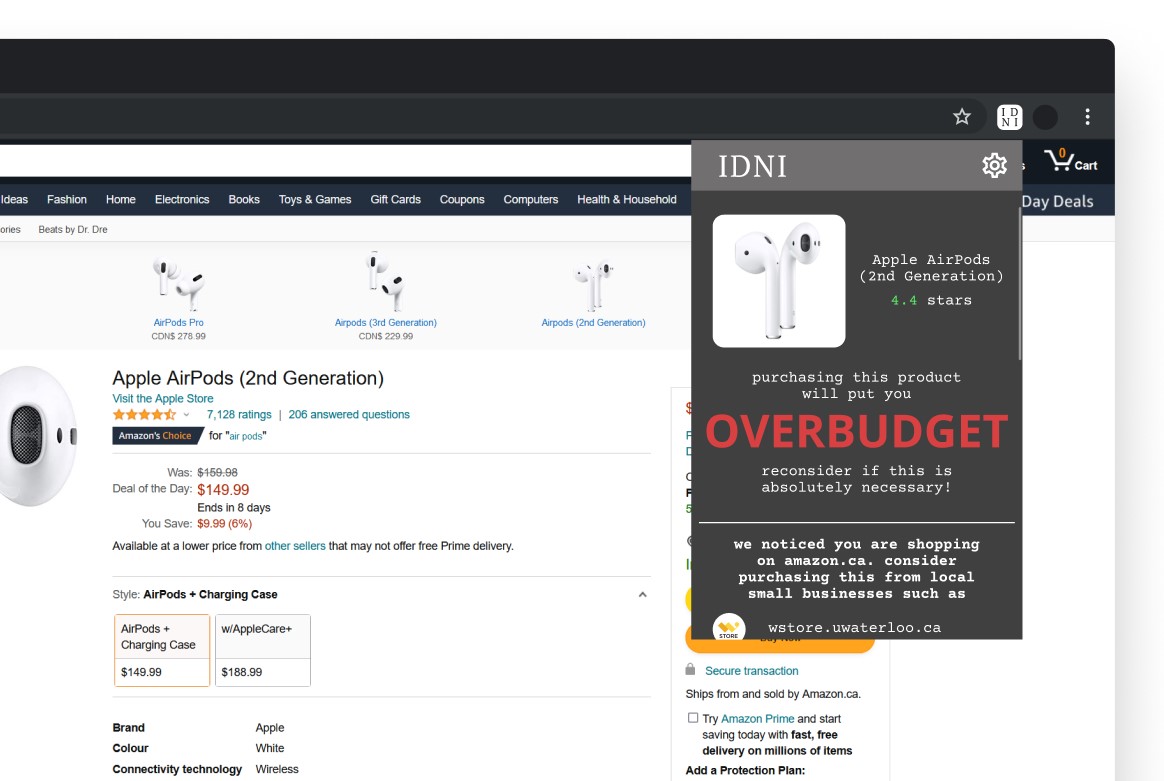
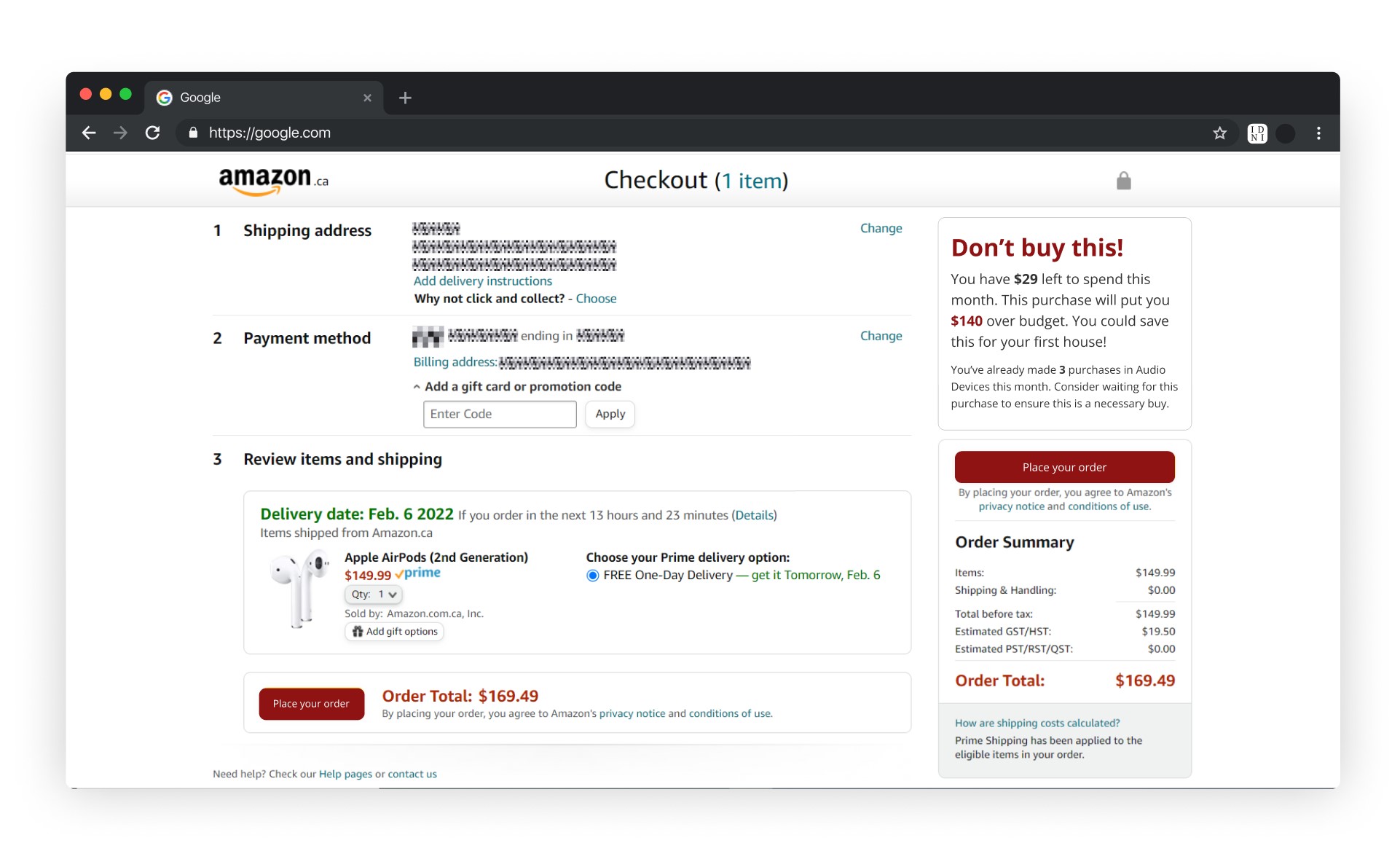
Stop impulse shopping at its core by incentivizing saving rather than spending with our Chrome extension, IDNI aka I Don't Need It! IDNI helps monitor your spending habits and gives recommendations on whether or not you should buy a product. It also suggests if there are local small business alternatives so you can help support your community!
How we built it
React front-end, MongoDB, Express REST server
Challenges we ran into
Most popular extensions have company deals that give them more access to product info; we researched and found the Rainforest API instead, which gives us the essential product info that we needed in our decision algorithm. However this proved, costly as each API call took upwards of 5 seconds to return a response. As such, we opted to process each product page manually to gather our metrics.
Completion
In its current state IDNI is able to perform CRUD operations on our user information (allowing users to modify their spending limits and blacklisted items on the settings page) with our custom API, recognize Amazon product pages and pull the required information for our pop-up display, and dynamically provide recommendations based on these metrics.
What we learned
Nobody on the team had any experience creating Chrome Extensions, so it was a lot of fun to learn how to do that. Along with creating our extensions UI using React.js this was a new experience for everyone. A few members of the team were also able to spend the weekend learning how to create an express.js API with a MongoDB database, all from scratch!
What's next for IDNI - I Don't Need It!
We plan to look into banking integration, compatibility with a wider array of online stores, cleaner integration with small businesses, and a machine learning model to properly analyze each metric individually with one final pass of these various decision metrics to output our final verdict. Then finally, publish to the Chrome Web Store!



Log in or sign up for Devpost to join the conversation.