-
-
Identibear - Learn More
-
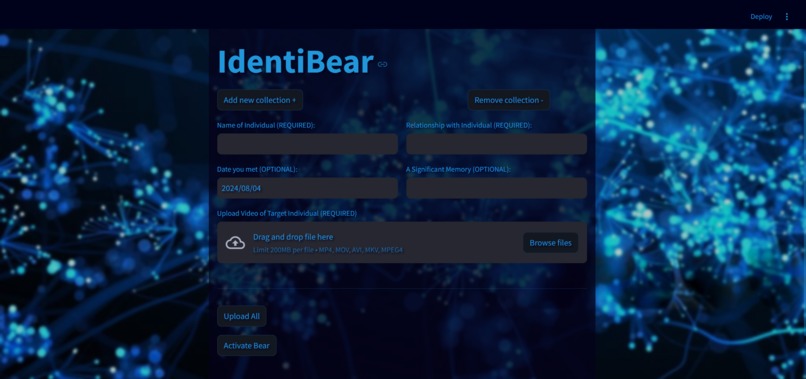
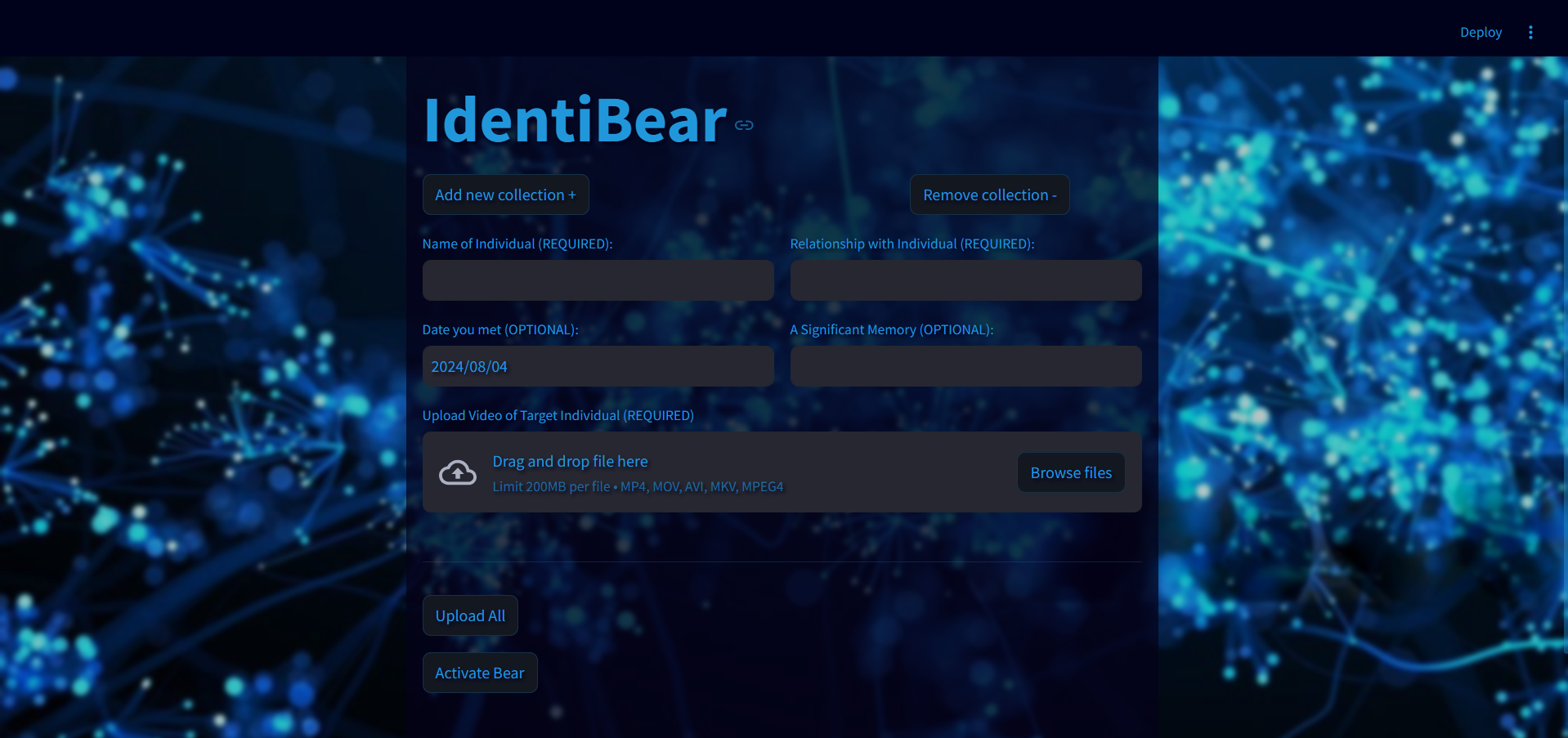
Identibear Web App - Video & Label Upload
-
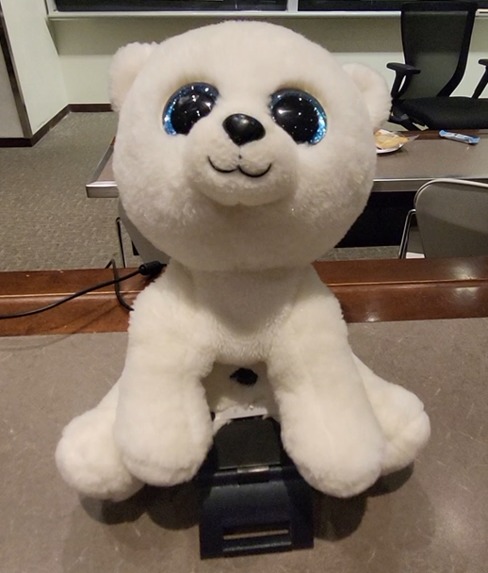
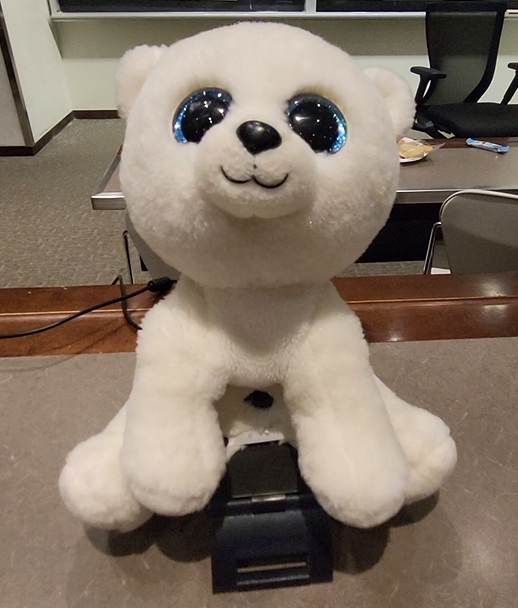
Identibear Itself! - The Polar Bear Webcam
Inspiration
Identibear was inspired by the work experiences of our team members as well as our varying specialties in web, ML, and hardware development!
Working in a nursing/retirement home means seeing seniors with dementia struggling to recognize their family members. Often many are too embarrassed to ask for a name because they are conscious of their condition.
Prosopagnosia is another condition where one struggles to recognize faces due to brain damage or conditions from birth. Like dementia, this can also have severe social effects and deeply affect those who have it.
Identibear is a step toward providing tools to help these conditions but without the grimness and incredibly methodical ways of most medical gear. While efficiency is undeniably important, Identibear also provides comfort and friendliness and keeps the gear simple, making it suitable for all ages.
What it does
Identibear can recognize the faces of your loved ones, friends, and family. Once it registers them on the webcam, it provides you with information about their name, their relationship to you, when you met, and a significant memory if the program was provided with it.
To acquire the faces, Identibear provides a simple and robust web app. The user uploads a 15-30 second video of a person's face and provides the name of the person as well as their relationship. They may also provide the date they met and a significant memory if they wish to. Once this is complete, Identibear takes the video and parses it, adding onto its ML model with the provided labels.
How it does it
Frontend & UI
For the frontend, we used Streamlit, allowing us to take video and text input. The user can also activate the webcam from the web app.
Video Input, Parsing & Model
On video upload, we used opencv to preprocess the images and separate the video frames into images, directing them into a Train and Test directory.
#dataFormatter.py
 # Save frames and labels from the video
        for idx, frame in enumerate(train_frames):
            idx+=total_frame_count-frame_count
            resized_frame = resize_image(frame)  # Resize the frame to 37x50
            gray_frame = convert_to_grayscale(resized_frame)  # Convert to grayscale
            output_image_file = os.path.join(train_images_dir, f"{idx:04d}.jpg")
            output_label_file = os.path.join(train_labels_dir, f"{idx:04d}.txt")
This was also done with the fetch_lfw_people scikit-learn database in order to provide labels for strangers.
We used Keras to create a CNN model from the given data.
Flask Backend
Flask was used as the backend for routing, accepting posts from Streamlit and pushing data to parsing and the model. Names of recognized individuals are simply included in a dictionary that is appended to, which holds name, relationship, date of meeting, and significant memories.
Upon webcam activation, webcam.py executes code to run the model and continuously predicts based on the live video feed. This generates an integer which is then routed to flask through a POST request and used to access the dictionary values. The relevant method must detect the same individual in frame for a few seconds, before running a TTS function to provide the user with audio output.
Challenges we ran into
Our biggest challenge was getting the model to work. Having the backend connected to powerful hardware would allow real-time usage of the web UI, training the model on new data instantly. Because we had to face waiting times, we trained our model separately.
We faced a challenge in fine-tuning the model, especially with short training times and a lack of data. We also faced several challenges when connecting the model to the backend & frontend, especially training it through uploaded video data (parsing the data, creating a directory with the frames, and training a new model).
Accomplishments
We're proud of being able to connect all components of our project and being able to show off a working product. It works! Our only caveat was not inevitably having enough time to train a fully accurate model, which would require days of training and much stronger hardware.
What we learned
What's next for Identibear - Your Memory Companion!
Our next steps would be to fine-tune and train a far more robust model if allowed the time and hardware resources. We also aim to add more features aiding in recognition and memory, expanding just beyond a recognition app.
This includes functions such as routine planning, personalized memory books, interactive name tags, and visual storytelling. Another aim is to find another form for Identibear for those that may not be partial to a bear on their shoulder -- like glasses. Identibear will forever live on though.


Log in or sign up for Devpost to join the conversation.