-
-
Created logo icon for the app (what user would see on the Desktop)
-
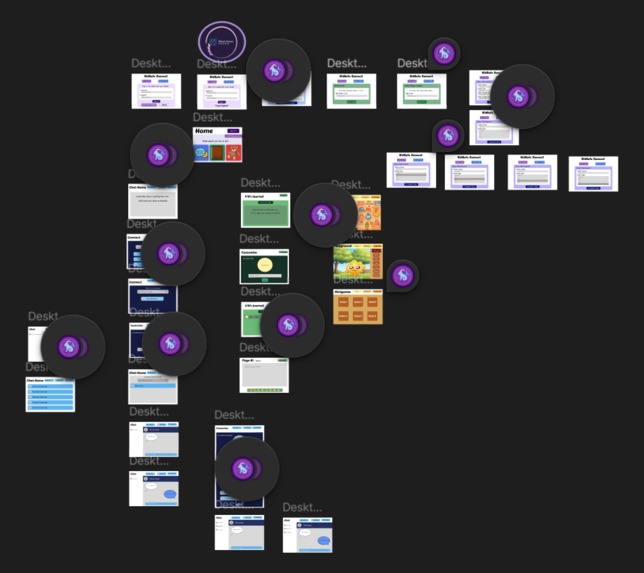
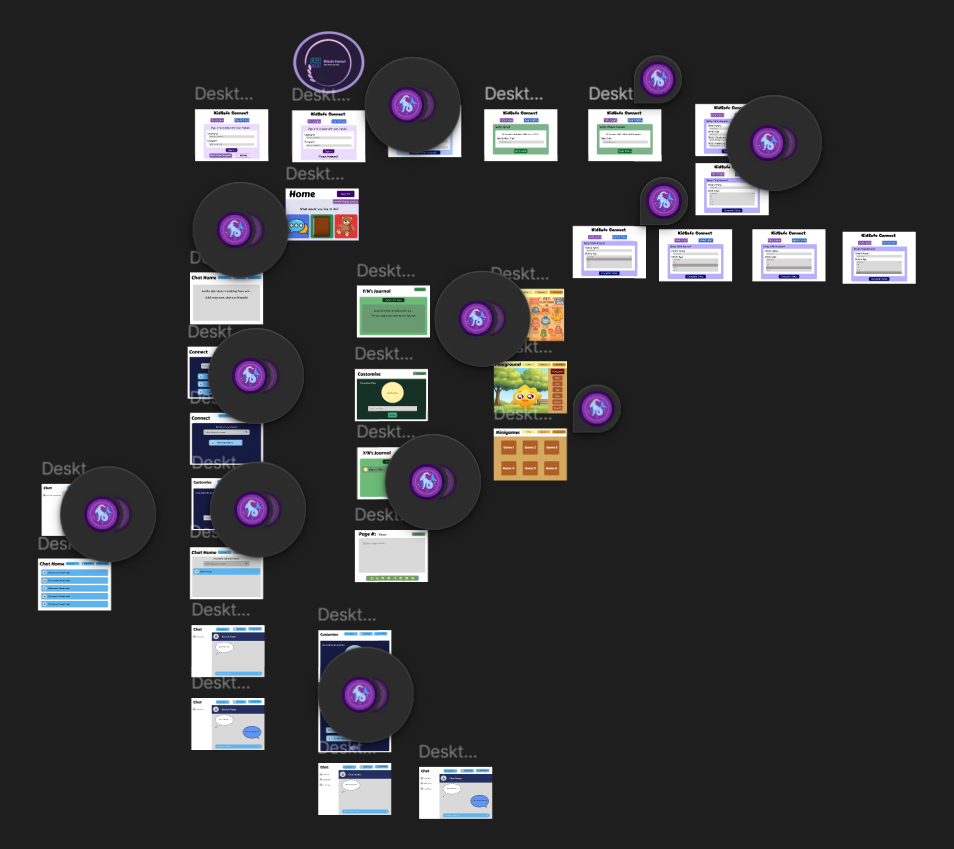
The layout in Figma for every page
-
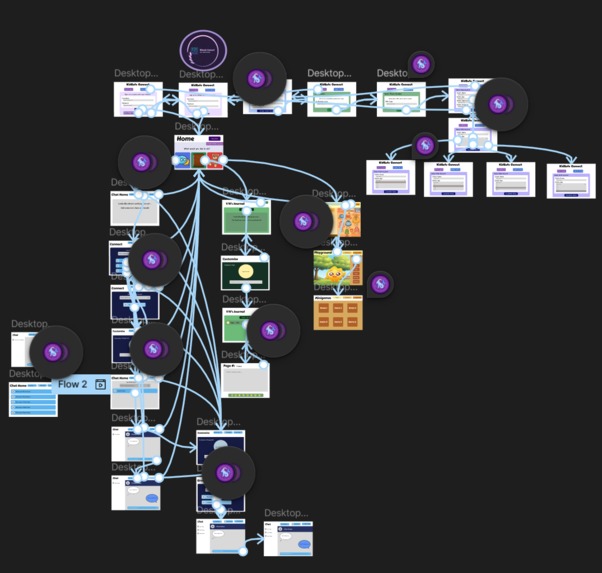
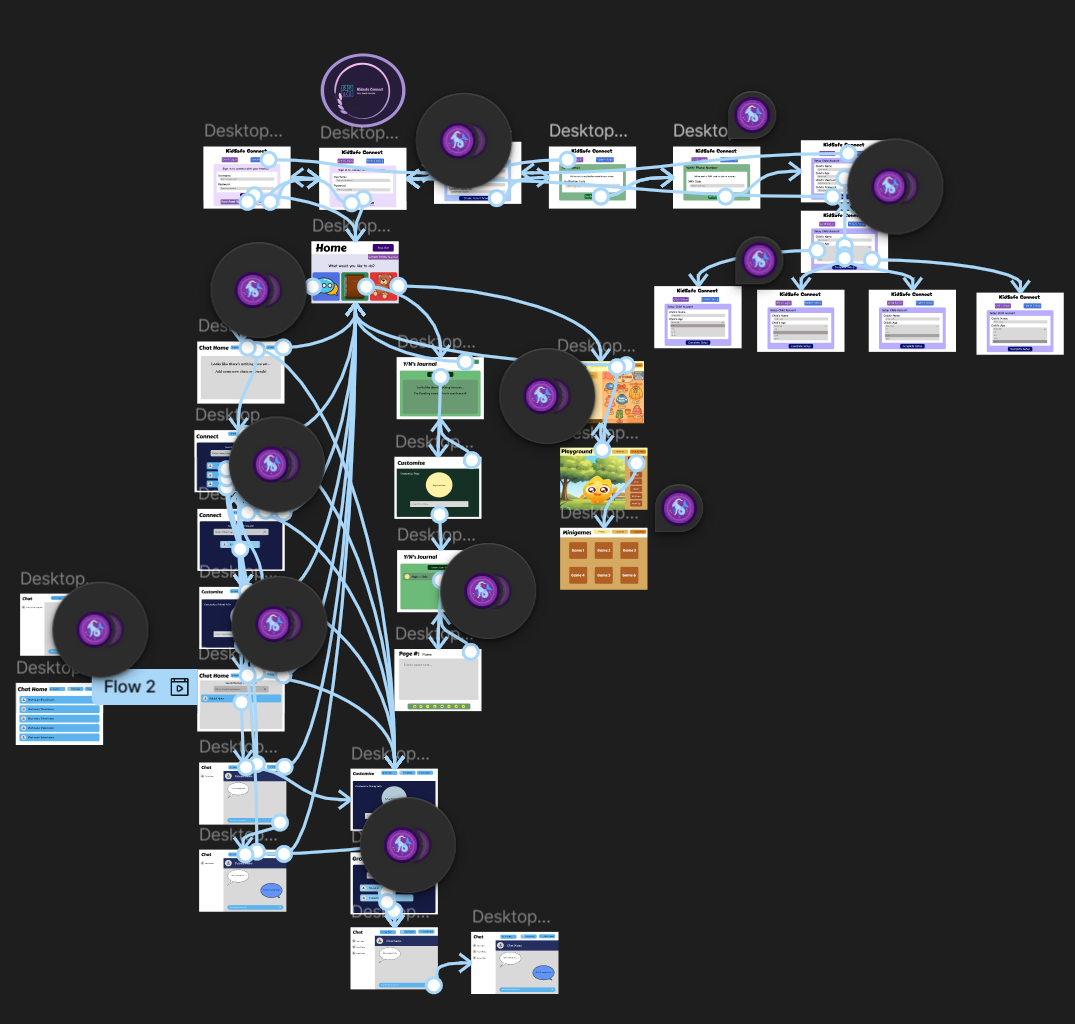
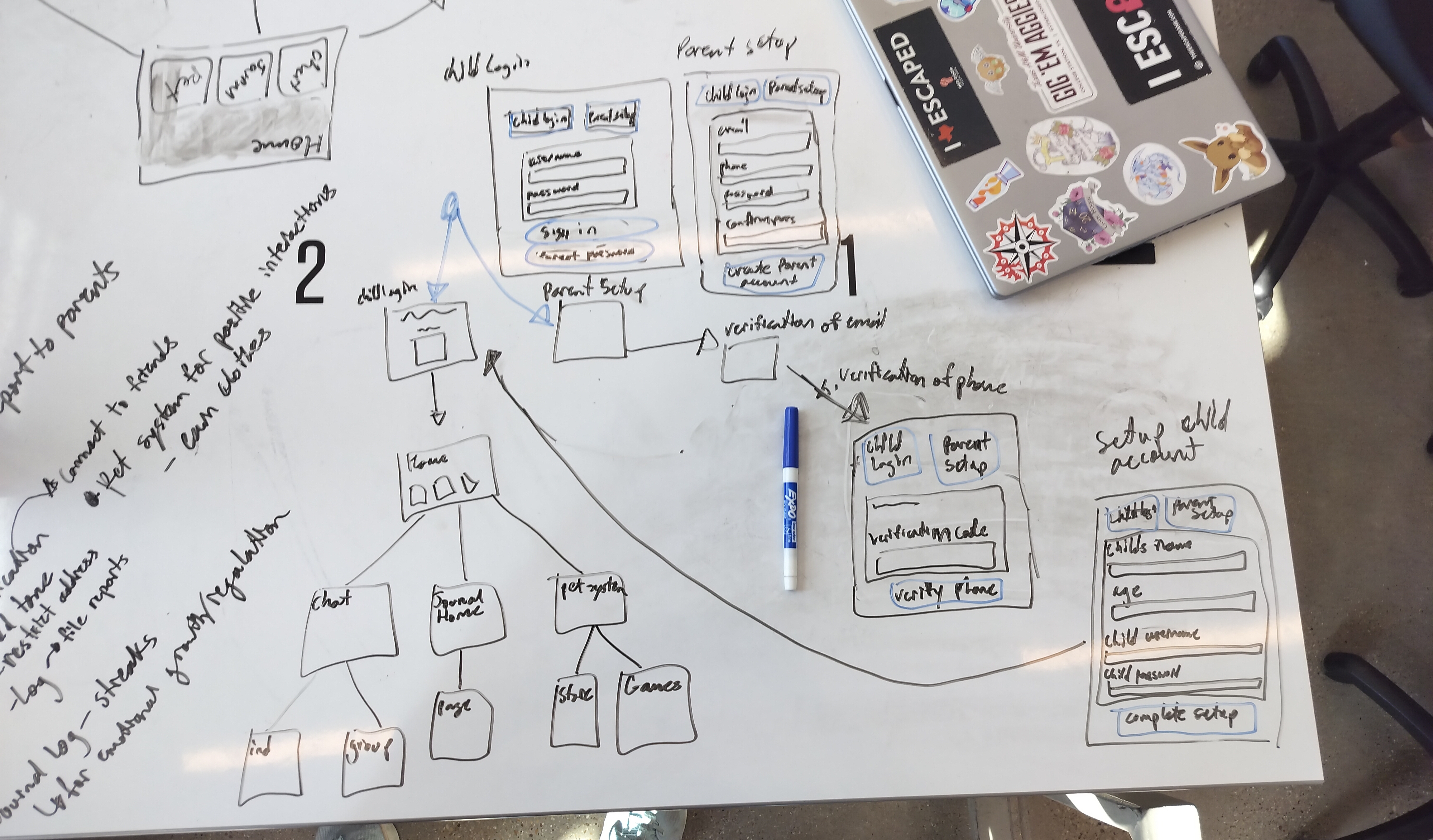
Figma layout with how every button is connected to other pages
-
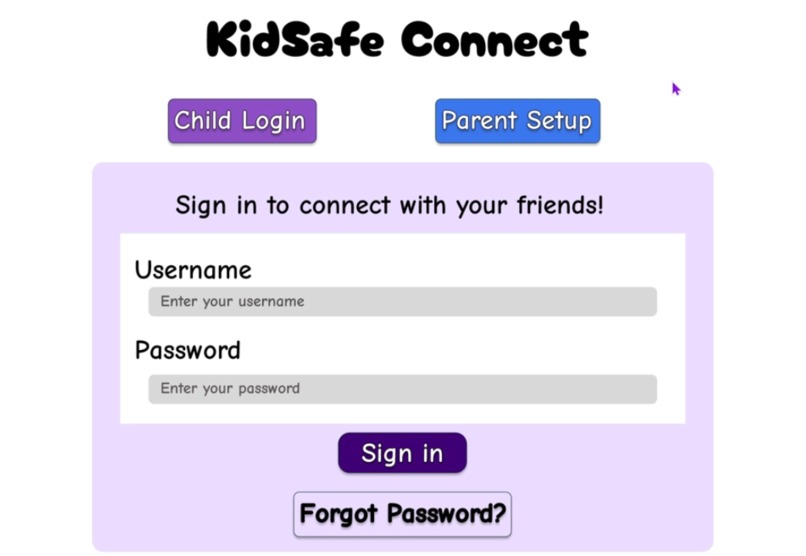
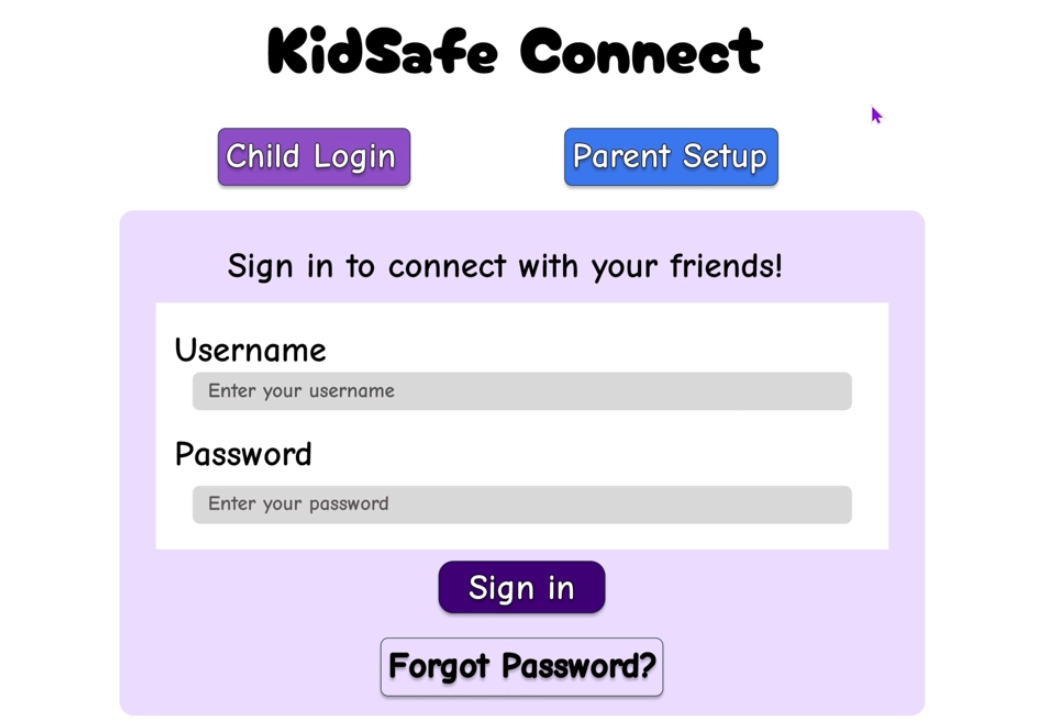
Default login screen when you start
-
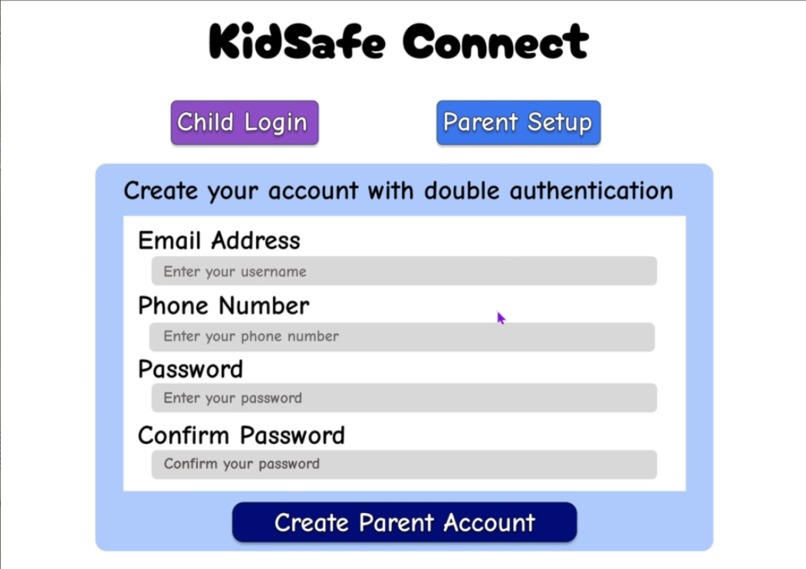
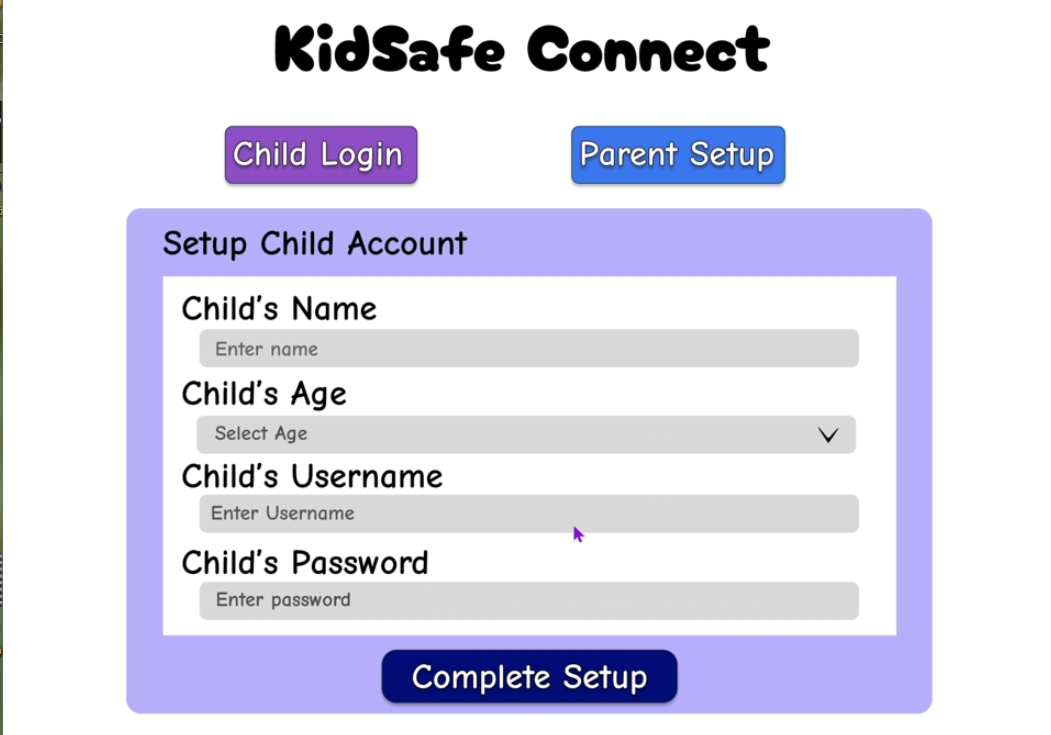
Parent setup page (so they can create child account)
-
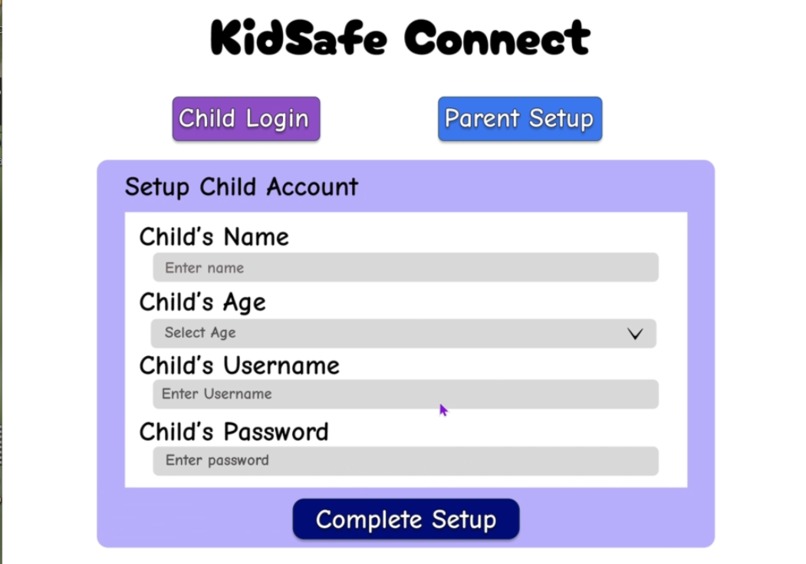
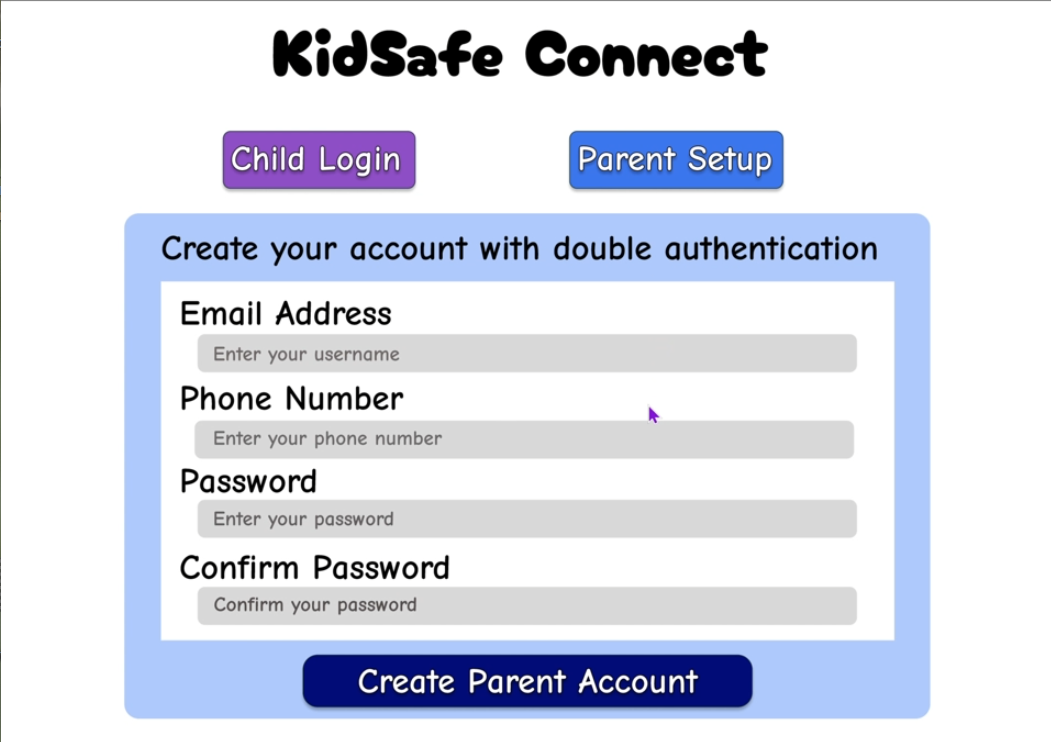
Parents can now create account for the child after the double authentication steps
-
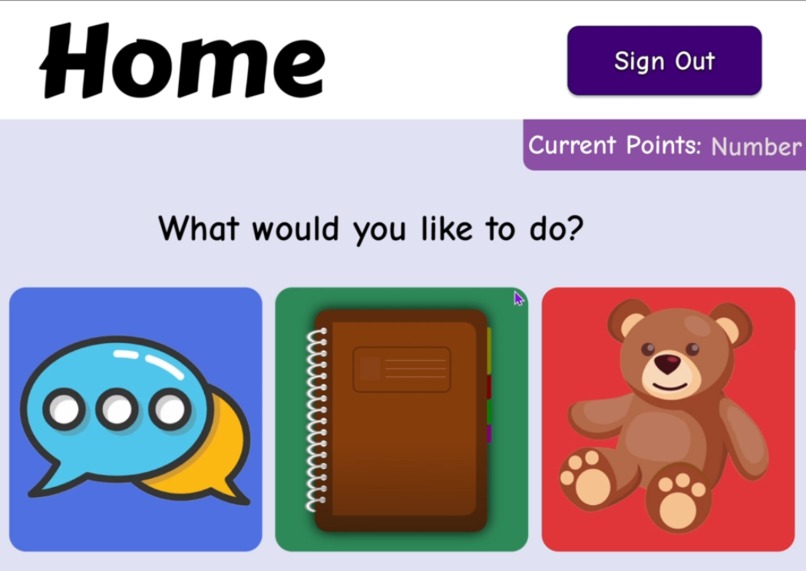
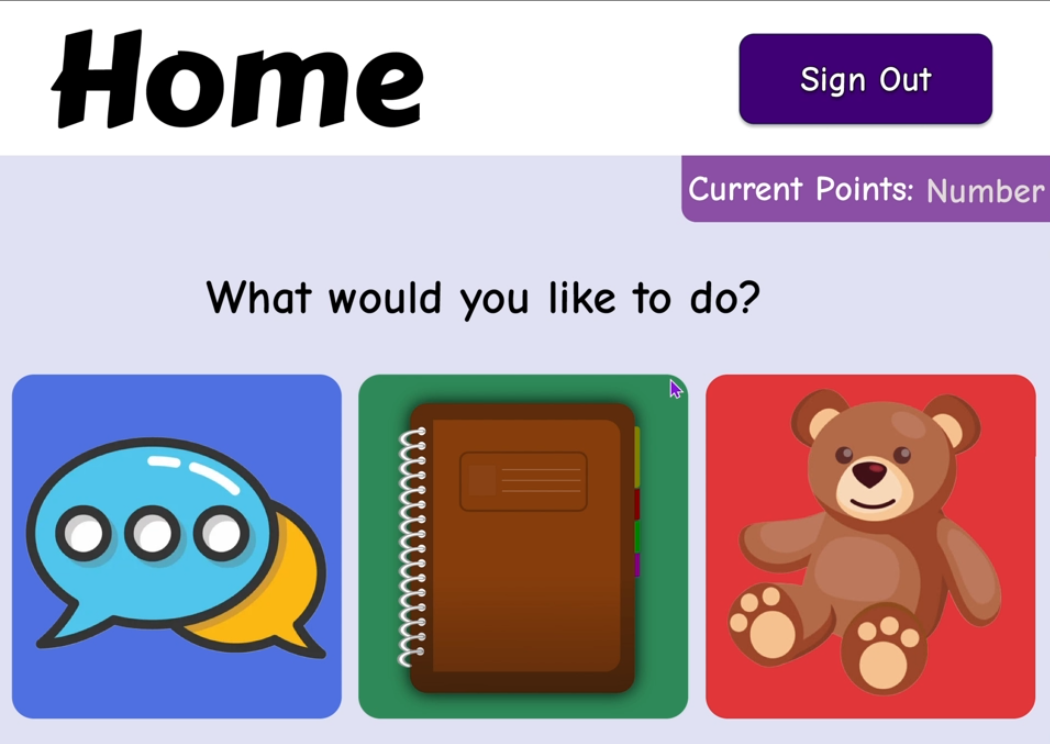
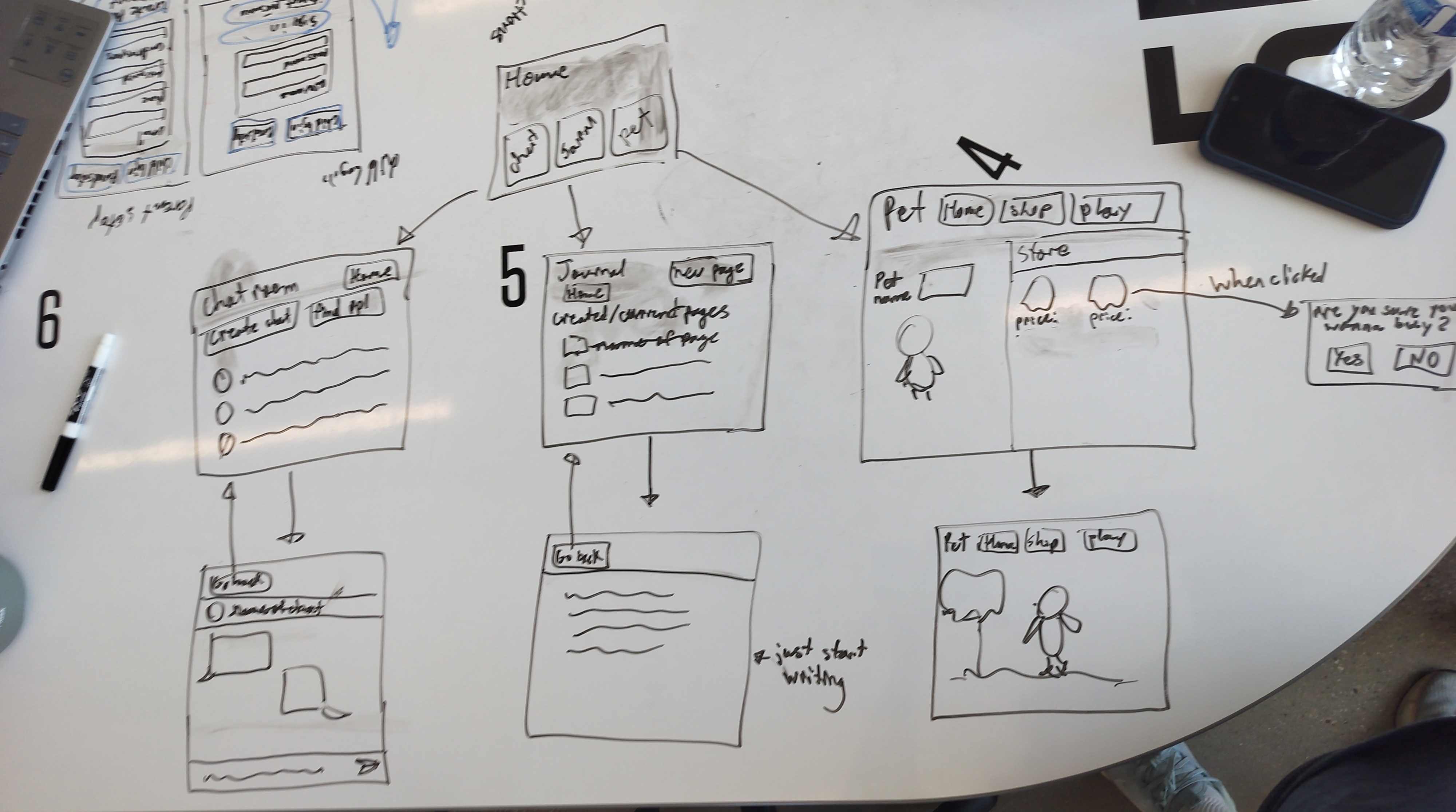
The default home page that houses the three different activities: chat rooms, journal, and pet store/area
-
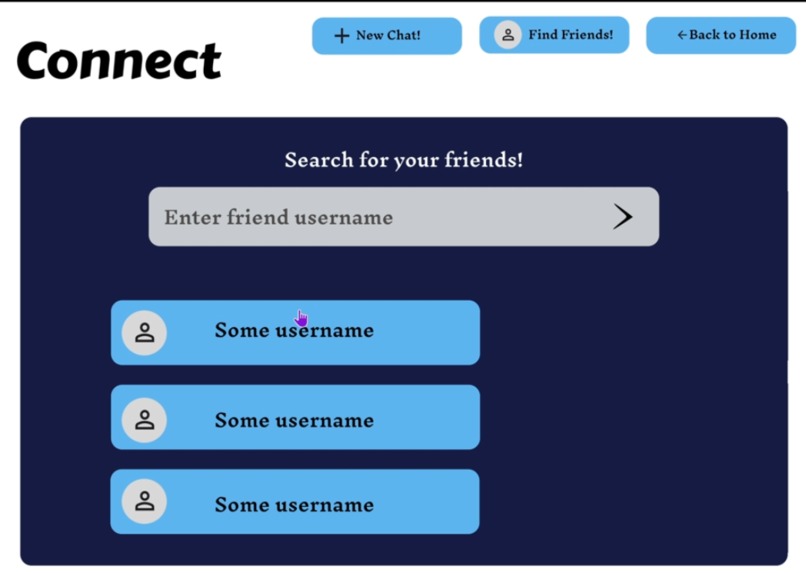
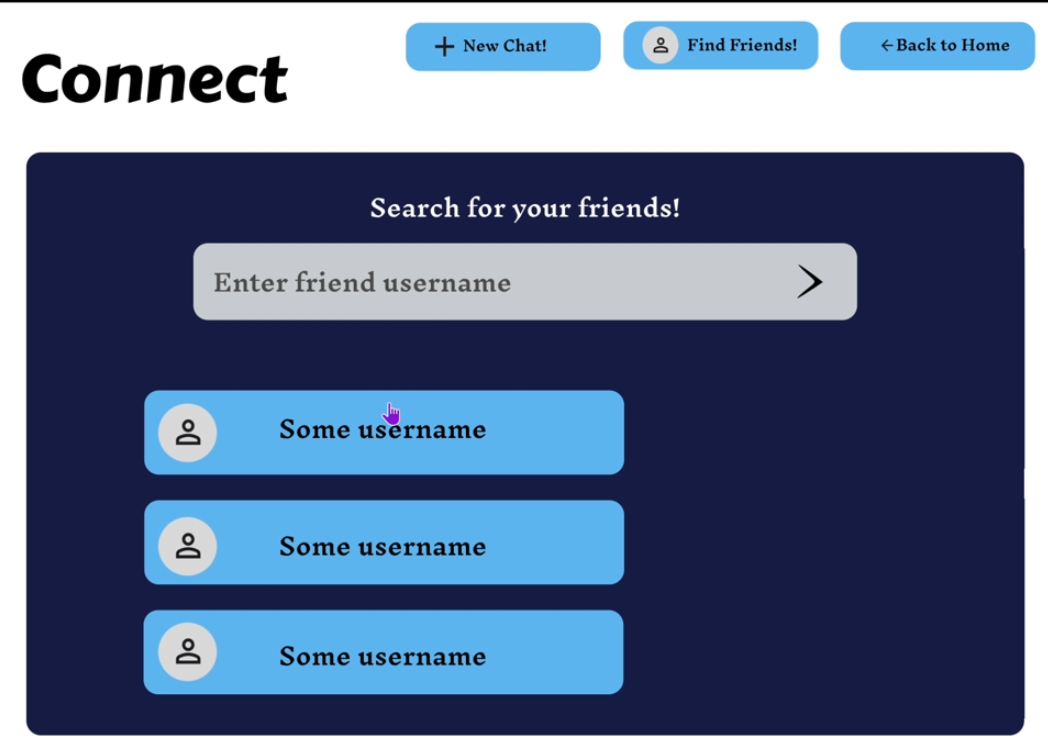
Users can search for friends in community
-
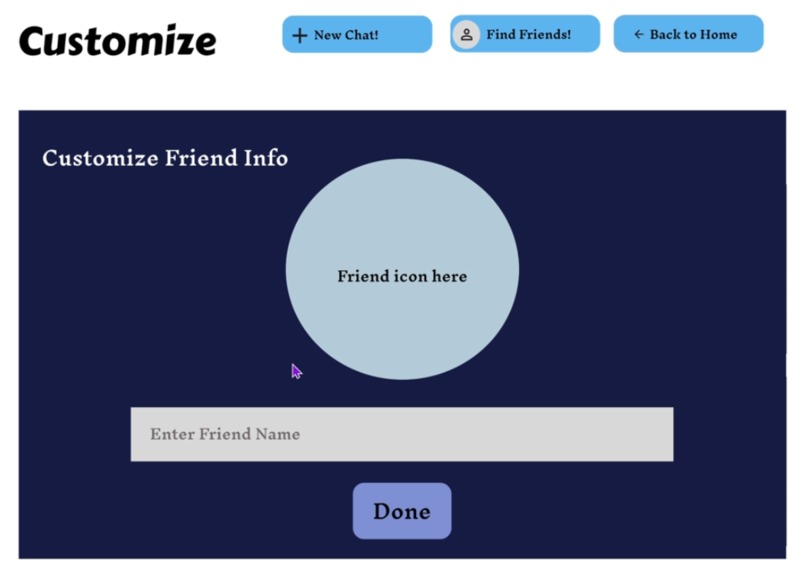
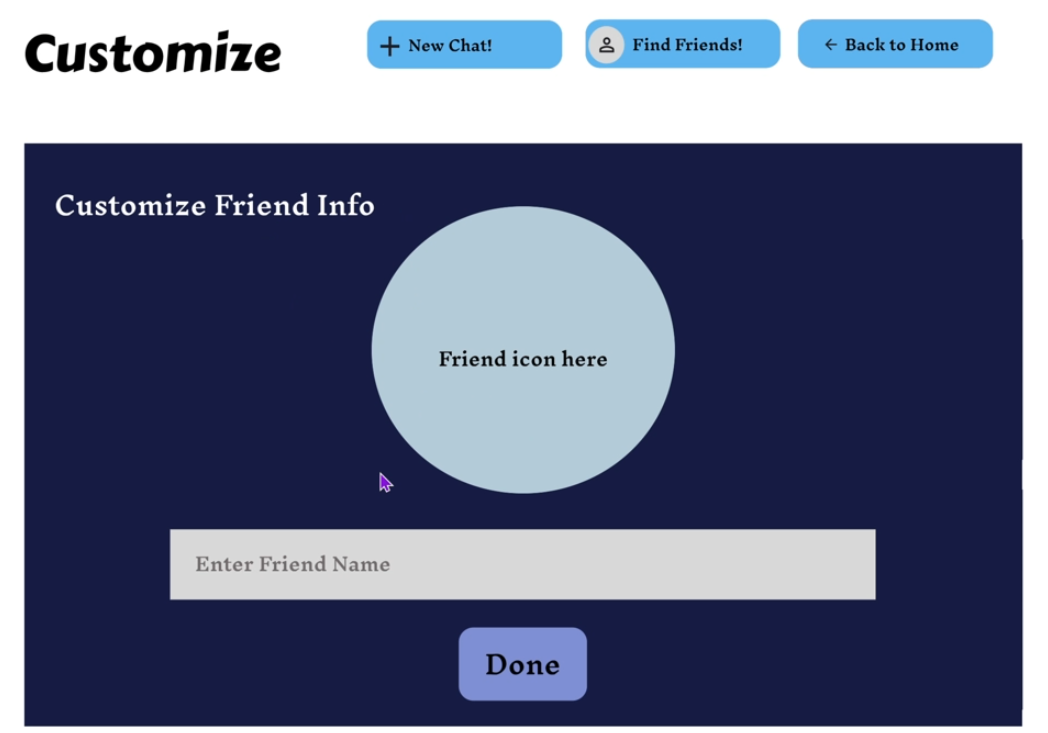
Can customize friend icons and names
-
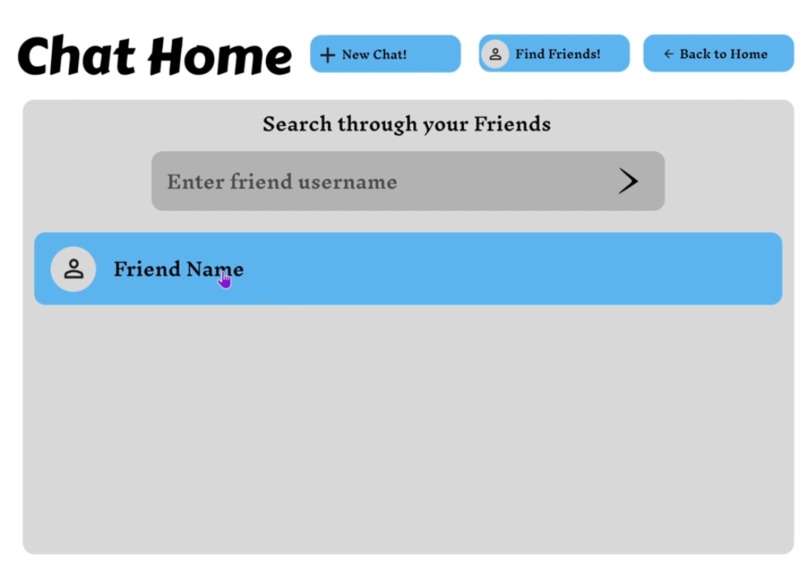
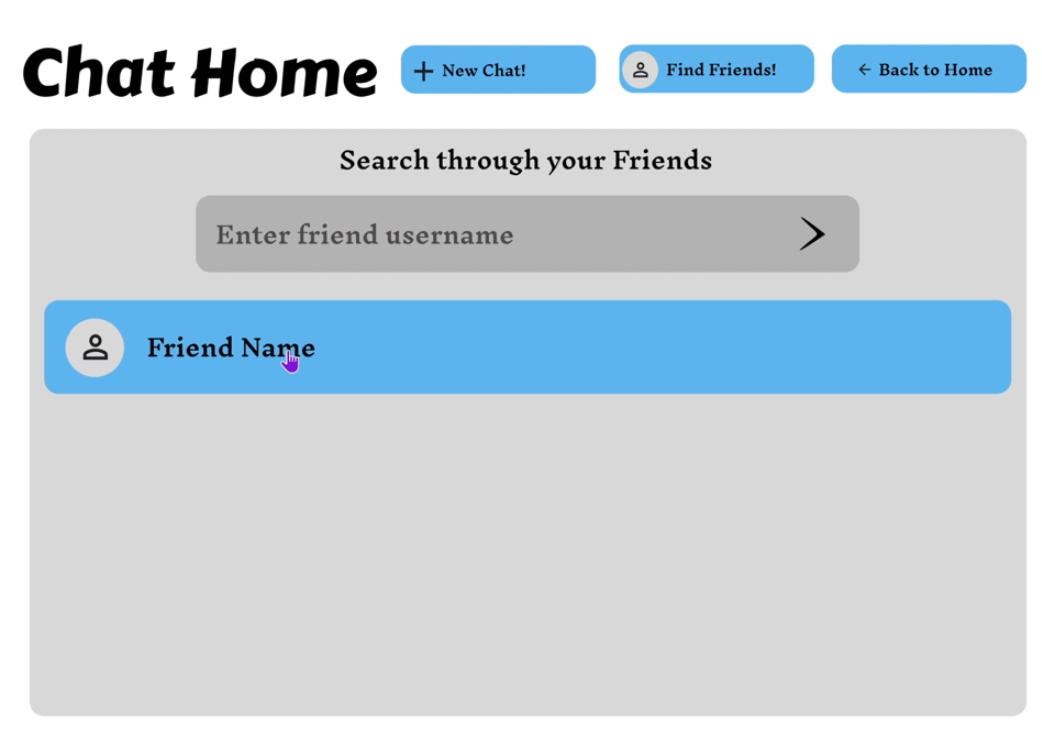
What the new default chat page would look like when a new friend is added (can be populated with more friends/group chats)
-
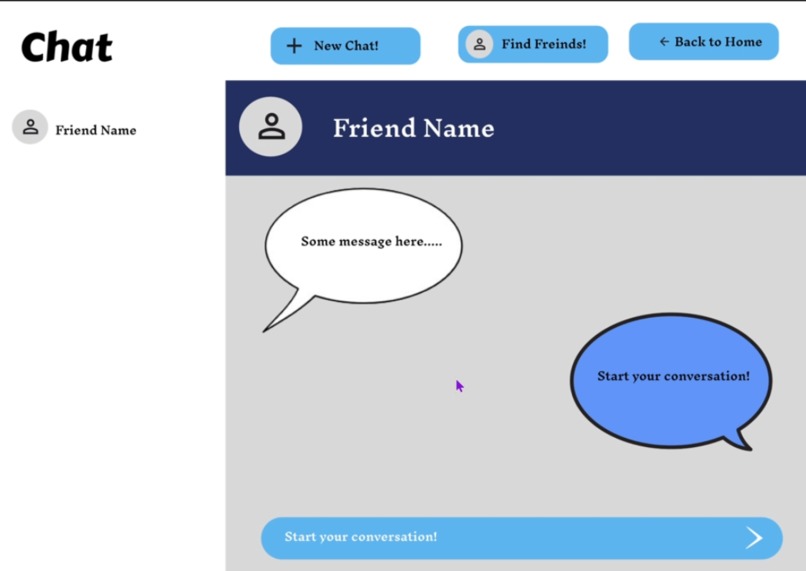
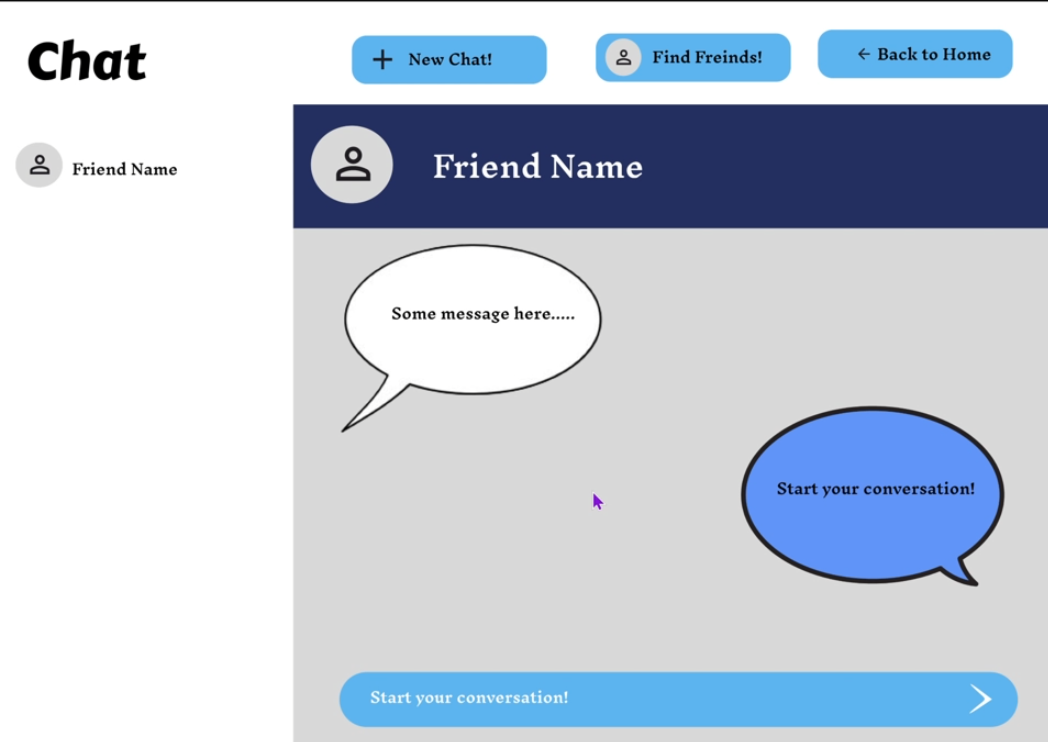
Chat room layout (that will be moderated with an AI)
-
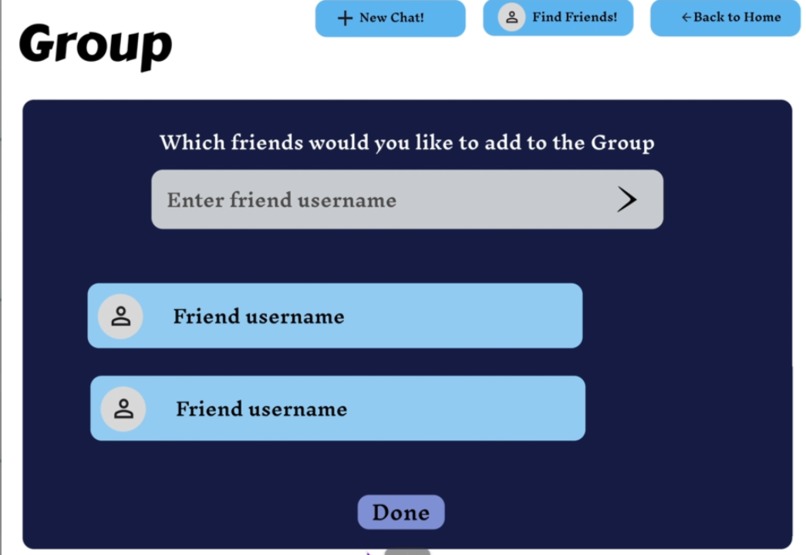
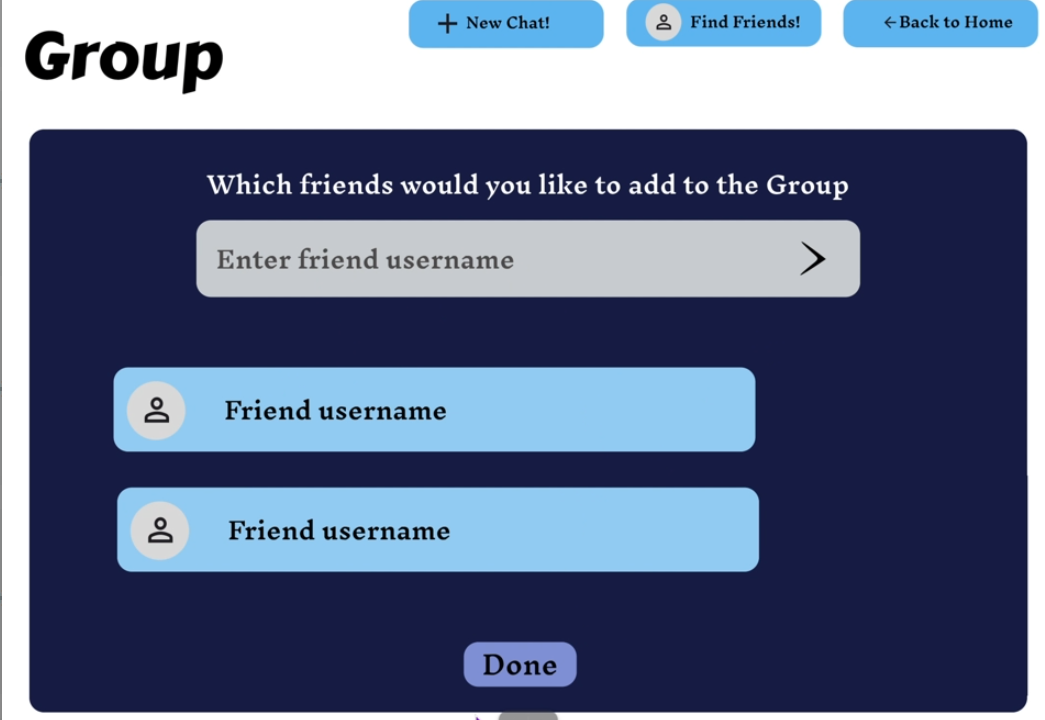
When creating groups you can search and select multiple people at once to create group chats
-
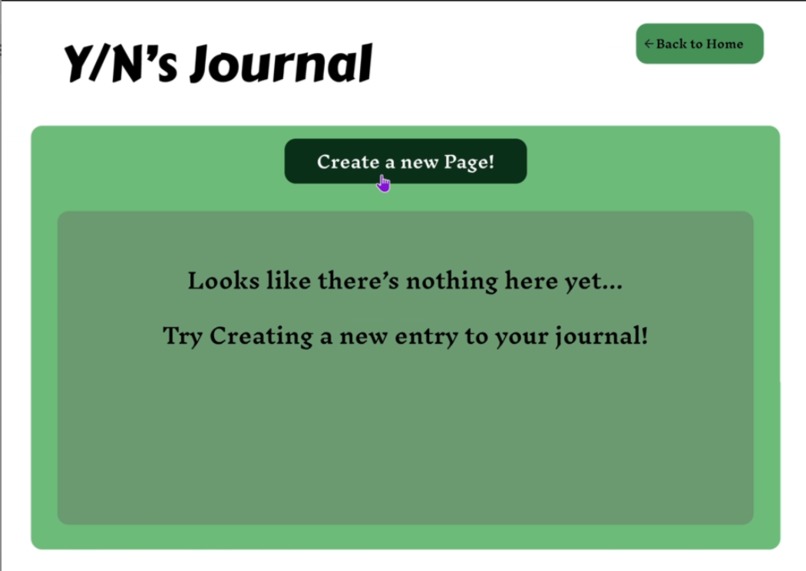
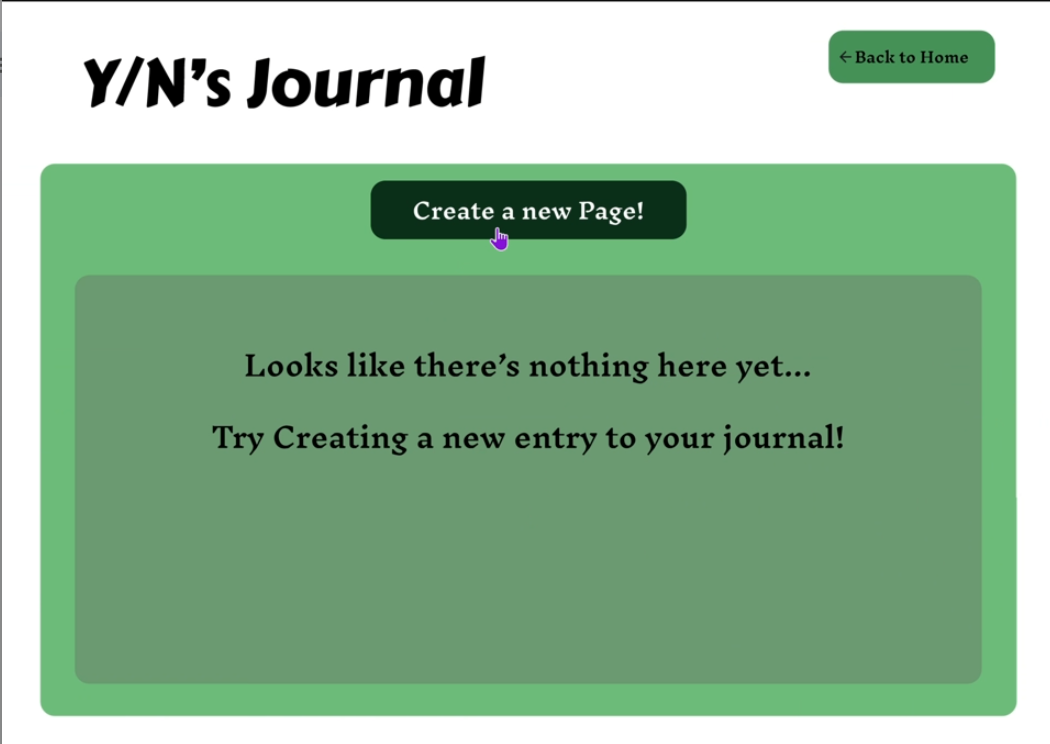
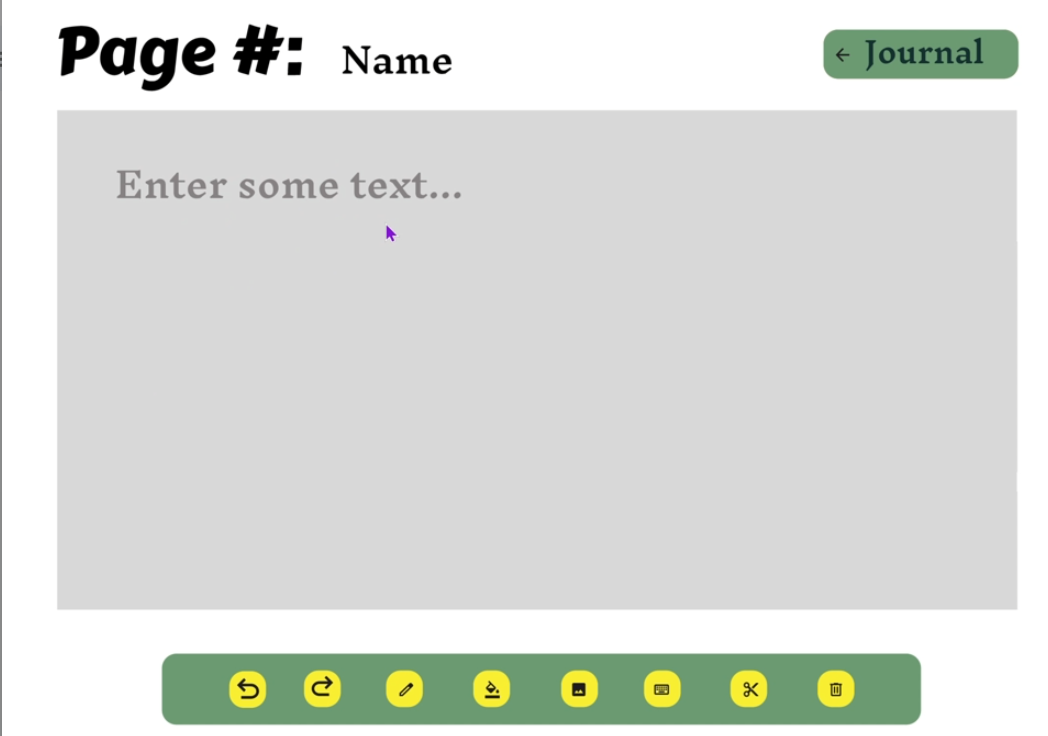
Starting journal layout since there is no page entries
-
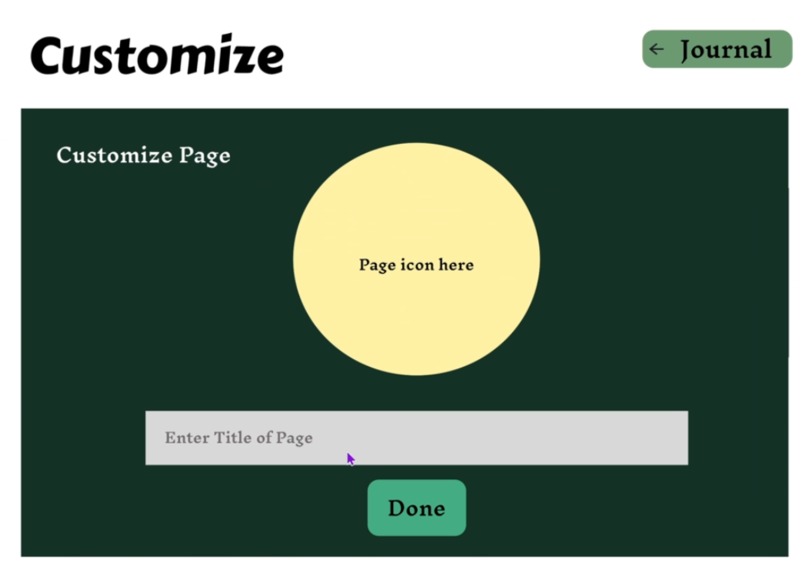
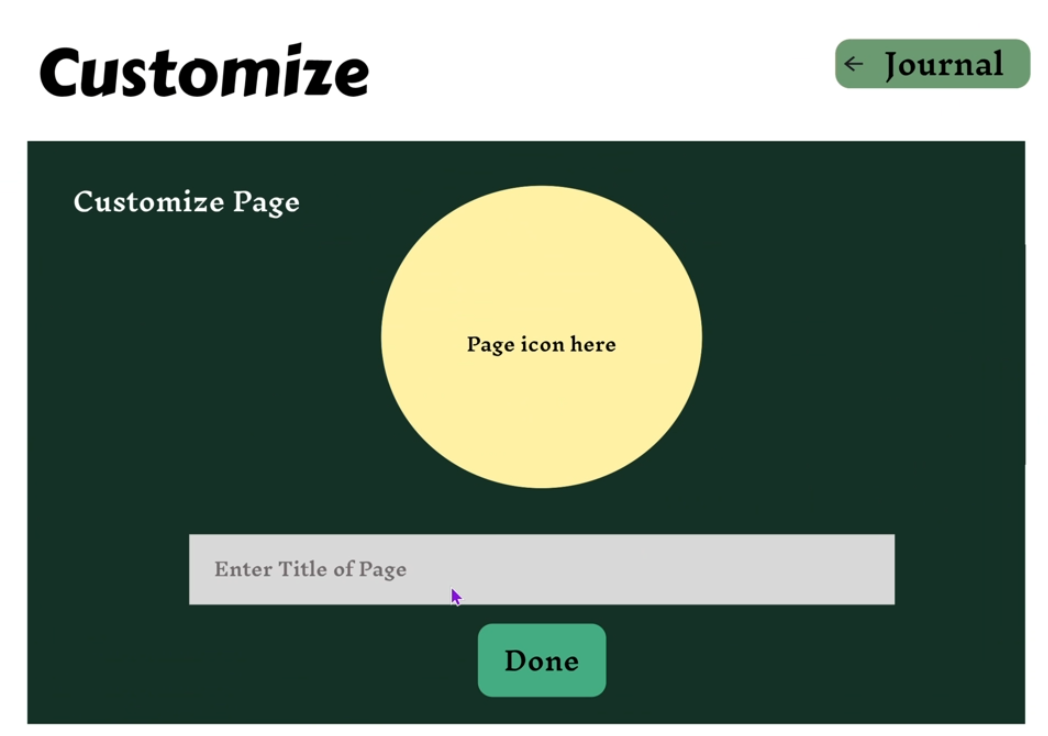
Can also cutsomize every page's icon and title
-
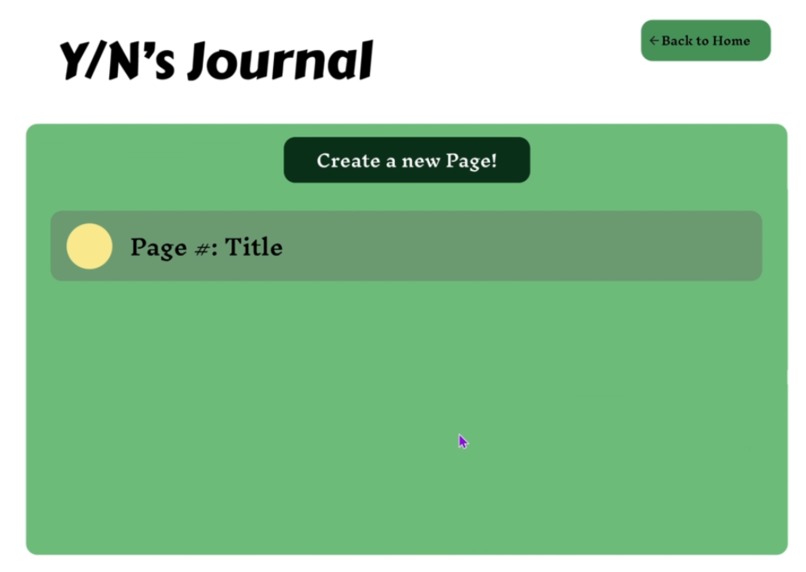
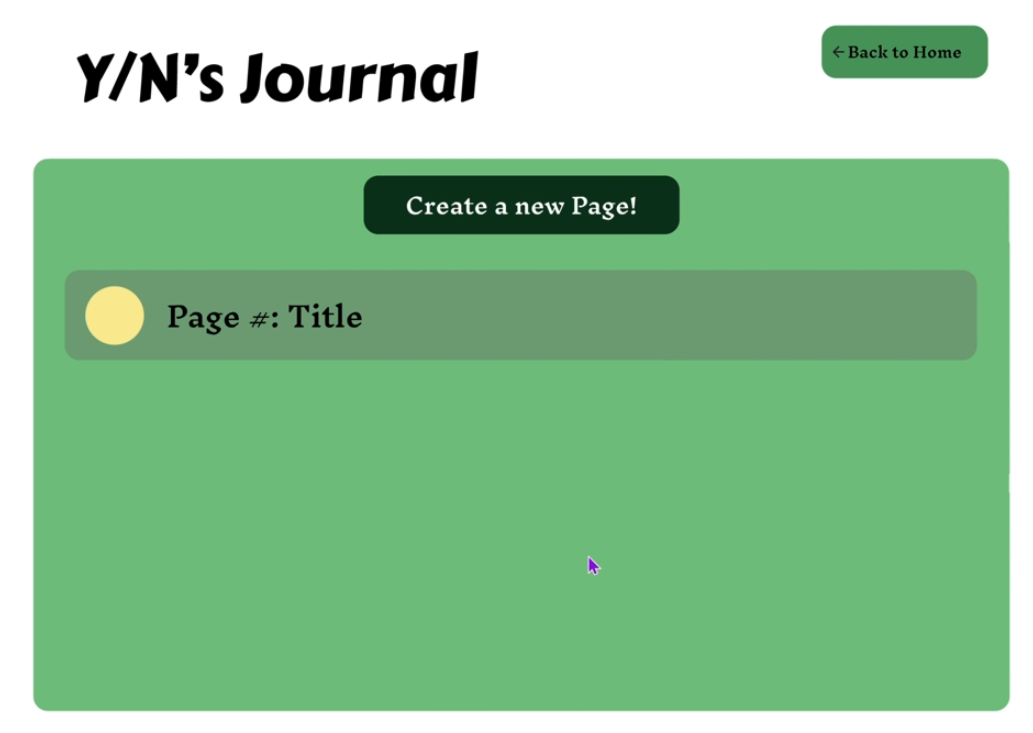
What the new default journal page would look like when a new page is added (can be populated with more pages)
-
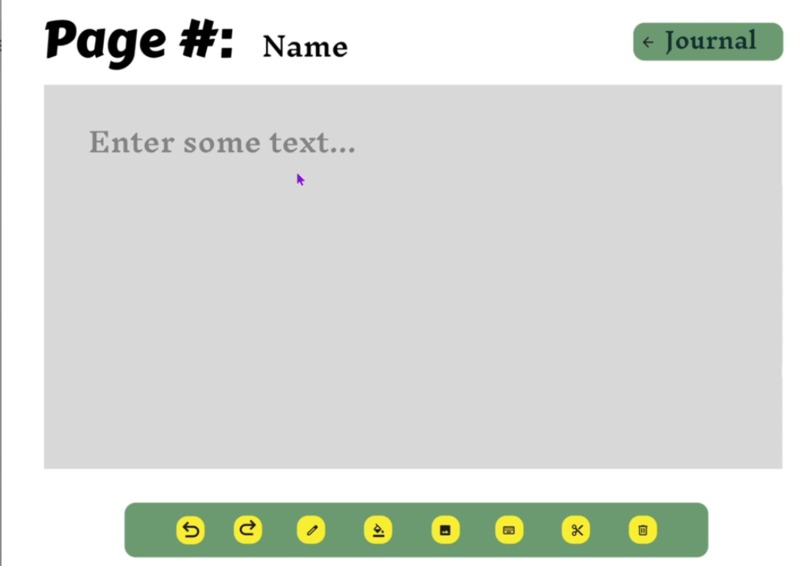
What every page in the journal will look like. Also has buttons to change text or other basic operations. (can rename the page as well)
-
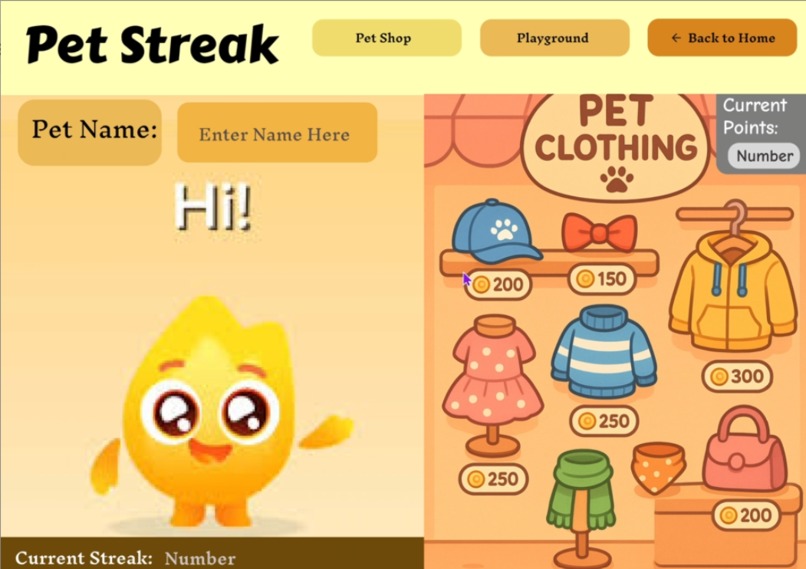
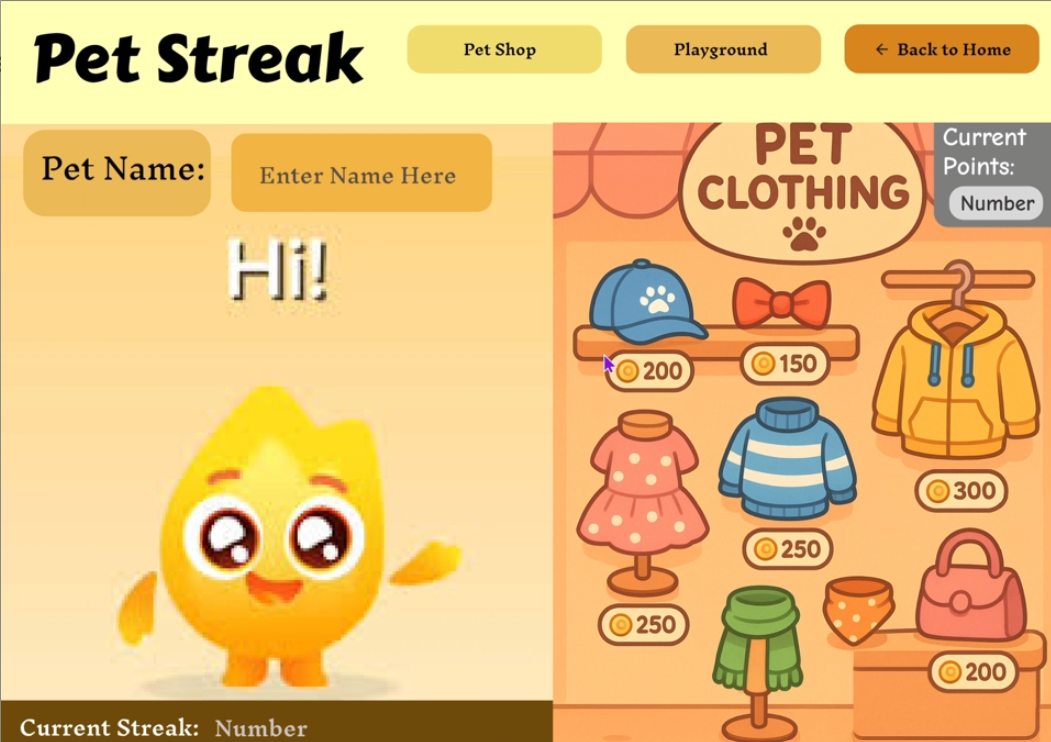
Pet store where children can view and customize sprite with accessories/clothes depending on the number of points
-
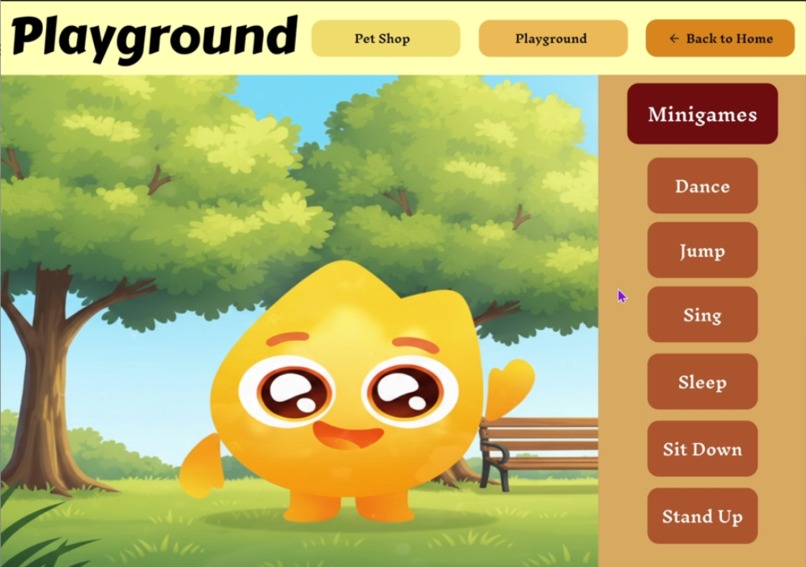
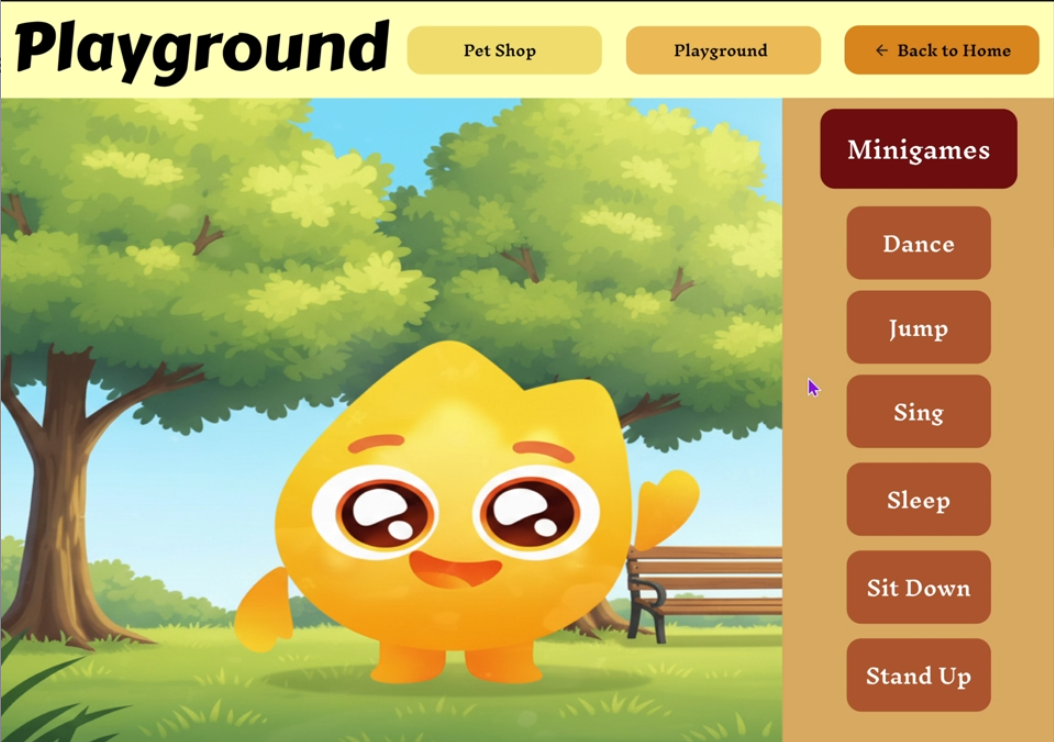
Play area where children can play with sprite or navigate to other minigames
-
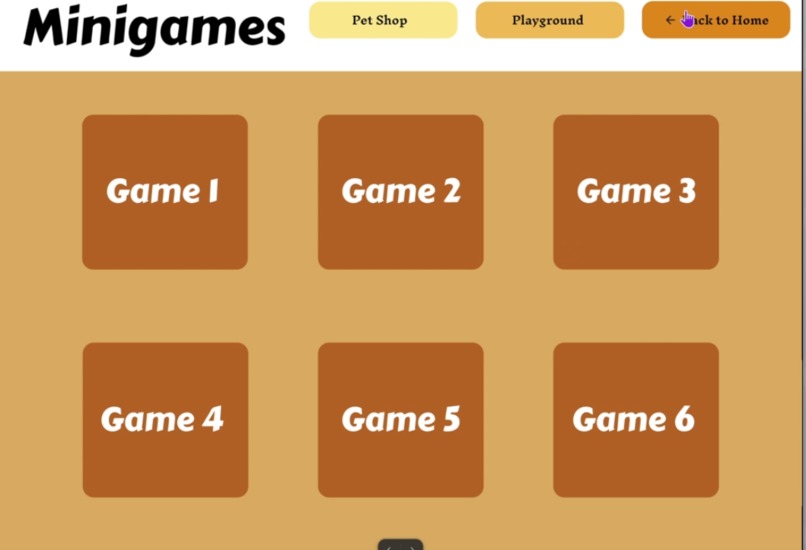
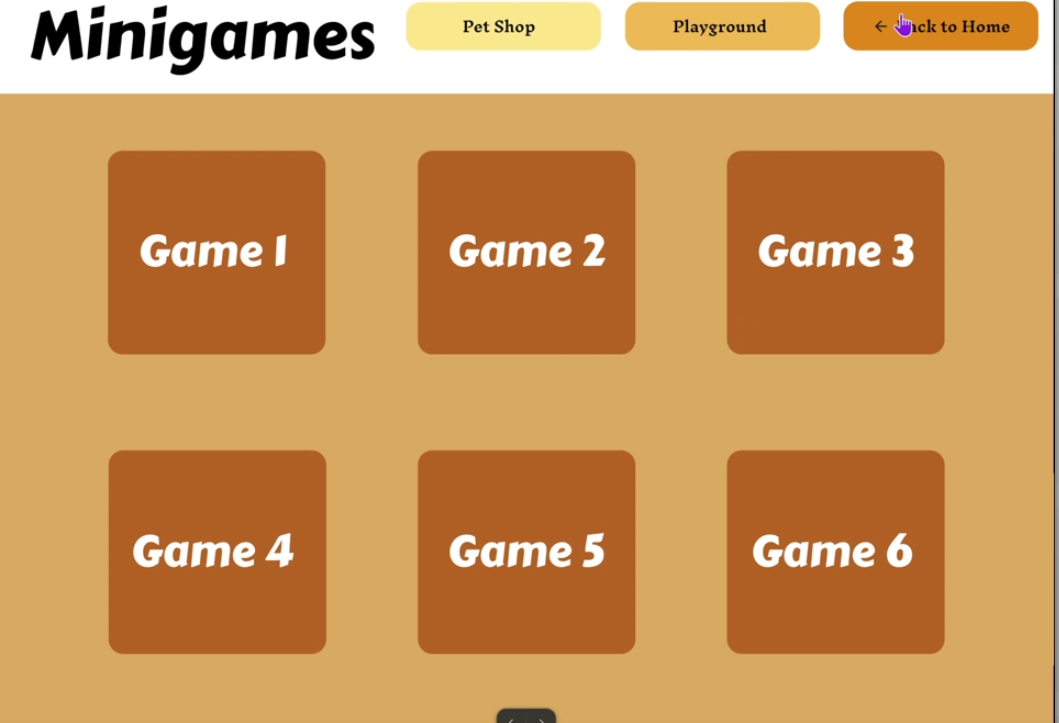
Minigame section that have education games for learning (to be improved in later modifications)
-
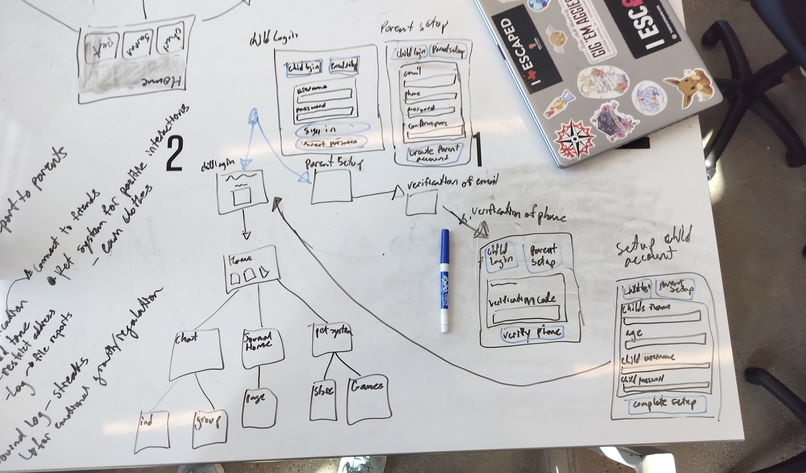
Initial concept designs for app layout
-
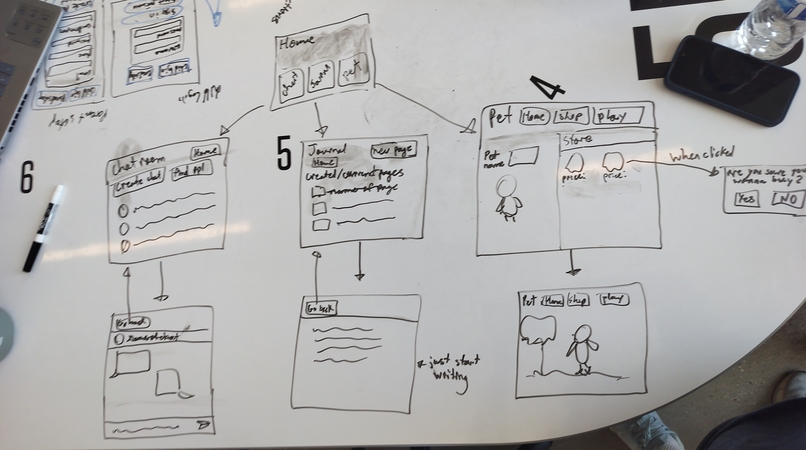
Initial concept design of the three activities: chat, journal, and pet companion
Inspiration
Cyberbullying and exposure to harmful content are major concerns in existing youth apps like "Roblox". "Animal Jam", or "Among Us". We wanted to create a unique social platform that is safe for kids. Especially since adolescence is a crucial development stage where kids are most susceptible to negative emotions/feedback.
What it does
Our app provides a safe environment where children can connect with other peers of similar ages, express their thoughts/emotions in journal entries, customize their own pet/sprite, and play educational minigames. There is also a points system where children can earn points by chatting, journaling, and playing minigames. They can then spend these points to buy clothing/accessories for their virtual companions to further encourage positive online interactions. Through AI moderation of journals and chat rooms any word/language or tone violations will be sent in a report to parents with proper details. Parents will also receive logs of the children's activity on the app. Such as what they did, when they did it, and for how long, but without revealing any explicit details unless a violation occurs.
Data Privacy
-End to end encryption -2 factor authentication -Regular audits and updates
How we built it
We mainly used Figma to create the prototype of what the app would look like and how it would function. We also used Figma's generative AI to get a base layout/idea for the login screen steps/setup. We also utilized generative image AI's to create pictures or buttons for the app.
Challenges we ran into
We encountered two primary hurdles during development. First, we needed to design a 'child-proof' login and registration system that enforced mandatory parental involvement, a critical safety feature that prevented children from independently creating accounts. (Which would defeat the purpose.) This required innovative approaches to account linking and double verification. Second, we dedicated significant effort to mapping out the application's information architecture/layout. We meticulously designed every possible navigation route within the app, ensuring that the flow was very intuitive for young users and that the "back" functionality was consistent and easy to use, whether returning one page at a time or returning to the main home page.
Accomplishments that we're proud of
We are particularly proud of successfully combining many features, from AI moderated social interaction to educational content and parental controls, into a single, seamless platform. Also that it is designed for scalability and offers immense potential for future innovations and market growth.
What we learned
We mainly learned how to use Figma since majority of us did not have any prior knowledge of it. We also had a new understanding of design principles that prioritizes the users. This involved a deep focus on critical thinking for app design, which guided our decisions on information architecture, navigation flow, and user experience. Ultimately allowing us to build an intuitive and purposeful platform from the ground up.
What's next for KidSafe Connect
In the future we would like to expand or develop the minigames section with live demonstrations of gameplay and mechanics. A new feature addition would be to allow parents to create and manage a customizable list of pre-approved, safe websites, offering a controlled browsing environment within the app. We aim to implement full animations for the virtual companion (pet/sprite) and introduce a comprehensive 'dress-up' functionality within the pet store, adding a layer of creative expression and personalization.
Acknowledgments of Resources
Figma, Image Generators, ChatGPT, Logo Generator, Background Remover
Use of Website Demo
There are buttons where user can click to get to next page. If nothing happens it's because the item selected was not a button and should temporarily show the buttons highlighted in light blue. There are several boxes where user input would normally go (usually with light grey text) but since this is more of the conceptual aspect of the app you won't be required to enter any information (but the actual app would require this user input). For the log in screen the demo will automatically assume you entered all information correctly. (Such as a strong enough password or a valid email address.)
Business Plan
Parents can access app through monthly fees and can host multiple children accounts on their parent account. Will also receive separate reports for each child. Could also be expanded to a larger scale that caters towards schools where they would pay a yearly fee to hold multiple classrooms of students on the platform. Where children can use school logins.
Full Pitch
Parenting in the digital age is tough: how do you keep your child safe online without constantly looking over their shoulder? KidSafe Connect is a unique social app for children ages 7-16 that provides a safe, curated environment for them to interact and learn, without the need for constant parental oversight. Unlike other platforms, we use proactive, age-appropriate, and AI powered moderation to foster positive connections, growth, and learning.
Built With
- chatgpt
- figma
- imagegenerators

Log in or sign up for Devpost to join the conversation.