-
-
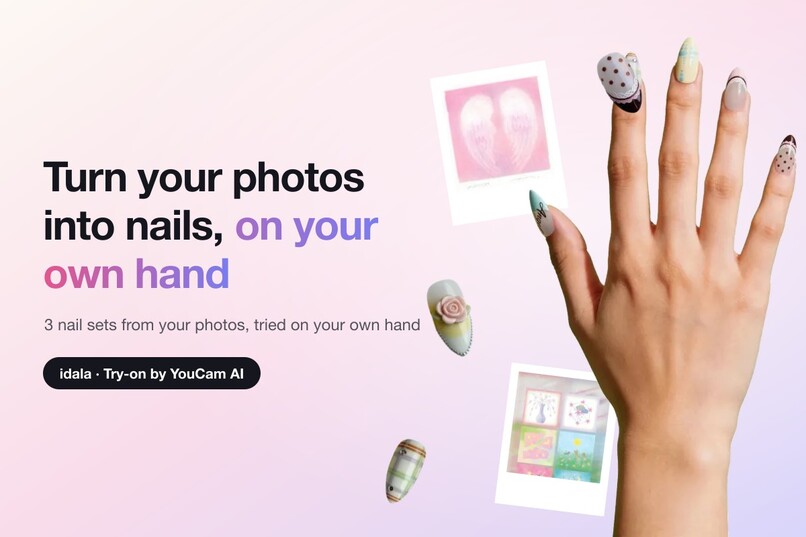
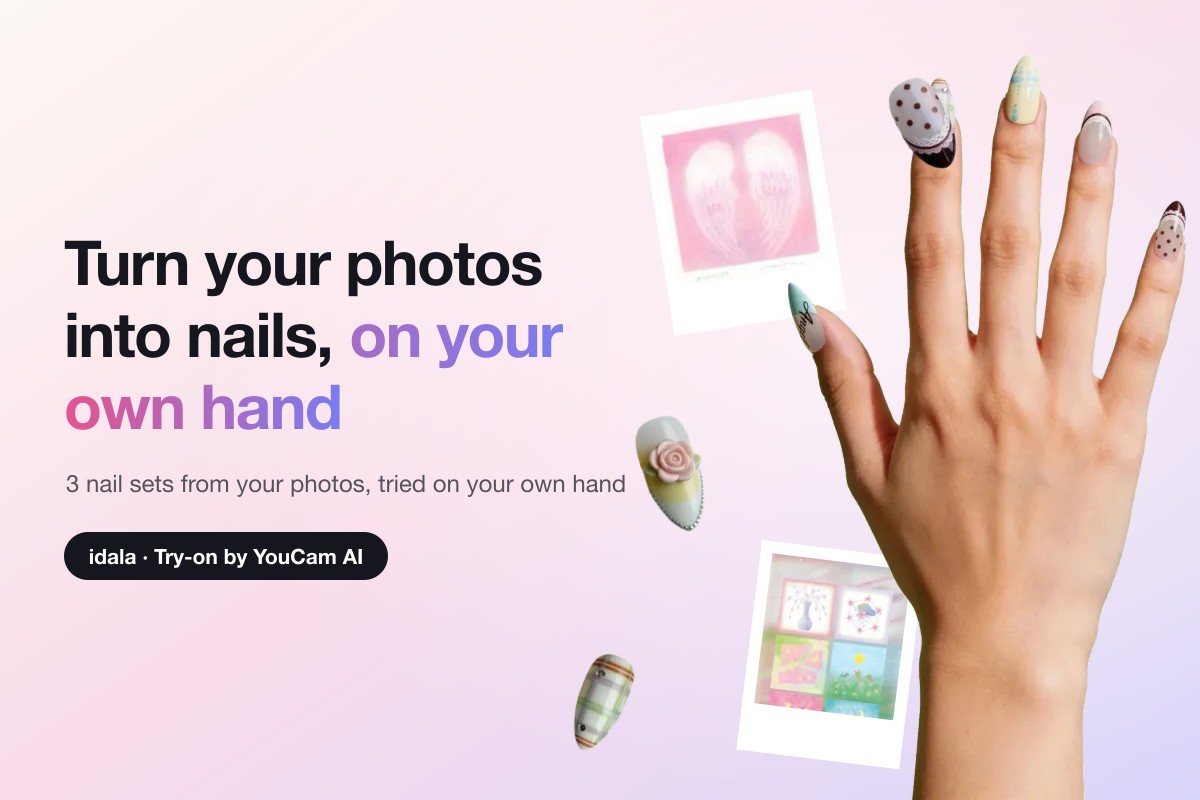
idala: turn photos you love into press-on nail sets, then try them on your own hand with the YouCam AI Nail VTO API.
-
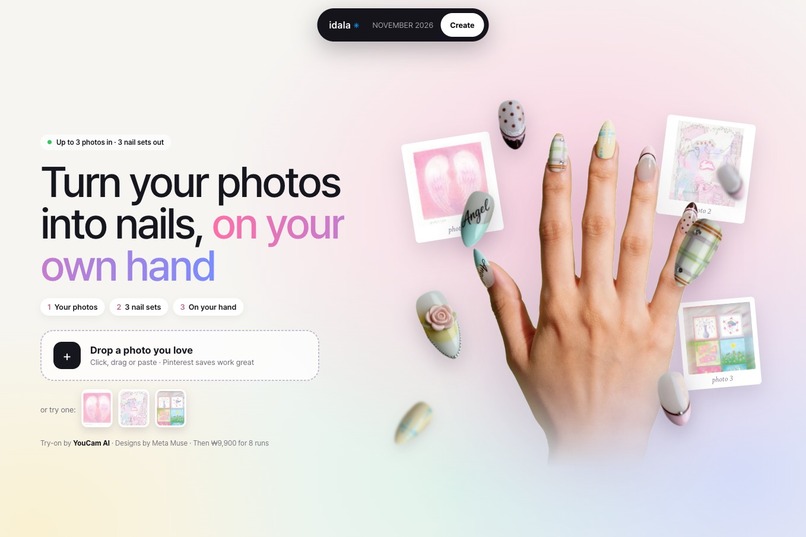
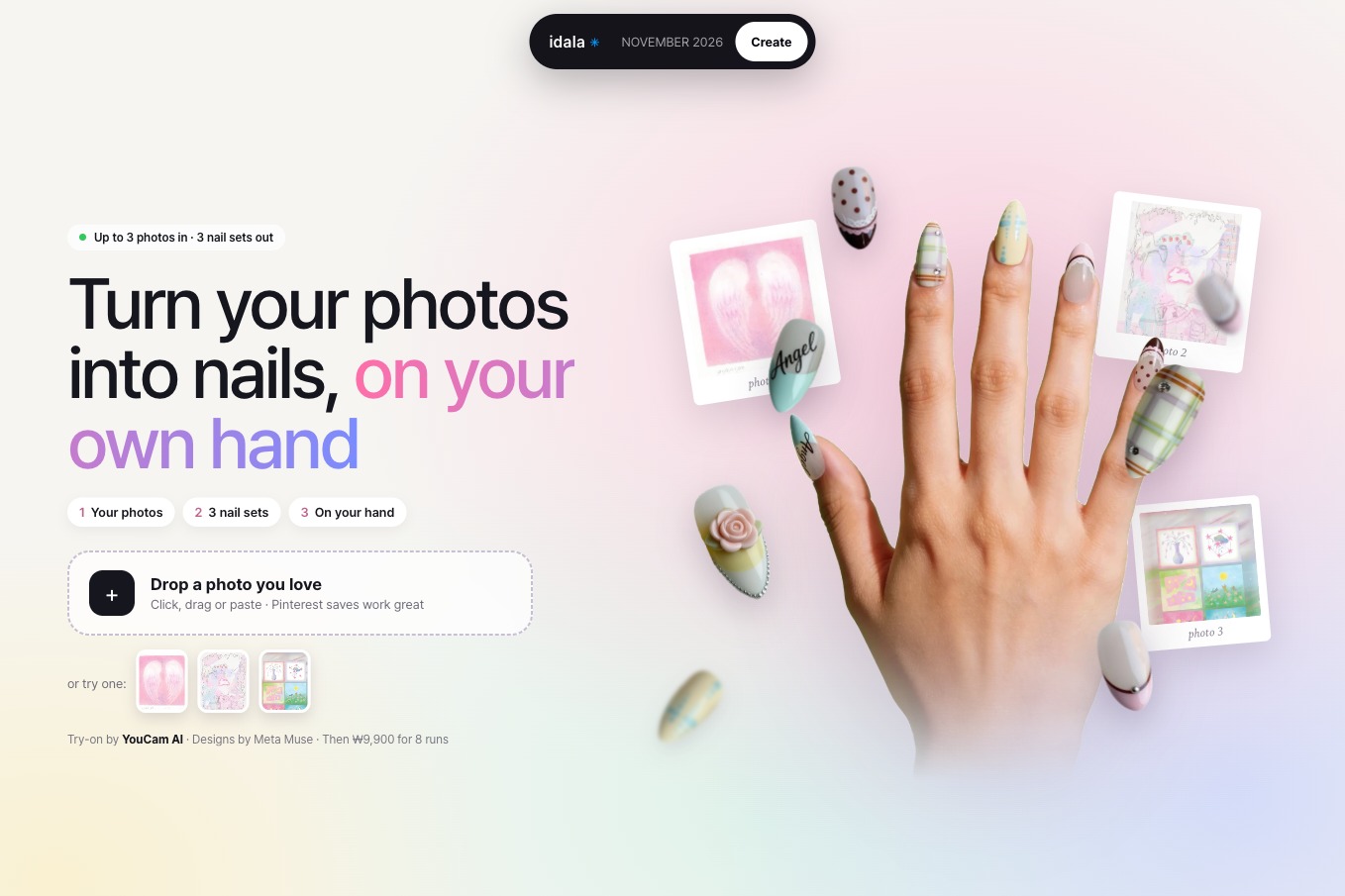
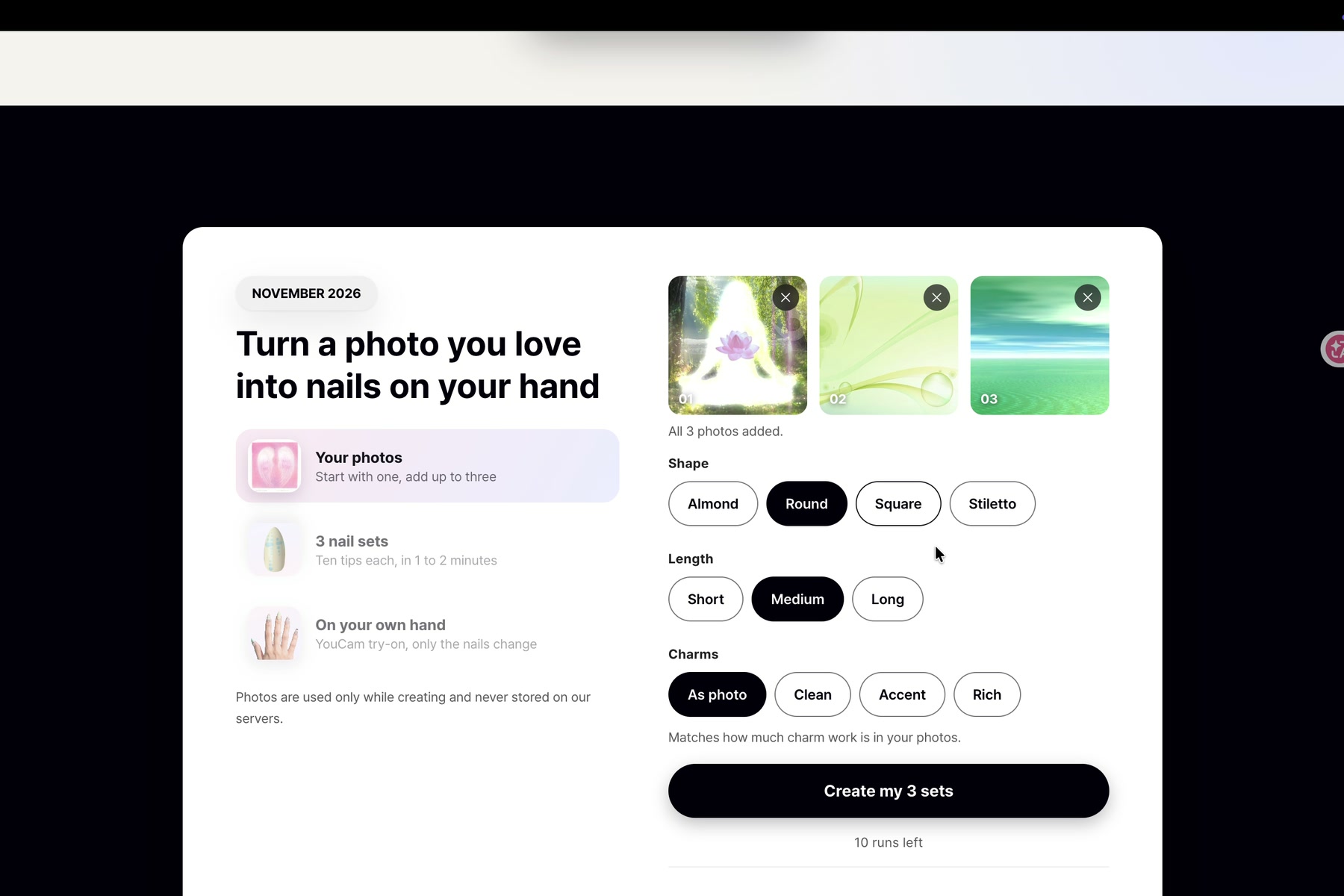
The landing page. Drop a photo you love, or start with one click from a sample photo.
-
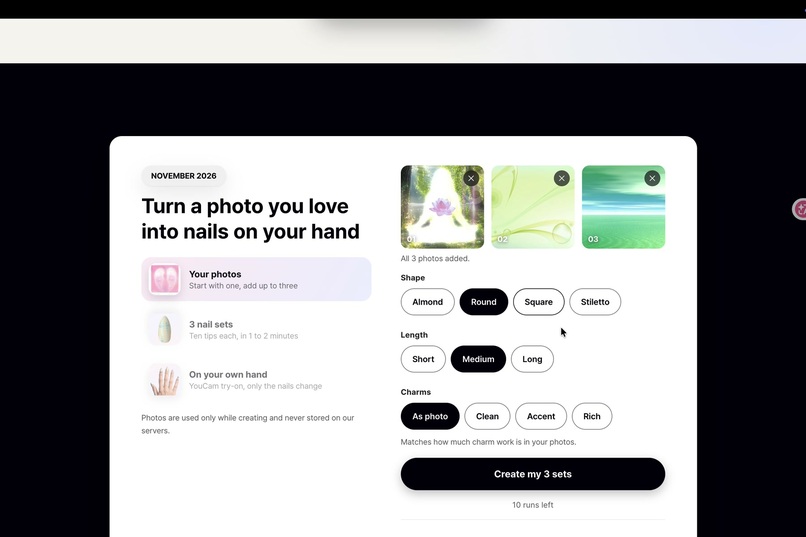
Up to three photos in, plus shape, length and charm level. One run designs three different sets.
-
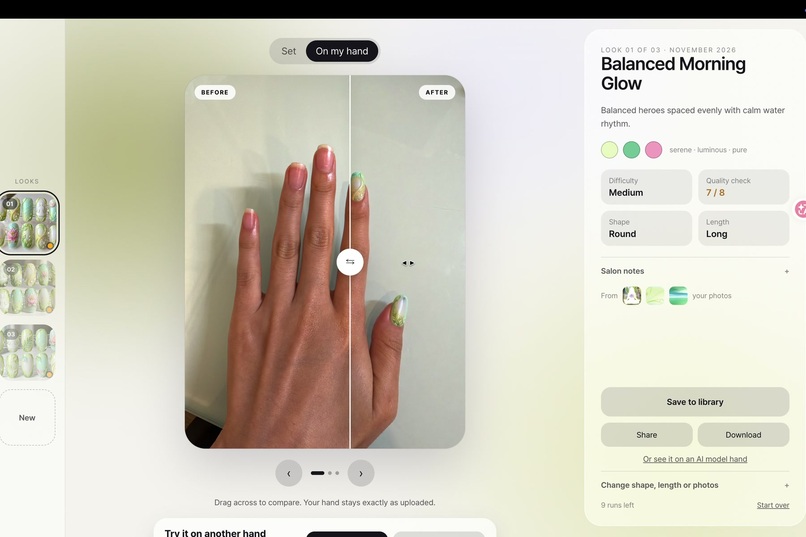
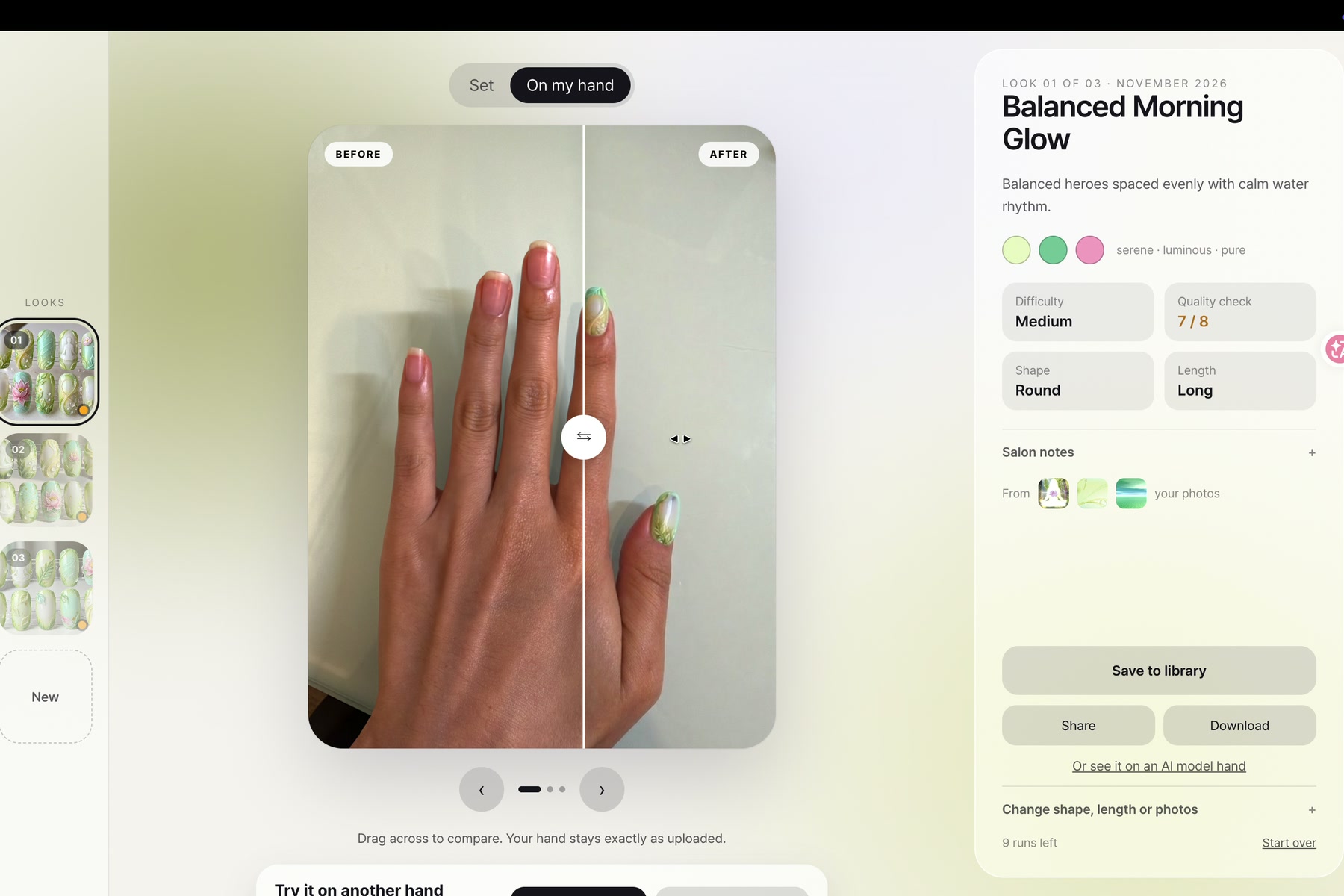
My real hand, before and after. YouCam Nail Transfer runs once per finger, so each exact tip lands on its own finger.
-
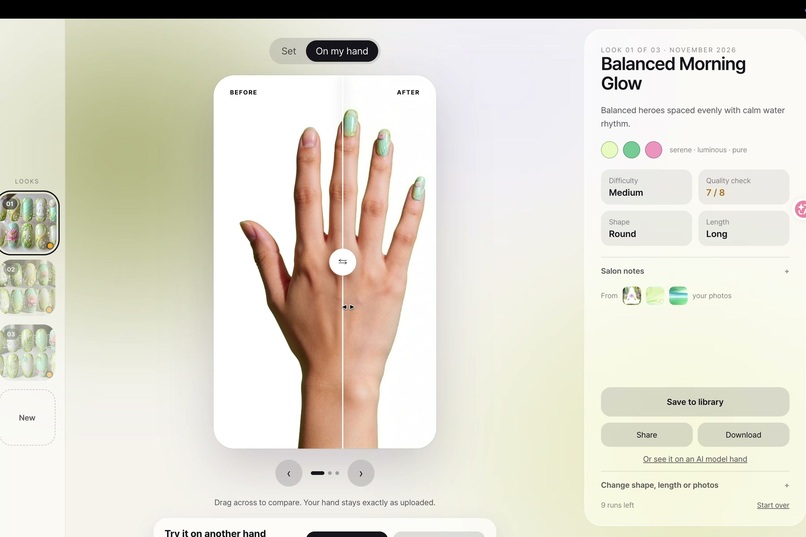
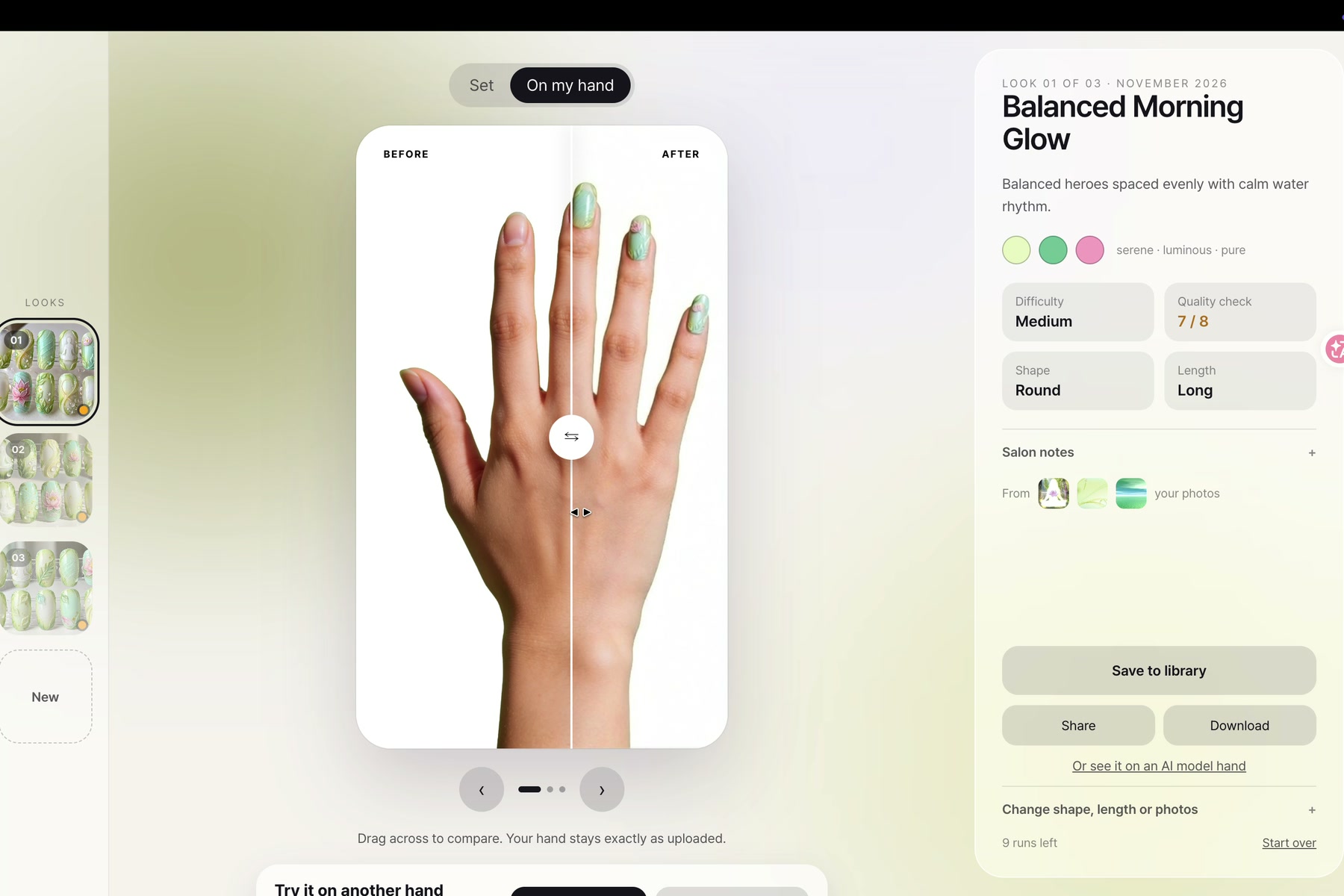
No hand photo? One click tries the set on a built-in sample hand, so judges can test instantly.
-
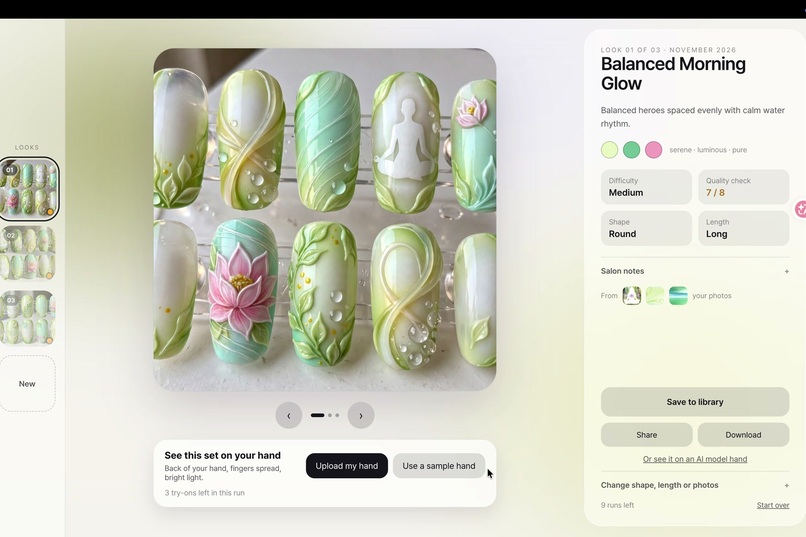
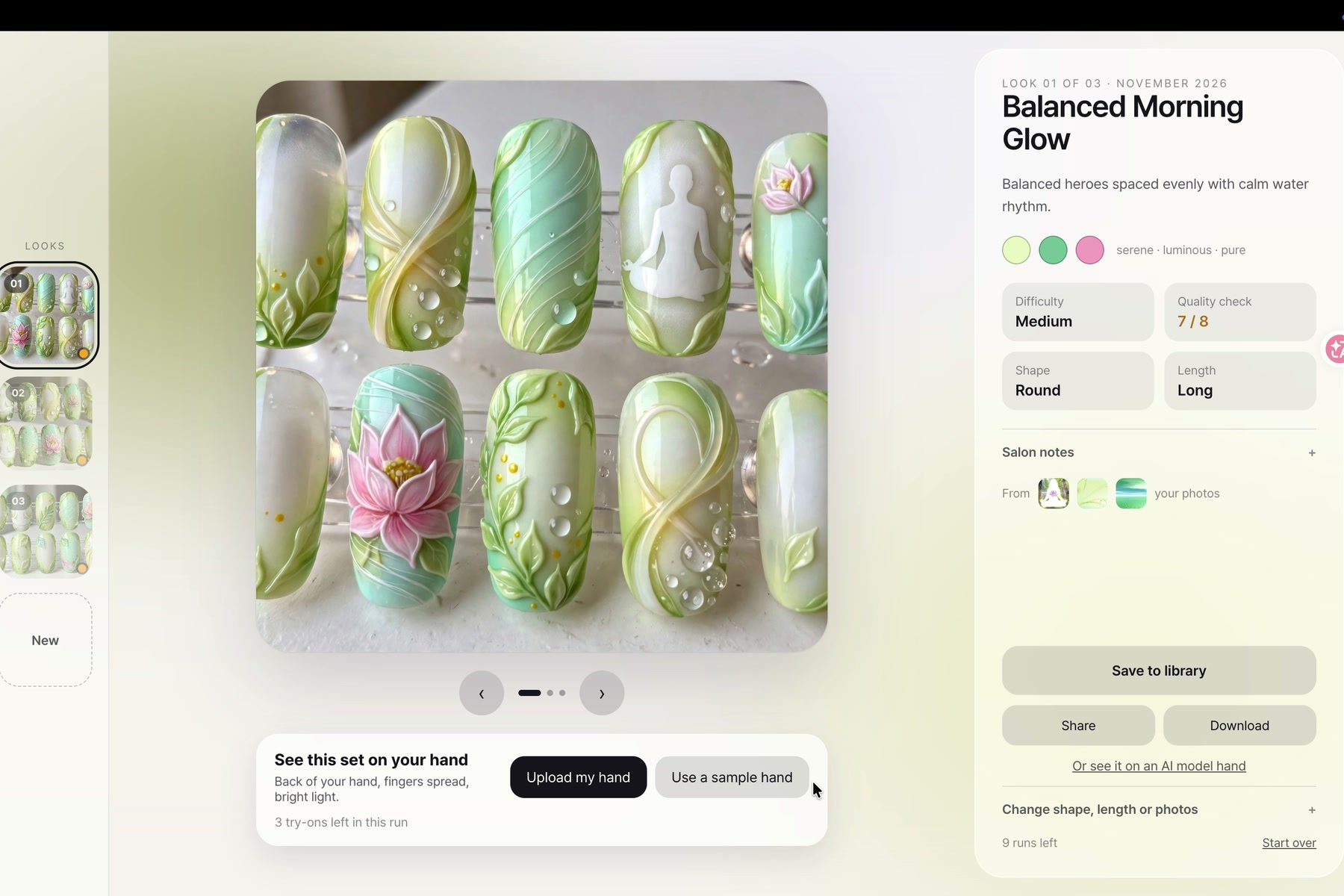
Three ten-tip sets from my photos. The lotus, the bubbles and the water lily each land on their own nails, quality checked.
Inspiration
Every nail lover has a camera roll full of saved inspiration: a Pinterest screenshot, an outfit, today's sky. But those photos are someone else's hands and someone else's mood board. The two questions that never get answered are "what would this look like as my nail set?" and "what would that set look like on my hand?" idala answers both in about two minutes.
What it does
- Drop in up to three photos you love. Set the tip shape (almond to stiletto), the length, and how rich the charm work gets.
- Get three designed sets. idala reads each photo, finds its main object (a lotus, a rabbit, a pair of angel wings), and designs three different ten-tip press-on sets around them. Every set passes an automated quality inspection before you see it.
- See it on your own hand. Pick your favorite and upload a photo of the back of your hand, or press "Use a sample hand" if you don't have one handy. The YouCam AI Nail Virtual Try-On API paints the set onto your hand. Only the nails change; skin, pose and lighting stay exactly as uploaded, with a before/after slider to compare.
How we use the YouCam API
idala uses the YouCam AI Nail Virtual Try-On (Nail Transfer) API through the S2S v2.0 flow: request an upload URL from the File API, PUT the image, start a task/ai-nail job with the hand photo and a reference image, then poll the task until the result URL is ready.
Out of the box, Nail Transfer moves the overall style of a reference onto a hand, but it does not guarantee which tip lands on which finger. For idala that guarantee is the whole point: if you chose the set with the lotus on the ring finger, that exact lotus tip should land on your ring finger.
So we built a per-finger pipeline on top of the API:
- Meta SAM 3.1 segments the generated set photo into ten individual press-on tips, and segments the hand photo into five fingernails with their positions.
- We compose five single-finger reference images (the same tip repeated on a skin-tone background), plus one all-five reference.
- We call the YouCam Nail Transfer API six times in parallel: one full-hand base pass plus one pass per finger.
- From each per-finger result we extract just that nail region (SAM again, nearest-nail matching) and composite the five nails onto the base pass.
Result: each exact tip lands on its own finger, in about 35 seconds, while keeping the photoreal blending that makes YouCam's VTO look like a real manicure instead of a sticker.
How we built it
- Next.js 15 on Vercel, Auth.js Google sign-in, Neon Postgres, Upstash Redis for rate limiting and refund-safe quota reservations.
- Design generation: Meta Muse Image draws the ten-tip sets from a structured design brief; Meta SAM 3.1 handles all segmentation.
- Try-on: YouCam AI Nail VTO API (File API upload,
ai-nailtask, polling), wrapped in the per-finger pipeline above. - An LLM quality inspector scores every generated set (tip count, palette, physics, hero-motif hierarchy) and automatically redraws failures.
What's new since September 29 (built during this hackathon)
idala existed before this hackathon as a nail-set generator. Everything try-on related was built during the submission period:
- YouCam integration from zero: the full File API +
ai-nailtask client, error mapping (no_hand_detected, credit handling), and the per-finger accuracy pipeline (6 API calls per try-on) described above. - One-click sample hand: judges and first-time users can test try-on instantly without hunting for a hand photo. The sample photo is pre-framed so all five nails, thumb included, are detected.
- Main-object extraction per photo: the design brief now names one signature object per inspiration photo and guarantees each one appears large on its own tips, so every uploaded photo visibly shows up in the set.
- A rebuilt landing and flow: upload-first hero with sample photos, a three-step progress screen with per-photo analysis states, a try-on card with remaining-use counts, and a before/after comparison slider.
Challenges we ran into
- Finger mapping: Nail Transfer's tip-to-finger assignment is only loosely positional. We proved this with flipped-order experiments, then solved it with the per-finger pipeline instead of fighting the model with prompts.
- Reference formatting: YouCam reads references best as "tips on skin." Raw product photos (acrylic stands, shadows) degraded results, so we auto-compose clean references with SAM cutouts.
- Large 3D charms (a sculpted rose) are not recognized by the transfer model; the full-hand base pass fills those fingers gracefully instead of failing.
What we learned
A VTO API is strongest when you treat it as a rendering engine and move the control problem (which design goes where) into your own pipeline. Six small, well-framed API calls beat one big ambiguous one.
What's next
Hand skin-tone aware palette suggestions, salon hand-off (send your chosen set and try-on shot to a local nail artist), and mobile camera capture for the hand photo.
Built With
- meta-muse
- meta-sam
- neon
- next.js
- postgresql
- react
- redis
- sharp
- typescript
- upstash
- vercel
- youcam-api
