⚙️ Setup Cursor Installation Install Cursor AI Editor Windows → [Download Link] + [YouTube Guide] Mac → [Mac Steps] Ubuntu 24.04 → [Ubuntu Steps]
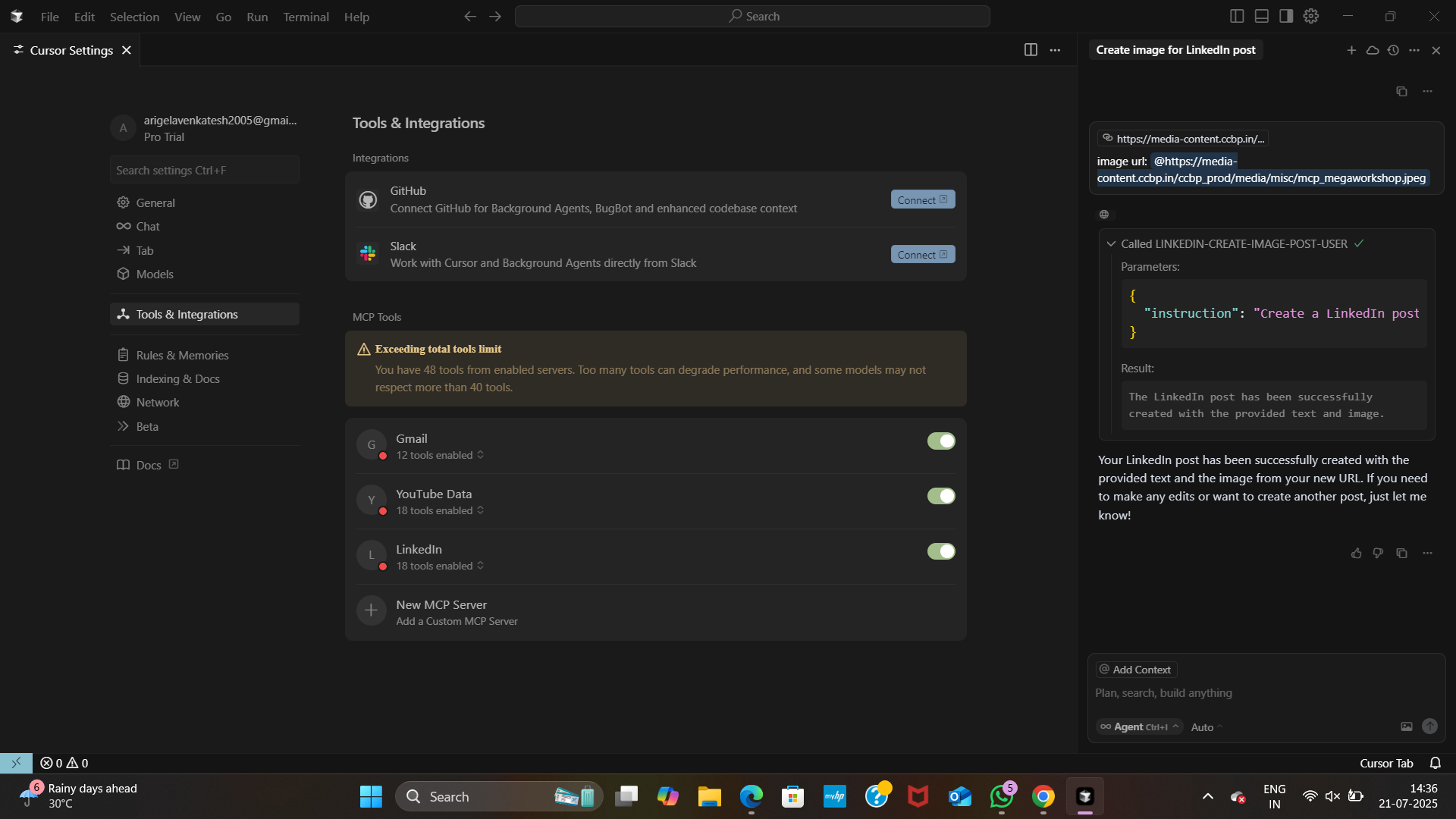
Sign up with Gmail or GitHub Open Cursor → Skip intro → Go to Settings → Tools & Integrations → Add Custom MCP Add MCP Servers from Pipedream Create a Pipedream account Connect tools (LinkedIn, Gmail, YouTube, Drive, Notion, etc.) Copy the MCP server config (Cursor tab) Paste into Cursor IDE → MCP Servers section Save (Ctrl + S)
⚠️ Do not share your Pipedream URLs (they are private keys).
🤖 Capabilities of MCP Mega Assistant
📢 LinkedIn Automation
Create posts with text + images
Example:
Create an image post on LinkedIn with the following text:
"Excited to share my MCP Mega Assistant project 🚀"
Image link: {Your Cloudinary URL}
📧 Gmail Integration
Summarize unread mails
Apply for jobs using LinkedIn + Gmail
Example:
Get my details from LinkedIn,
apply for a job at Microsoft,
write a short cover letter,
and send it to [email protected]
🚆 Indian Railway Schedule Fetch train schedules, seat availability, or live status Example Prompts: Give me the Hyderabad to Tirupati scheduled trains list on 2025-07-21 Get seat availability of KRISHNA EXP Get train live status for 17230 on 2025-07-17
📞 Eleven Labs + Twilio Voice
AI assistant makes calls with natural speech
Share tech updates, reminders, or news
Example Prompt:
“Call my number and give me today’s AI tech updates in a friendly tone.”
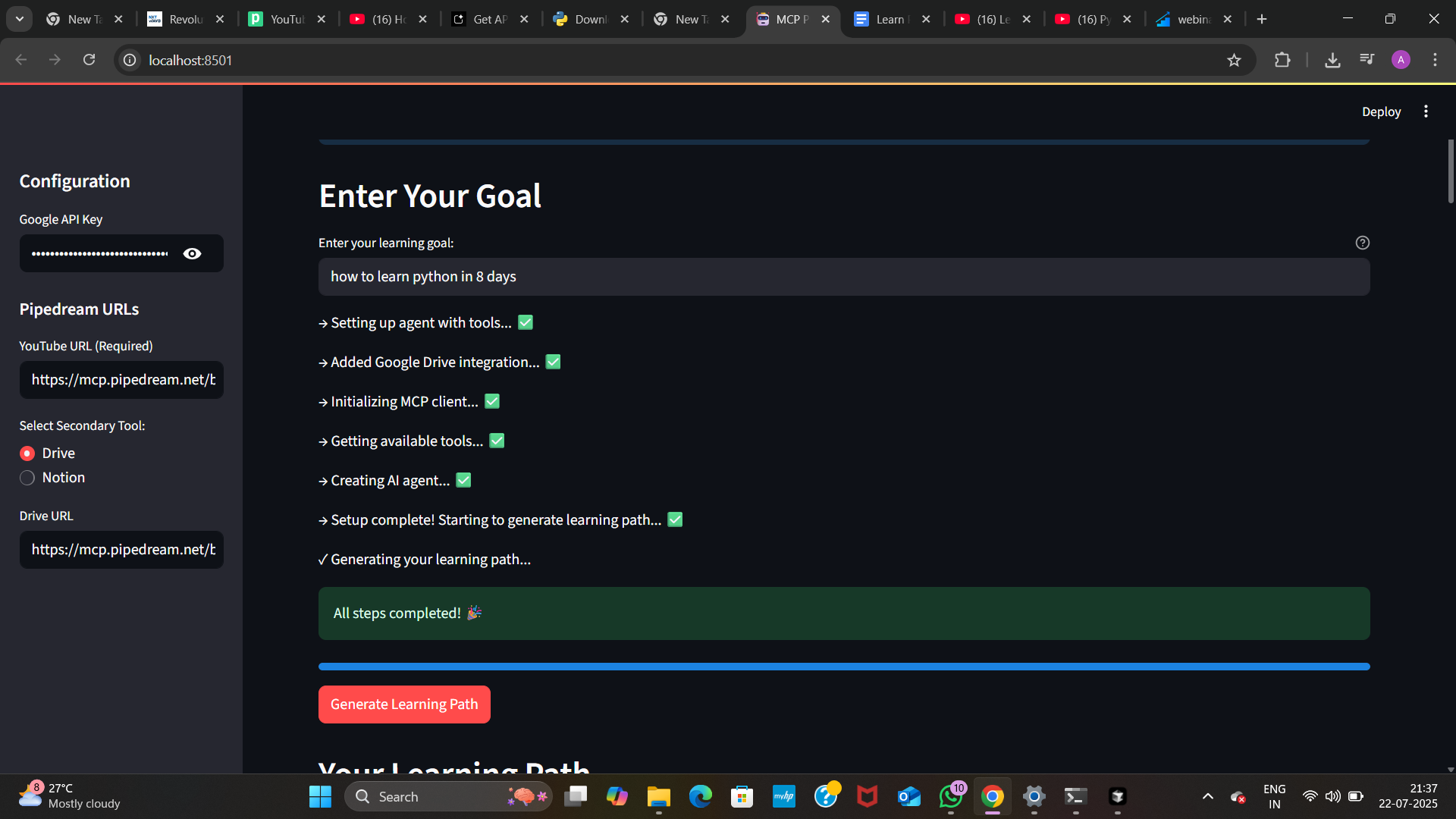
📚 Learning Path Generator (Gemini AI + YouTube + Notion)
Generate a personalized study plan
Fetch videos, notes, and drive content
Example Prompt:
Create a 30-day learning path for
Machine Learning using YouTube + Google Drive resources,
and store it in Notion.
✅ Task List Install Cursor IDE Connect MCP servers via Pipedream Enable LinkedIn + Gmail + Railway + Eleven Labs + Gemini integrations Add more APIs (Calendar, IoT, Slack, etc.) Deploy final assistant for public use 🔖 Final Tagline “MCP Mega Assistant – One AI, Infinite Integrations.”

Log in or sign up for Devpost to join the conversation.