-
-
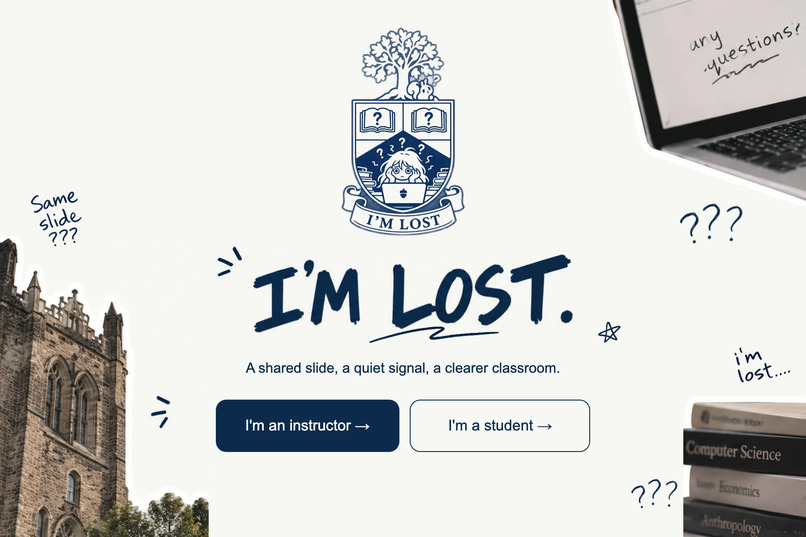
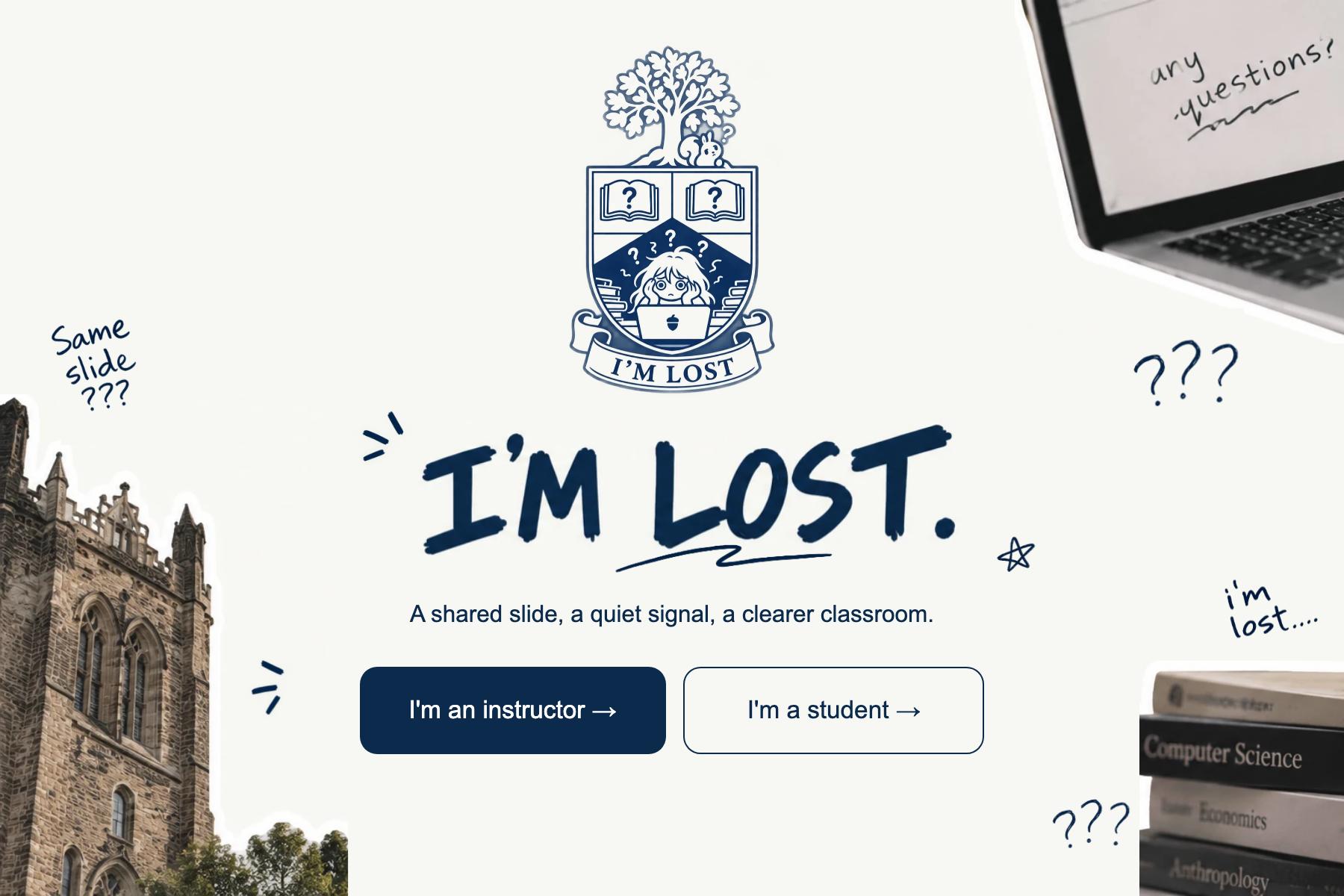
Landing page of I'm Lost
-
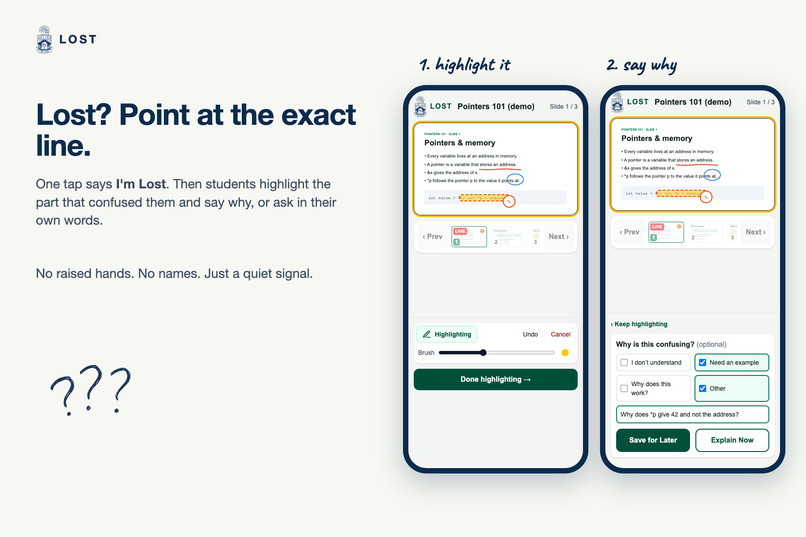
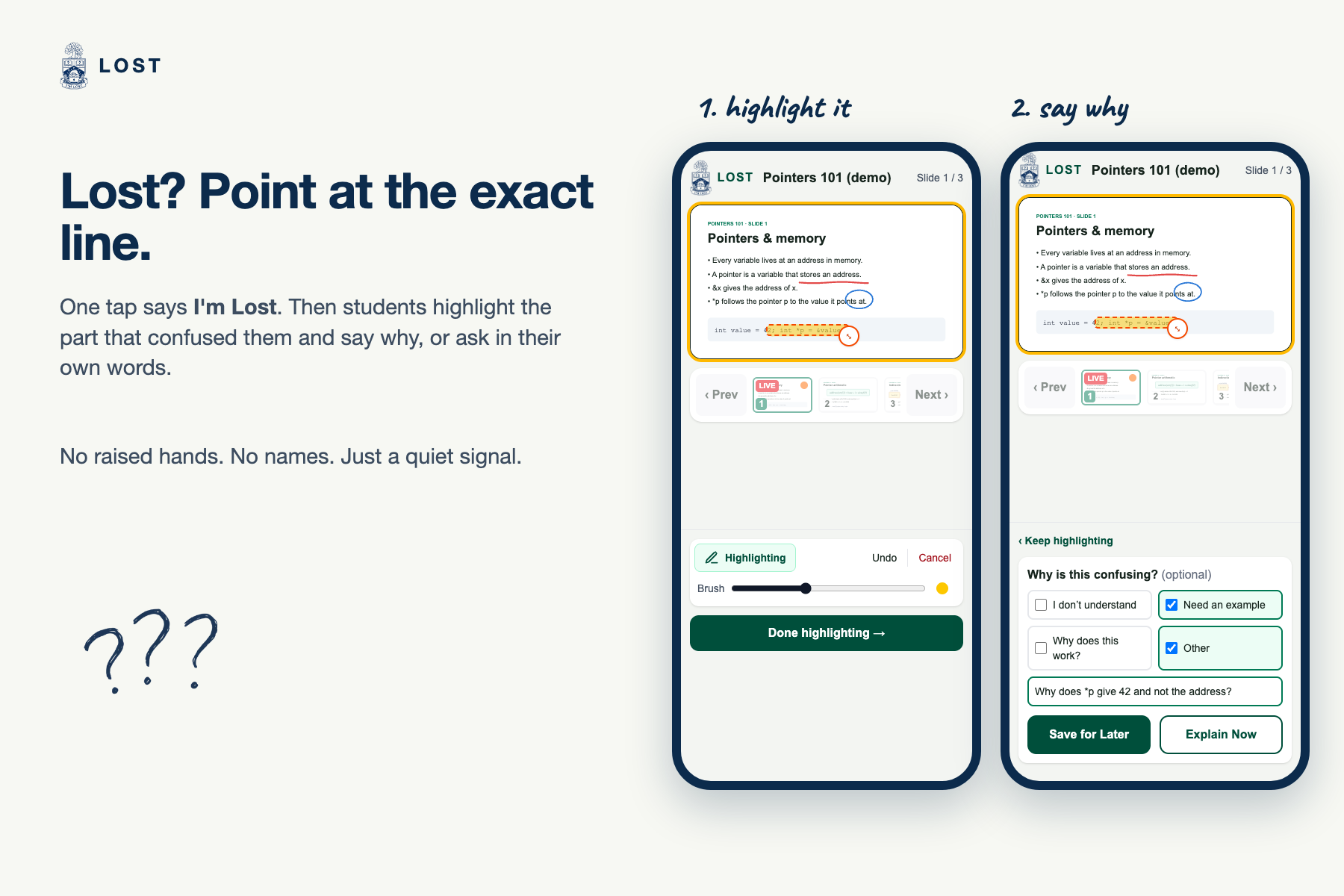
Student's interface: Students can just tap "I'm Lost", highlight the exact line, and say why, or ask in their own words.
-
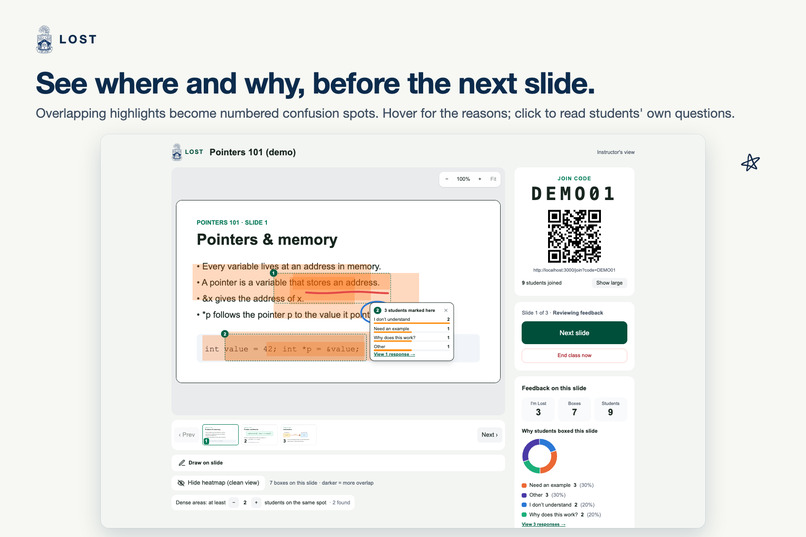
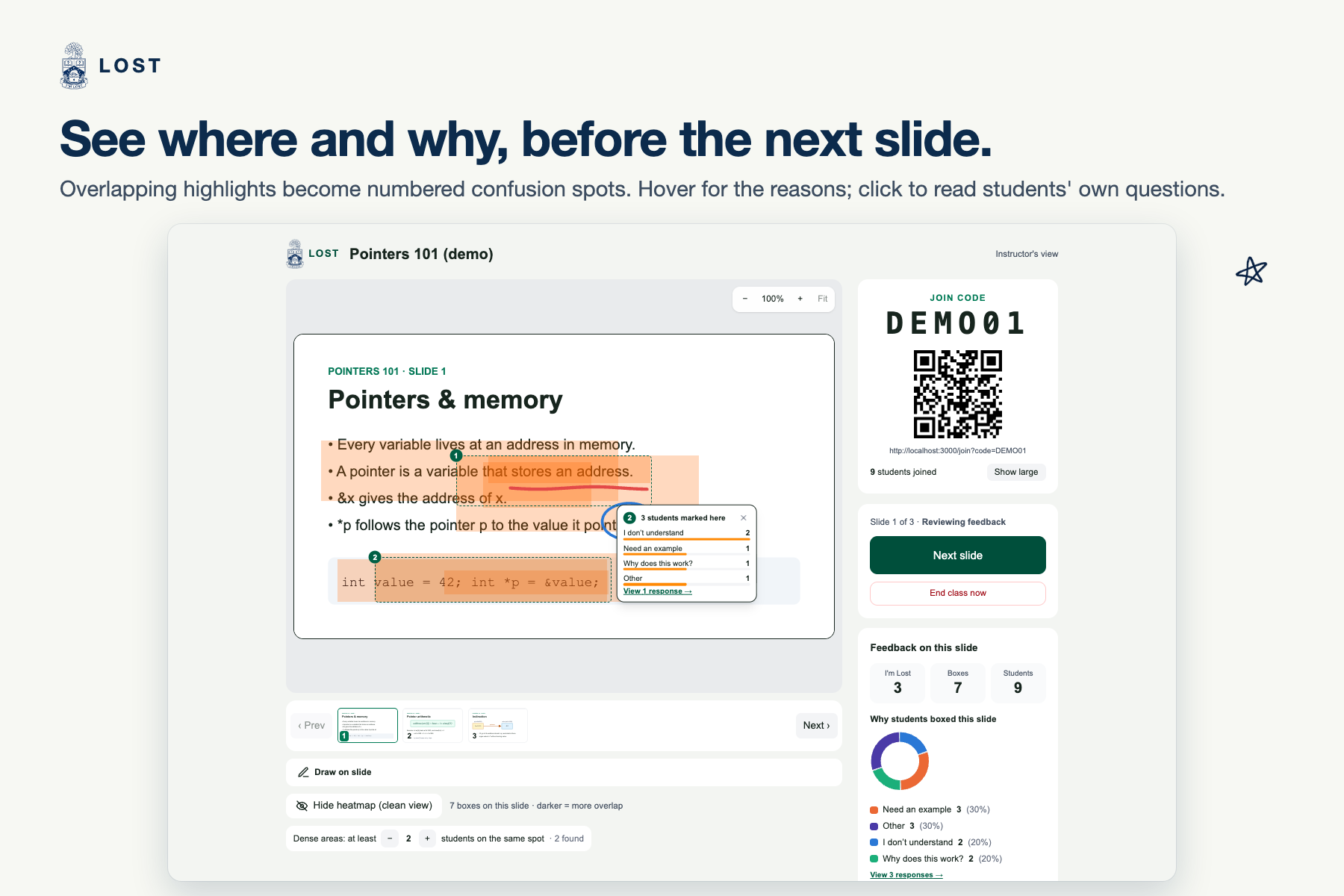
Instructor's interface: Before the next slide, the instructor sees numbered confusion spots and why students marked them.
-
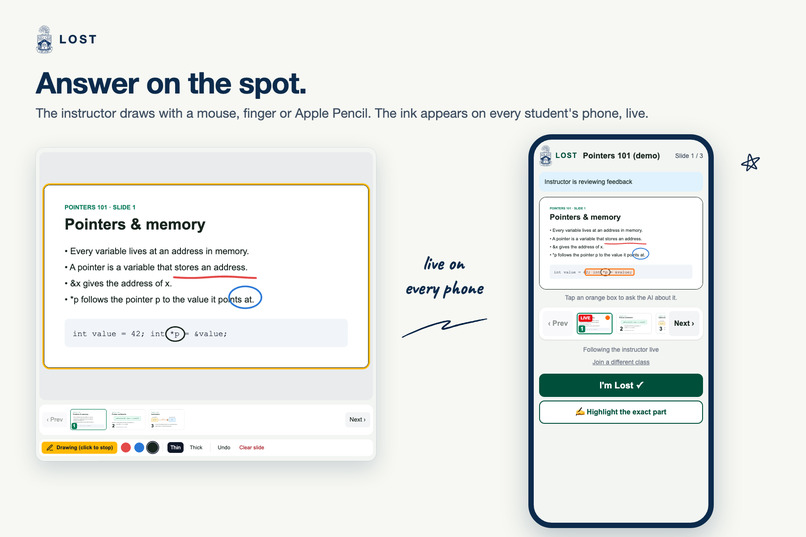
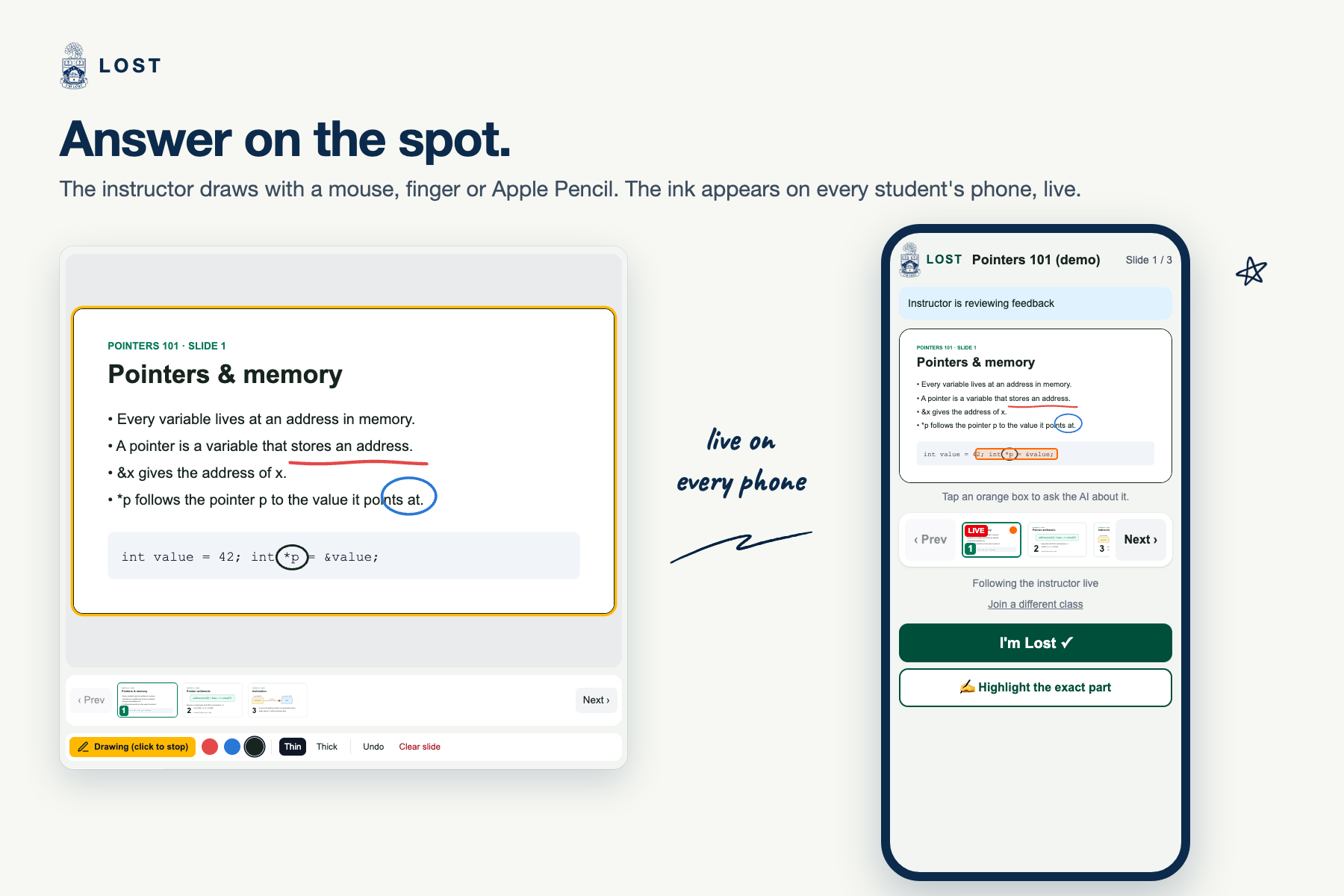
Instructor's interface: The instructor can annotate the slides, and the annotations sync on every student's page live.
-
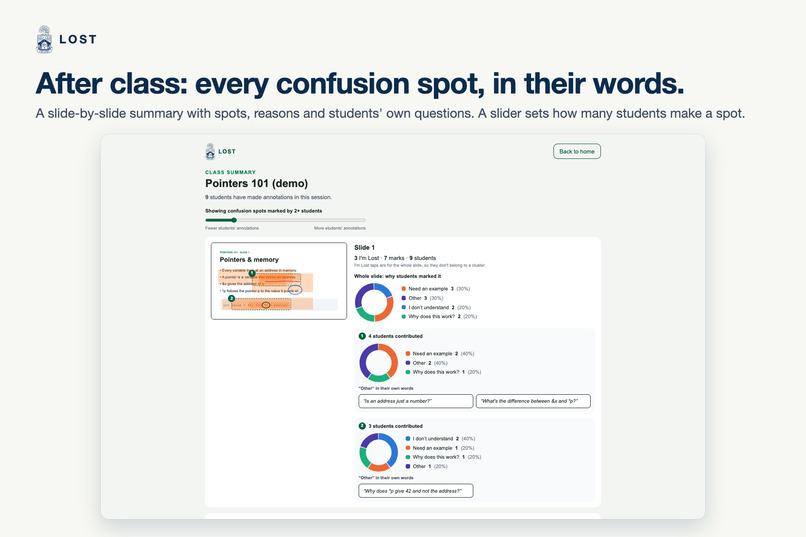
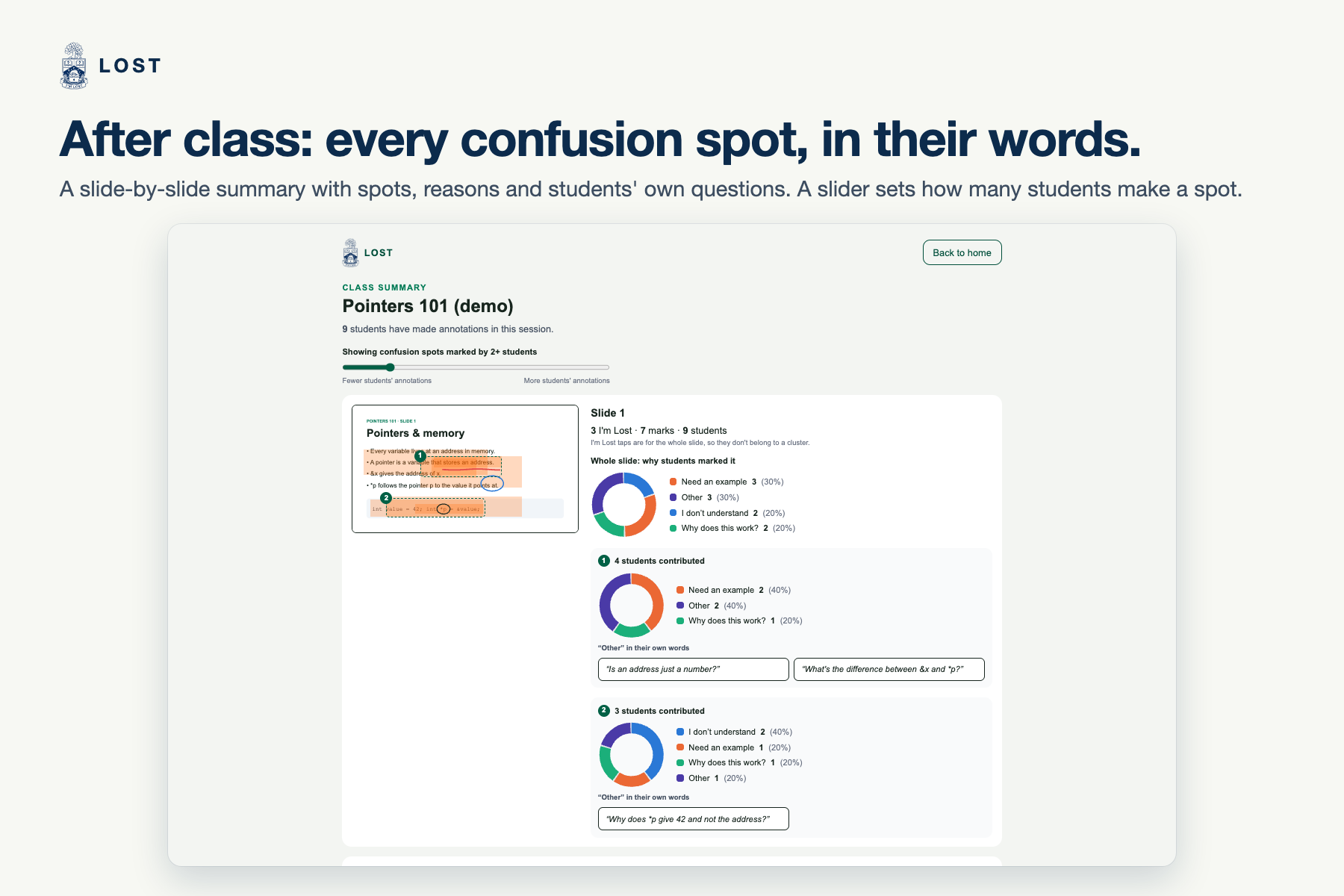
Instructor's interface: After every session, the instructor will see a summary analysis about student's confusion points.
Inspiration
In a lecture, the students who are most lost are the least likely to raise a hand. Asking feels like admitting you're behind, and by the time you've worked out what to ask, the slide is gone. Instructors usually find out at the exam. A show of hands or an end-of-class poll can tell an instructor whether the class is confused, but not where on the slide or why.
We wanted a quiet way for a student to point at the exact line that lost them, and a way for the instructor to see the whole room's confusion before moving on.
What it does
I'm Lost turns any lecture PDF into a live class.
- The instructor uploads a PDF and gets a join code and a QR code.
- Students scan the QR code on their phones. Their screen follows the instructor's slide live, and they can browse back to earlier slides at any time.
- A lost student taps I'm Lost, or highlights the exact part like a highlighter pen and says why: I don't understand, Need an example, Why does this work?, or Other with their own question.
- Before moving on, the instructor clicks Review. A heatmap shows where highlights overlap. Places marked by several students become numbered confusion spots, each with a chart of why students marked it and their questions in their own words. Students stay anonymous.
- The instructor can explain on the spot by drawing on the slide with a mouse, a finger or an Apple Pencil. The ink appears on every student's phone instantly.
- Students who want help now tap Explain Now. The AI explains exactly what they marked, grounded in the slide, and cites the slide it came from.
- When class ends, the instructor gets a slide-by-slide summary of every confusion spot, and each student gets a private review page with a personal AI study guide: the concept, an explanation and a practice question for every slide they marked.
How we built it
- Next.js 16, React 19, TypeScript and Tailwind CSS, deployed on Vercel.
- Supabase: Postgres for classes, marks and ink; Realtime to push every change to every screen within about a second; Storage for slide images.
- pdf.js turns the PDF into slide images and text right in the instructor's browser.
- Google Gemini writes the explanations and study guides from server-side routes, so the API key never reaches the browser. For each mark, the server uses
sharpto make a close-up of the highlighted area plus a copy of the slide with that area outlined, so the model explains the right line. - Confusion spots: we lay an $80 \times 60$ grid over the slide, count how many different students marked each cell, keep the cells marked by at least $k$ students ($k = 2$ by default), and group touching cells into spots. Each spot gets its own reason breakdown.
- Positions are stored as fractions of the slide ($0 \le x, y \le 1$), never pixels, so a highlight or a pen stroke lands on the same words on a phone, a laptop and a projector, at any zoom.
We split the work three ways: instructor screens, student screens, and backend/AI. To build in parallel, we first agreed on a fixed list of data functions and built a fake backend that runs entirely in the browser. Both screens were built against the fake backend while the real one was being written, then we switched over with one setting.
Challenges we ran into
- PDF upload failed on iPhone and iPad. The latest pdf.js uses JavaScript features Safari doesn't support yet. We switched to its legacy build with a small compatibility fix.
- The AI explained the wrong line. On dense formula sheets, the model, given only the whole slide and the box's position, explained the line next to the one the student marked (3 of 4 times). Sending a close-up of the marked area fixed it: 6 of 6 correct on re-test.
- Making pen and touch feel natural. We wanted the feel of GoodNotes: with an Apple Pencil, the pencil writes while fingers scroll and zoom; on a phone, one finger draws and two fingers move. Getting there meant handling the pencil and fingers separately, plus stopping long presses from opening the iPad's Copy menu.
- Phones fall asleep. Live updates can be missed while a phone is locked, so every screen re-reads the current state when it reconnects or comes back into view.
- Slow AI responses. A busy model could hang until the server timed out. Every request now has a time limit, one quick retry and a fallback model, and a student's mark is saved before the AI is asked, so nothing is ever lost.
Accomplishments that we're proud of
- The full loop works live across devices: join by QR code, mark, review, draw, explain, end class, study guide.
- None of us are experienced programmers. We built I'm Lost with AI coding assistants and a strict set of rules for them, so three people's code fit together.
- Students stay anonymous and never see each other's marks, but the instructor still learns exactly where and why the room is lost.
What we learned
- Agreeing on the shape of the data first is what made three people working in parallel possible.
- AI models need to see what the user sees: a close-up of the exact area worked far better than describing where it is.
- Small touch details, like quick taps that don't paint and a pencil that ignores your palm, decide whether people enjoy using it.
What's next for I'm Lost
- Instructor accounts and proper data security, so it can be used with real classes.
- Trends across lectures, so instructors can see which topics confuse every cohort.
- LMS integration (Canvas, Quercus) and exporting the end-of-class summary.
Built With
- claude
- github-actions
- google-gemini
- next.js
- node.js
- pdf.js
- postgresql
- qrcode
- react
- sharp
- supabase
- supabase-realtime
- tailwindcss
- typescript
- vercel


Log in or sign up for Devpost to join the conversation.