inspiration
A lot of people live alone: students who just moved out, older parents, people who travel for work. If something happens to them, it can take days before anyone notices. The usual answers are a panic button you have to press, or location sharing that runs all the time, and both assume too much. I wanted something smaller: a quiet daily "i’m ok" that only turns into an alert for your friends if you miss it. The App Store subtitle says who it's for, for those who care, and the promise is one line: one tap a day, and they know you’re ok.
what it does
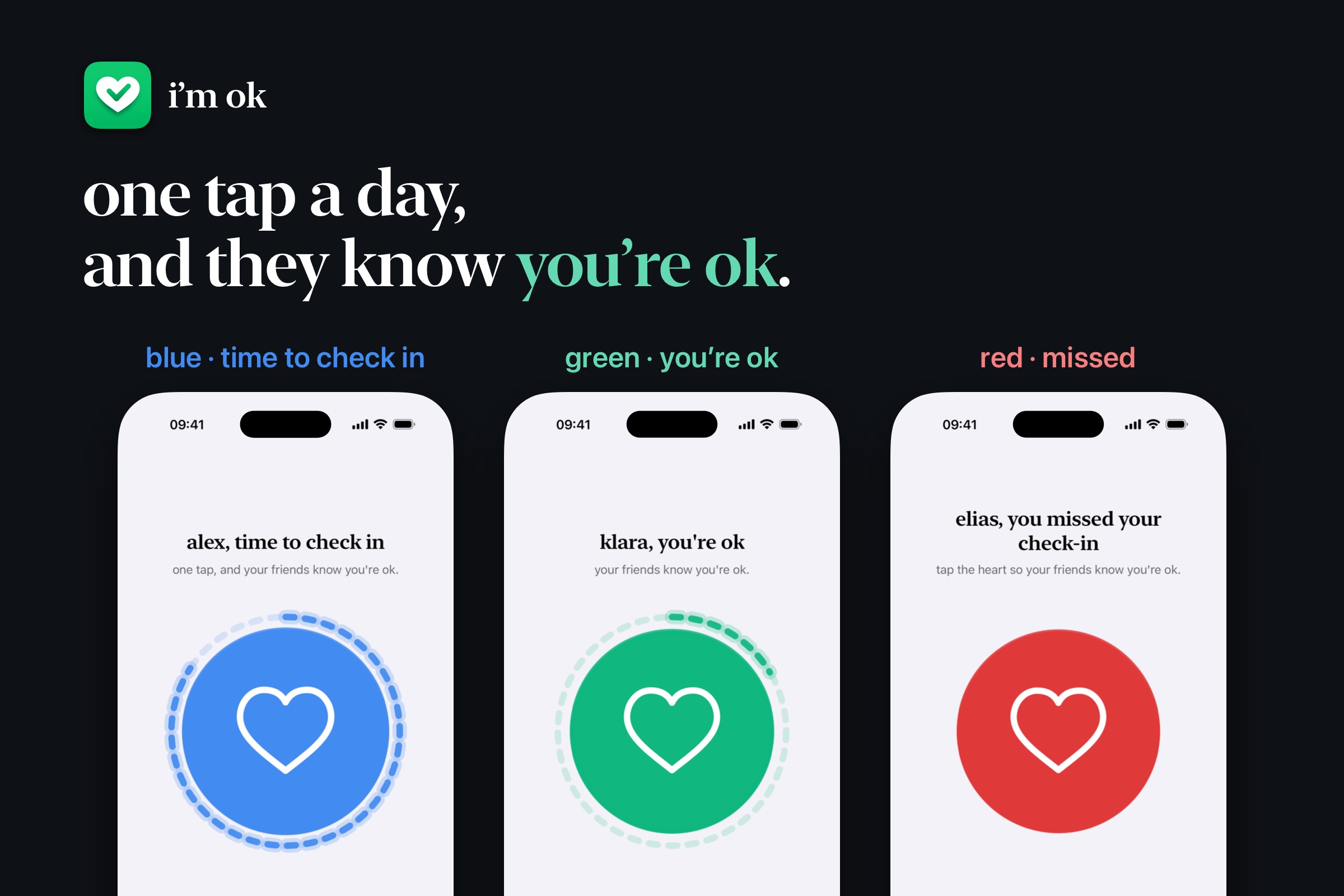
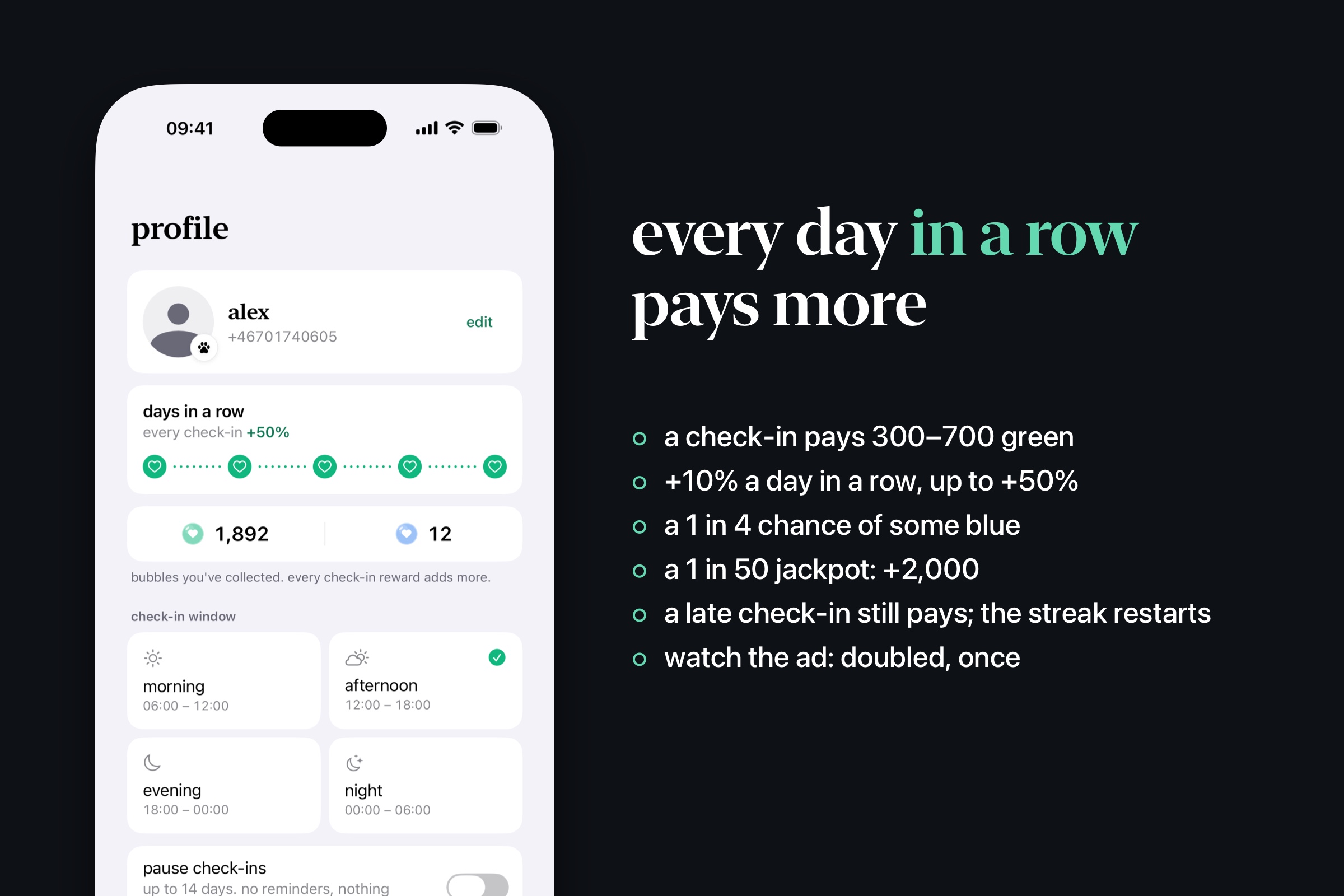
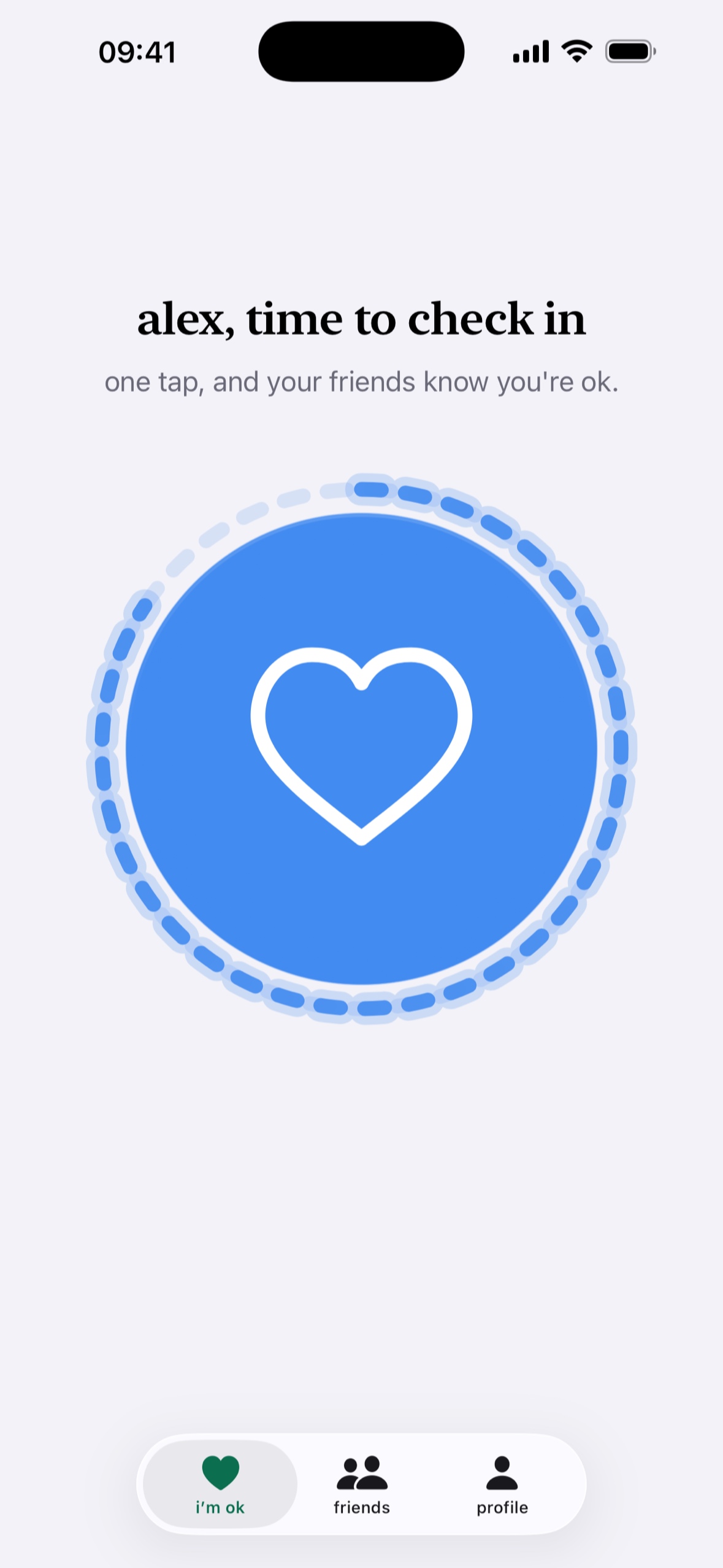
You pick one 6-hour window: morning, afternoon, evening or night. Then your day has three colours:
- blue: your window is open. The heart turns blue and you get a reminder.
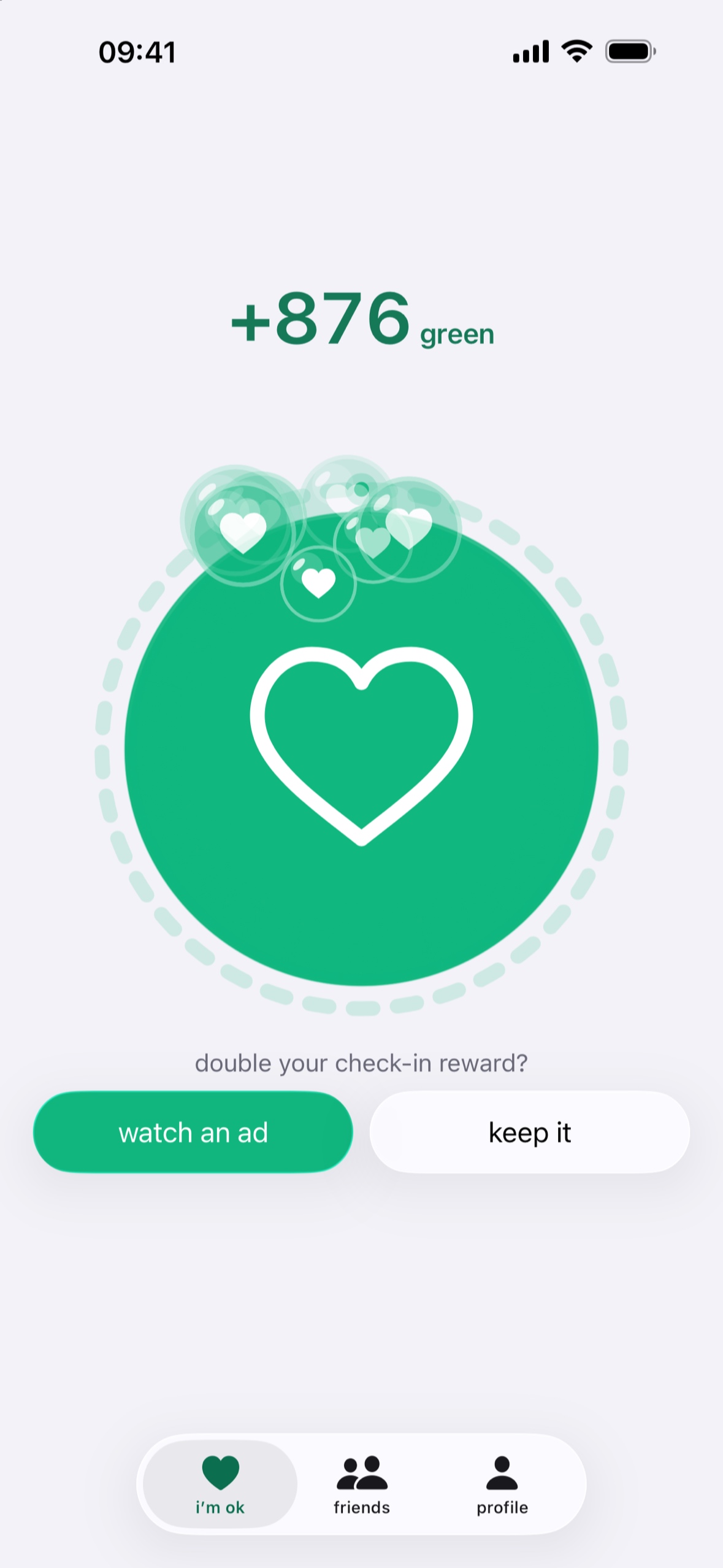
- green: one tap on the heart is your check-in, and your friends see you're ok.
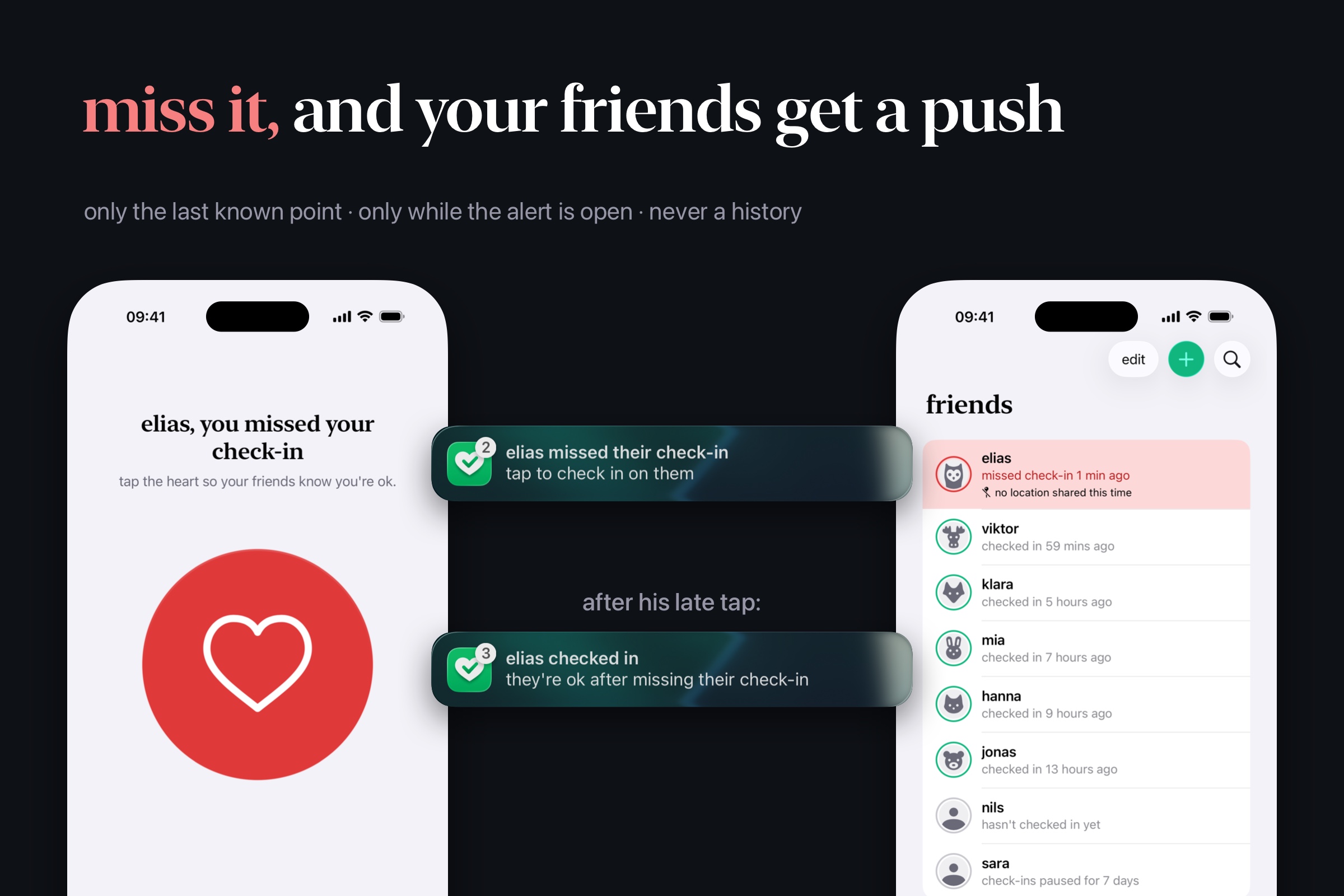
- red: you missed the deadline. Within the hour, each friend you added gets a push. If you share your location, their friends list shows when you were last seen, with a button that opens the spot in Apple Maps. If you check in late, they get a push that says you’re ok after missing your check-in.
Also:
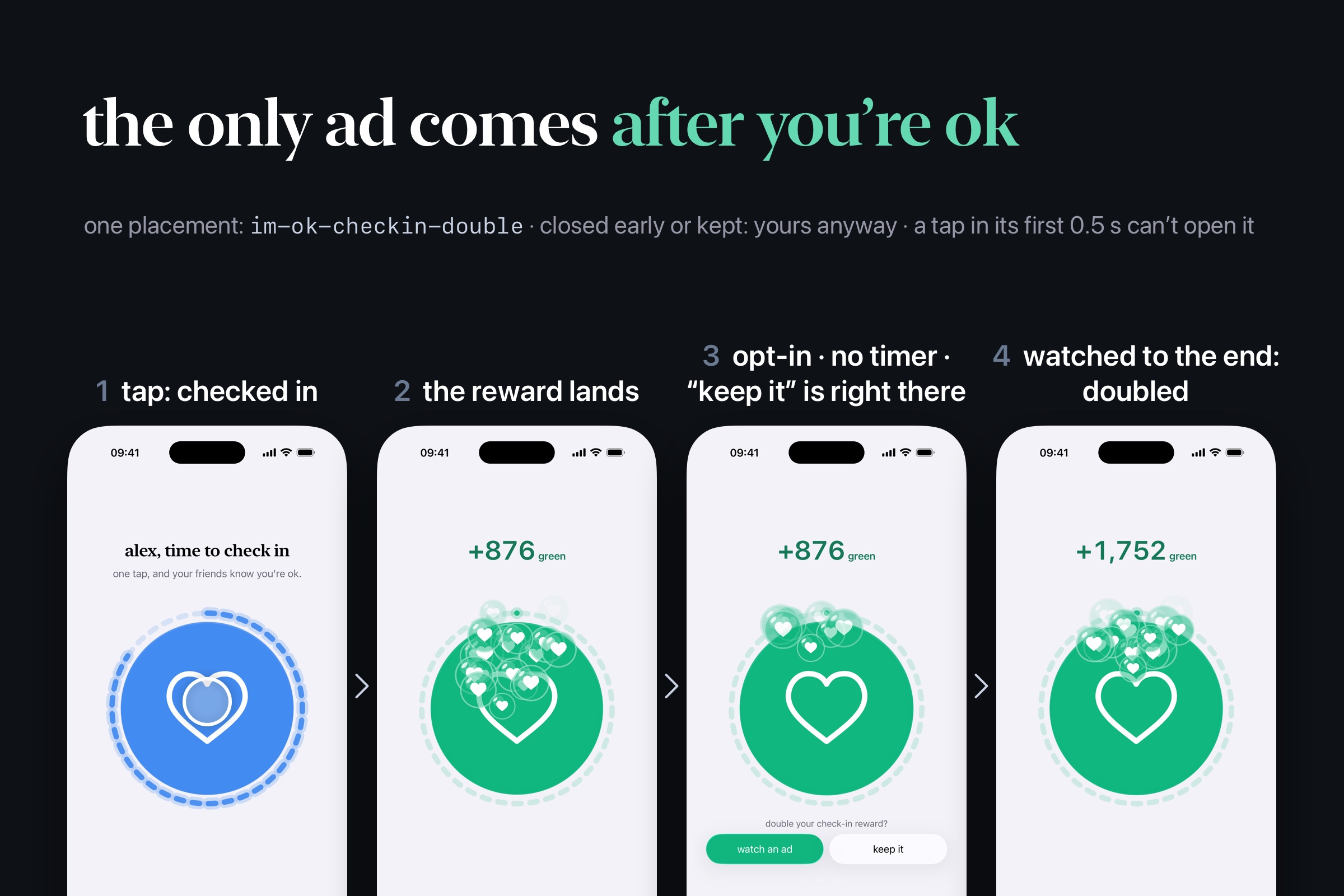
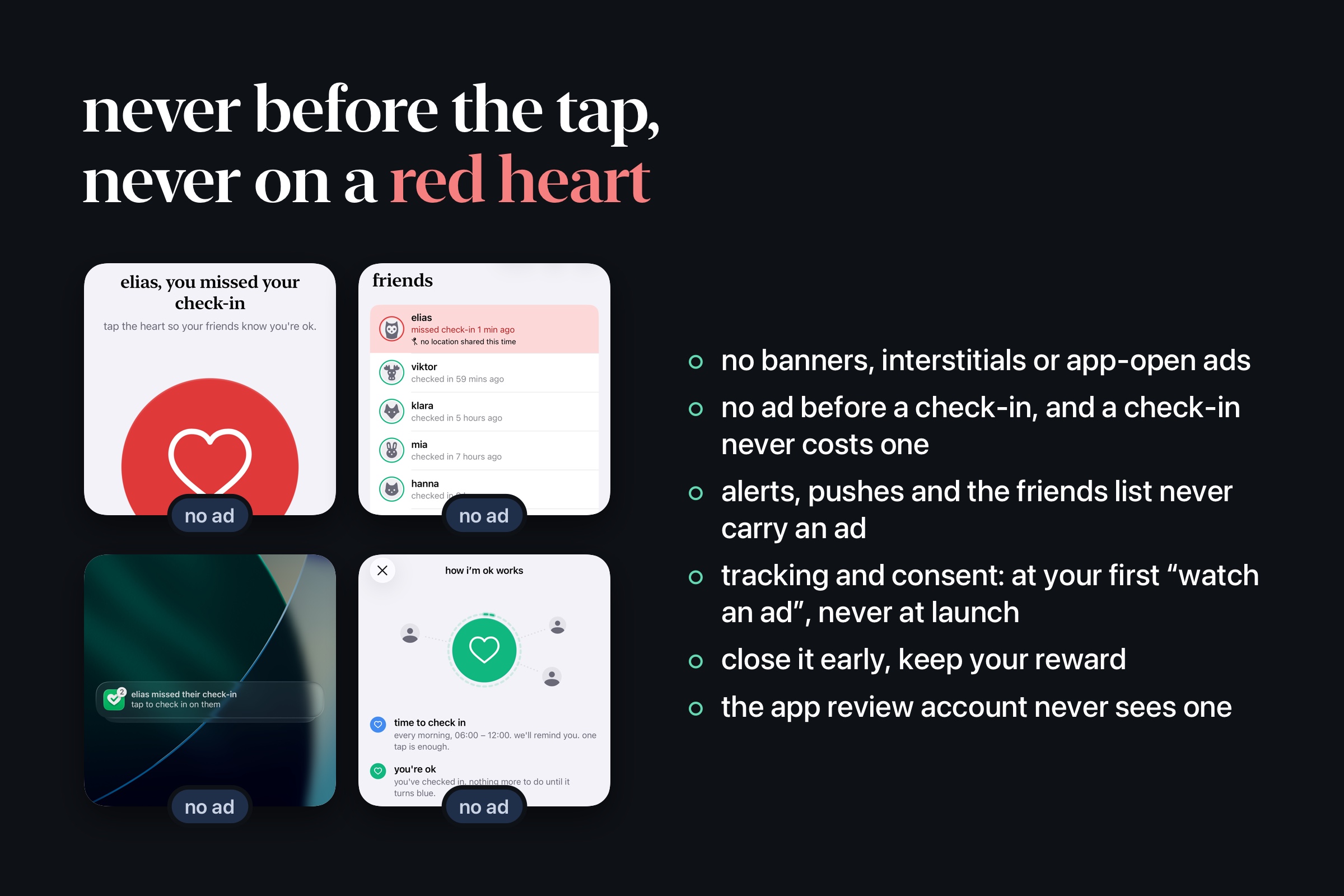
- Bubbles. Every check-in that meets a deadline earns bubbles, and you earn more for every day in a row. Right after, you can double them by watching one optional ad, or keep them as they are. That is the only ad in the app.
- Pause. Going away? Pause check-ins for 3, 7, 10 or 14 days. Your friends get a push when you pause and when you're back.
- Friends, not followers. Friendships are 1:1 and go both ways. You add people from your contacts or by number, or invite them through Messages. There are no groups, no feed and no chat.
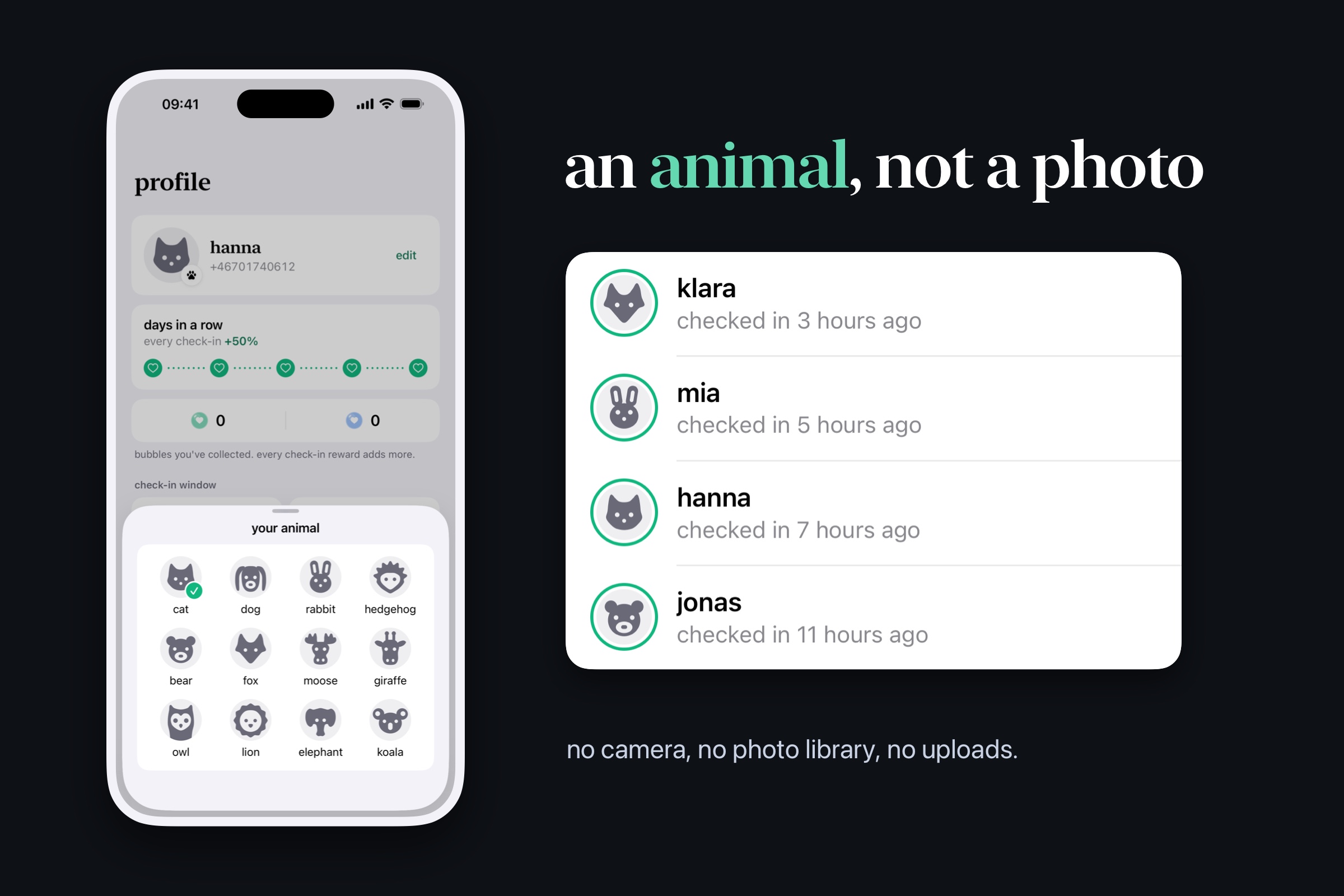
- Animals, not photos. Everyone picks one of twelve grey animals. There is no camera, no photo library and no upload.
- Only the last known location. i’m ok keeps your last known point and never a history. The point is updated while the app is open and, with "always", when you move a good distance or arrive at or leave a place. On a miss, the server asks the phone for one fresh fix. A friend receives the point only while your missed alert is open, and a check-in or a pause clears it.
- No password. You sign in with your phone number and a text code (Swedish and US numbers).
where it is
i’m ok 1.x (React + Capacitor, built with Lovable) first shipped on 21 August 2026, and version 1.2.0 is live on the App Store. Version 2.0 is in App Review. It is the native SwiftUI rewrite shown in the video and the images, and an update to the same listing. It is free, runs on iPhone and iPad with iOS 26, and is available in the United States and Sweden, in English and Swedish.
how I built it
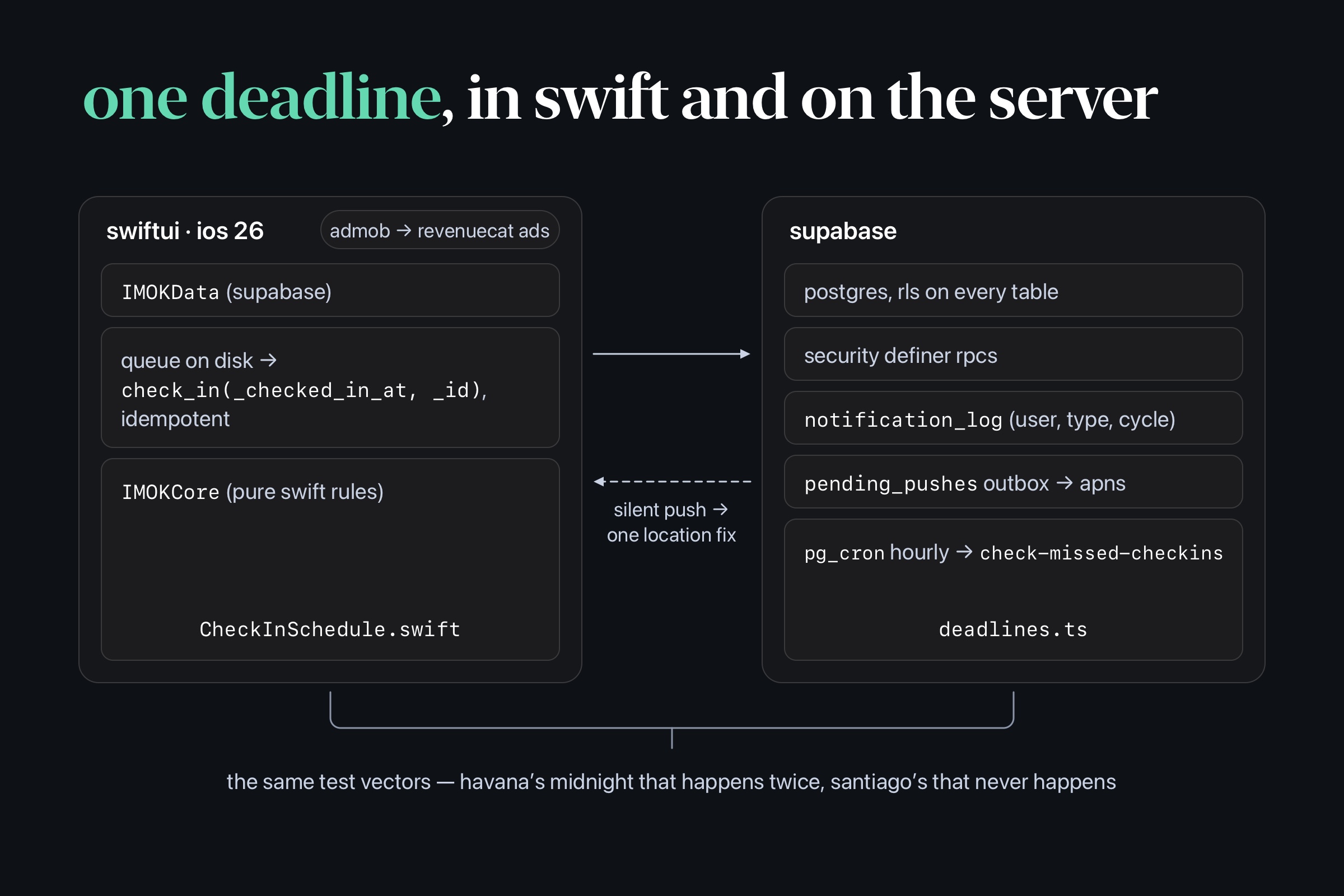
- 2.0 is native SwiftUI for iOS 26. It has two local packages: IMOKCore holds the pure Swift rules (deadlines, streaks, statuses) and is unit tested. IMOKData is the Supabase client. Check-ins go through an offline queue.
- The backend is Supabase. It uses Postgres with RLS on every table, SECURITY DEFINER RPCs for check-ins and friendships, Deno edge functions and pg_cron. An hourly job finds missed deadlines, and pushes go through an outbox to APNs. The server computes the bubble reward inside the check-in RPC.
- Sign-in uses Twilio Verify, and the server mints the session.
- CoreLocation keeps one point, as described above.
- RevenueCat runs purchases-ios 5.91 with the RevenueCatAdMob adapter, next to Google Mobile Ads and Google's consent SDK (details below).
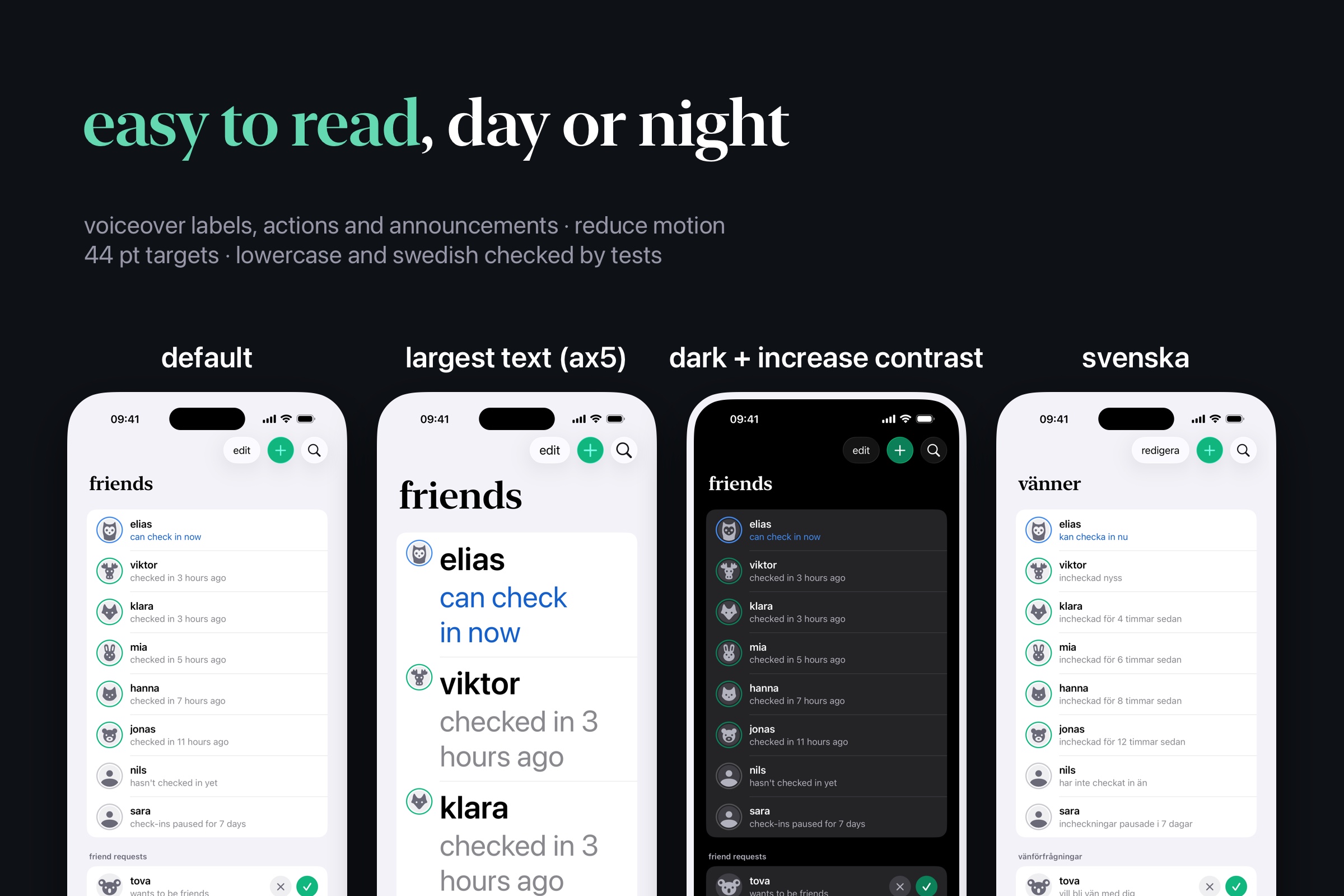
- Tests enforce lowercase copy and full Swedish coverage.
how monetization works
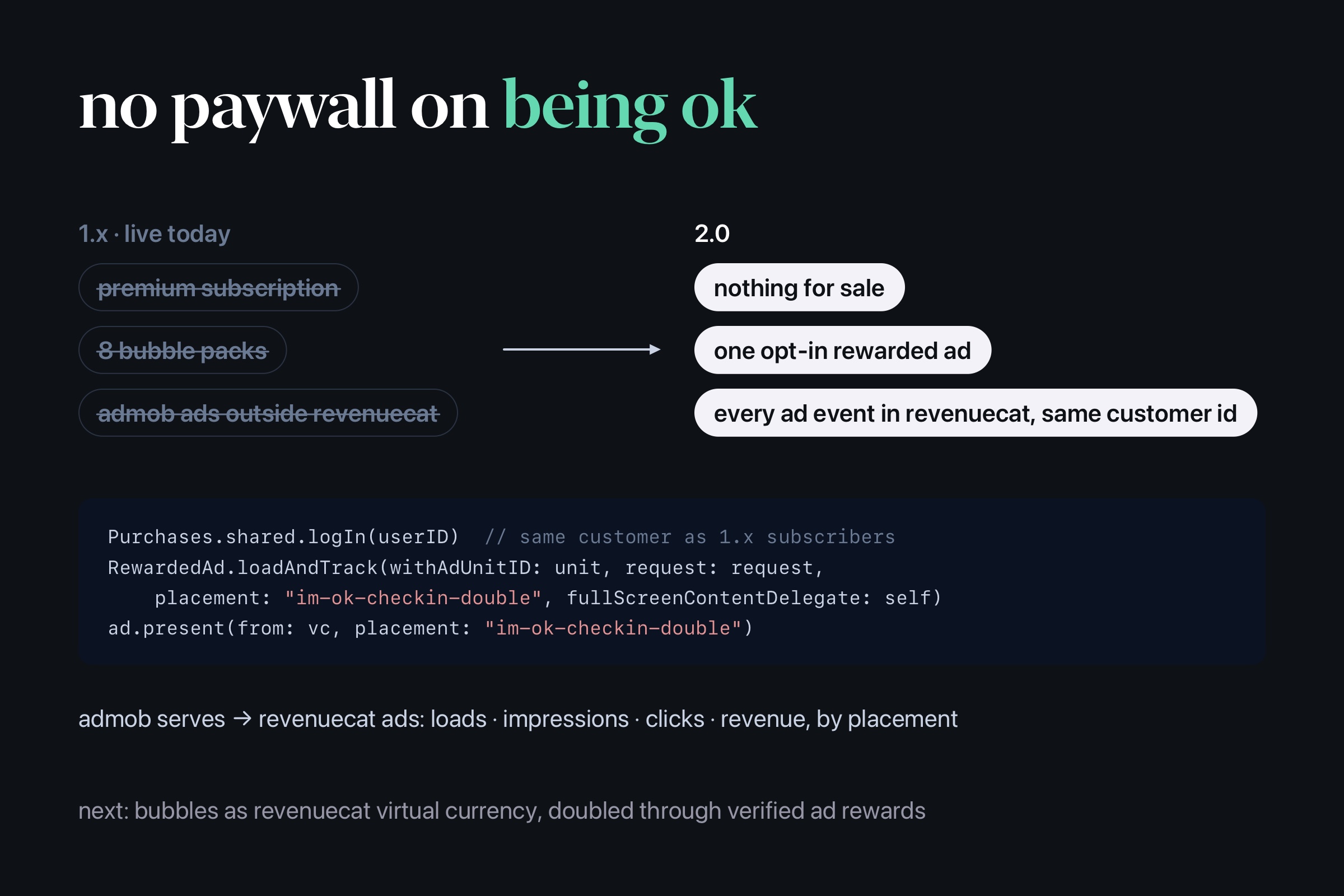
2.0 sells nothing: no subscription, no paywall and no shop. A safety app for people who live alone shouldn't charge anyone to tell their friends they're ok. One opt-in rewarded ad is the whole revenue model.
- There is one placement,
im-ok-checkin-double. The app offers it only after the server has saved a check-in that earned bubbles, when the heart is already green. It reads "double your check-in reward?", with "watch an ad" and "keep it" at the same size. There is no timer, the offer comes at most once per check-in, and a tap in its first 0.5 s can't open it. - If you watch to the end, the counter rolls up to double. If you close early, tap "keep it" or just leave, you keep what you earned.
- The ad appears nowhere else. There are no banners, interstitials or app-open ads. The heart, missed alerts, pushes and the friends list never show an ad or wait for one.
- Consent comes when you choose. Apple's tracking prompt and Google's consent form (where GDPR applies) appear at your first "watch an ad", never at launch. The app treats a no exactly like a yes.
- RevenueCat Ads does the tracking. AdMob serves the ad. RevenueCat's AdMob adapter loads it with
RewardedAd.loadAndTrack(…placement:…)and shows it withpresent(from:placement:). Every load, impression, click and paid event reaches RevenueCat under that placement, on the same customer ID as my 1.x subscribers. - Not done yet: the server credits the double once per check-in but doesn't verify the ad yet, and bubbles are only a score for now. The next step is bubbles as RevenueCat virtual currency, granted through AdMob's SSV-verified rewards.
challenges
- Time is hard. The deadline maths exists twice, in Swift on the phone and in Deno on the server. Both run the same test vectors, including DST days: Havana's midnight that happens twice and Santiago's that never happens.
- Never alert twice, never alert wrongly. Each alert is logged once per (user, type, cycle). The server never back-processes a deadline from before the account was created, the window or time zone changed, or a pause ended.
- A check-in has to work in a tunnel. Each tap goes to a queue on disk first, then to an idempotent RPC with the tap's own time. Until it is sent, the app says the check-in is saved on the phone.
- Deciding what to cut. 2.0 dropped premium, the "not ok" support mode, the shop and 1.x's triple-tap bubble frenzy. What's left is one heart and one optional ad.
- Privacy that holds on the server. The server only hands a location to a friend while a missed alert is open, instead of just hiding it in the UI. Photos became animals, so no phone ever fetches an image someone else chose.
- Accessibility. Dynamic Type goes up to the largest accessibility size with nothing truncated. The app supports Increase Contrast, VoiceOver labels, actions and announcements, and Reduce Motion, with 44 pt targets throughout. The onboarding story holds each colour long enough to read, and a tap on it stops it (WCAG 2.2.2); under Reduce Motion or VoiceOver it shows its last frame at once. All of it works in English and Swedish.
what I learned
The invisible parts matter most. And a design gets calmer every time you remove something.
what's next
Getting 2.0 through App Review and onto the store. Then bubbles get a use: groups with shared goals, group perks and highscores.
categories
I'm entering the Catvertising Award (one ad that waits until you're ok), the RevenueCat Peace Prize (for people who live alone) and the RevenueCat Design Award (calm, native, accessible).
Built With
- admob
- apns
- claude-code
- core-location
- deno
- ios
- mapkit
- postgresql
- supabase
- swift
- swiftui
- twilio
- typescript
- xcode-cloud
- xcodegen

Log in or sign up for Devpost to join the conversation.