What we built
Accessible Learning Sites is a Codex plugin for teachers who already have a lesson they need to teach. It turns one teacher-approved lesson into one interactive Site with native semantics, adjustable presentation, cognitive support, and equivalent ways to learn and respond.
This is not a topic-to-lesson generator. The source content, order, objective, academic level, difficulty, success criteria, and answer expectations remain the academic contract. The plugin changes how students can access the lesson, records why each meaningful adaptation remains equivalent, and lets the teacher review the same working Site before deciding whether to share it.
The gap is not that a general coding agent can never produce accessible HTML. It can—when a user knows what to request and remembers the right barriers, alternatives, and checks every time. In the curated plugin marketplace snapshot we reviewed for Build Week, accessibility guidance appears inside some broader development and design plugins, but no other plugin manifest was positioned around this complete lesson-to-accessible-Site workflow.
Accessible Learning Sites makes that workflow the default once invoked. A teacher supplies the lesson; they do not need to prescribe WCAG criteria, identify disability categories, design alternative interactions, or remember which checks to request. The plugin brings the accessibility baseline, source traceability, equivalent-pathway contract, checks, and teacher review loop with it.
Why we built this
From 2020 to 2024, while studying for my bachelor's degree in Software Engineering at RMIT Vietnam, I often saw supporters from RMIT Vietnam's Equitable Learning Services (ELS)—including a friend of mine—listen, take notes, and share them with students. The service helps students access equitable learning and educational adjustments.
The support mattered, but shared notes are not the same as directly following and interacting with a lesson, and one arrangement can address only one immediate barrier.
Later, an RMIT accessibility competition introduced me to Braille and to how differently people can experience learning. It left me with one question: can we build more access into the lesson before class?
The idea grew from my own experience, but I did not build the solution alone. My sister and I share the same ambition: to make education more accessible. We built Accessible Learning Sites plugin together around that goal.
That experience sits within a much larger need. The World Health Organization estimates that 1.3 billion people—16% of the global population, or one in six—experience significant disability.
In Vietnam, the 2023 National Survey on People with Disabilities covered 73,125 households across all 63 provinces. It found that 6.11% of people aged two and over had a disability and that 79.6% of surveyed primary and lower secondary schools had at least one student with a disability. At upper secondary level, net enrolment for children with disabilities was 30.8%—45.8 percentage points below children without disabilities.
Accessible learning is not an edge case. These figures show why accessibility should be built into everyday lesson preparation before a student encounters a barrier.
The problem
Accessibility is still often treated as a retrofit. A lesson may place essential meaning in speech, slides, visual diagrams, dense instructions, or one precise way of responding. When that default route creates a barrier, teachers, support staff, and accessibility specialists must create alternatives around material that already exists.
Teachers also reuse lessons from previous years. The opportunity is often not to create another lesson from scratch, but to turn material they already rely on into a stronger accessibility-first experience for the whole class.
That human work remains essential, but repeating it for every lesson takes time and specialist knowledge. Generative AI makes websites and lesson content faster to produce, but not automatically accessible or academically equivalent. Accessibility should be a default in creation, not a specialist retrofit. The problem is not simply how to generate more content. It is how to help a teacher begin with a stronger accessibility baseline while preserving the same learning objective and expectations.
Accessible Learning Sites addresses one bounded part of this larger problem: helping teachers prepare accessible digital material before a student encounters the barrier.
Who it affects
The primary user is a teacher preparing one lesson. Students are the beneficiaries, including students who use assistive technology or formal accommodations and students facing temporary or situational barriers.
Accessibility specialists and support staff are not replaced. The plugin helps teachers start from a stronger shared baseline so specialist attention can stay focused on individual needs that a general-purpose class lesson cannot meet.
The solution
Accessible Learning Sites moves accessibility earlier in lesson preparation and helps teachers improve material they already use. A teacher provides one existing lesson; the plugin preserves its content, objective, and difficulty, identifies format-dependent barriers, and rebuilds it as one interactive Site with native semantics, adjustable presentation, cognitive support, and equivalent ways to learn and respond.
Reusable components, a traceable source ledger, and fast automated checks make the workflow repeatable. The teacher reviews and improves the same Site before deciding whether to share it through Sites.
Where Codex scheduled tasks are available, a teacher can optionally watch a workspace folder daily or weekly. Each run processes at most one new or changed lesson packet into an owner-only draft Site for review; the teacher still controls class or public sharing.
The guiding principle is: the teacher configures learning; the student controls presentation. Each lesson targets WCAG 2.2 AA. The plugin does not diagnose students, create student profiles, track progress, or replace accessibility specialists.
How it works
- The teacher provides one existing lesson and any corrections or constraints, or opts into a daily or weekly watched-folder intake where scheduled tasks are available.
- The plugin inventories the source, identifies barriers, rebuilds the lesson, runs fast checks, and creates the accessibility-first Site while preserving the lesson's objective and difficulty. For a complex lesson, the main Codex agent automatically delegates source analysis, implementation, and read-only verification to packaged specialists, then integrates their work.
- The teacher reviews the real Site and requests any changes.
- The plugin updates the same Site until the teacher is satisfied.
- The teacher decides whether to share it with the class.
Demo: Kinematics fundamentals
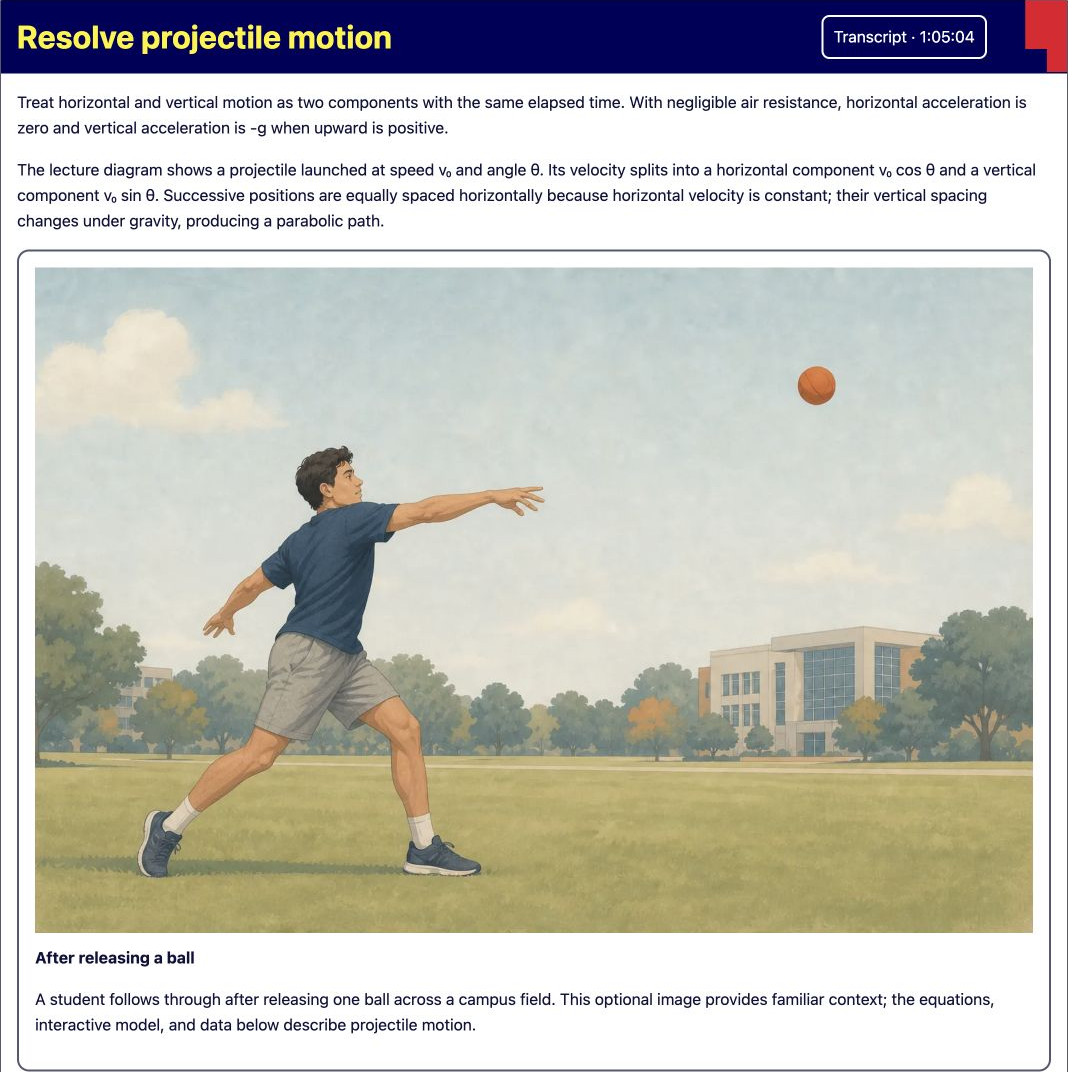
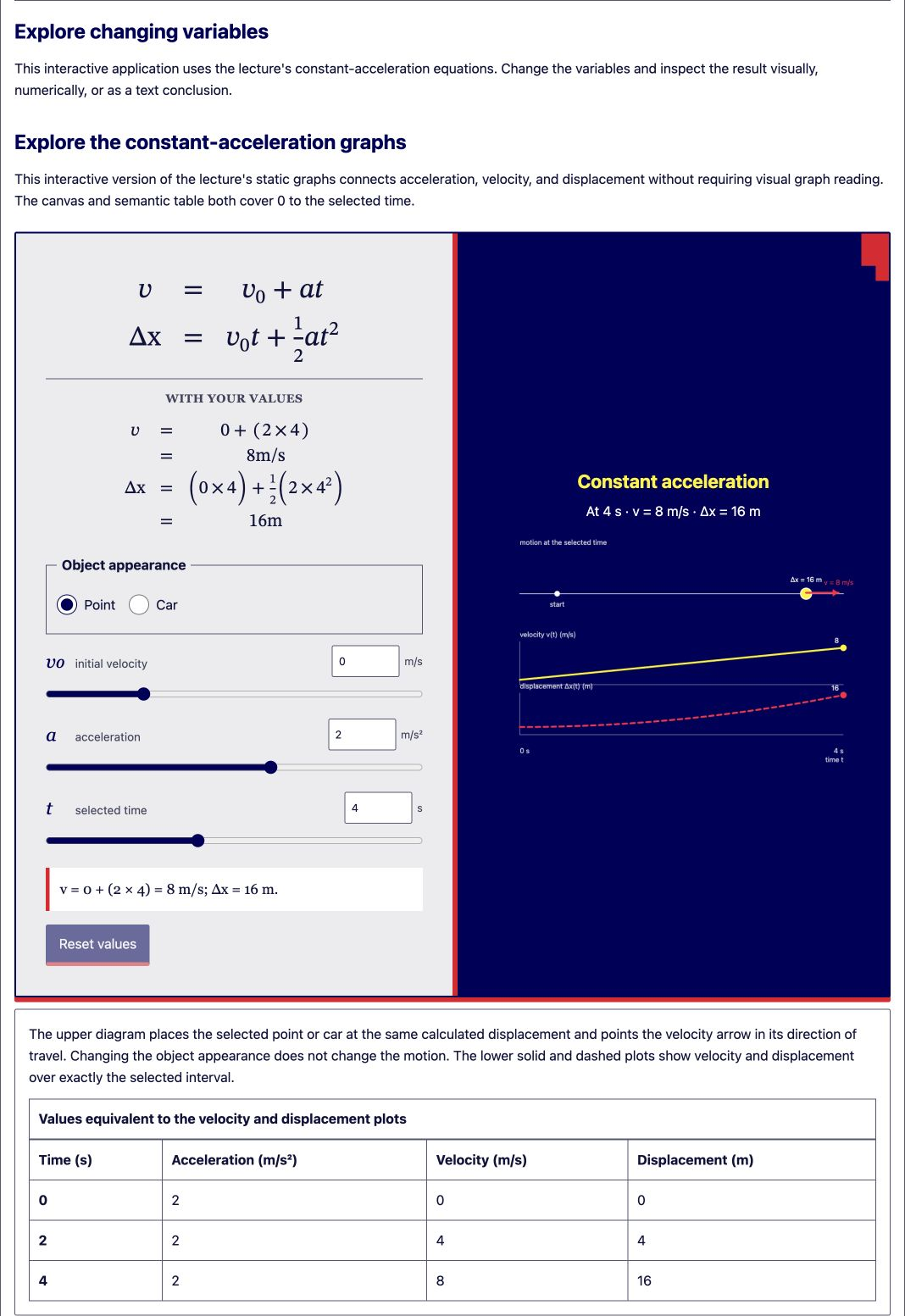
Kinematics fundamentals reconstructs a first-year Engineering Science Week 2 lecture as native web content, preserving its objective, difficulty, definitions, equations, derivations, worked examples, transcript, and learning-support notes.
Native MathML, semantic tables, contextual transcripts, and source-grounded interactions cover position, velocity, acceleration, projectile motion, and relative reference frames. Complete English and Vietnamese pathways include the lesson shell, controls, explanations, interactions, tables, and transcript cues; the bilingual teacher reviewed the Vietnamese draft for this demonstration. Every visual has equivalent text or data, while a timestamped transcript with speaker, terminology, sound, and uncertainty cues makes the lesson complete without audio. Audio remains optional. Any AI-generated Auslan is an unverified enhancement pending review by a fluent Deaf signer or qualified interpreter. The prototype demonstrates coverage, not measured learning outcomes or teacher time savings.
Demo URL: https://kinematics-fundamentals.thach-holeminh.chatgpt.site/
Technical implementation
The creation skill orchestrates the complete path from source inventory and a traceable adaptation ledger through implementation, checks, Site creation, and teacher-led iteration. For complex lessons, three packaged specialist profiles divide source analysis, implementation, and read-only verification while the main agent retains teacher decisions, evidence claims, and Site creation.
A reusable five-file React, TypeScript, and CSS kit provides native lesson semantics, MathML support, student presentation controls, and accessible interaction patterns without adding a UI framework. The source ledger connects each adaptation to its source location, barrier, equivalent pathway, equivalence reason, publication-rights status, and any unresolved limitation.
Before creating or updating a Site, the workflow runs lint, a production build, project-boundary checks, and rendered-document checks when a preview is available. These deterministic checks cover required alternatives, source anchors, unsafe persistence, external runtime dependencies, and answer-key or student-data leakage. They are practical safeguards, not accessibility certification.
The plugin also supports opt-in continuing Codex goals for substantial lesson conversions. When a teacher explicitly asks for goal mode, the main agent keeps working through source analysis, specialist delegation, implementation, checks, Site creation or update, the browser smoke pass, and the first complete handoff. It does not report success after only a plan, specialist response, or local build. The goal completes when the teacher receives the working Site URL and actionable warnings; ordinary invocations remain lightweight and do not create goals or invent token budgets.
Engineering the feedback loop
We deliberately separated creation, skeptical review, and teacher judgment instead of asking one agent to generate a lesson and approve its own work. A read-only source analyst inventories complex material and records the academic invariants and uncertainties. One lesson builder receives that bounded packet and is the sole code writer. A read-only quality verifier then reports exact checks, observed interactions, failures, unavailable evidence, and revision details. The main agent verifies and integrates that work, creates the Site, and keeps the final evidence claims with the teacher-facing workflow.
The teacher manually reviews the real Site rather than approving an abstract plan. Their requested changes rebuild and update that same Site and rerun the affected checks. During plugin development, the Kinematics lesson also acts as a real-content fixture: a lesson-specific issue stays in the lesson, while a reusable finding from manual inspection, agent review, or a deterministic check is promoted into the shared skill instructions, specialist profiles, source ledger, five-file kit, or checks. A focused regression test then protects that plugin improvement before the fixture is exercised again.
This loop relies on prompt, role, and context engineering. The main skill holds the product and evidence contract; role-constrained specialist prompts give the analyst and verifier read-only personas and make the builder the only writer; and the source packet and ledger carry exact paths, locators, academic invariants, uncertainties, and revision evidence between agents. The core accessibility, visual-quality, and workflow references guide every build, while content-specific audio and trial references are added only when applicable. This keeps each context focused and prevents one agent's opinion from being reported as accessibility evidence.
Accessibility investigation
We investigated barriers involving vision, hearing, motor and speech input, cognitive load, attention, language, and sensory presentation, then mapped them to technology already available on the web. The plugin uses native landmarks and controls, MathML, captions and transcripts, semantic tables, visible status, keyboard and simple-action alternatives, responsive reflow, text resizing, reduced-motion and forced-colour support, and complete language pathways. It supports device screen readers, refreshable braille, voice input, and switch input through platform semantics instead of attempting to rebuild those tools inside each lesson.
This investigation shaped the reusable components and checks, but it does not replace observed assistive-technology, academic, linguistic, or human review.
How we used Codex and GPT-5.6
Accessible Learning Sites turns ChatGPT Work, Codex, GPT-5.6, plugins, and Sites into one repeatable teacher workflow—not another standalone AI website generator.
We used Codex with GPT-5.6 Sol at Ultra reasoning effort, when available, to brainstorm, investigate accessibility barriers, build and inspect the prototype, interpret documents, images, diagrams, equations, and transcripts, and generate source-grounded content, visuals, interactions, and simulators.
The plugin packages that work into reusable components, a traceable source ledger, safeguards, and structural checks. Teachers bring a lesson into ChatGPT Work or Codex; GPT-5.6 reconstructs it; the plugin applies the accessibility workflow; and Sites supports review, iteration, publication, and class sharing.
Challenges and key decisions
The hardest part was not generating a webpage. It was deciding whether an adaptation preserved the same lesson and expectations. We treated the objective, difficulty, success criteria, and expected response as academic invariants, then required meaningful adaptations to record the original barrier, added pathway, and equivalence reason. If a dependency is essential to the learning objective, the plugin reports the limitation instead of pretending it has removed it.
We also chose native HTML, MathML, controls, tables, and browser behaviour before custom components. That keeps keyboard, zoom, screen-reader, voice-input, and switch-input support closer to platform semantics and gives the deterministic checks a smaller, more stable surface.
During Build Week, we pushed GPT-5.6 Sol across the software workflow, but did not yet have time to explore its integration with observed assistive-technology environments and hardware. A future iteration could let agents operate screen-reader, refreshable-braille, voice-input, and switch-input setups, identify gaps, apply repairs, and rerun checks as a closed accessibility loop—with human review.
What we learned
We learned to use the OpenAI platform as one connected workflow:
- Platform orchestration: Codex with GPT-5.6 Sol can read multimodal lesson material, invoke plugin skills and tools, interpret visuals, generate purpose-specific images and interactions, build the lesson, and publish it through Sites.
- Two accessibility layers: WCAG 2.2 AA provides the technical baseline; cognitive-accessibility practices add clearer structure, focus support, and equivalent ways to understand and respond without lowering expectations.
- Prompts need examples and guardrails: prompt engineering became more reliable when paired with strong accessible examples, reusable native components, and checks that guide the model toward WCAG 2.2 support.
- Agentic validation can extend the loop: we used goals, subagents, separate tasks, and the Computer Use plugin to inspect, test, and revise outputs. AI agents can broaden validation, while observed assistive-technology and human review remain necessary.
What's next
Next, we plan to publish the plugin and invite universities to test it, beginning with RMIT Vietnam. We also want to share it with Jaxsen Day, a UT Austin doctoral researcher whose work explores accessibility, library systems, visual information, and AI. His use of ChatGPT to turn inaccessible research material into a usable workflow reflects the same upstream problem this project addresses for lessons.
These are outreach goals, not current partnerships. Feedback from educators, accessibility specialists, and students who use assistive technology will guide support for more lesson formats and help us measure preparation time, corrections, and remaining accessibility gaps before making broader impact claims.
Built With
- accessibility
- chatgpt-work
- codex
- css
- gpt-5.6
- html
- mathml
- openai-plugins
- openai-sites
- react
- typescript

Log in or sign up for Devpost to join the conversation.