-
-
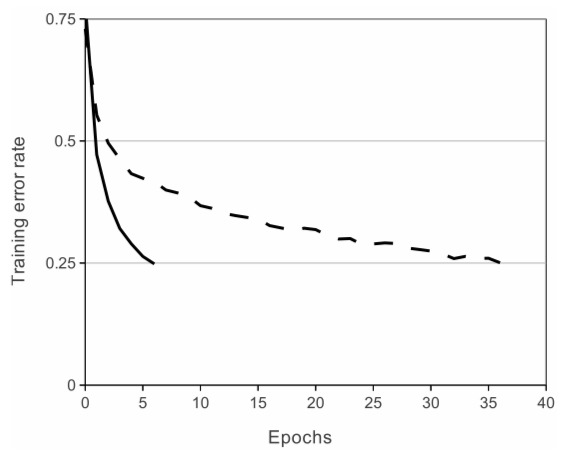
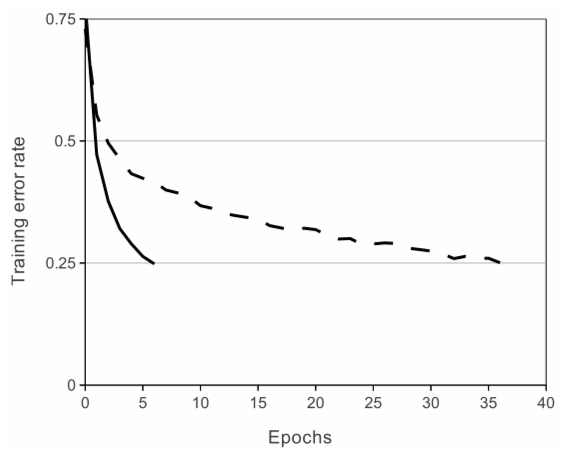
Training summary for each epoch, showing the decreasing error as learning increases (graphical)
-
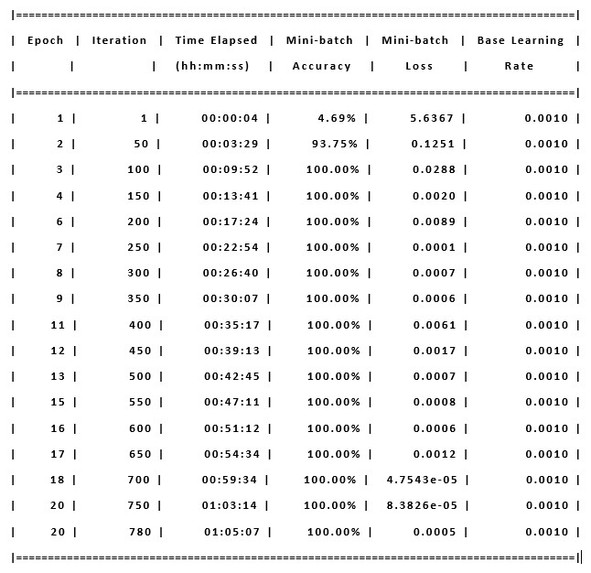
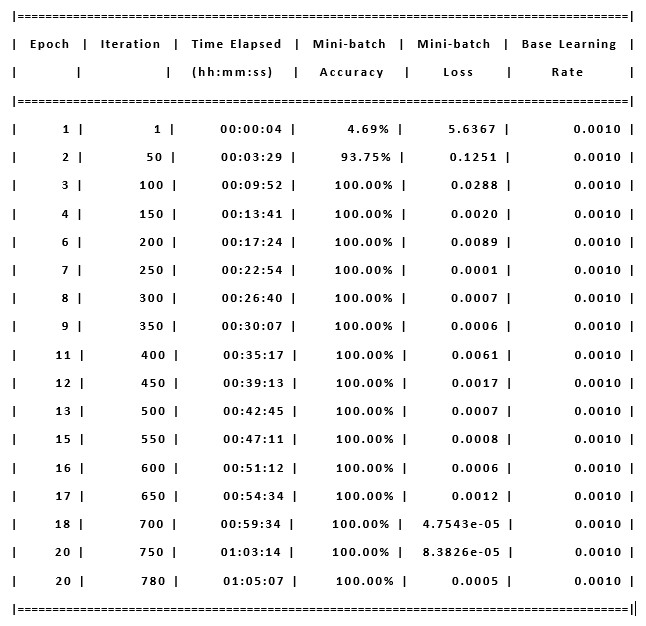
Training summary for each epoch, showing the decreasing error as learning increases (numerical)
-
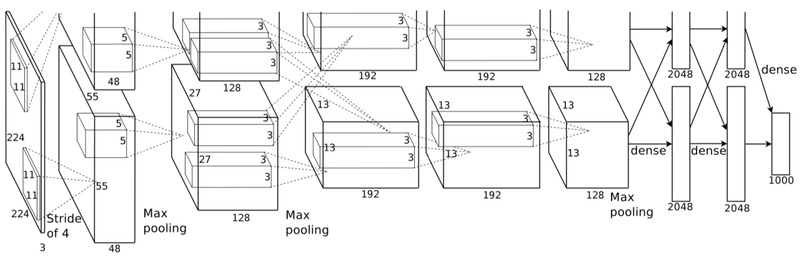
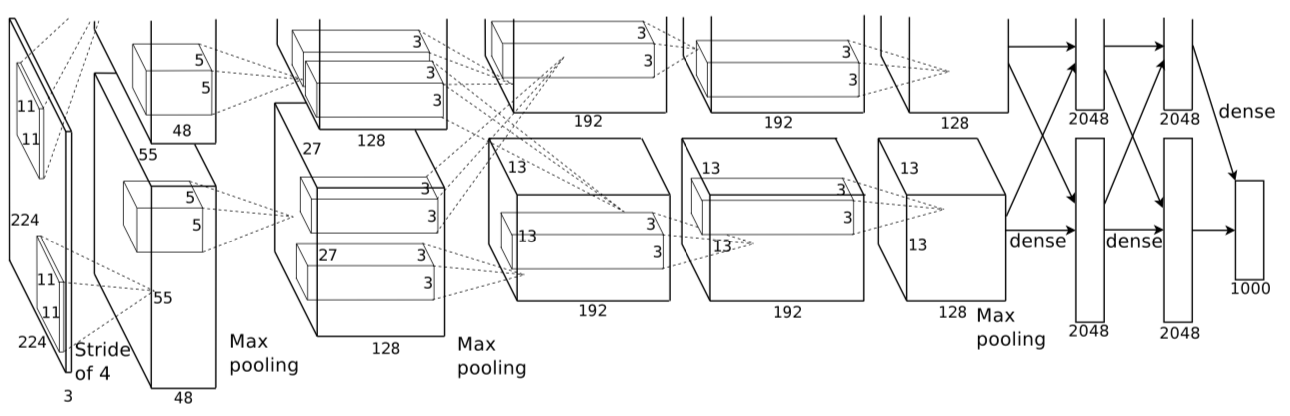
AlexNet Architecture
-
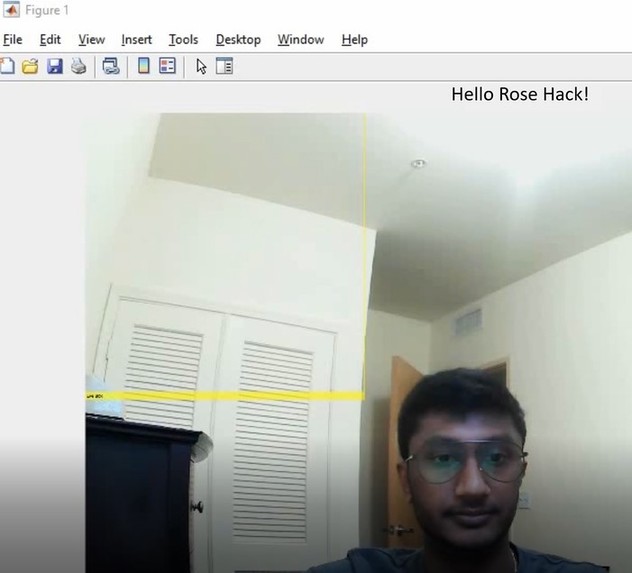
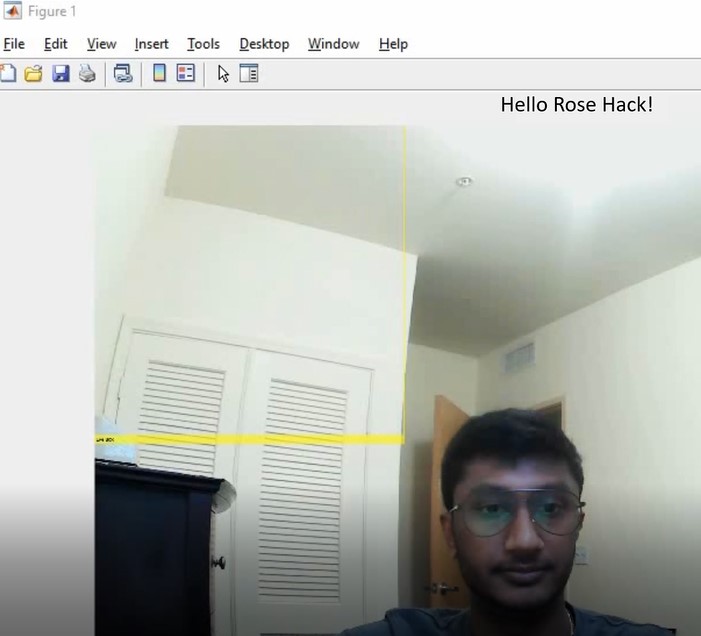
When there is nothing in frame, the system will display "Hello Rose Hack!"
-
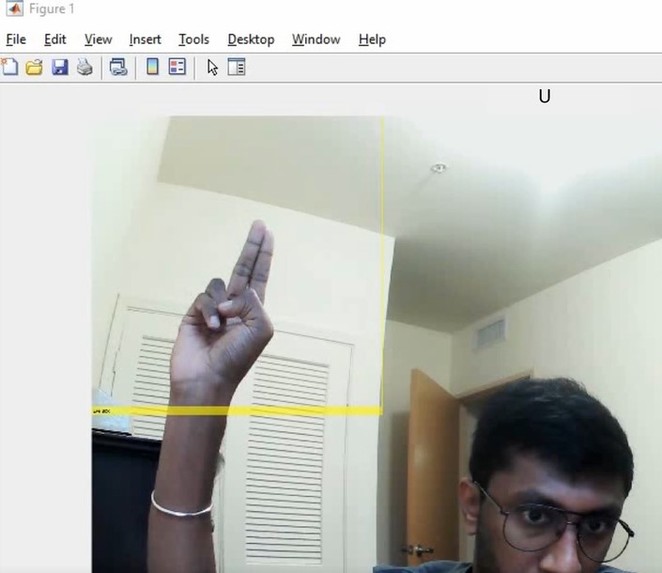
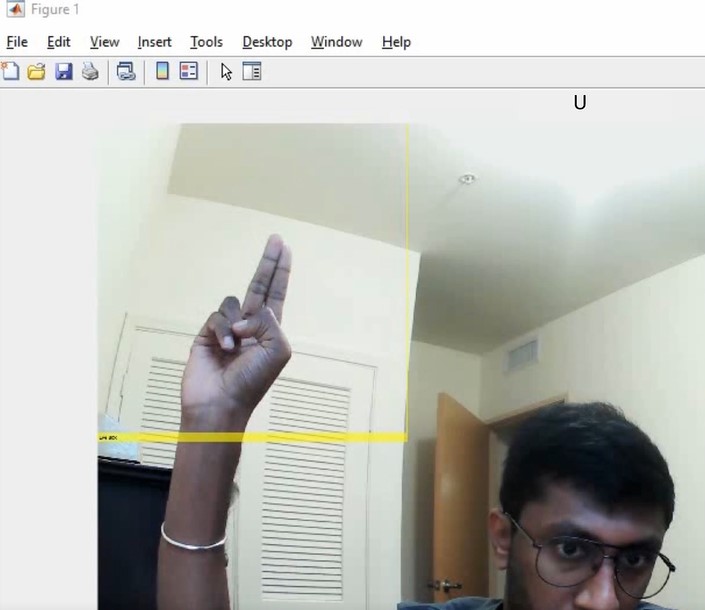
Signing the letter U
Inspiration
Although deaf and hard of hearing make up around 13% of the population, people with hearing disabilities make up less than 1% of scientists and engineers in STEM fields. A problem with the accessibility to these fields is that there is not enough of a developed infrastructure that enables those within the deaf community to be able to communicate with those who are hearing. For one, there has only been very recent development in developing a dictionary to incorporate complex scientific terms, as previous attempts had proven to be inaccurate in providing a thorough understanding of the concept. Even then, with a lack of knowledge of ASL in America, it is difficult to communicate with people who hadn't learned sign language without an interpreter. As someone who was very recently diagnosed with a hearing disability that is progressing towards a higher severity, I wanted to bridge the gap between people with and without hearing loss, so I designed I Am Hear: A Real Time Translator for American Sign Language.
What it does
I Am Hear takes continuous input from a selected webcam on your device, where you can sign the ASL alphabet in a specified region where the system looks at. On the GUI, it'll show you the letters you are signing to the computer. The goal is to make it so that someone who isn't familiar with ASL can look at the GUI where the user is signing, and read what they are communicating.
How I built it
I used a convolutional neural network architecture called AlexNet, which is a deep learning network that reads an image, breaks it down into smaller parts, and analyzes it. Then the network rebuilds the information that was read to output a classification, in this case, the letter that is being signed. Using the Deep Learning Toolkit on Matlab, I was able to build a dataset of over 2500 images which were used to train the network to learn how each letter should look like on my hand. Then, I created another file where a GUI pops up and you can sign within a yellow box, where the camera is checking for the signs at.
Challenges I ran into
Originally, I was planning on having all 26 letters of the alphabet, as well as creating a tracking system, so that previously signed letters would still be available. However, when I attempted either option, the entire project broke down. Especially since developing a deep learning network was taxing on my computer, I decided not to risk it and left it in real time translation. Unfortunately, that means that the letters J and Z were left out, since both required motion, and the translator only recognizes images for the time being, so the remaining 24 static letters were used in the training.
Accomplishments that I'm proud of
As shown in the demo video, I was very happy that it worked! It seems like with more time, collaboration, and resources, it could definitely be an important and helpful tool for people.
What I learned
Through this project, I learned how to interact better with Matlab and use it for a tool more than just data analysis. Additionally, I learned a lot about artificial intelligence and how to design a system that uses it.
What's next for I Am Hear
As I mentioned before, I am definitely interested in further developing this project to have a much greater dataset that can detect signs with high accuracy regardless of skin tone, hand size, and lighting. Additionally, I want to be able to incorporate video analysis so that it can detect and translate words and phrases which aren't limited to static signs, but rather incorporate motion and facial expressions. Finally, I want to design a better user interface where it's easier for people to read and see what is being said, with a feature to keep track of the letters that were already signed.

Log in or sign up for Devpost to join the conversation.