-
-
Hype-Meter
Inspiration
A stream’s biggest moments often show up in chat before they’re captured. We wanted to make that collective reaction visible and help streamers save the moments viewers are excited about.
What it does
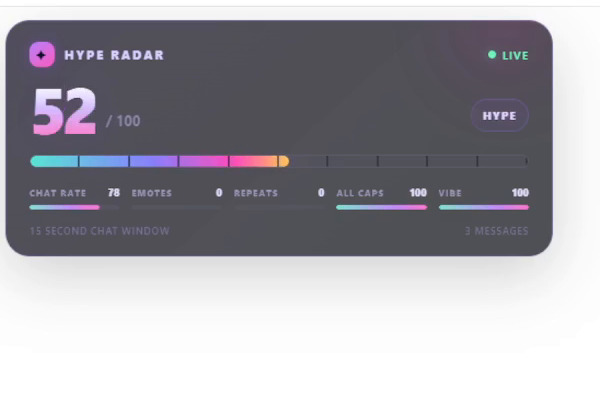
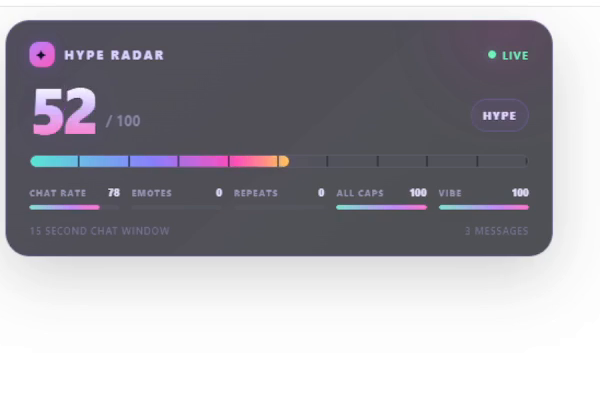
Hype Radar scores chat activity from 0 to 100 using message rate, emote density, repeated messages, all-caps messages, and simple sentiment. A transparent OBS overlay shows the live score and components, with a pulse when hype spikes.
When a spike crosses the configured threshold, Hype Radar requests a Twitch clip and shares a generated title and caption in chat and on the overlay. Viewers can type !recap for a summary of the last ten minutes of chat. OpenAI-generated text is optional; local fallbacks work without an API key.
How we built it
We built a Python and FastAPI app that uses Twitch OAuth and EventSub to read chat, then sends score updates to the OBS browser source over WebSockets. A rolling baseline helps smaller channels register spikes. We added cooldowns for clips and recaps, plus a simulator that exercises the scoring and toast flows in dry-run mode.
Challenges we ran into
Twitch authorization, EventSub connection, and chat subscription happen in separate steps, which made failures hard to diagnose. We added visible status, step-specific errors, and a callback page that confirms success only after the chat subscription is active.
Twitch’s Create Clip API doesn’t accept a title at creation time. Hype Radar shares its generated title and caption in chat and the overlay, and includes Twitch’s edit link when available.
Accomplishments that we're proud of
We connected the chat signal, live overlay, clip workflow, and recap command into one local app. The simulator lets us demonstrate hype bursts and recap toasts without making real Twitch API calls, and the tests cover scoring, cooldowns, fallback summaries, and connection status.
What we learned
We learned how to coordinate OAuth, asynchronous EventSub connections, and WebSocket updates while keeping secrets out of logs. We also learned that hype needs to be measured relative to a channel’s normal pace so quieter communities can have meaningful spikes too.
What's next for Hype Radar
Next, we’d try Hype Radar with more live channels, tune the scoring with streamer feedback, and add controls for thresholds and overlay styling. We’d also explore richer recap context and ways to help streamers review and edit clips after a spike.
Built With
- api
- css
- eventsub
- fastapi
- html
- javascript
- obs
- python
- websockets

Log in or sign up for Devpost to join the conversation.