-
-
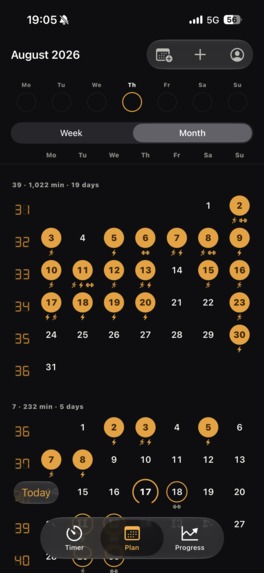
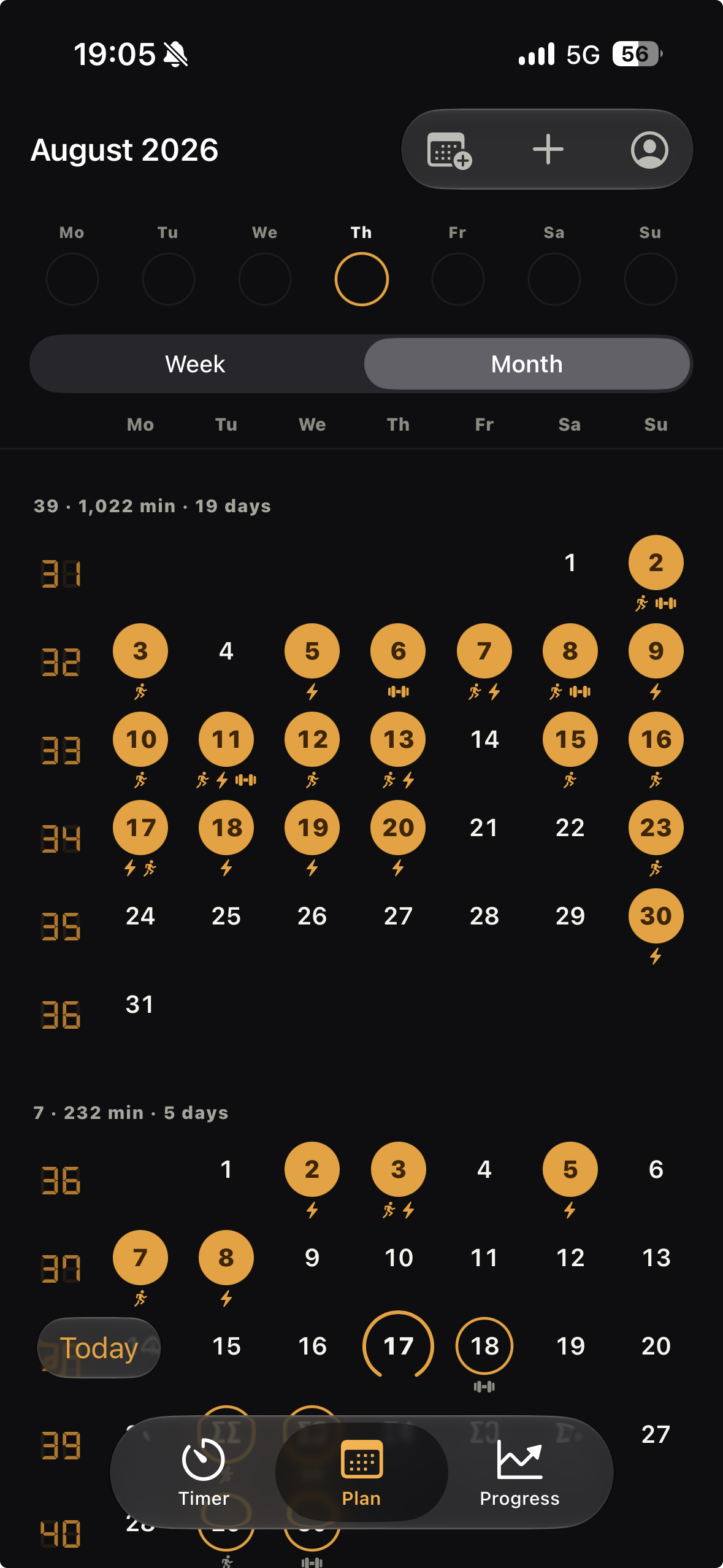
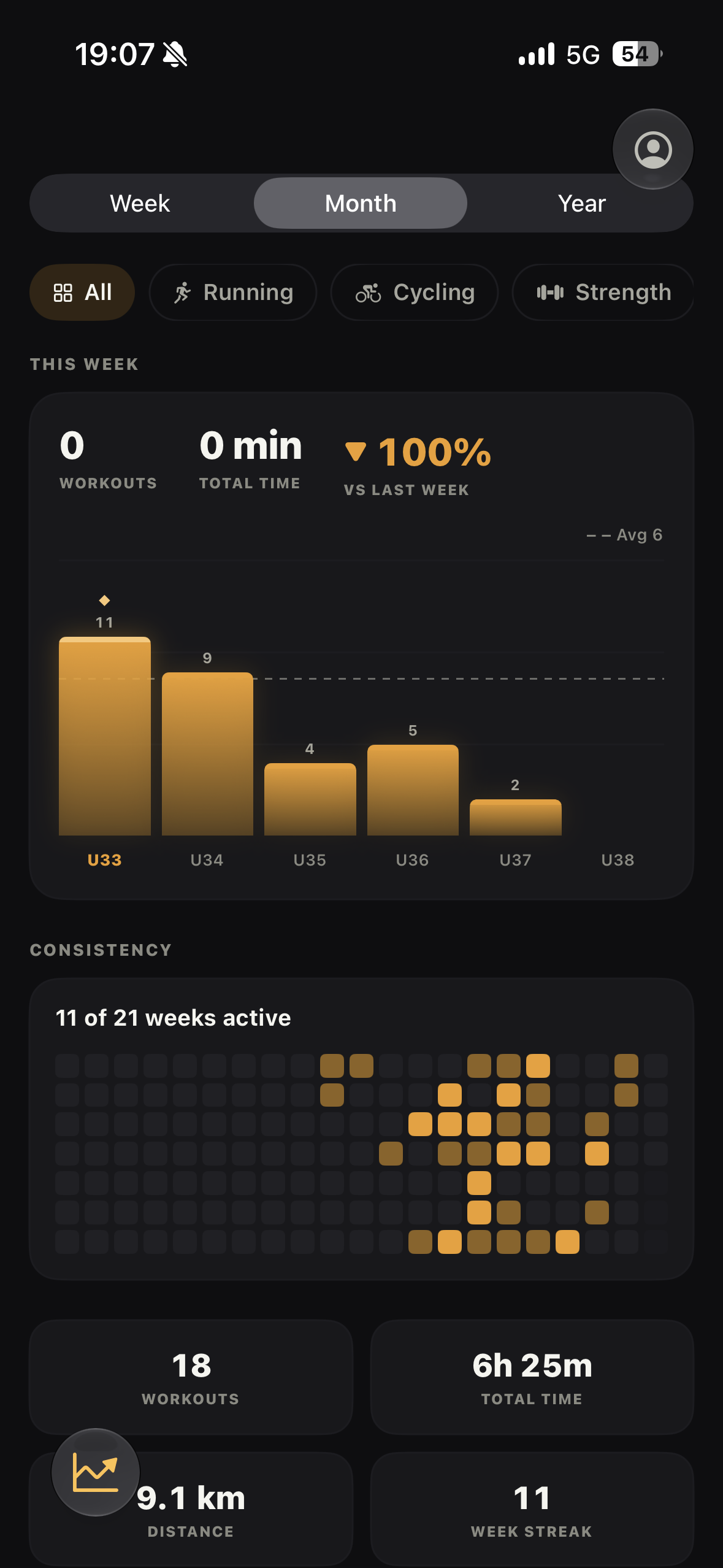
Monthview
-
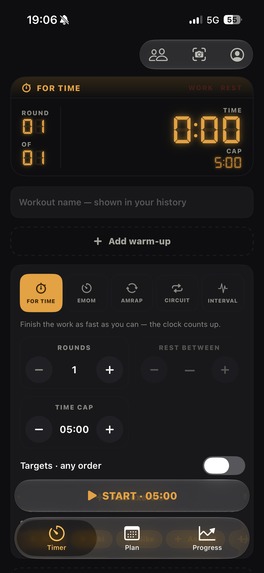
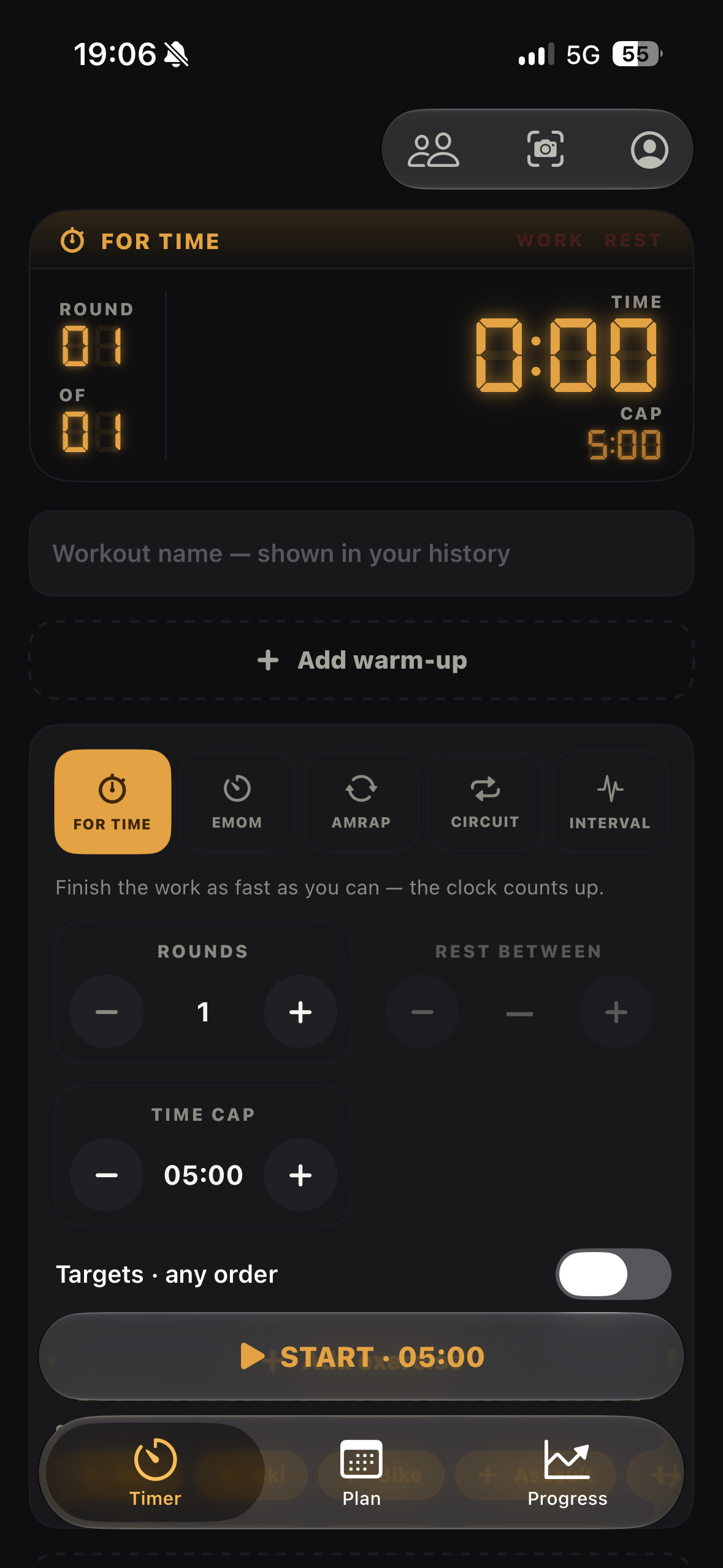
timer For TImer
-
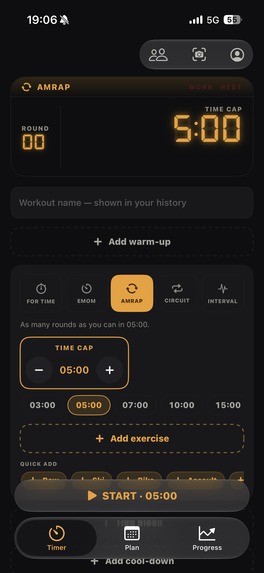
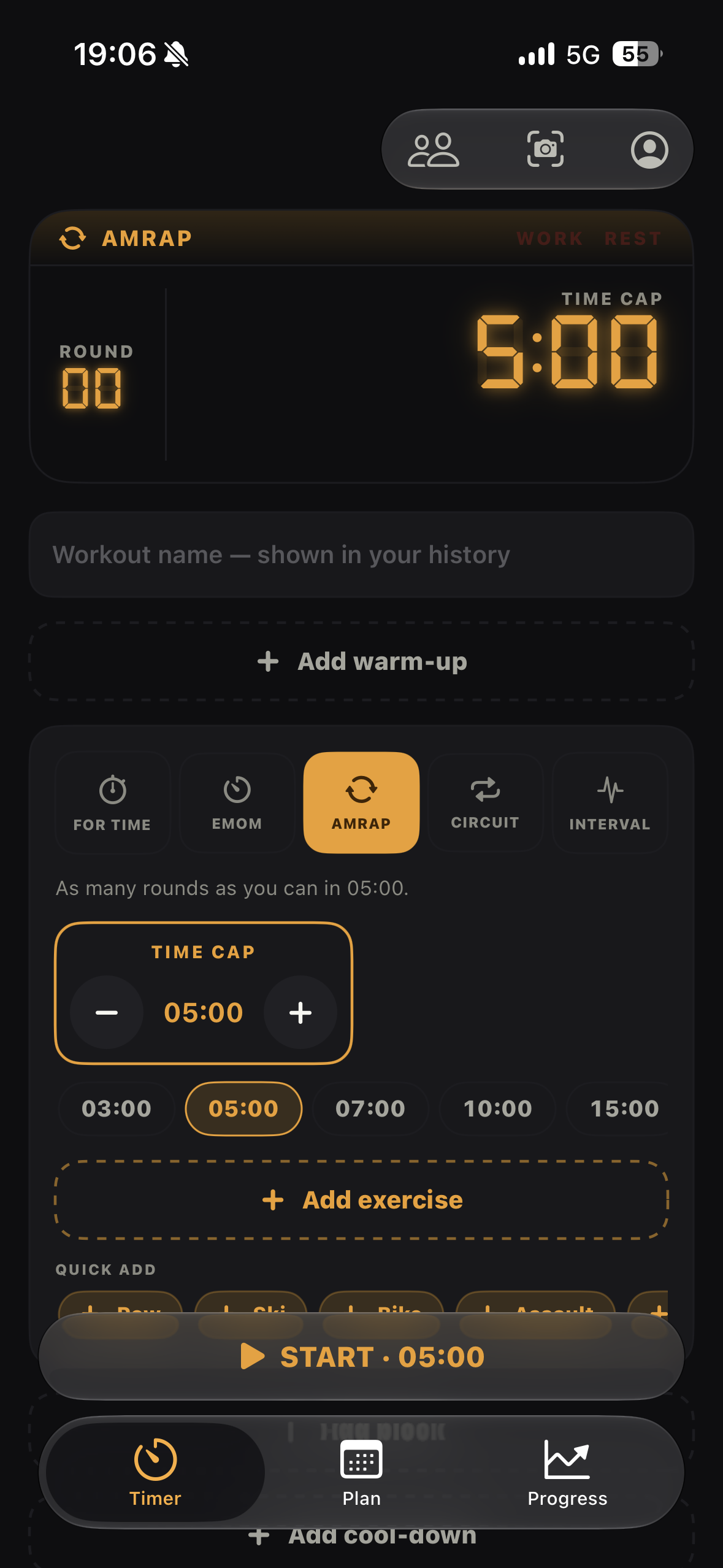
Timer AMRAP
-
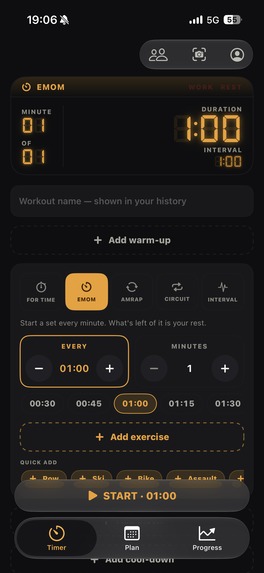
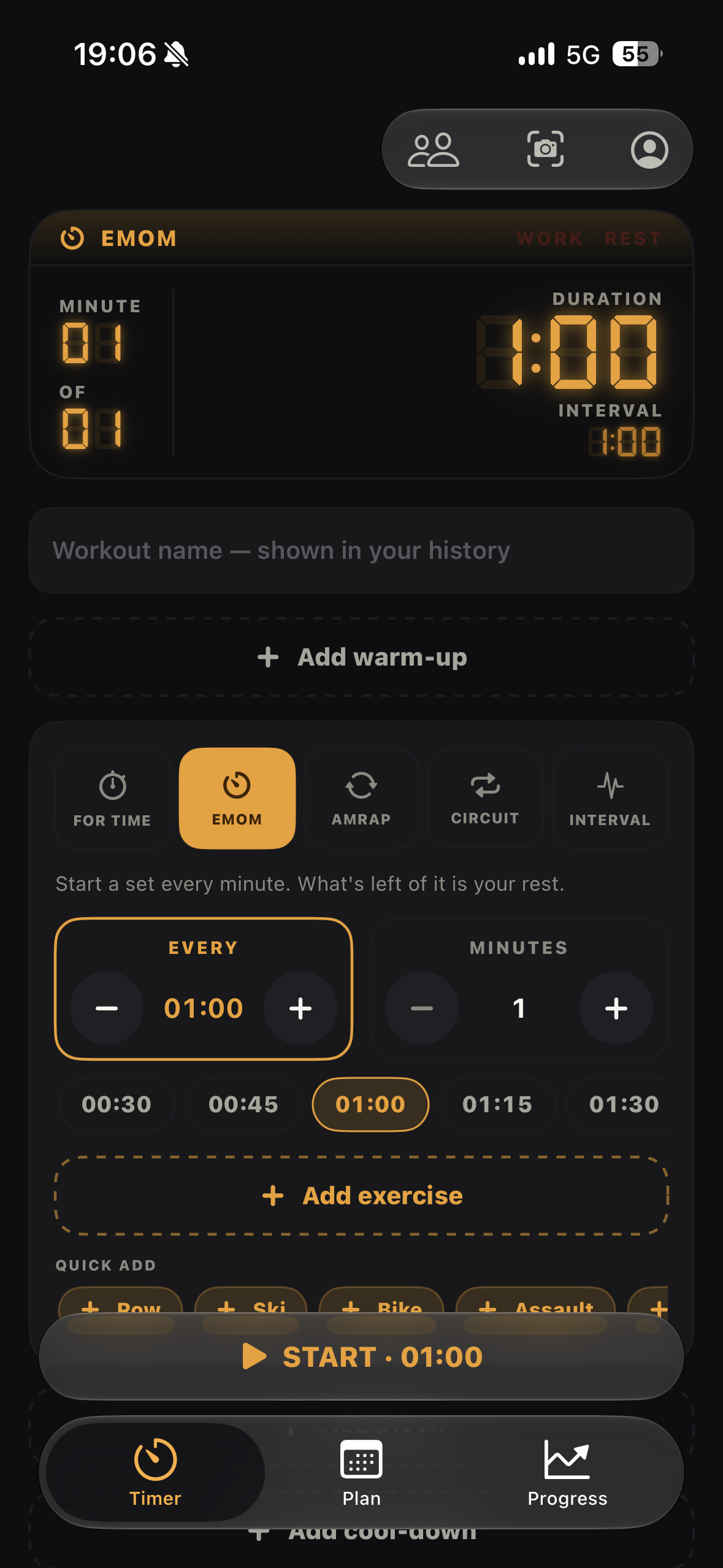
Timer EMOM
-
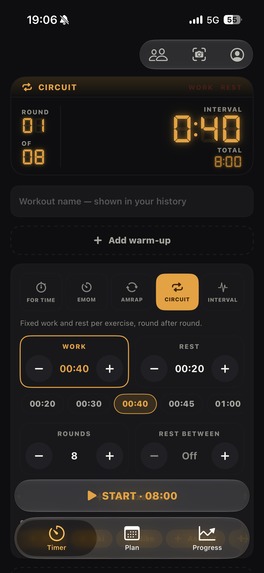
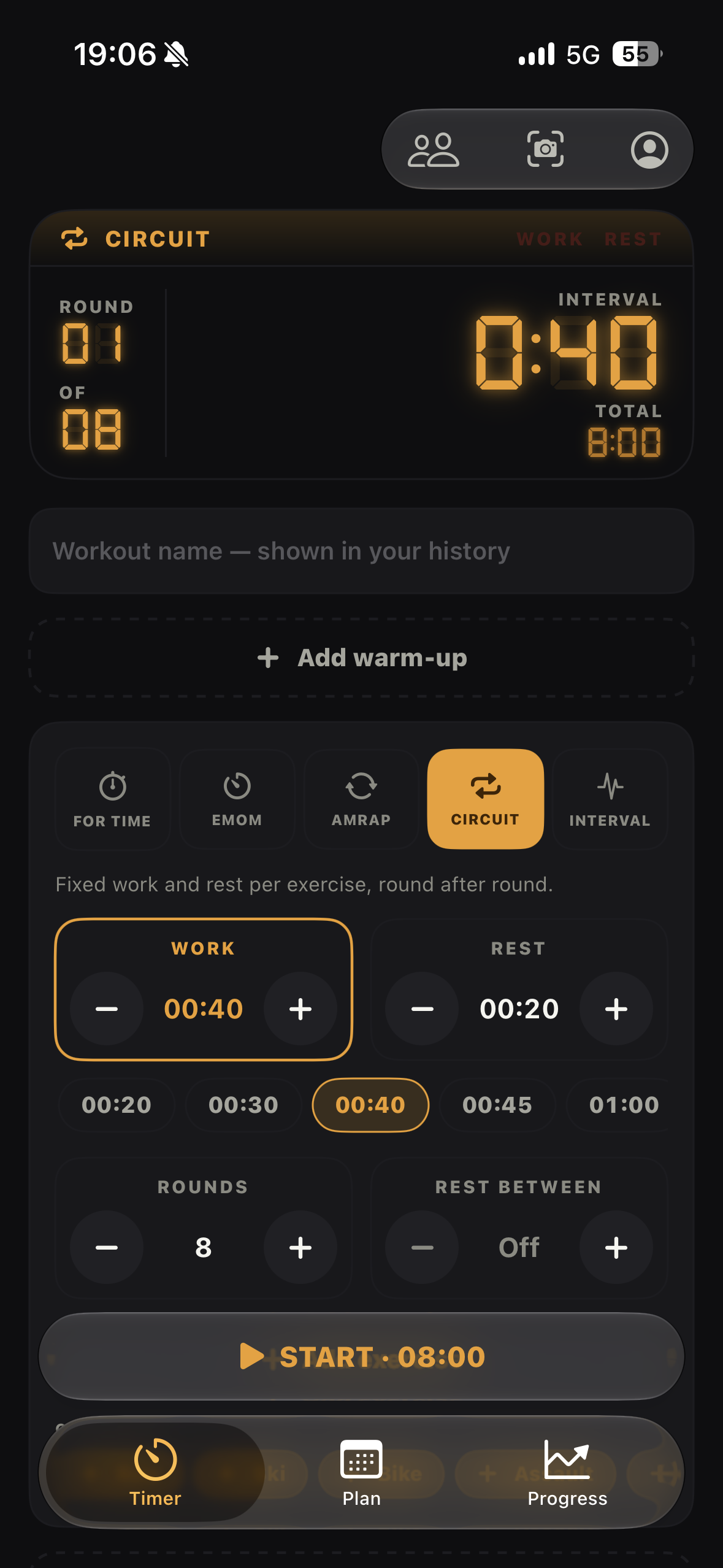
Timer Circuit
-
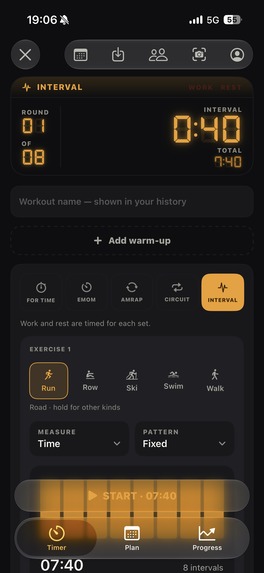
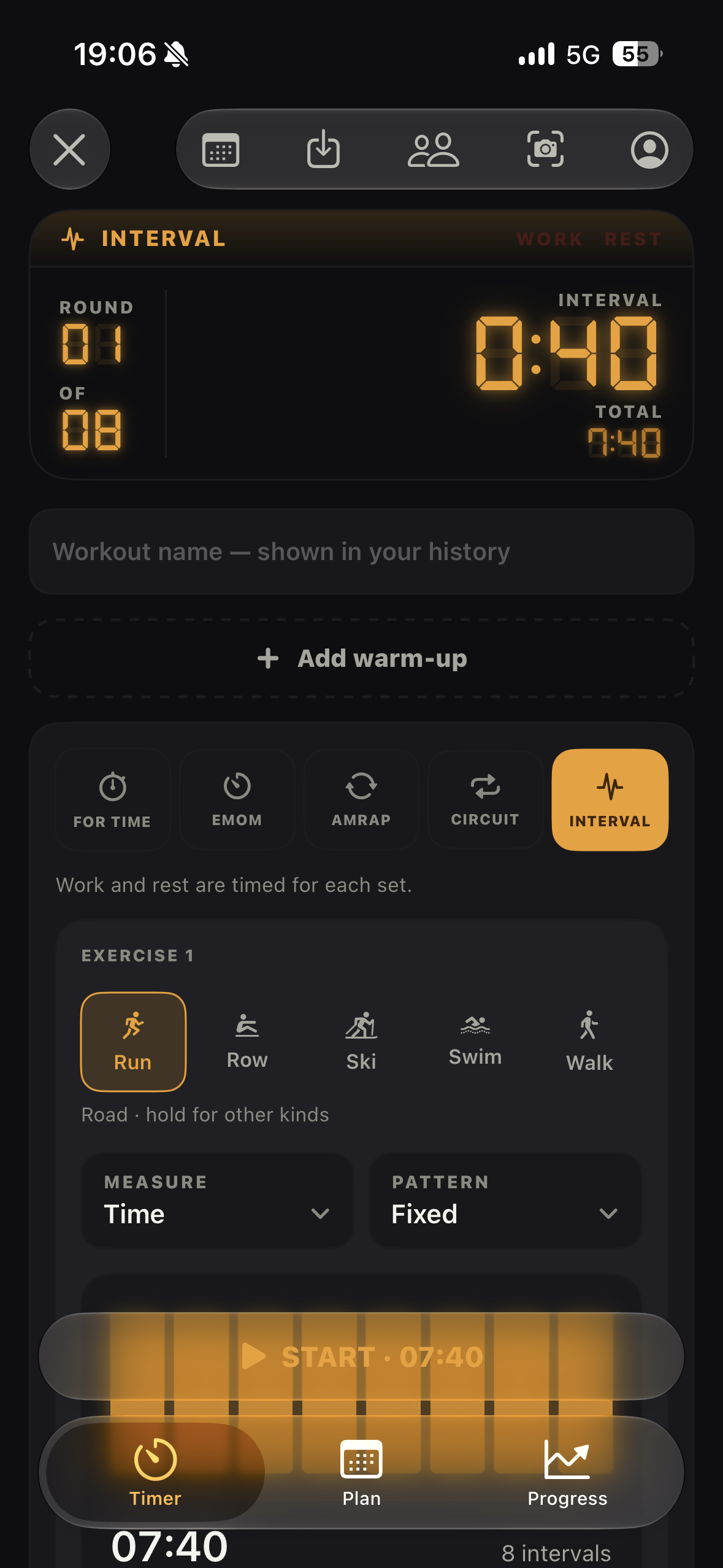
Timer Interval
-
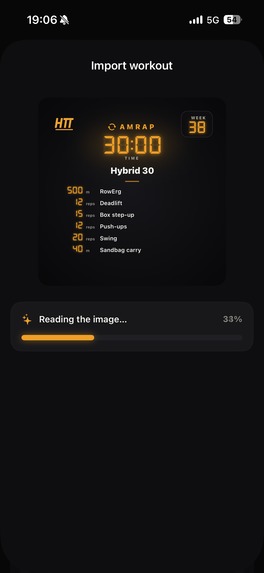
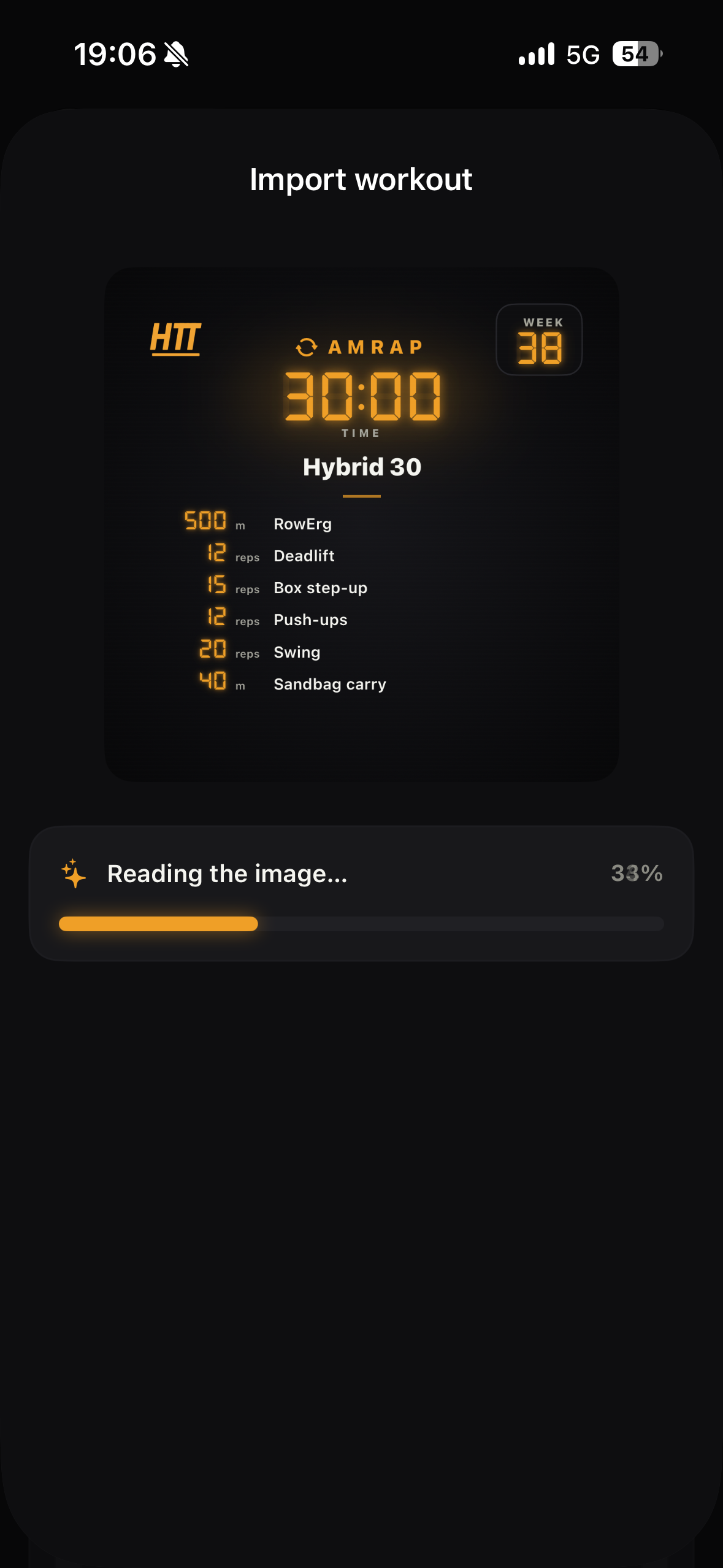
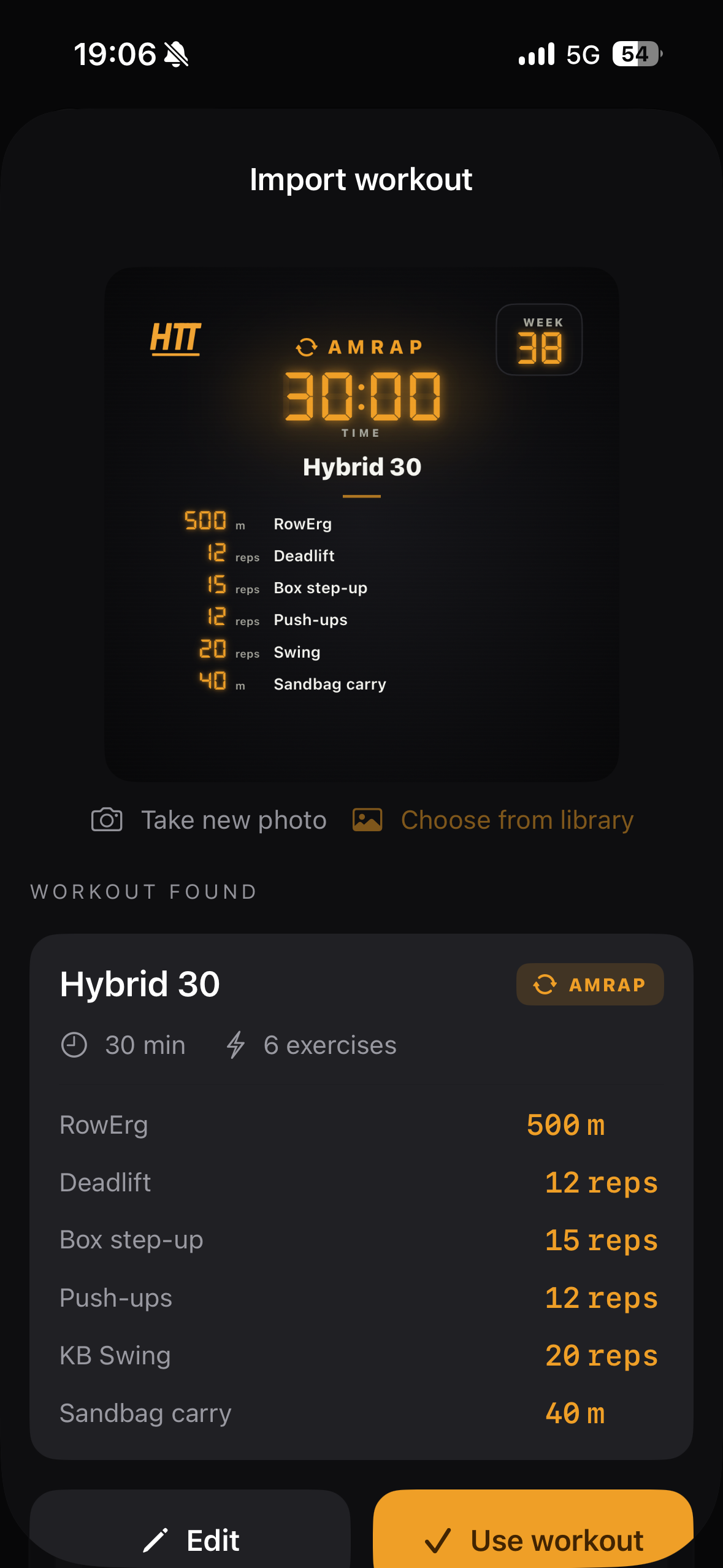
AI Import workout
-
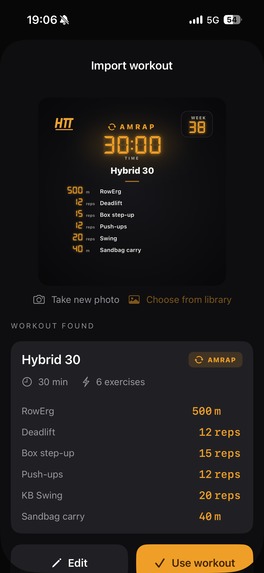
AI build workout from pic
-
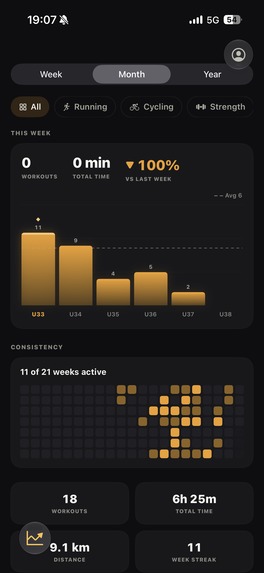
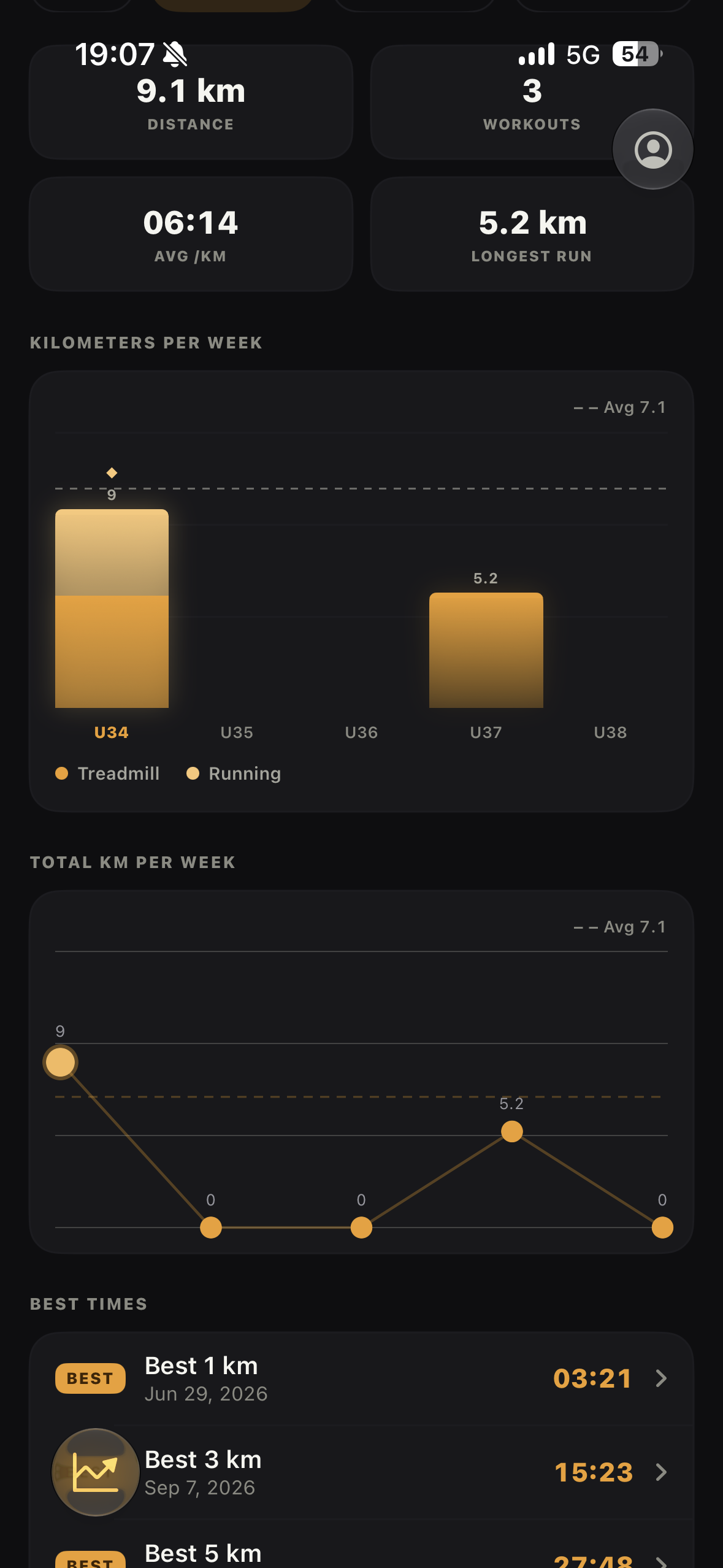
Progress
-
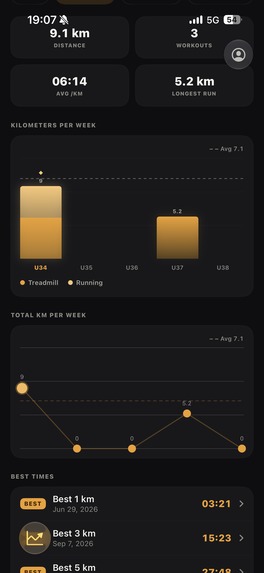
Progress 2
Inspiration
The best workouts I find are on Instagram. A coach posts a session, I screenshot it, and it lands in my camera roll with forty others. Then comes the part that kills it: before a clock will count for me, I have to retype the whole thing into a timer app, every exercise, every rep scheme, work, rest, rounds. Five minutes of typing, standing in the gym, for a twelve-minute AMRAP. Half the time I gave up and just ran a plain stopwatch.
The other half of the problem is that I train hybrid metcons, a strength programme, and running and rowing on top so even the sessions I did log were scattered across three apps that never talked to each other. A timer that knew nothing about my week. A lifting app that knew my squat but not that I had done Fran on Tuesday. A running app that owned all my cardio and none of the rest. Nothing could answer the only question I actually care about: am I getting better?
So the first thing I built was the feature that removes the typing: hand the app a photo or a screenshot, the whiteboard on the wall, or the post you already saved and get back a workout that runs. Everything else follows from one rule: if the app already knows what you ran, it should also know what you did, and whether it is improving.
What it does
The clock. A real seven-segment gym clock (DSEG7) you can read from across the floor. FOR TIME, EMOM, AMRAP, CIRCUIT and INTERVAL all run on the same face, plus multiblock sessions where each block ("pod") has its own format, cap and rest. It keeps running in the Dynamic Island and on the lock screen, and it beeps over your music instead of stopping it. Building a workout takes seconds. Pick a format, set work/rest/rounds in a 2×2 grid, add blocks, a warm-up and a cool-down. Or photograph the whiteboard: a photo or a screenshot becomes a runnable workout with every exercise matched against a 118-entry library. Planning.
A new workout of the week every week, a week/month calendar, a weekday template that fills up to twelve weeks ahead with one tap, and strength splits (PPL / upper-lower / full body).
Hardware. Concept2 PM5 and FTMS machines feed the timer over Bluetooth — calories and metres come straight off the monitor, and on a treadmill the app can drive speed and incline to follow WORK and REST. A heart-rate strap shows your zone. Apple Watch and Suunto recordings merge into the app's own session so the heart-rate curve gets the phase stamps the watch never had.
Partner workouts. Tow over MultipeerConnectivity — no internet, no account, no server.
Progress. Trends, estimated 1RM per lift, benchmark PRs, re-tests and a consistency heatmap across all three modalities. Estimated 1RM uses Epley, $1\text{RM} = w\left(1 + \frac{r}{30}\ri so a set of 5 at 100 kg and a set of 3 at 110 kg land on the same curve.
There is no account and no login. History, workouts and plans live on device and sync through the user's own iCloud. The only server is a tiny Supabase backend that publishes the weekly workout.
How we built it
Native iOS, SwiftUI — one developer, working the whole way with Claude. The app was built with
Claude Code as my pair programmer: I designed the product, made the calls and reviewed every
change, and Claude wrote most of the code alongside me. It is the reason a single person could ship
a timer engine, a Bluetooth stack, an on-device AI pipeline, a Live Activity, a watch app and an
internal publishing tool in one summer — and the reason the architecture stayed disciplined, because
every rule I cared about (one source of truth per thing, no duplicated models, build after every
change) was written down where it kept being applied.
Shared core.
HTTKit is a Swift package holding the models, the design tokens, the LED clock,
the builder components and the timer engine. The iPhone app, the Apple Watch app and an internal
admin app (where the weekly workout is authored and published) all import it — no duplicated model
ever.
Timer engine.
Date.now deltas rather than accumulated ticks, so it cannot drift; a 100 ms
tick only drives the UI. A snapshot in UserDefaults restores a running workout if the app dies
mid-session.
Live Activity.
ActivityKit plus AppIntents for pause/resume from the Dynamic Island, with
local pushes only on discrete phase changes.
Sound.
AVAudioEngine synthesises the tones — no audio files — mixed with .mixWithOthers so
Spotify keeps playing, plus a silent keepalive so the beeps still fire with the screen locked.
AI import.
Vision OCR feeds a three-pass on-device pipeline (a deterministic segmenter and line
parser, then Foundation Models per block), with a server route through a Supabase edge function for
heavier text. Names are cleaned by a four-step matcher: normalise → alias → prefix → Jaro-Winkler
fuzzy match. A fixture harness diffs every parse against a baseline so a prompt change can't
silently wreck last month's workouts.
Bluetooth.
CoreBluetntrol, and the standardheart-rate service — several
ergs connected at once, .
Monetisation.
RevenueCat with a single pro entitlement and the RevenueCat remote paywall,
shown after onboarding, from Settings, and at every gate.
Challenges we ran into
Drawing the free/paid line. My first cut put weekly planning behind Pro. It was the wrong line: planning is the habit, and an app you can't plan your week in has no reason to be opened tomorrow. I moved all planning — plus the timer, the weekly workout, history and statistics, and three custom workouts — into Free, and kept Pro for the things that cost me something or scale with use: AI import, partner workouts, machine integrations, unlimited workouts.
Accomplishments that we're proud of
Team workouts. Two phones, one scoreboard, and no internet at all. Partner sessions run over MultipeerConnectivity: the host's phone is the source of truth, every rep is sent as an absolute cumulative total rather than a delta so a dropped packet can never corrupt the count, and the board each athlete sees is derived from that. A shared target — 150 wall balls between you — fills as either phone logs, with quick chips for 5 to 25 reps, and the summary afterwards splits the work per person. It works in a basement gym with no signal, which is exactly where people actually train together, and it is the feature I get the most messages about.
The AI import, done honestly. Turning a photo of a whiteboard or an Instagram post into a workout that a clock can actually run is much harder than it sounds, because the output has to be a valid, runnable structure, not prose. What I'm proud of is that most of the intelligence is not in the prompt. Vision does the OCR, then a deterministic segmenter and line parser do the parts that rules can do well — splitting blocks, reading rep schemes, ladders, time caps — and Foundation Models runs on-device per block for the parts that need judgement. Exercise names are resolved by a four-step matcher (normalise → alias → prefix → Jaro-Winkler) against a 118-exercise library rather than by asking a model tobuy-ins, buy-outs andcool-downs become real blocks in the right order can't be determined, theapp says so and lets you fix it instead of invture harness diffs everyparse against a stored baseline, so I can changesee which of last month'sworkouts it broke.
What I learned
Mostly: that a training app is far more intricate than it looks. From the outside it is a stopwatch and a list. From the inside, almost nothing generalises. Every format scores differently — FOR TIME wants the lowest number, AMRAP the highest, EMOM counts minutes completed — so "did I beat last time?" is a different question per format. Rest is not one concept: rest inside a round, rest between rounds, rest between blocks, and rest that ends when you press a button rather than when the clock says so. A station measured in reps has no duration, so the clock has to wait for a human. An exercise can be measured in reps, calories, metres or seconds, at RX or scaled, in kilos or pounds, and the summary has to add all of that up into something honest. A watch recording and an app session are two views of the same twenty minutes that agree on nothing, including when it started. I rewrote the rest model three times and the scoring model twice, and every rewrite came from a real session where the number the app showed me was not the number I had done.
What's next for Hybridtrainingtracker - HTT
Apple Watch as a first-class runner. The target is already built and syncing with the phone; it is switched off for v1 so the first release could be one thing done properly. Next version it ships, so the clock, the check-offs and the heart rate live on your wrist. Garmin. Suunto is already connected over OAuth, and I've applied for Garmin developer access — if it comes through, Garmin recordings merge into app sessions the same way Apple Watch and Suunto ones do. All of the AI on-device. The photo and text import already runs through Vision and Foundation Models on the device; the heavier route still falls back to Gemini behind a Supabase edge function. The goal is to retire that fallback entirely and run everything on Apple Intelligence — cheaper for me, private for the user, and it works in a gym with no signal. An AI training diary. The app already has the hard part: structured, honest data about every session. The next step is letting it read that back to you — what you have actually been doing, what you keep skipping, when a lift stalled, what next week should look like — in words, on top of the charts.

Log in or sign up for Devpost to join the conversation.