-
-
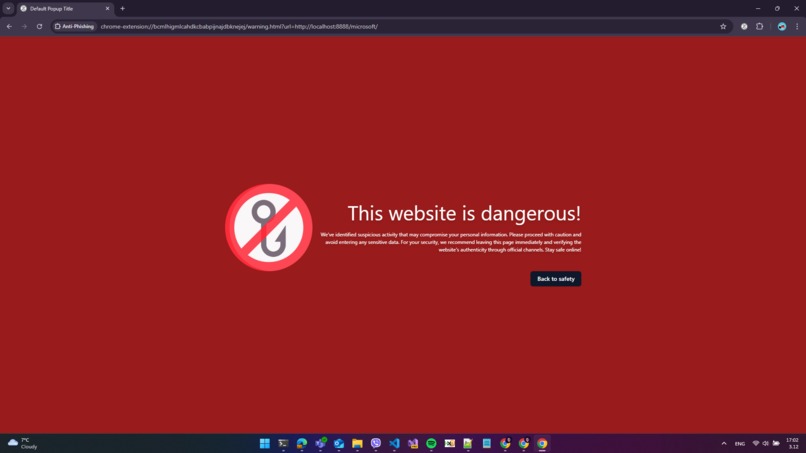
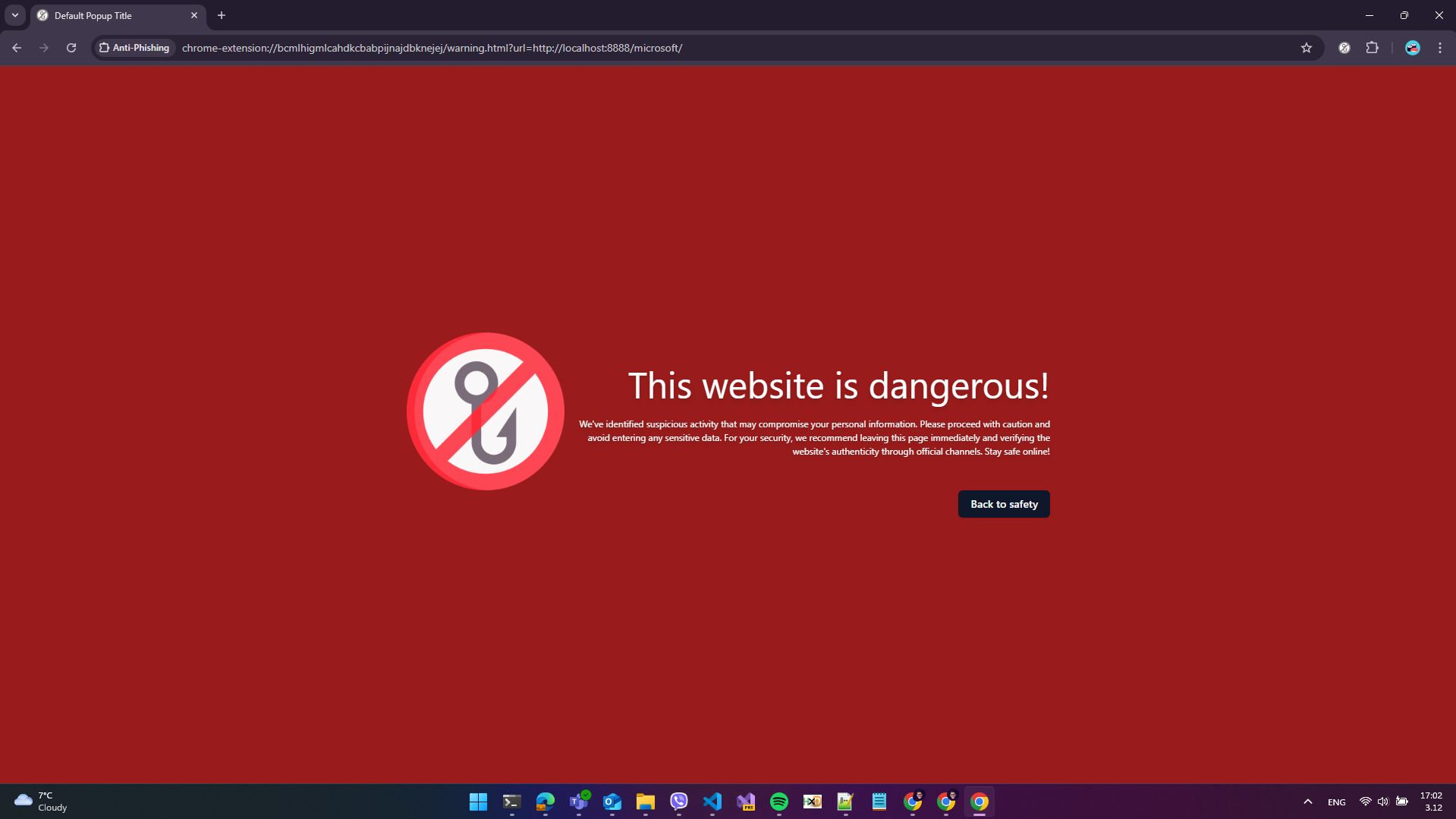
The warning page, showed when a website is dangerous
-
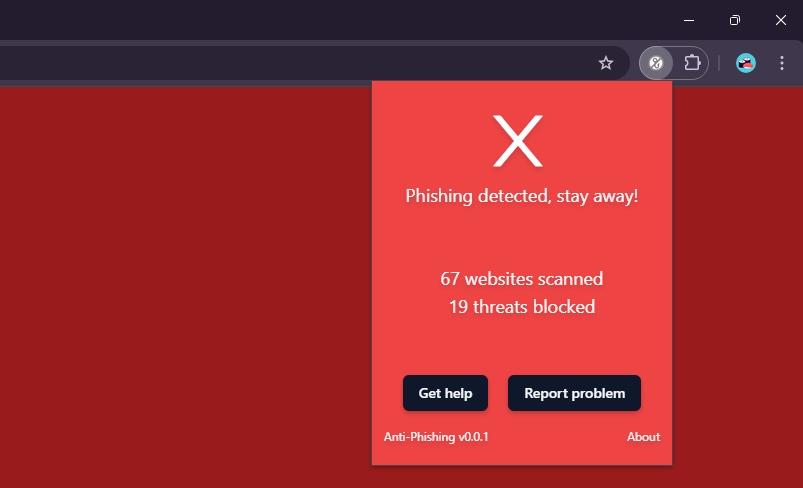
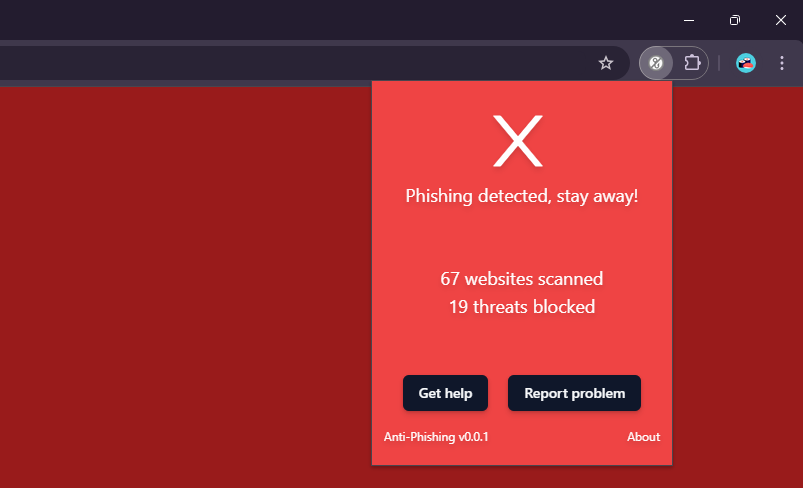
The extension's popup showing that the visited website is malicious
-
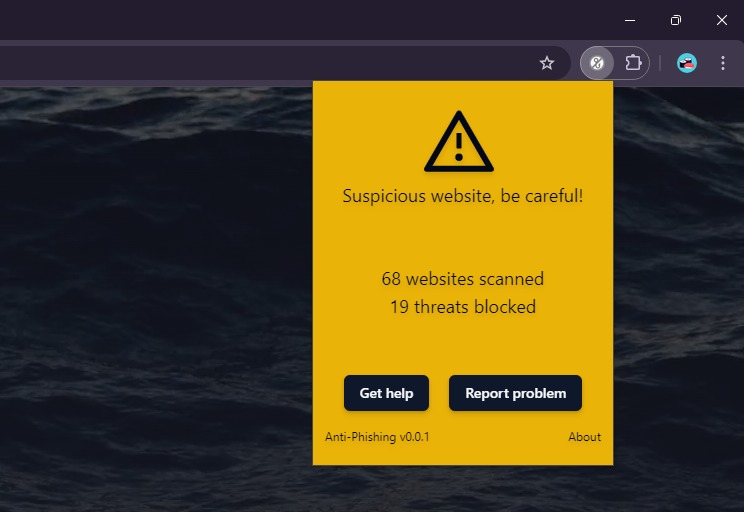
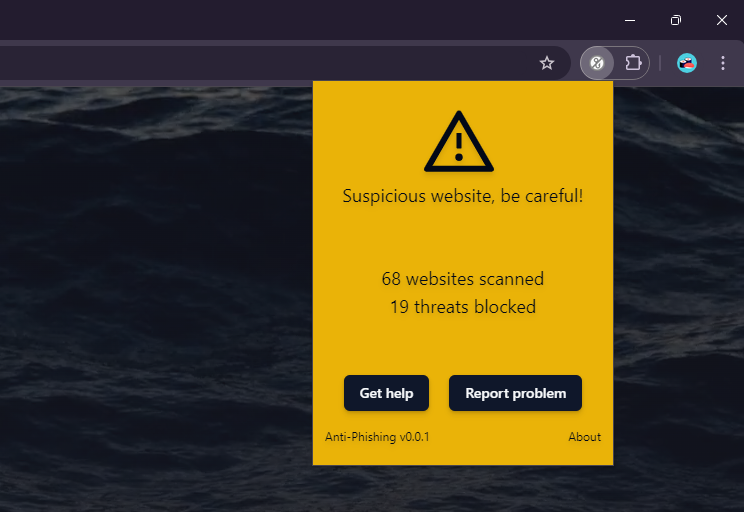
The extension's popup showing that the visited website is suspicious
-
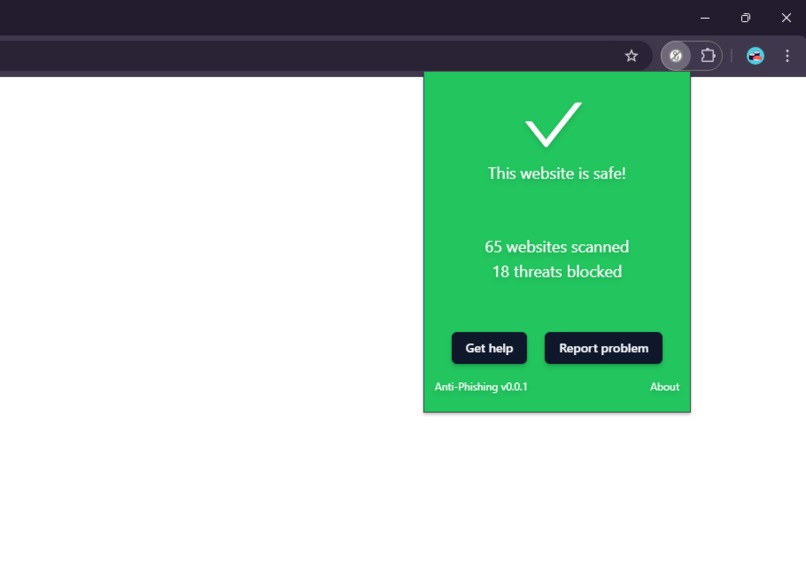
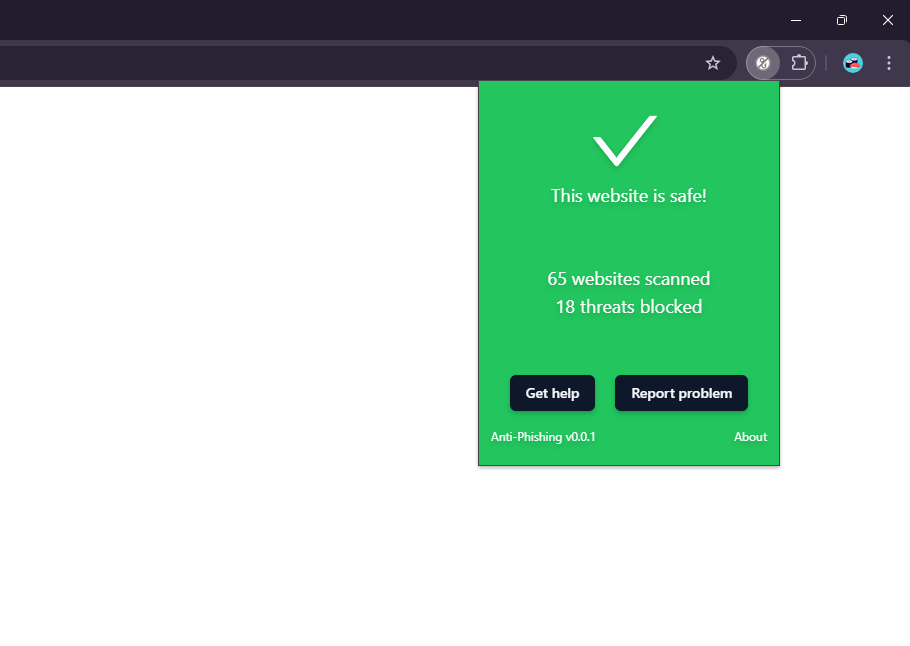
The extension's popup showing that the visited website is safe
-
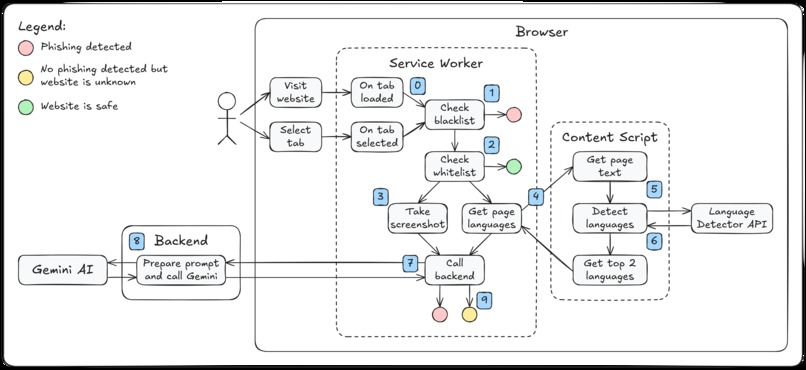
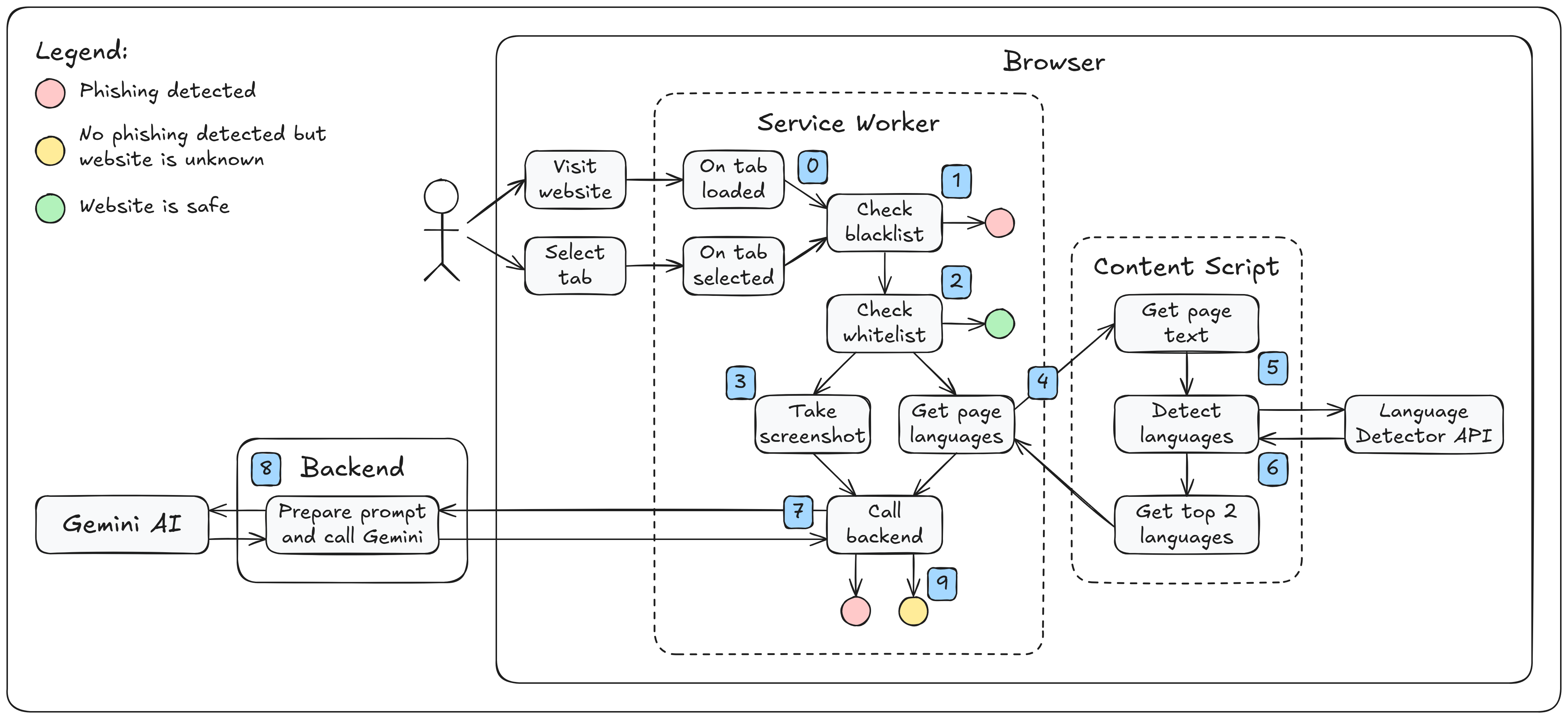
General overview of the extension's architecture
Inspiration
As a developer with a deep interest in cybersecurity, I have seen firsthand the impact of phishing attacks when members of my own family fell victim. Despite knowing how to protect myself, I wanted to create a solution that could safeguard them as well. Phishing is one of the most costly cyber threats worldwide, second only to ransomware in its financial impact on businesses across all industries. Solving the phishing problem would be transformative, not just for my family and me, but for countless others who face this pervasive threat.
What it does
The extension employs a sophisticated algorithm that uses a hybrid approach to detect phishing attempts by analyzing visual components of web pages, much like a human would, to verify whether the site's appearance matches its URL. Initially, the extension relies on traditional methods, using a blacklist to quickly determine if a website is known to be dangerous. If the site is not flagged by the blacklist, it is further evaluated by AI to ensure it isn't a zero-day threat.
To achieve this, the extension utilizes the built-in Chrome AI API to detect the language of the page contents. It then captures a screenshot and sends this data to the backend. The backend employs the multi-modal Gemini model with a specialized prompt to verify if the page URL matches what is visible in the screenshot. If there is a discrepancy, the site is identified as a phishing attempt.
This AI-driven process effectively catches zero-day threats that might bypass traditional blacklist methods. To manage costs, a whitelist is also maintained to skip AI checks for known safe websites.
How I built it
I had been mulling over this idea for a while but hadn't found the right occasion to implement it until this competition came along, which was the perfect opportunity. I began by exploring the built-in AI capabilities. I was pleased to find that the language detector API operates swiftly, but unfortunately, there was no multimodal prompt API available. This necessitated a shift to a hybrid approach. I also attempted to use the built-in summarization API, but the context size was insufficient. Consequently, the extension now integrates the built-in language detector API and utilizes Gemini AI from the cloud.
In developing the extension, I researched browser extension development frameworks, knowing from past experience that extensions can be challenging to create with only built-in APIs and pure JavaScript. I chose WXT for its modern capabilities, and seeing that it supports SolidJS, which I hadn't tried before, I decided to use it for the warning screen and the extension's popup. I'm delighted with the outcome and how seamlessly the various libraries integrate in the final product. I employed custom storage from WXT, webext-core for messaging. For the UI I used Tailwind CSS, and shadcn. I also experimented with Bun to test its reputed speed, and it indeed delivered impressive performance.
Challenges I ran into
- There was no support for images in the built-in prompt API and I had to switch to hybrid approach.
- The summarization API's context wasn't enough to summarize the content of a whole webpage. I could have implemented that by implementing a summary of summaries strategy but it would be too slow for my case.
- I had some troubles when testing the built-in AI models as they failed to load if they encountered a timeout. I had to use a new profile every time this happened.
- The built-in language detector API wasn't available for direct use from a service worker, so I had to use an additional content script.
- Taking screenshot of the active browser window is not as easy as it sounds.
- Refining the prompt I send to Gemini took quite a while.
- Most of the technologies I used were new to me and I had multiple problems with WXT, I even opened an issue on GitHub which lead to a fix in the documentation.
- I had to find a way to limit the calls to the LLM as they are really expensive. I implemented a whitelist.
- Last but no least I had to find a balance between time spent on the project, time at work and time spent with my wife :D
Accomplishments that I'm proud of
- I am proud that I managed to keep the main idea and despite all the difficulties I didn't gave up.
- I achieved a working demo!
- I proved that it is possible to detect phishing using а visual approach in a reasonable time (a check only takes 3-4 seconds).
- I tried out new technologies.
- I am proud that I did a contribution to the WXT community while developing
What I learned
- All the new technologies already mentioned
- Learned a lot about the extension API
- Now I know how to test Chrome's new and upcoming features
- I definitely pushed my problem solving skills to the limit and I hope there is some improvement
- Now I am a professional text-to-speech user
- Learned video editing
What's next for Hybrid Anti-Phishing Browser Extension
- This is a hackathon code, therefore I will need to add some unit tests
- The extension needs to be tested with large number of websites. This is the only way to verify that it works. From now on I will be using it daily.
- In future I will be trying to switch from hybrid approach to a fully locally working solution
- User authentication is something great that I should implement
- I want to publish the extension. I will need to add an option for using other LLMs and user owned api keys.
Built With
- bun
- css
- html
- javascript
- python
- shadcn
- solidjs
- tailwindcss
- typesript
- vite
- wxt


Log in or sign up for Devpost to join the conversation.