-
-
-
-
-
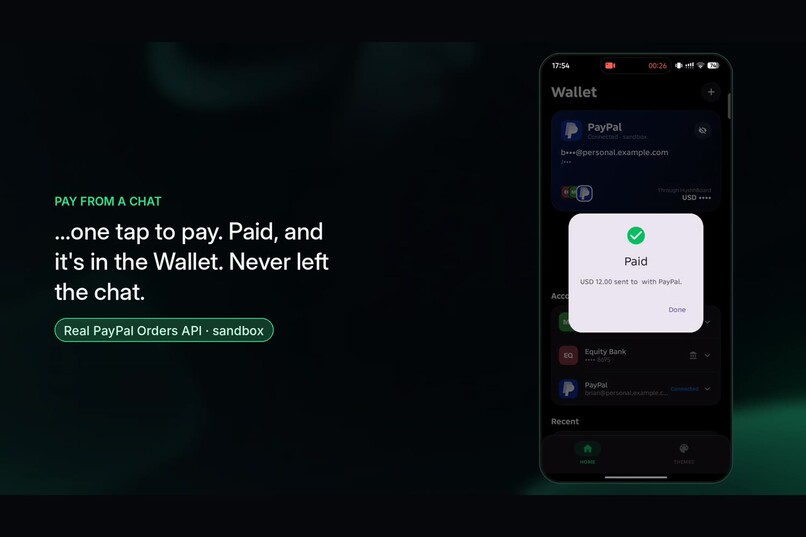
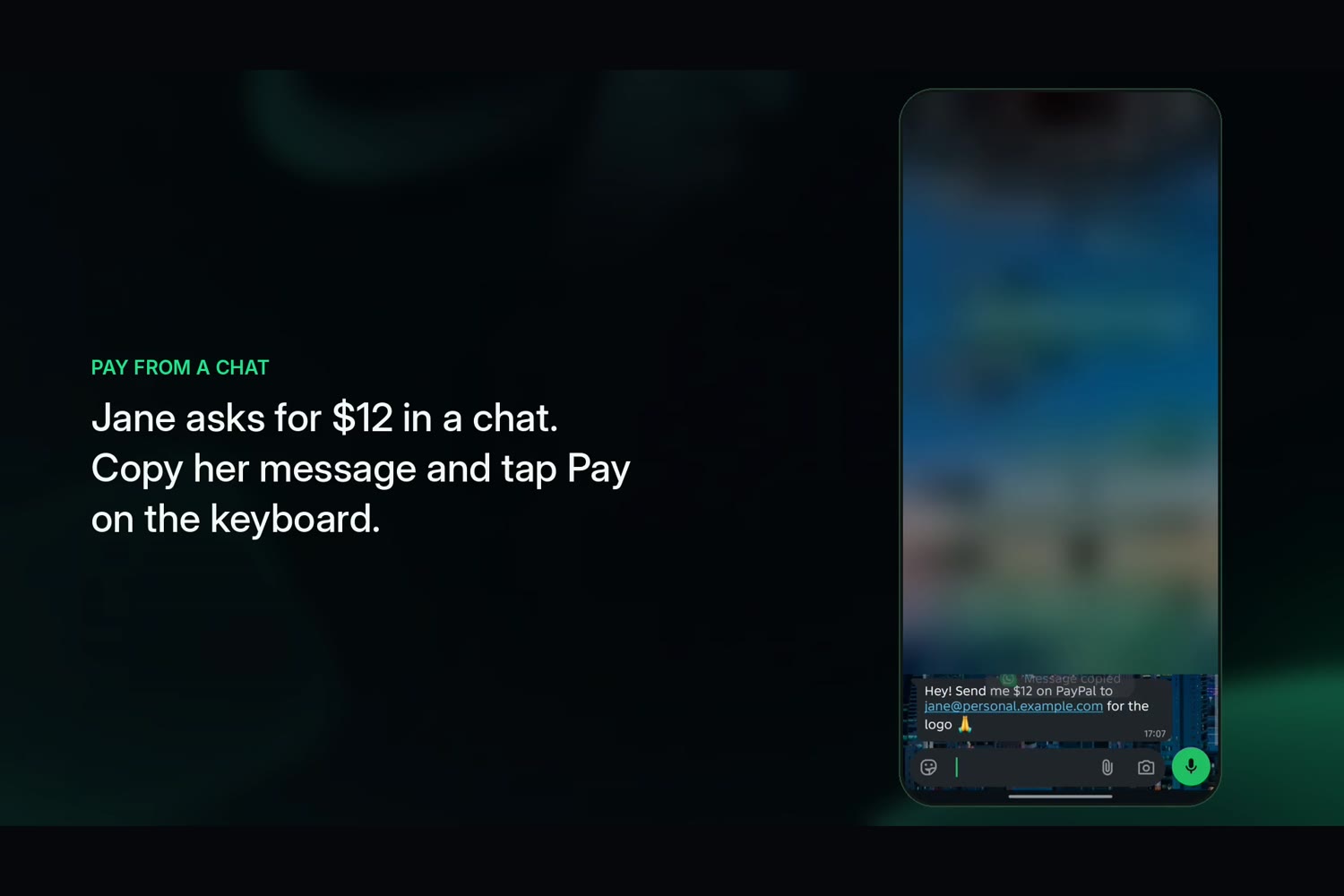
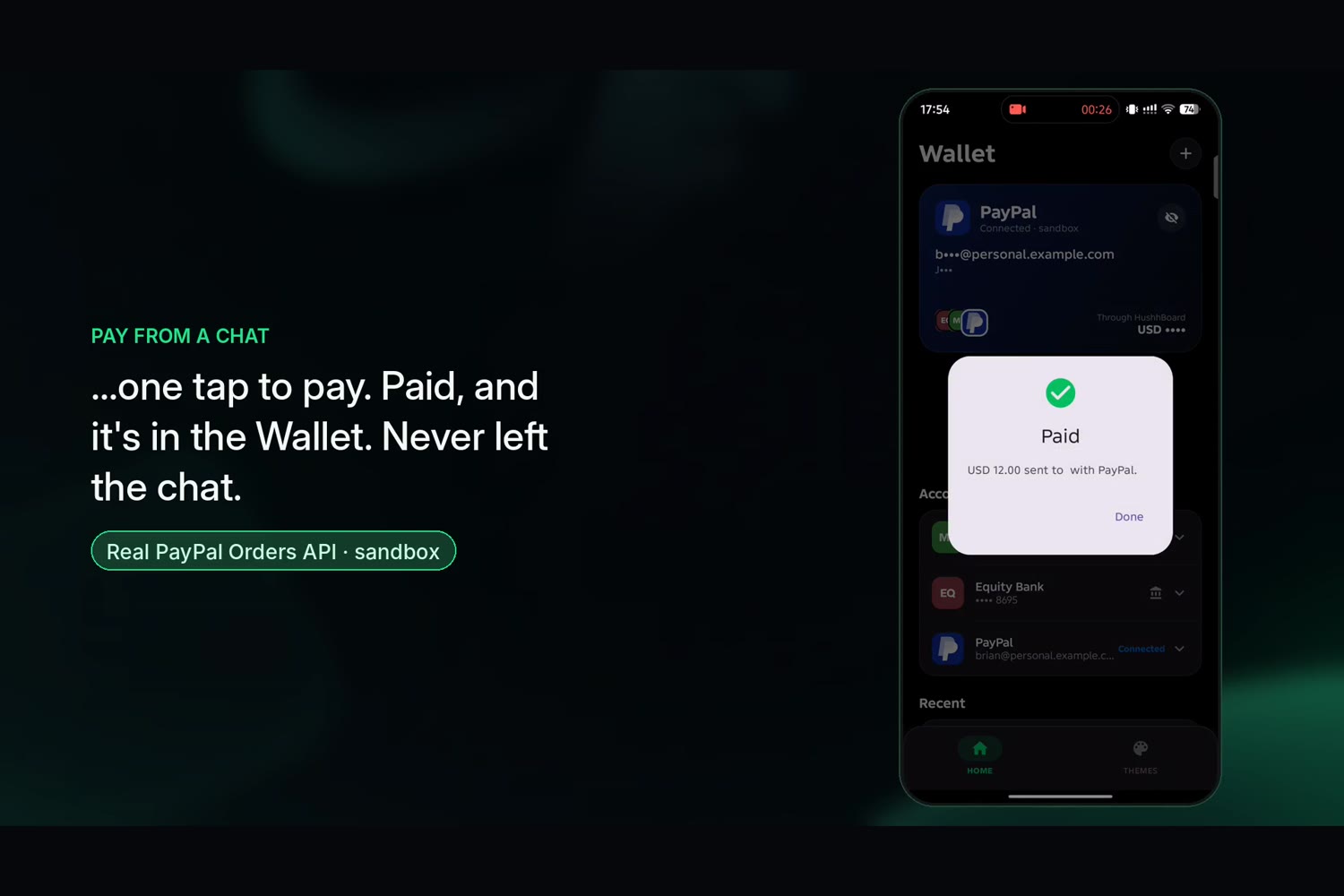
Pay from a chat
-
-
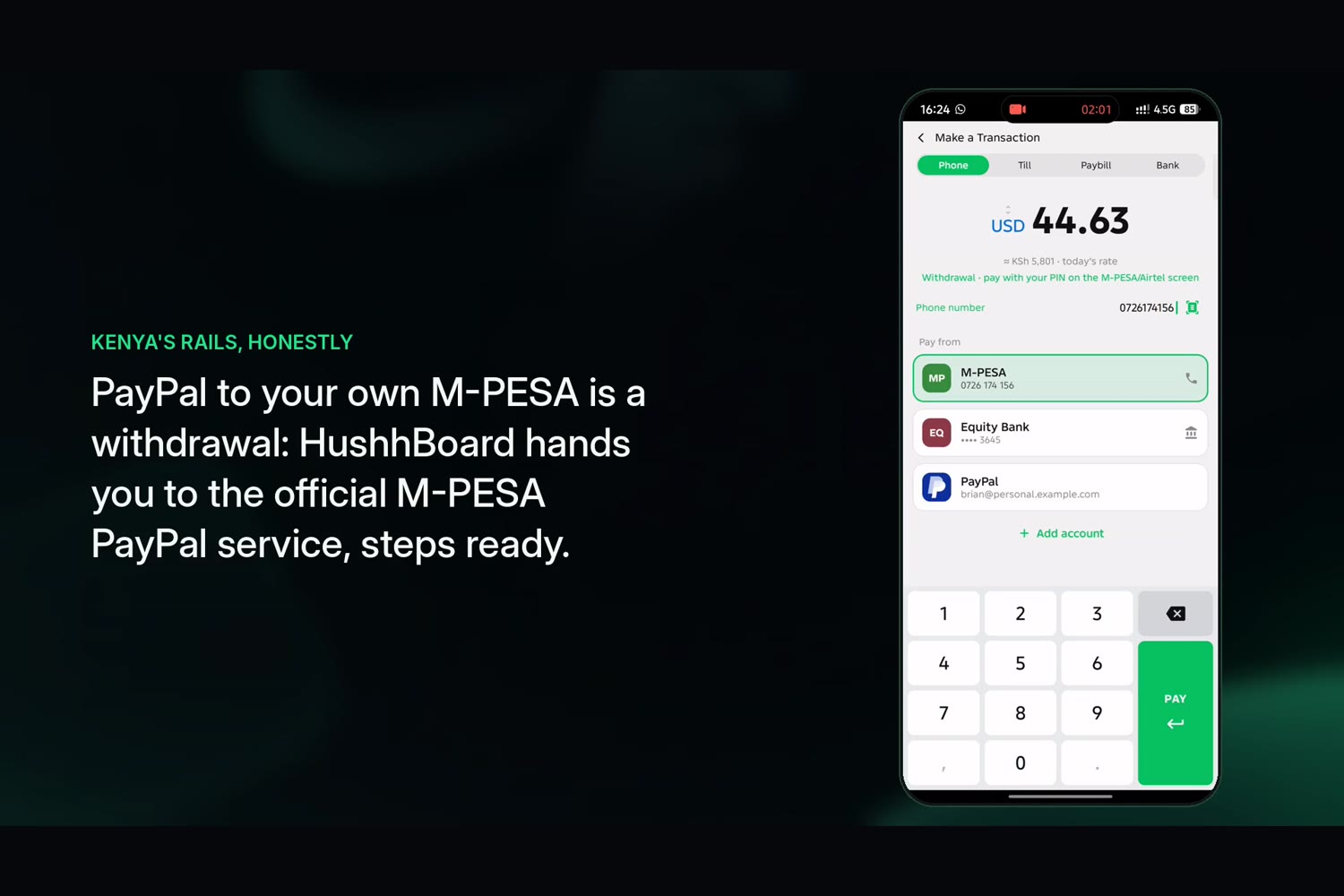
Withdrawal to local Mobile money
-
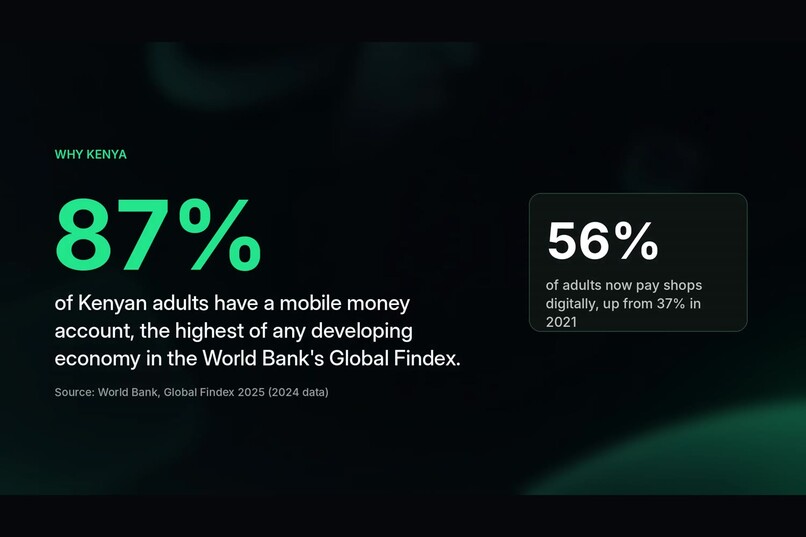
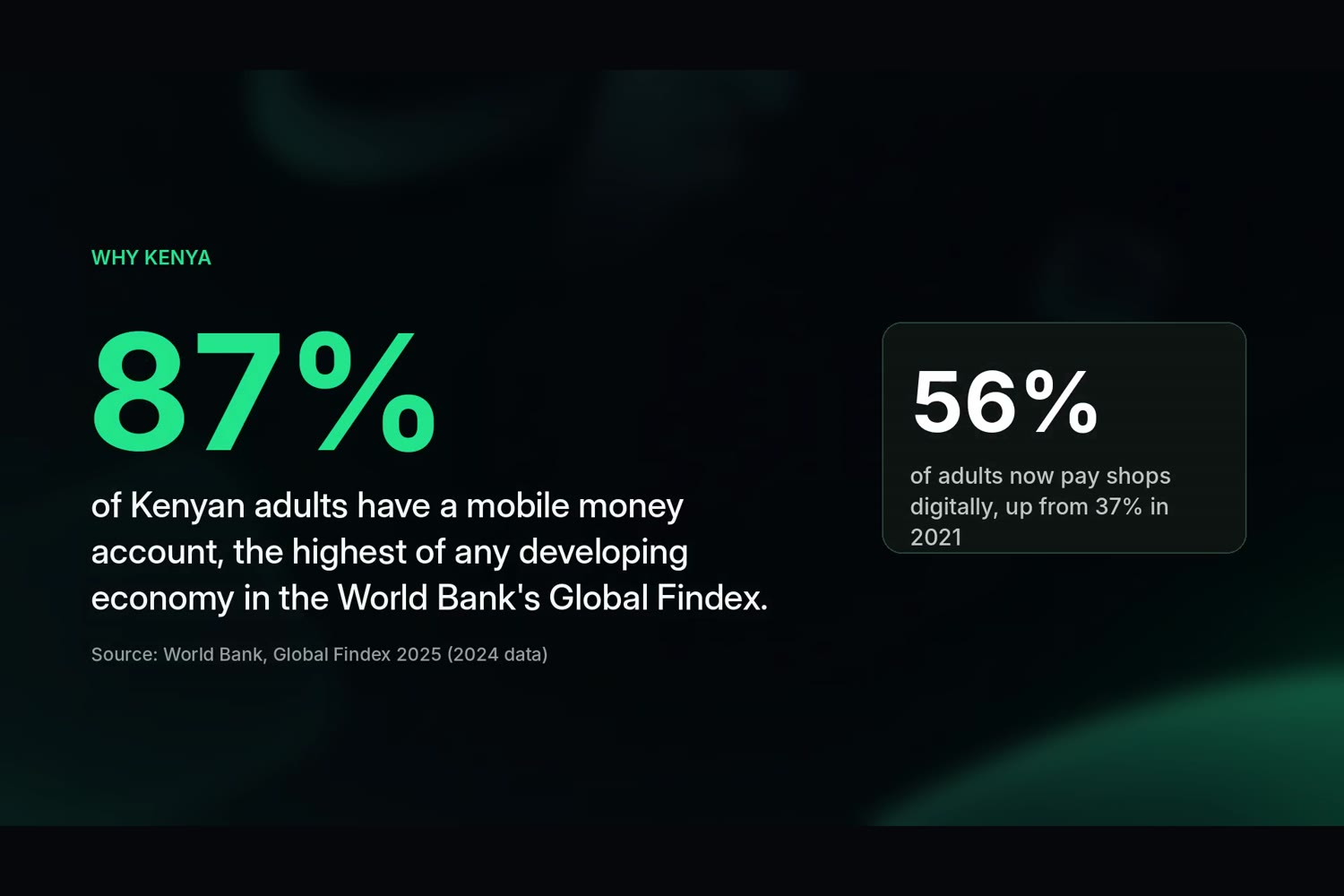
87% Kenya
-
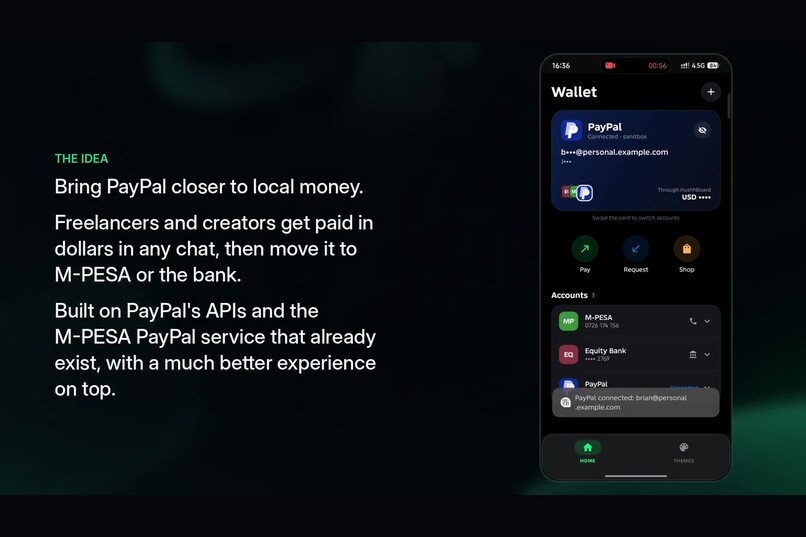
Intro
-
Devpost submission text (copy into the form)
Project name
HushhBoard × PayPal: pay from your keyboard, locally and internationally
Elevator pitch (≤200 chars)
A Kenyan keyboard that turns any chat into a payment: M-PESA, banks and PayPal in one Pay button, with on-device AI that reads "send me $40 on PayPal" and fills it in.
Inspiration
Kenya leads the world in mobile money: 54 million active mobile-money accounts and M-PESA in almost every pocket. But international money still lives somewhere else. A Kenyan freelancer agrees a price in WhatsApp, then jumps between PayPal, the M-PESA app, the bank app and the USSD menu, and retypes numbers each time. So we built a keyboard that pays with M-PESA from any chat, and made PayPal part of it so it works locally and internationally.
What it does
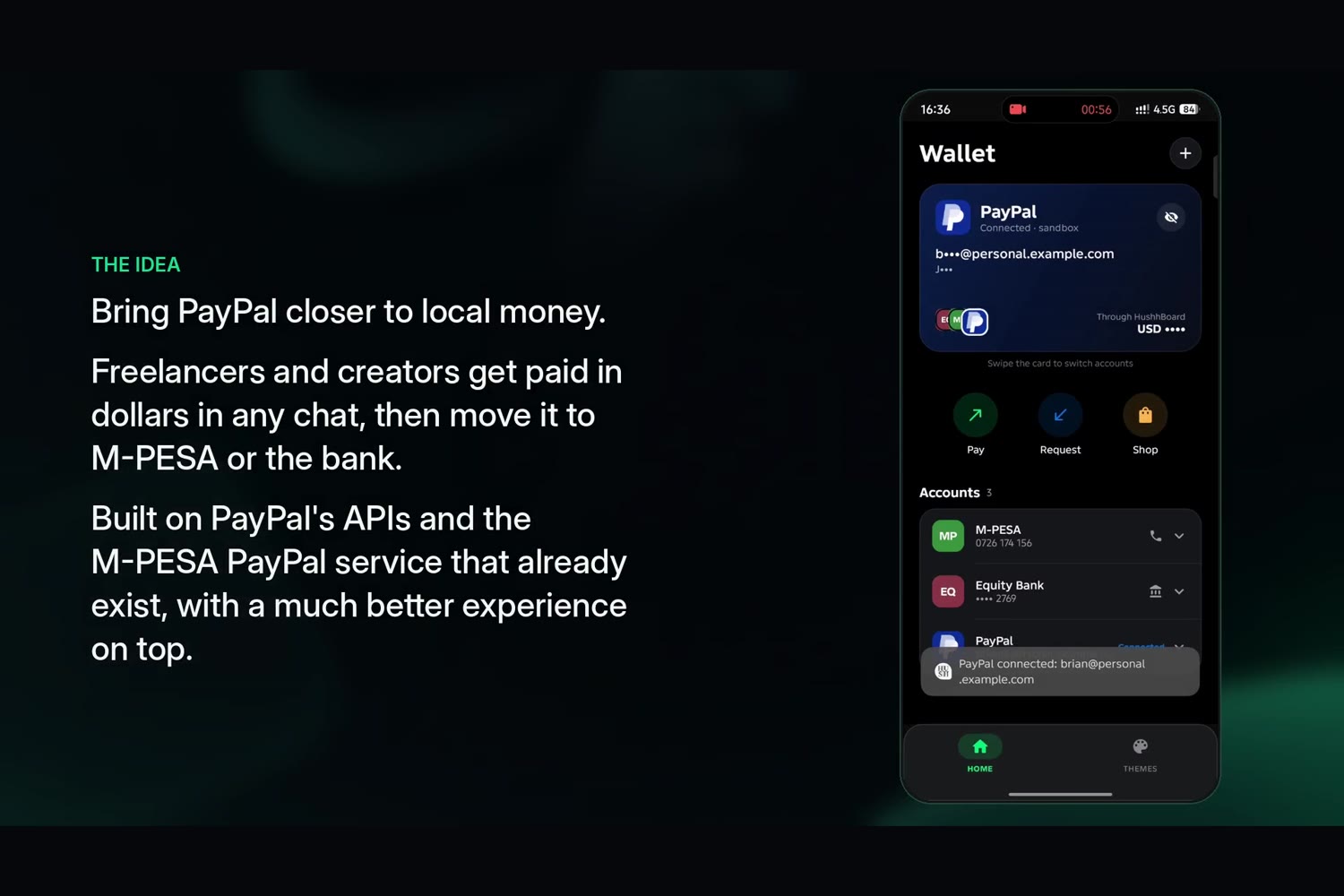
- Connect once. During setup you add your Safaricom or Airtel number, any number of bank accounts, and your PayPal. PayPal's own login handles your email, password and 2FA. We keep only a sealed link to your PayPal identity. Nobody stores a password, and PayPal keeps you signed in.
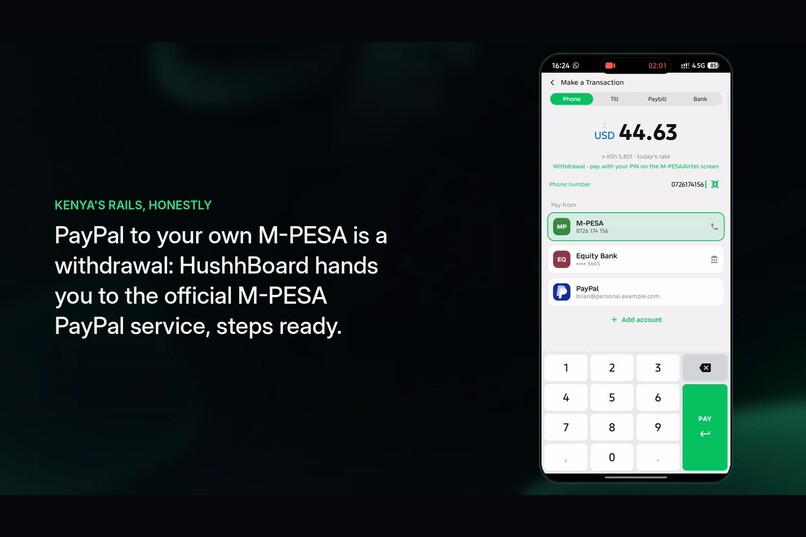
- Pay from any chat. Tap Pay on the keyboard toolbar. One screen, four tabs (Phone, Till, Paybill, Bank), with PayPal as one of your payment methods.
- AI fills it in. Copy a message like "send me $40 on PayPal: [email protected]". On-device ML (Google ML Kit Entity Extraction plus our Kenyan rules for tills, paybills, phone networks and banks) offers Pay USD 40 to [email protected] on PayPal. One tap fills everything; you still confirm.
- Honest routing. Before you confirm, HushhBoard tells you whether this is a Withdrawal (to your own account), a Credit (to someone else) or a Payment, and how it completes:
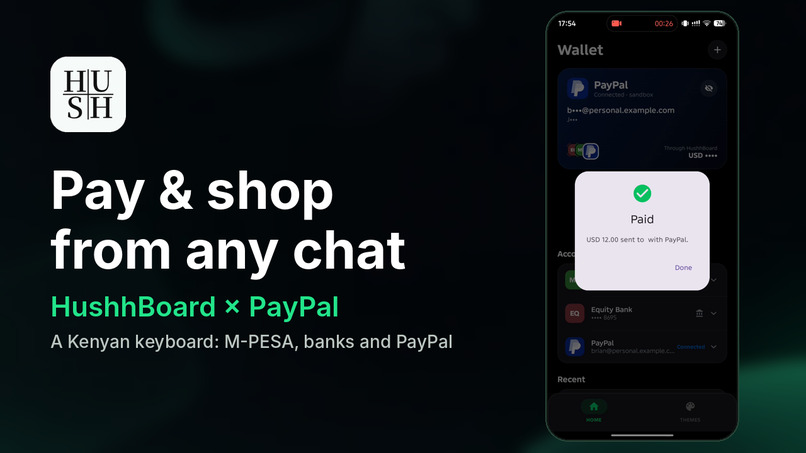
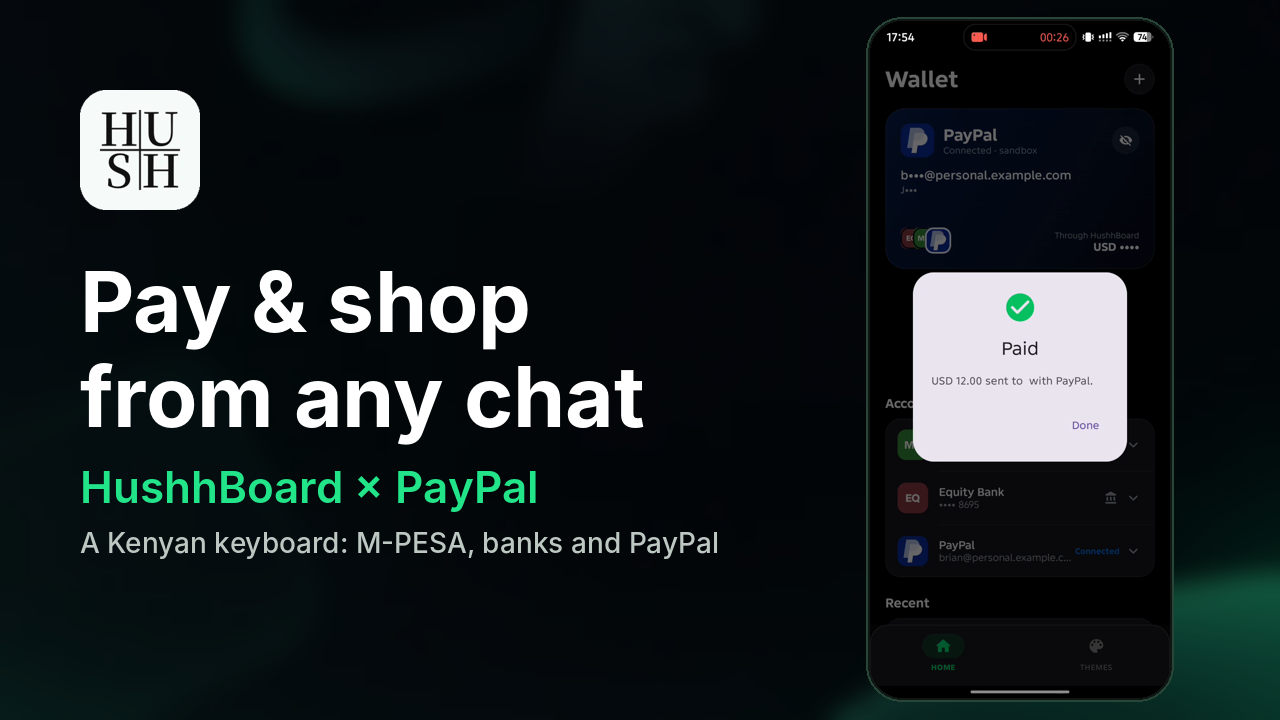
- PayPal → PayPal: a real payment through PayPal Orders v2. PayPal's own sheet opens to confirm (you're usually still signed in), then HushhBoard captures it and shows Paid.
- PayPal → your own M-PESA or bank, or M-PESA → PayPal top-up: a one-tap handoff to the official M-PESA or PayPal app, where the PIN stays.
- PayPal → someone else's M-PESA or bank: built and shown as "ready, waiting for the partner API". We don't fake money moving.
- One bar per account, with a primary. Each provider (M-PESA, Airtel, each bank, PayPal) is one bar, with a phone or bank icon showing what kind of account it is. Tap it to pay from its primary account, or open the bar's dropdown to use another account for this payment only. PayPal is only listed where it actually works (never Till or Paybill, and on Phone only for M-PESA numbers).
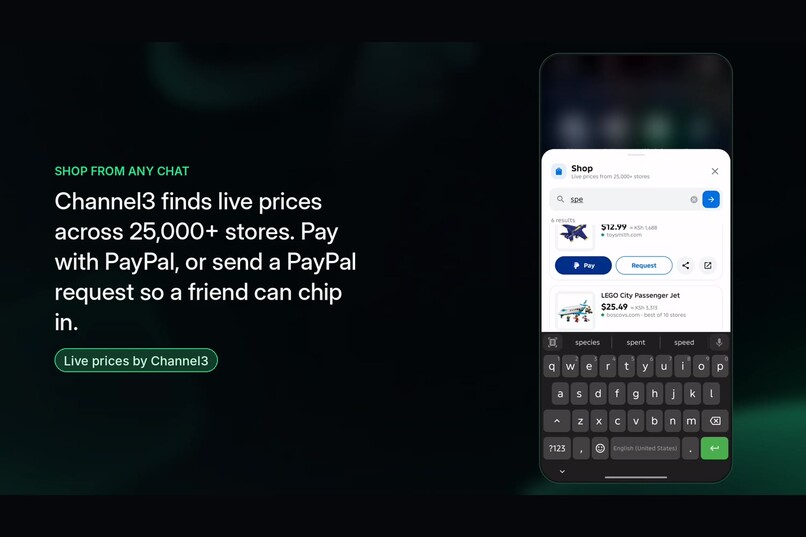
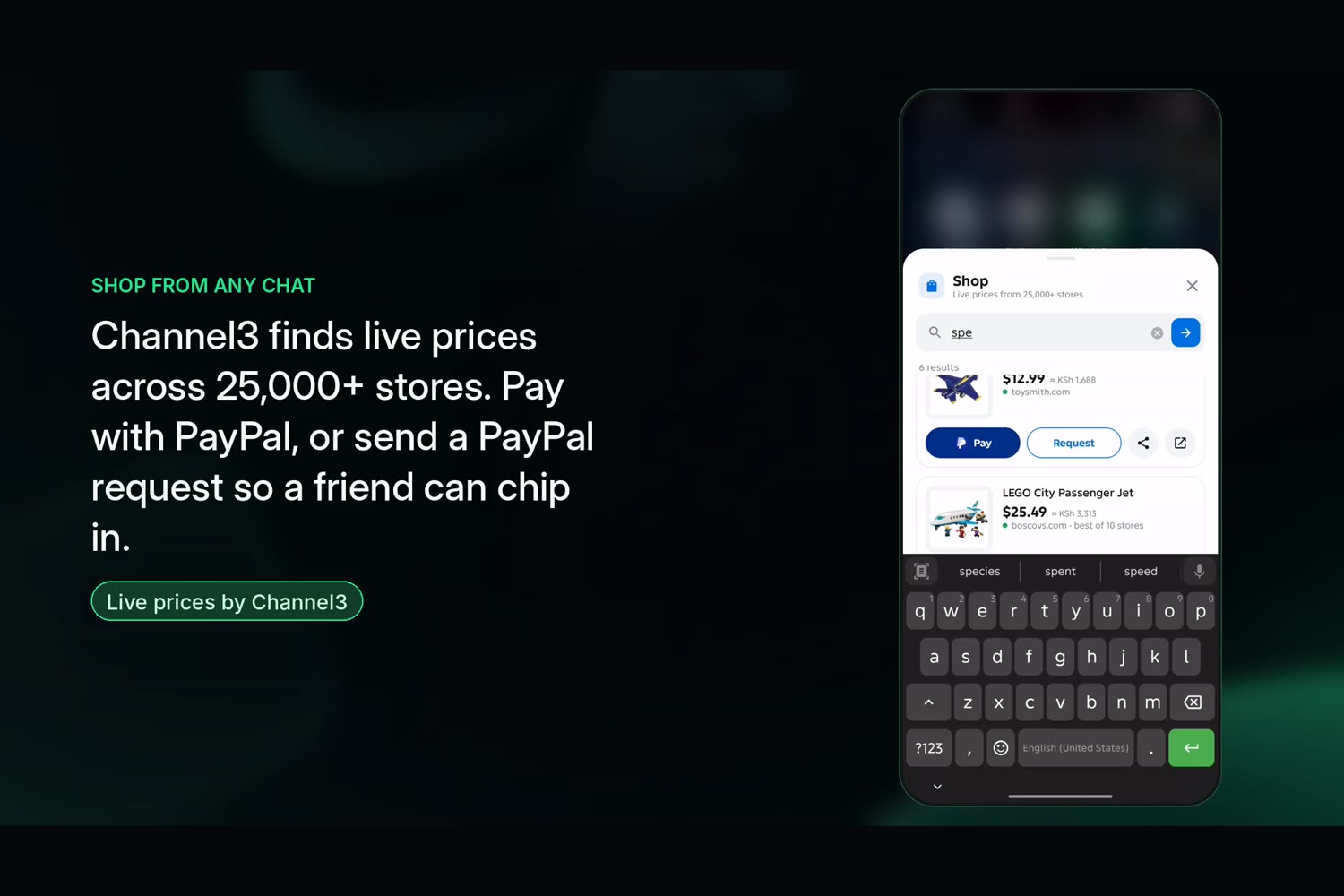
- Shop from any chat. Tap the bag key on the keyboard (or the suggestion that appears when you type "get me the Sony WH-1000XM5"). A sheet opens over the app you're in: Channel3 finds the product across 25,000+ stores with live prices. Pay with PayPal, drop a PayPal request into the chat so friends can chip in, share the deal, or open the store, without leaving the chat.
- Get paid from abroad. "Request via PayPal" creates a pay link for any chat. When the client pays, HushhBoard shows Paid ✓.
Built during the hackathon (1 Oct to 12 Nov 2026)
The whole of HushhBoard was built during the submission period, on top of the open-source FlorisBoard keyboard (Apache 2.0). That includes the keyboard work (Kenyan English, Swahili and Sheng word engine, Eye and Ears toolbar keys, M-PESA USSD and STK payments from the toolbar) and everything below:
- The whole PayPal layer: Vault v3 connect with no stored passwords, Orders v2 payments from the saved PayPal, PayPal pay-link requests with capture, and the stateless Render server with sealed device-bound links (
server/). - The
moneymodule: accounts store with a primary account per provider, PayRouter (withdrawal, credit or payment; real payment, hand-off or "ready for API"), on-device AI fill, hand-off logging. - A new Pay screen (one bar per provider with a phone or bank icon and a dropdown, a KSh/USD switch on the amount using a live rate, PayPal only where supported, steady number pad, silent fresh-only smart fill) and a shared Add account sheet.
- Channel3 Shop: a product-search sheet that opens over any app from a keyboard key or a typed shopping phrase.
- A new one-tap setup, a new Home (Wallet), and new Eye/Ears toolbar keys.
- APIMatic-checked PayPal request shapes, CI for the app, the money tests and the server.
How we built it
- Android (Kotlin, Jetpack Compose) on our FlorisBoard-based keyboard. The Pay screen and a new
moneymodule hold the accounts store, the PayRouter, the AI layer, and the setup and Home screens. - A stateless Node/Express server on Render keeps the PayPal client secret off the phone. It uses PayPal Vault v3 (setup token → payer approval → payment token) and Orders v2 (pay a person, create request, capture). The Vault reference is sealed with AES-256-GCM, bound to the device and stored on the phone, so the server keeps no database.
- Channel3 product search (through our server, so the API key stays off the phone) turns shopping messages into real products and prices.
- APIMatic PayPal Context Plugin: we checked every PayPal request shape against its SDK map. That check added customer-initiated
stored_credentialto vaulted payments andusage_patternto setup tokens. - Render hosts the server from a one-file Blueprint.
- Google ML Kit Entity Extraction (on-device) plus our Kotlin NLP library for Kenyan payment formats.
- Unit tests for every routing rule and for the sealed links, run in GitHub Actions CI.
Challenges
- A saved PayPal (Vault) can only pay the business that saved it, not another person. So paying a friend is a PayPal order they confirm on PayPal's own sheet; Vault links the user's PayPal identity for requests.
- PayPal doesn't offer outside apps a payout to M-PESA or bank accounts. Instead of faking it, we built hand-offs to the official apps and clear "ready for API" states.
- Free hosting restarts wipe disk, so we made the server stateless with sealed, device-bound links.
- The pay screen runs in its own process, so accounts are shared through an atomic file instead of SharedPreferences.
Accomplishments
- PayPal sits inside the payment habit Kenyans already have, without taking control of anyone's money.
- No passwords stored anywhere; the AI runs on the device and never pays without the user's tap.
What we learned
Payments partners care about trust first. Showing exactly where the APIs end, and what goes live when they open, makes a stronger case than a demo that pretends.
What's next
Partner access: PayPal payouts to M-PESA, Safaricom Daraja and M-PESA Global, and bank APIs (Equity Jenga, KCB Buni, Absa). Each "ready for API" screen becomes a one-tap payment. Then Uganda and Tanzania.
Built with
kotlin, jetpack-compose, android, paypal-rest-api, paypal-vault, paypal-orders-v2, ml-kit, channel3, apimatic, node.js, express, render, github-actions
Testing instructions (for judges)
Demo video: https://youtu.be/8Pjxr6g97b4
- Install the APK from the release link (or the latest GitHub Actions run, artifact
app-debug.apk). - Setup: tap Turn on and switch HushhBoard on, tap Choose HushhBoard, tap Allow.
- Connect your money: add a Safaricom number such as 0712345678 and a bank, then add PayPal and log in with this sandbox personal account: [email protected] pass = brian123 The server is on a free plan: the first request after a quiet spell can take up to a minute. If Chrome shows a red warning after the PayPal login, tap Details → Visit this site: it's our sandbox return page (reported to Google as a false positive; it collects nothing, PayPal handles the login).
- In any app with a text field, tap Pay on the keyboard toolbar → Bank → Send to: PayPal → enter [email protected] and 5 → choose the PayPal bar → Pay with PayPal → Continue to PayPal → Pay on PayPal's sheet → back in HushhBoard with Paid. Swipe up or down on the amount to switch KSh and USD.
- Copy
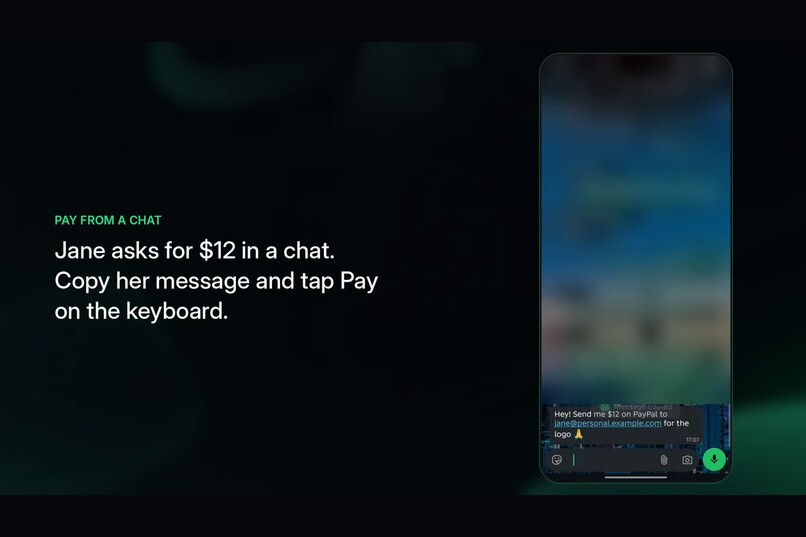
send me $12 on paypal to [email protected] for the logo, then open Pay and tap the suggestion at the top. - In a chat, type
can you get me the sony wh-1000xm5and tap the shopping suggestion (or tap the bag key on the toolbar) → pick a product → Pay or Request (the PayPal link lands in the chat). - Wallet → Request → share the link → pay it with the second sandbox account → Wallet shows it as paid.
License
Apache License 2.0 (see LICENSE and NOTICE). HushhBoard is a modified fork of FlorisBoard; the PayPal logo is PayPal's trademark and is not covered by the licence; no other third-party logos are used.
Built With
- aes-256-gcm
- android
- apimatic
- channel3
- coil
- express.js
- github-actions
- google-ml-kit
- jetpack-compose
- kotlin
- node.js
- okhttp
- paypal
- paypal-orders-api
- paypal-vault
- render
