-
-
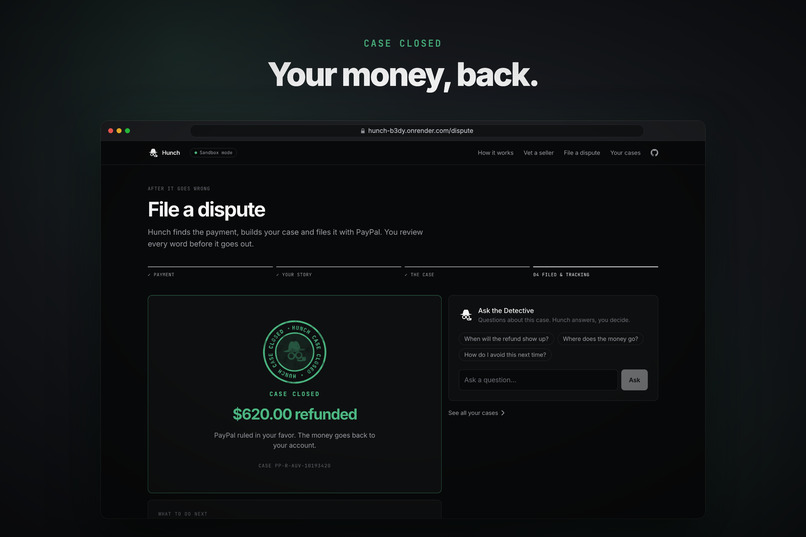
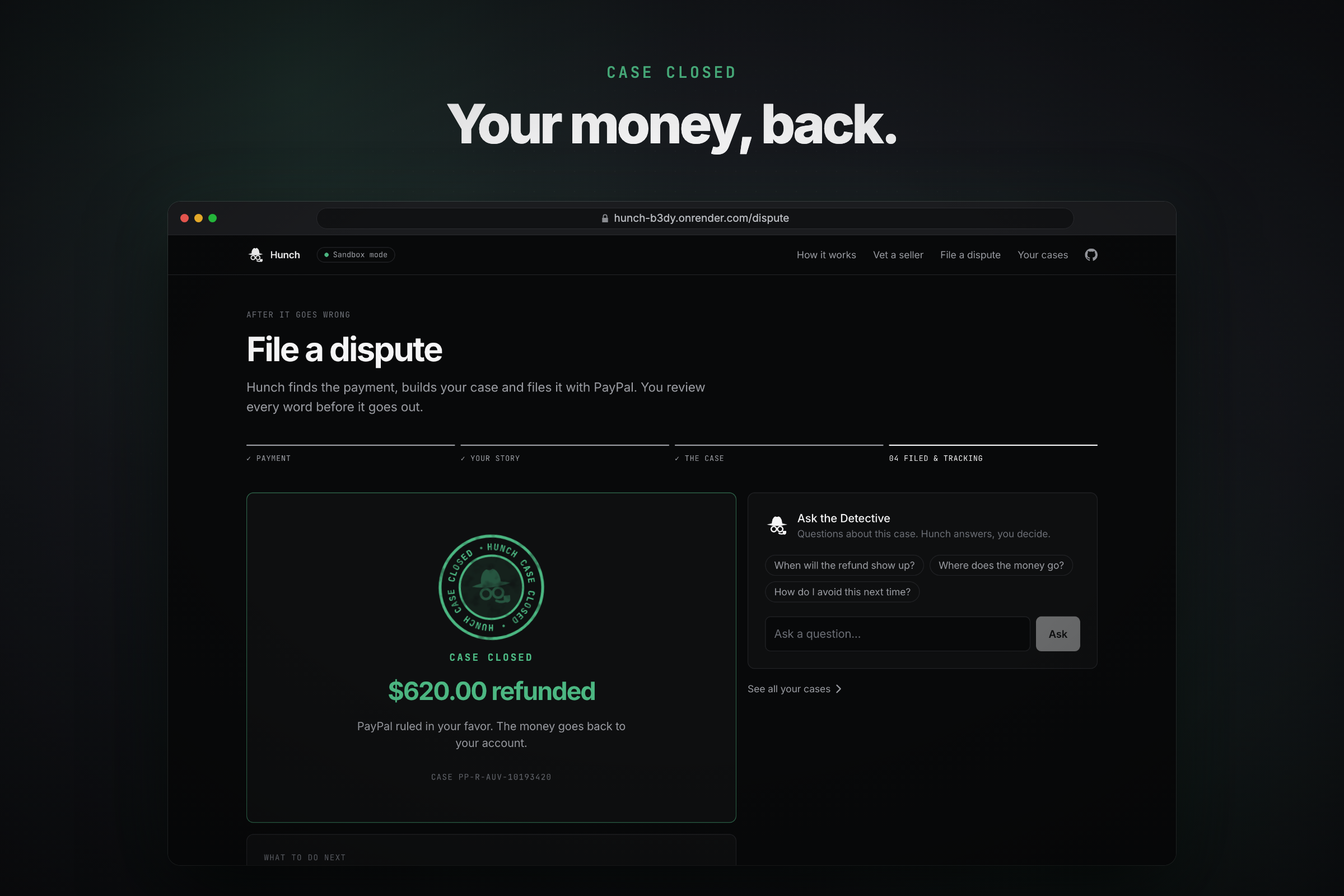
PayPal rules in the buyer's favor: $620 refunded (sandbox, no real money).
-
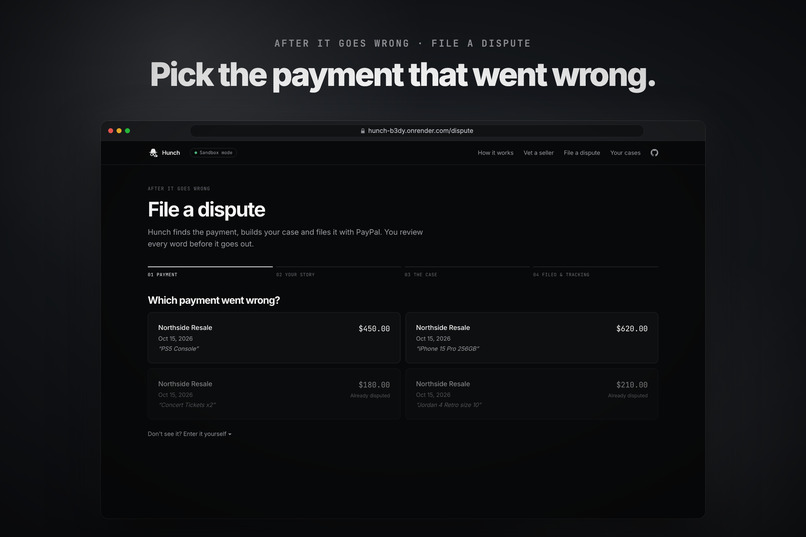
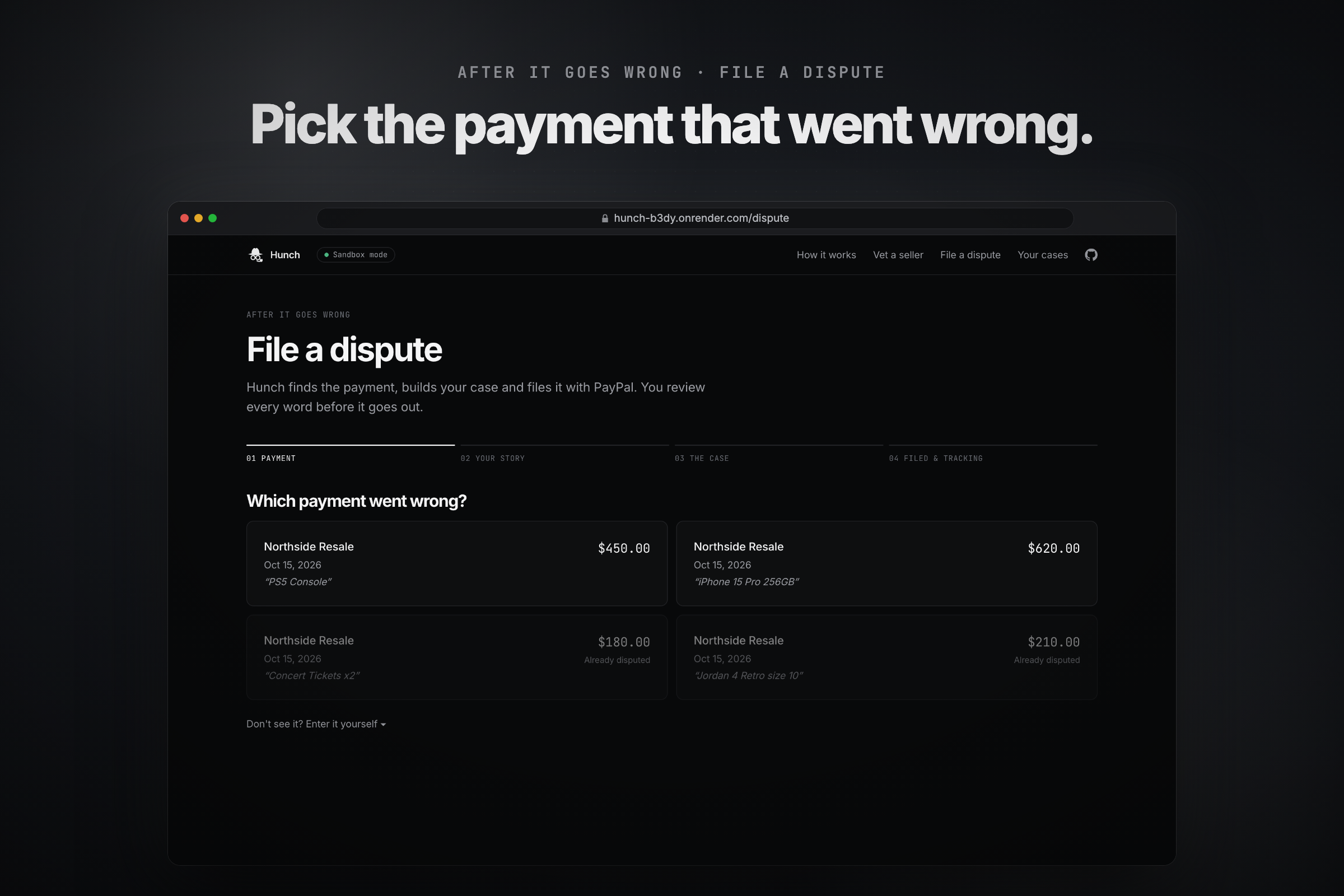
Hunch lists your recent PayPal payments. Ones that already have a dispute are greyed out.
-
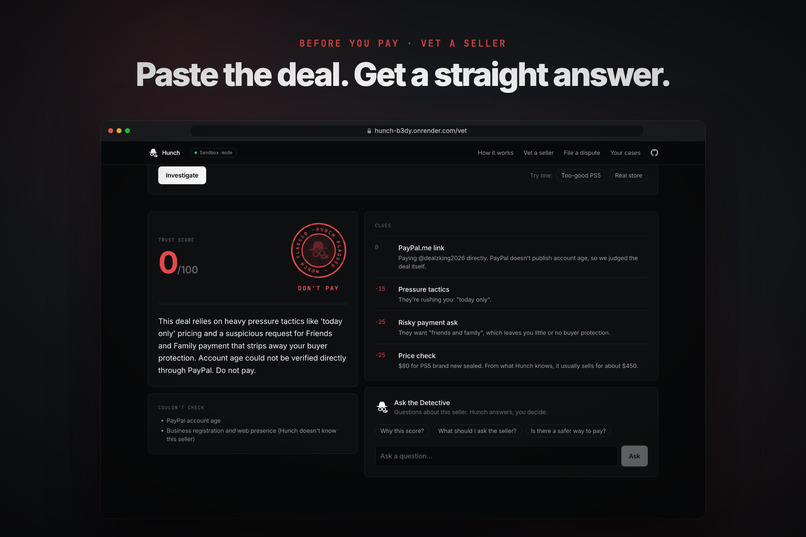
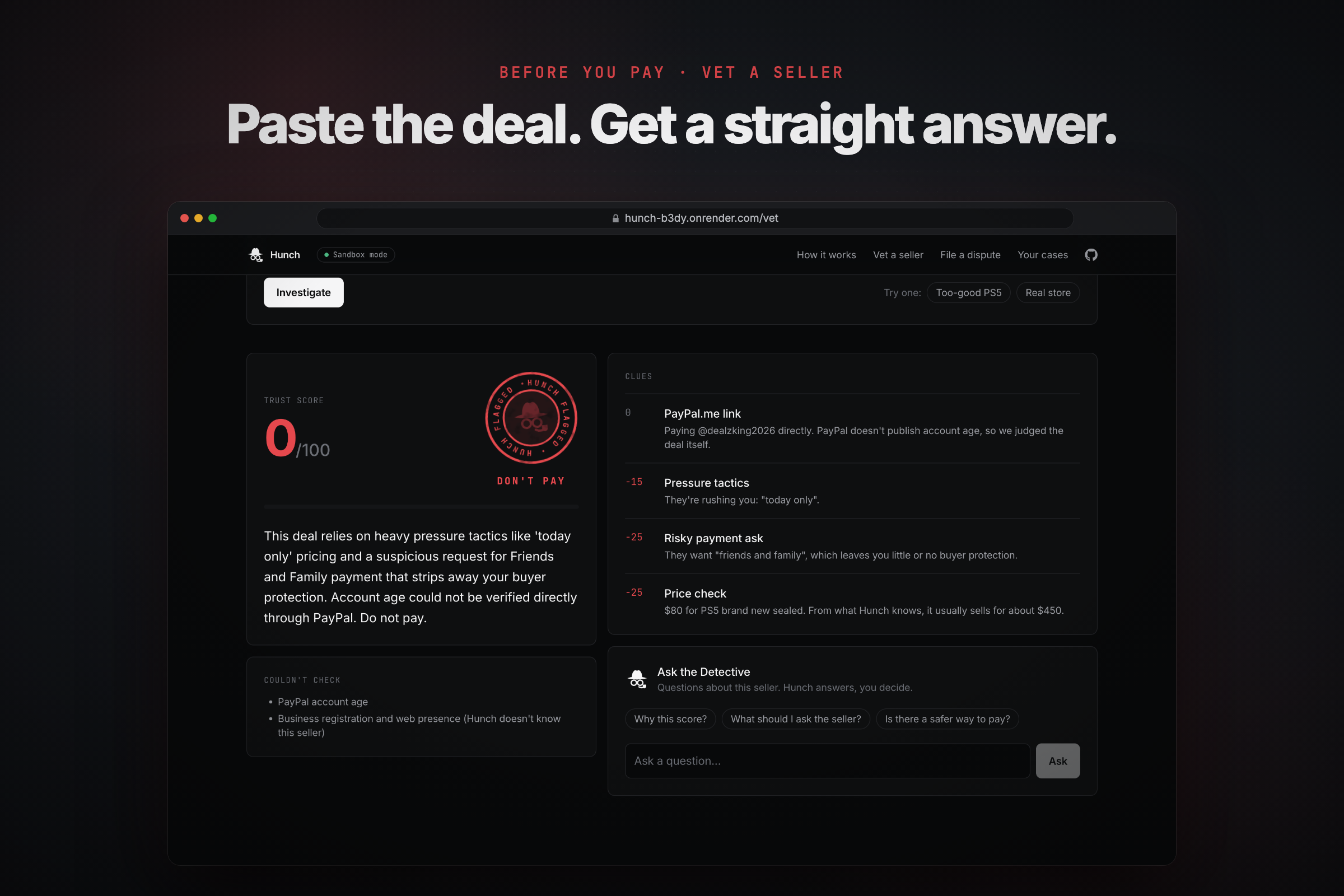
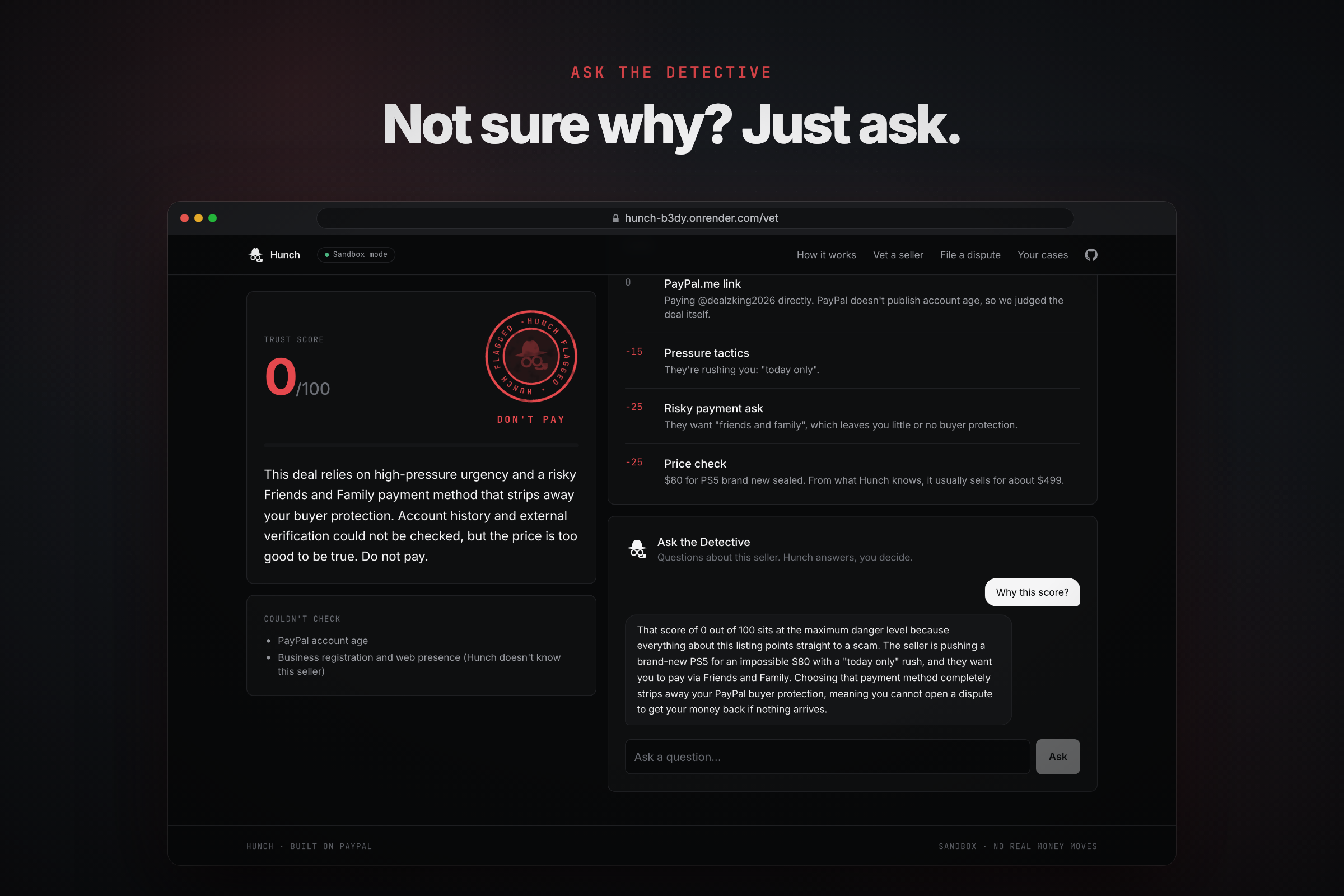
An $80 "PS5" scores 0/100. Every clue shows its weight, so you can see exactly why.
-
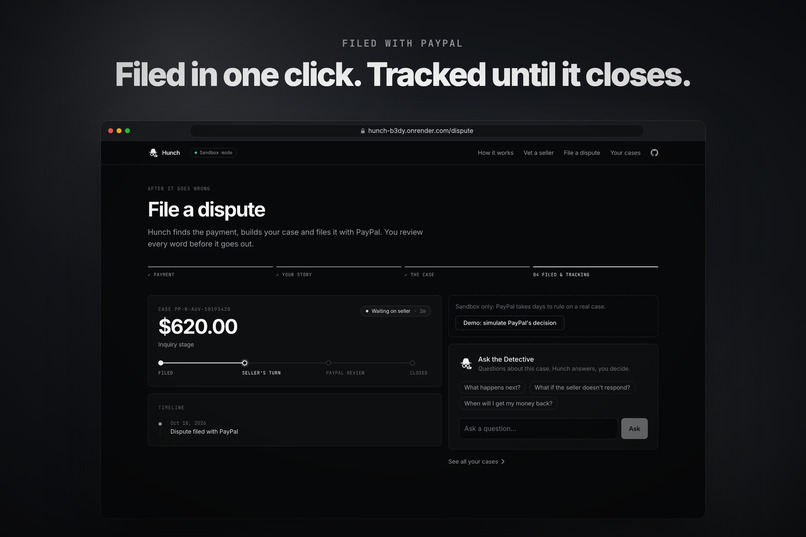
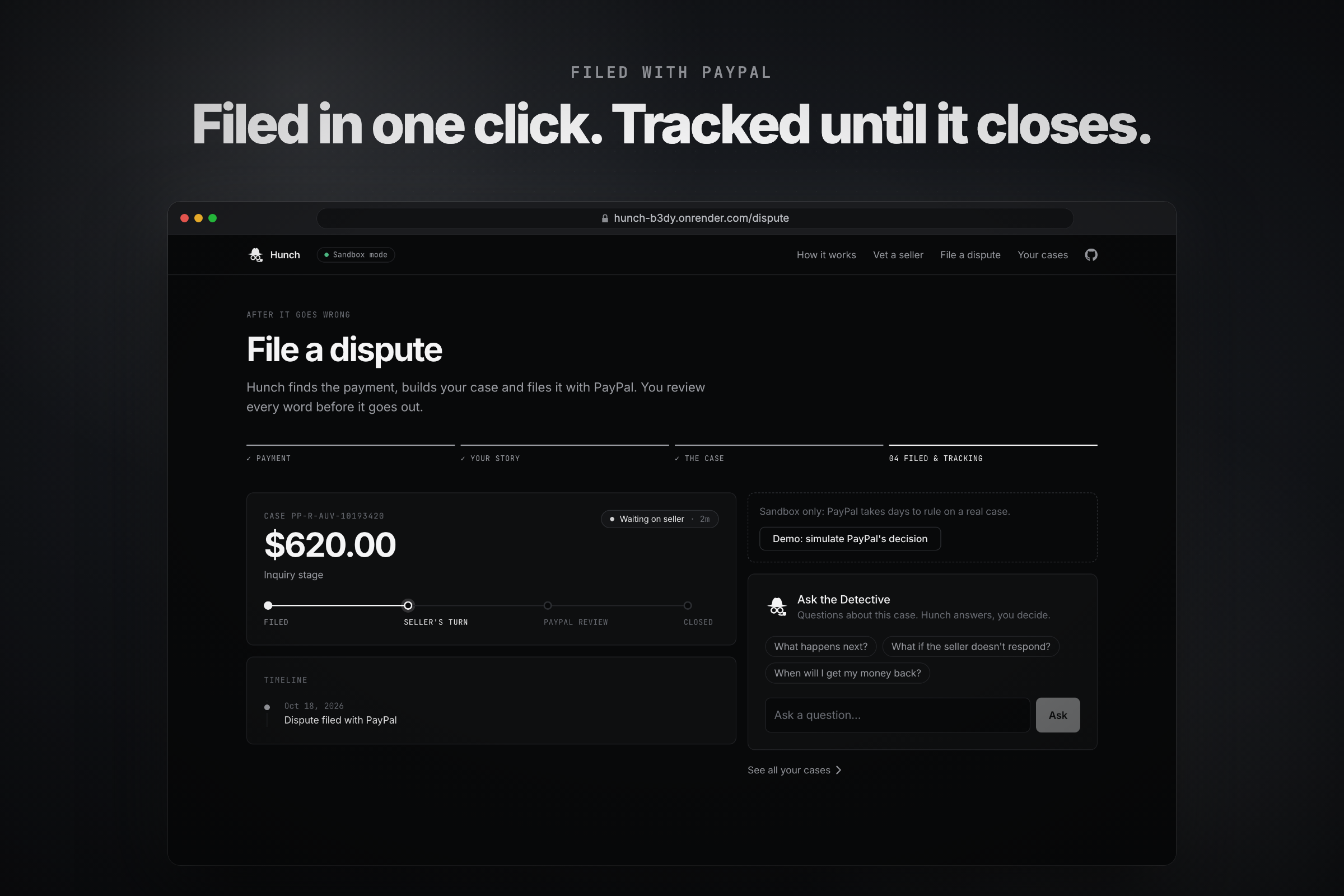
Filed through PayPal's Disputes API, then tracked stage by stage, from filed to closed.
-
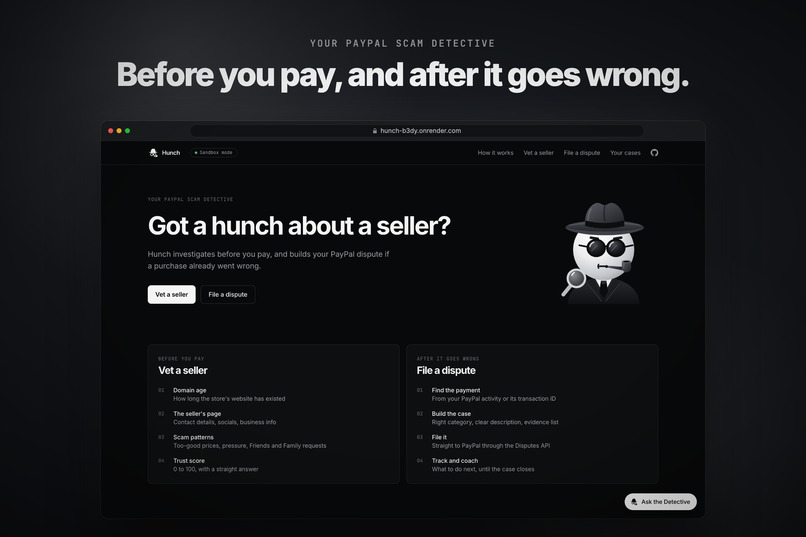
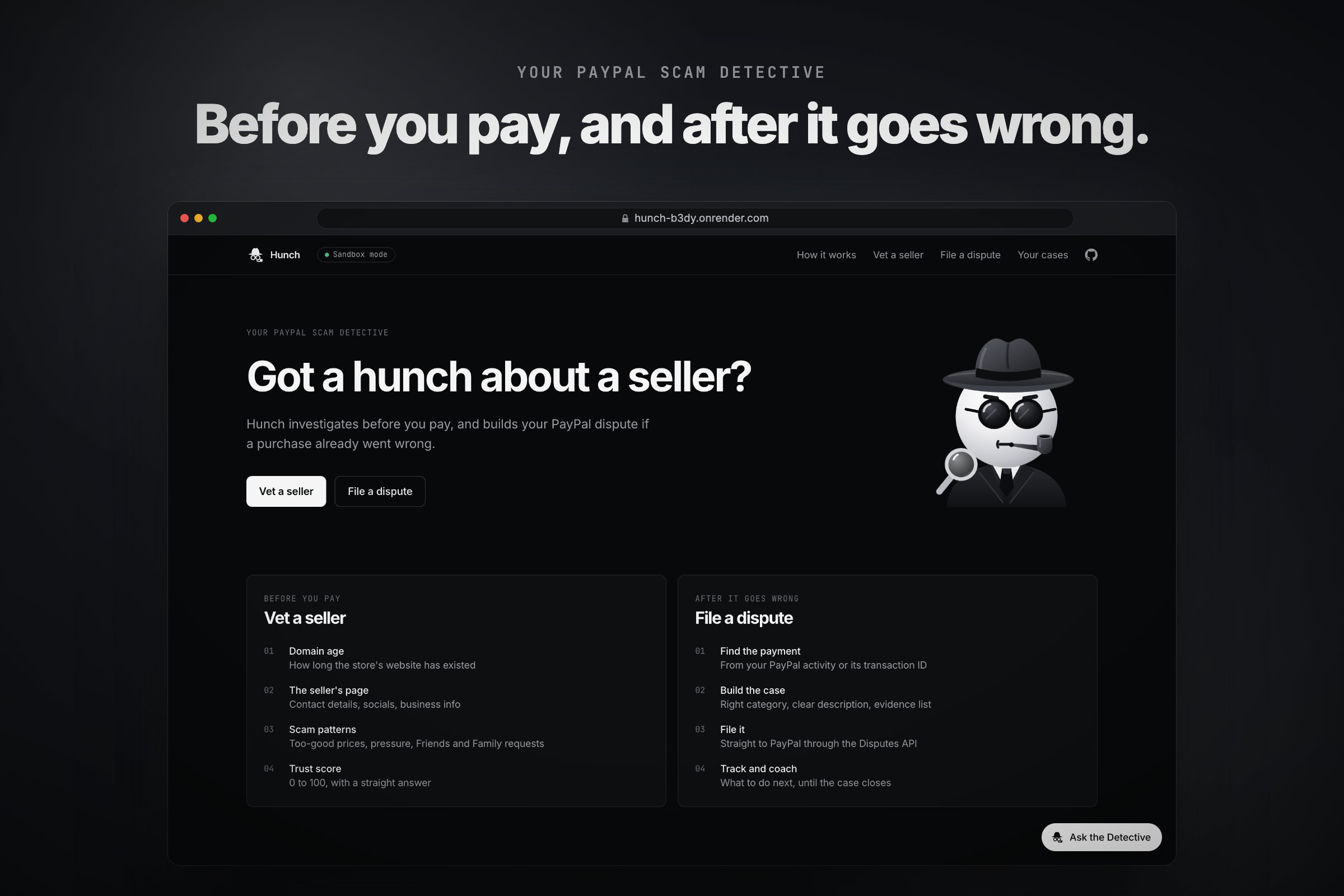
Two modes: vet a seller before you pay, or file a dispute after it goes wrong.
-
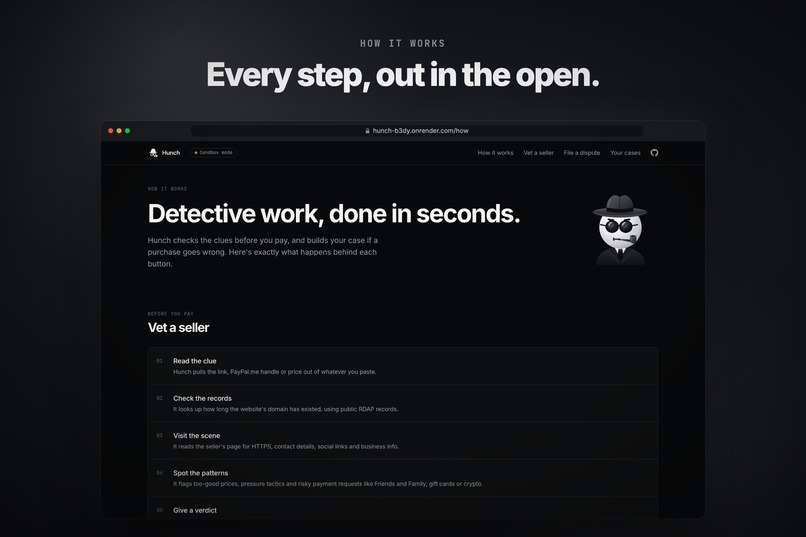
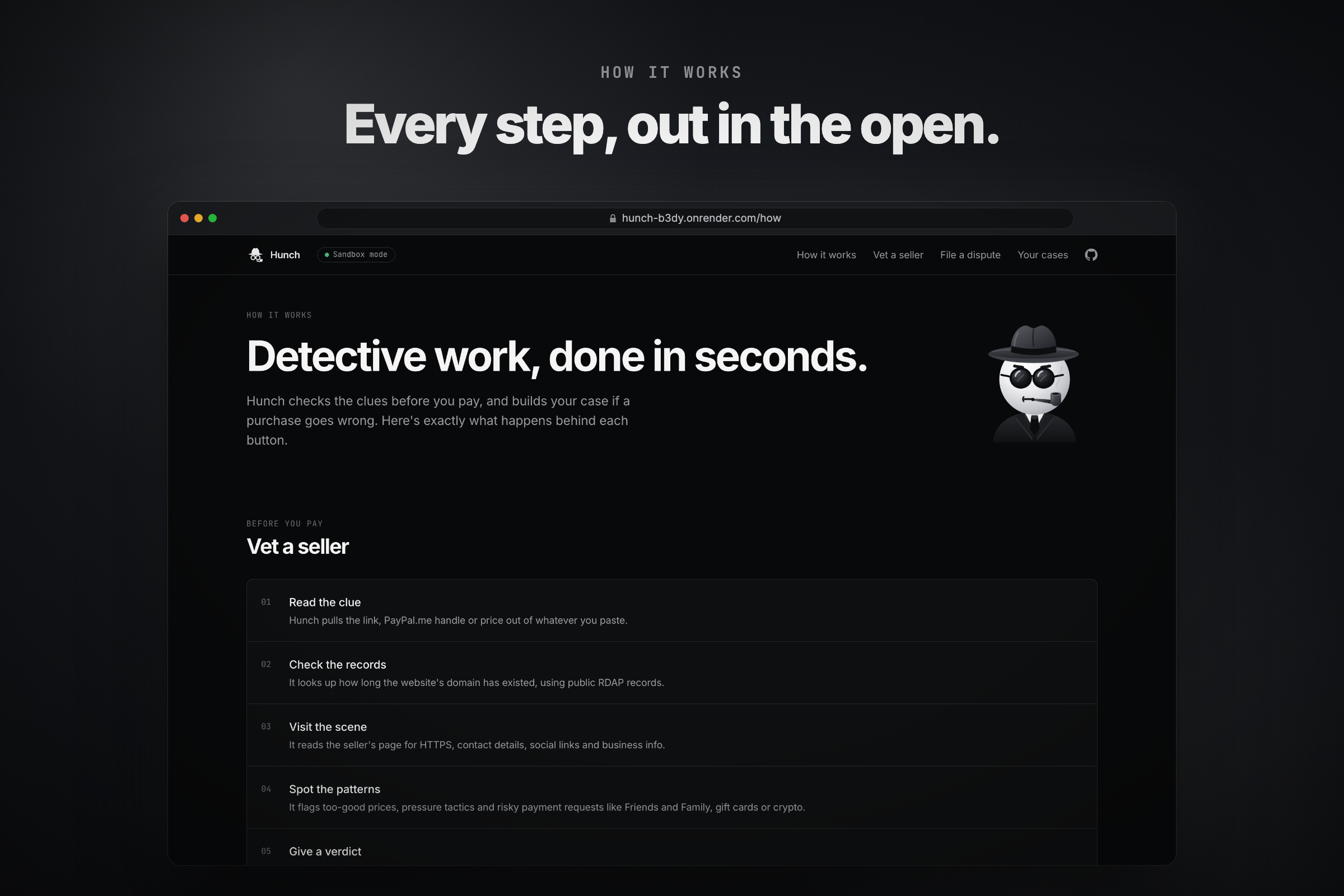
How it works shows every check Hunch runs, step by step.
-
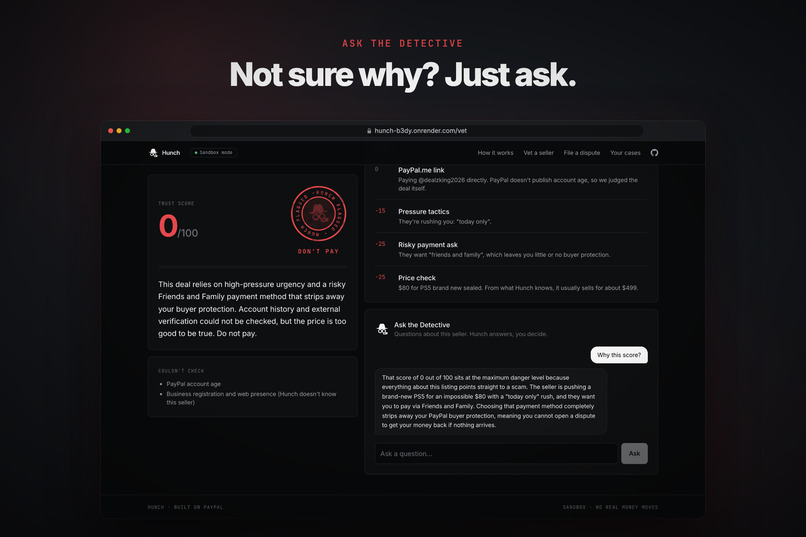
Ask the Detective explains the score in plain language and answers follow-up questions.
-
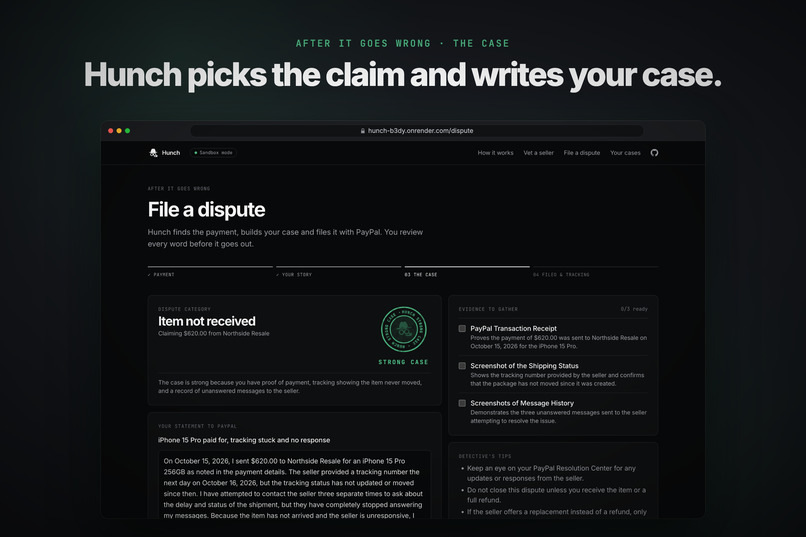
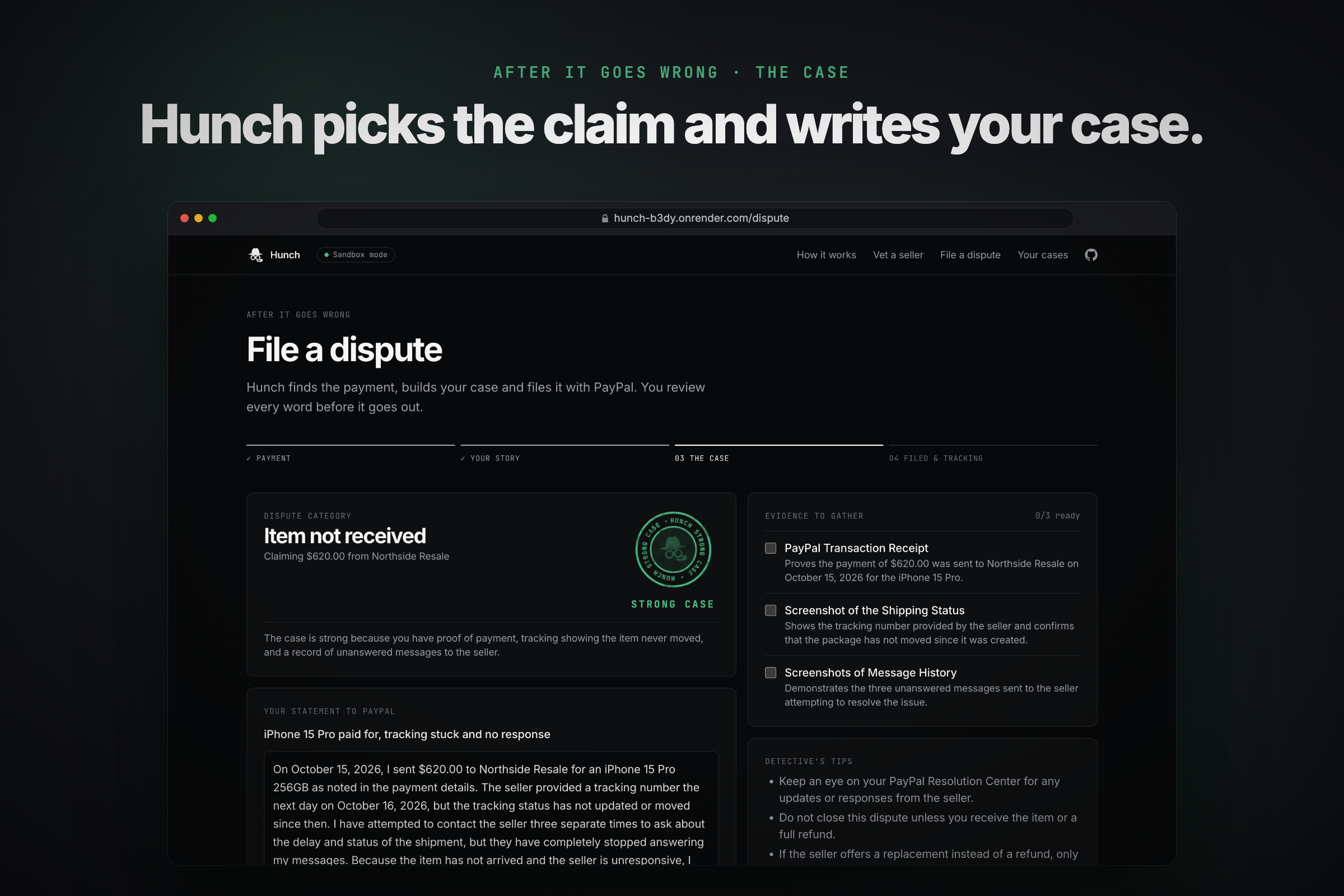
Hunch picks the dispute reason, writes your statement and lists the evidence to attach. You review it all before filing.
-
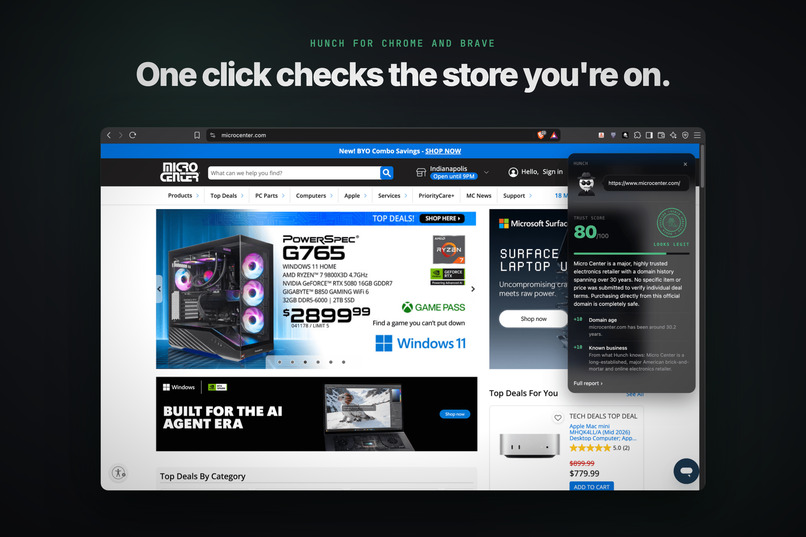
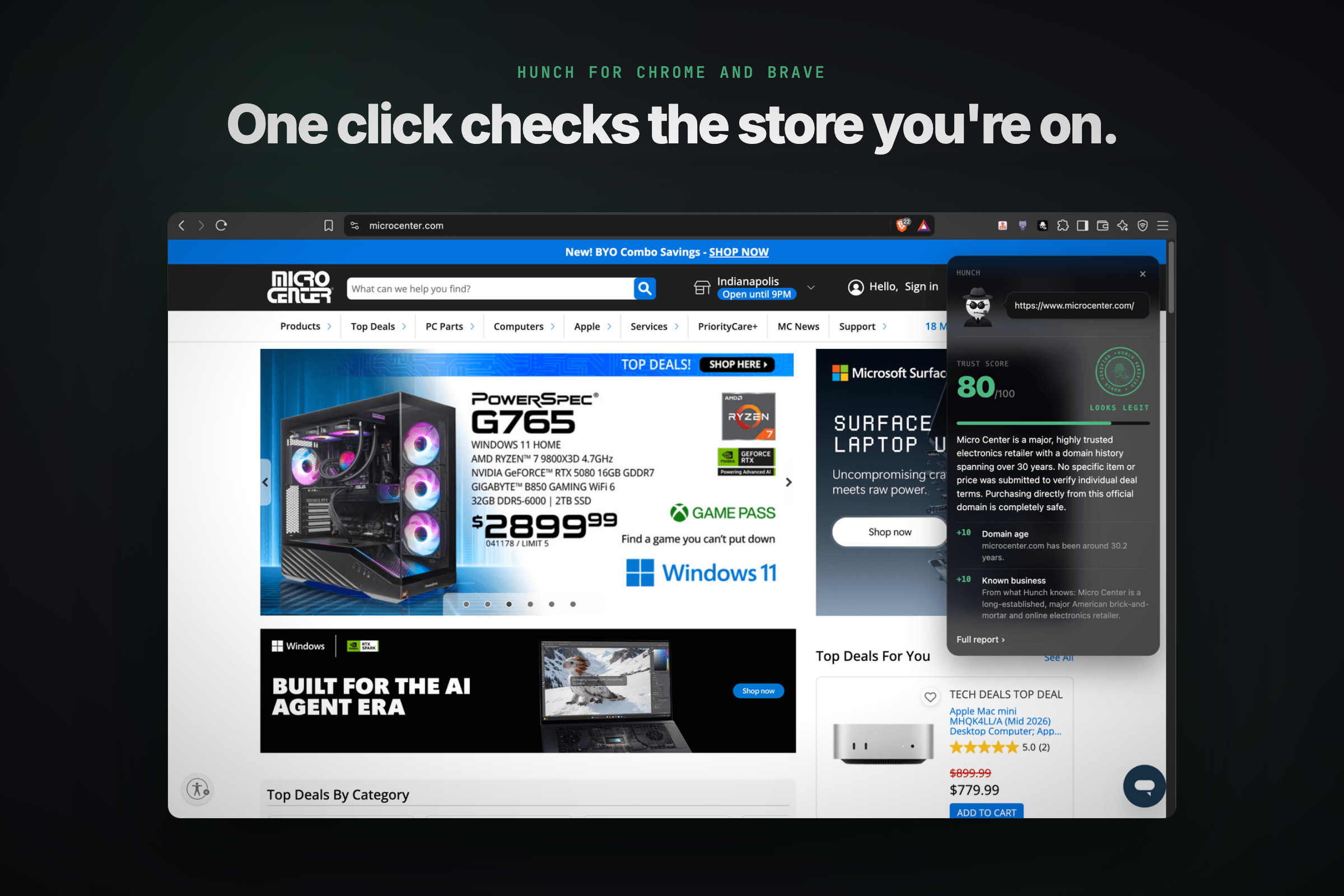
The Chrome and Brave extension rates Micro Center 80/100, Looks legit, without leaving the page.
-
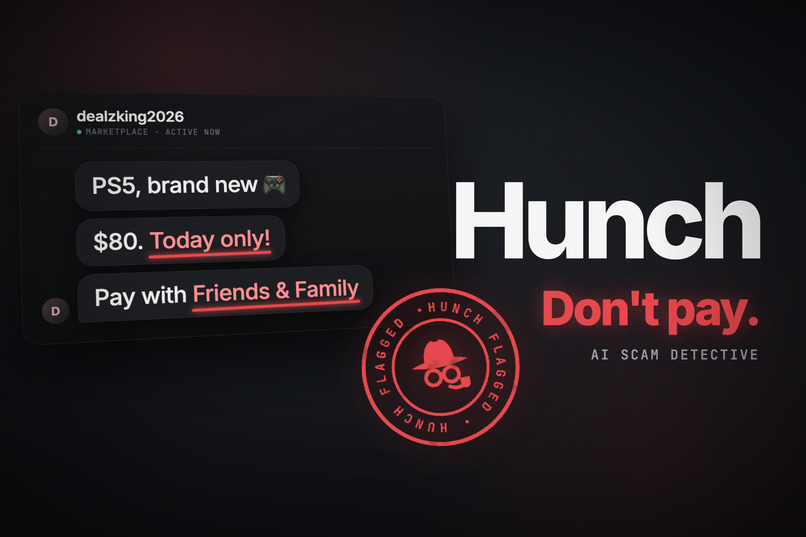
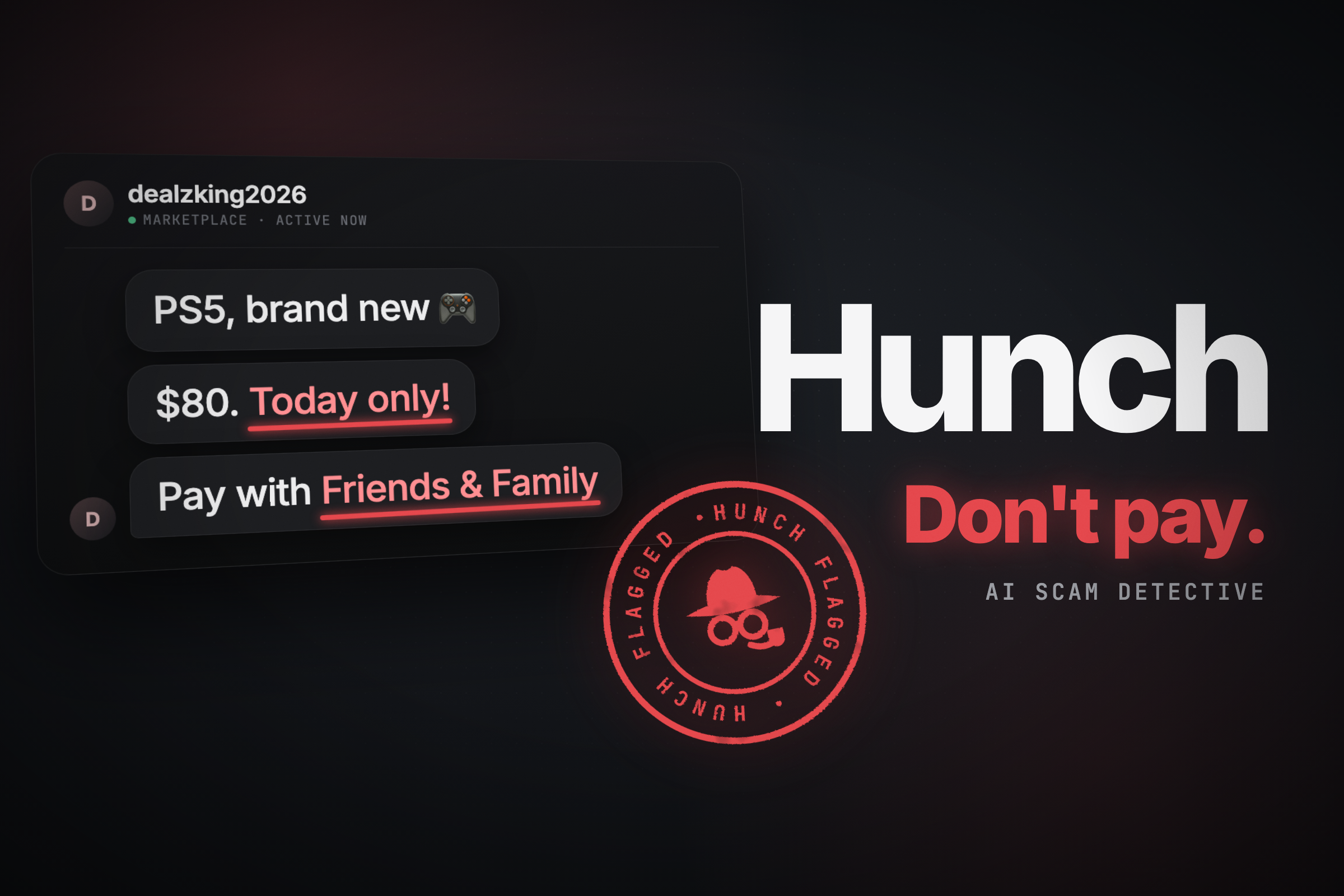
Hunch, your PayPal scam detective, flags a too-good PS5 deal before you pay.
Inspiration
Buying from strangers online is easy, and scammers count on that. A seller you've never heard of posts a PS5 at half price, asks you to pay with Friends and Family "to skip the fees," and says three other people want it. By the time something feels off, the money's gone.
PayPal already gives buyers real protection, but it works best when you use it right. Before you pay, that means spotting the warning signs. After, it means filing the right kind of dispute with the right evidence. Most people don't know which dispute reason fits their case or what proof PayPal wants, so they give up. I wanted to build the friend you'd text "does this look legit?", who also helps you get your money back when it wasn't.
What it does
Hunch has two modes:
- Vet a seller (before you pay). Paste a store link, a PayPal.me link, or the seller's message. Hunch checks how old the domain is, reads the page for HTTPS and contact details, looks for pressure tactics and risky payment requests (Friends and Family, gift cards, crypto), and asks Gemini whether it knows the business and what the item usually costs. You get a 0–100 trust score, a verdict seal (Looks legit, Be careful or Don't pay), every clue explained in plain language, and a list of what it couldn't check.
- File a dispute (after it goes wrong). Describe what happened in your own words. Hunch finds the payment in your PayPal activity, picks the dispute reason, writes a calm, factual case statement you can edit, lists the evidence to attach, files it through PayPal's Disputes API, and tracks the case with next-step coaching until it closes.
There's also a Your cases page that pulls every dispute on the account live from PayPal, an Ask the Detective Q&A box on every page, and a Chrome and Brave extension that vets the store you're on without leaving it.
Hunch is a tool, not an agent. It investigates and drafts, but nothing is filed or sent until you press the button.
How I built it
- Next.js 16 (App Router) + Tailwind CSS v4 for the app and its API routes, hosted on Render.
- Google Gemini (free tier) with structured JSON output, so every answer comes back in a shape the app can check. If
gemini-3.5-flashis busy, Hunch falls back togemini-3.5-flash-lite, thengemini-3-flash-preview. - PayPal Disputes API to file, list, read and track cases, and the Transaction Search API to list recent payments.
- RDAP to look up when a domain was registered.
- A small browser extension that calls the same vet endpoint as the site.
The trust score is the part I thought about most. I didn't want an AI making up a number, so Gemini never sets the score. Every clue, including the ones Gemini adds, has a fixed weight $w_i$, and the score starts at a neutral 60:
$$\text{score} = \min\left(100,\ \max\left(0,\ 60 + \sum_i w_i\right)\right)$$
70–100 looks legit, 40–69 means be careful, and 0–39 means don't pay. For the price check, Gemini estimates what the item usually sells for, and Hunch compares:
$$r = \frac{\text{asking price}}{\text{typical price}}, \qquad w_{\text{price}} = \begin{cases} -25 & r < 0.5 \ -10 & 0.5 \le r < 0.75 \ 0 & r \ge 0.75 \end{cases}$$
So a store registered 4 days ago ($-30$), selling a PS5 at 40% of the usual price ($-25$) and asking for Friends and Family ($-25$), with just those three clues, lands at $60 - 80 = -20$, which clamps to 0: Don't pay. The AI's judgment only moves the score through clues you can see, and every point traces back to one of them.
For the look, I went with a near-black theme where color only shows up when it means something: green, amber or red. A 3D detective follows your cursor and pulls out a magnifier while he searches, and every verdict lands as a rubber-stamp seal.
Challenges I ran into
- The PayPal sandbox has rules you only find by hitting them. Filing a dispute only works when the app's account is the buyer. But a case doesn't move until the seller responds, and the buyer's app can't escalate it. To show a case all the way to a refund, I set up a second sandbox app for a fake seller, Northside Resale, and a "simulate PayPal's decision" button that plays out the seller's side.
- Disputes are permanent. PayPal allows one dispute per payment, and there's no way to delete one, in the API or on the sandbox site. Every test used up a payment for good. So I added an Archived section, greyed out payments that already have a case, and a setting that hides everything before a cutoff date so judges start with a clean account.
- Transaction Search kept saying NOT_AUTHORIZED after I turned the permission on, because PayPal had cached the old access token for about 9 hours. Once it worked, new payments still took up to 3 hours to appear, since PayPal refreshes that data in batches. That's why Hunch also lets you type in a transaction ID.
- Free AI has limits. Hunch asks Gemini to use Google Search first, but search grounding isn't on the free tier, so it falls back to what the model already knows. I wrote the prompts so it never claims it searched, only calls a business "known" if it really recognizes it, and treats a small seller it's never heard of as unknown, not as a scam. Anything it can't confirm goes on the "couldn't check" list instead of being guessed.
- Watching more than one case. My first idea was "Log in with PayPal," but in the sandbox that can't give an app permission to file on someone else's account. PayPal already tracks every case, so Your cases reads them live from the Disputes API instead.
- Keeping Ask the Detective on topic. It answers questions about buying, selling, payments, scams and disputes, politely turns down everything else, and ignores instructions pasted into a question.
What I learned
- How PayPal disputes actually work: the reasons, the stages (filed, waiting on the seller, under review, closed), and what evidence helps a case.
- The best job for AI in a money app is drafting and explaining, not deciding. Hunch's own checks gather the facts, Gemini judges and writes from those facts, and the person makes the call.
- Platform limits can shape a product. Almost every "you can't do that" from the sandbox turned into a feature: the archive, the greyed-out payments, typing in a transaction ID, and the cases page.
- Design changes how much people trust what they're reading. Because color is rare in Hunch, green, amber and red carry weight when they show up.
What's next
Hunch runs on PayPal's sandbox for the hackathon, so judges can try every feature with demo payments and no real money moves. After that:
- Switch to live PayPal keys and add Log in with PayPal, so anyone can vet sellers and file disputes from their own account.
- Publish the extension to the Chrome Web Store.


Log in or sign up for Devpost to join the conversation.