-
-
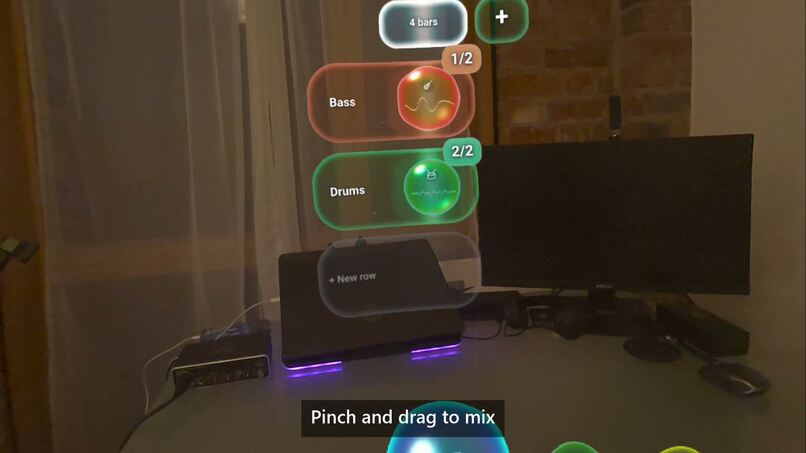
Build a song from instrument layers, each represented by a bubble.
-
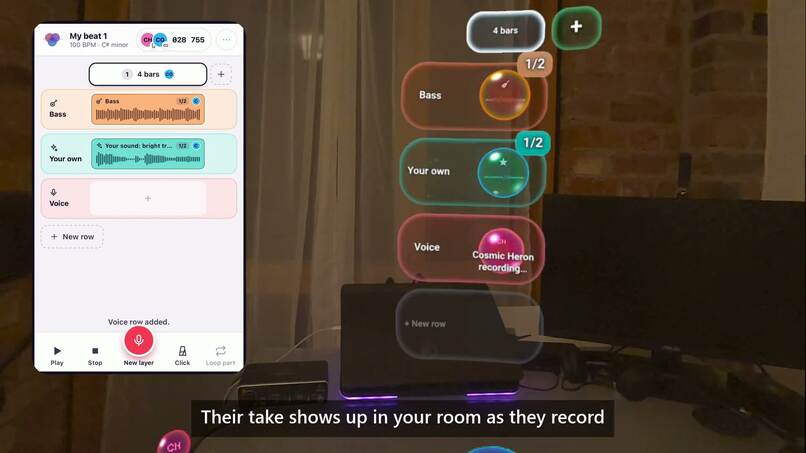
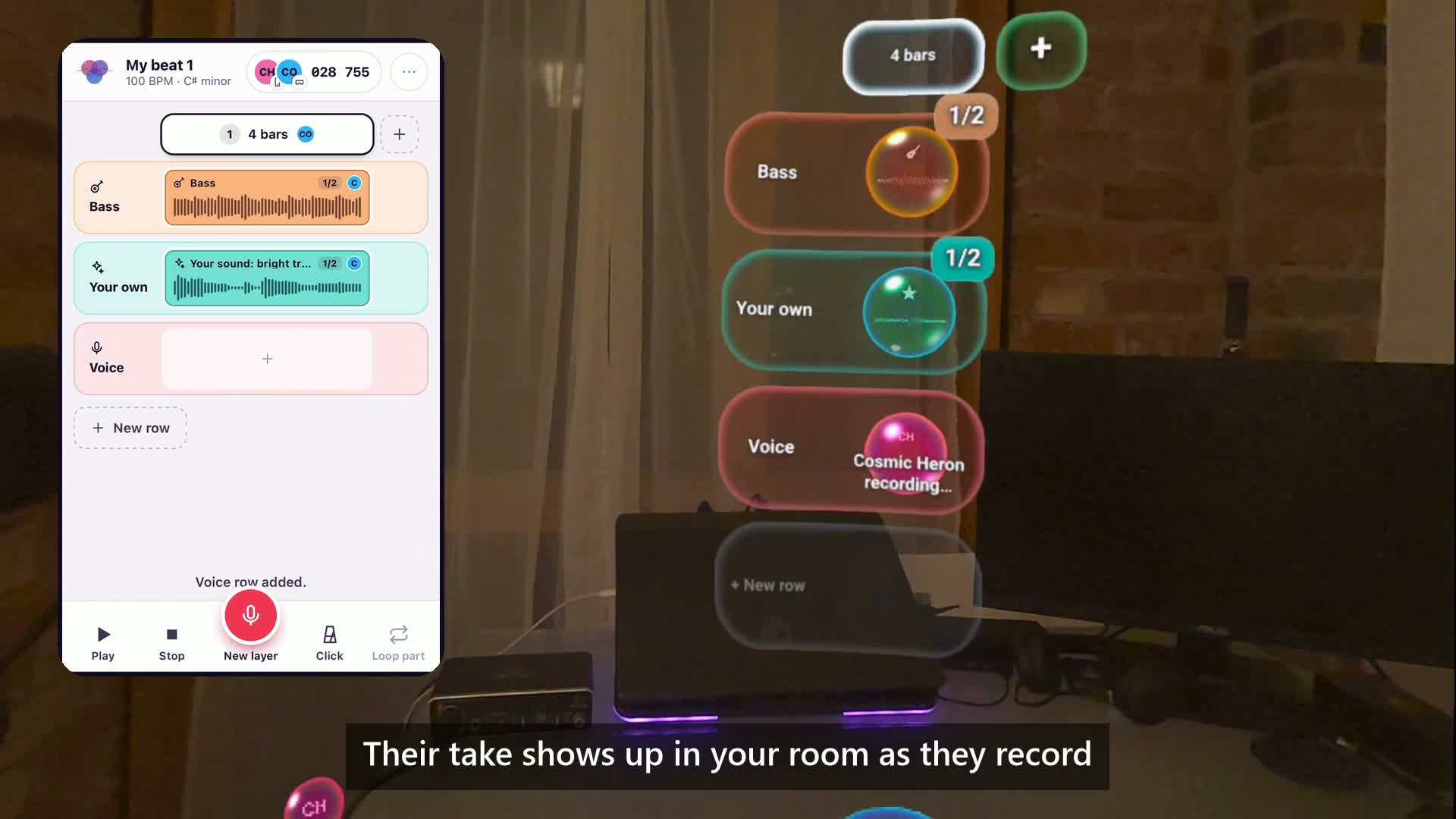
A phone joins the Quest studio and adds a voice layer to the shared song.
-
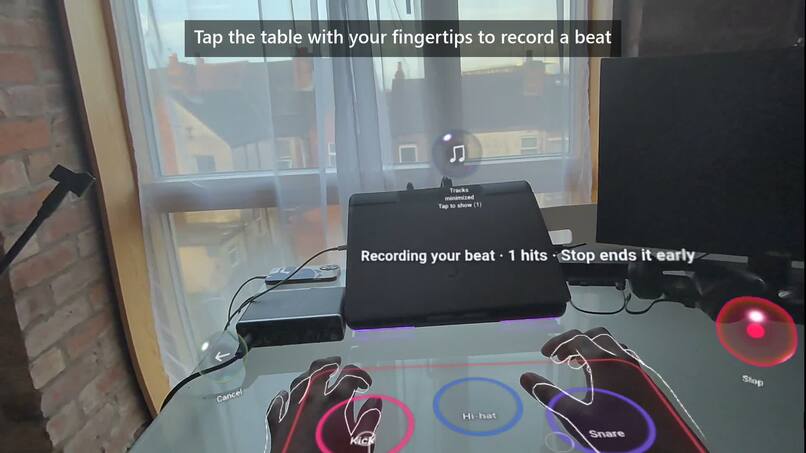
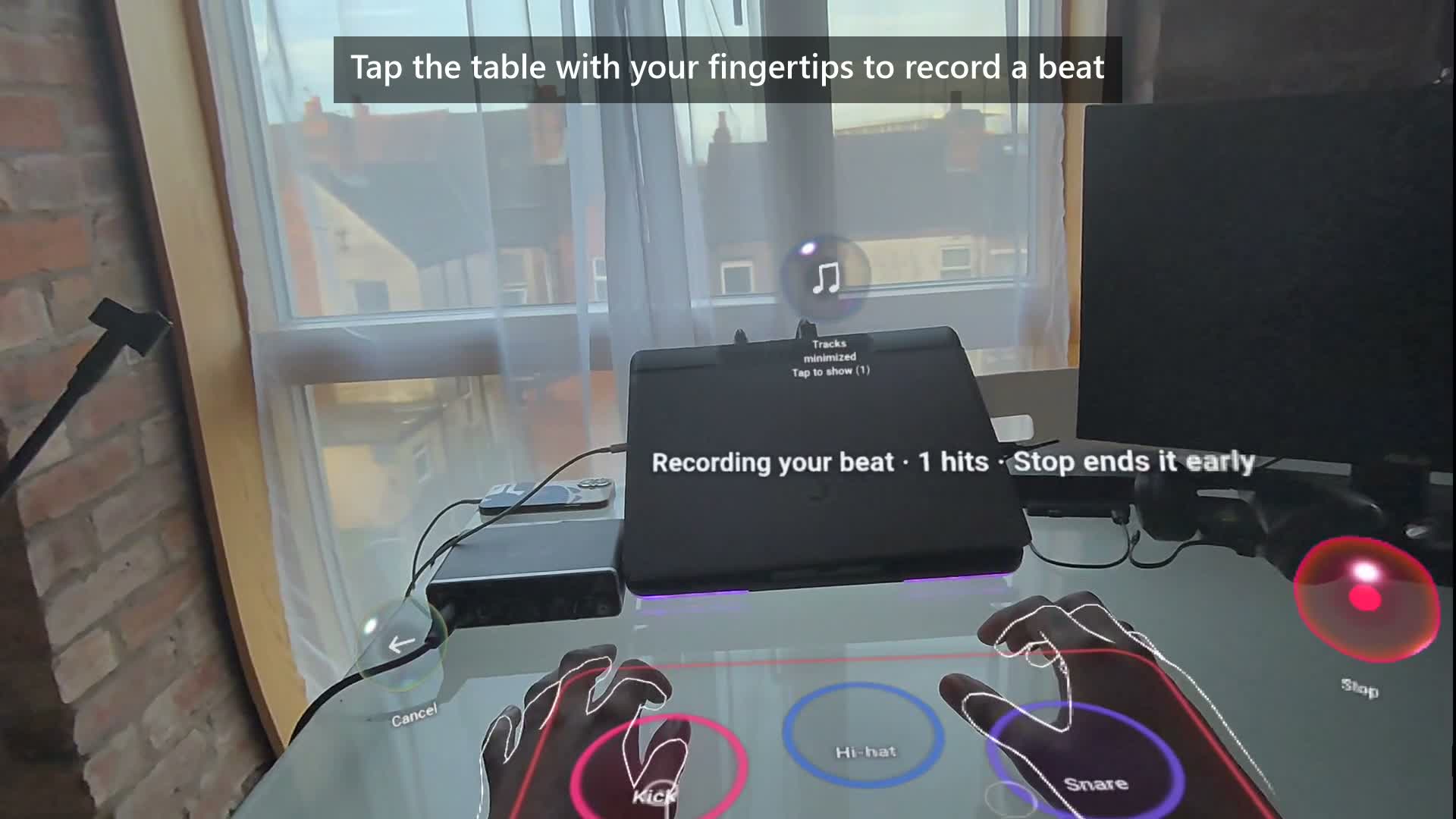
Tap drum pads on a real table using tracked fingertips.
Inspiration
A melody can start as a hum, or a beat tapped on the edge of a desk. I wanted to make a studio where you could start with that idea and hear it grow into a song. HumBubble puts the music in front of you as bubbles you can reach for, record into and move around.
What it does
HumBubble is a collaborative, voice-powered music studio where you create music by humming, beatboxing and interacting with bubbles.
In the Quest studio, you pick an instrument, pinch a recording bubble and bring it close to your face. Hum after the count-in, then pull the bubble away when you are done. You can listen back, redo the take or keep it. The app turns your recording into an instrument layer that loops with the song. You can hum a bass line, beatbox the drums, or say the sound you want and then hum its tune.
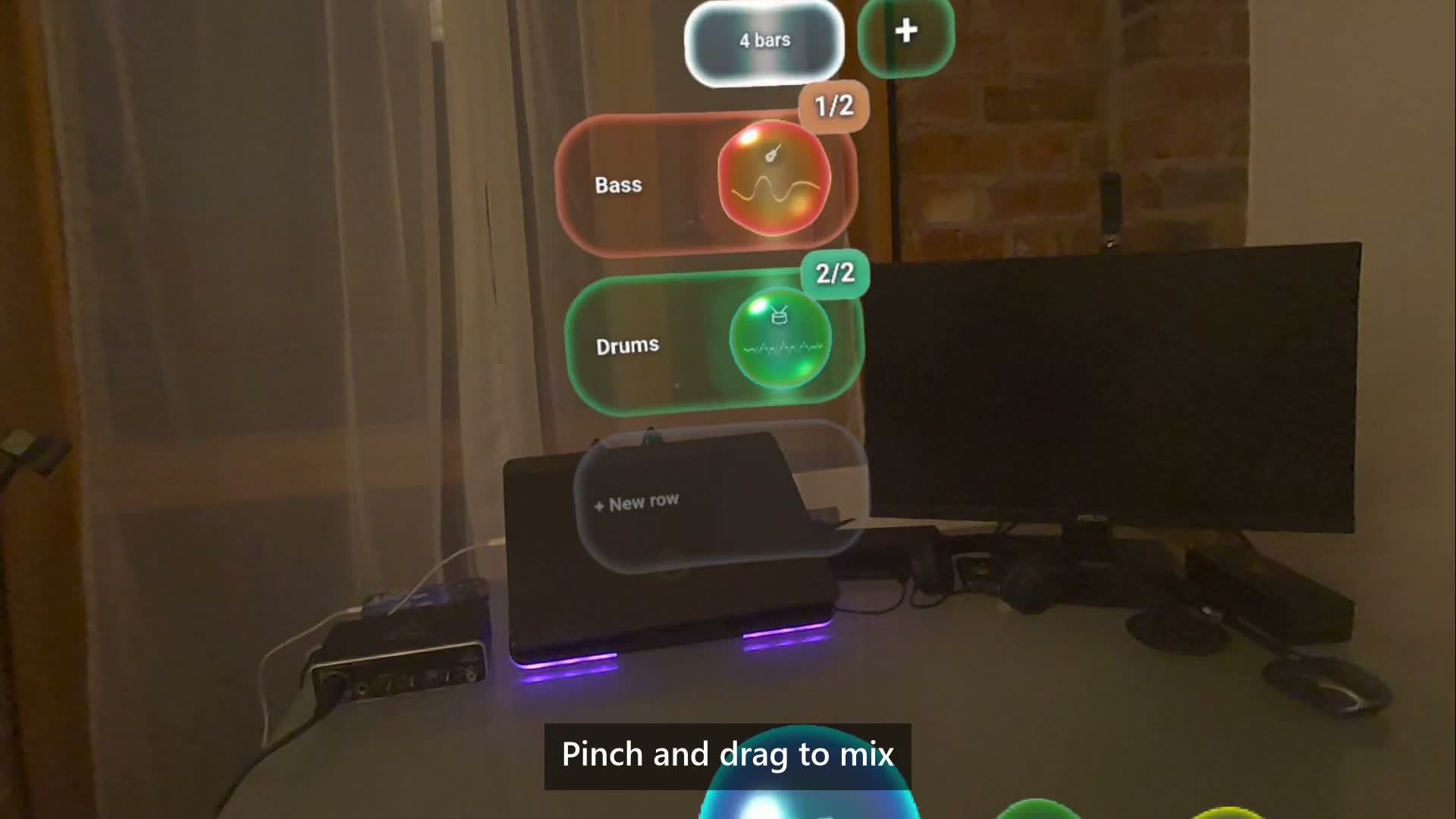
Each layer has its own bubble in a grid of tracks and song sections. Tap a bubble to mute it or compare the available versions, pinch and drag to change its volume, and move or copy layers into other sections to build an arrangement. Songs save automatically in My beats so you can return to them.
Mixed reality gives your room a role in making the music. With table drums, pads sit on your real table and tracked fingertip taps become a recorded drum loop. The studio is designed to be used seated, with hands and voice and the main controls close by.
You can create alone or invite friends with a six-digit session code. Sessions support two to six people across Quest, computers and phones. Everyone works on the same song, with visible feedback showing who is recording and where their take will go. Each person controls playback on their own device. The showcase demonstrates a phone joining the Quest studio and adding a voice layer.
How I built it
The Quest experience runs in Quest Browser using WebXR, Meta’s Immersive Web SDK (IWSDK) and Three.js. A Preact interface brings the same song model to computers and phones. TypeScript connects the studio interactions to the recording, mixing and arrangement tools.
The audio engine uses the Web Audio API for recording and playback. A Node.js and Hono backend handles music-processing jobs and shared sessions. Instrument generation uses Kie, with fal.ai for stem separation when enabled; OpenRouter supports speech-to-text and described sounds. WebSockets carry song edits and recording presence between devices, while audio is transferred separately. The app is hosted on Railway.
Challenges and what I learned
Recording needs a clear beginning and end when your hand is close to your face. Hand tracking can lose sight of a pinch there, so recording ends when you pull the bubble away. Table drums brought a different problem: translating tracked fingertip movement into deliberate hits while keeping the pads aligned with a real surface.
Collaboration meant deciding what people should share. Song edits and audio belong to the session, while playback stays local. A take someone is still recording or reviewing needs to be protected from conflicting edits. Reconnecting also needs to bring back the song without losing changes.
Building these interactions taught me how much the small details matter. A count-in, a visible waveform and a clear Use it or Redo choice make the recording process easier to follow. The next work is broader device and room testing, refining the hand interactions and improving the consistency of generated instrument layers.
What is next
The public web prototype is available now. I’m targeting March–April 2027 for a wider launch, with more testing and refinement before then.
To try it, open the project link in Quest Browser and enter Mixed Reality. Allow microphone access to record; headphones help. On a computer or phone, the same link opens the browser studio. To collaborate, choose Create with a friend, create a session and share its code.
Built With
- hono
- iwsdk
- node.js
- preact
- three.js
- typescript
- web-audio-api
- websockets
- webxr


