-
-

Logo
-
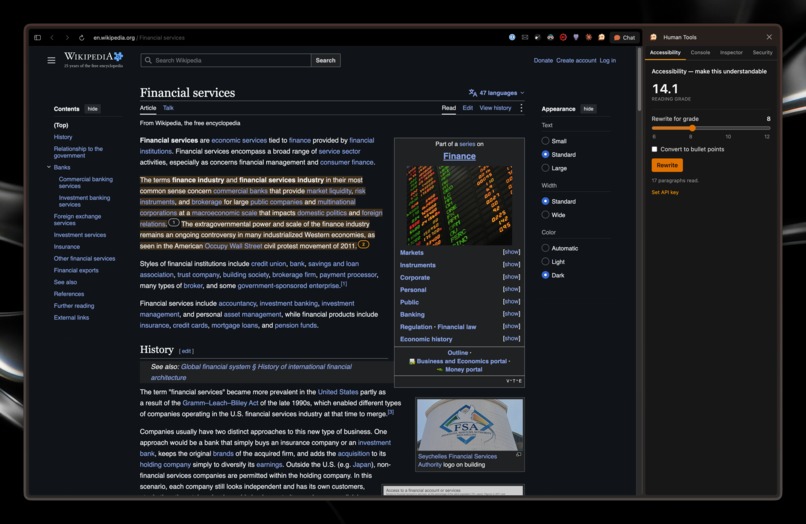
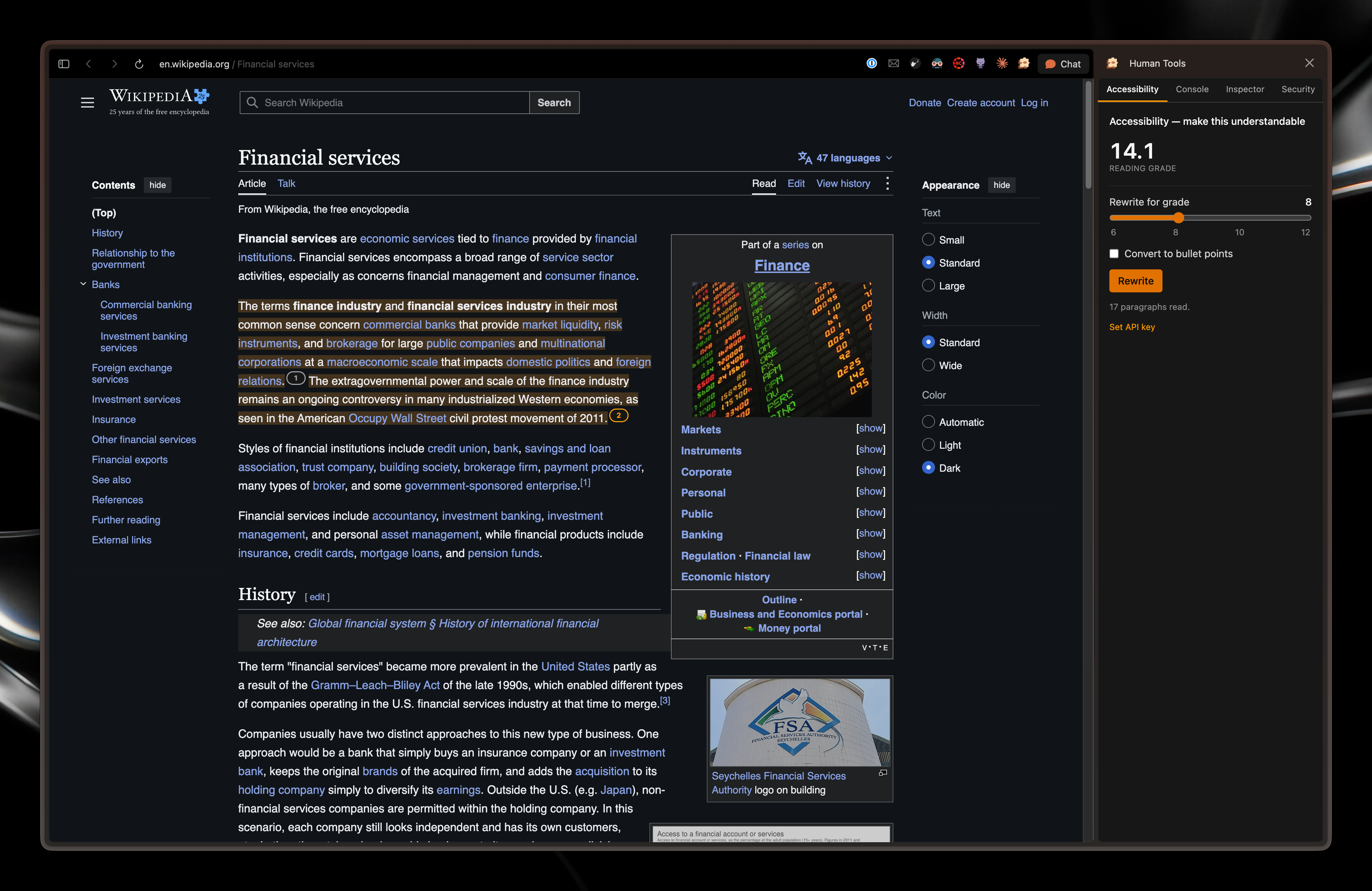
Wikipedia - Accessibility
-
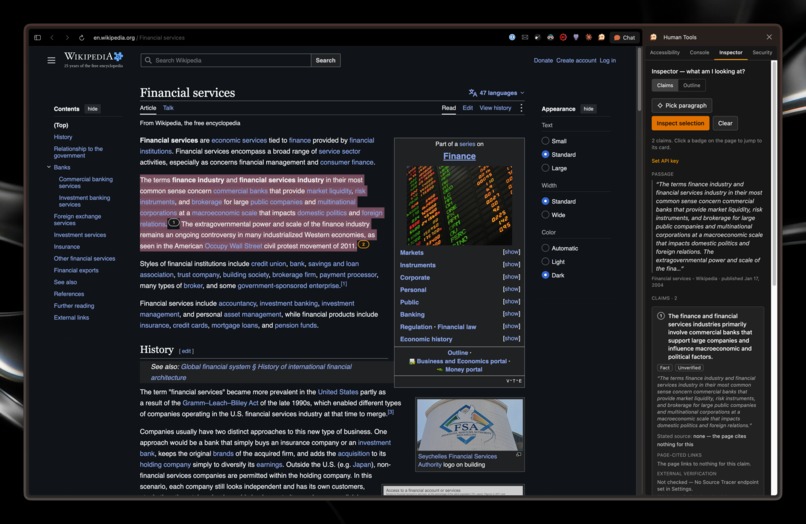
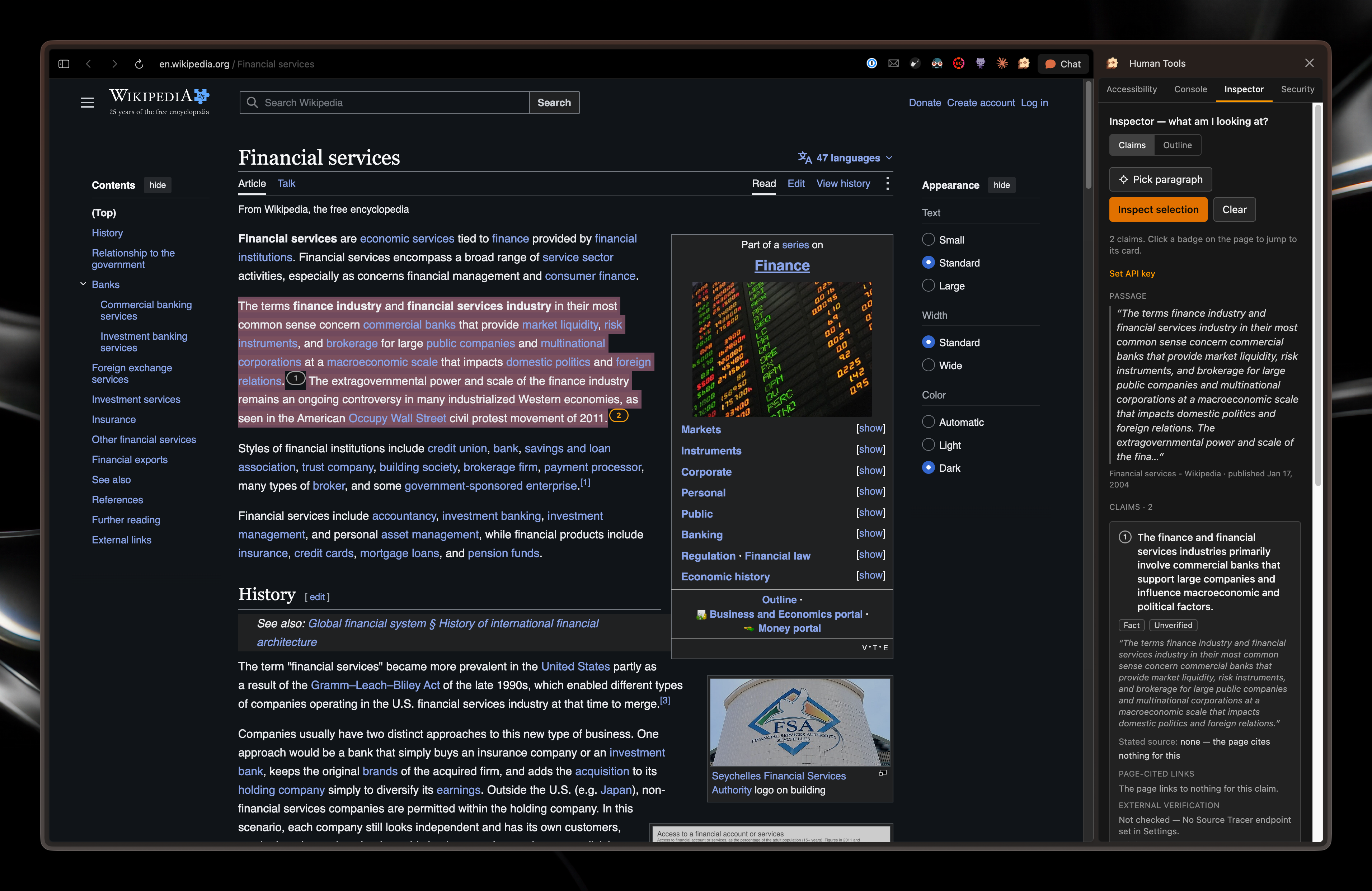
Wikipedia - Inspector
-
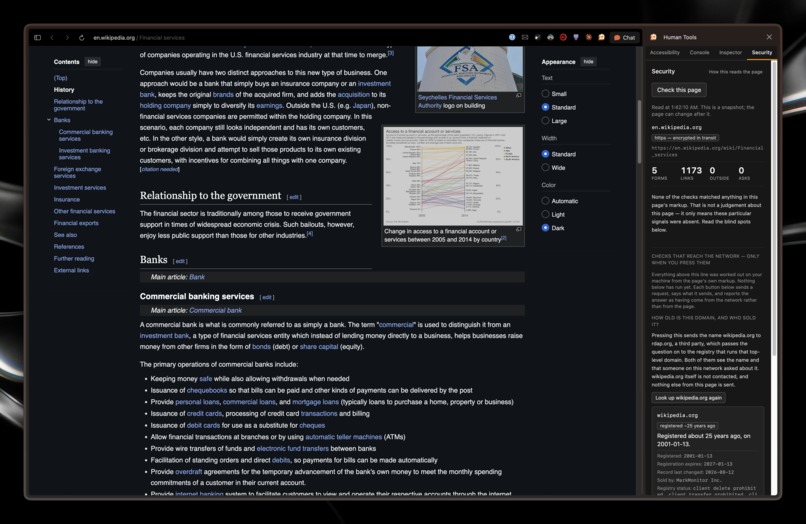
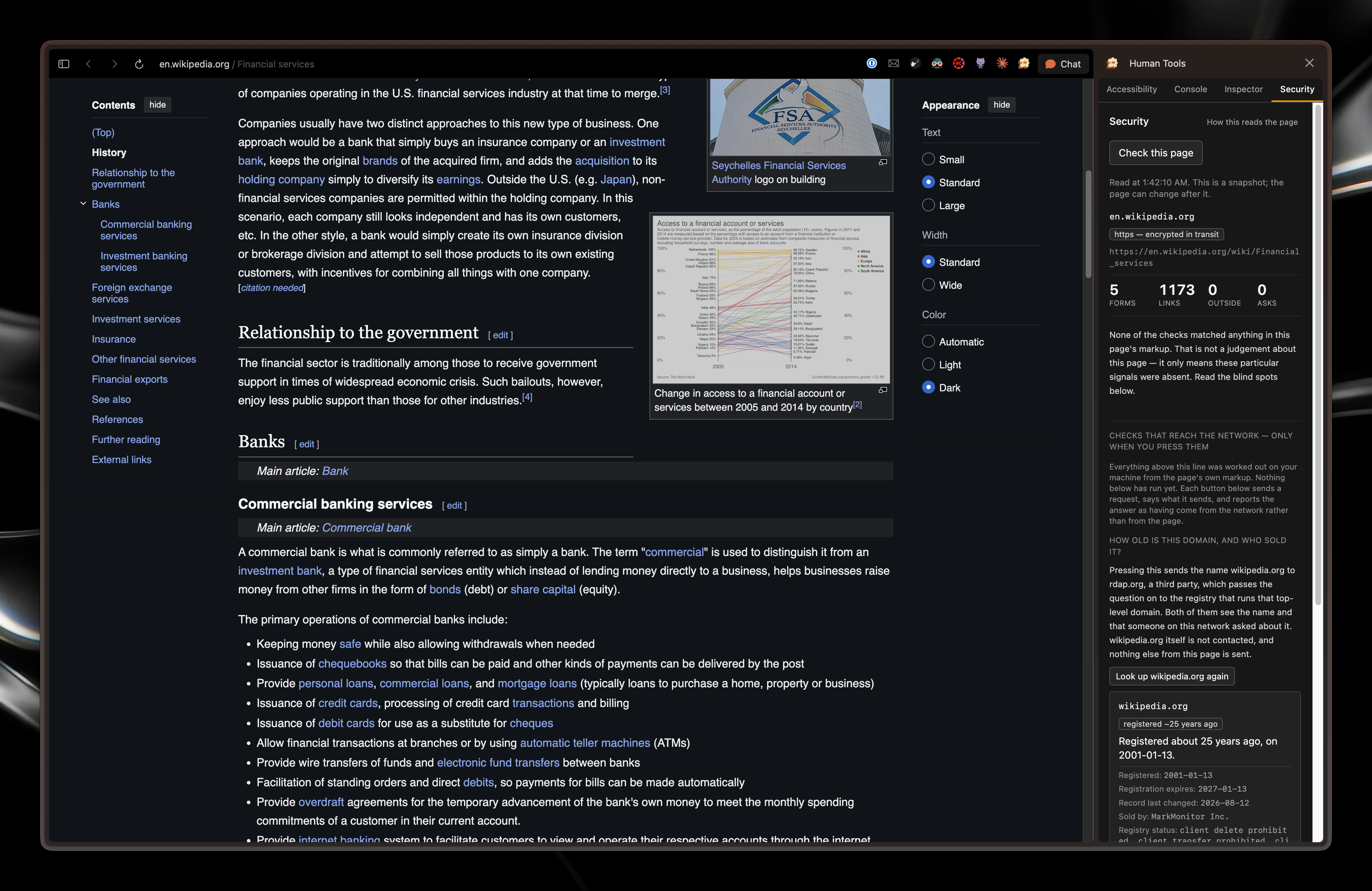
Wikipedia - Security
-
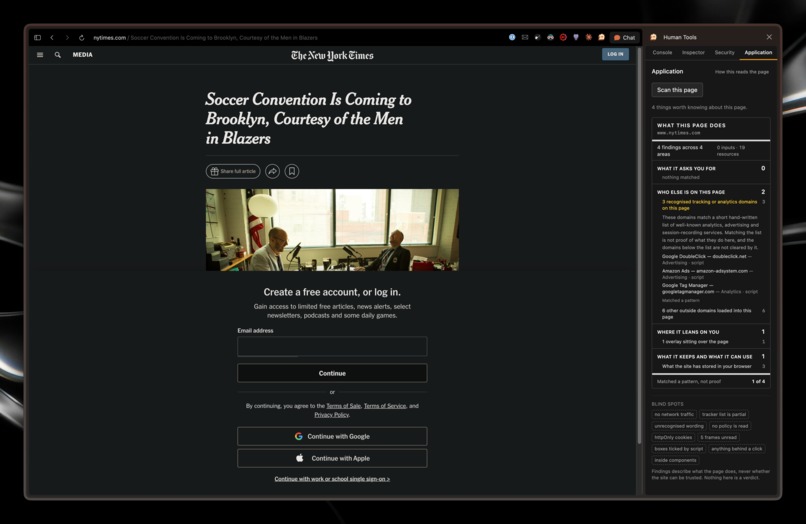
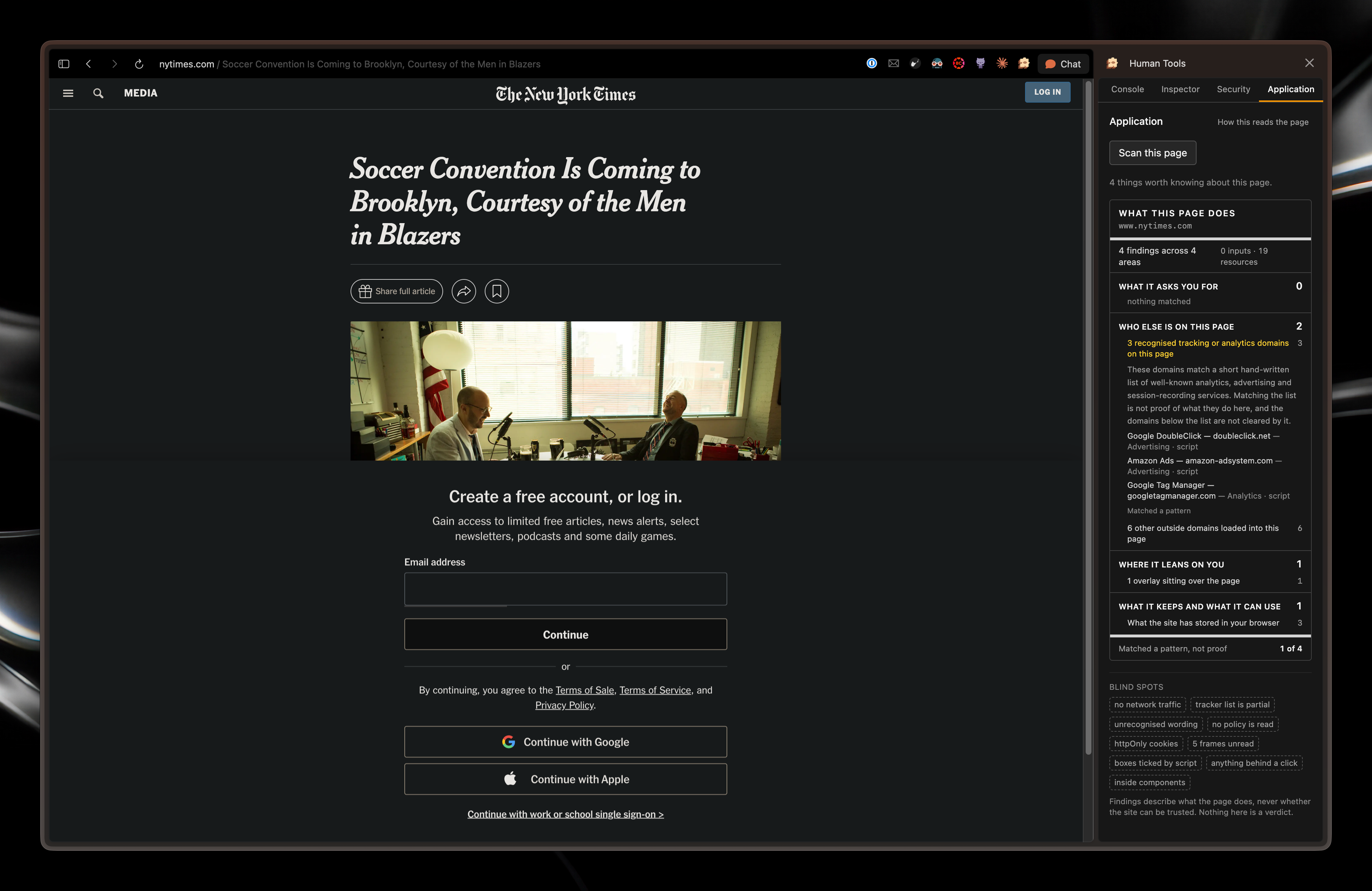
NYTimes - Application

Inspiration
Most developers have opened DevTools at some point in their career. We wanted to build a tool that not only developer could use, but everyone; every human.
What it does
HumanTools is a side panel with five tabs, mimicking the DevTools that you'd see in a typical Chromium browser.
- Accessibility - Simplifies the content of an article for people who struggle reading technically challenging topics
- Console - Allows users to talk with an LLM with the article as context and sources included
- Inspector - Allows users to check the sources of statements through a background search agent and being able to check if it was written by AI
- Security - See information about a website like whether it's served over HTTPS, registration dates, and scripts that come from other origins
- Application - Allows you to see what kind of tracking or advertisement services are attached to a website
How we built it
We used Codex to quickly design a spec describing what the goal of the project was, what we wanted it to do, and what technologies we wanted to use. Later on we used Claude Code with several skills that allowed up to speed up and streamline the process of implementing the spec.
We learned to use GPTZero's API to verify whether certain text was written by AI and to what confidence.
Cloudflare Workers were used to run searches in the background with Brave Search which found candidates that were loaded and scrape via Browserbase.
ElasticSearch is used to rerank and store claims that were already verified so that API credits aren't wasted on redundant calls.
Challenges we ran into
Scope. We started with a full complete copy of chrome's devtools but ended up realizing that the scope of the project was a little too ambitious and that we were trying to come up with features that realistically gave no real value to the product.
Layout and UX. We learned about the importance of designing a layout that optimized user experience by making sure that everything was intuitive and not cluttered with a lot of options; have lots of features is only worth it if the users know how to navigate it.
What we learned
We got to implement a variety of different tools that we've never used before. for example, Browserbase for loading untrusted pages in a sandbox, and GPTZero's API for AI-content detection, which is kind of different from just using GPTZero's web solution.
We also learned how important layout and UX was for a project like this, especially when it's dedicated to such a wide audience. Having lots of features is only worth it if the users know how to navigate it.
What's next for Human Tools
Finances: A tool that shows where a company's money is actually going, via a Sankey chart.
Personalized content delivery: Let users save their own styles and system prompts so the AI model delivers content in the way users prefer
A better Console: The Console currently only reads the page the user is on. The user should be able to highlight parts of the article or even import other sites into the Console to pull ideas together and ask more comprehensive questions.
RAG for larger content: A RAG system so longer webpages and articles don't overflow the model's context window.
More providers: We want to allow for a wider audience, and part of that is allowing users to choose which providers they want to use (Deepseek, Grok, etc).
Better sourcing in Inspector: It only works from the first handful of search results, but we want it to weigh more sources and prefer reputable ones, so the response to the user is more curated than whatever shows up first from the search results (especially since some search results contain sponsored results, which may not necessarily be the most accurate).
File support: We want to be able to support other types of inputs (such as PDFs) instead of only webpages.
A multi-plan system: Since APIs can easily rack up costs, a hosted version can be available at a paid plan for users that do not wish to BYOK.
Try it
bun install && bun run build
chrome://extensions → Developer mode → Load unpacked → dist/.
Security and Application work immediately, with no key. Add an OpenAI or OpenRouter key in Options for the other three. See the README for more details
Built With
- browserbase
- bun
- elastic
- gptzero
- openai
- openrouter
- typescript


Log in or sign up for Devpost to join the conversation.