-
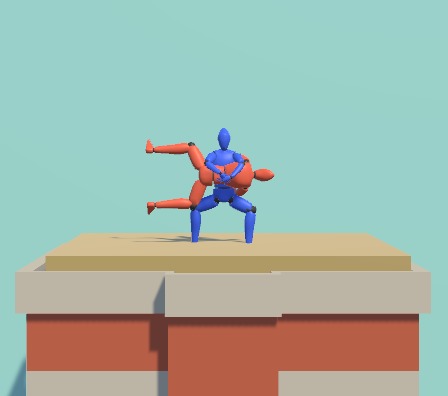
Cover Image
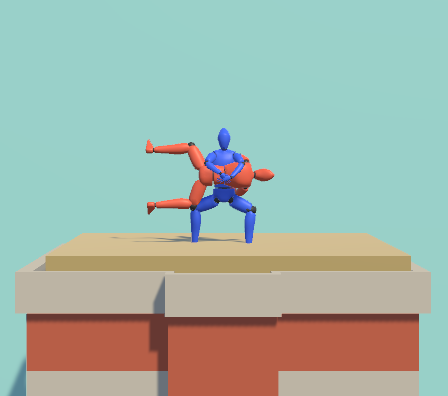
Game Summary
Hug & Hop is a fast-paced local co-op platformer for two players. The game features two characters locked in a continuous hug, requiring teamwork and precise timing to jump between skyscrapers in a bustling cityscape. Players must navigate environmental challenges. Inspired by a humorous TikTok video, Hug & Hop delivers a unique twist on cooperative platformer gameplay.
Feature
Hug & Hop is a physics-based local co-op platformer where two players team up to navigate skyscrapers. Each player alternates jumps while remaining locked in a hug, with jump height and distance determined by how long the jump button is held. The primary goal is to land safely on the next rooftop, avoiding failure and environmental hazards.
The game introduces diverse rooftop types, each color-coded to indicate unique obstacles, adding variety and challenge. A dynamic leaderboard, powered by DynamoDB, tracks and displays how quickly teams complete levels.
Controls
Space - Player 1 (RED) Jump
RightShift - Player 2 (Blue) Jump
X - Respawn
R - Restart Level
Esc - Quit Game
How to play
- Open the attached Zip File
- Open Hug&Hop.exe
- Player 1 will be going first, as they press space to jump, the timer will automatically start.
How I used Amazon Q Developer
Not a single line of code was written by me during the entire development process; it was entirely handled by Amazon Q Developer.
I approached the development as a game designer collaborating with a programmer. To start, I created a detailed design document and a system flowchart, ensuring I understood how each system interacted and the sequence in which they should be developed.
With this foundation, I broke the design document into smaller components and instructed Q Developer to code each piece. Afterward, I conducted playtests, documenting feedback such as error codes, gameplay elements that felt off, and specific improvements I wanted. I then relayed this feedback to Q Developer for fixes and adjustments.
This iterative process of testing, feedback, and refinement continued until I achieved the desired results.
The next section will go into detail about how I worked with Q Developer.
Development Example
In this example, I developed the tile system for Hug & Hop using Amazon Q Developer. Here's the basic system description: Normal Tile: The most basic type; nothing happens when the player lands on it, and the game continues as usual. Colored Tile: Players share the same character, but Player 1 is red, and Player 2 is blue. When jumping, each player lands on the feet of the other player’s color. Tiles are either red or blue, and players must land on the matching color tile. Landing on a mismatched tile results in failure. Moving Tile: These tiles constantly move between points A and B, carrying players as they move. Process of Creation
1. Initial Setup I began by outlining the basic functionality framework, reserving space for each tile's specific features. Prompt: "I am currently creating different ground tiles as obstacles for my game. To begin, I would like to create enums that represent the type of tile: Normal, Color, Moving." Result: Q Developer generated enums and the foundational code for managing different tile types.
References I introduced key references needed for this functionality: the player and the tile game object. Prompt: "There will be two main references for the tile script: the player & the tile game object." Result: Code for tile interactions was generated, including a CheckColorMatch() function to verify player and tile color compatibility.
3. Playtesting & Debugging During initial playtesting, the color-matching function didn’t trigger correctly. Upon inspecting the code, I found the issue: it was using a trigger collider instead of a standard collision. I provided feedback for a fix. Prompt: "Fix CheckColorMatch() to use normal collision instead of a trigger collider." Result: The issue was resolved, and the function worked as intended.
4. Final Testing After further playtests, the entire tile system operated as expected, successfully integrating all tile types and their unique mechanics.
This iterative approach ensured the tile system met all gameplay requirements.
External Packages Used
Ragdoll Helper - A simulated physics based Ragdoll system. https://assetstore.unity.com/packages/tools/modeling/ragdoll-helper-49288
Banana Man - Character Model https://assetstore.unity.com/packages/3d/characters/humanoids/banana-man-196830


Log in or sign up for Devpost to join the conversation.