Inspiration
In today’s world, people try many different ways to look and feel their best. But choosing beauty products can still be confusing and overwhelming.
People often struggle with: Choosing the right shade that truly fits their skin tone Understanding skincare steps Knowing which product style matches their aesthetic Feeling confident experimenting with new looks
During the hackathon, we realized that AI + AR beauty technology could make this easier, more fun, and more empowering. The YouCam / PerfectCorp API [https://yce.perfectcorp.com/?affiliate=202602DevWeekHackathon] gave us a powerful way to bring professional-grade virtual try-on into an accessible web app.
So we created Hue&You—a playful, inclusive beauty assistant that helps users explore and experiment beauty with confidence.
What it does
1. Upload or capture a selfie ➡️Works directly in the browser ➡️Secured through our backend (no client-side exposure of API keys)
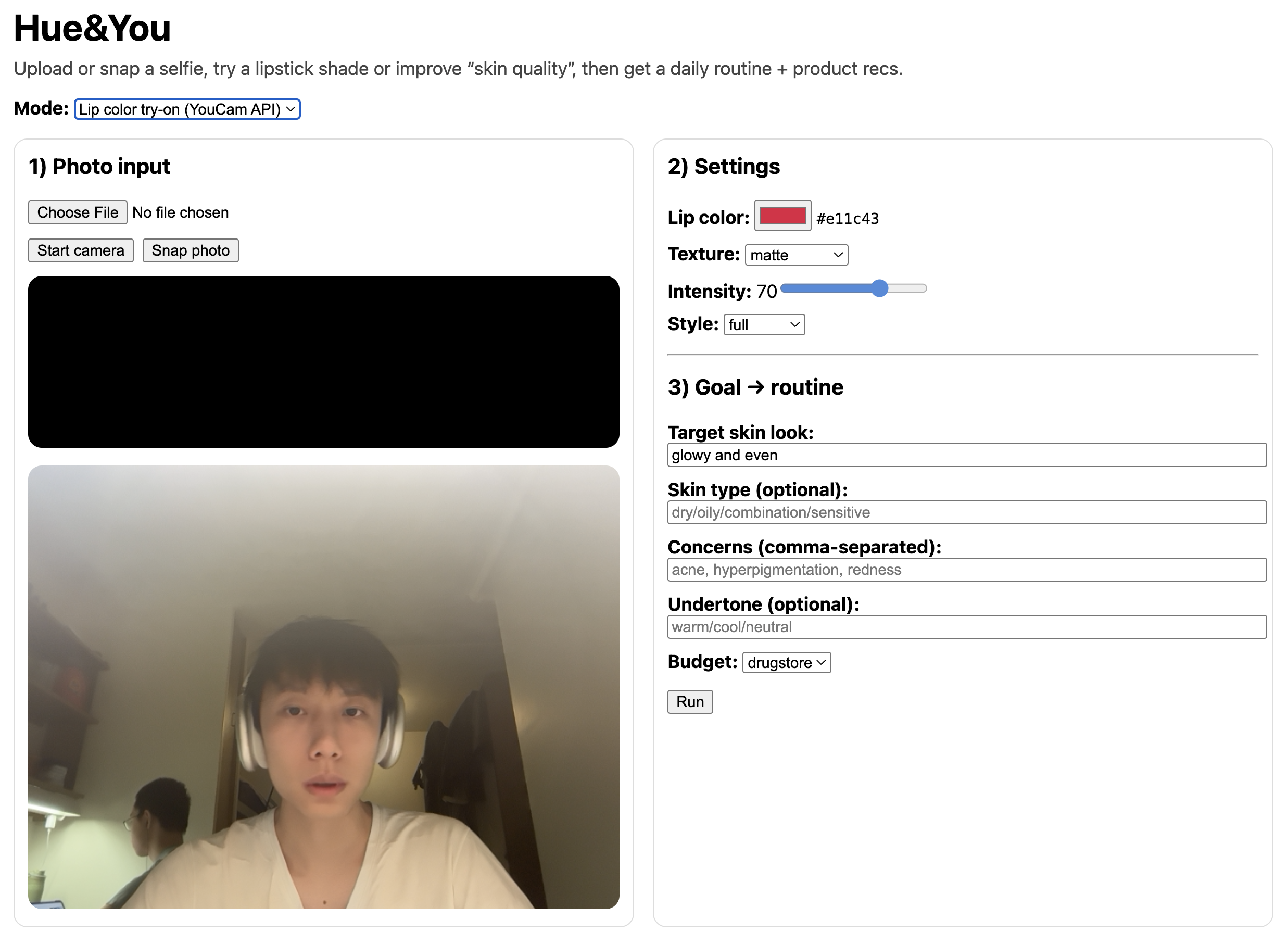
2. Try on lipstick colors using the YouCam VTO API ➡️Sends the image to PerfectCorp’s async try-on task ➡️Returns a processed image URL with virtual lipstick applied ➡️Users can toggle between shades to visualize their style
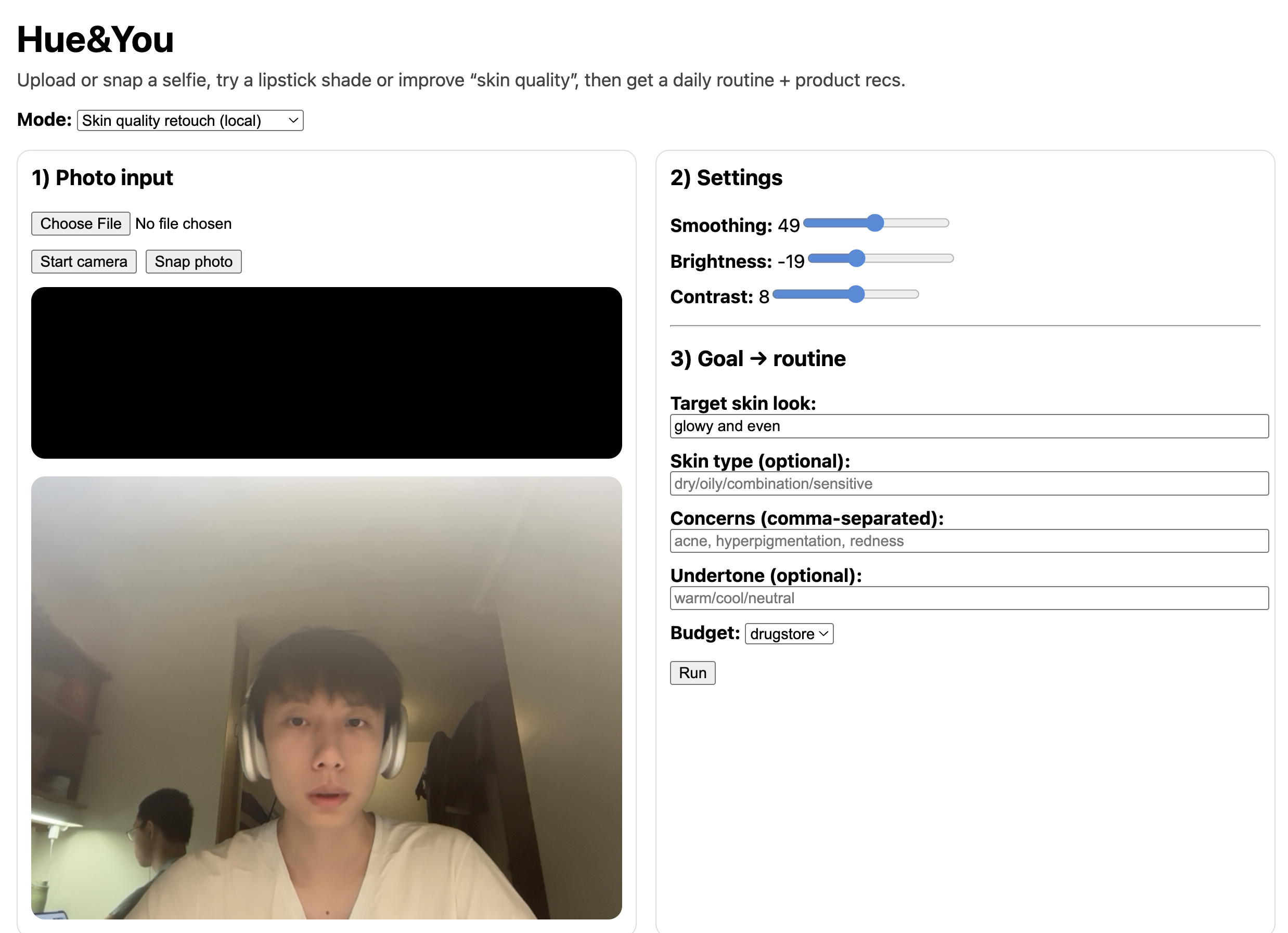
3. Apply a natural skin-retouch filter ➡️Implemented locally in Python (no external API needed) ➡️Smooths skin gently (not over-edited) ➡️Returns a PNG image directly
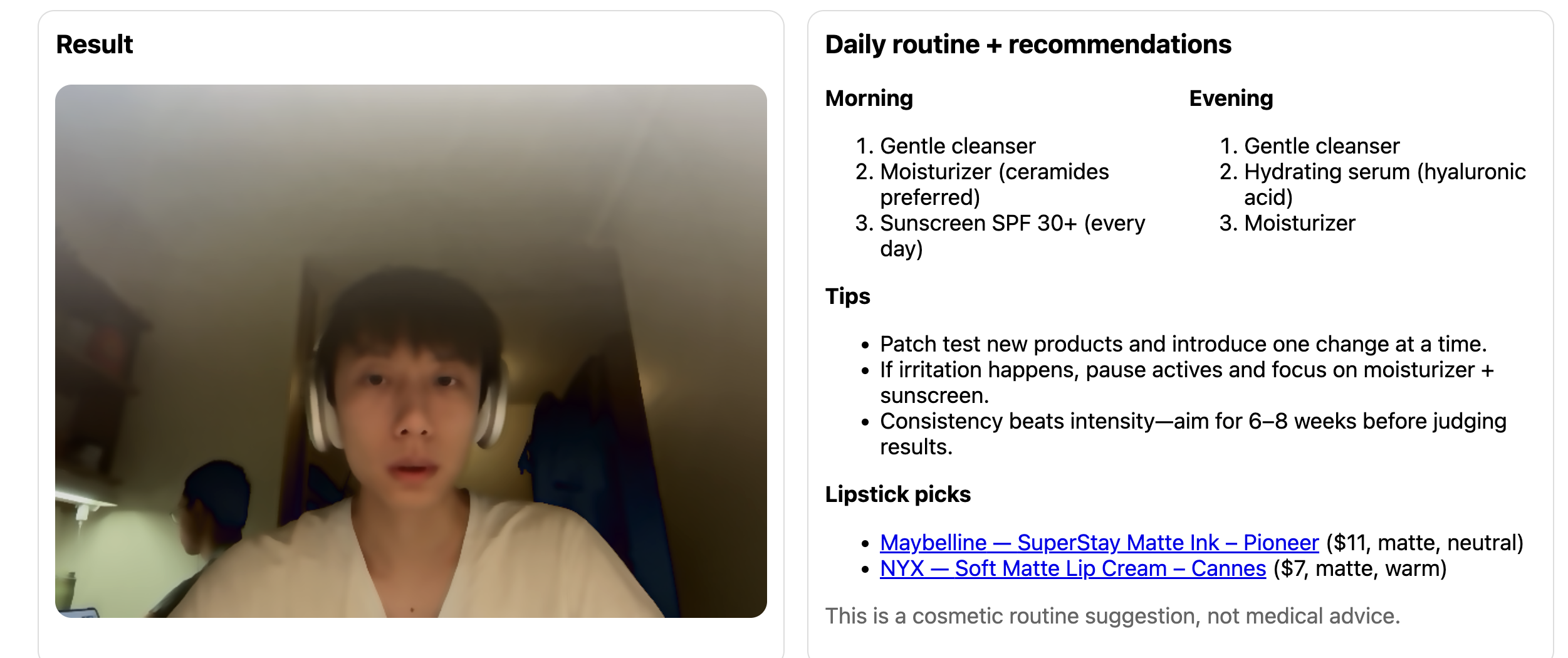
4. Receive a personalized daily beauty routine ➡️Generated by our backend ➡️Mixes simple, universal skincare steps with lipstick recommendations ➡️Optionally enhanced by OpenAI if an API key is provided ➡️Clear note: results are non-medical and for demo UX only
5. Enjoy a smooth, clean, modern UI ➡️Built with React + Vite ➡️Intuitive flow: upload → choose effect → preview → routine
How we built it
Frontend (React + Vite) ➡️Camera or file upload component ➡️Preview panels for original, retouched, and lipstick-applied images ➡️Dropdown to select lipstick shades ➡️Clean state management for async results ➡️User-friendly fallback states (loading, API errors, etc.) ➡️Deployed easily with a simple run script
Backend (FastAPI) ➡️We built a structured API with three main endpoints:
/tryon/lipstick ➡️Integrates with YouCam / PerfectCorp API ➡️Sends user selfie + selected color ➡️Polls for the finished result (async task) ➡️Returns a URL to the processed image
/retouch/skin ➡️Local Python imaging (OpenCV + filters) ➡️Fast, offline, reliable ➡️Returns a PNG file
/routine ➡️Generates a beauty routine + recommended shades ➡️No user data is stored
Infrastructure & Tooling ➡️Dockerized frontend + backend for consistent judging environments ➡️docker-compose.yml to build everything with one command ➡️Logging to /tmp for macOS developer convenience ➡️OpenAPI schema auto-generated from FastAPI endpoints
Security ➡️API keys remain backend-only ➡️CORS configured safely ➡️No persistent image storage—everything is in-memory for demo privacy
Challenges we ran into
1. Async API handling
➡️The YouCam API works asynchronously ➡️We had to submit a task and poll until it finished ➡️Managing loading states without breaking UX was tricky
2. Natural-looking retouch
➡️We wanted subtle skin smoothing ➡️Too much blur looked unrealistic ➡️Tuning OpenCV filters required multiple tests
3. Security & API protection
➡️API keys had to stay backend-only ➡️No exposure in frontend code ➡️CORS and environment variables needed careful setup
4. Keeping UX simple
➡️Behind the scenes: multiple endpoints + async logic ➡️On screen: clean 4-step flow Upload→Try→Preview→Routine
Balancing simplicity with technical depth was challenging.
Accomplishments that we're proud of
1. Real AR integration
➡️Successfully integrated PerfectCorp VTO ➡️Working async pipeline end-to-end
2. Full-stack architecture
➡️React + FastAPI ➡️Dockerized setup ➡️OpenAPI auto documentation
3. Privacy-first design
➡️No persistent image storage ➡️In-memory processing only ➡️Demo-safe and user-conscious
4. Smooth demo experience
➡️Clear loading states ➡️Error handling ➡️Modern, intuitive UI
What we learned
Throughout this hackathon, we learned how to integrate a real-world AI API into a working web application. We handled authentication, asynchronous task submission, polling for results, and secure backend routing without exposing API keys. We also learned how to coordinate frontend state updates with backend responses to keep the experience smooth. On the product side, we learned how to simplify multiple technical steps into a clear four-step flow (upload → try-on → preview → routine). Balancing technical implementation with usability required iteration and careful decision-making.
What's next for Hue&You
Next, we plan to expand Hue&You beyond lip color into full-face makeup try-on, including blush, foundation, and eye looks. We aim to refine shade matching by incorporating basic undertone guidance and more consistent color rendering across different lighting conditions. We will integrate a structured product database with affiliate links and brand partnerships to enable real-time purchasing. In the long term, Hue&You can become a personalization engine for beauty e-commerce, turning inspiration into actionable routines, product decisions, and data-driven insights for brands.


Log in or sign up for Devpost to join the conversation.