-
-
Thumbnail
Inspiration
Sports are most enjoyable when everyone feels included, but viewers often have different levels of knowledge, accessibility needs, and interests. HuddleLens was inspired by the idea of turning a living room into a shared “huddle” where fans can understand, discuss, and participate in the match together.
What it does
HuddleLens is a Fire TV co-viewing experience that:
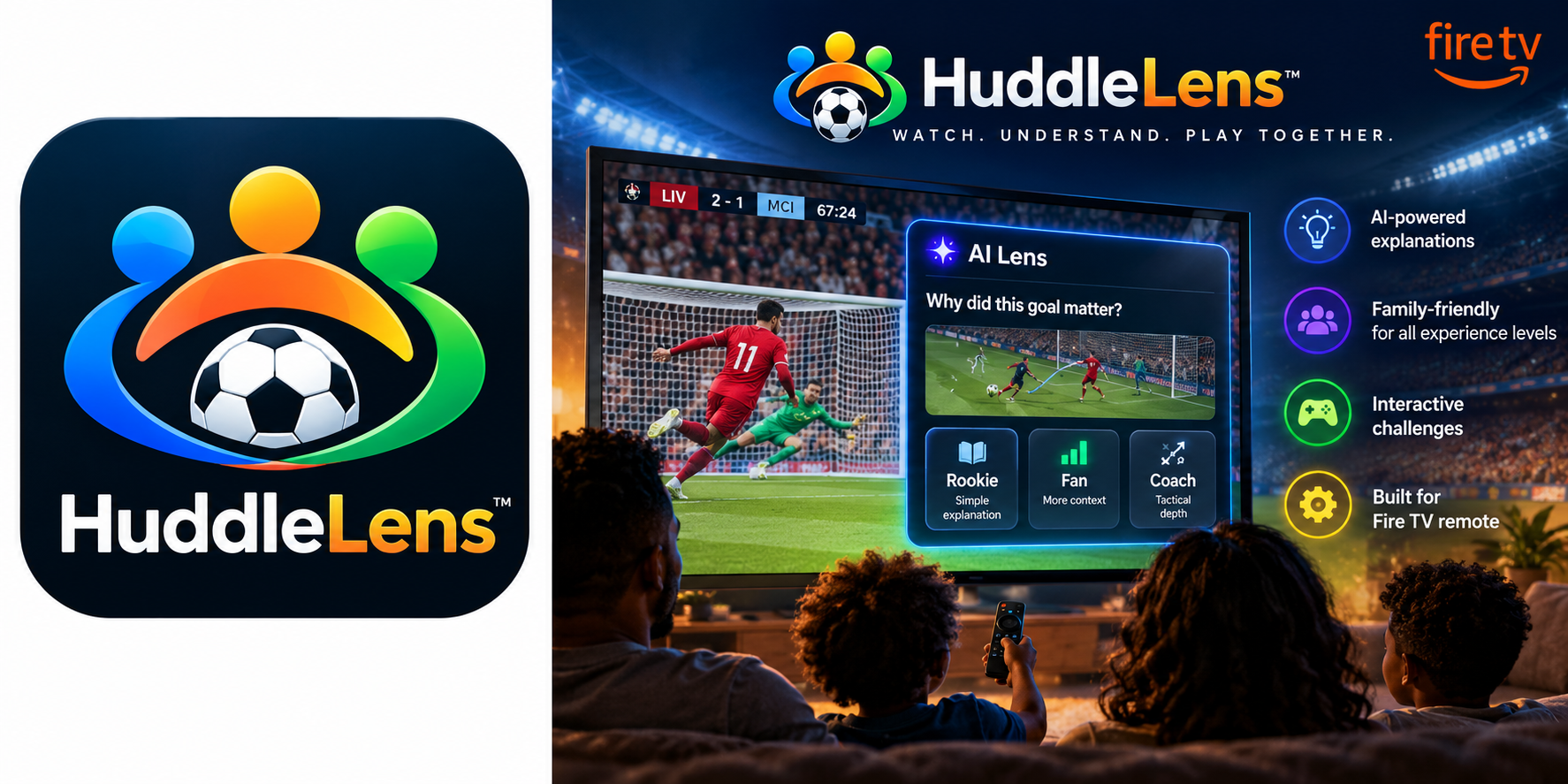
- Detects important moments in a live match.
- Explains why a play mattered at Rookie, Fan, or Coach depth.
- Uses animated tactical telestration and plain-language insights.
- Provides smart captions, spatial audio cues, calm commentary, and high-contrast viewing.
- Turns half-time into a family movement challenge.
- Supports both private camera-based motion detection and Fire TV remote controls.
How we built it
We built a dependency-light web application optimized for Fire TV’s ten-foot interface and D-pad navigation.
The system includes:
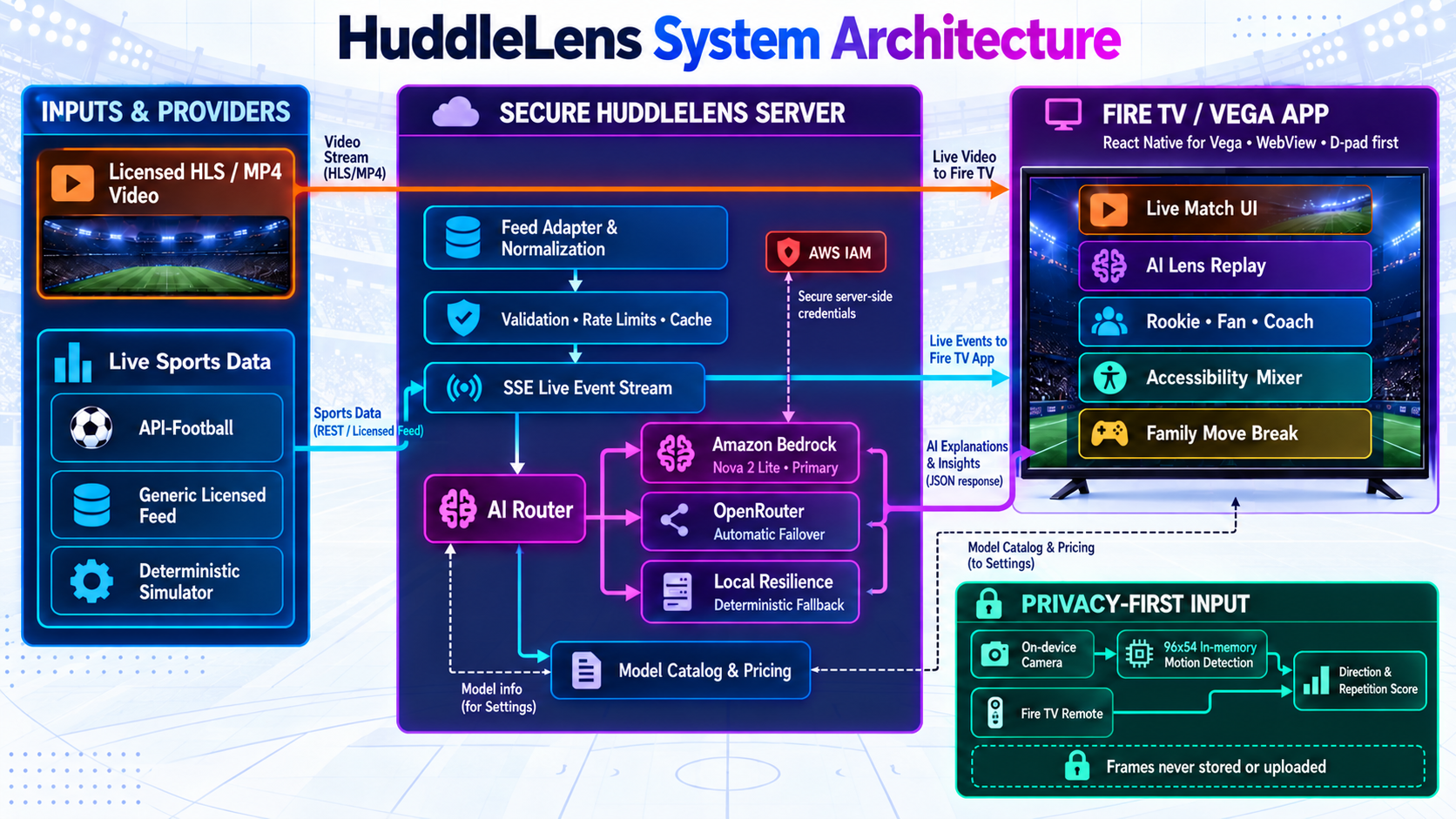
- A live sports adapter supporting simulator, API-Football, and generic licensed feeds.
- Server-sent events for real-time match updates.
- Amazon Bedrock with Nova 2 Lite as the primary AI provider.
- OpenRouter failover and a deterministic local fallback.
- Structured, event-grounded explanations with caching, validation, timeouts, and rate limiting.
- SVG-based tactical animations.
- Local 96×54 camera-frame processing that outputs only coarse movement directions.
- A remote-based movement fallback for camera-free households.
- A React Native/Vega wrapper for Fire TV packaging.
System Architecture Diagram
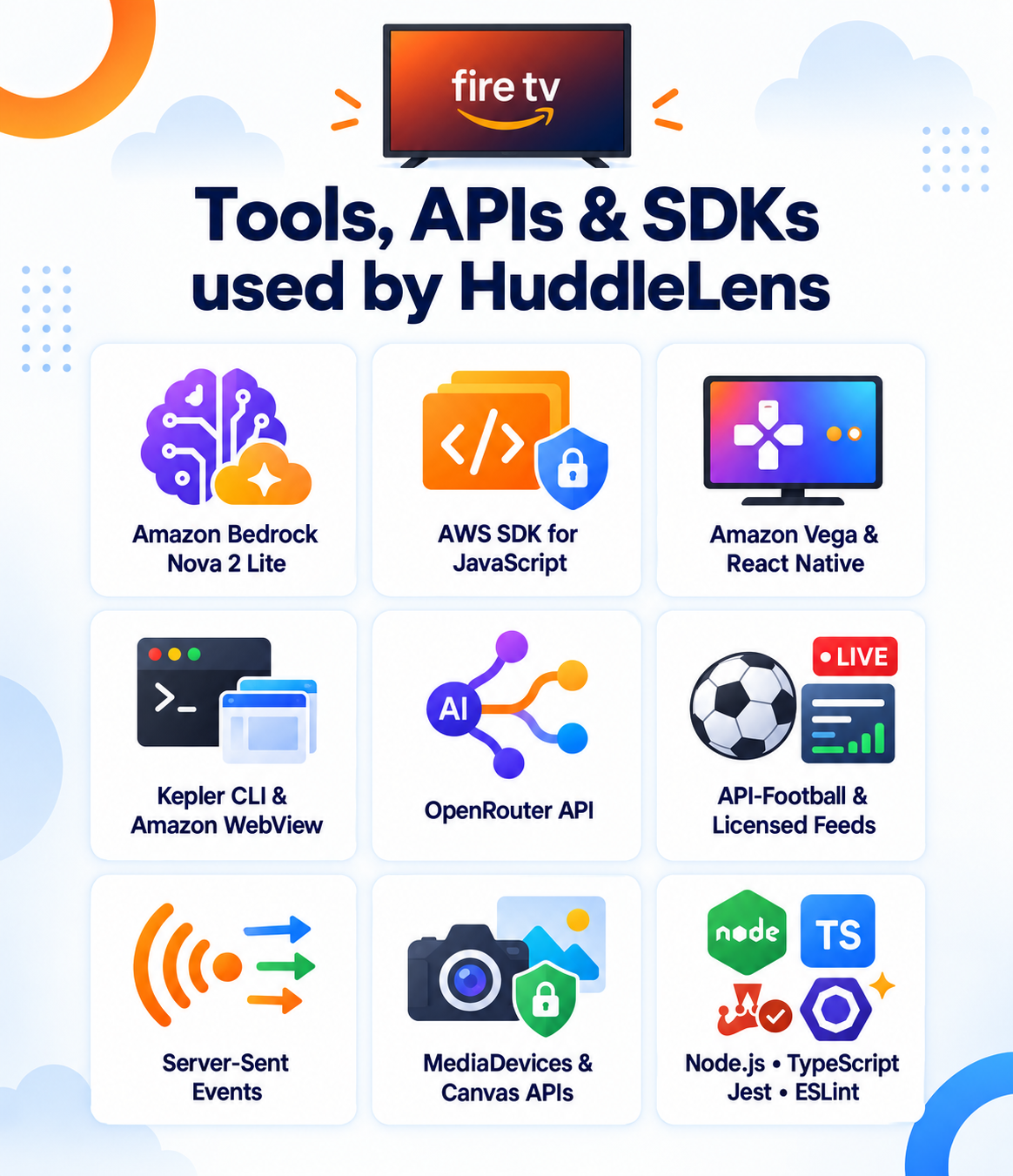
Tools, APIs, SDKs used by Huddlelens
Challenges We Ran Into
TV interaction is different from desktop interaction. Mouse-style focus was not sufficient, so we built a dedicated focus system with wrapping navigation, persistent focus rings, large targets, and Fire TV Back behavior.
We also had to ensure the AI enhanced the broadcast without interrupting it. Explanations are therefore optional, appear only for meaningful moments, and remain non-blocking.
Other challenges included handling provider failures, supporting simulator-safe demos without credentials, designing camera privacy protections, and keeping the experience reliable when licensed video is unavailable.
Accomplishments That We’re Proud Of
- A polished end-to-end Fire TV experience controlled with only five remote buttons.
- Three explanation levels for viewers with different knowledge of the sport.
- A reliable AI routing system with Bedrock, OpenRouter, and local fallback support.
- Accessibility controls available directly from the match experience.
- A family movement challenge that works without external hardware.
- Privacy-first on-device motion processing with no uploaded camera frames.
- A reusable open-source
huddlelens-motionlibrary. - Automated tests covering focus behavior, motion scoring, provider contracts, and browser workflows.
What We Learned
The best AI experience on television is quiet and well-timed. It should explain one useful idea at the right moment, then get out of the way.
We also learned that accessibility features benefit everyone when they are integrated into the main viewing experience instead of hidden in a separate settings maze. Finally, privacy and resilience must be designed into the architecture from the beginning—not added later.
What’s Next for HuddleLens
Huddlelens Road Map
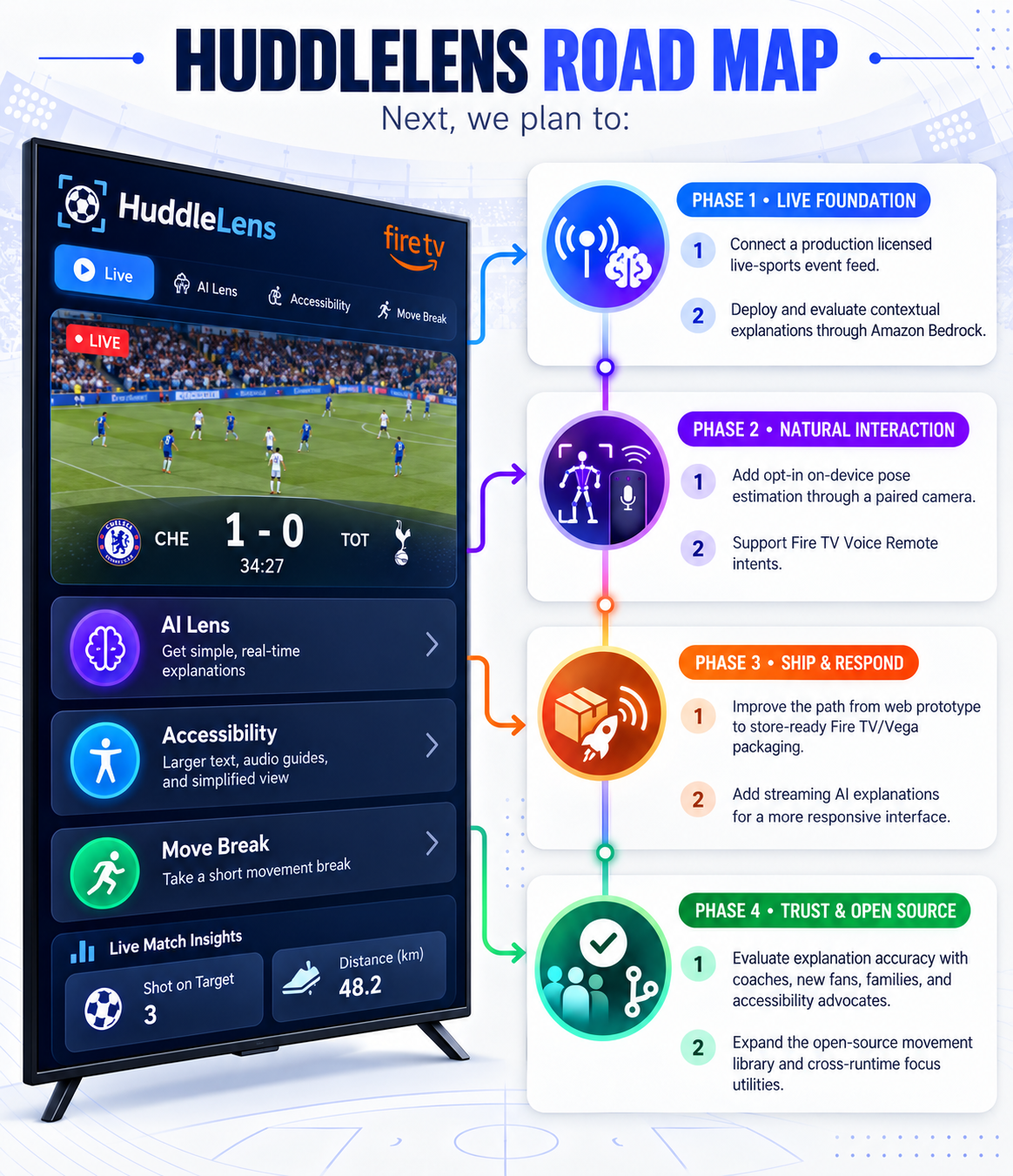
Next, we plan to:
- Connect a production licensed live-sports event feed.
- Deploy and evaluate contextual explanations through Amazon Bedrock.
- Add opt-in on-device pose estimation through a paired camera.
- Support Fire TV Voice Remote intents.
- Improve the path from web prototype to store-ready Fire TV/Vega packaging.
- Add streaming AI explanations for a more responsive interface.
- Evaluate explanation accuracy with coaches, new fans, families, and accessibility advocates.
- Expand the open-source movement library and cross-runtime focus utilities.
Built With
- css
- html
- javascript
- json/toml
- swift
- typescript

Log in or sign up for Devpost to join the conversation.