-
-
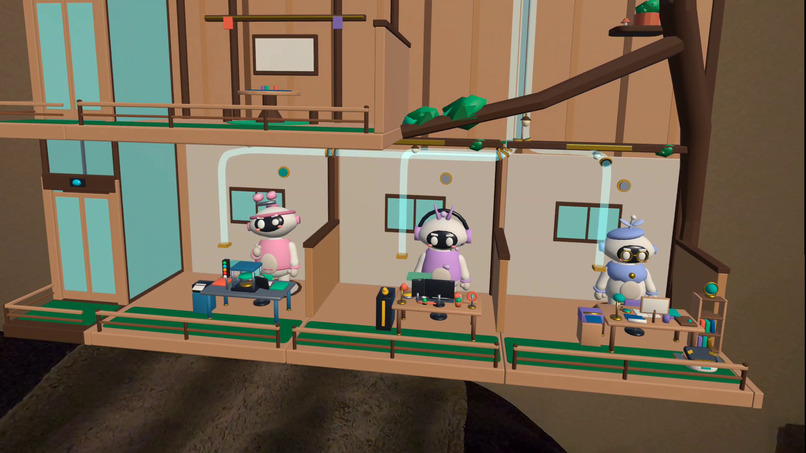
Wall Mode
-
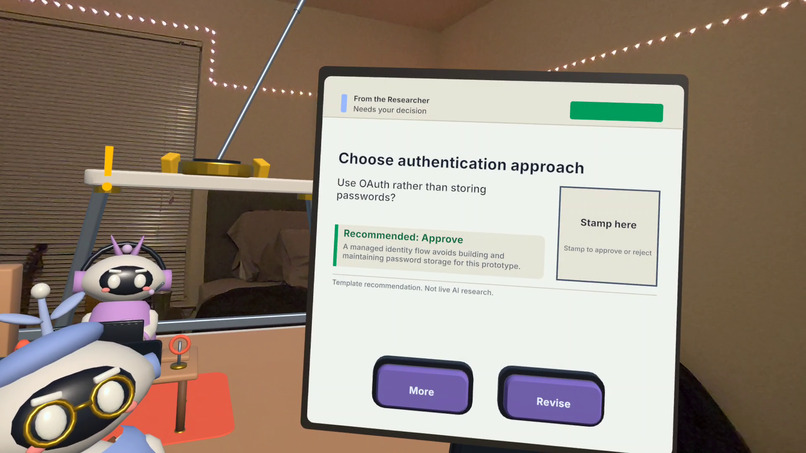
Decision
-
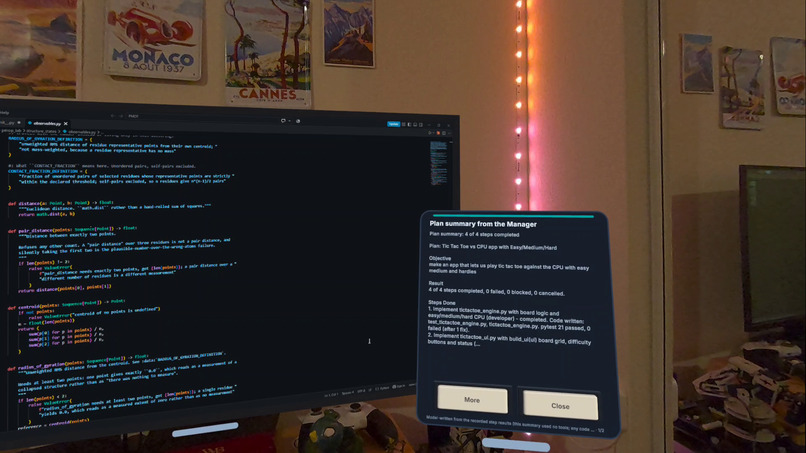
Plan Summary
-
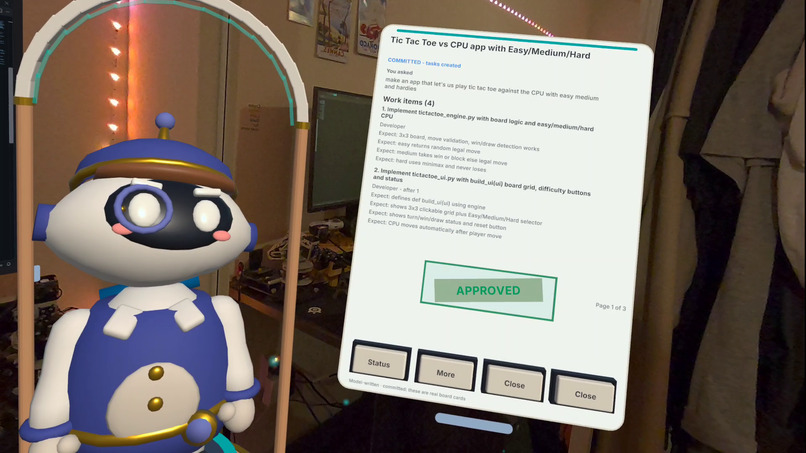
Draft Meeting
-
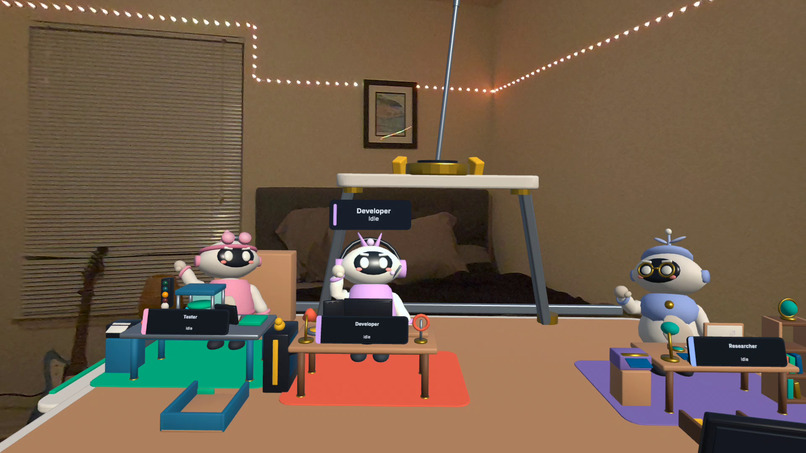
Desk
-
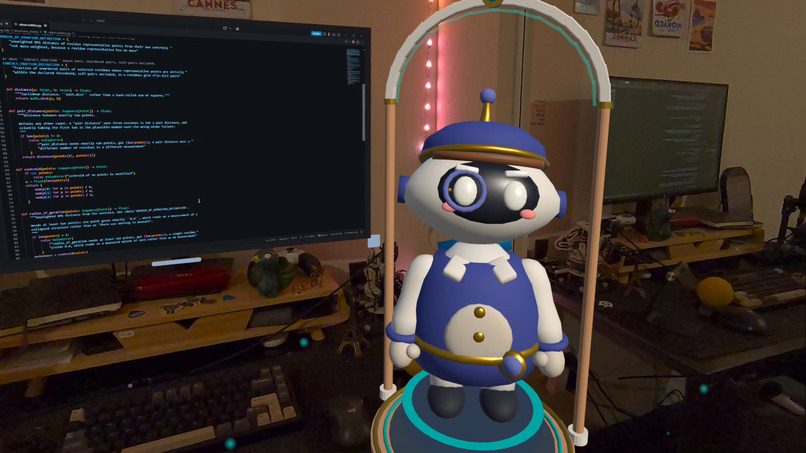
Converse
Inspiration
Managing several AI agents can become a task of its own: switching between conversations, tracking progress, finding requests for approval, and figuring out which result belongs to which task.
We wanted to explore a more tangible way to work with agents. A teammate approaching with a proposal, handing off work, or waiting for a decision can make the state of a task visible at a glance.
Huddle brings that idea into mixed reality: an AI team that has a place in your room, with work you can organize and decisions you can make with your hands.
What it does
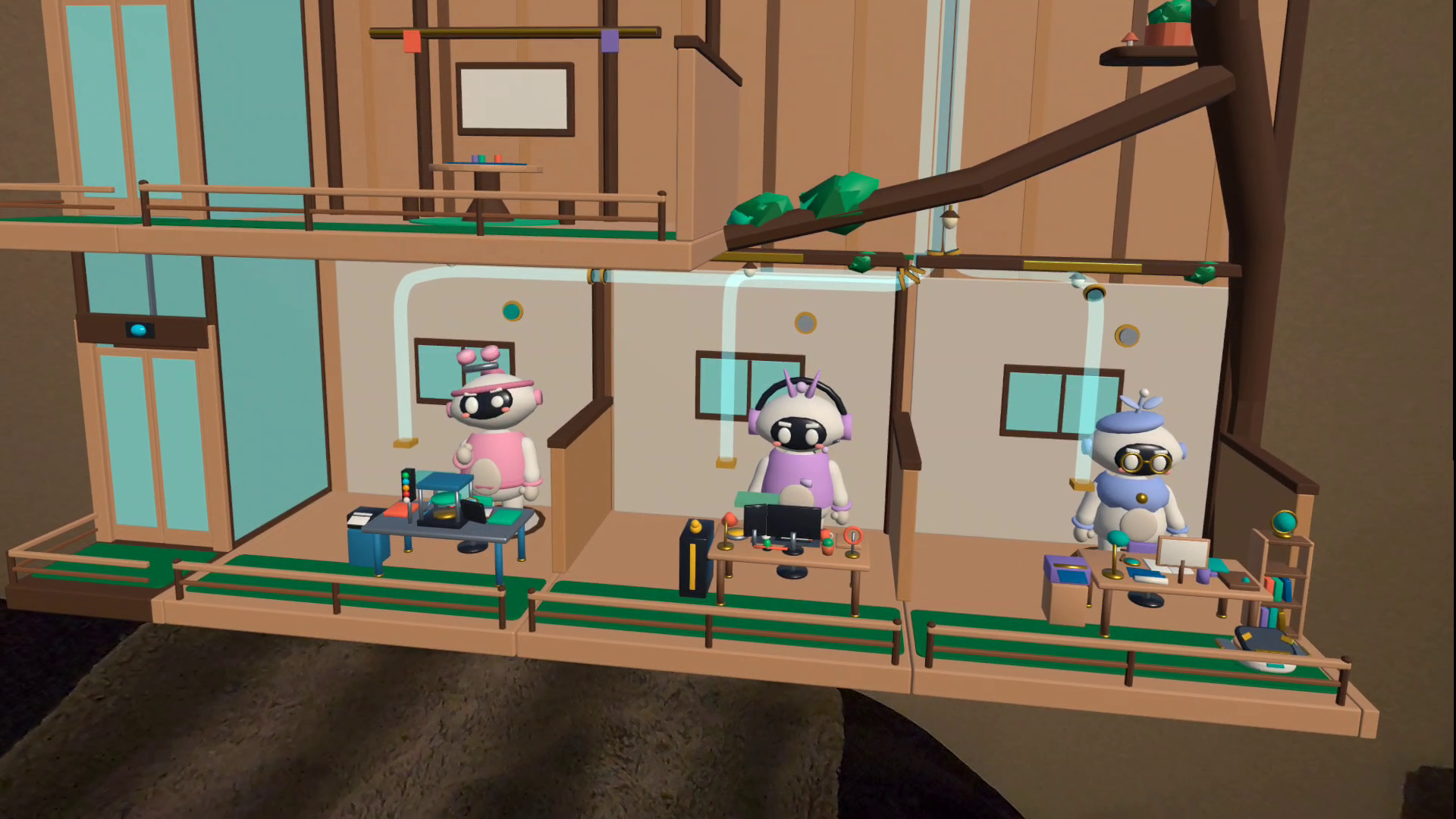
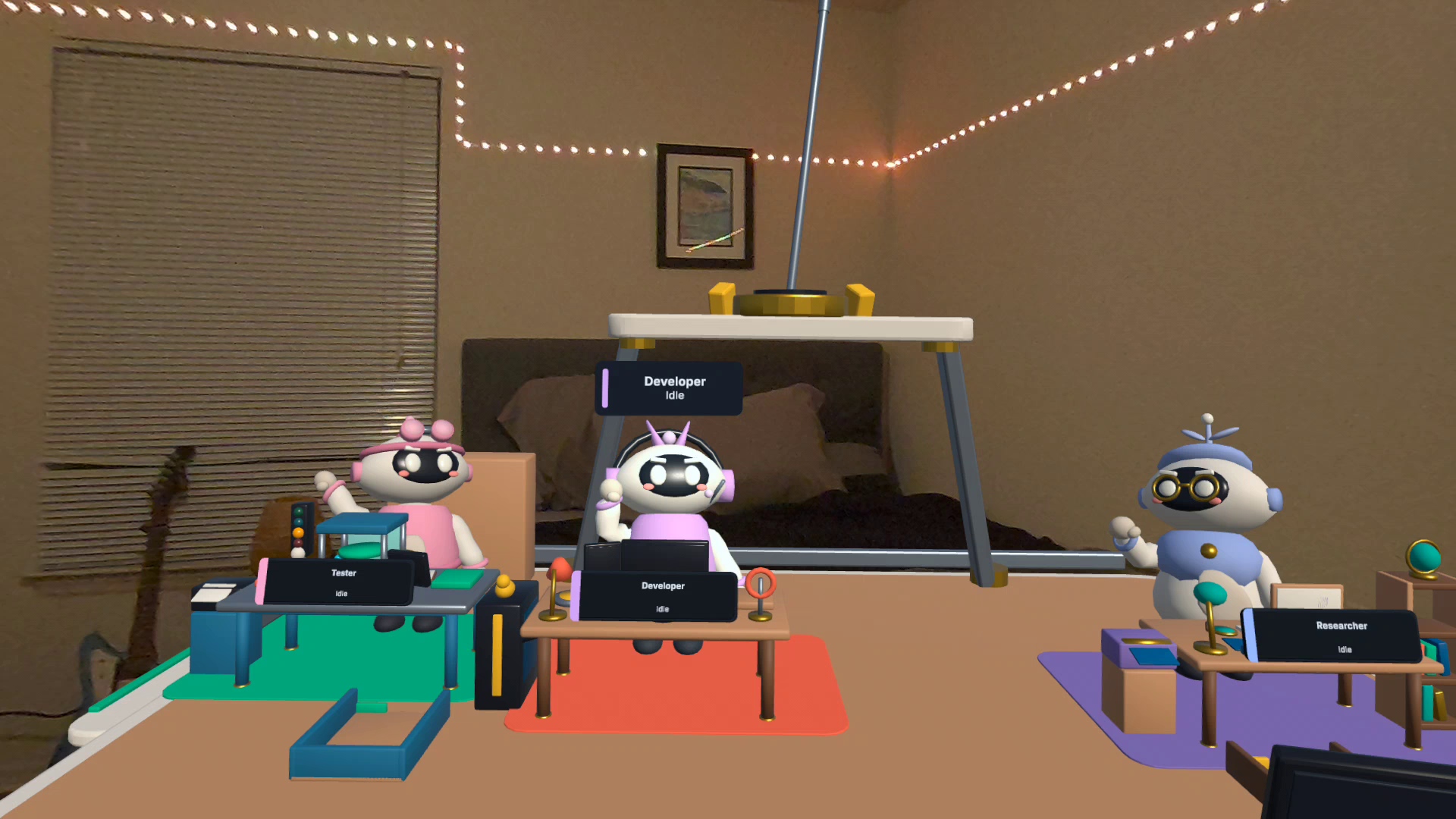
Huddle is a mixed-reality workspace for Meta Quest 3. Researcher, Developer, and Tester agents appear as small coworkers in your physical environment, while a Manager helps turn goals into coordinated tasks.
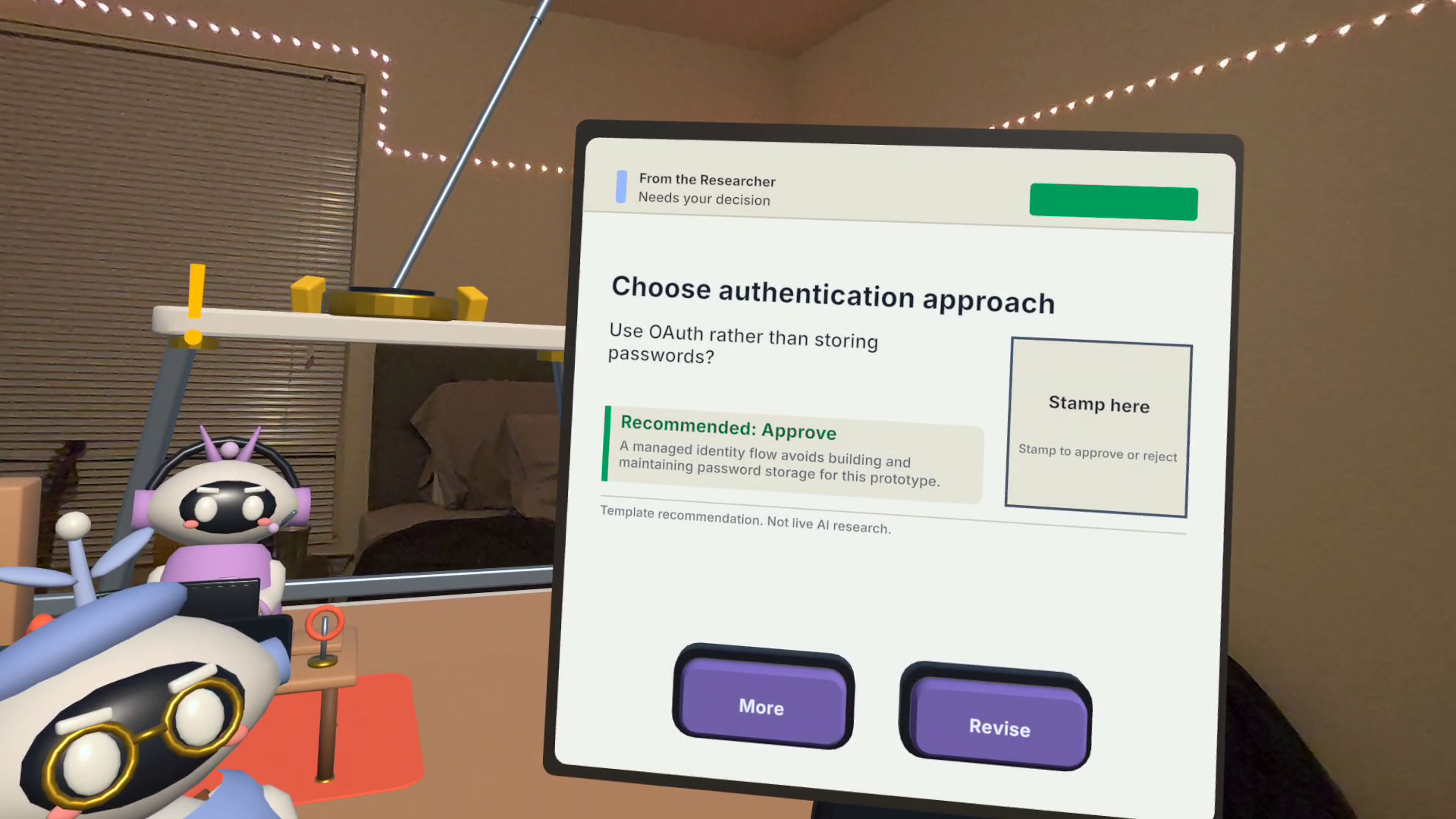
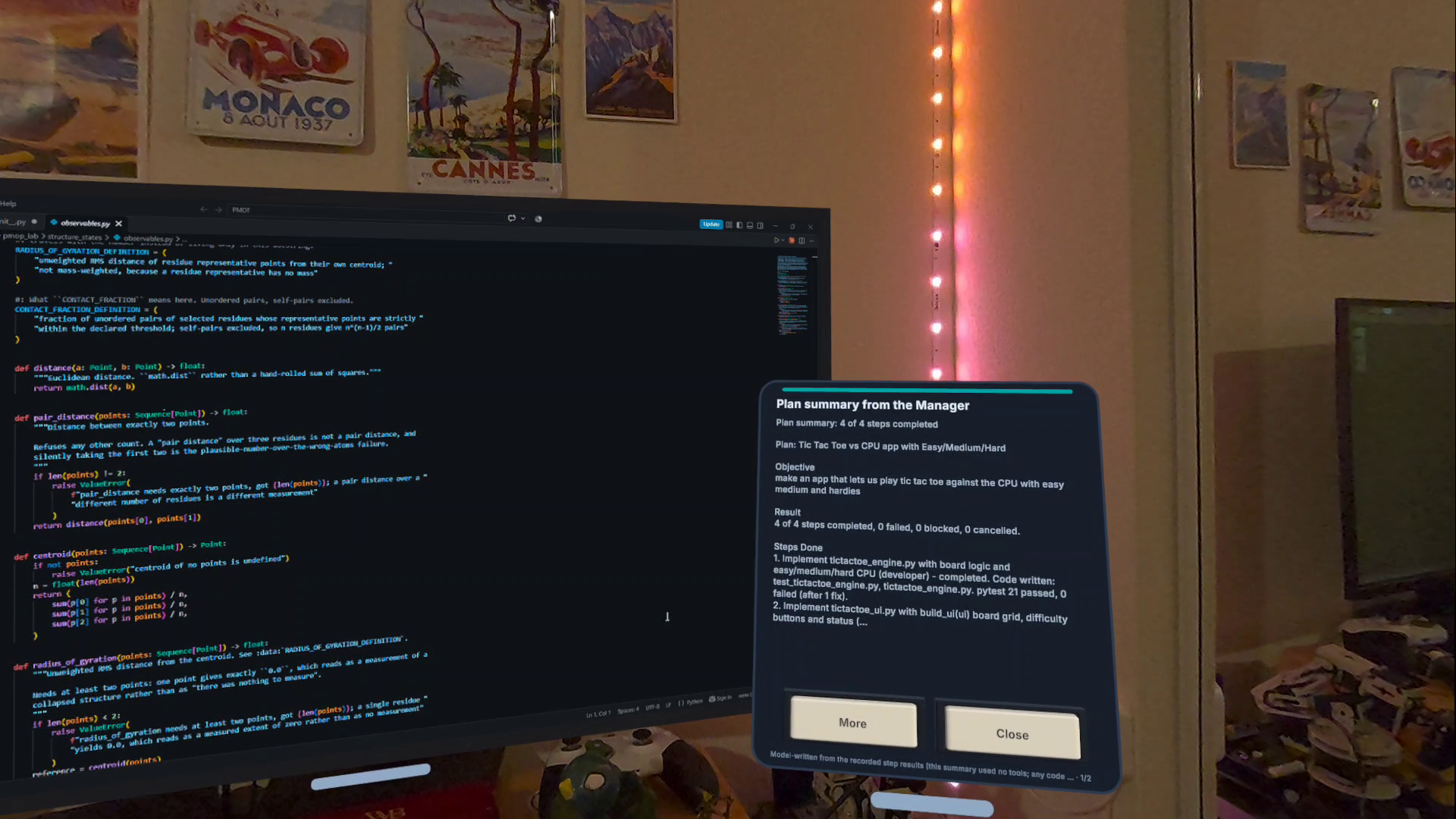
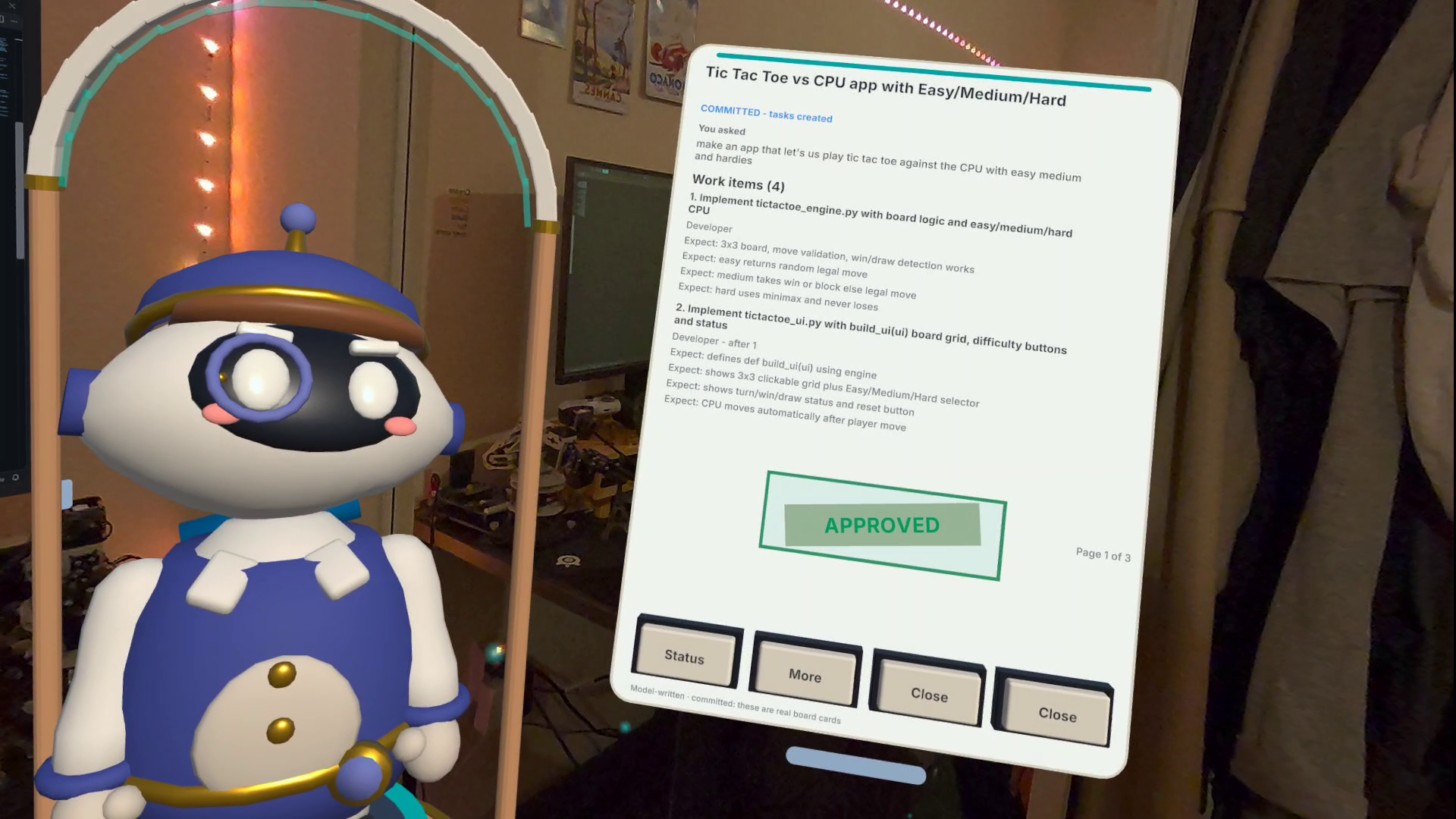
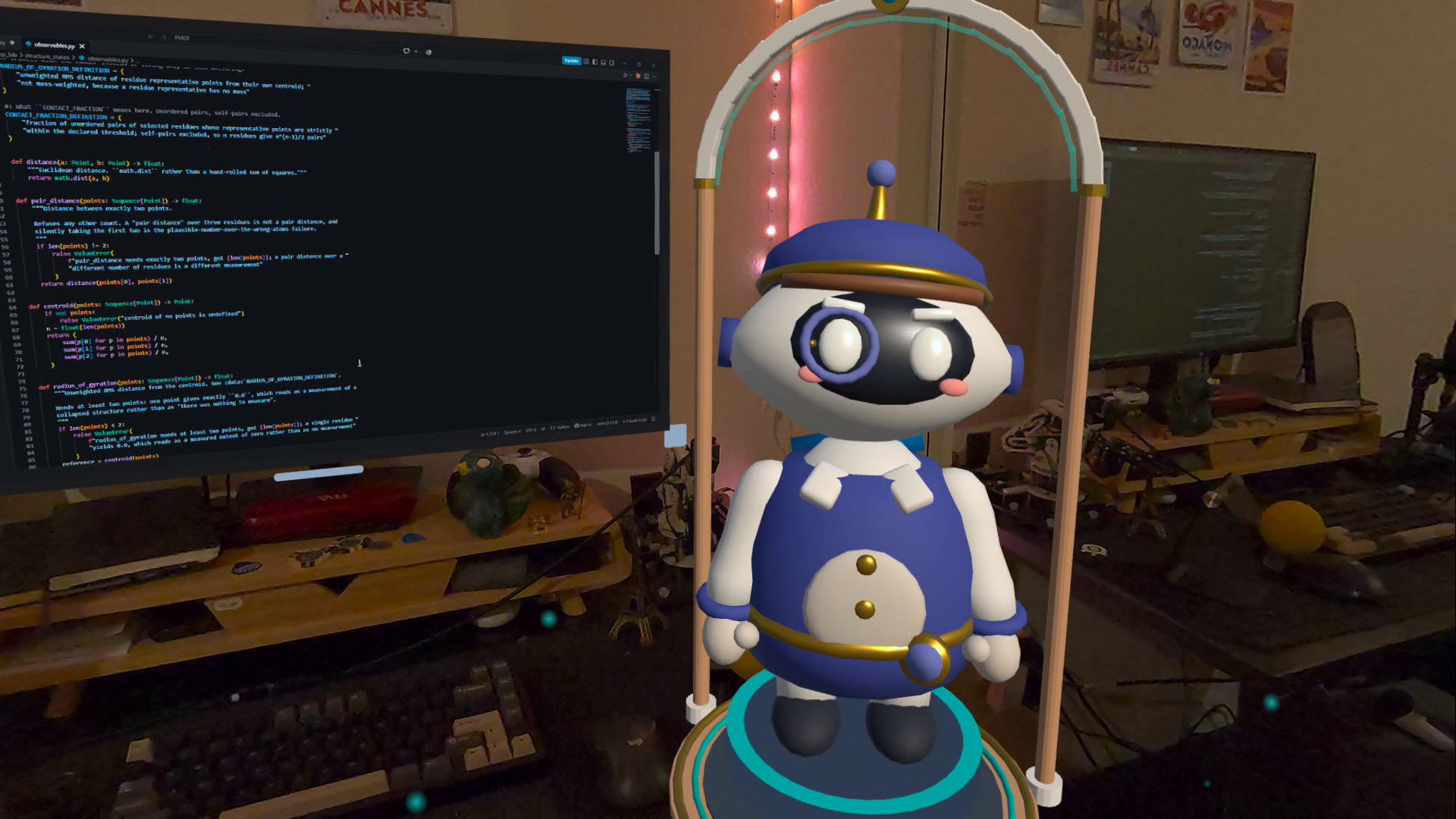
Users can: -Organize and assign work: interact with task cards, adjust priorities, and assign tasks to an agent. -Review proposals physically: take a decision paper from an agent, inspect its details, request revisions, and approve or reject it with a physical stamp. -Delegate through the Manager: provide a goal, review the proposed plan, choose which steps to include, and approve the plan before execution. -Arrange the workspace around the room: place the office on a desk, on the floor, overhead, or on a wall, and bring it closer when needed. -Check in with an agent: bring a small agent into a nearby perch, inspect its status, blockers, and next steps, or meet a larger version through a portal. -Follow progress and inspect results: view task activity, output artifacts, and decision history. Focus mode quiets routine updates while keeping approval requests accessible.
The goal is to make supervising agents feel understandable and deliberate, with the user remaining in control of decisions.
How we built it
We built the mixed-reality client in Unity and C# for Meta Quest 3. The Meta XR SDK provides passthrough and hand interactions, while Mixed Reality Utility Kit supplies room geometry for placing the workspace against real surfaces. We integrated Meta Voice SDK and Wit.ai for speech input.
A Python and FastAPI desktop companion manages tasks, plans, dependencies, approvals, and results. REST requests and WebSocket events connect the headset to the backend, and SQLite preserves task and decision history.
The backend includes a configurable model-provider interface and a live execution path for writing code and running pytest in dedicated local workspaces. It also supports a clearly labeled scripted demonstration mode.
The spatial interface is connected to the underlying task state. An approval stamp submits an explicit decision, and the paper displays confirmation after that decision is acknowledged.
Challenges we ran into
One challenge was keeping physical interactions aligned with the underlying workflow. Picking up a document, requesting a revision, stamping approval, and receiving confirmation each need a clear state. Delayed responses or repeated interactions should not leave the user uncertain about what happened.
Another challenge was fitting the experience into different room layouts. Desk, floor, ceiling, and wall placement require different previews, movement behavior, and ways to bring the workspace back within reach.
Readability and attention also shaped the interface. Papers need to be comfortable to inspect, hand targets need to be deliberate, and agent movement needs to communicate useful information without constantly demanding attention.
Accomplishments that we're proud of
We brought the supervision workflow into a single spatial experience: assigning work, reviewing a proposal, making a decision, following progress, and inspecting the result.
The physical papers and approval stamps are central to that experience. They give human oversight a visible, intentional action. The agents’ presence, handoffs, and visits give users additional ways to understand and approach their work.
What we learned
Embodied agents are most useful when their behavior communicates something meaningful: who is working, what needs attention, and when a decision is required.
The project also reinforced how closely interaction design and system state are connected. A clear approval gesture needs an equally clear acknowledgment, and a readable workspace needs thoughtful choices about scale, placement, movement, and interruption.
What's next for Huddle
The next priorities are broader connections to useful agent workflows, simpler setup, and more testing across different rooms and work sessions.
We also want to evaluate how well people can track progress and make decisions in Huddle compared with their existing desktop workflows. That feedback would guide improvements to agent behavior, information density, and the balance between ambient updates and direct interaction.


