Inspiration
You're walking somewhere late, down a quiet street you don't know, and you just want someone on the phone with you. So you call a friend. No answer. You try someone else. Voicemail. Everyone you'd call is asleep, busy, or out of battery, and you keep walking alone.
We've all had a version of that moment, whether it's a student heading home from the library, a tourist in a new city, or friends who split up at the end of a night out. "Text me when you get home" only works if you can text. Safety apps built around an SOS button only work if you can press it. Both leave the same gap: the time between someone needing support and anyone else realizing it.
So we asked a simple question: what if someone always picked up? That became Lifeline, Huddle's AI call. When your people can't answer, Huddle calls you, stays with you, and talks you toward where you're going or the nearest public place. Around it we built the rest: a private group that can share one destination or each head their own way, gentle check-ins when something seems off, and your trusted contacts as the last step. Because this is about people you trust, not surveillance, consent comes first.
What it does
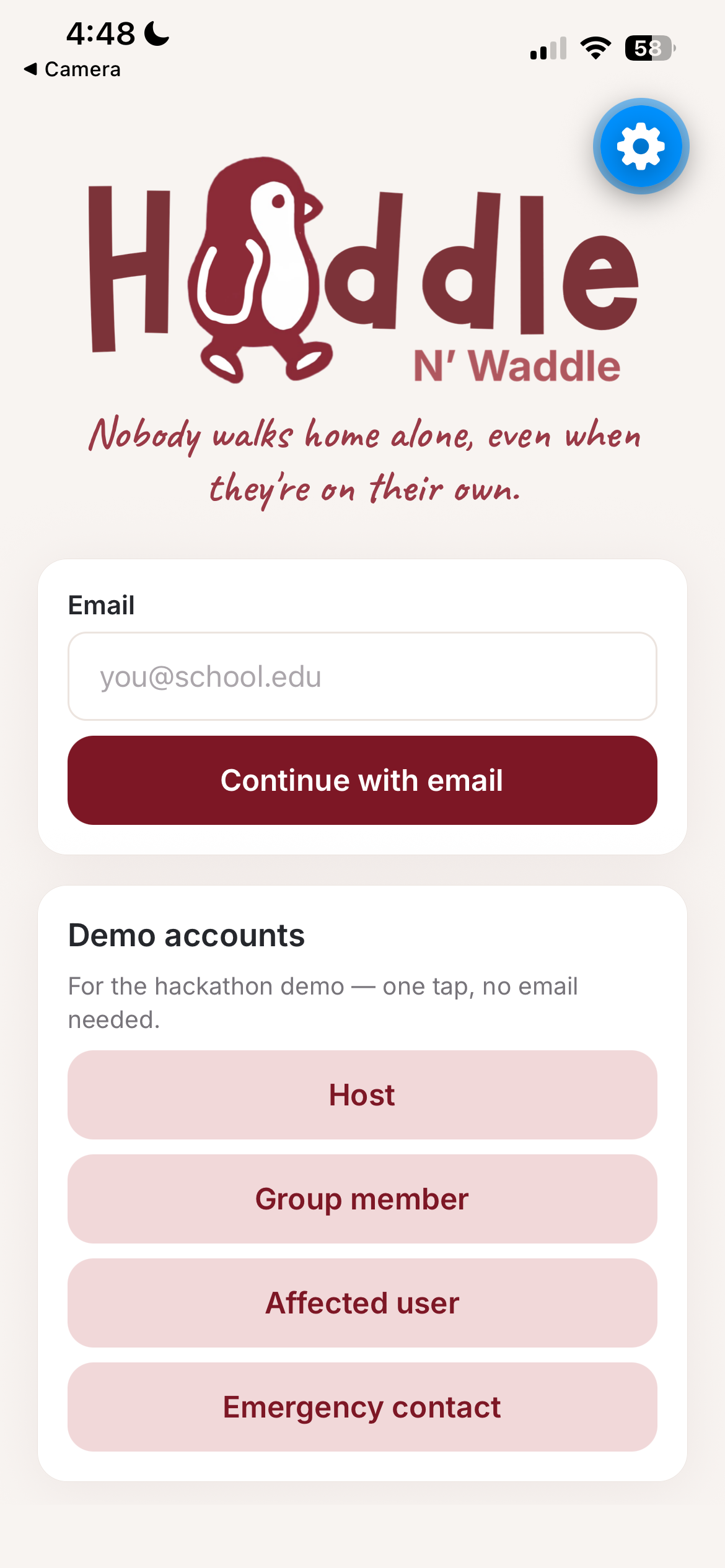
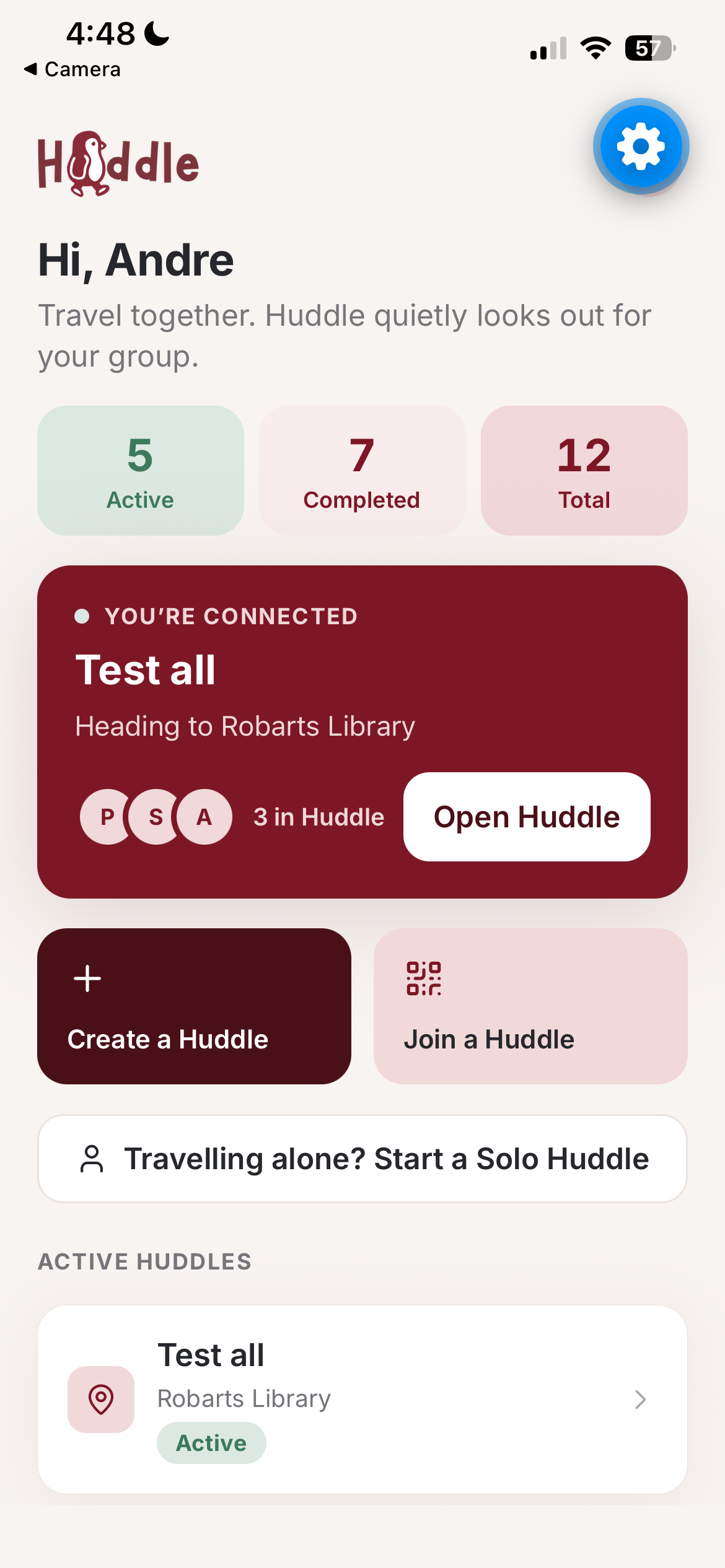
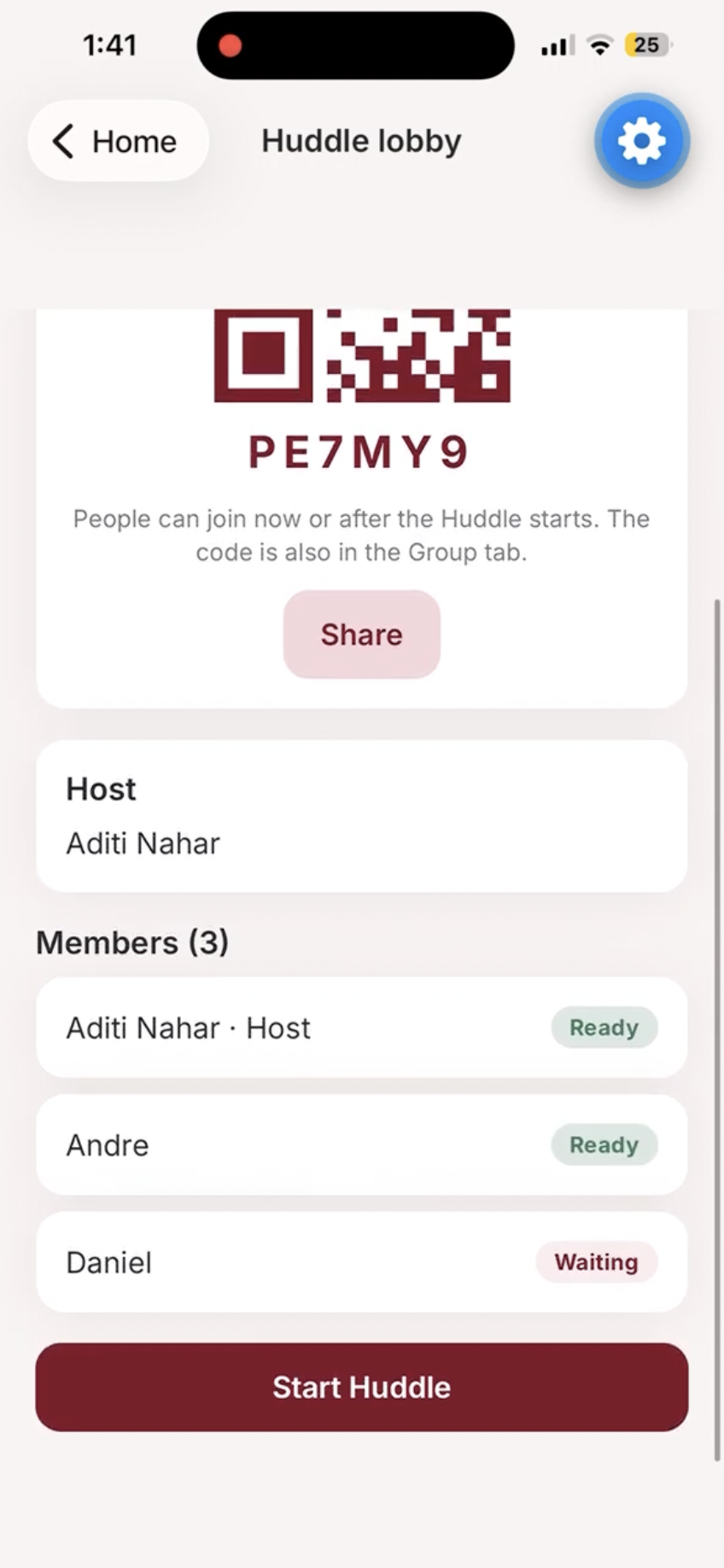
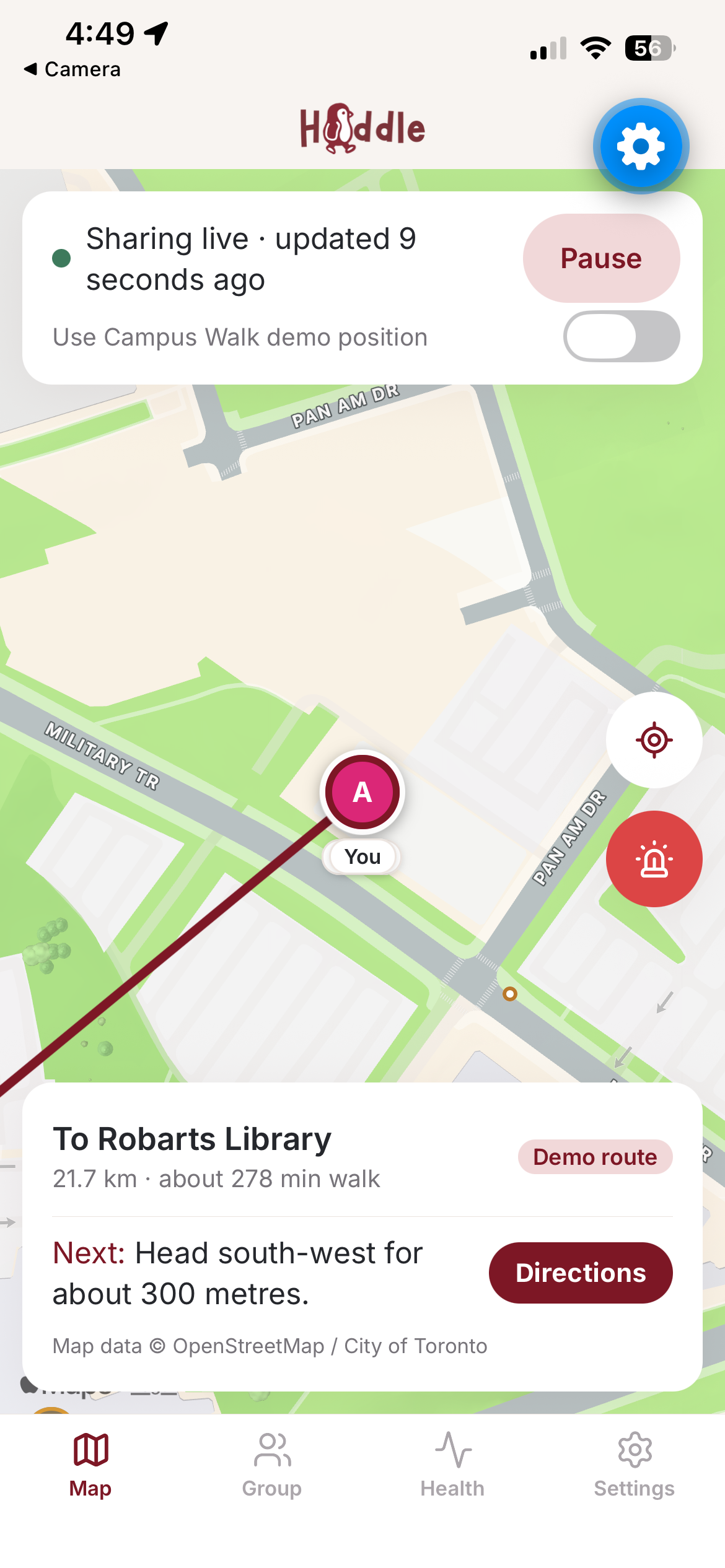
Huddle is a mobile app for anyone heading somewhere and wanting someone with them: students, tourists, friends after a night out. You create or join a private Huddle with a code or QR, choose where you're going (one destination for the whole group, or each person their own), and share your live location only while the Huddle is running.
Lifeline: an AI that always picks up. At the heart of Huddle is an AI call. Huddle phones you (a real call through Twilio, or a spoken call inside the app) and stays on the line with you. It knows where you are and where you're heading, so it gives real walking directions by street name, and when you're somewhere quiet it names the nearest public place, like a library or a TTC station, and guides you there. Gemini writes each line, with a scripted fallback so the call never goes quiet. You can talk to it ("How far is it?", "What's around me?"), and if a friend is already on their way, it keeps you company until they arrive.
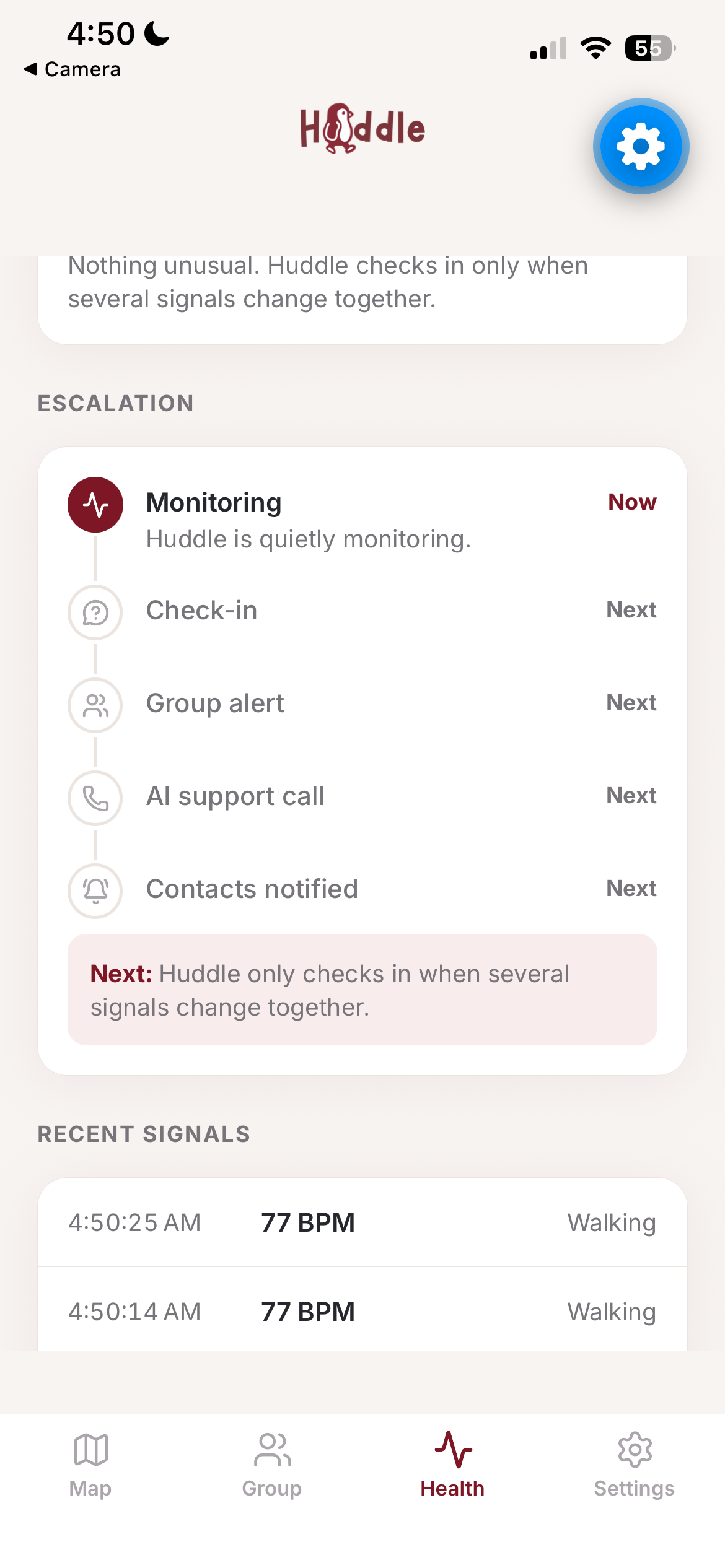
You can bring Lifeline in yourself: tap SOS on the map, or answer I need help on a check-in, and your group is alerted while Huddle calls you right away. But the reason we built it is the moment you can't ask, so Huddle also notices on its own and responds in calm steps, least intrusive first:
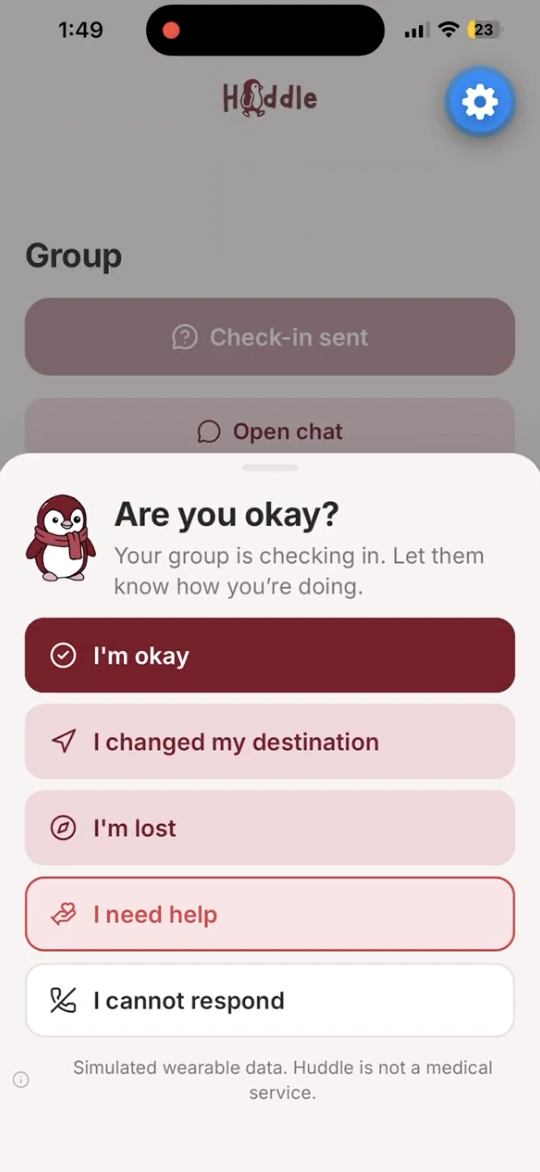
- Check-in. Your phone asks how you're doing: I'm okay, I changed my destination, I'm lost, I need help, I cannot respond.
- Group alert. No answer, and everyone in your Huddle gets a card with the reasons and where you were last seen.
- Lifeline call. If nobody in the group responds, Huddle calls you. Any answer counts.
- Trusted contacts. If you stay silent, your trusted contacts get a call and a text, and an incident package is created with only what you agreed to share.
Pulse decides when to check in: a simulated wearable plus a points score you can read. A heart rate well above your baseline, unexpected running, or going off your planned route each add points, and every point comes with a plain-language reason. An optional health profile uses a model we trained on the CDC's NHANES survey, so a "high" heart rate means high for your age. It's an estimate, never a diagnosis.
Every consent (location, health signals, the AI call, recording, contact alerts) is off by default. One tap resolves an alert on every phone. Huddle is not emergency services and never claims to be.
How we built it
We built Huddle in 36 hours as a native mobile app, testing on our own phones in Expo Go from the first hour. To work in parallel, we split the app by feature (onboarding, map and city data, health and the AI call, alerts and contacts) and agreed up front on shared types and event formats that nobody would change without telling the team.
The app. Expo SDK 57 with React Native and Expo Router, written in TypeScript. The map uses react-native-maps, live location comes from expo-location, the in-app call speaks with expo-speech, and consented recordings use expo-audio. Every live message between phones is checked with Zod before it's used.
The backend. Supabase does the heavy lifting: sign-in, a Postgres database where row-level security decides who can see what, Realtime to sync location and alerts between phones, and private Storage for recordings. Anything that needs a secret (Gemini, Twilio, ntfy) runs in Supabase Edge Functions on Deno, so no secret keys ever ship in the app.
The escalation. The four steps are one pure state machine, shared word for word by the app and the server. Each alert's next deadline is stored in the database, and an advance-alert function moves it forward using compare-and-set, so even if several phones try at once, exactly one step happens.
Lifeline, the AI call. When the call starts, Twilio rings the person's phone and calls our webhook on every turn. The webhook reads their latest location, gets walking directions from OSRM (routing on OpenStreetMap), finds nearby public places, and asks Google Gemini what to say. If Gemini is slow or fails, a scripted line plays instead. The AI only ever gets a short summary, never raw coordinates or location history.
Toronto data. We preprocessed City of Toronto Open Data (TTC routes and stops, libraries, parks and recreation facilities, washrooms, schools, police facilities, the pedestrian network and street names) plus hospitals from OpenStreetMap into compact files that ship with the app. That's how the call can name the closest library and notice when there are no TTC stops nearby.
Pulse and the health model. The wearable is simulated, and the risk score is a set of simple point rules, each with a reason in plain words. For the optional health profile, we trained a logistic regression with scikit-learn on the CDC's NHANES 2017 to March 2020 survey (6,712 adults, AUC 0.81 on held-out data), exported it to JSON, and run it on the phone, so the estimate is calculated right on the device.
Testing. We kept the logic in pure TypeScript modules so it could be tested without a phone: almost 400 Vitest unit tests cover the risk engine, the state machine, routing guidance and the health model, and Deno tests cover the server functions.
Challenges we ran into
Help that doesn't depend on one phone. The obvious design runs the whole escalation on the affected person's phone, which fails in exactly the case we care about: if their phone dies, everything stops. We moved every deadline into the database, let any phone in the group safely push an alert to its next step, and had the server place the AI call and contact the trusted contacts itself.
An AI call that can't go quiet. A silent pause on a support call is the worst possible outcome, and Gemini isn't always fast. The server gives Gemini a few seconds per turn, a scripted line is always ready to take its place, and the call's final message is fixed, so it never depends on the model.
Privacy on a shared channel. Anyone who knows a realtime channel's id can listen to it, so we never send phone numbers, health data or alert reasons over it. Broadcasts carry only ids and states, and each phone re-reads the details through row-level security, which only shows each person what they're allowed to see.
Accomplishments that we're proud of
A real phone call that knows where you are. Lifeline rings your actual phone, listens to you, and talks you toward your destination or the nearest library or TTC station by street name. Hearing it guide one of us down a real Toronto street for the first time was the moment Huddle felt real.
The whole escalation, end to end. Check-in, group alert, AI call, trusted contacts: every step works live across several phones, with real calls and texts at the end, and it keeps going if the affected person's phone dies.
A health model trained in a weekend. We trained a model on 6,712 adults from the CDC's NHANES survey, reached an AUC of 0.81 on held-out data, and run it on the phone. Next to it, every point in the risk score comes with a reason a person can read, not a black box.
Consent from the very first screen. Nothing is pre-selected, every kind of sharing is off until you turn it on, and your contacts only ever see what you allowed. Almost 400 unit tests back the logic underneath.
What we learned
Design for the moment someone can't act. Most apps assume the user will tap a button. Building for the person who can't changed every decision we made: each step needed its own timeout, its own fallback, and a way to keep going without them.
Words matter as much as features. A support app can scare people or calm them. We rewrote our copy again and again so Huddle never labels a place as safe or unsafe, never sounds like a diagnosis, and always says what it's doing and why.
Agree on the contracts first. Deciding the shared data types and events before writing features let us build four parts of the app at the same time and plug them together with very few surprises. Keeping the logic in plain TypeScript, separate from the screens, made it easy to test and to share with the server.
What's next for Huddle
Call Lifeline any time. Today the AI call starts when you tap SOS or when your group doesn't answer. Next, we want a simple "walk with me" button that starts the call whenever you'd like company.
Real wearables and background location. Moving from Expo Go to a development build would let Huddle read real heart-rate data from Apple Health and Health Connect, and keep checking in with the screen off.
An escalation that never needs an open app. A server-side scheduler would advance alerts even if every phone in the group is closed.
Smarter signals. We'd like to finish two signals we already collect: noticing when someone is separated from the group, and using each person's own check-in delay.
Beyond Toronto. The guidance already falls back to OpenStreetMap outside the city. With live transit data and more cities' open data, Huddle could travel with you anywhere.
Built With
- expo.io
- gemini
- javascript
- ntfy
- python
- react-native
- supabase
- twilio
- typescript
- vitest
- zod
