-
-
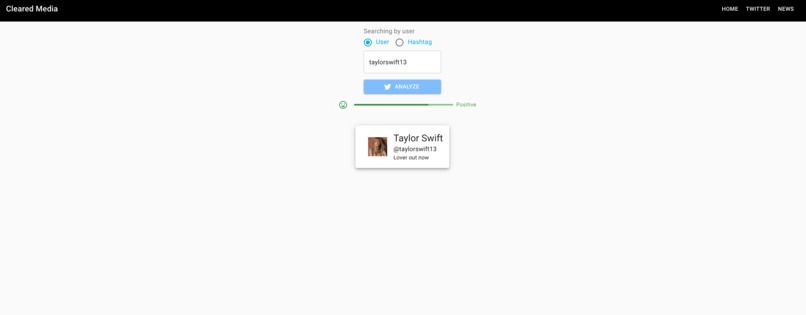
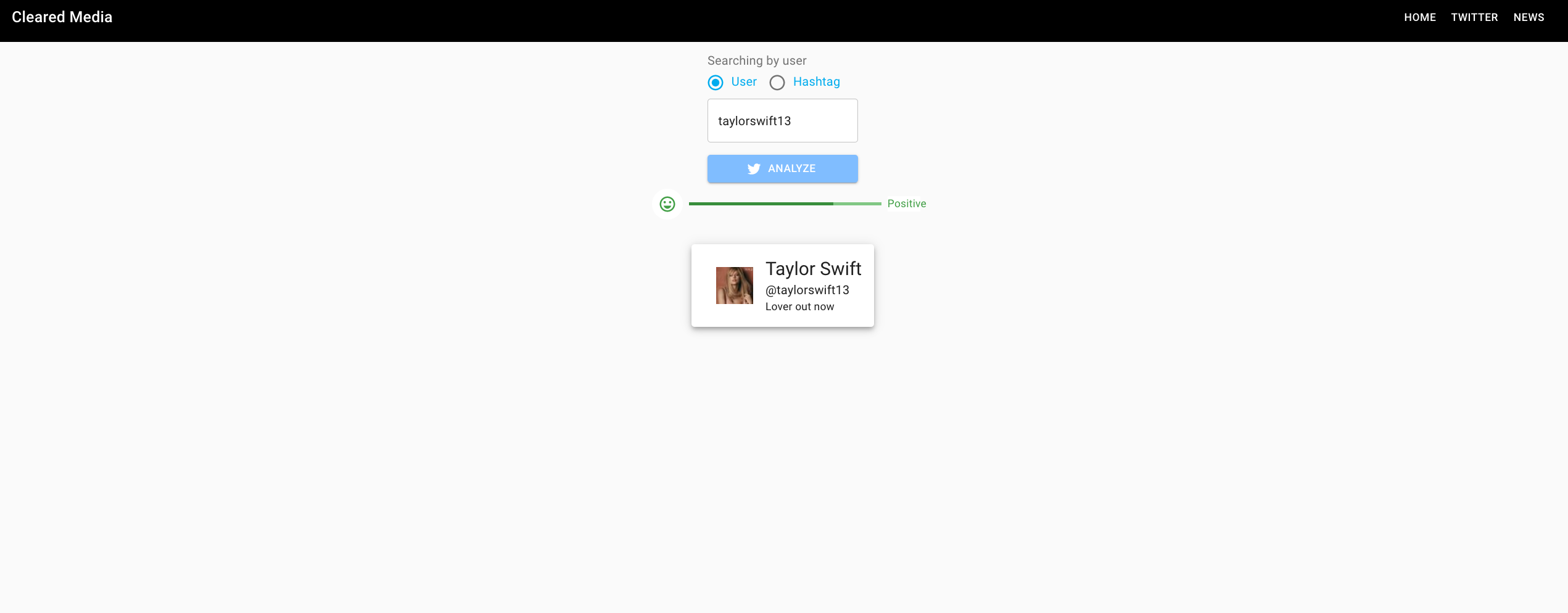
Positive user sentiment analysis for Twitter
-

Negative hashtag sentiment analysis for Twitter
-

Opening page for Twitter sentiment analysis. Sample user card
-
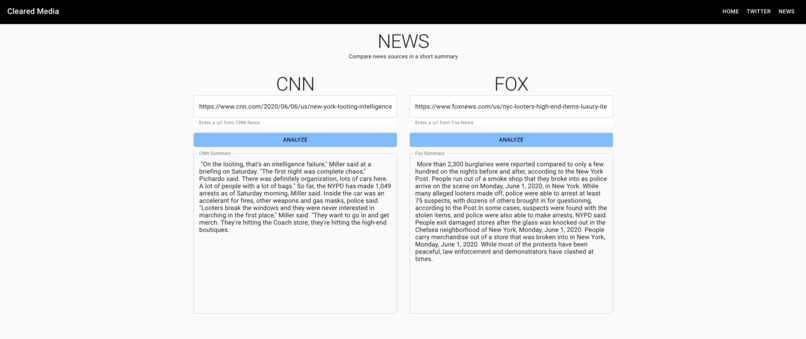
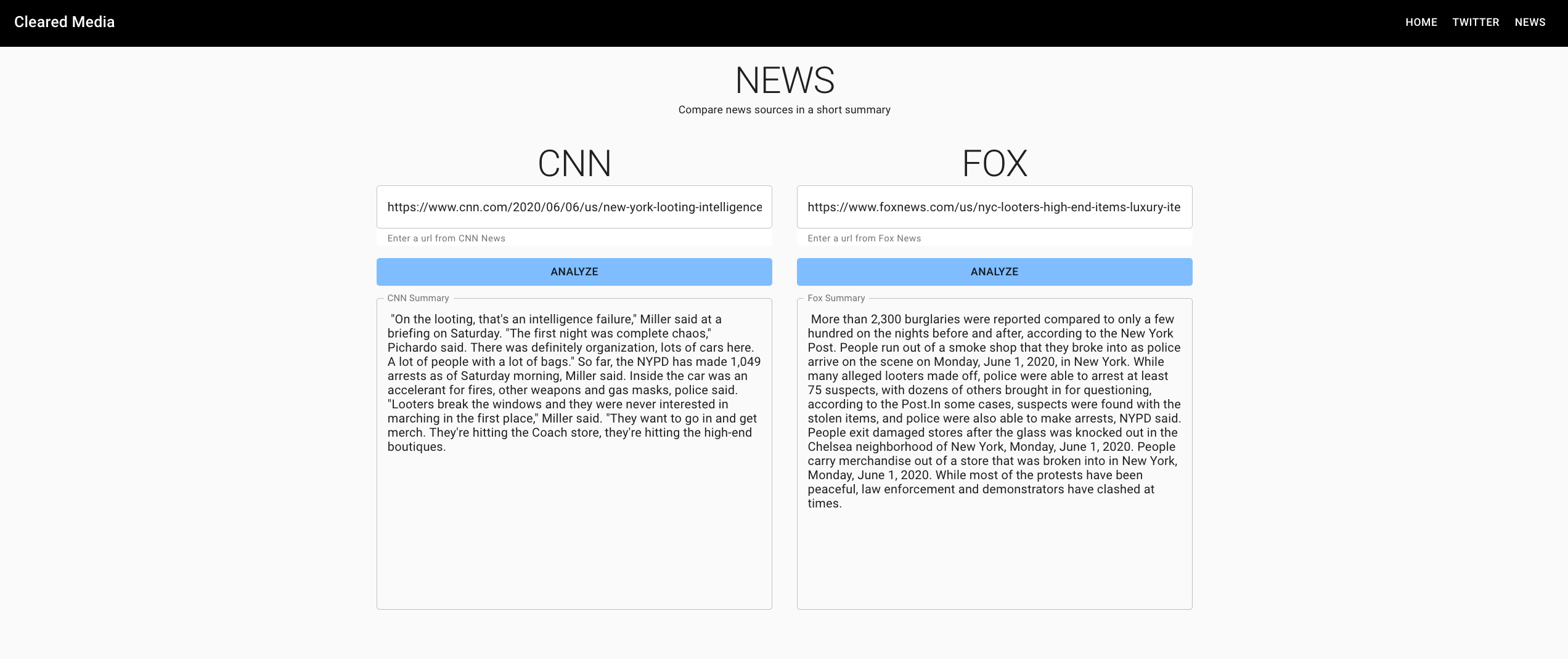
Text summarization of two news articles from CNN and Fox. Article summaries vary per link!


HTNE-cleared-media
Our HackTheNorthEast Project uses NLP and AI to analyze traditional and social media content to help us better understand the media we consume.
This project was inspired by not only by the advancements in the relatively new field of NLP/AI applications but also the abundance of events that have taken place in 2020. With so much happening now, it can be hard sometimes to sieve through all the information coming at you. We want to help ease that burden.
Alex has wanted to work on the backend system for this project utilizing new technologies such as creating instances using GCP App Engine and deploying the Flask server onto it. Understanding how they are created and how the instance deals with the files if say libraries lived only in a user's /usr/local/bin. Overall, diving into cloud technologies will only pave the road towards a larger skillset and a new way of thinking if say AWS or Azure came into mind.
Kynan wanted to work on improving his frontend skills in React and Material-UI. Understanding the patterns in creating a single page application will only improve him going forwards if he wanted to explore other frameworks such as Vue or Angular. The design and component aspects of React are growing and every project going forward will only be developed quicker and better.
Challenges
Backend
There were MANY challenges in the development of the backend. There was a classification algorithm using Naive Baye's Classifier that did not obtain results that we wanted. The data set was just not good enough to compare to the content mainly seen in Tweets (used reviews about Apple to build the model). You can see the remnants of the client used in the github repo.
Another challenge was the setup of the GCP App Engine instance and the libraries associated to NLTK. It took a lot of trial and error to understand how the
app.yaml
file and the instance worked, because the data collection within NLTK lived in the
/usr/local/bin
directory, and that did not necessarily existed in the instance. It was learned later on that it lived in the same directory as the app.yaml file and I had to imitate the folder structure of the NLTK collection for it to then be detected!
Being new to ML/AI/DS in general, I referenced great articles in the area of text summarization and sentiment analysis. An example is from this blog that followed the simple steps of NLP to help summarize groups of text.
Frontend
Design and playing around with the UI is always difficult without using CMS like WordPress. Conveying the information in a very clean way with great user experience is always difficult as we are not UX Designers by heart. Material UI is very aesthetic given that the colors and design worked out of the box by themselves. But customizing them to fit our needs was very difficult. There are always new ways of combining different css properties and nesting elements properly that makes the work easier and the final product better.
Cleared Media
Our client uses the following technologies:
- React
- Material-UI
The main goal of the project is to both showcase how people talk on social media but also how traditional media (e.x FOX and CNN) take about issues compared to each other. Providing some added clarity on how we consume media in our everyday lives
Tweets are short posts and straight to the point. It is here where both popular and influential figures in our world can express their thoughts to their followers, but what kind of image are they trying to portray? Social media platforms, like Twitter, are playing a larger role in how we communicate and share important events.
Natural Language Processing is a growing field in AI where machines try to learn and understand human language and extract important details about it. In this example, we practice Opinion Mining, or Entity-Sentiment analysis. Using Google's Natural Language API to extract information about a user's tweets, we can analyze their stance online. Based on their scores, we can classify this user or tag to be generally positive, negative, neutral, or mixed online.
With this information, we would be able to attempt to extrapolate different aspects of the users given their information. For example, if one user was overly negative towards their current state of government, AI could determine their position in the political compass given enough training to classify what is left or right.
This program is setup in a way the following technologies are used in the server:
- GCP App Engine: Host online to process tweets and the AI
- GCP Natural Language API: Determine sentiment
- Flask: Handling requests
- NLTK: Collection of data to help pre-process tweets
The following is required to host your own server:
- Twitter Developer Key
- GCP Account and a GCP project
- Service Account Key to allow administrative tasks to be done in the server
- Optional: If you do not use GCP App Engine or GCP Compute Engine to run your server securely, you will require an API key to allow usage of GCP Natural Language API
As the data is sent back to the client, it will display the user's general sentiment score and details in regards to it.
DISCLAIMER: The analysis being performed DOES NOT confirm any bias or views towards political issues or current events and they DO NOT accurately represent any user/hashtag position or thoughts in their entirety.
CNN / FOX
It is not uncommon for traditional news sites like CNN and Fox News to cover the same event with different biases. It can be difficult at times to see the subtle differences between them. How they may frame certain events, or how they analyze them. This specific part of the app allows users to scrape CNN / Fox News articles and provide a side by side summary (created by an NLP algorithm) of how these news sites talk about issues for the user to read. Allowing the users to see different issues in different lights and decide where they stand on it.
Local Setup
A live server won't be active follow shortly after as this is hackathon project. To recreate this project ensure these steps are followed. As of now. This program is using Python 3.7
- Create a virtual environment i.e.
python3 -m venv venvin the directory with the client/server - Navigate to the server directory and install all dependencies required using
pip3 install -r requirements.txt - Create your own credentials to use with Twitter by following their developer portal. Note that you must create an .env file with the keys stored for security purposes.
- Greate a GCP account/project and obtain an API to add into the project. If you use App Engine for server purposes, you must store your environment variables within
app.yaml. Refer to GCP guides for the proper syntax - If you are only working towards locally hosting the server, create a service account and export GOOGLE_APPLICATION_CREDENTIALS to the service key. Follow the guidelines in GCP to get started.
- Run the Flask server
python3 main.py. The server should then be available onhttp://localhost:8080orhttp://127.0.0.1:8080
To run the client:
- Navigate to the
/clientfolder yarnand thenyarn startyarn buildfor a production level build for your use.
NOTE
Many of the functions available are assumed to be correct input due to time limitations. As well, there are many lines of code that can be refactored and removed but due to the same reason above, will not be done.
Built With
- app-engine
- artificial-intelligence
- beautiful-soup
- flask
- google-cloud
- javascript
- machine-learning
- material-ui
- nltk
- python
- react
- tweepy

Log in or sign up for Devpost to join the conversation.