
Inspiration
Finding the right time to work on collaborative projects can be tedious because it requires organizing each team member's work schedule, as there may be multiple activities to be performed. Sometimes, no matter how much planning is done, it ends up failing because not enough time and effort are devoted to a specific task, leading to the belief that "you don't plan to fail."
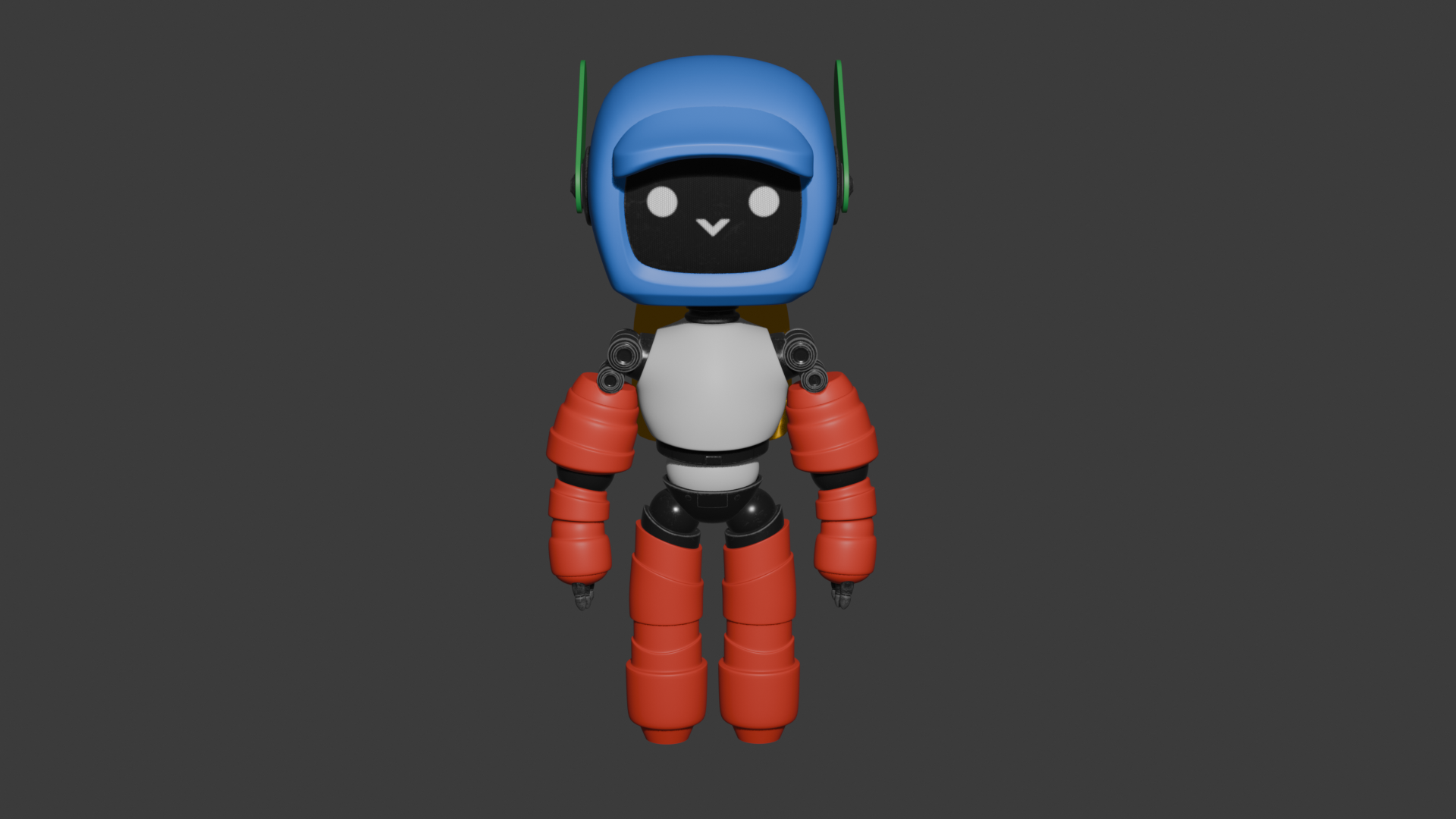
Therefore, we have created a virtual assistant named Harold. This allows for the automation of tasks for individuals or workgroups in an agile, organized, intelligent, and secure manner. It is added to the team's daily work schedule, creating a virtual assistant that provides better planning using state-of-the-art technology and Artificial Intelligence.
What it does
Harold allows you to create an organizational work schedule by displaying information integrated with Google Calendar from an Excel spreadsheet, where people typically have information about the different activities, meetings, and tasks they have to complete in their everyday lives.
How we built it
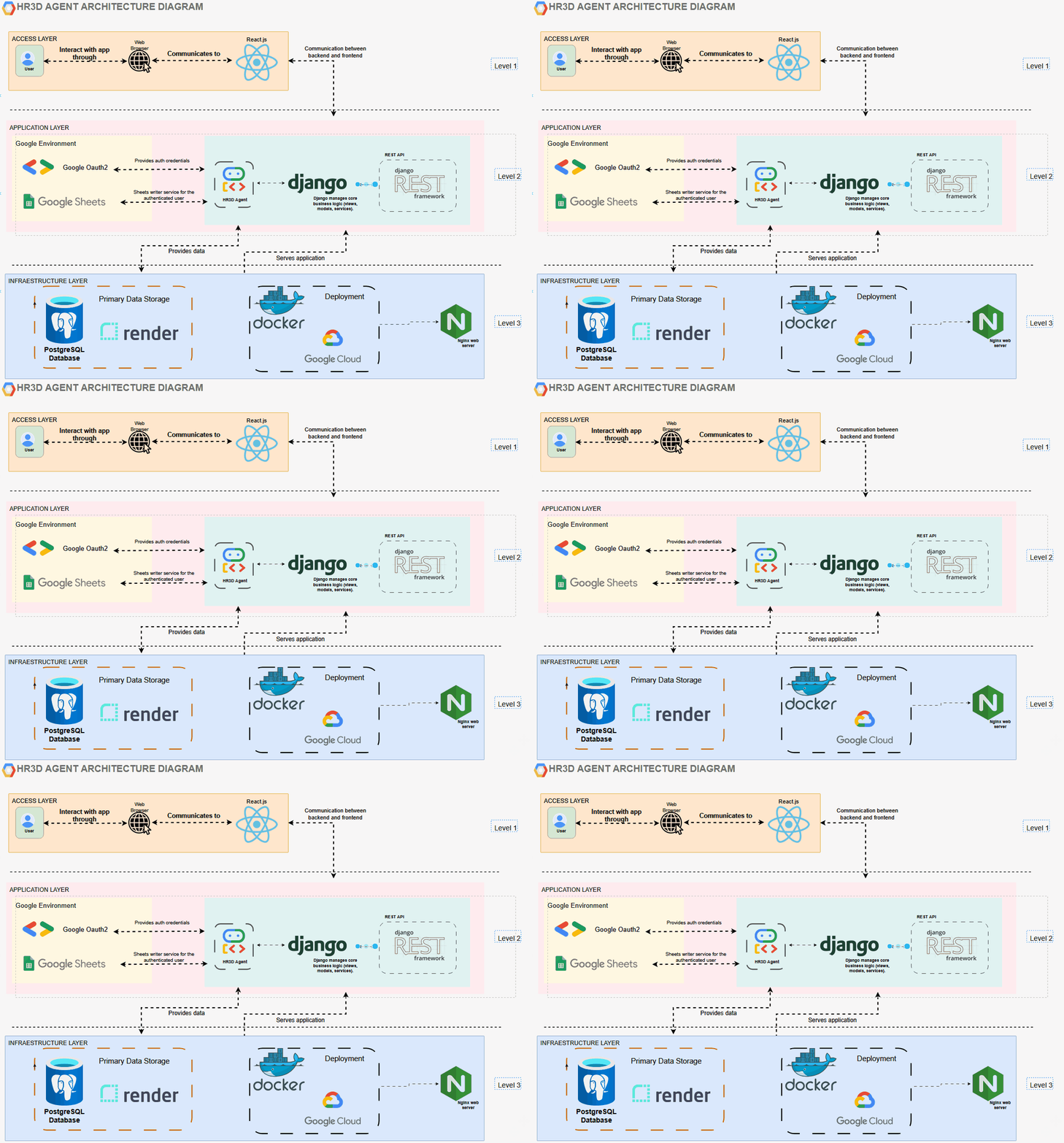
Harold is divided into three levels of architecture using the latest state-of-the-art technology provided by the Agent Development Kit (ADK).
On the first level, we have the Front-End, which resides primarily in React.js to enable user interaction.
On the second level, we have the Back-End, which runs under Django and Django REST Framework, allowing the logic and connectivity with the APIs that are consumed to work with the Front-End. On the second level, there is an integrated authentication function with Google OAuth2 to allow login and validate that the person using Harold's services is a real user. We also have Google Sheets available to allow Harold to customize the tasks assigned to the user or workgroup according to his schedule.
And on the third level, we use the provided infrastructure so that everything can run reliably and securely, leveraging the Google Cloud where the project is created. Within this infrastructure, we have PostgreSQL for data processing, Render for hosting, and everything is housed within a Docker container for deployment, leveraging the services provided by Google Cloud.
To view our public repository, we invite you to visit the following link. If you like it, you can leave us a star
Challenges we ran into
Connect the Front-end to the Back-end.
Set the Endpoint Correctly.
Consume APIs for Different GCP Services.
When trying to run the ADK locally and running the application via the web, you encounter the error that the graphical interface does not appear in the browser. It was verified that it was the only service running on port 8000, and this problem was even exposed in the thread of the official ADK repository on Github on May 14 LINK and it was also reported in the Discord channel created in the Devpost Discord Server In the end, the problem could be solved after following a series of recommendations and reading a little more about the problem.
Accomplishments that we're proud of
Create a virtual assistant that helps people optimize and organize their daily activities, taking advantage of the benefits of AI to work effectively and efficiently.
What we learned
Local ADK Agent Configuration.
Interaction with the Google ADK to perform queries based on a pre-trained dataset
Configuration of a Google project to provide cloud infrastructure to serve as a service for the tasks performed by the project we developed.
What's next for HR3D Agent: The 3D assistant for human resource automation
Integrate the virtual assistant for more complex tasks.
Provide more capabilities or tasks that the virtual assistant can provide, such as notifications, sending alerts or reminders via email, exporting conversations or information in PDF format to be shared through messaging apps.


Log in or sign up for Devpost to join the conversation.