Inspiration
𝗧𝗿𝗮𝗻𝘀𝗳𝗼𝗿𝗺𝗶𝗻𝗴 𝗛𝗥 𝗤𝘂𝗲𝗿𝘆 𝗠𝗮𝗻𝗮𝗴𝗲𝗺𝗲𝗻𝘁 𝘄𝗶𝘁𝗵 𝗔𝗜
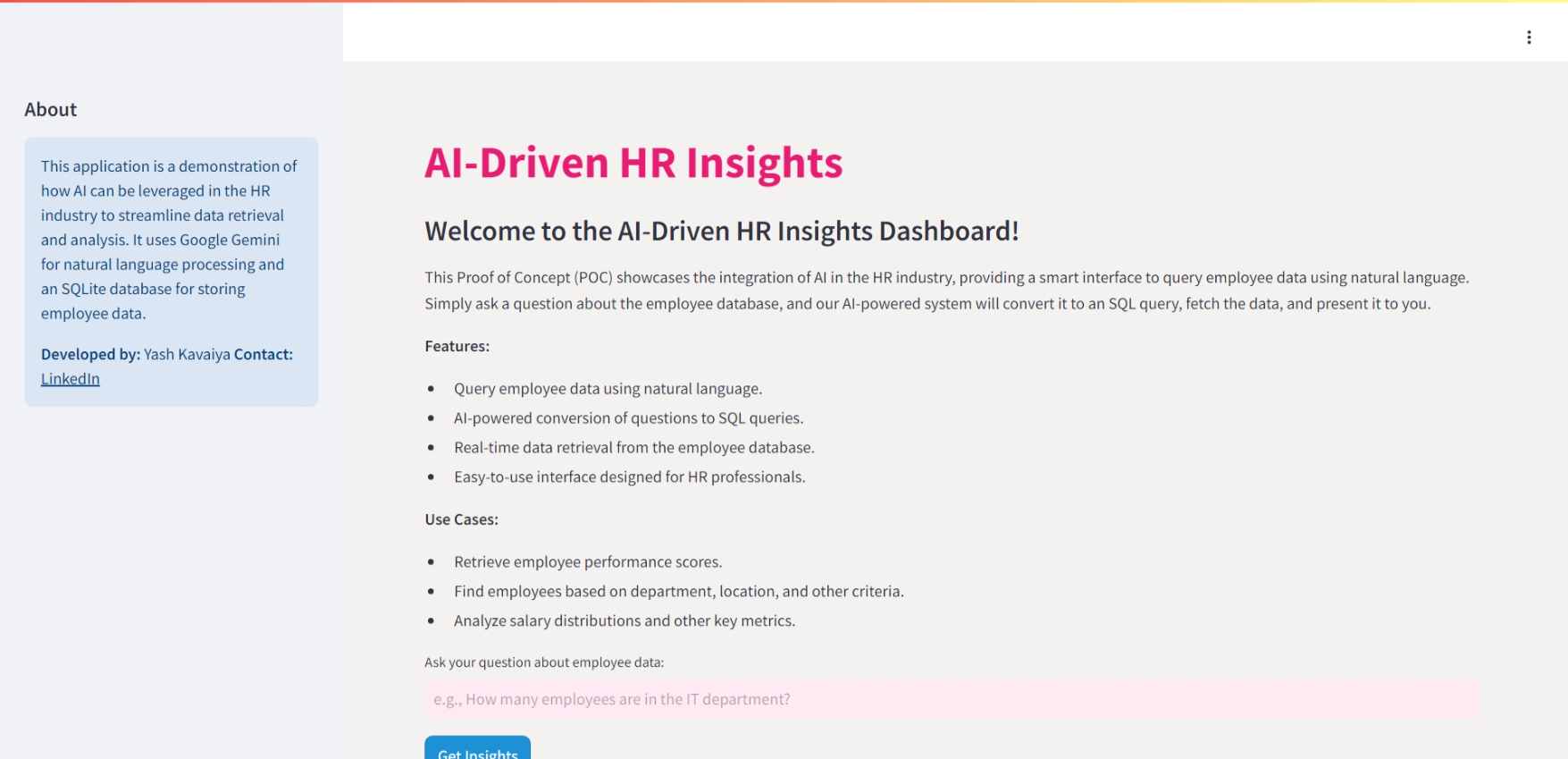
This project is a Proof of Concept (POC) that demonstrates the integration of AI in the HR industry. The application provides a smart interface to query employee data using natural language. By leveraging Google Gemini for natural language processing and an SQLite database for data storage, this app showcases how AI can streamline data retrieval and analysis for HR professionals.

Video Demo :- https://youtu.be/GN_zE5FG-oo?si=LkEOYVyotTVBV6zn
Features
- Query employee data using natural language.
- AI-powered conversion of questions to SQL queries.
- Real-time data retrieval from the employee database.
- Easy-to-use interface designed for HR professionals.
Use Cases
- Retrieve employee performance scores.
- Find employees based on department, location, and other criteria.
- Analyze salary distributions and other key metrics.
Tech Stack
- Python: Programming language used for development.
- Streamlit: Framework for building the web application.
- SQLite: Database used for storing employee data.
- Google Gemini: Used for natural language processing.
- Faker: Library for generating dummy data.
Installation
Clone the repository:
git clone https://github.com/your-repository/ai-hr-insights.git
cd ai-hr-insights
Create a virtual environment and activate it:
python -m venv venv
source venv/bin/activate  # On Windows, use `venv\Scripts\activate`
Install the required packages:
pip install -r requirements.txtSet up environment variables:
Create a
.envfile in the root directory and add your Google API key:GOOGLE_API_KEY=your_google_api_keyRun the application:
streamlit run app.py
Usage
Open the application:
Once the application is running, open your web browser and go to
http://localhost:8501.Ask a question:
Enter a question about the employee data in the input field. For example, "How many employees are in the IT department?".
Get Insights:
Click the "Get Insights" button to see the generated SQL query and the results retrieved from the database.
Database Setup
python Create_db.py
Contributing
Feel free to fork the repository and submit pull requests. For major changes, please open an issue first to discuss what you would like to change.
Other useful resources :-
License
This project is licensed under the MIT License. See the LICENSE file for more details.
Contact
Developer: Yash Kavaiya
LinkedIn: Yash Kavaiya
What it does
How we built it
Challenges we ran into
Accomplishments that we're proud of
What we learned
What's next for HR Virtual Assistant with AI
Built With
- python
- rag
- stramlit

Log in or sign up for Devpost to join the conversation.