-
-
HR Dashboard
InspirationInspiration
The inspiration behind the Tableau HR Dashboard project stemmed from a desire to streamline human resources management processes within our organization. As HR professionals, we recognized the importance of data-driven decision-making in effectively managing workforce dynamics, performance evaluation, and employee engagement. However, we faced challenges in accessing and interpreting HR data in a timely and insightful manner
What it does
Throughout the project, I gained valuable insights into the power of data visualization in HR analytics. By leveraging Tableau's robust features, I learned how to transform raw HR data into interactive and visually appealing dashboards. This not only enhanced our ability to identify trends and patterns but also facilitated effective communication of HR insights to key stakeholders
How we built it
Data Collection and Preparation The first step involved collecting relevant HR data from various sources such as employee databases, performance evaluations, and engagement surveys. Once collected, the data underwent extensive cleaning and preprocessing to ensure accuracy and consistency.
Challenges we ran into
Dashboard Design With a clear understanding of the key HR metrics and KPIs, I began designing the dashboard layout using Tableau. This involved selecting appropriate visualization types, arranging them in a coherent manner, and incorporating interactive elements such as filters and drill-down capabilities.
Accomplishments that we're proud of
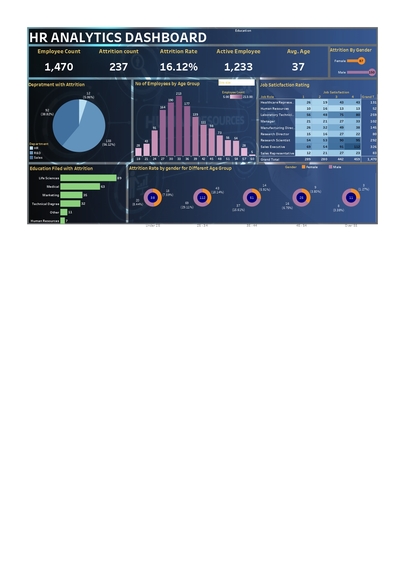
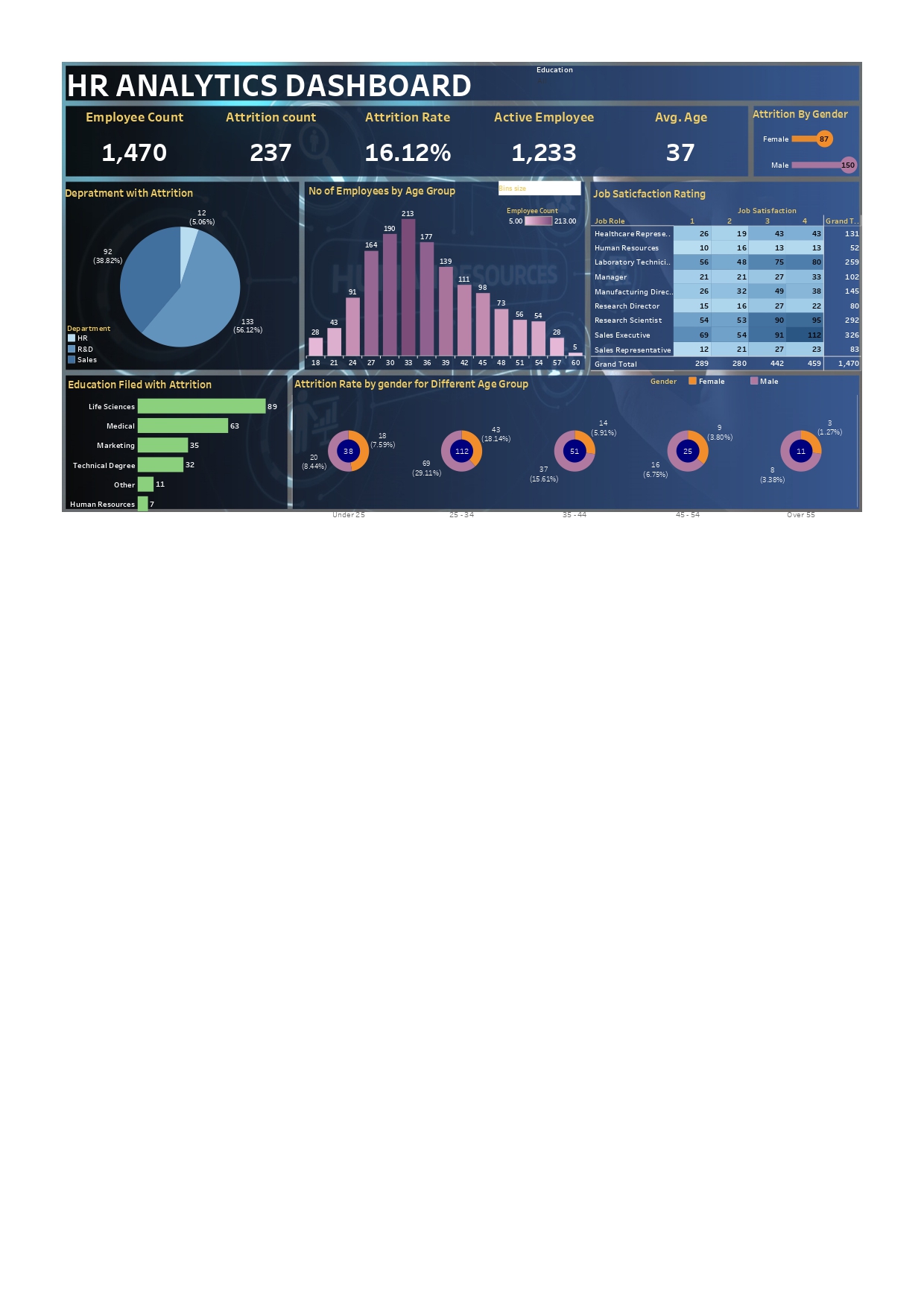
Data Visualization Using Tableau's intuitive interface, I created a variety of visualizations to represent different aspects of HR data. These included bar charts for employee demographics, line graphs for performance trends, and heatmaps for employee engagement analysis. Each visualization was carefully designed to convey meaningful insights at a glance.
What we learned
Throughout the project, I gained valuable insights into the power of data visualization in HR analytics. By leveraging Tableau's robust features, I learned how to transform raw HR data into interactive and visually appealing dashboards. This not only enhanced our ability to identify trends and patterns but also facilitated effective communication of HR insights to key stakeholders.
What's next for HR DASHBOARD
The next steps for the HR Dashboard project could involve several aspects aimed at further improving its functionality, usability, and effectiveness in supporting HR decision-making and workforce management. Here are some potential next steps:
Advanced Analytics Integration: Incorporate advanced analytics techniques such as predictive modeling, sentiment analysis, and machine learning algorithms to uncover deeper insights into employee behavior, attrition risk, and performance drivers.
Real-Time Data Integration: Implement mechanisms to enable real-time or near-real-time data integration from HR systems, employee feedback platforms, and other relevant sources. This would provide HR professionals with up-to-date insights and enable proactive decision-making.
Enhanced Visualization Techniques: Explore advanced visualization techniques such as network diagrams, geospatial analysis, and 3D visualization to represent HR data in more innovative and intuitive ways, enabling deeper exploration and understanding of workforce dynamics.
Benchmarking and Comparative Analysis: Introduce features for benchmarking HR metrics against industry standards or competitor benchmarks, allowing organizations to identify areas of strength and opportunities for improvement relative to peers.
Predictive Analytics for Talent Management: Develop predictive models to forecast future talent needs, identify high-potential employees, and optimize workforce planning strategies. This would support talent acquisition, succession planning, and skills development initiatives.
Mobile Accessibility: Optimize the HR Dashboard for mobile devices to enable access and use on-the-go, catering to the needs of remote employees, managers, and executives who require instant access to HR insights from anywhere.
Integration with HR Workflow Systems: Integrate the HR Dashboard with existing HR workflow systems, such as applicant tracking systems (ATS), performance management tools, and learning management systems (LMS), to streamline data flow and enable seamless decision-making.
User Training and Support: Provide comprehensive training and support resources to HR professionals and other users to maximize their proficiency in utilizing the dashboard effectively and extracting meaningful insights from HR data.
Feedback Mechanisms: Establish mechanisms for collecting feedback from dashboard users on a regular basis to identify areas for improvement, address usability issues, and prioritize feature enhancements based on user needs and preferences.
Compliance and Privacy Considerations: Ensure that the HR Dashboard complies with relevant data privacy regulations (e.g., GDPR, CCPA) and security standards to protect sensitive employee information and maintain data integrity and confidentiality.


Log in or sign up for Devpost to join the conversation.