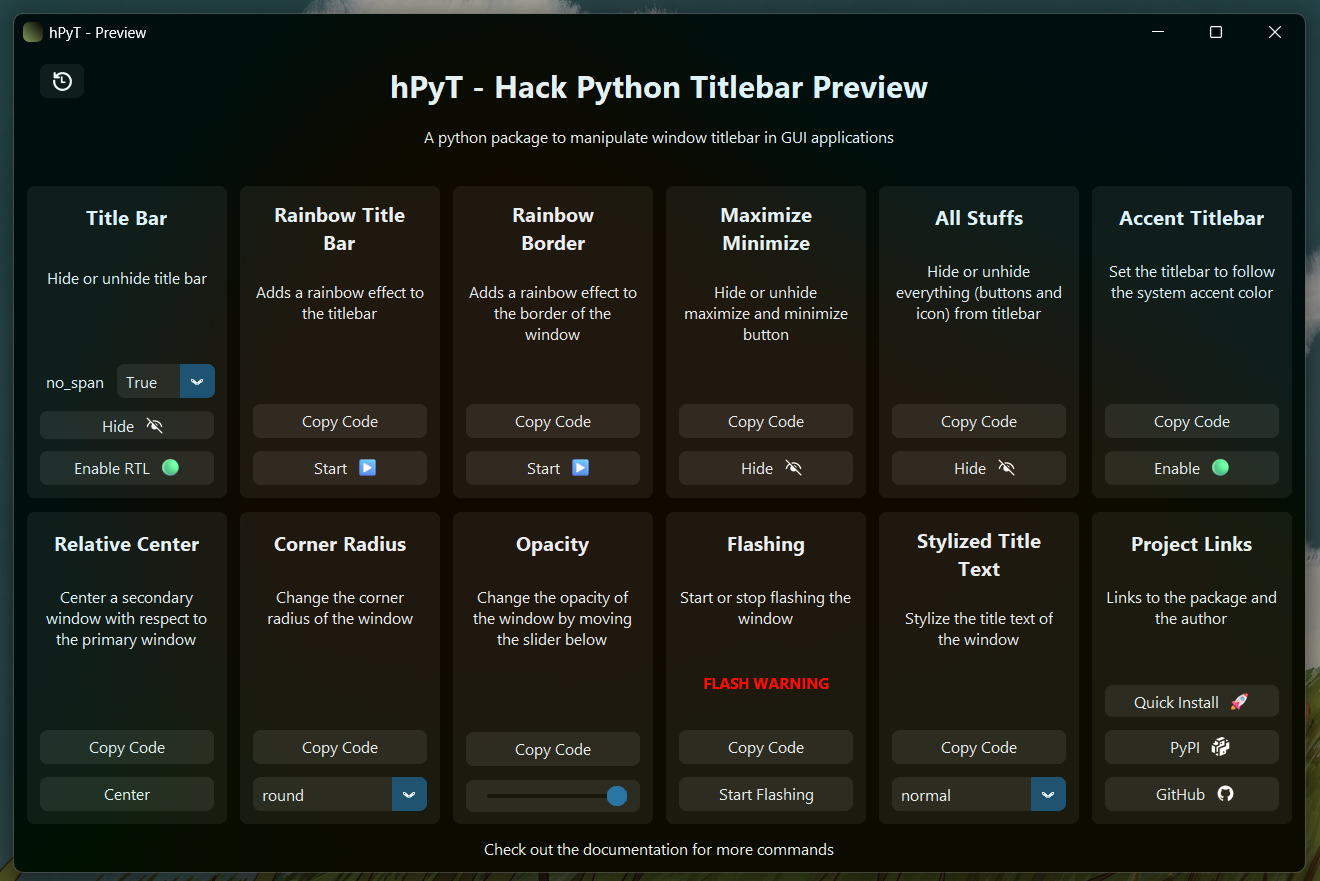
hPyT - Hack Python Titlebar
A package to manipulate windows and titlebar of GUI applications made using python Supports Windows 7-11
https://github.com/Zingzy/hPyT/assets/90309290/f86df1c7-b75b-4477-974a-eb34cc117df3
📚 Supported Libraries
- Tkinter & CustomTkinter
- PyQt
- PySide
- WxPython
- Kivy
- Almost all other UI libraries
[!IMPORTANT] follow this section to see how to use hPyT with other libraries
📦 Installing
pip install hPyT==1.4.0
📥 Importing
from hPyT import *
from customtkinter import * # you can use any other library from the above mentioned list

window = CTk() # creating a window using CustomTkinter
NEW Features in v1.4.0 🎉
- Function to change
corner radiusof the window with thehPyT.corner_radiusmodule - Functions to manipulate
DWMwindow attributes with thehPyT.window_dwmmodule- Enable RTL layout
- Disable DWM transitions
- Cloak the window
Hide/Unhide TitleBar
title_bar.hide(window, no_span = False) # hides full titlebar
# optional parameter : no_span, more details in the note below
# title_bar.unhide(window)
| Parameter | Type | Default | Description |
|---|---|---|---|
no_span |
bool |
False |
If True, the content area height will not be adjusted to accommodate the title bar. |
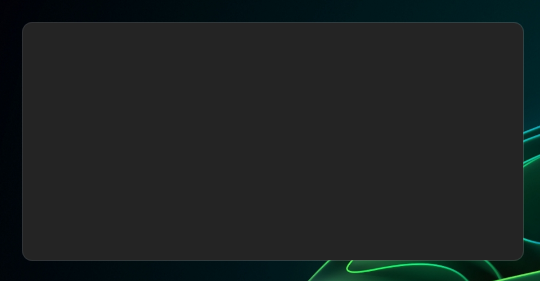
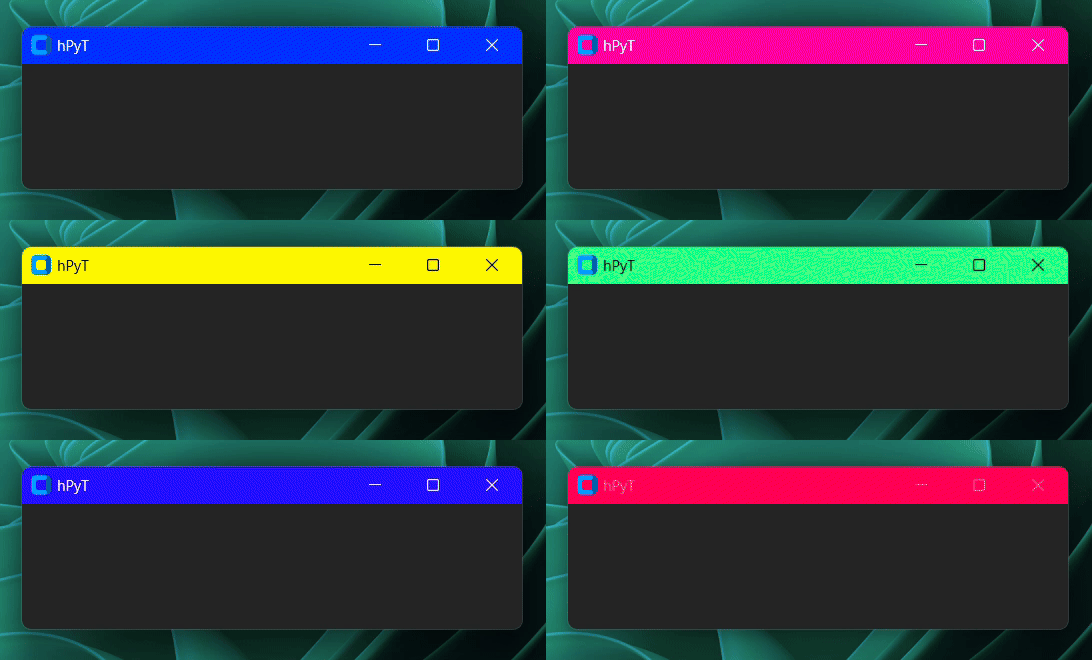
🌈 Rainbow TitleBar
This feature is only supported on Windows 11.
rainbow_title_bar.start(window, interval=5) # starts the rainbow titlebar
# rainbow_title_bar.stop(window) # stops the rainbow titlebar
| Parameter | Type | Default | Description |
|---|---|---|---|
interval |
int |
5 |
The time in milliseconds in which the color would change. |
color_stops |
int |
5 |
The number of color stops between each RGB value. |
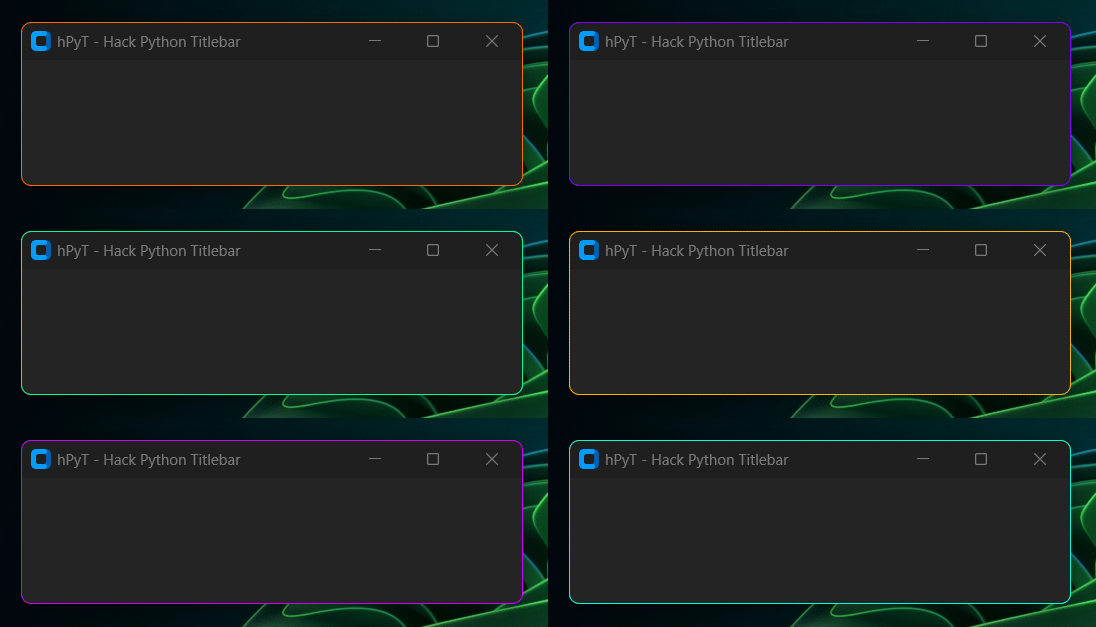
🌈 Rainbow Border
This feature is only supported on Windows 11.
rainbow_border.start(window, interval=4) # starts the rainbow border
# rainbow_border.stop(window) # stops the rainbow border
| Parameter | Type | Default | Description |
|---|---|---|---|
interval |
int |
5 |
The time in milliseconds in which the color would change. |
color_stops |
int |
5 |
The number of color stops between each RGB value. |
🔄 Synchronizing the Rainbow Effect with other elements
from hPyT import *

...

rainbow_title_bar.start(window, interval=30) # starts the rainbow titlebar
# rainbow_border.start(window, interval=30) # also works with rainbow border

current_color = rainbow_title_bar.get_current_color() # or rainbow_border.get_current_color()
# you can use this color to synchronize the color of other elements with the titlebar
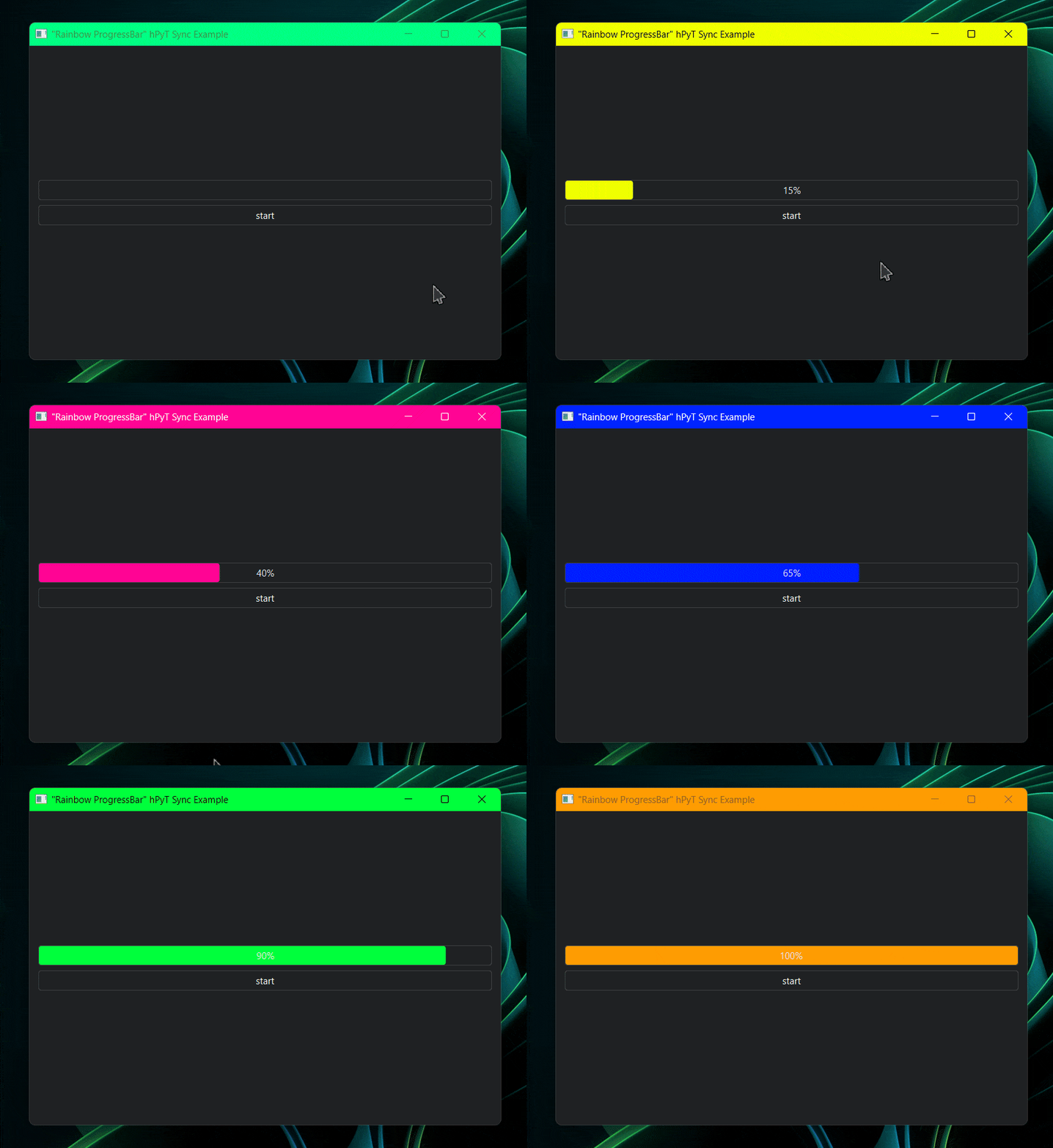
Code for the above illustration available in /examples/rainbow-synchronization-example.py
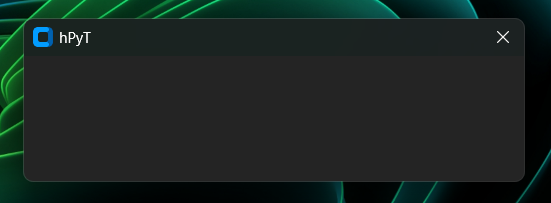
Hide/Unhide both Maximize and Minimize Buttons (Completely Hides both buttons)
maximize_minimize_button.hide(window) # hides both maximize and minimize button
# maximize_minimize_button.unhide(window)
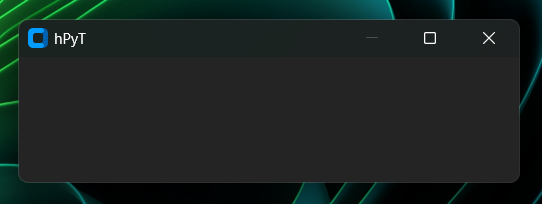
Hide/Unhide All Buttons or Stuffs
all_stuffs.hide(window) # hides close button
# all_stuffs.unhide(window)
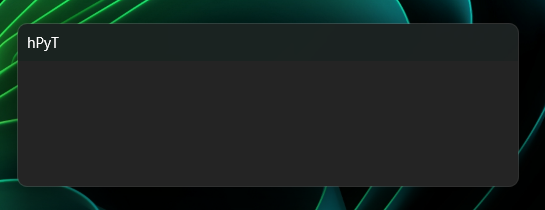
[!TIP] To hide the text set the window title to
''
Enable/Disable Maximize Button
maximize_button.disable(window) # hides maximize button
# MaximizeButton.enable(window)
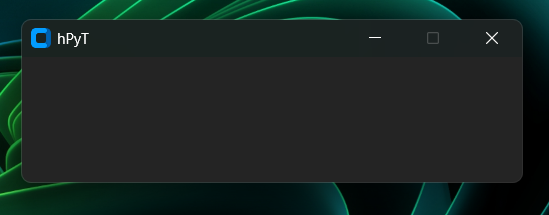
Enable/Disable Minimize Button
minimize_button.disable(window) # hides minimize button
# MinimizeButton.enable(window)
🎨 Custom TitleBar Color
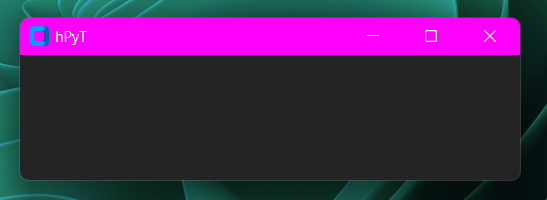
This feature is only supported on Windows 11.
title_bar_color.set(window, color='#ff00ff') # sets the titlebar color to magenta
# title_bar_color.reset(window) # resets the titlebar color to default
| Parameter | Type | Default | Description |
|---|---|---|---|
color |
Union[str, Tuple[int]] |
❌ | The color to set the titlebar to in either Hex (string) or RGB (tuple of integers) format |
Set TitleBar Color to windows Accent Color
title_bar_color.set_accent(window) # sets the titlebar color to the current windows accent color
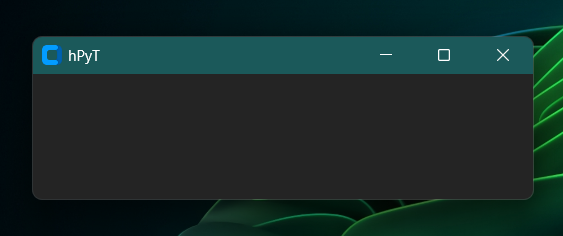
[!NOTE] The titlebar color will automatically change when the windows accent color changes
🖌️ Custom TitleBar Text Color
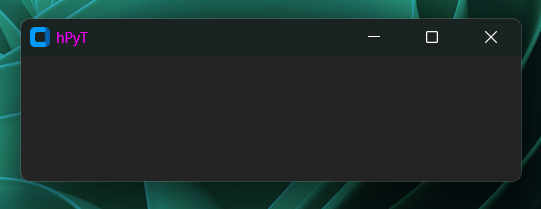
This feature is only supported on Windows 11.
title_bar_text_color.set(window, color='#ff00ff') # sets the titlebar text color to magenta
# title_bar_text_color.reset(window) # resets the titlebar text color to default
| Parameter | Type | Default | Description |
|---|---|---|---|
color |
Union[str, Tuple[int]] |
❌ | The color to set the titlebar text to in either Hex (string) or RGB (tuple of integers) format |
🖌️ Custom Border Color
This feature is only supported on Windows 11.
border_color.set(window, color='#ff00ff') # sets the border color to magenta
# border_color.reset(window) # resets the border color to default
| Parameter | Type | Default | Description |
|---|---|---|---|
color |
Union[str, Tuple[int]] |
❌ | The color to set the border to in either Hex (string) or RGB (tuple of integers) format |
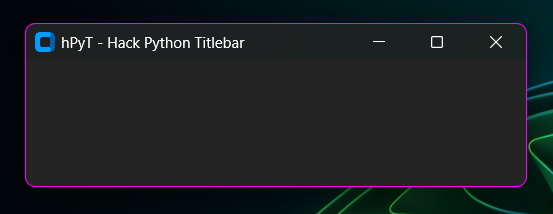
Set Border Color to windows Accent Color
border_color.set_accent(window) # sets the border color to the current windows accent color
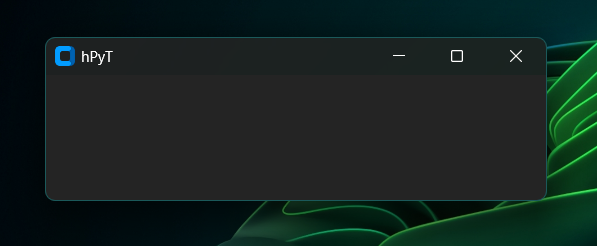
[!NOTE] The border color will automatically change when the windows accent color changes
Window Corner Radius
This feature is only supported on Windows 11.
corner_radius.set(window, style="round-small") # sets the window border radius to round-small
# corner_radius.reset(window) # resets the window border radius to default
List of available styles:
| Style | Preview | | :---: | :---: | | `round-small` |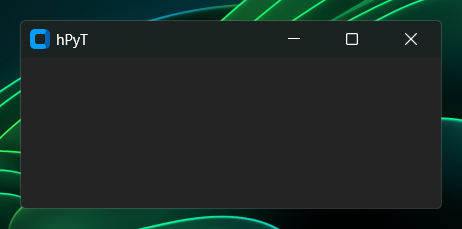 |
| `square` |
|
| `square` | 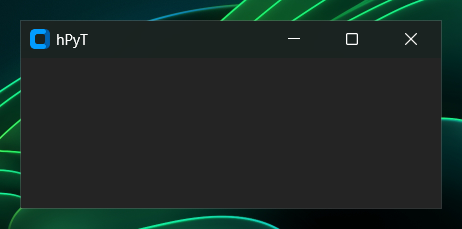 |
| `round` |
|
| `round` | 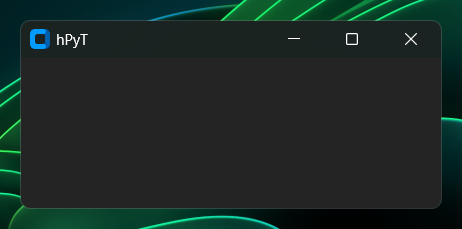 |
|
Window DWM Manipulation
DWM - Desktop Window Manager is the component of a window which controls non-client area of the window. The features below are generally used to improve the accessibility of a window.
Enable RTL Layout for the DWM Window
window_dwm.toggle_rtl_layout(window, enabled=True) # enables RTL layout for the window
# window_dwm.toggle_rtl_layout(window, enabled=False) # disables RTL layout for the window
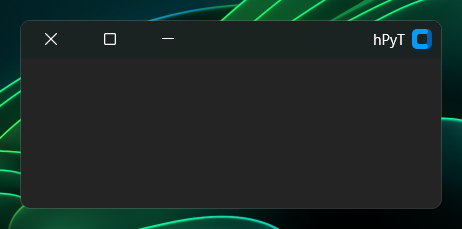
[!NOTE] This feature enables the **RTL layout* for the non-client area of the window which includes the titlebar, border, etc.*
Disable DWM Transitions for the DWM Window
Disabling DWM Transitions will make the animations for minimize, maximize, restore, etc. more snappy and faster.
window_dwm.toggle_dwm_transitions(window, enabled=False) # disables DWM transitions for the window
# window_dwm.toggle_dwm_transitions(window, enabled=True) # enables DWM transitions for the window
[!NOTE] This will only affect the minimize, maximize, restore, etc. animations. It will not affect custom animations.
[!IMPORTANT] This feature won't work if the global animations are disabled by the user in the windows settings.
Window Cloaking
If window cloaking is enabled, the window will be hidden while still being composed by DWM i.e the window will be rendered but it will not be visible to the user.
window_dwm.toggle_cloak(window, enabled=True) # hides the window

# Do complex taks like rendering window widgets

window_dwm.toggle_cloak(window, enabled=False) # shows the window
[!TIP] By cloaking a window,
DWMcan optimize the **rendering process* since it doesn't have to display the window's content on the screen. This can help improve the performance of applications, especially those with complex UI elements or animations.*
Example of window rendering with and without cloacking
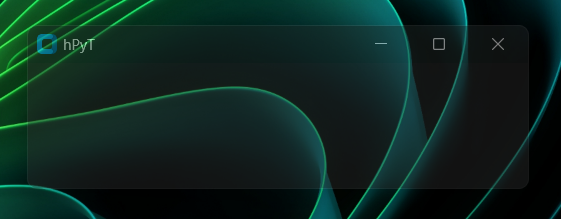
| Cloacking Used | Cloacking Not Used | | :------------: | :---------------: | | 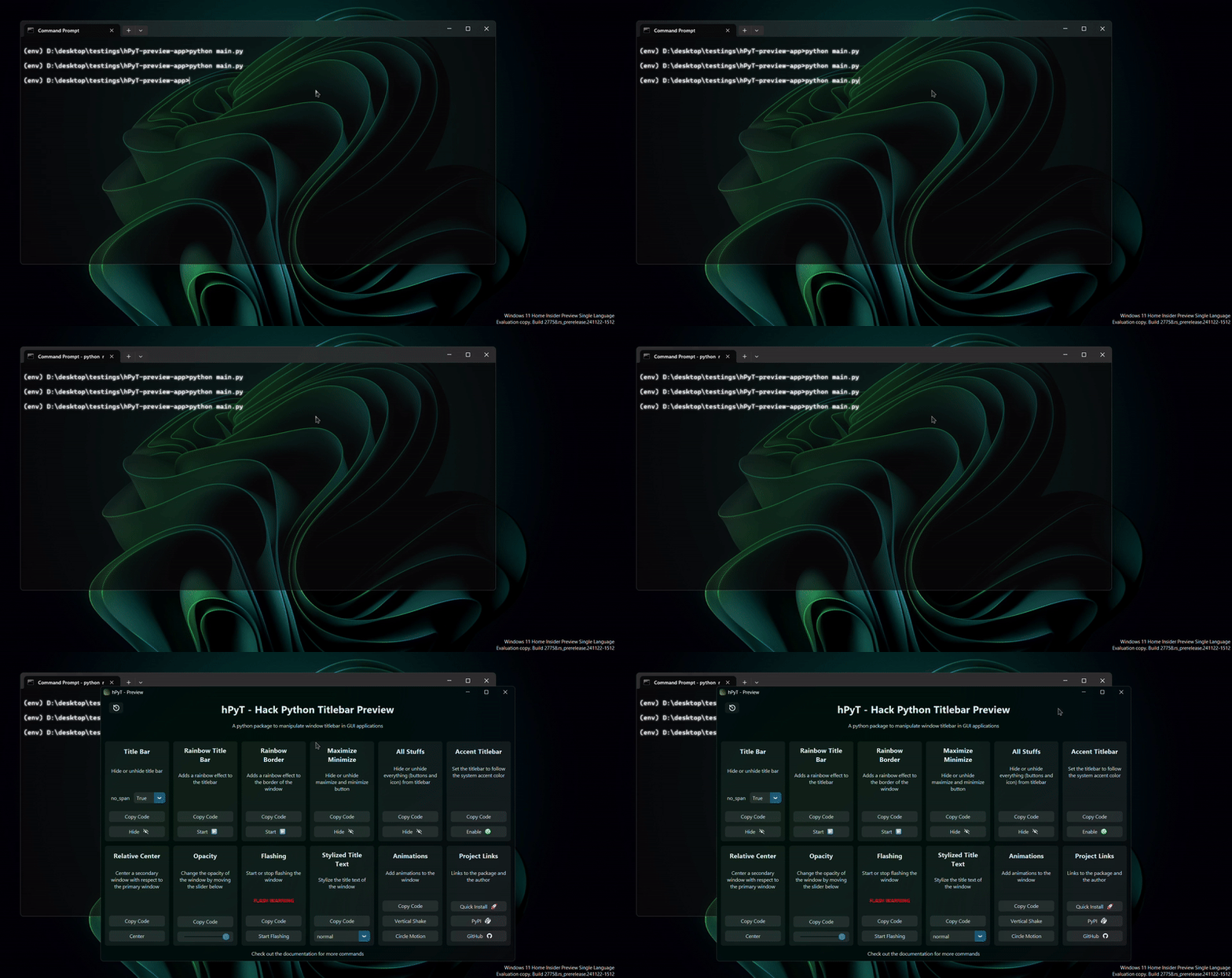 | 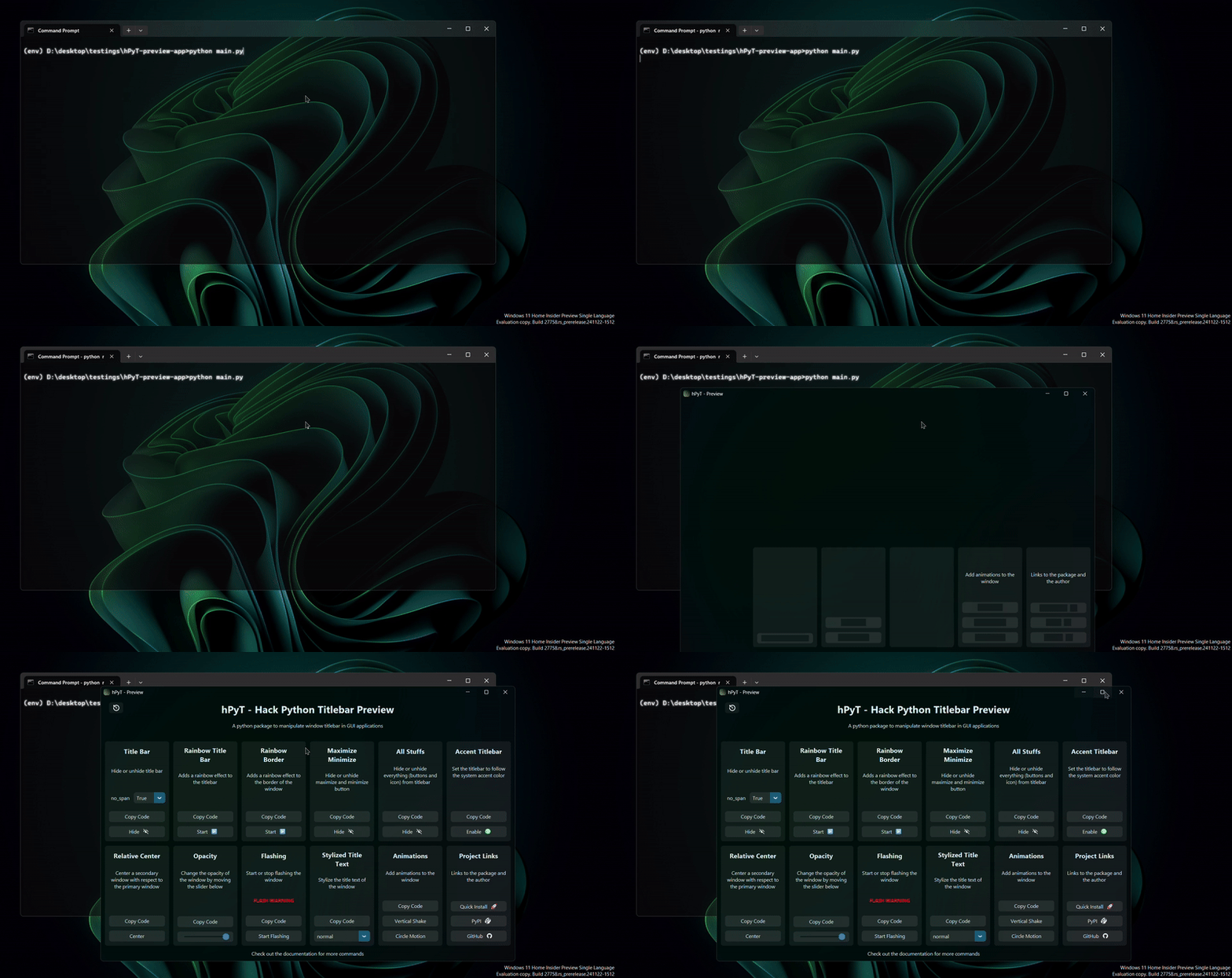 |Opacity
opacity.set(window, opacity=0.5) # sets the window opacity to 50%
# opacity.set(window, opacity=1.0) # resets the window opacity to 100%
| Parameter | Type | Default | Description |
|---|---|---|---|
opacity |
float |
❌ | The opacity to set the window to. It should be a value between 0 (transparent) and 1.0 (opaque). |
⚡ Flashing Window
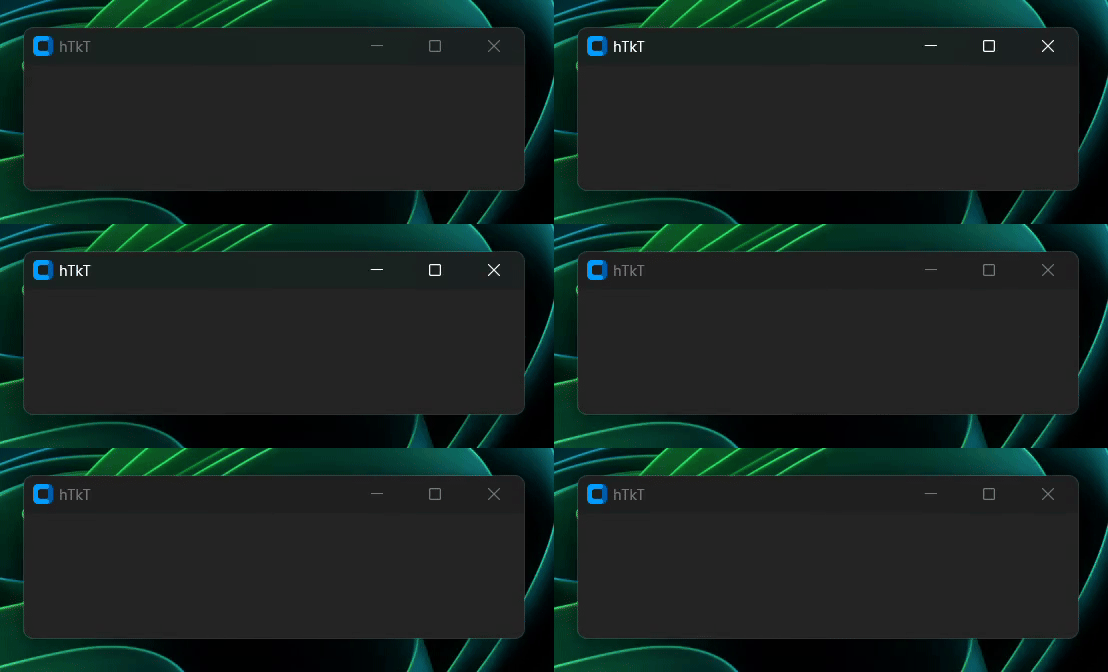
window_flash.flash(window, count=10, interval=100) # flashes the window 10 times with 100ms interval
# window_flash.stop(window) # stops the flashing immediately
| Parameter | Type | Default | Description |
|---|---|---|---|
count |
int |
5 |
The number of times the window will flash. |
interval |
int |
1000 |
The time in milliseconds in which the window will flash. |
💻 Window Management
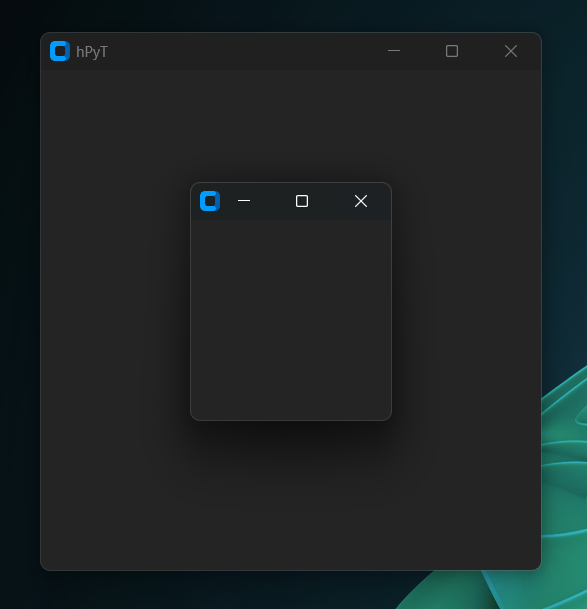
Center a window on the screen
window_frame.center(window)
Center a secondary window relative to the primary window
window_frame.center_relative(window, child_window)
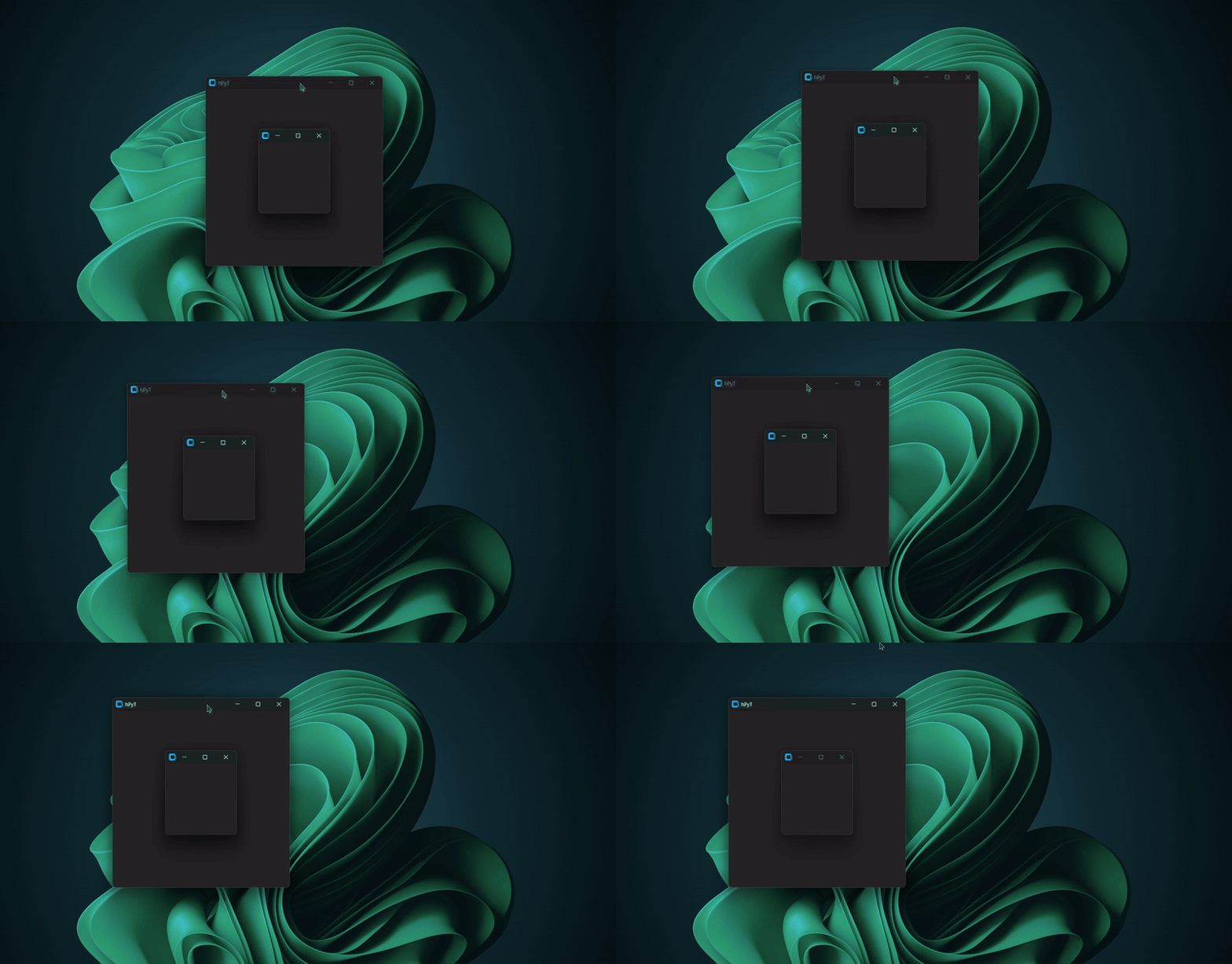
Example Usecase
window = CTk()
window.title("Primary Window")
window.geometry('600x300')
window_frame.center(window)

child_window = CTkToplevel()

window_frame.center_relative(window, child_window)

window.bind("<Configure>", lambda event: window_frame.center_relative(window, child_window))

def on_close():  # this is required to stop the window from centering the child window after the parent window is closed
    window.unbind("<Configure>")
    child_window.destroy()

child_window.protocol("WM_DELETE_WINDOW", on_close)

window.mainloop()
Other basic window management functions
window_frame.move(window, 100, 100) # moves the window to (100, 100)
window_frame.resize(window, 500, 500) # resizes the window to 500x500
window_frame.maximize(window) # maximizes the window
window_frame.minimize(window) # minimizes the window
window_frame.restore(window) # restores the window
✨ Window Animations
Circle Motion
window_animation.circle_motion(window, count=5, interval=5, radius=30)
# moves the window in a circular motion 5 times with 5ms interval and 30px radius
| Parameter | Type | Default | Description |
|---|---|---|---|
count |
int |
5 |
The number of times the window will move in a circular motion. |
interval |
int |
5 |
The time in milliseconds in which the window will move in a circular motion. |
radius |
int |
20 |
The radius of the circular motion. |
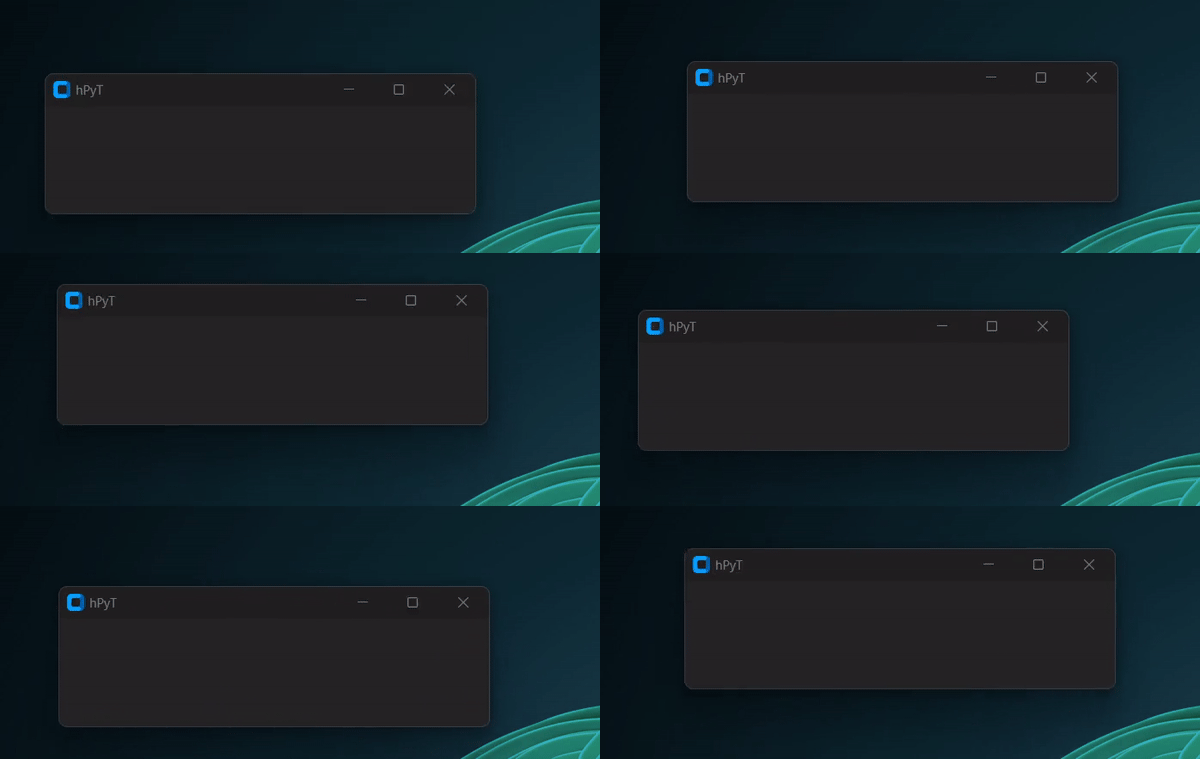
The animation might appear a bit fasterer and rougher in the above preview gif than it is
Verical Shake
window_animation.vertical_shake(window, count=5, interval=5, amplitude=20)
# shakes the window vertically 5 times with 5ms interval and 10px distance
| Parameter | Type | Default | Description |
|---|---|---|---|
count |
int |
5 |
The number of times the window will shake vertically. |
interval |
int |
5 |
The time in milliseconds in which the window will shake vertically. |
amplitude |
int |
20 |
The distance the window will shake vertically. |
Horizontal Shake
window_animation.horizontal_shake(window, count=5, interval=5, amplitude=20)
# shakes the window horizontally 5 times with 5ms interval and 10px distance
| Parameter | Type | Default | Description |
|---|---|---|---|
count |
int |
5 |
The number of times the window will shake horizontally. |
interval |
int |
5 |
The time in milliseconds in which the window will shake horizontally. |
amplitude |
int |
20 |
The distance the window will shake horizontally. |
✏️ Stylize text
title_text.stylize(window, style=1)
Choose any style from 1 to 10.
Below is a gif demonstrating all of the available styles
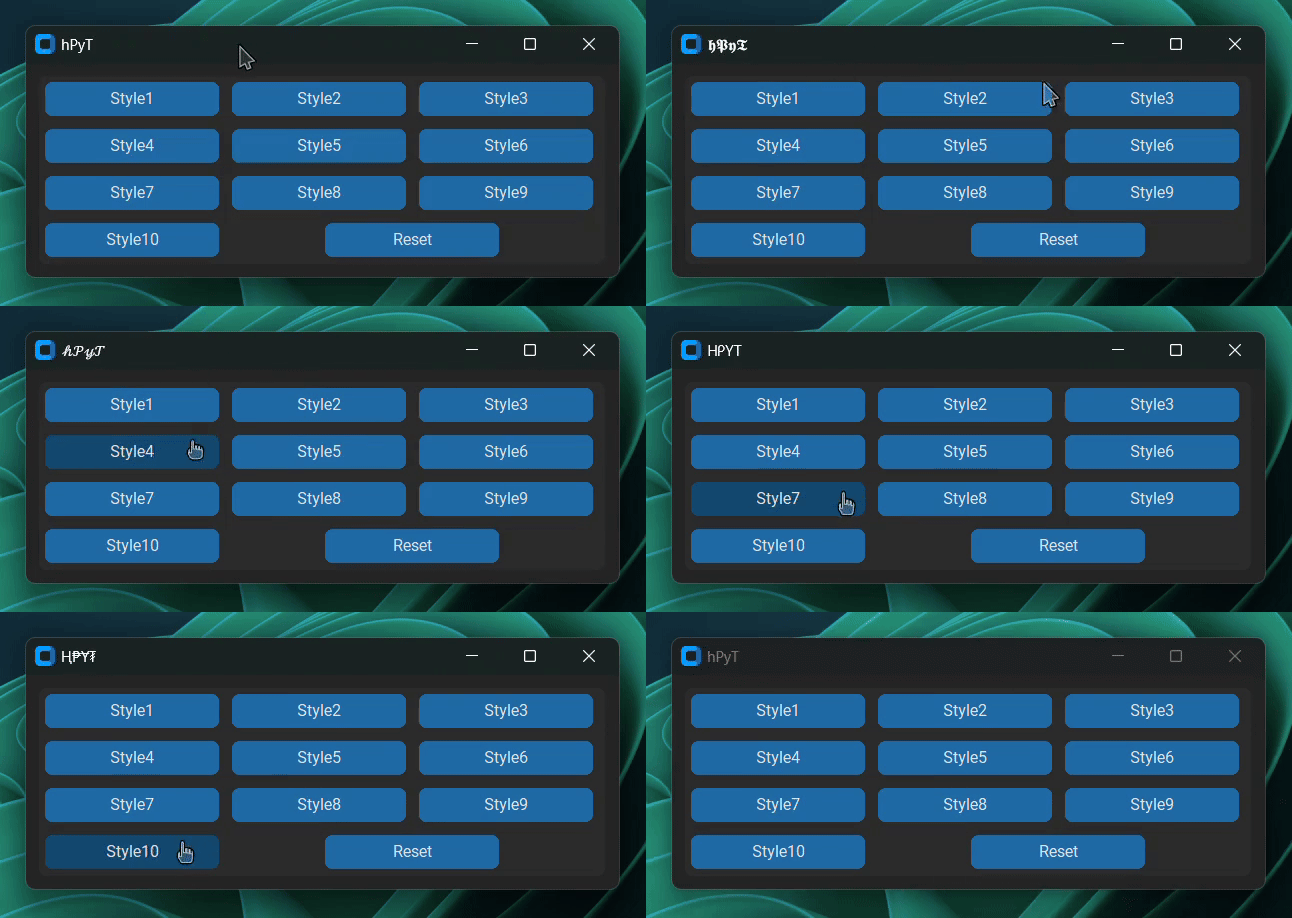
[!NOTE] It is recommended to use the
title_text.setfunction to change the title of the window instead of directly setting the title of the window.This is because the
title_text.setfunction also caches the original title and the styled title so that it can be used to verify the consistency of the title before applying the style.
Workaround for other libraries
This menthod is applicable for any other UI library like pygame pySimpleGUI, etc. which are not mentioned in the supported libraries list. You just need to pass the hwnd of the window instead of the window object to the functions as demonstrated below.
import tkinter as tk
from hPyT import *
import ctypes

# make sure that the window has been created and is active

hwnd = ctypes.windll.user32.GetActiveWindow()
rainbow_border.start(hwnd, interval=4) # use the hwnd of the window instead of the window object
Miscellaneous
Get Windows Accent Color
print(get_accent_color()) # prints the current windows accent color
>>> '#1b595a'
Stylize text
print(stylize_text("Your Custom Text", style=1)) # stylizes your text
# all of the styles shown on the above gif are available
>>> "𝔜𝔬𝔲𝔯 ℭ𝔲𝔰𝔱𝔬𝔪 𝔗𝔢𝔵𝔱"
📜 hPyT Changelog
v1.4.0
- Add new feature for customizing the corner radius of the window
- Add new feature for manipulating the non-client area of the window
- Fix the issue with stylize text not looking for changes made by the user
- Fix the issue with title text not being consistent on older versions of windows
- Add support for x86/x32 pythonarchitecture
v1.3.7
- Fix color conversion issue which returned the wrong color when the windows accent color was set to a custom color
- Add handling for WM_NCACTIVATE and WM_NCPAINT messages to improve title bar rendering
- Add dynamic height adjustment to hide_titlebar method using the no_span parameter
v1.3.6
- Minor Bug Fixes
v1.3.5
- Add feature for automatically changing the accent color of the titlebar and border
- Fix an issue which caused ImportError when used with a python version less than 3.9
v1.3.4
- Add method for applying the current windows accent color to the titlebar and border color
- Add method for getting the current windows accent color
- Add type annotations and docstrings to functions for better clarity and autocompletion
v1.3.3
- Fixed taskbar unhide/hide bug
v1.3.2
- Add support for synchronizing the rainbow effect with other ui elements.
v1.3.1
- Add support for UI libraries like Kivy, PySimpleGUI, PyGame, etc.
- Improve the rainbow titlebar & border effects.
- Improve the center_relative function & examples.
v1.3.0
- Add support for setting custom border color
- Add support for rainbow border color effect
- Add support for resetting the titleBar color and titleText color
- Fix an issue which caused the titleBar to appear black after the rainbow titleBar effect was stopped
v1.2.1
- Minor Bug Fixes
v1.2.0
- Add support for rainbow titlebar
- Add support for styling title text
- Add support for vertical, horizontal shake and circle motion window animations
- Add support for centering a window on the screen
- Add support for centering a window relative to another window
- Add support for moving/resizing/maximizing/minimizing/restoring a window
- Add support for setting custom titlebar color
- Add support for setting custom titlebar text color
v1.1.3
- Add flashing inverval support
v1.1.2
- Add window flashing support
- Add window opacity support
- Add support for PyGTK
v1.1.1
- Add support for WxPython, PyQt and PySide
v1.1.0
- Initial Release








Log in or sign up for Devpost to join the conversation.