Inspiration
Installing a programming language manually in VS Code can be confusing and time-consuming, especially for beginners. This project aims to simplify the process by providing clear and structured guidance.
What It Does
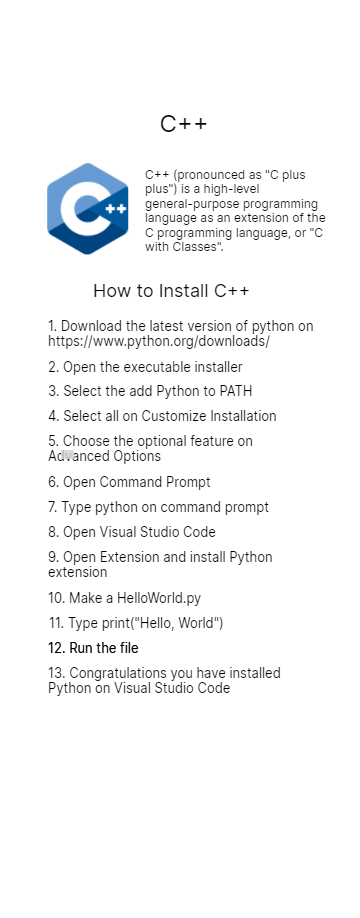
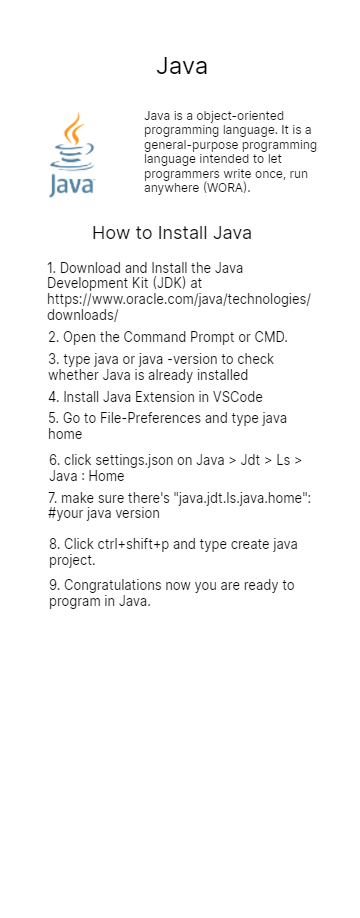
This application offers comprehensive documentation on how to install various programming languages in VS Code. It provides step-by-step instructions to help users set up their development environment quickly.
How We Built It
We developed this project using Java in Android Studio, along with XML for the user interface. The application organizes and presents the documentation in an easy-to-navigate format.
Challenges We Ran Into
One of the main challenges was implementing the right data structures to store and retrieve the documentation efficiently. We also had to ensure that the content remained accurate and up to date.
Accomplishments That We're Proud Of
We are proud that the application successfully provides users with clear and helpful documentation. It simplifies the installation process, making it easier for beginners to get started with coding.
What We Learned
Throughout this project, we improved our understanding of data structures and how they affect performance. We also gained experience in designing a structured and user-friendly documentation system.
What's Next for How to Install Code
We plan to expand the application by adding more tutorials for different programming languages. Additionally, we aim to include video guides and interactive troubleshooting tips for better user support.
Built With
- android
- android-studio
- code
- java
- tutorial

Log in or sign up for Devpost to join the conversation.