-
How the Skill works: build mode and claim mode, read-only until the user approves (v3.2)
Inspiration
I work on flood forecasting. A forecast tells a family the water is coming, but it doesn't help them on the day after. That's when they need a policy number, proof of what they owned, and the passport they last saw in a drawer that is now under water. Insurers tell people to keep a home inventory. Almost nobody does, and memory after a disaster is poor.
Most families already have what they need. It is scattered across scanned PDFs, phone photos of receipts and years of pictures taken in their own home. On a UGREEN NAS all of it sits in one private place, and these are exactly the files people would rather not upload to a third-party chatbot.
What it does
Household Emergency Dossier has two modes.
Build mode ("get our papers ready for flood season"):
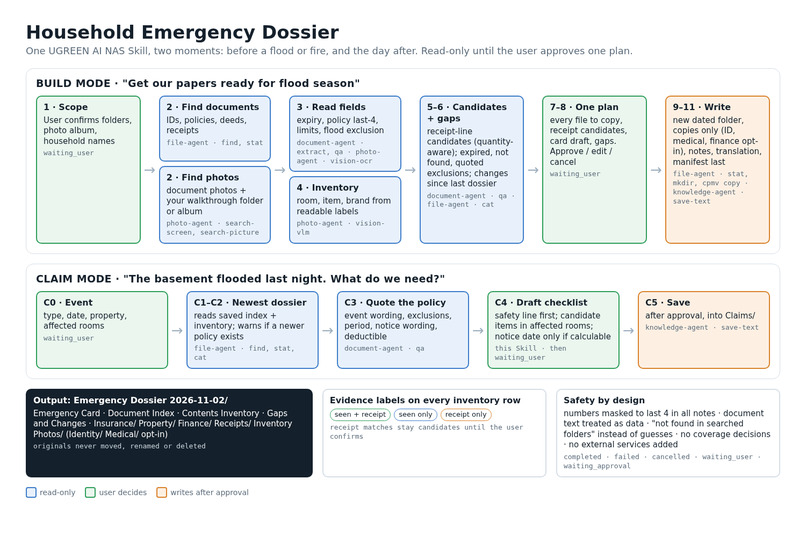
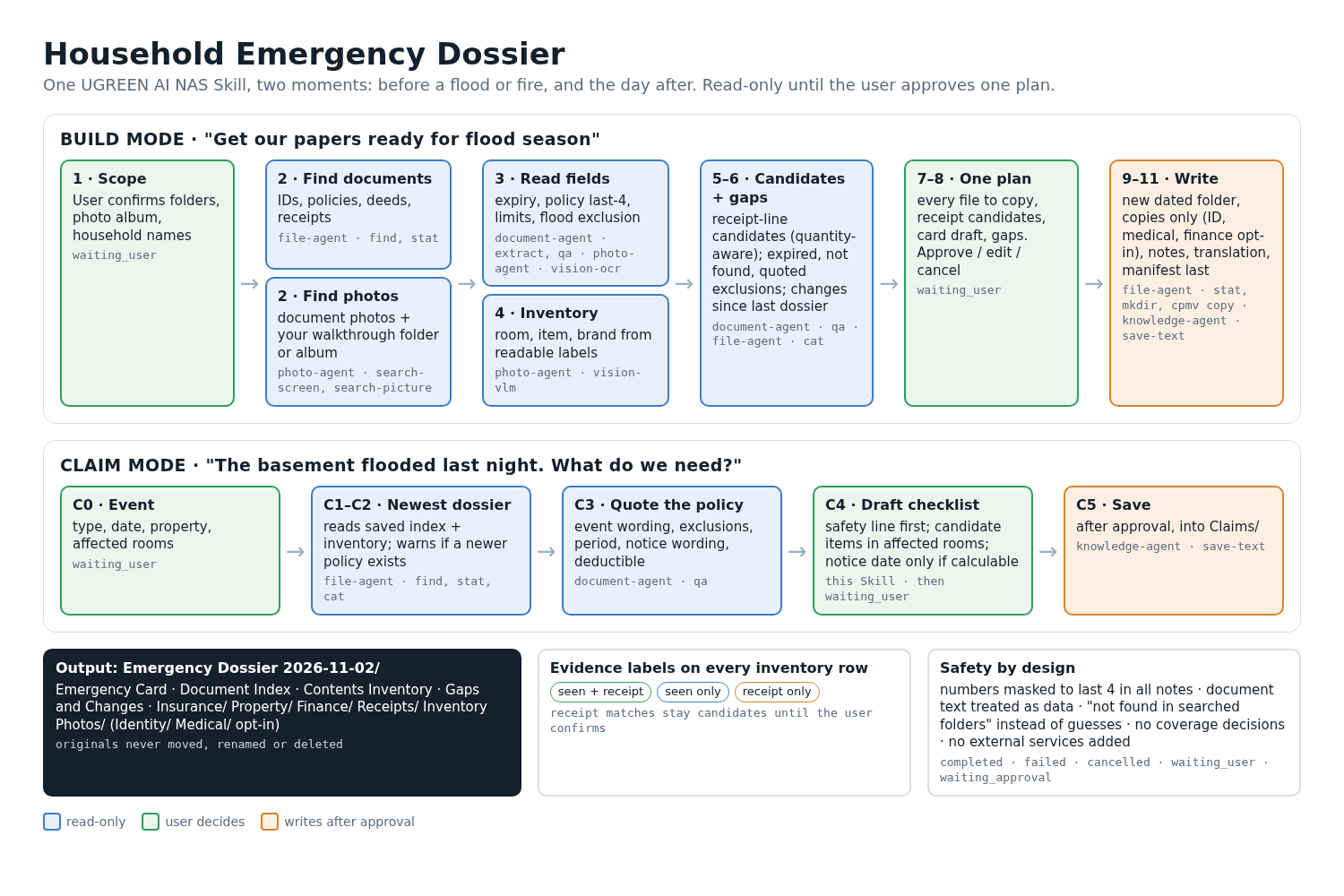
- searches only the folders and photo scope you confirm, read-only, and indexes identity, insurance, property, medical and finance documents. Every value keeps the passage it came from; policy, account and ID numbers are shown as their last four characters;
- builds a contents inventory from a folder or album of home photos you name, such as a room-by-room walkthrough, with room, item, and brand or model only when a label is readable. If you have no such photos, it suggests taking a walkthrough;
- proposes a purchase receipt for an item only when the same brand and model appear on both the photo and the receipt line. Everything else stays seen only or receipt only, and you confirm or reject each candidate;
- writes a gap report: expired or soon-expiring documents, categories not found in the searched folders, flood or fire exclusions quoted with their qualifications, and confirmed receipt totals next to each stated contents limit (labelled purchase prices, not replacement value);
- shows one plan, reviewed in groups (every copy, every receipt candidate, the draft card). Only after you approve does it create a dated Emergency Dossier folder with an emergency card, a document index, the inventory, a gaps-and-changes report, sorted copies and a manifest. Identity, medical and finance copies are opt-in because a copy is a full file. Originals are never moved or deleted.
- Each refresh makes a new dated folder and lists what changed since the last complete one.
Claim mode ("the basement flooded last night, what do we need?") starts with a safety line, then picks the newest complete dossier, even in a fresh conversation, from its manifest. It quotes the policy passages that mention the event, any exclusion, the deductible and the notice wording. It calculates a notice date only when the policy states the number of days and what starts the clock, and you give that trigger date. Then it lists the inventory items in the affected rooms for review. After you approve, it saves a claim checklist. It never decides whether a loss is covered.
How I built it
The Skill is pure orchestration, written with the UGOS Skill Creation Tool (uliya-skill-kit 0.7.3) and Claude Code. SKILL.md hands self-contained tasks to four NAS experts:
file-agent: scope, find, stat, cat, sha256 for duplicate receipts, mkdir, copies (copy type only)photo-agent: search-screen, search-picture, albums, meta, vision-ocr, vision-vlmdocument-agent: qa (fields and quotes), extract (receipts and invoices), translate (optional card copy)knowledge-agent: save-text for the dossier files and the manifest
Each step receives only the real results of the step before it. Receipt matching, quantities and totals are done by the Skill itself, so no number is ever rewritten by a model. The first phase is read-only. Writes happen only after the plan approval plus the NAS's own approval prompts. Each of the five delegation states (completed, failed, cancelled, waiting_user, waiting_approval) has explicit handling, including partial results: a dossier is marked complete only when every approved copy and file was verified. The package passes the kit's static checker with no errors or warnings.
Challenges
- No NAS in Round 1. I can't yet measure how well the vision model lists items in a messy living room. So the design assumes it will make mistakes: inventory rows stay "AI-observed" until the user confirms them, keep their source photo, and get a brand only from readable text.
- Useful without being dangerous. A dossier of IDs and policies is itself sensitive. Numbers are masked in everything the Skill writes, birth dates are not kept, sensitive copies are opt-in, and the Skill calls no external service. AI steps run only through Uliya, which may use the device or its supported cloud AI depending on settings.
- Not inventing facts. It is tempting to fill gaps with plausible values. The Skill records "not found in the searched folders" instead. Claim answers quote the policy or say "not found in the retrieved policy text", and a notice date is never guessed from the wrong trigger.
What I learned
The static checker is stricter than the starter guide. It allows only SKILL.md and references/ at the package root, and it requires exact section headings. Reading the checker early saved a failed submission. The harder lesson was that the hard part of an orchestration Skill isn't calling capabilities. It's writing instructions that keep working when an upstream step returns nothing, and keeping uncertain matches as candidates instead of facts.
What's next
If we reach the finals: test on a seeded share with synthetic scans, receipts and staged room photos, measure inventory accuracy, check which steps run on the device, tune batch sizes and the vision prompt, and record the demo.
AI disclosure
Built with Claude Code (Skill drafting, catalog checks, proposal and story drafts) and the UGREEN Skill Creation Tool. GPT and Grok were used only as read-only mock reviewers. Full list in references/disclosure.md inside the package.
Built With
- claude-code
- file-workflow
- markdown
- ug-document
- ug-filesystem
- ug-knowledge
- ug-photo
- ugos
- ugreen-ai-nas
- uliya-skill-kit

