-
-
 GIF
GIF
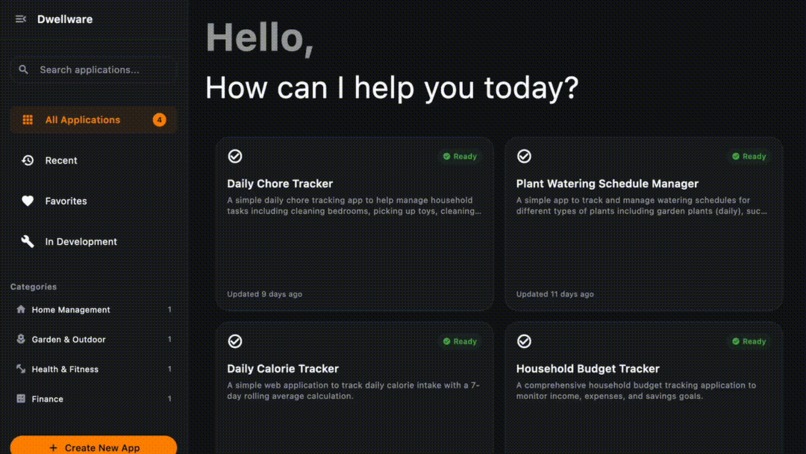
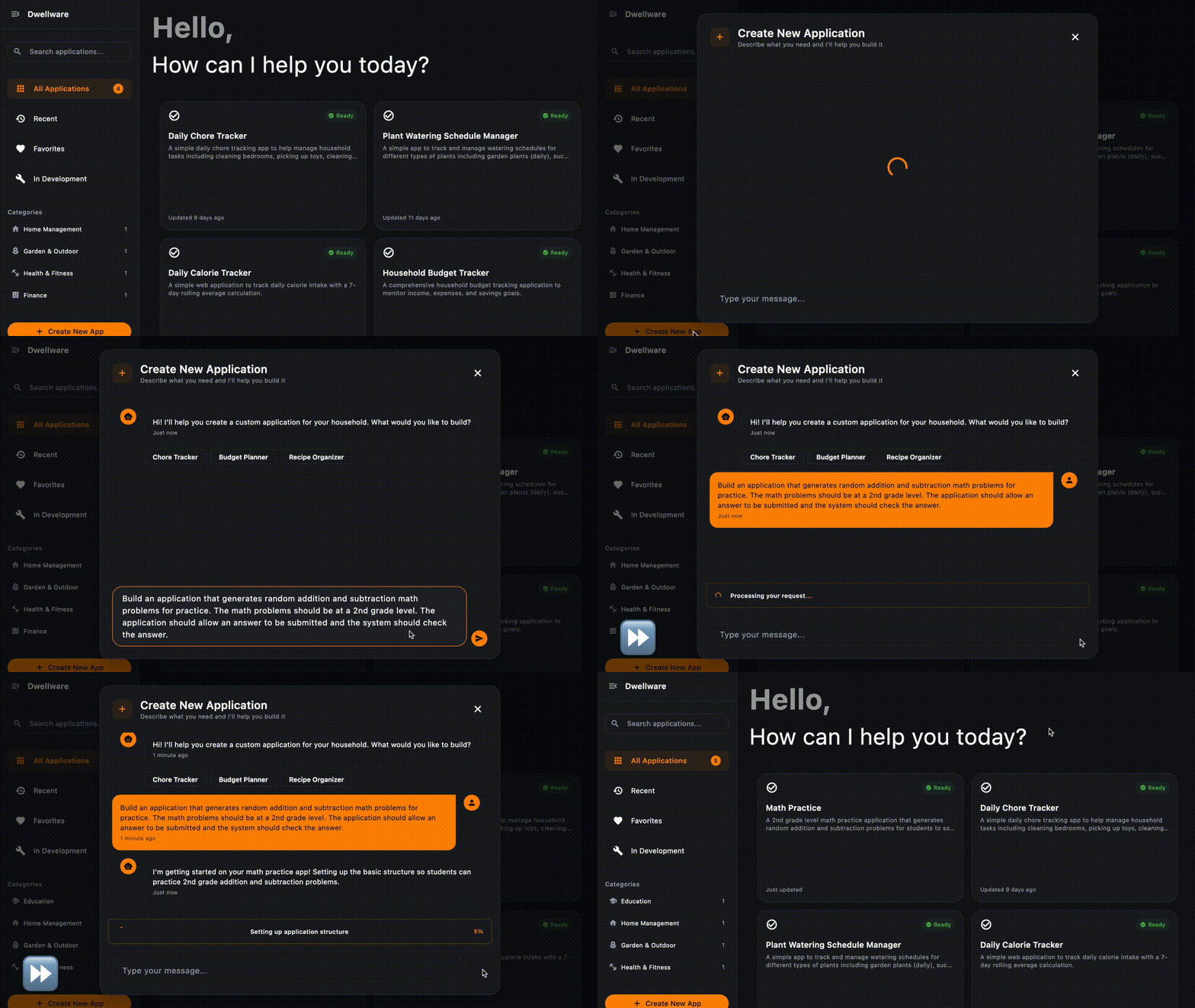
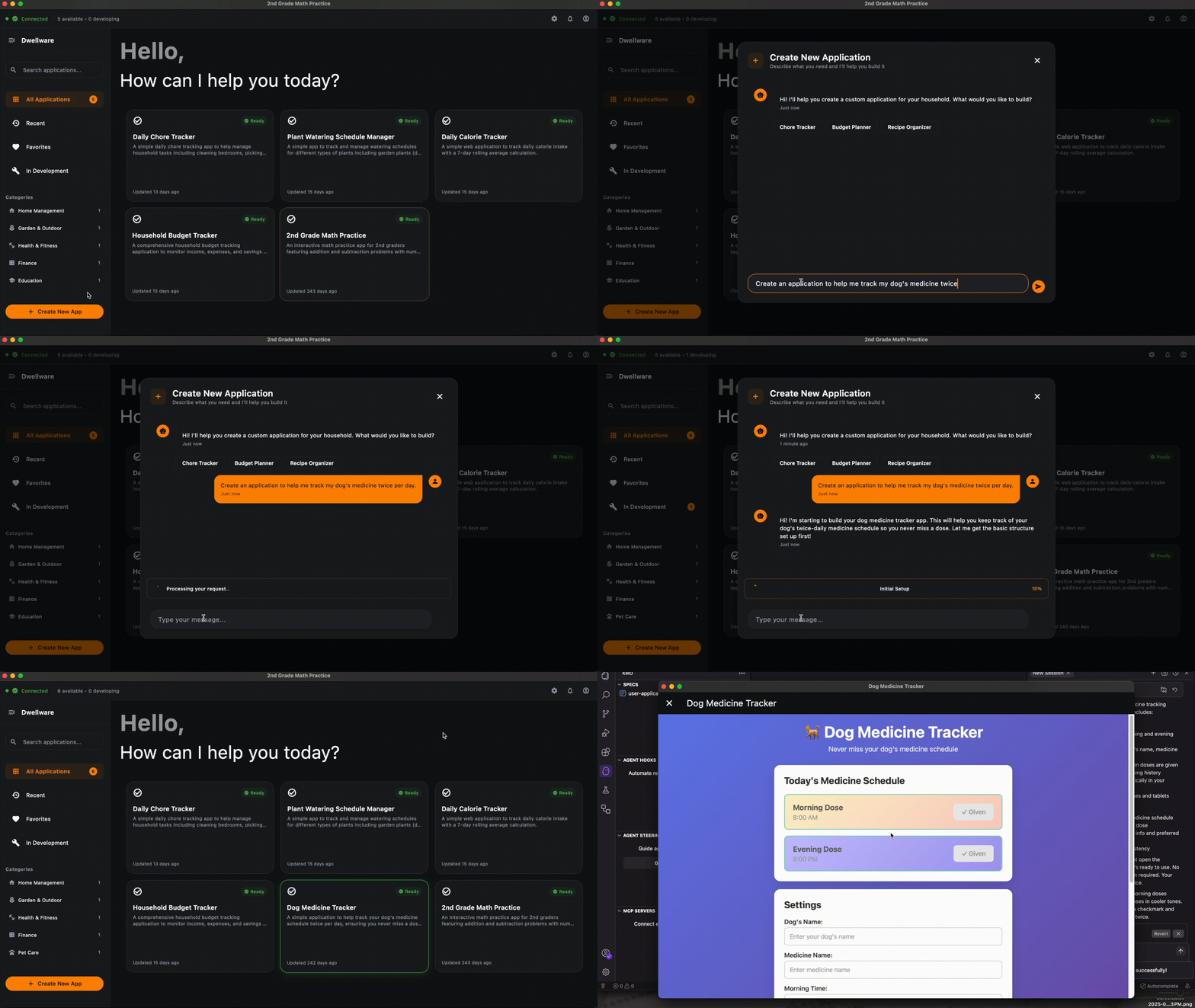
This quick demo shows an overview of Dwellware creating a custom app for a user.
-
 GIF
GIF
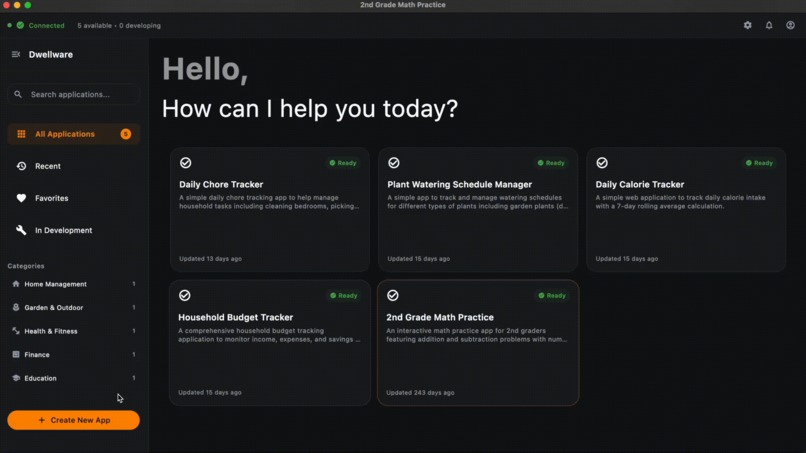
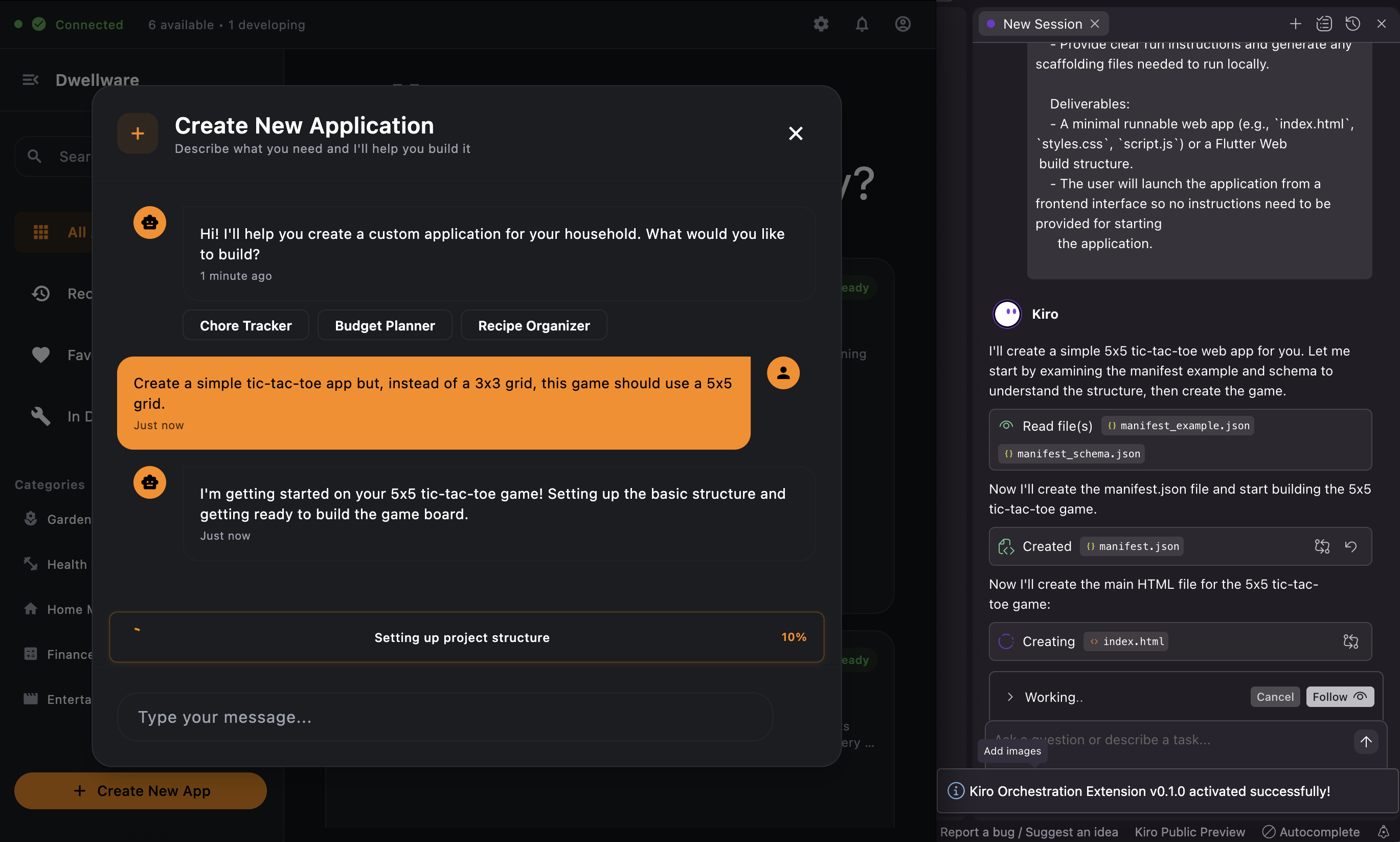
Dwellware provides status updates during the developing of user applications.
-
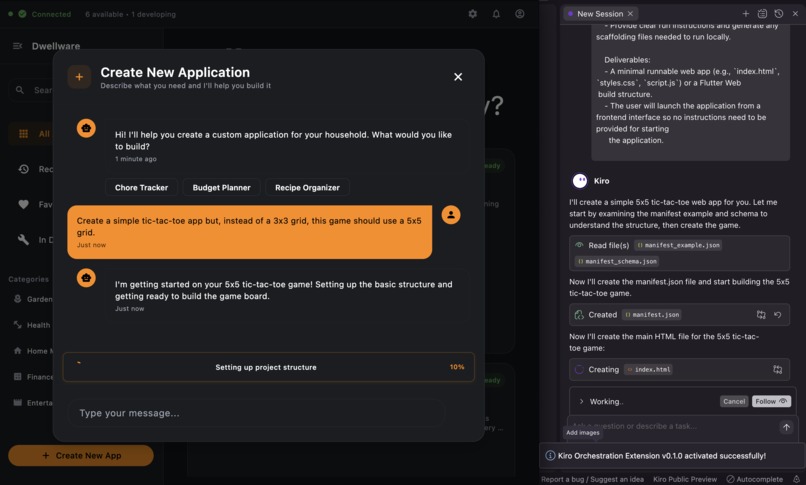
Dwellware uses an orchestration layer to enable structured communication with the Kiro IDE running in the background.
-
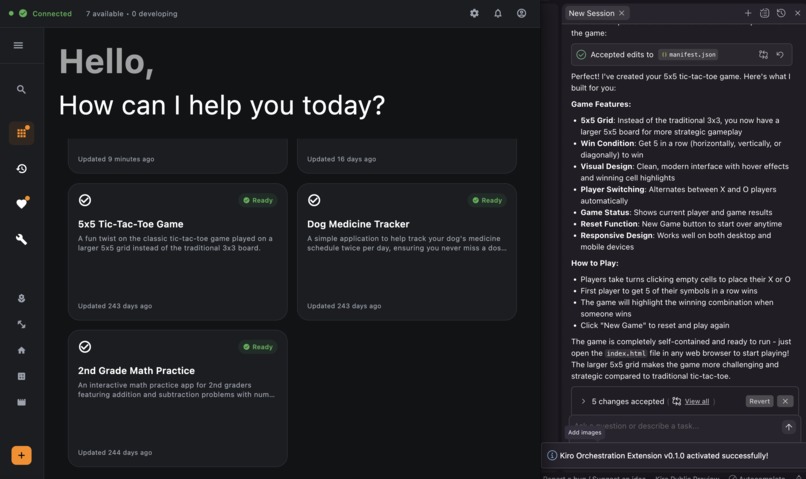
The Kiro IDE uses a "manifest" file to provide structured updates and user application metadata to the frontend application.
-
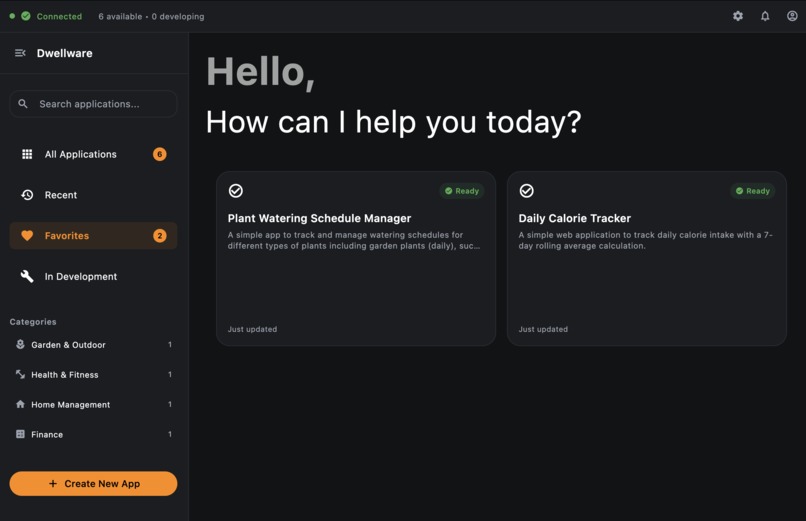
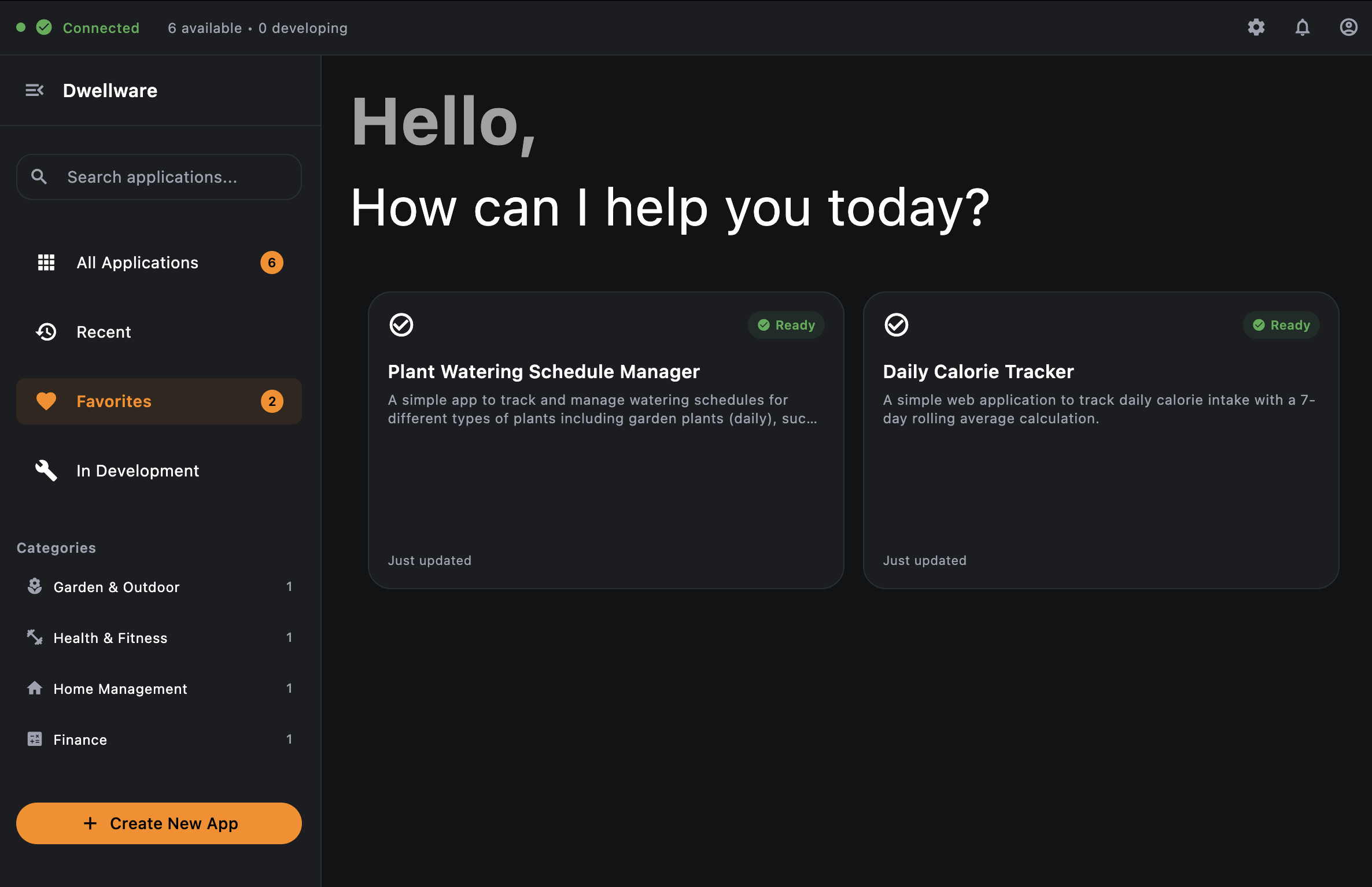
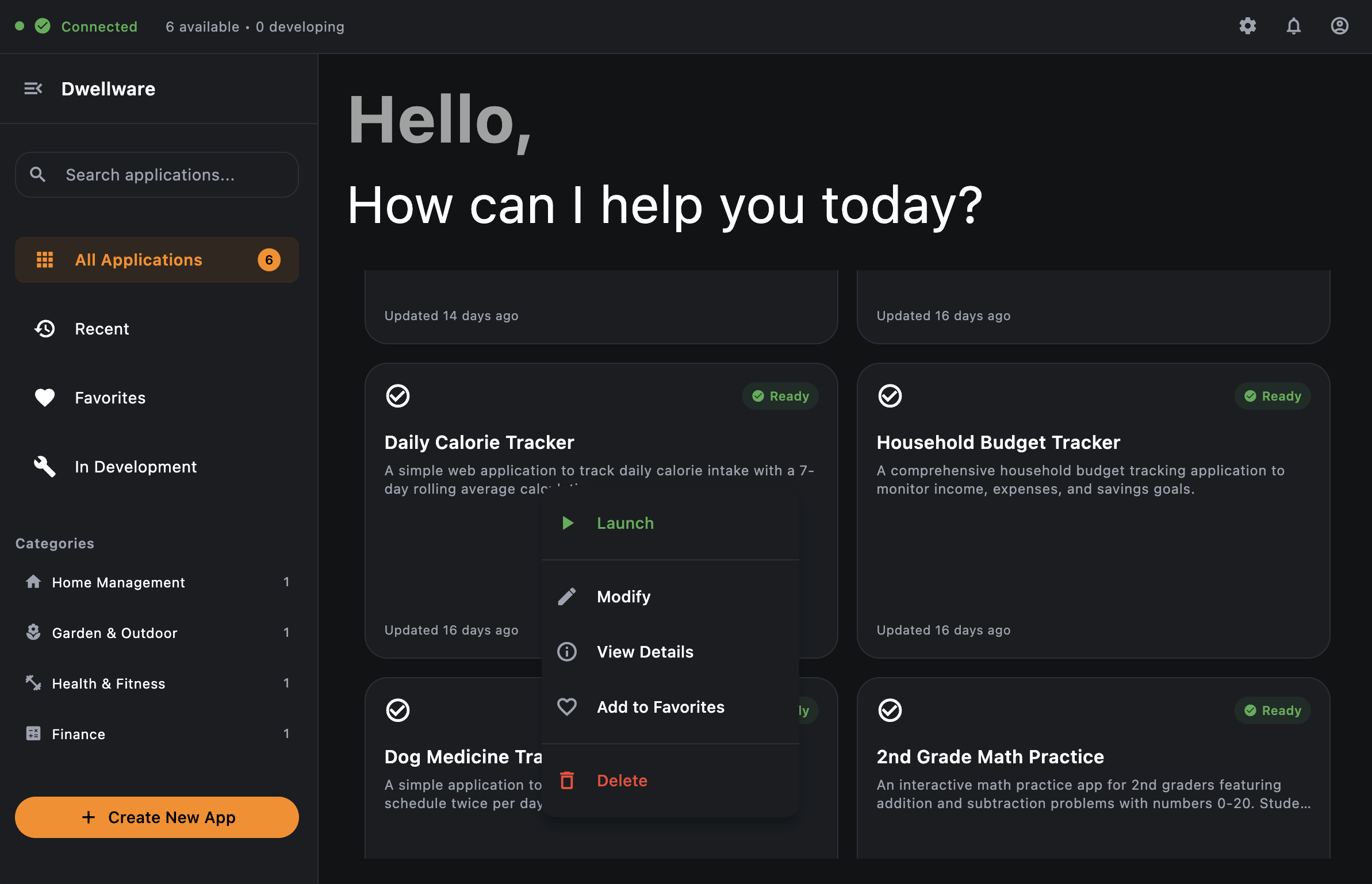
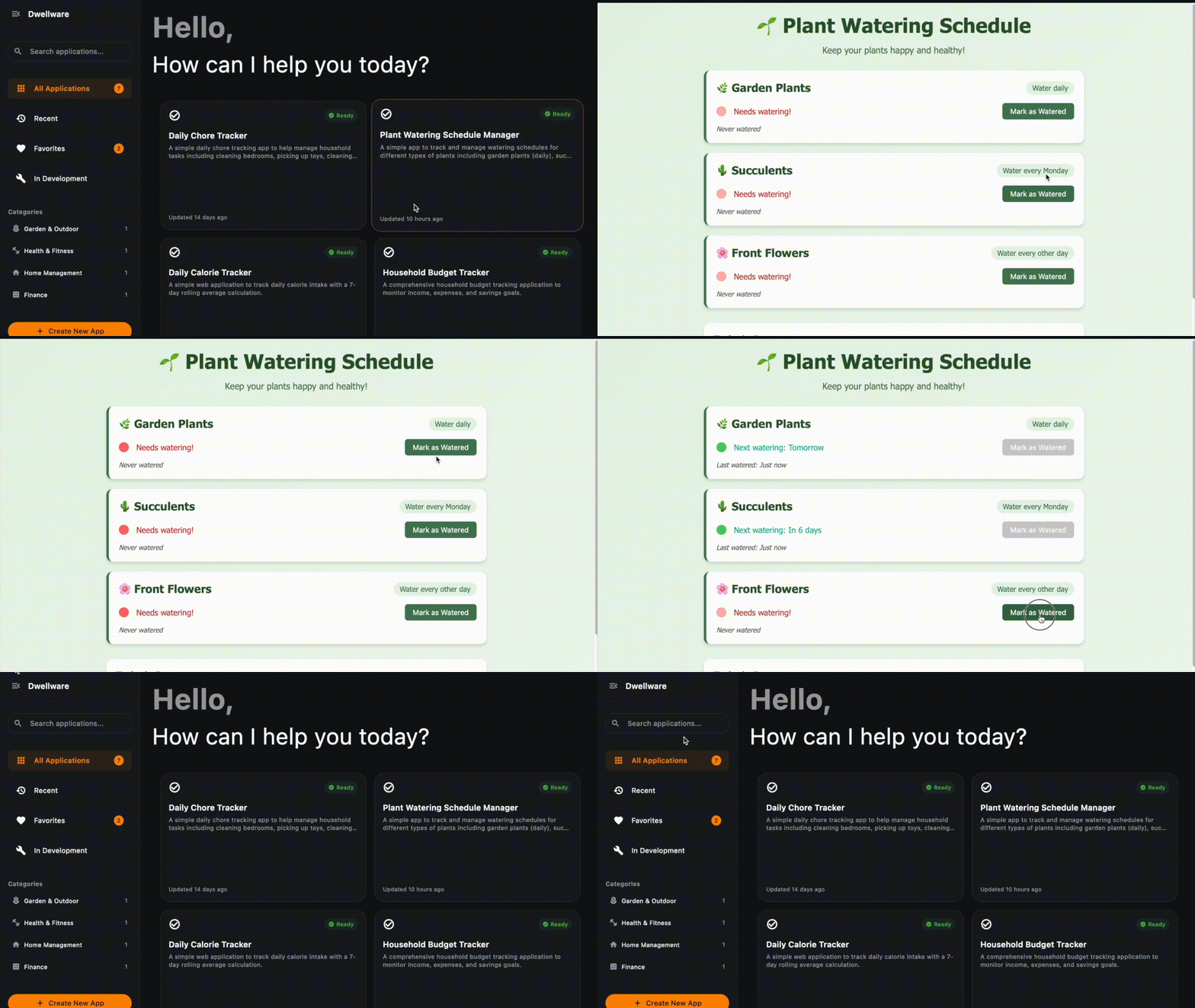
Applications can be marked as favorites for easy access to your most-used apps.
-
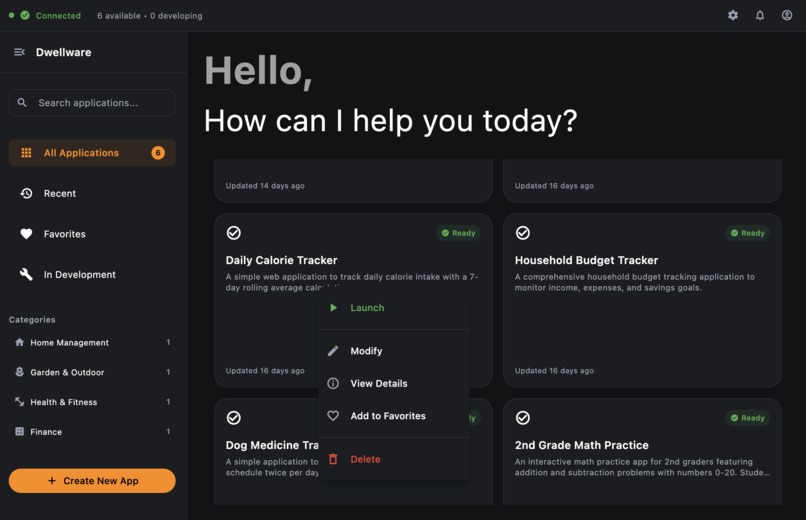
A context menu includes additional options for managing apps.
-
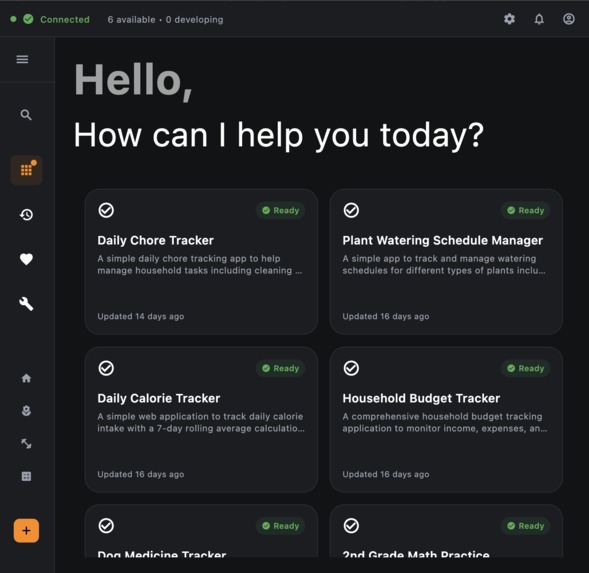
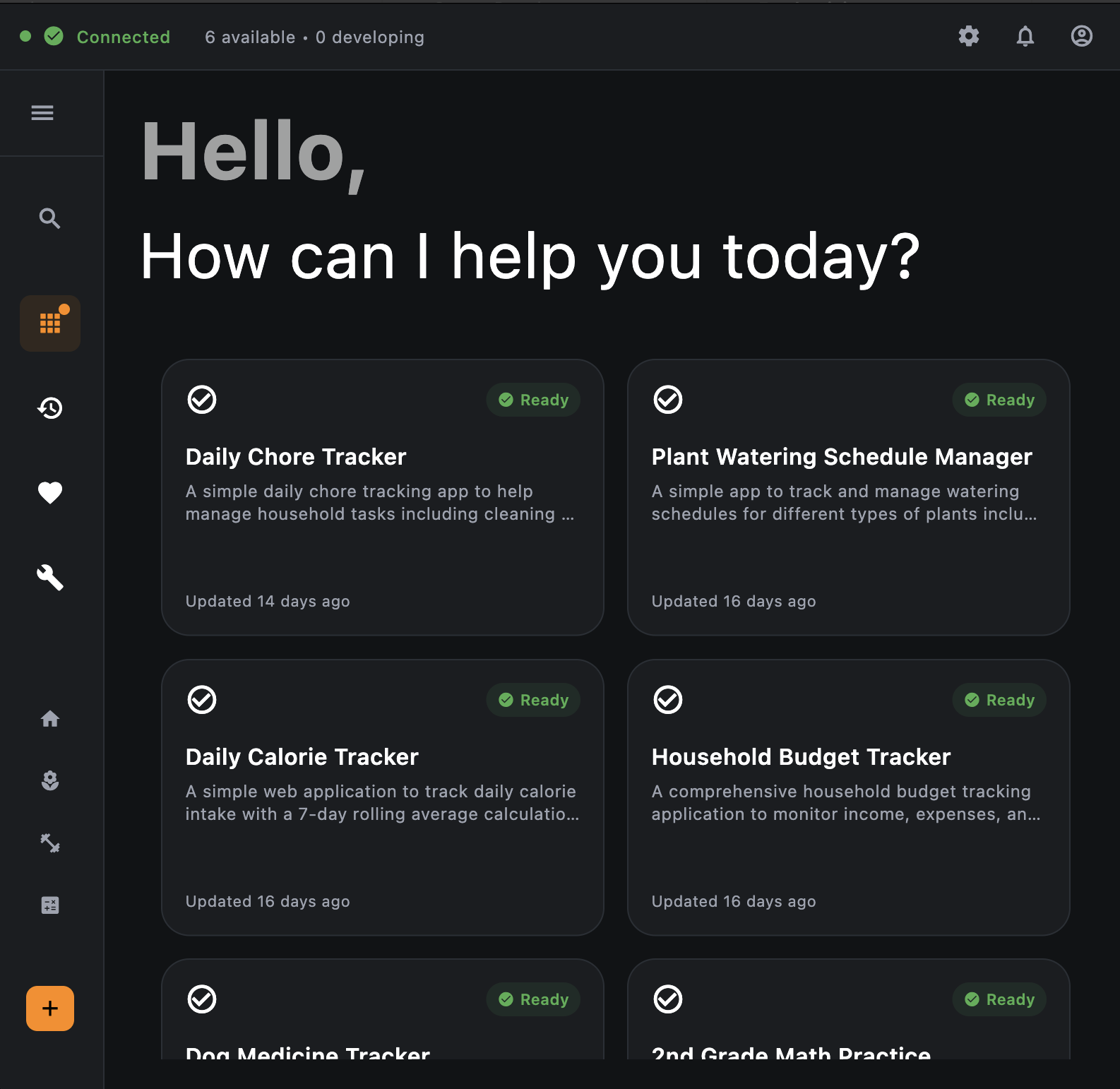
The Dwellware dashboard is responsive to different screen sizes.
-
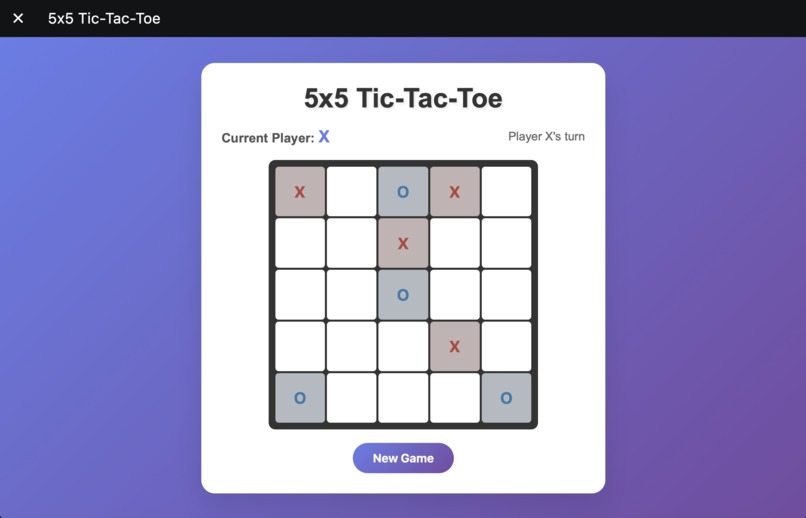
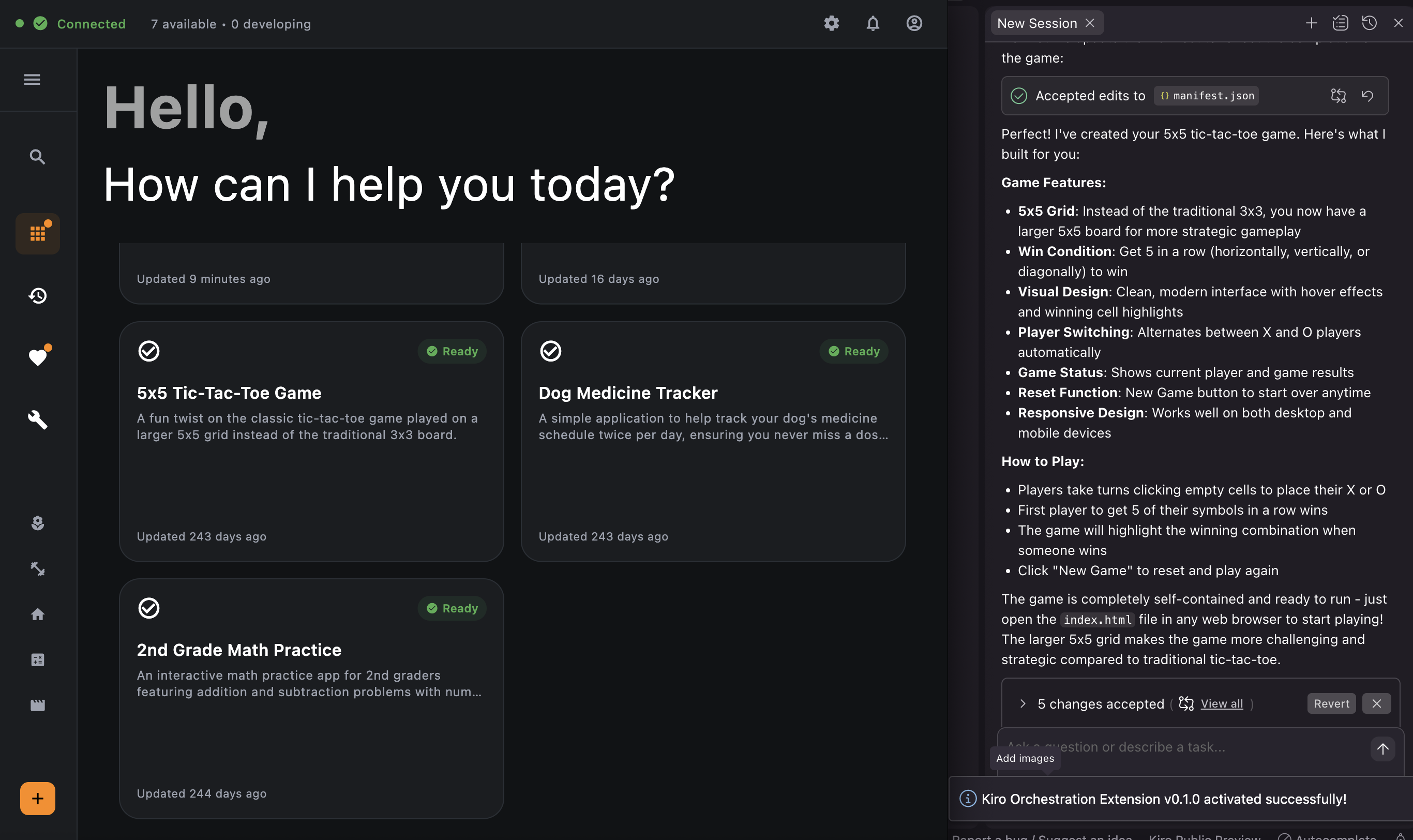
Dwellware works with the Kiro IDE to create bespoke user applications that can be used as soon as Kiro completes their development.
-
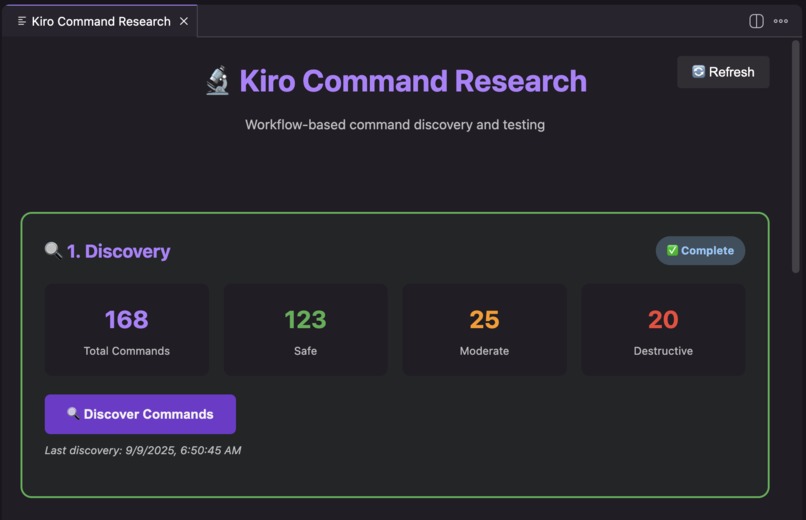
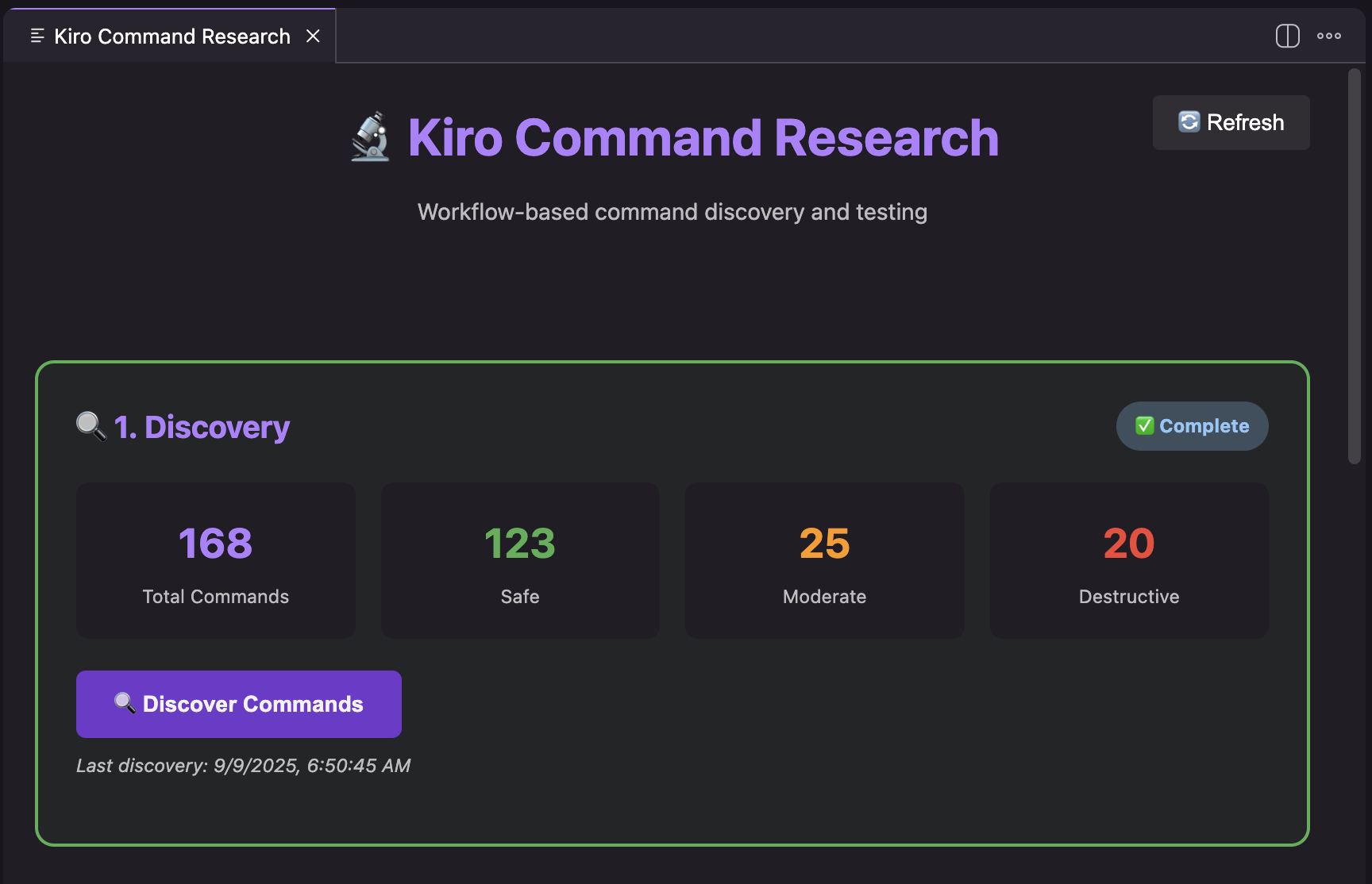
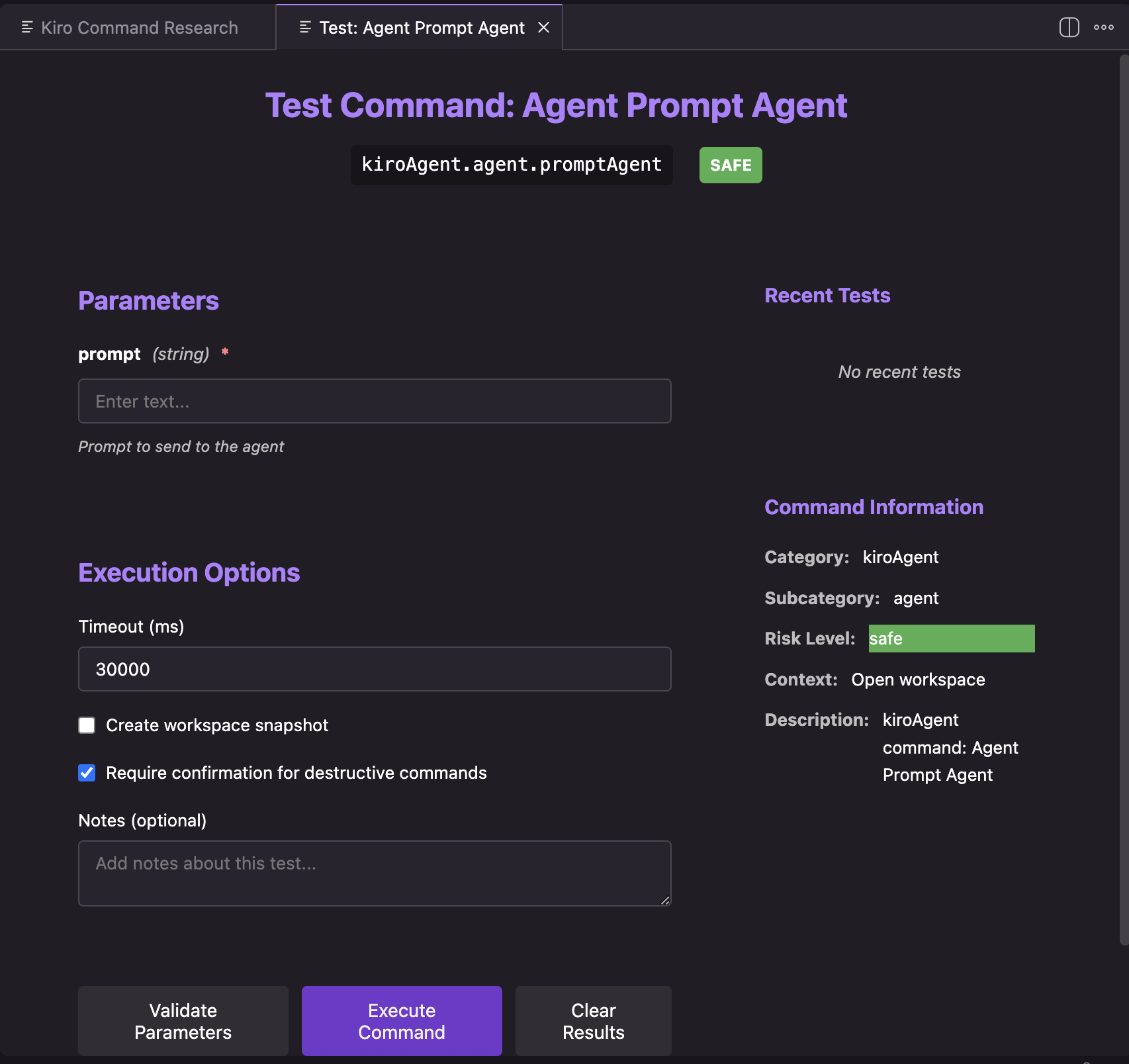
Part of the development of this project involved using Kiro to create an extension used to research and understand the Kiro API itself.
-
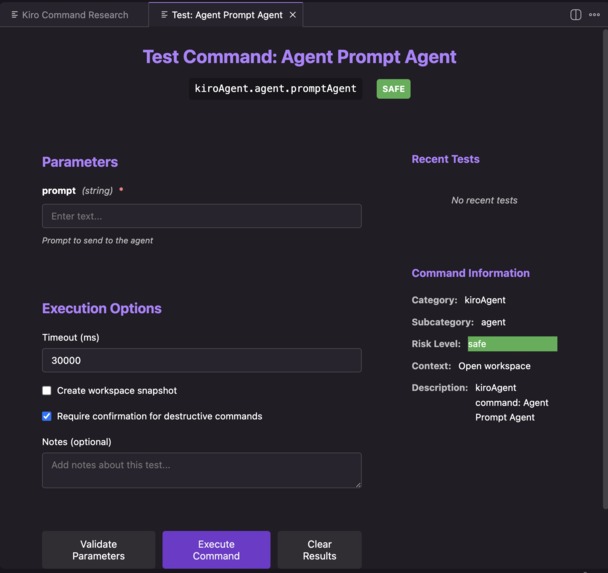
The command research extension allows commands to the Kiro IDE to be tested to enable pseudo-headless control.
-
 GIF
GIF
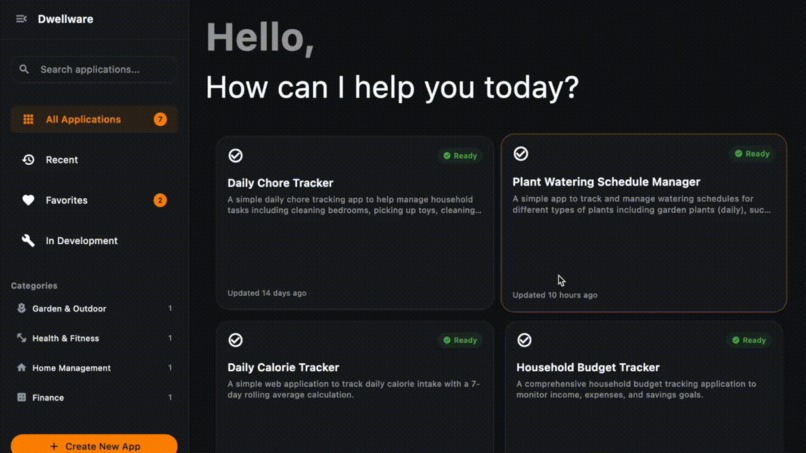
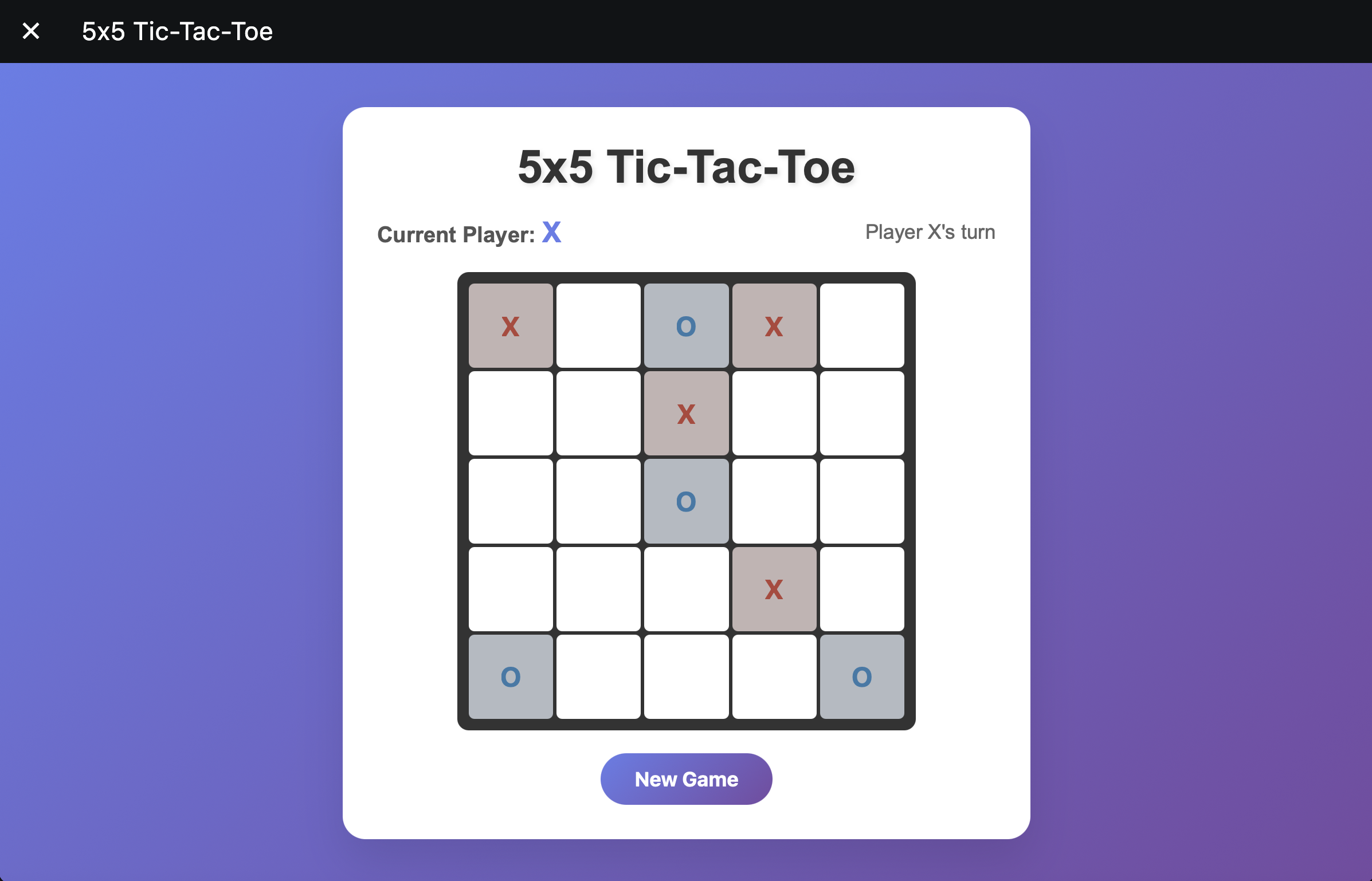
This GIF shows an example of a user app being launched from the Dwellware frontend.
Inspiration
You are standing on the bridge of a starship when sensors detect a mysterious alien artifact covered in glyphs. The captain turns toward you.
Captain: “Officer, analyze those glyphs. Cross-reference them with known alien languages and build us a codex so we can send a message. (Let’s hope the ship doesn’t turn into a temple full of masks this time...)"
You sit down at the console and check the Interstellar Federation's app store. Surely there must be an app for this translation. But of course, there isn’t. Nobody has ever seen these symbols before so who would have developed an app for translating them? After all, the market for an alien hieroglyph translator is small, so little opportunity exists for subscription or ad revenue.
But the starship’s computer doesn’t work that way. It doesn’t search for pre-made apps on an app store. It generates a brand-new tool on demand, designed for this exact moment.
That vision inspired this project. Today, we rely on one-size-fits-all software, apps built for millions but rarely a perfect fit for anyone. With the rise of agentic AI, we can imagine something more personal: software created the moment you need it, for your specific household and your specific needs.
This project is a step toward that future. Instead of browsing an app store, you describe what you need, and your own AI-powered household engineer designs, builds, and deploys a bespoke application just for you. Everyone can have their own personal app store, one that exists only for them.
What it does
From the user’s perspective, the system is simple: it provides a friendly, intuitive interface where they can ask for tools in plain language. If a user has something they want to accomplish, whether it’s keeping track of a recurring task, organizing household information, or managing a personal project, they can simply describe it in everyday words.
For example, imagine a user has a dog who’s been prescribed medication for a minor illness. Rather than searching through an app store for a “dog medication reminder” app, they can just say:
“Create a schedule with reminders to give my dog his medicine twice per day.”
Instead of searching for a generic “pet reminder” app, the system generates a custom tool that fits your household exactly. Over time, your dashboard grows into a personal library of applications designed uniquely for you: chore trackers, trip cost forecasters, seasonal maintenance checklists, recipe planners, hobby project logs, and more.
To the user, this interface is the system. They don’t need to worry about how it works behind the scenes. They only see an AI-powered assistant that listens to their needs and provides tailored software on demand.
How this project uses Kiro
Kiro is central to this project at multiple levels: it was used to develop the system itself and it also powers the applications the system produces.
- Research Extension: A custom Kiro extension was developed to explore the IDE’s internal command system. Using Kiro’s own spec-driven and vibe coding capabilities, the extension was scaffolded to scan command registries, inspect parameters, and generate documentation. This provided the foundation for understanding how to drive Kiro in a pseudo-headless fashion.
- Orchestration Extension: Building on those discoveries, a second extension was implemented to act as a REST communication bridge. This component exposes a local API that external clients can call. Each request is translated into Kiro commands, executed inside the IDE, and returned in structured form. Kiro’s agentic capabilities assisted in scaffolding the REST layer and managing project wiring, speeding up development of this orchestration system.
- Frontend Application: Kiro was also instrumental in building the Flutter-based frontend. Inline code generation and refinement were used to produce widget structures, progress indicators, and integration logic for reading app manifests. This allowed the user interface to evolve quickly while remaining consistent with the orchestrator’s contract.
- User Applications: Finally, Kiro is not only the development environment for the system but also the engine that powers the user-facing applications themselves. Each time a household user requests a new bespoke tool, a specification document is created and passed into Kiro. Kiro then generates the code, tests, documentation, and a manifest for that application. In this way, Kiro is continuously active: both as the builder of the Dwellware platform and as the resident engineer generating new apps on demand.
How it works
Under the hood, this project consists of four main pillars, all created and/or powered by Kiro, that work together to let users request, generate, and run bespoke applications on demand.
1. Research and discovery tools for Kiro
The central principle of this system is that the Kiro IDE can be driven in a pseudo-headless manner from an external interface. To enable this, the first part of the project involved building a Kiro extension (similar to a VS Code extension) to research how the IDE handles commands internally.
Interestingly, Kiro itself was used to help build these research tools. The extension provides utilities to:
- Scan Kiro’s command registry
- Discover command parameters
- Generate internal documentation
- Test commands directly
This work was crucial for understanding how to interact with the IDE from outside and laid the foundation for the communication bridge.
2. Orchestration layer (communication bridge)
The second pillar is the orchestration layer, implemented as another Kiro extension. This component exposes a REST API running on localhost.
The workflow is straightforward:
- The frontend sends a request to the REST API.
- The orchestration layer forwards that request to the Kiro IDE as an internal command.
- The Kiro IDE executes the command and sends the response back through the API.
This REST bridge makes it possible for external systems (the frontend or even tools like Postman) to drive Kiro in a controlled and automated way.
3. Frontend application
The third pillar is the frontend application, built with Flutter for smooth performance and a user-friendly interface.
From the user’s perspective, the frontend is the entire system:
- It displays a dashboard of all bespoke applications.
- Each application can be launched from this dashboard, running in its own sandboxed environment.
- Users can request new applications or ask for modifications to existing ones directly through the interface, using natural language.
4. User applications library
The final pillar is the user applications library. Each user-created app is stored as its own isolated Kiro project, with:
- Its own directory and codebase
- Its own Kiro specs files
- A manifest.json file generated by Kiro
The manifest stores metadata such as the app’s title, description, status, development progress, and other details. The frontend reads this metadata to present the applications cleanly in the dashboard. Importantly, keeping each app in its own self-contained capsule ensures that modifications to one app never interfere with the others.
Challenges
Developing a system where an IDE becomes both the builder of the platform and the engine for user applications surfaced several unique challenges:
Understanding Kiro’s internal command system To drive Kiro in a pseudo-headless manner, it was first necessary to discover how commands were structured and invoked internally. This required creating a research extension that could scan Kiro’s command registry, capture parameters, and generate documentation. Kiro itself was used to scaffold this extension, which became the critical first step toward external orchestration.
Bridging Kiro with external systems Once the commands were understood, the next hurdle was creating a reliable way for the frontend and other clients to interact with Kiro programmatically. This led to the development of the orchestration extension, a REST API that translates HTTP requests into Kiro commands. Designing this bridge was challenging because the system had to remain flexible enough for diverse user requests while still predictable for the frontend. Kiro’s own code generation features accelerated the scaffolding of this REST layer.
Maintaining consistency between Kiro and the frontend The frontend needed a stable way to understand what Kiro had produced, regardless of the implementation details of each user application. The solution was to introduce manifest.json contracts: metadata generated by Kiro for each application capsule. This allowed the Flutter frontend to read consistent application details while Kiro retained full freedom in how to implement the underlying code. Creating and refining this contract-based architecture was a core challenge.
Ensuring isolation of user applications Each generated app had to remain independent, so that updates or errors in one app would never break others. This required designing the application capsule model, where Kiro outputs are stored in isolated repositories with their own manifests, codebases, and tests. Enforcing this boundary while still keeping the user experience seamless was a design difficulty that shaped the overall architecture.
Potential Value
- Universal usefulness: Any household can benefit from a personal software engineer — from families managing chores to individuals tracking fitness, pets, or travel.
- Accessibility: No coding required. Users just describe what they want.
- Privacy: Everything runs locally, with no cloud dependency.
- Reusability: The dashboard becomes a growing collection of personal, one-of-a-kind tools.
What's Next?
The current release of Household AI Engineer already provides a smooth experience for creating and managing bespoke user applications, and it produces reliable results in practice. But there is still plenty of room to grow.
One key area for improvement is building a more closed-loop integration between the frontend and the Kiro IDE. Today, the system depends on a contract defined by the manifest.json files, which the frontend parses to display and manage applications. While this works well, issues can arise if a manifest is accidentally updated in a way that the frontend cannot parse correctly.
In the future, the frontend controllers could automatically send stack traces or error reports back to the Kiro IDE whenever these issues occur. Kiro could then use its own agentic capabilities to diagnose the problem and correct the manifest automatically. This would provide a layer of self-healing error correction, eliminating the need for the user to intervene.
This kind of tighter feedback loop would not only make the system more robust, but also bring it one step closer to the vision of an always-available personal software engineer — one that not only builds applications on demand, but also maintains and repairs them seamlessly.
Built With
- dart
- flutter
- javascript
- kiro
- natural-language-processing
- rest

Log in or sign up for Devpost to join the conversation.