Inspiration
As college students ourselves, when we were coming up with ideas for our project, we wanted to create something that we would use, and living in a small college town, we found that often, we're not sure how to spend our time, and that we don't really know all of the local events, and niche spots around Davis. From there, we decided that it would be cool to create an app where college students and other young adults have a centralized platform to learn about places in their local town that they may not have heard of before. We also thought about how we often tend to default to the same study spots, the same spots to hang out with friends, or even to go on dates, and thought it would be refreshing to find new experiences.
What it does
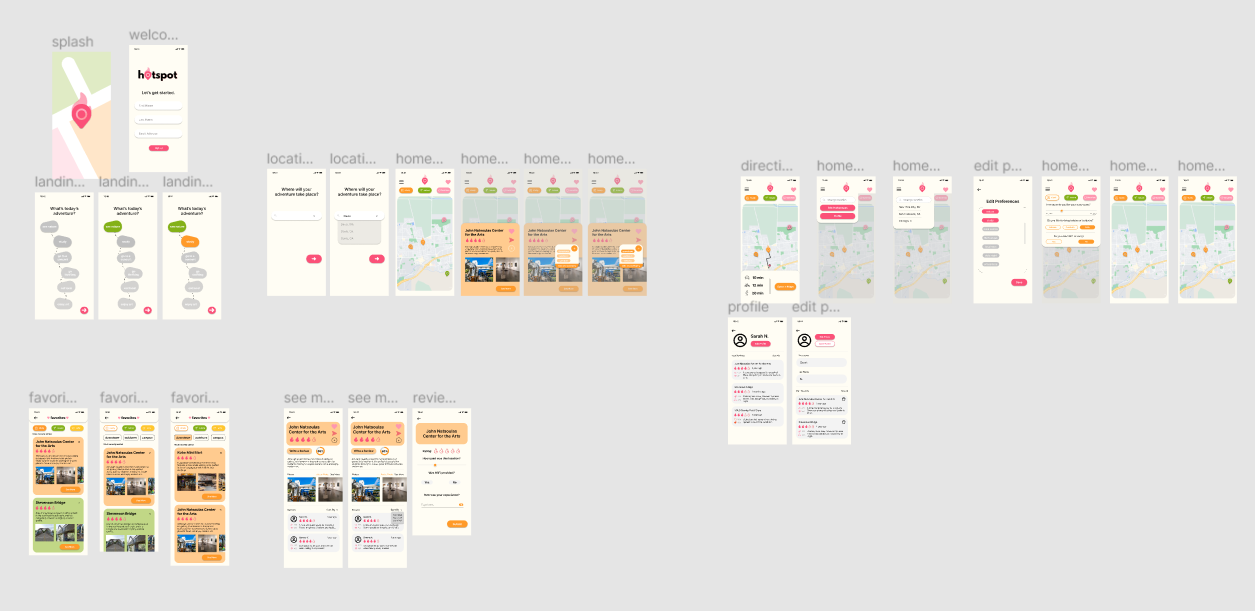
The app showcases niche and underrated spots around your town! You can toggle the location to reflect where you currently are, and select activities that you are interested in, and from there, the app will show you "hotspots" (popular spots by rating indicated by a fire icon), and other locations related to the categories you've selected. You can adjust what you want to see based on pre-selected categories (like study, nature, arts, etc.), and can further categorize your favorite spots by location (like downtown, on campus, etc.). You can navigate to any location on the map, and can review locations with a fire rating (based on how useful it was for your activity). Locations also show a compatibility percentage rating. When selecting a location, you can also search by specific features (for example, if you're looking for a study spot, you can select how quiet you would like your spot to be, or if they have WiFi). You can also filter out locations on the map based on the category you've selected. You can create a profile with all of your reviews and a profile picture, and you can edit that at any time, as well as your location, and your preferences.
How we built it
We designed the app using Figma. We created a Google Form, with questions like "how useful would an app focusing on niche spots be to you" and asking where people go to for studying, and other activities, to gauge user interest, and take in user data. From there, we started designing by hand-sketching ideas on paper, and once we had drawn out wireframes, we created the wireframes on Figma. We created a color palette for our app as well. From there, we created our low-fidelity prototype, and once we made edits, we refined our prototypes into high-fidelity prototypes. We also created a Splash page, a logo, and an icon to represent our app (on Canva). After troubleshooting alignments, and creating a user flow, we prototyped our frames for our demo video, and made final edits to our prototype.
Challenges we ran into
We ran into some trouble with alignment, and consistency with buttons, text, our top bar, and overlays. We also didn't fully know all of Figma's features when we started, and ended up accidentally discovering some through the process of designing the app.
Accomplishments that we're proud of
We're really proud that we managed to design an app from start to finish within the given time, taking into consideration user research, testing, accessibility, color palettes, branding, and more.
What we learned
We learned a lot about design, from Figma techniques, to branding, to consistency with margins and alignment, and overall, we learned that we can work under pressure.
What's next for hotspot
When ideating our app, we discussed creating a social feature, allowing you to add friends and share location, so we would like to implement that next!
Built With
- canva
- figma


Log in or sign up for Devpost to join the conversation.