-
-
HOTARU: a message of light, left in a place.
-
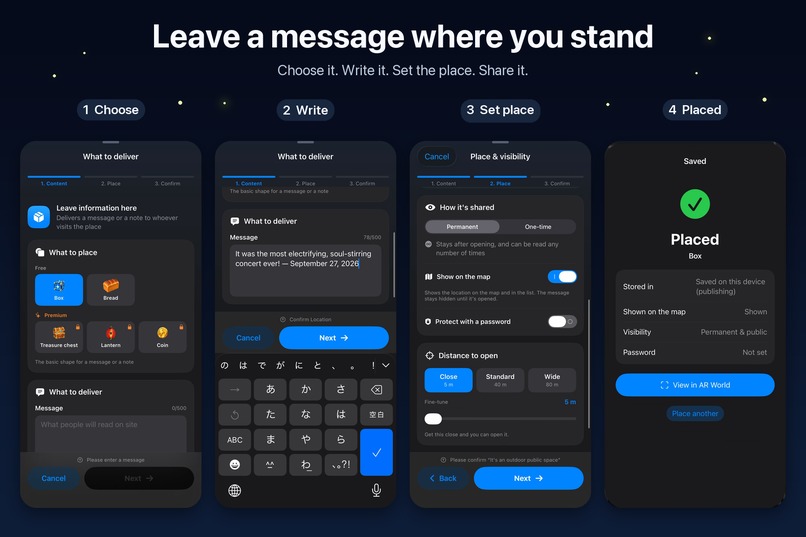
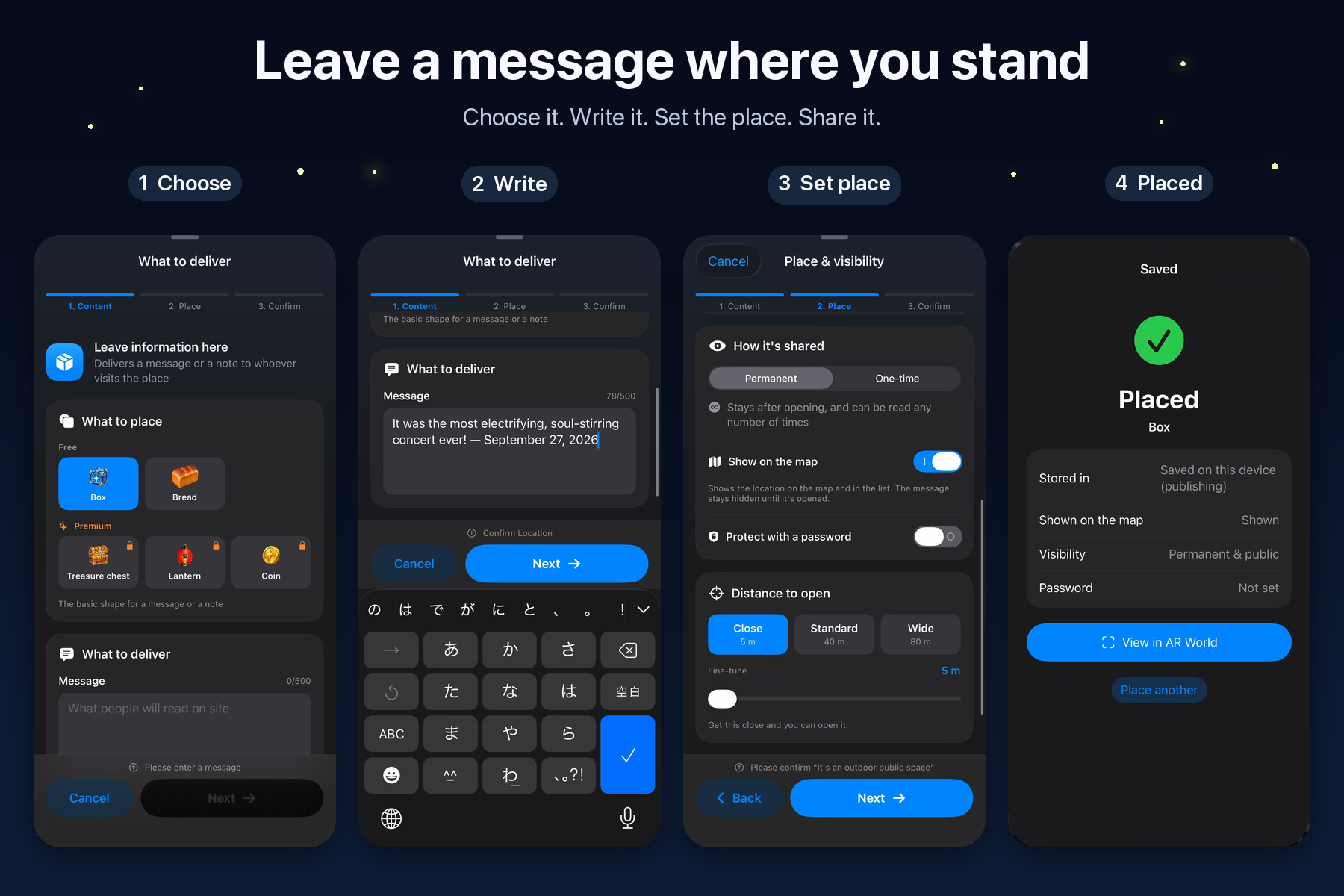
Leave a message where you stand: choose, write, set the place, share.
-
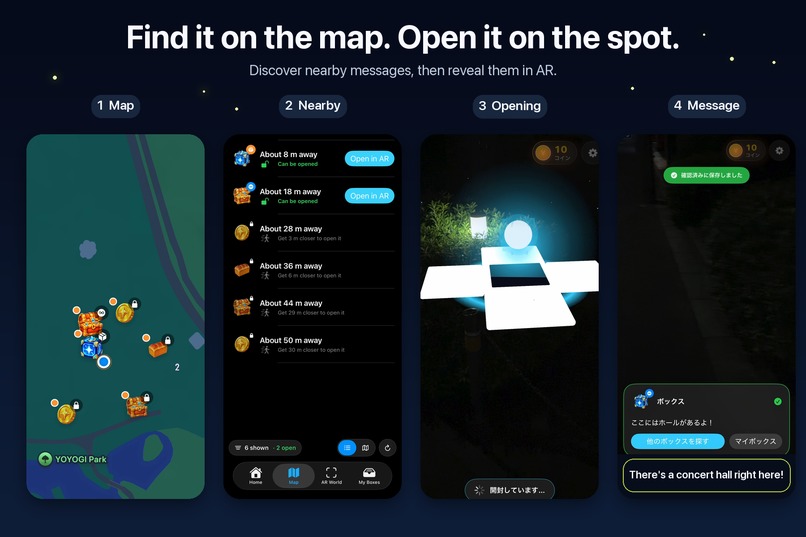
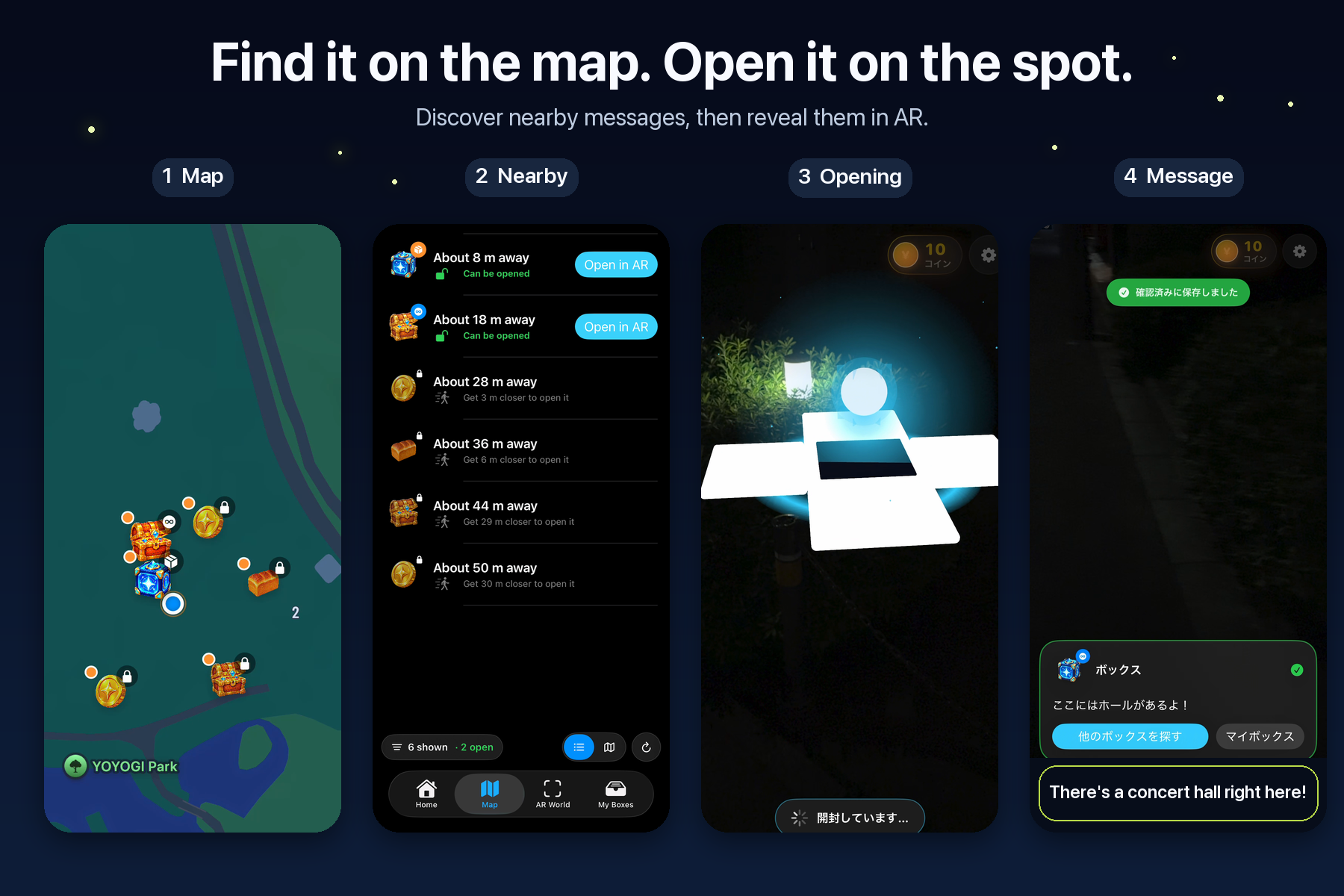
Find nearby lights on the map or in a list, then open them in AR on the spot.
-
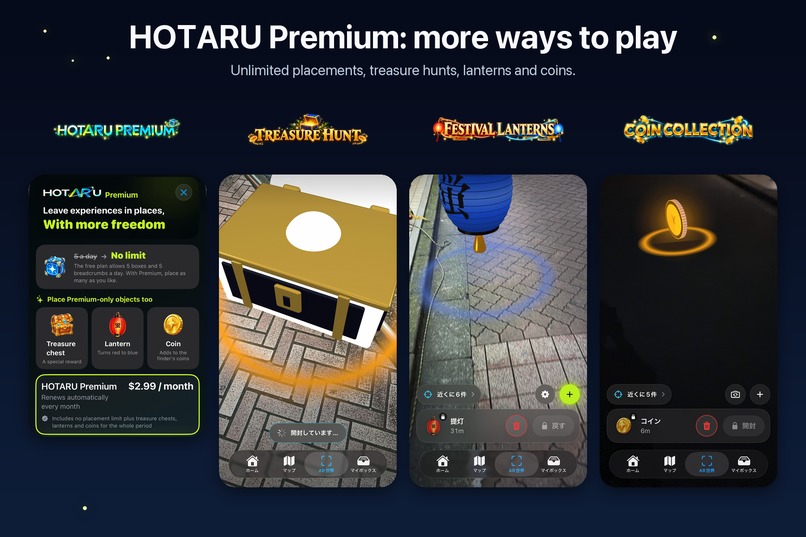
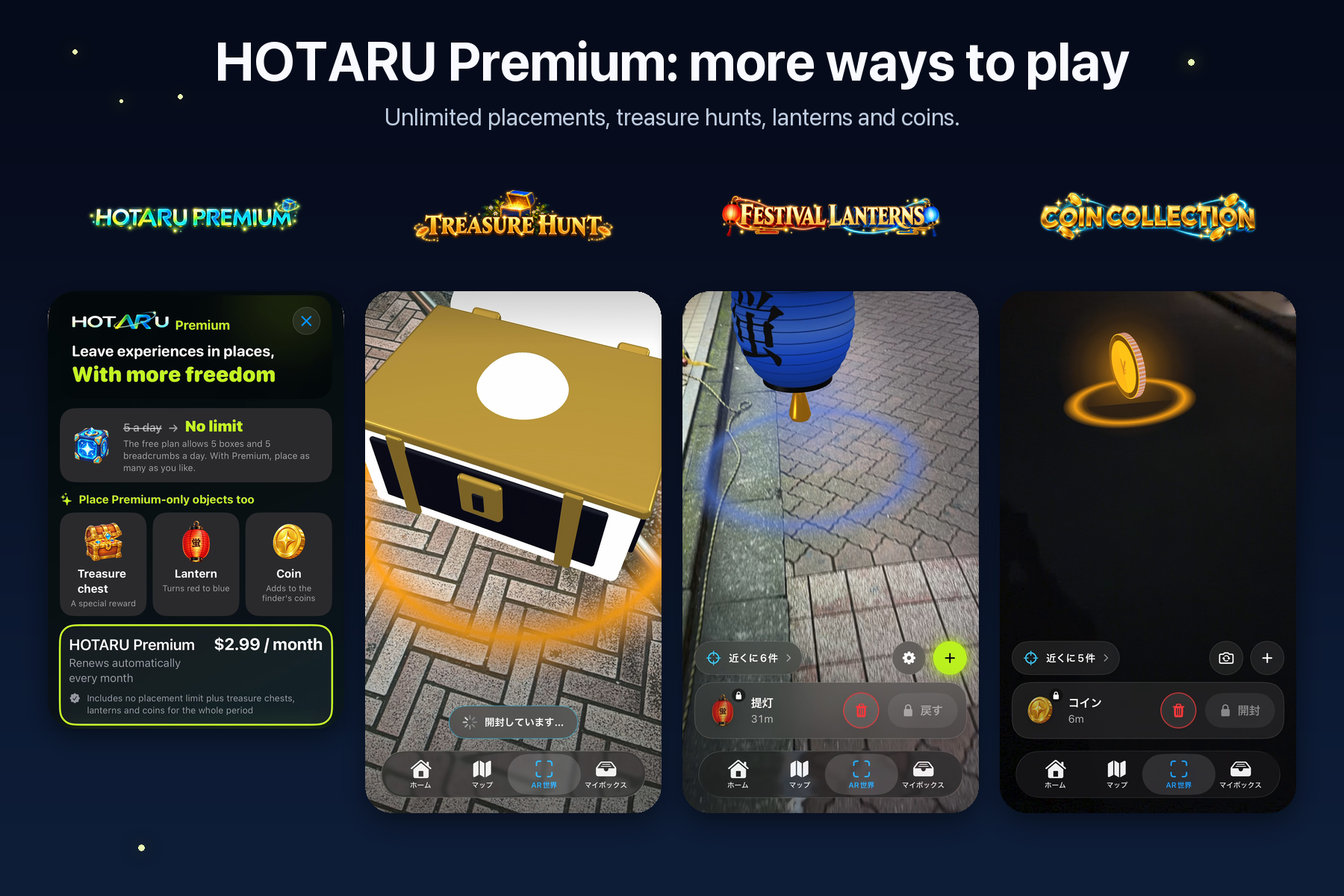
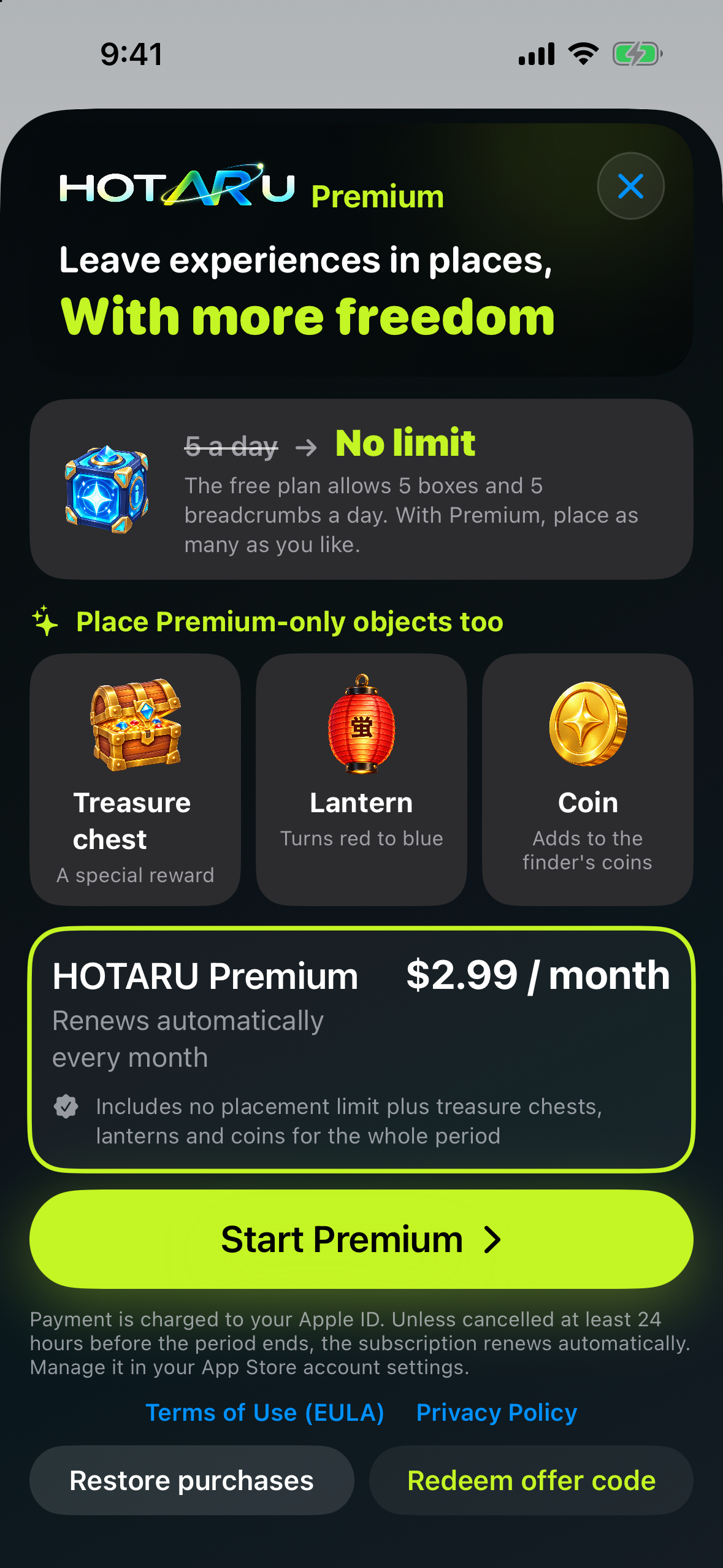
HOTARU Premium ($2.99/month via RevenueCat): unlimited placement, treasure hunts, festival lanterns and coin collection.
-
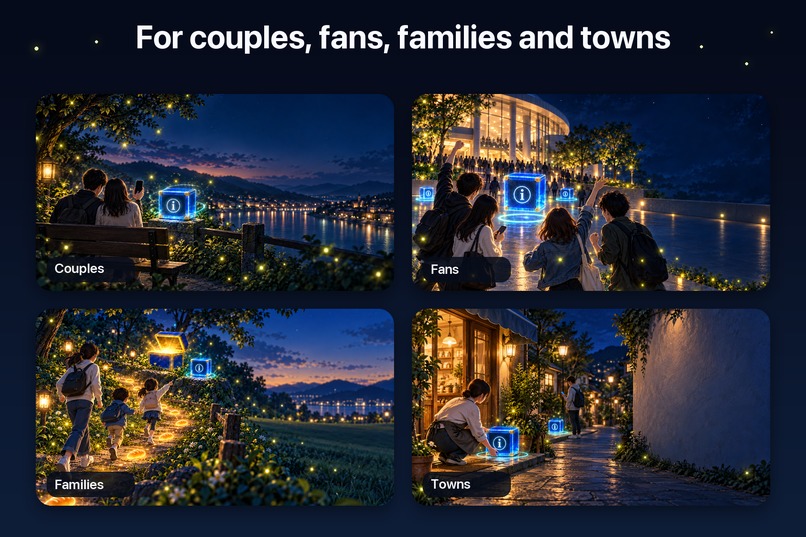
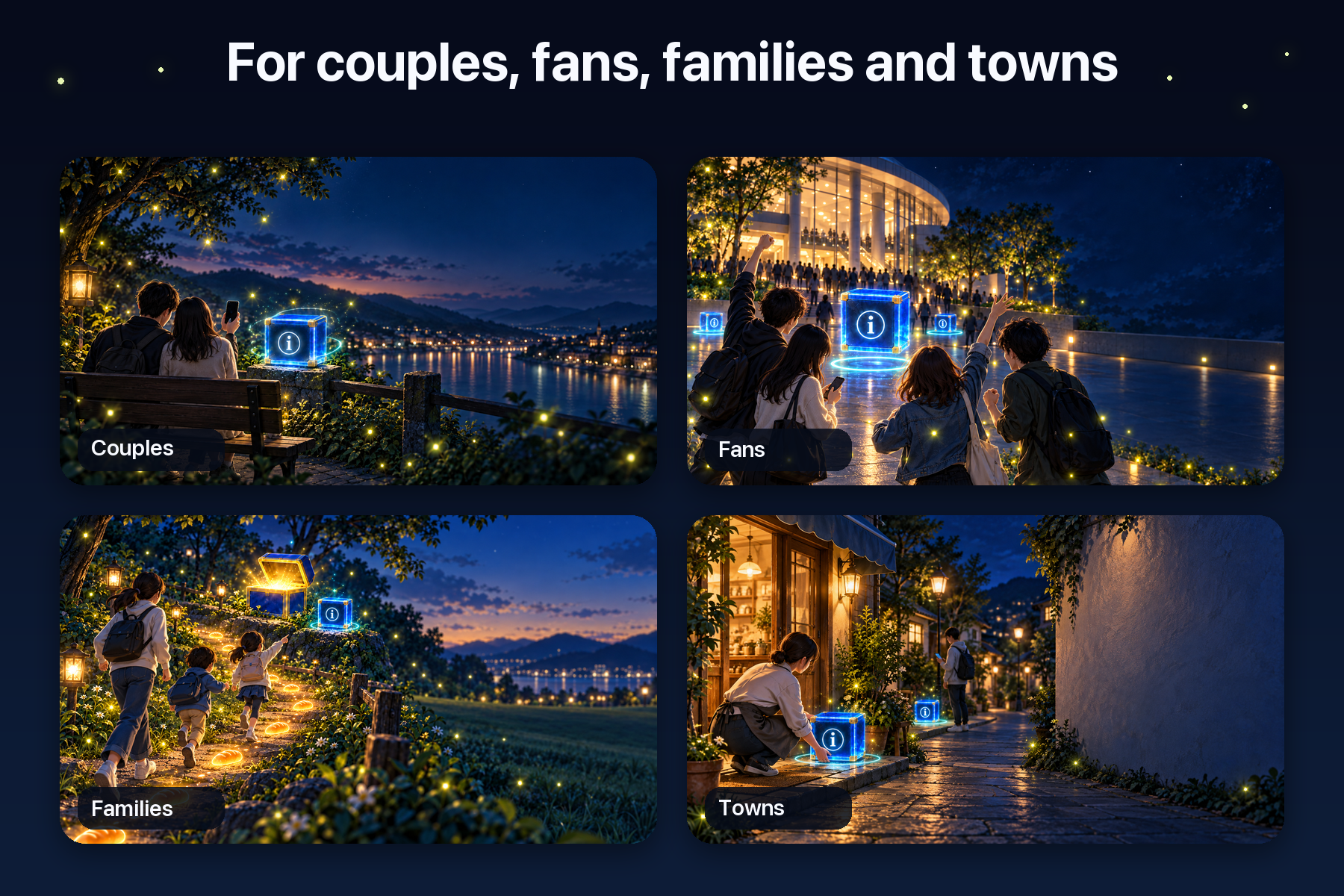
Made for couples, fans, families and local towns.
-
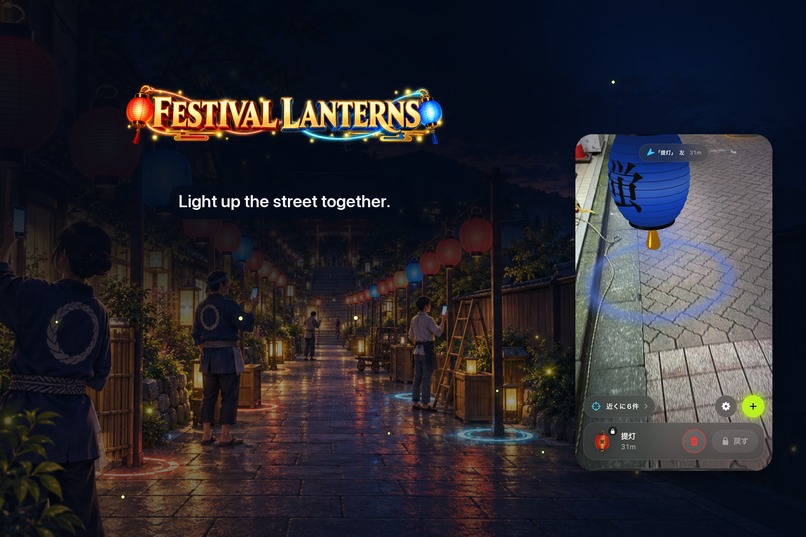
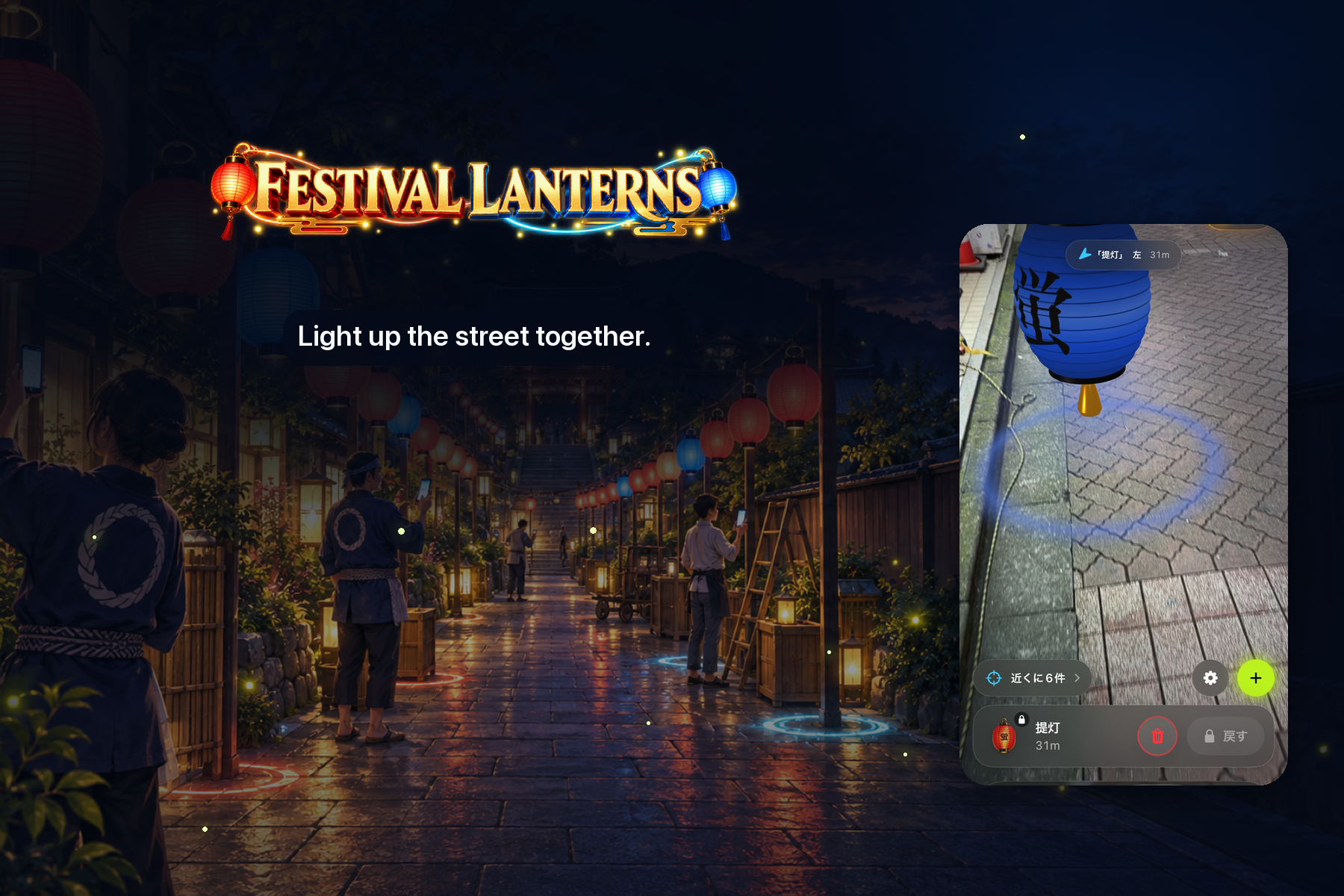
Festival Lanterns: line a street with lanterns for a festival night.
-

App icon (1024×1024).
-
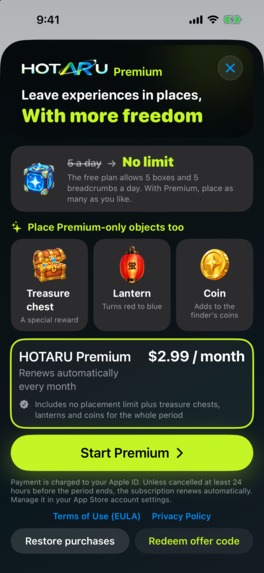
In-app paywall screenshot (1179×2556, no device frame).

Inspiration
Hotaru is Japanese for firefly. On summer nights in Japan, fireflies turn an ordinary riverbank into a place you remember. I wanted the same thing for the streets we walk every day: small lights that only exist in one spot, left there by someone, waiting for the next person who passes by.
Most messaging apps send words to a person. HOTARU sends words to a place. An anniversary note where two people first met, a tip at a favorite café, the last clue of a treasure hunt: the place itself becomes part of the message.
What it does
- Place it. Write a message and place a glowing box where you stand. Fine-tune the spot on an illustrated map, and choose who can open it: set a password, make it open only once, or hide it from the map so only people who know where to look will find it.
- Find it. The Map tab shows every light within 500 m and how many meters are left before you can open it.
- Open it in AR. Hold up your camera and the lights appear in the street, floating above the ground. Tap to open. Everything you find is kept in My Boxes.
- Play with it. Lay a trail of bread markers and put a treasure chest at the finish to build your own hunt. Line a street with paper lanterns and turn it into a festival night. Collect rare coins other people have left around town.
- Private worlds. Tap the app icon on the Home screen five times and enter a number. Anything placed there is visible only to people who enter the same number, so a family or a class can run its own hunt.
HOTARU is free: finding, opening and collecting are always free, and the free plan can place 5 boxes and 5 bread markers every day. HOTARU Premium removes the limits and unlocks treasure chests, lanterns and coins.
How I built it
- iOS app: Swift, SwiftUI, ARKit and RealityKit. Every marker is generated in code (glow, float, spin, and the opening animation) and its label is baked into a texture once and cached, so dozens of lights stay smooth.
- Placing things in the real world: GPS is only accurate to a few meters, so the app treats GPS as "are you close enough" and places each light by its real distance and bearing from the AR session's origin. Once a light has been seen by the camera, its horizontal position never moves again, even when GPS jumps.
- Backend: Supabase (Postgres with PostGIS) with anonymous sign-in. Nearby lights come from a single spatial query; passwords are stored as hashes, separate from the message.
- Monetization: RevenueCat with StoreKit 2 for the Premium subscription, plus a RevenueCat webhook into a Supabase Edge Function so the server knows who is Premium and enforces the placement limits, not just the UI.
- Languages: Japanese, English and Traditional Chinese, switchable inside the app.
Challenges
- Keeping AR honest with GPS. Early builds let markers drift and jump whenever the GPS reading changed. I rebuilt the placement around one fixed session origin and a rule that nothing moves once it has been seen, and recorded field traces on real streets to replay and check the math.
- App Review. The first version was rejected several times: text contrast, missing subscription details on the paywall, and a front-camera feature a reviewer's iPad could not find. Each rejection made the app clearer. I removed what was confusing instead of explaining it.
- Client-only limits are not limits. A purchase first unlocked the UI while the server still refused treasure chests. Wiring RevenueCat's webhook into the database fixed it and made Premium work across devices.
What I learned
Location-based AR is mostly about trust: the light has to be where you expect it, every time. Small details (a glow that breathes, a sound when a lantern is lit, a map that looks like the objects you place) matter more than feature count.
What's next
Events and local guides: shops, schools and towns placing lights for visitors, and shared hunts that more people can join at once.
Built With
- arkit
- core-location
- mapkit
- postgis
- postgresql
- realitykit
- revenuecat
- storekit
- supabase
- swift
- swiftui

Log in or sign up for Devpost to join the conversation.