-
-
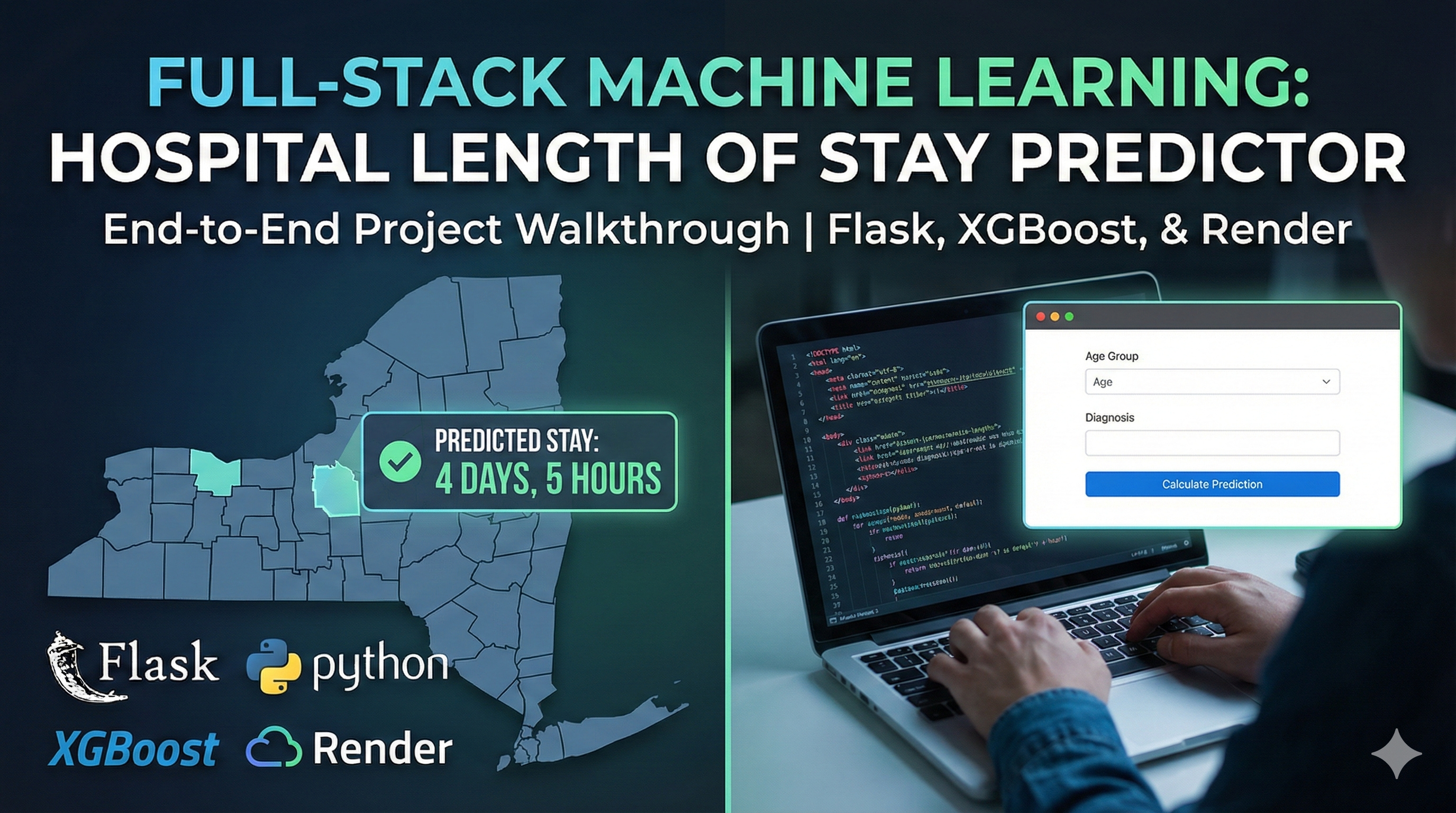
Hospital-los-predict app thumbnail
-
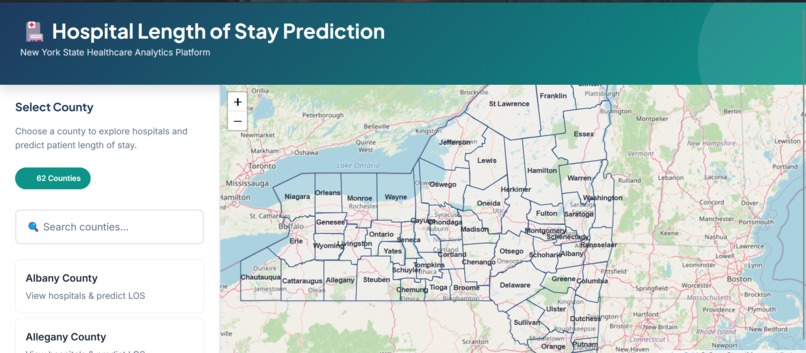
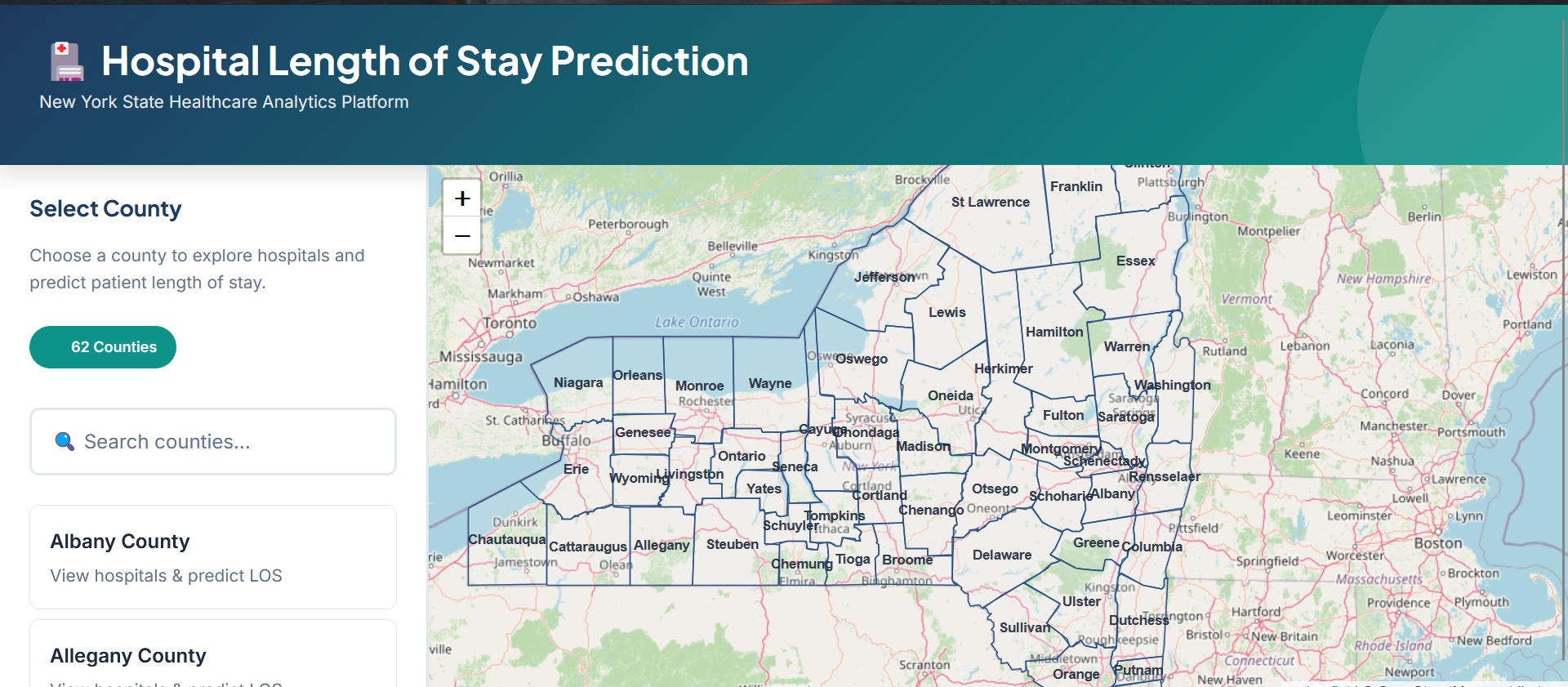
Interactive map showing all 62 NY counties with click-to-select functionality
-
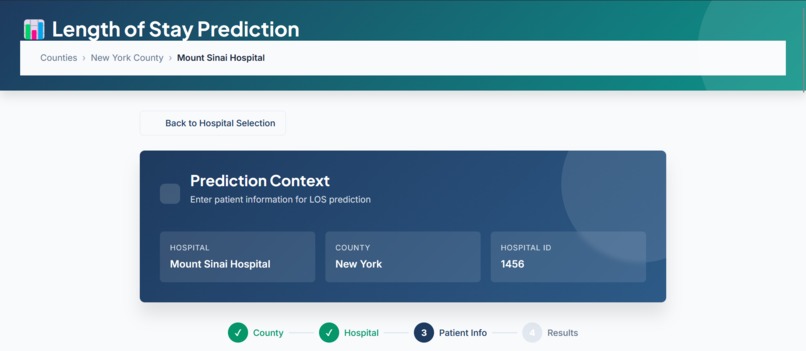
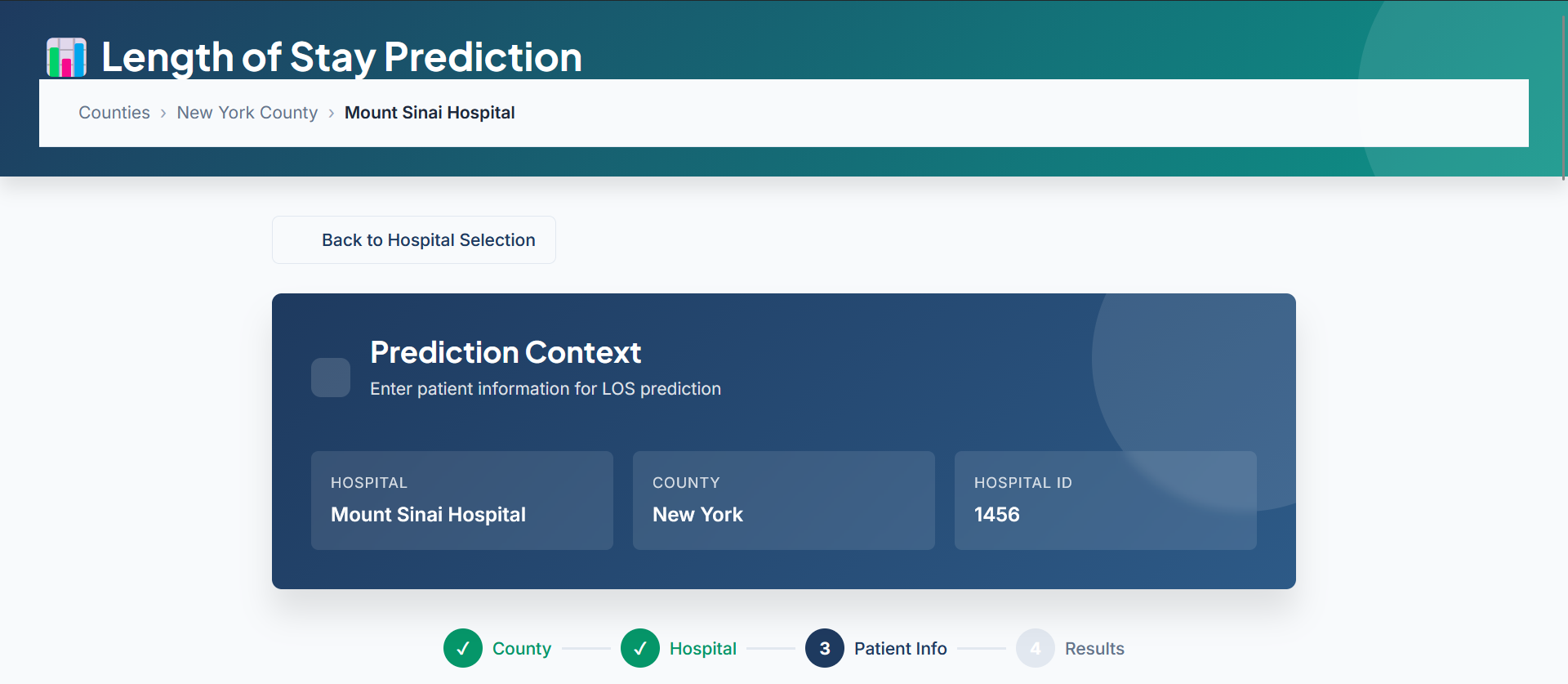
13-feature clinical assessment form with real-time validation
-
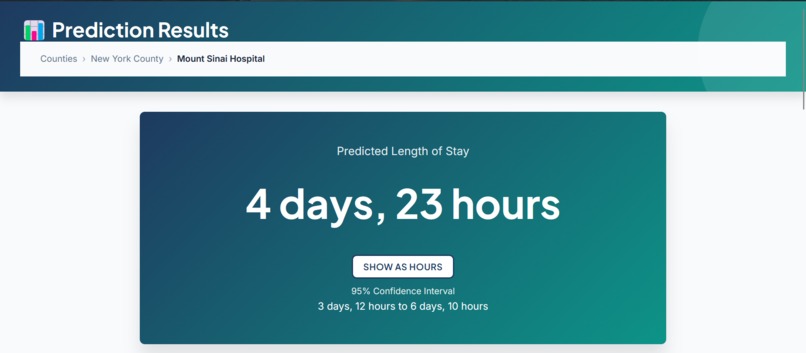
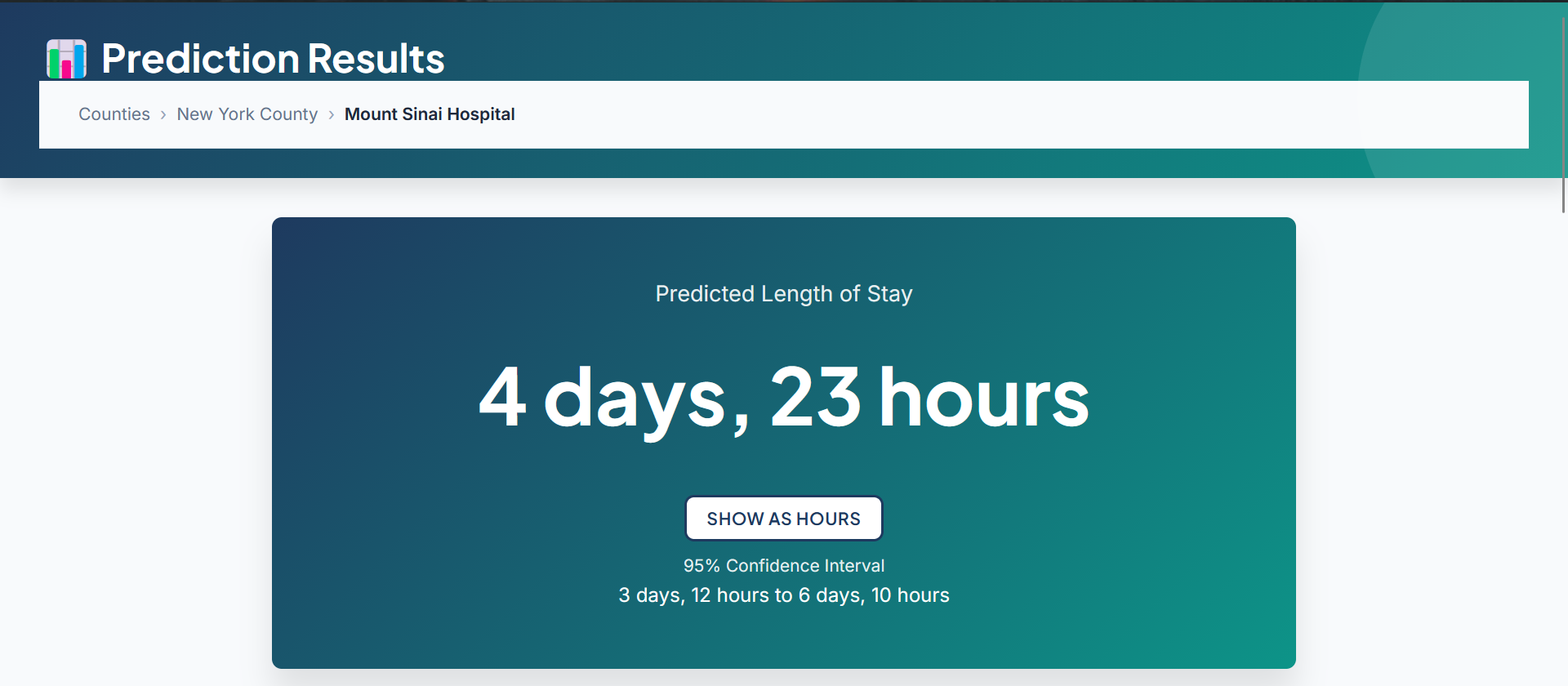
Detailed prediction with confidence interval and risk factor analysis
-
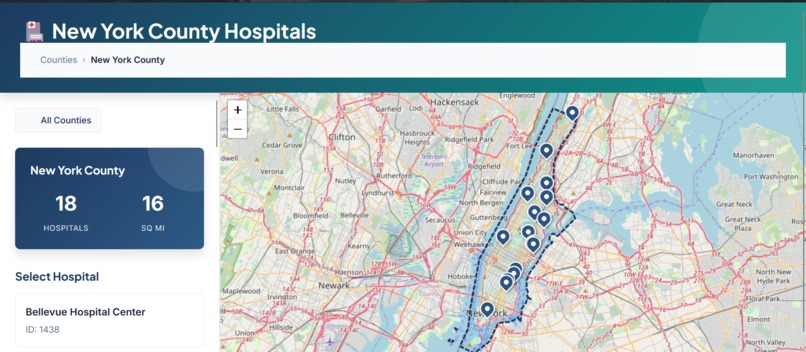
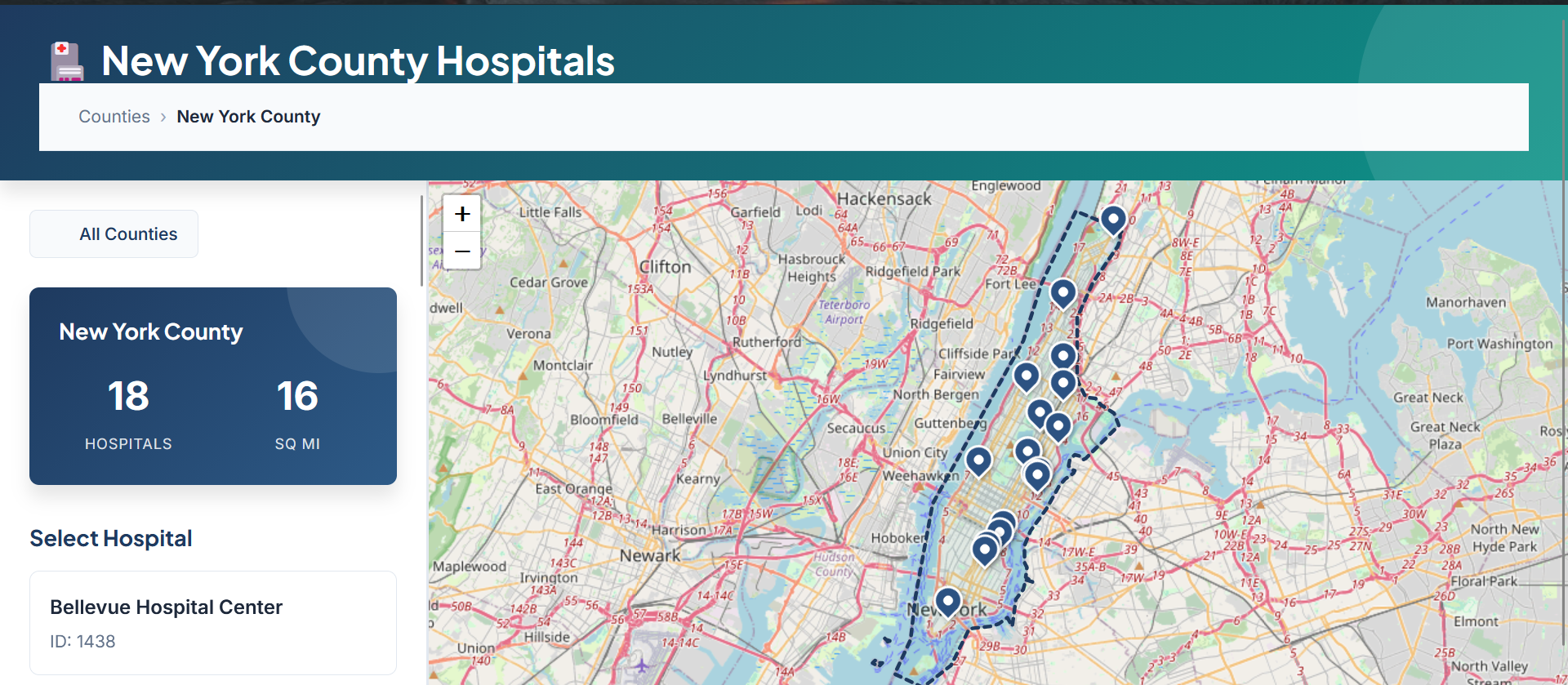
Zoom into selected county showing all hospitals as map markers
Hospital-LOS-Predictor
Inspiration
In 2022, I began my machine learning journey with Data Science Nigeria (DSN) at my university. My mentors assigned this hospital length-of-stay prediction project as a learning exercise. Years later, I revisited it for this hackathon—but this time, I challenged myself to build it using real-world production standards, not just as an academic exercise.
Problem Statement
Hospital length of stay (LOS) prediction addresses critical needs from two perspectives:
1. Patient Perspective
When admitted to a hospital, patients and families need to know how long the stay will last. This information impacts:
- Financial planning for medical bills
- Work and family arrangements
- Psychological preparation and peace of mind
2. Hospital Management Perspective
Healthcare administrators face constant pressure to optimize limited resources. Accurate LOS predictions enable:
- Efficient bed allocation – Anticipate availability for incoming patients
- Optimized staff scheduling – Align nursing and physician resources with demand
- Cost management – Reduce operational waste and improve financial planning
- Enhanced patient care – Better discharge planning and post-acute care coordination
In overcrowded hospitals, knowing when beds will become available can literally save lives by ensuring critical patients get timely care.
What It Does
Hospital-LOS-Predictor is a full-stack machine learning web application that predicts patient length of stay in New York State hospitals with 95% confidence intervals.
Core Features:
- Interactive map-based workflow – Select from 62 NY counties and 200+ hospitals using Leaflet.js
- Clinical assessment form – 13 easily accessible features (age, gender, admission type, diagnosis, severity, insurance type, etc.)
- Real-time ML predictions – XGBoost model trained on 2.4M patient records from NY SPARCS dataset
- Risk factor analysis – Identifies clinical factors contributing to predicted LOS with impact quantification
- Professional healthcare UI – Clean, responsive design suitable for hospital staff use
Example Output:
Predicted LOS: 4 days, 5 hours (confidence interval: 3.1–5.4 days)
Contributing factors: High clinical severity (+2-4 days), Emergency admission (+1-3 days)
How I Built It
1. Data Engineering & Model Development
- Dataset: 2.4M patient discharge records from NY.gov SPARCS database
- Data cleaning: Handled missing values, outliers (120+ day stays), and imbalanced classes
- Feature engineering:
- Selected 13 accessible features that patients/relatives would know at admission
- Created target-encoded features (LOS_per_MDC, LOS_per_severity)
- One-hot encoded categorical variables → 312 final features
- Model training: XGBoost Regressor with hyperparameter tuning via GridSearchCV
- Pipeline design: Built reusable scikit-learn preprocessing pipeline saved as
.pklfor production use
2. Web Application Development
Frontend: (with Claude AI assistance)
- Vanilla HTML5, CSS3, JavaScript (no frameworks for lightweight performance)
- Leaflet.js for interactive county/hospital maps with GeoJSON data
- Custom state management using URL parameters (bookmarkable, shareable links)
- Client-side form validation with real-time error feedback
Backend:
- Python Flask REST API
/api/predict– Handles feature preprocessing and model inference/api/health– Health check endpoint- Risk factor identification logic based on clinical domain knowledge
- Preprocessing integration: Custom
HospitalDataCleanerclass handles:- Diagnosis group mapping (MDC codes)
- Target encoding for high-cardinality features
- Column alignment to training set (312 features)
3. Deployment Journey
- Microsoft Azure App Service – Initial deployment using Gunicorn WSGI server
- Configured App Service Plan, WSGI handlers, and environment variables
- Learned Azure-specific quirks (Kudu deployment, Oryx build system)
- Migrated away due to cost concerns (free credits expiring)
- Render.com – Current production deployment (free tier, 750 hours/month)
- Simpler deployment workflow with native Flask support
- Better suited for ML apps with large model files
Challenges I Ran Into
1. Production-Ready ML Pipeline Design (Biggest Challenge)
Creating a flexible, maintainable pipeline that could:
- Serialize the entire preprocessing workflow (not just the model)
- Handle unknown categories in production (e.g., new diagnosis codes)
- Be swappable – if I train a better model, just replace the
.pklfile
Solution: Built custom HospitalDataCleaner transformer inheriting from scikit-learn's BaseEstimator and TransformerMixin, enabling full pipeline serialization with joblib
2. Debugging AI-Generated Code
Claude AI accelerated frontend development, but debugging required:
- Reading through unfamiliar JavaScript patterns
- Understanding Leaflet.js quirks with GeoJSON rendering
- Tracing state management bugs across multiple HTML pages
Lesson learned: AI is a great accelerator, but you must deeply understand the code it generates
3. Azure Deployment Configuration
- Struggled with Kudu deployment failures (
NullReferenceException) - Learned the difference between traditional Flask servers and serverless functions
- Had to configure WSGI handlers, startup commands, and environment variables correctly
Solution: Switched to Azure's native Python support instead of custom deployment scripts
4. Feature Engineering for Real-World Constraints
Unlike Kaggle competitions where you have all features, I constrained myself to:
- Only features a patient/family would know at admission (no lab results, no retrospective data)
- Balanced predictive power with practical usability
- This forced creative feature engineering (target encoding, interaction features)
Accomplishments That I'm Proud Of
✅ Built a production-ready ML system – Not just a Jupyter notebook, but a full web app with API, frontend, and deployment
✅ Successfully deployed to two cloud platforms – Learned Azure App Service and Render.com deployment workflows
✅ Created reusable ML pipeline – Can swap models without touching application code
✅ Designed professional healthcare UI – Looks like a real analytics dashboard, not a student project
✅ Handled 312-feature encoding pipeline in production – Complex preprocessing works reliably in live environment
✅ Real-world dataset – 2.4M records with messy, imbalanced data (not clean Kaggle data)
This project demonstrates the complete ML lifecycle: data cleaning → feature engineering → model training → API development → frontend design → production deployment.
What I Learned
Technical Skills
- MLOps fundamentals: Serializing entire pipelines, versioning models, handling schema drift
- Production ML considerations: Feature availability at inference time, latency optimization, error handling
- Full-stack development: Flask backend, vanilla JS frontend, RESTful API design
- Cloud deployment: Azure App Service, Render.com, WSGI servers, environment configuration
Most Valuable Lesson: Business Context Matters More Than Model Metrics
In academic ML, we optimize for R² or RMSE. In production, I learned to prioritize:
- Feature accessibility – Can the user actually provide this data?
- Interpretability – Can hospital staff trust and understand predictions?
- Operational impact – Does a 0.5-day prediction error actually matter for bed allocation?
Example: I could've achieved higher R² by including lab results and vital signs, but those aren't available at admission time. A slightly less accurate model that's actually usable is far more valuable.
Another insight: The confidence interval matters more than the point estimate. Telling staff "3.1–5.4 days" lets them plan conservatively, whereas "4.2 days" gives false precision.
What's Next for Hospital-LOS-Predictor
Short-term Improvements
- [ ] Mobile responsiveness – Optimize UI for tablets/phones used by hospital staff
- [ ] Model performance – Experiment with CatBoost, LightGBM, or ensemble methods
- [ ] Feature importance visualization – Add SHAP values to explain individual predictions
- [ ] Unit tests – Add pytest coverage for API endpoints and preprocessing pipeline
Medium-term Enhancements
- [ ] User authentication – Add login system for real hospital use (HIPAA compliance considerations)
- [ ] Prediction history tracking – Log predictions to database for monitoring and improvement
- [ ] Admin dashboard – Monitor model performance over time, detect drift
- [ ] Multi-state support – Expand beyond NY to other states' hospital data
Long-term Vision
- [ ] Model retraining pipeline – Automated retraining with new SPARCS data releases
- [ ] A/B testing framework – Compare model versions in production
- [ ] Integration with EHR systems – Real hospital workflow integration
- [ ] Explainable AI – Provide clinically interpretable feature importance for each prediction
Tech Stack
Machine Learning
- Python 3.10
- XGBoost
- Scikit-learn 1.
- Pandas
- NumPy
- Joblib
Backend
- Flask
- Flask-CORS
- Gunicorn (WSGI server)
Frontend
- HTML5
- CSS3
- Vanilla JavaScript
- Leaflet.js (maps)
- GeoJSON
Data
- NY SPARCS dataset (2.4M patient records)
Deployment
- Render.com (current)
- Microsoft Azure App Service (previous)
Tools
- Git
- Claude AI (development assistant)
- Jupyter Notebooks (EDA)
Project Links
- Live Demo: Live on Render
- GitHub Repository: Github Repo
- Dataset Source: NY.gov SPARCS Database
Kaggle Notebooks
Exploratory data analysis Notebook
Installation & Local Development
Prerequisites
- Python 3.13+
- pip
Setup
- Clone the Repository
git clone https://github.com/metrosmash/Hospital_LOS_Predictor
cd Hospital_LOS_Predictor
- Create Virtual Environment
- Windows
python -m venv venv
venv\Scripts\activate
- macOS/Linux
python3 -m venv venv
source venv/bin/activate
- Install Dependencies
pip install -r requirements.txt
- Verify Model Files
Ensure these files exist in assets/pkl_files/:
✅ xgb_modelv1.pkl
✅ xgb_hospital_full_pipeline.pkl
✅ feature_names.pkl
✅ mdc_mapping.pkl
✅ severity_mapping.pkl
✅ mdc_conversion_mapping.pkl
Note: If model files are missing, you'll need to train the model first. See Training the Model below.
- Verify Data Files
Check assets/data/:
✅ ny_counties.geojson
✅ hospital_location_geojson1.geojson
Built With
- azure
- css
- flask
- html
- javascript
- jupyter
- kaggle
- python
- render
- scikit-learn
- xgboost


Log in or sign up for Devpost to join the conversation.