Description
This wizard aims to help hospital workers in accepting new patients into the hospital and keep track of equipment and medicines required.
Source data is included and consists of: - main excel tracker (Main Beds Tracker - stored.xlsx) - list of all beds and patients currently accepted - helpers data (Illness data.xlsx) - data about diseases handled by a hospital, equipment and medicines available in a hospital - configuration file (configuration.json) - file that stores configurable settings of the wizard
Additionally source code of bed assigning .net plugin is attached ("plugin.zip").
How to make the wizard run on new machine:
- Download source and sample files from github link
- Specify path to "configuration.json" file in $Generic_ExternalConfigFilePath$ (see "Configuration_1.png")
- Set paths to "main excel tracker" and "helpers data" in "configuration.json" file. Use double backslash (see Configuration_2.png)
- Run the wizard
Functionalities:
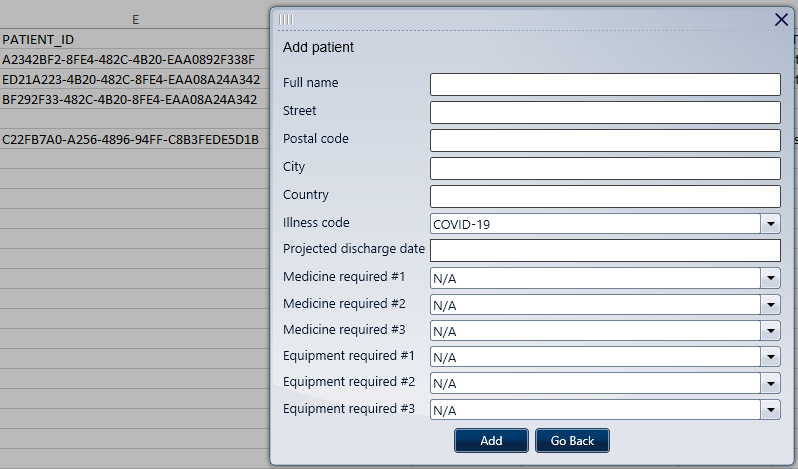
- Add new patient to tracker and assign bed automatically. This process is designed in such way that patient with contagious disease must be alone in a room. If automatic process fails it is a human judgement which bed should be assigned to new patient. Each patient has also information about equipment and medicines required.
- Mask patient information. It is possible to mask patient personal information (name and address) when adding a patient. To enable this feature please set "useMasking" to "TRUE" in "configuration.json (see "Enable_Masking.png")
- Edit patient information (medicines and equipment required). It is possible to edit medicines and equipment selected when adding new patient
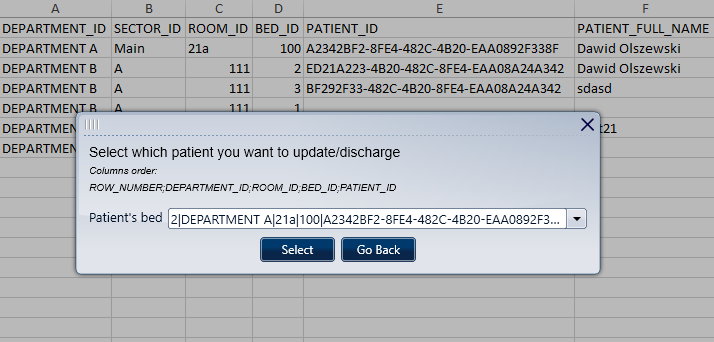
- Discharge patient. This will make a bed occupied by a patient available again.
- Detailed logs. This wizard saves logs during runtime to help investigate potential issues. See "Example_Logs.png" for a sneak peak. By default those logs are located in "C:\Kryon Activity Logs". To change this location please adjust variables in Step 1: $Logger_LogsFolderName$ and $Logger_LogsParentFolderPath$ (see "Logger_Configuration.png")
Log in or sign up for Devpost to join the conversation.