Inspiration💡 Inspiration
I was inspired by how difficult it can be to interpret hospital data, especially during times when understanding bed availability and occupancy trends is crucial.
Spain’s open health datasets are public but often presented in complex spreadsheets. I wanted to turn that static data into something interactive and intuitive, using Chrome’s AI capabilities to make analysis more accessible.
🤖 What it does
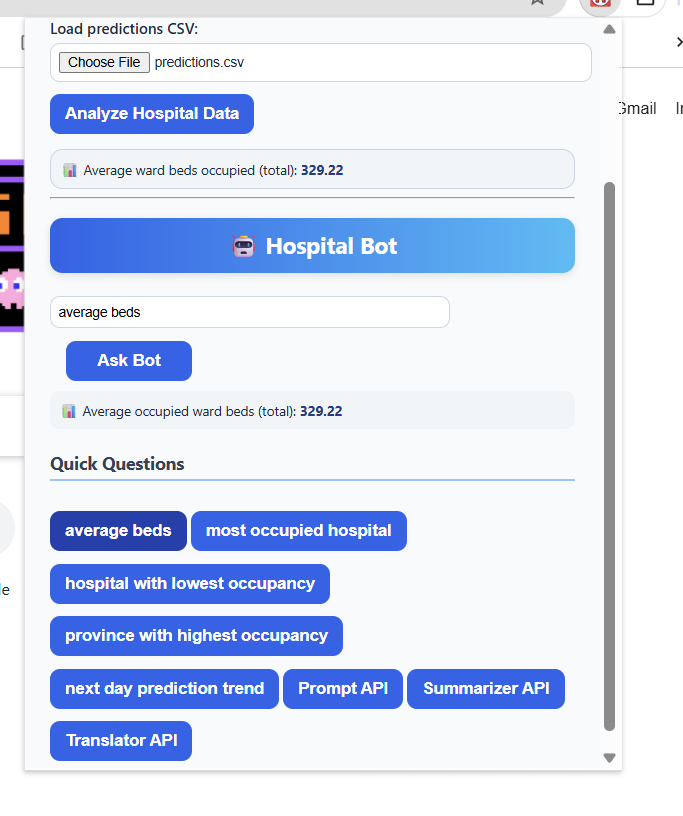
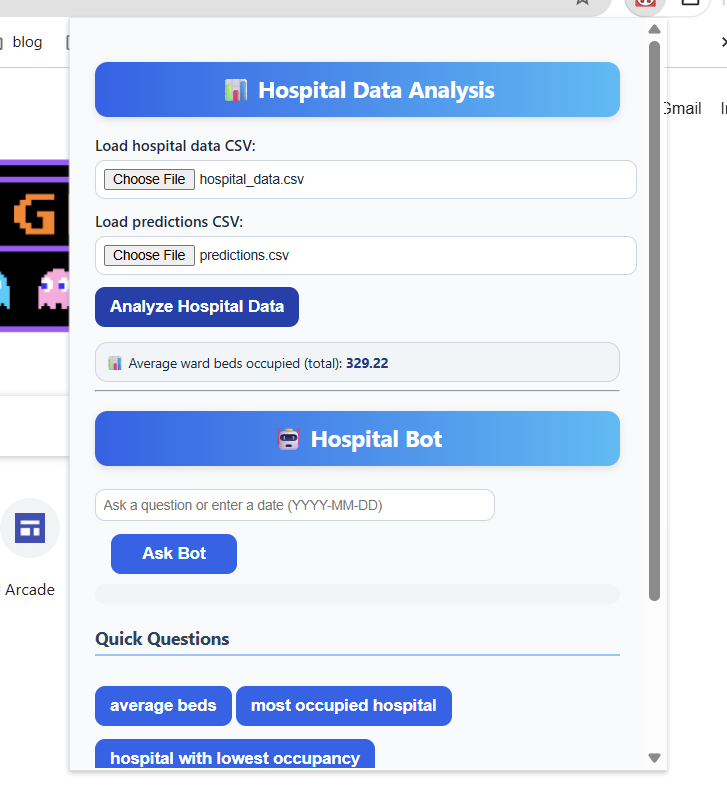
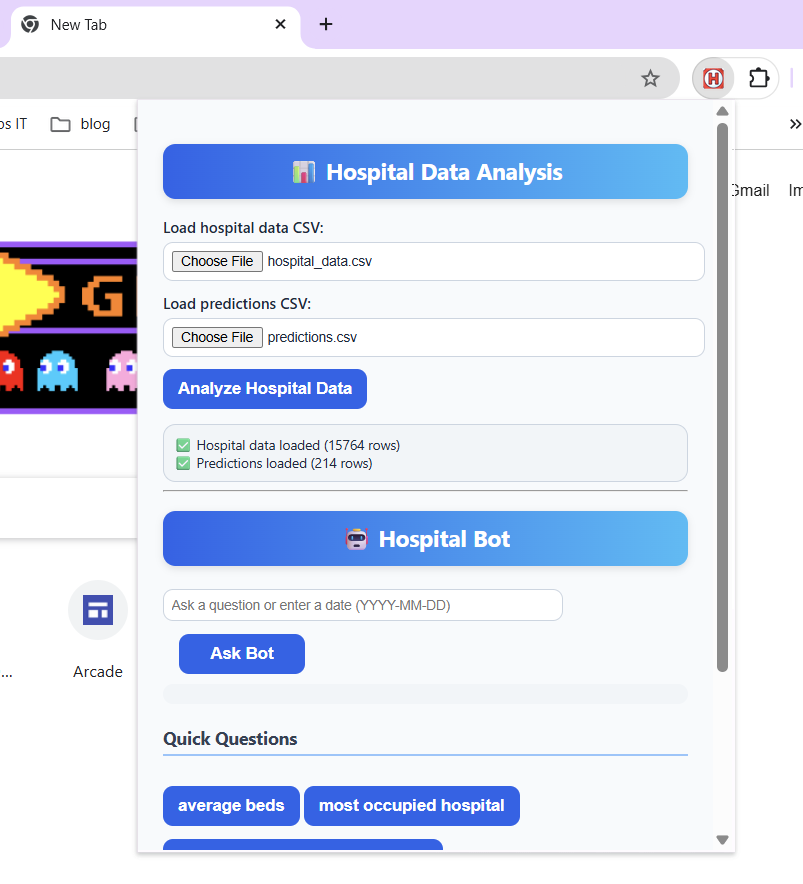
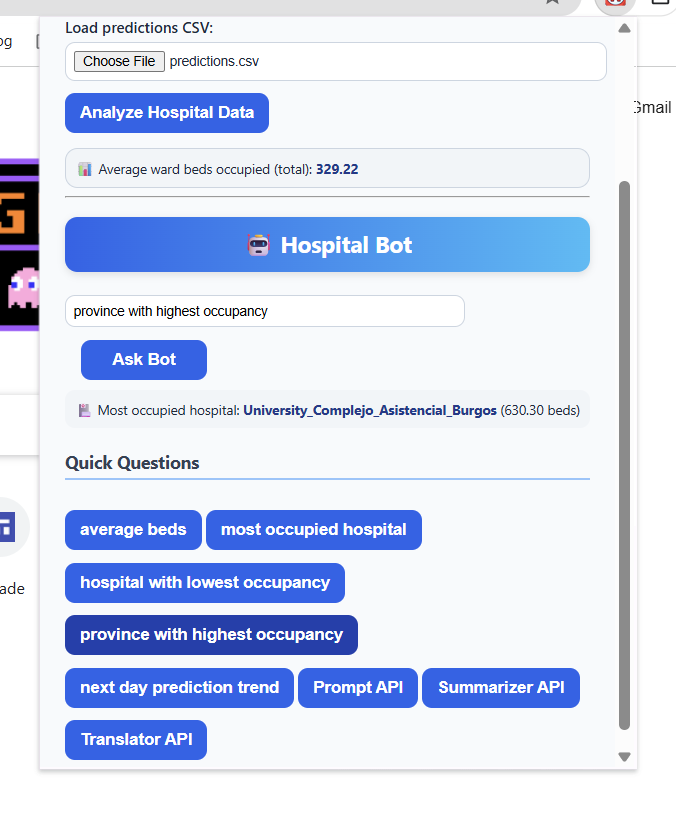
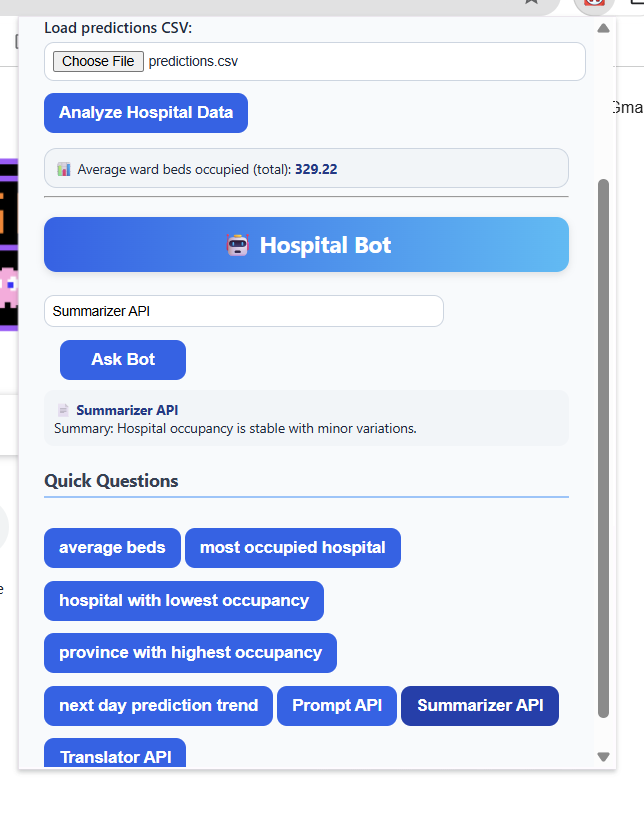
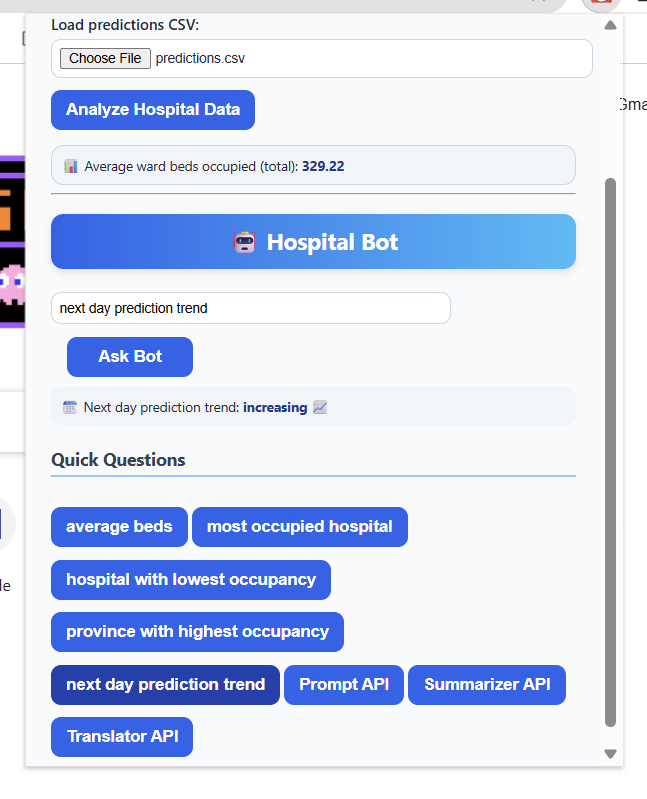
Hospital Bed Prediction ChromeAI Bot is a Chrome Extension that allows users to upload real hospital occupancy and forecast CSV files, then ask questions in natural language. For example: “average beds”, “most occupied hospital”, or “next day prediction trend.”
The bot calculates averages, detects trends, and shows instant results in a simple chat-style interface. While the AI responses are currently simulated, the system is designed to work with Chrome’s Prompt, Summarizer, and Translator APIs, representing how Gemini Nano could assist real-time data exploration.
🧩 How I built it
- Built with HTML, CSS, and JavaScript as a Chrome Extension.
- Parses uploaded CSV files locally using PapaParse for fast and reliable data handling.
- Performs basic data analysis functions like average, max, and trend detection.
- Simulated AI modules emulate the structure of Chrome’s Gemini Nano APIs.
- Outputs are displayed through an interactive and responsive chat interface.
⚙️ Challenges I ran into
⏱ Time limitations: I couldn’t integrate real Chrome AI APIs during the hackathon, so I created simulated responses.
📊 Data normalization: hospital data included many provinces and hospitals with inconsistent formatting.
💬 Natural language logic: building rule-based question handling without NLP libraries took time but improved understanding of text parsing.
🏆 Accomplishments that we're proud of
- Created a working Chrome Extension that loads and analyzes real healthcare data and predictions from my previous machine learning process.
- Designed an easy-to-use chat interface for data queries.
- Built a structure ready to connect with Chrome’s AI APIs in the future.
- Used real open data from Spain, adding authenticity and real-world value.
📚 What we learned
- How to build and debug a full Chrome Extension from scratch.
- How to simulate and structure API interactions for future AI integration.
- Practical data manipulation and aggregation techniques in JavaScript.
- The importance of clear communication between UI, logic, and data sources.
🚀 What's next for Hospital Bed Prediction ChromeAI Bot
- Connect real Gemini Nano APIs (Prompt, Summarizer, Translator).
- Add visual dashboards and time-series plots for better trend analysis.
- Automate data updates directly from Spain’s open government API.
- Expand to include other countries and predictive healthcare datasets.
Built With
- css
- csv
- html
- javascript
- papaparse

Log in or sign up for Devpost to join the conversation.