-
-
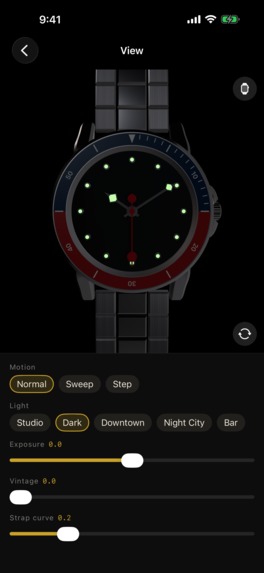
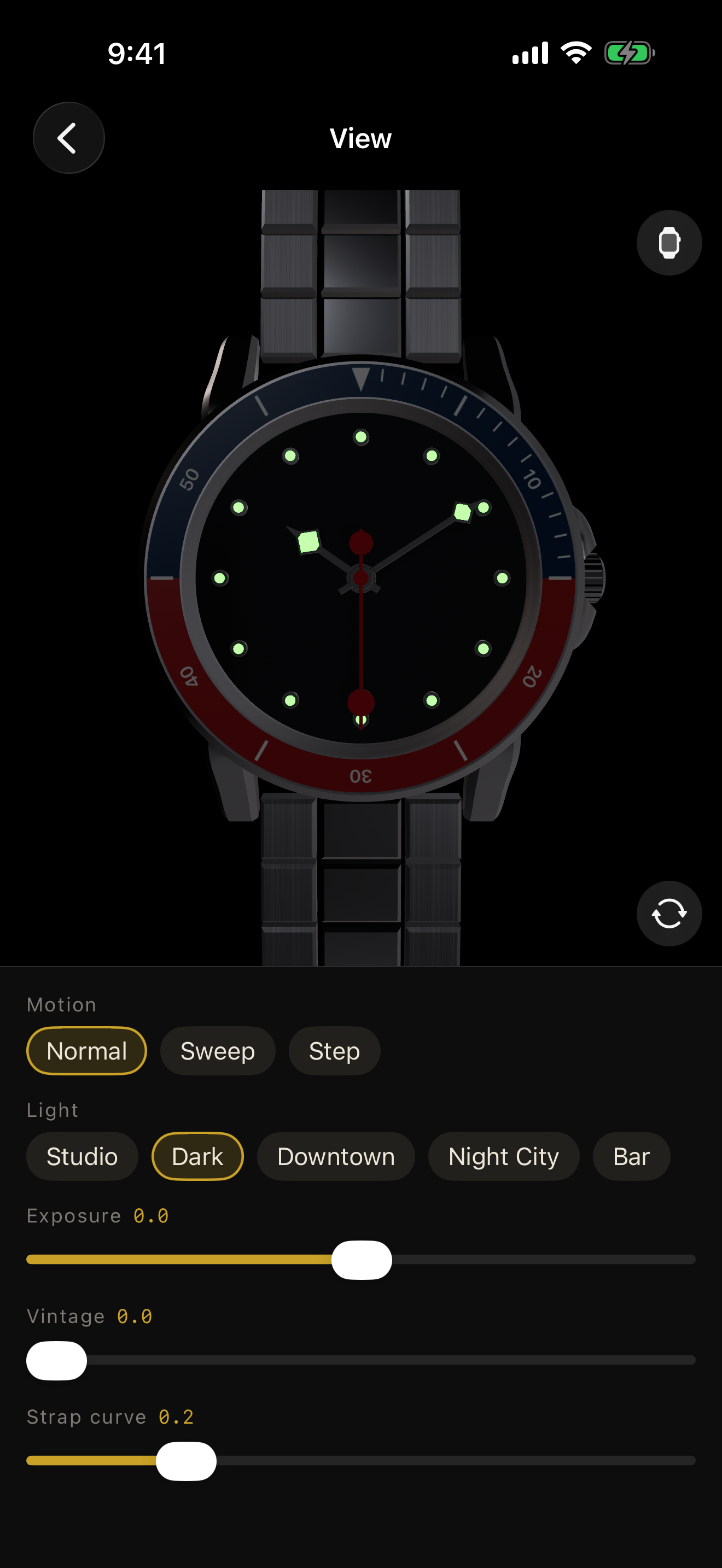
Turn off the lights and watch the lume come alive
-
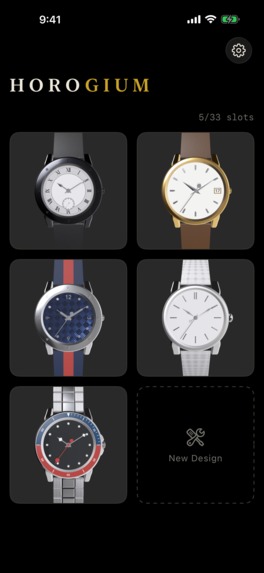
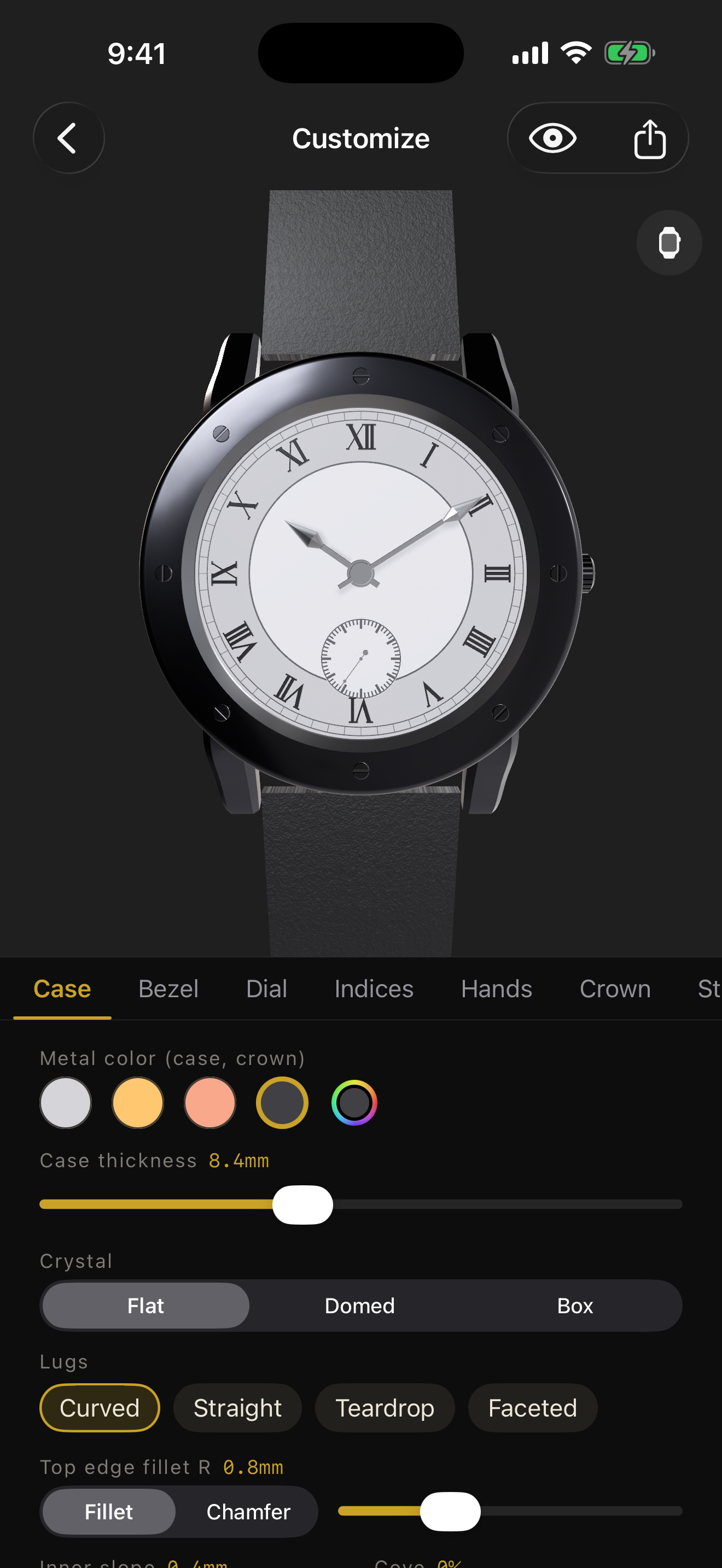
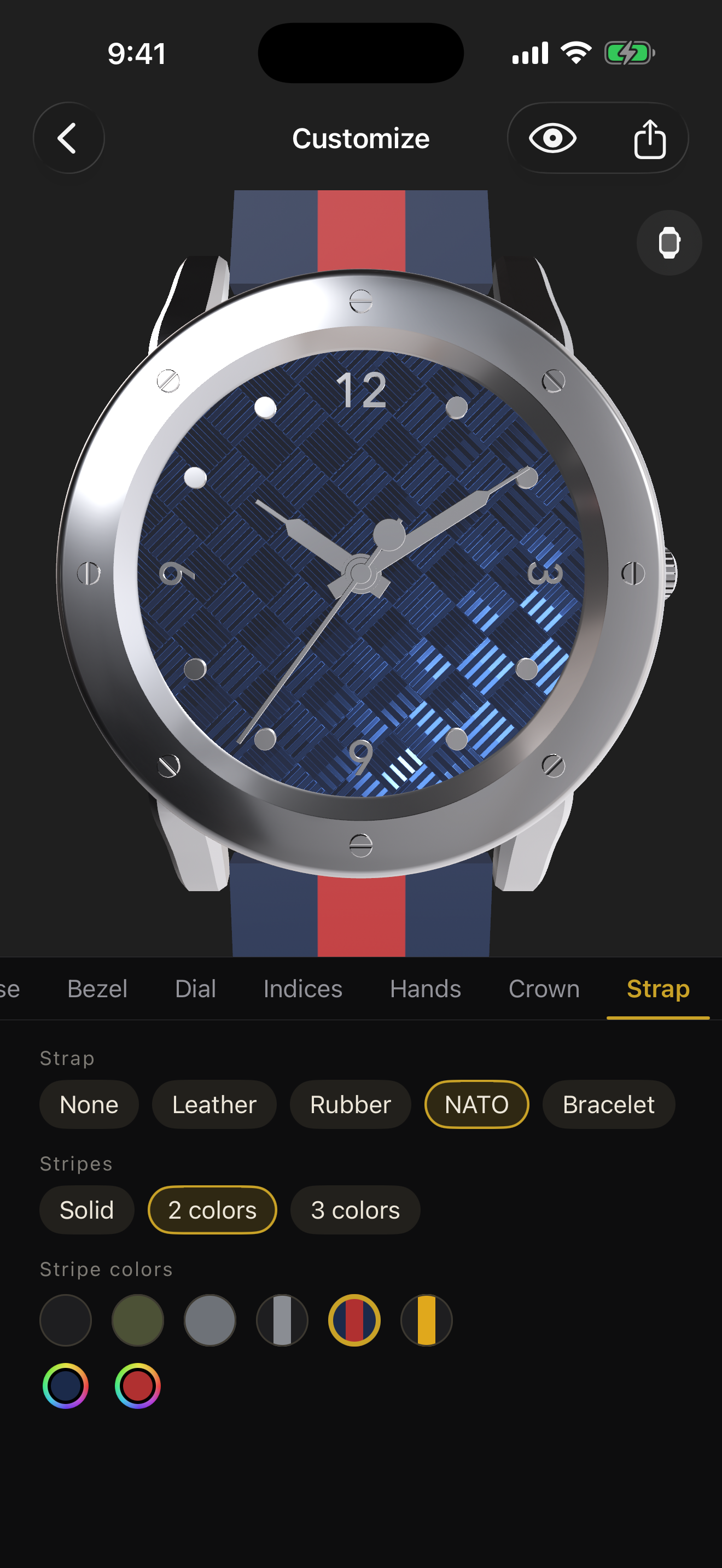
Design a watch like no other — a real-time 3D preview with physically-based metals and glass
-
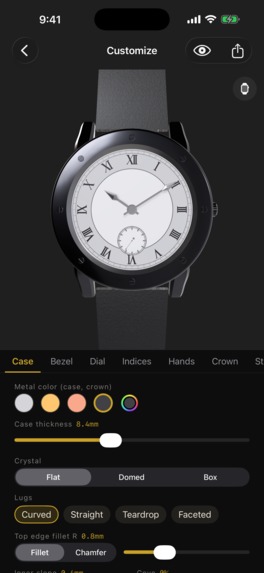
Case, bezel, indices, hands — every part is generated at runtime from millimeter dimensions
-
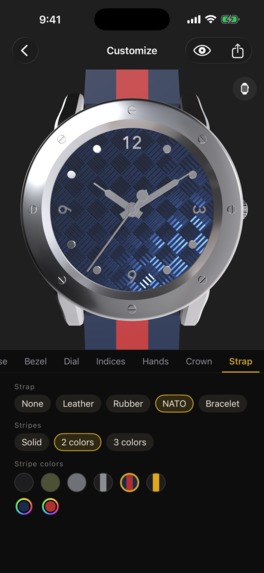
Crown and strap — every last detail down to the stitching
-
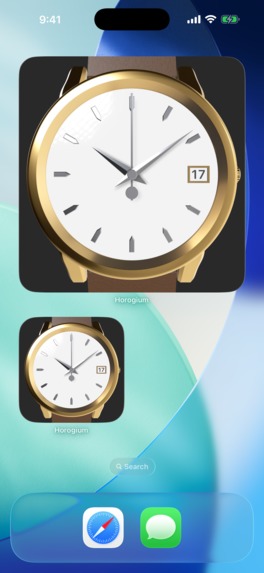
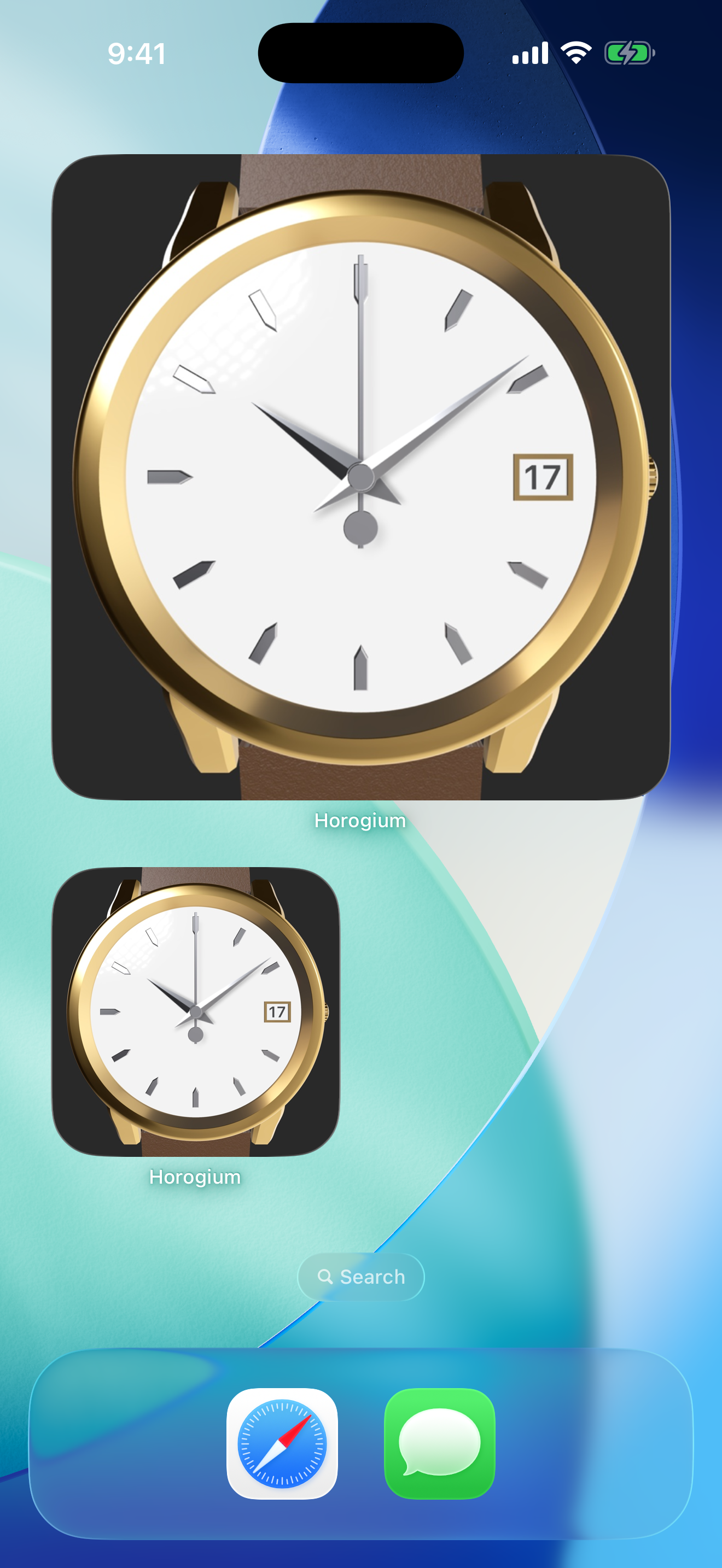
Your watch on your Home Screen — a widget that keeps real time
-

Horogium app icon

Inspiration
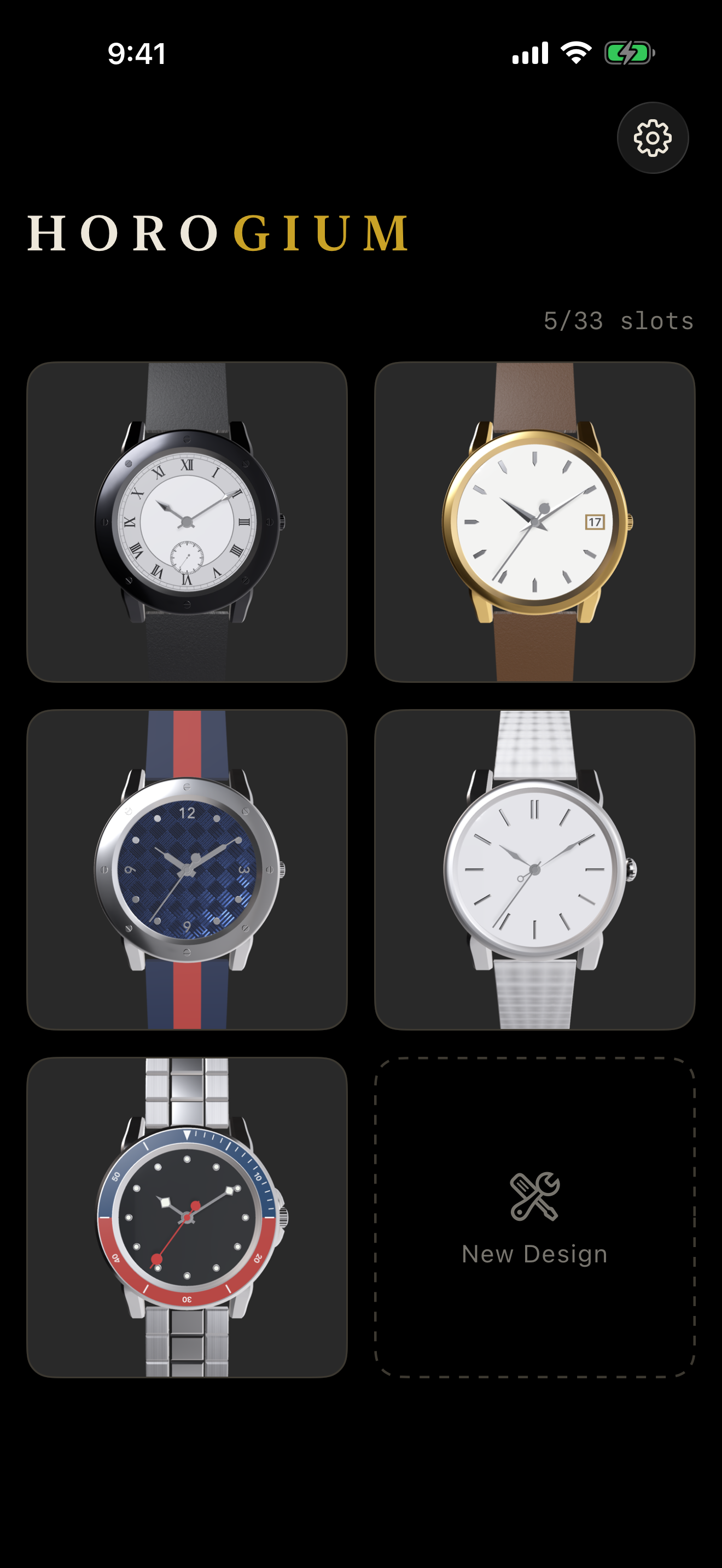
I've always loved mechanical watches — the way a case catches light, the quiet authority of a well-proportioned dial. But the watches I dreamed of either didn't exist or cost more than a car. As a solo developer, I wondered: what if your iPhone could become a watchmaker's atelier? Not a picker of preset faces, but a real workshop where you shape the case, cut the bevels, and blue the hands yourself — then actually wear the result on your home screen.
What it does
Horogium lets you design a wristwatch in full 3D and make it part of your daily life:
- Craft every part: case shape (round, square, hexagon, octagon…), bezel, dial, indices, hands, crown, and strap — with real dimensions in millimeters, down to a 0.1 mm chamfer on the case edge.
- See it like the real thing: a RealityKit-powered 3D preview with physically-based metals, domed crystals, and baked soft shadows under the hands.
- Wear it: your design becomes a home screen widget that tells the actual time.
- Share it: publish a design and send a short link (horogium.com/w/…) — the recipient opens it right in the app.
- Go premium with RevenueCat: extra design slots and five part collections (dials, hands, bezels, indices, straps) plus a Complete Bundle are sold as one-time in-app purchases, all managed through RevenueCat. Premium parts can be tried on with a watermark before you buy.
How I built it
The core idea is recipe-driven runtime geometry. A watch is a small JSON "recipe" (1–2 KB); the app generates all 3D meshes from it at runtime — no shipped model files. That keeps the binary small, makes every parameter continuously adjustable, and means a shared design is just a tiny JSON payload.
- iOS app: SwiftUI + RealityKit. Custom mesh generation for cases, bezels, hands, and indices; PBR materials for brushed, polished, and coated finishes.
- Widgets: WidgetKit can't run a 3D engine, so the app bakes the dial into an image and composes 2D hands on top — with shadows pre-baked via Accelerate/vImage to match the 3D preview.
- Sharing backend: Cloudflare Workers with Hono, D1 for metadata, R2 for assets — deployed with Wrangler, tested with Vitest.
- Monetization: RevenueCat + StoreKit for slot expansions and part packs.
- Analytics: Firebase Analytics to understand which parts people actually customize.
Challenges I ran into
- Widgets are a hostile environment. The large widget silently froze: iOS kills widget rendering around a 30 MB memory budget. I had to shrink decode sizes, cache aggressively, and version the baked assets to recover.
- Matching 2D to 3D. The widget's flat composition had to visually match the RealityKit preview — hand shadows are blurred decals baked with vImage, tuned until the two renderings look consistent side by side.
- Parametric CAD on a phone. Continuous parameters (edge chamfers, inner slopes, coves) must never produce broken meshes. Every geometry path is constrained and covered by dimension tests.
- Fail-closed compatibility. Shared recipes may come from newer app versions; older apps must refuse gracefully and guide users to update, never crash or mis-render someone's design.
Accomplishments that I'm proud of
- A real-time parametric watch CAD running entirely on-device, generated from a 1–2 KB recipe.
- A widget rendering that stays visually faithful to the 3D preview, despite living in a completely different rendering world.
- Shipped to the App Store as a solo developer — design, engineering, backend, and localization included.
- A monetization model that feels fair: the craft is free; collectors pay for more slots and rarer parts.
What I learned
- Baking beats rendering when the platform gives you 30 MB: precompute everything and treat the widget as a picture frame.
- Recipes-as-data is a superpower: sharing, iCloud sync, widgets, and server rendering all fall out of one small JSON schema.
- RevenueCat removed the scariest part of solo shipping — receipt validation and entitlement edge cases — so I could spend that time on chamfers instead.
What's next for Horogium
- Strap studio expansion and more part collections (new hand sets, dial patterns).
- A public gallery of shared designs, powered by the existing Cloudflare backend.
- Apple Watch companion — wear your design on an actual wrist.
- Deeper RevenueCat integration: paywall experiments and offering tests to learn what watch lovers value most.
Built With
- accelerate
- cloudflare-d1
- cloudflare-r2
- cloudflare-workers
- firebase-analytics
- hono
- ios
- json
- realitykit
- revenuecat
- storekit
- swift
- swiftui
- typescript
- vitest
- widgetkit
- wrangler
- xcode

Log in or sign up for Devpost to join the conversation.