-
-
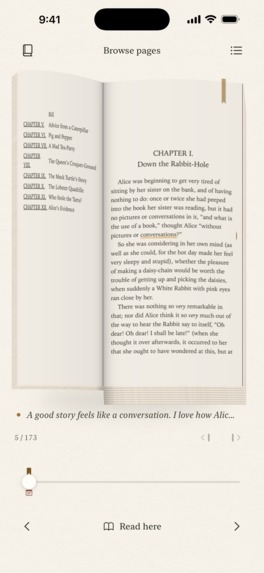
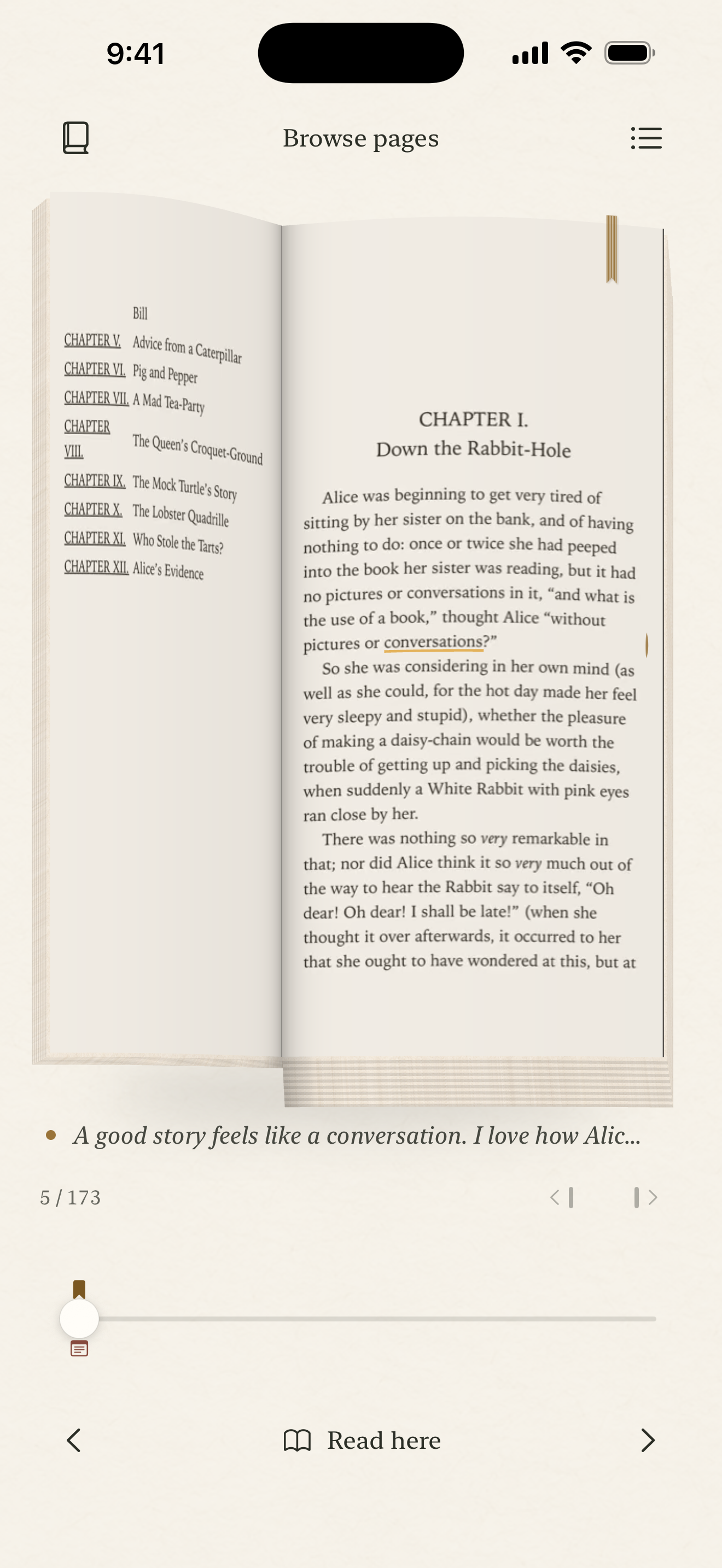
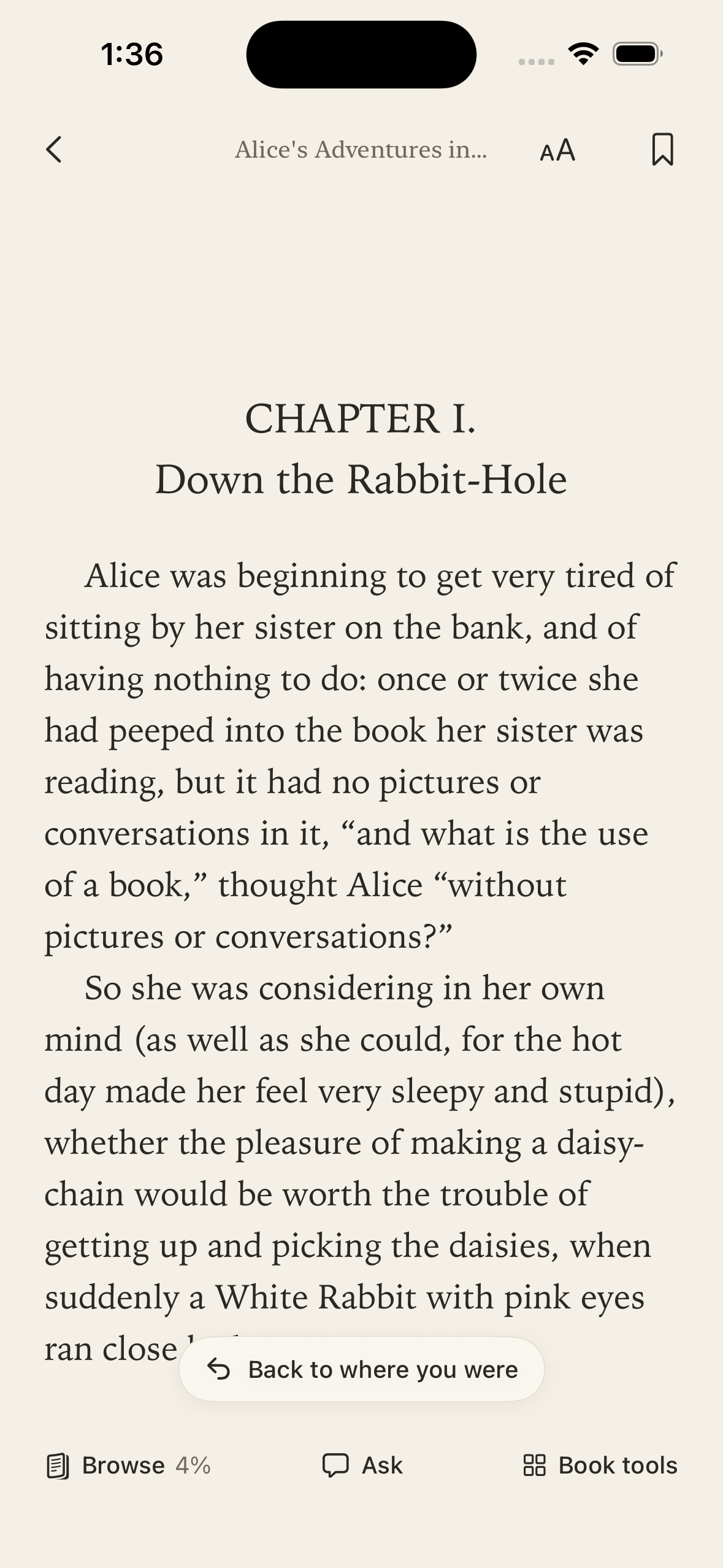
Browse your pages and saved marks. Explore freely, then choose Read here when you want to move your place.
-
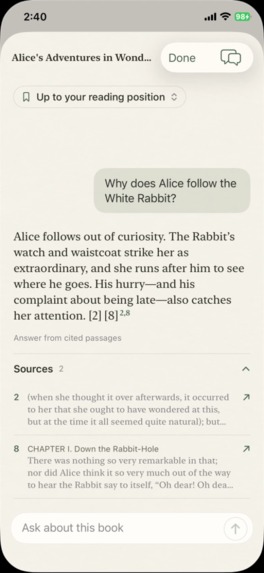
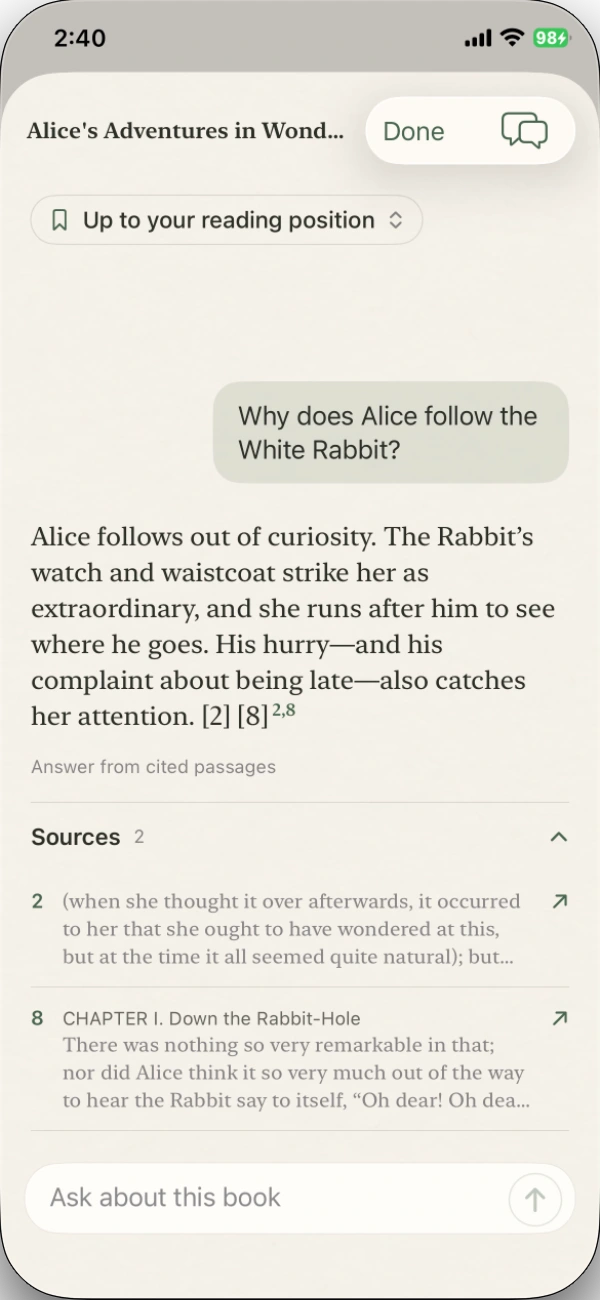
Ask why Alice follows the White Rabbit. Inspect the cited answer and expand Sources. Scope: up to your reading position.
-
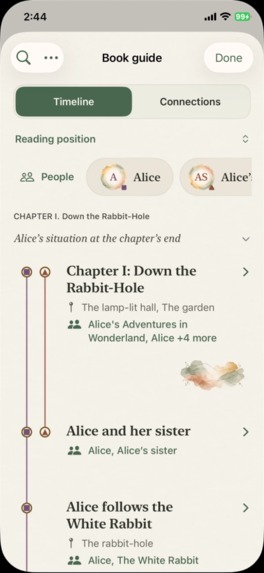
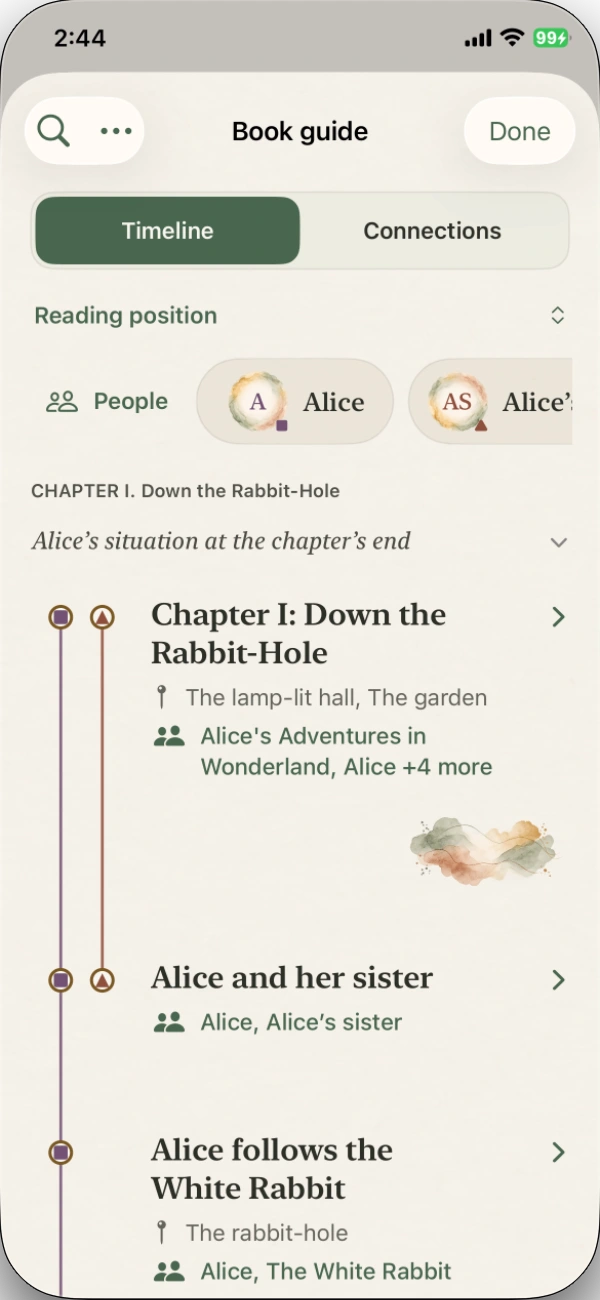
Timeline: pick up the thread through chapter moments and people, with a visible reading-range control.
-
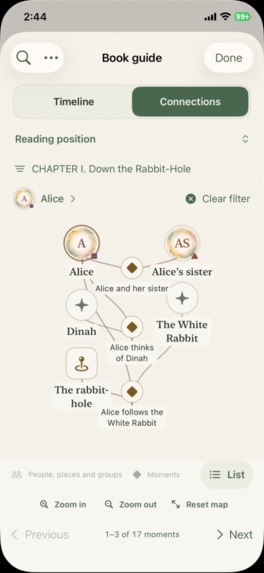
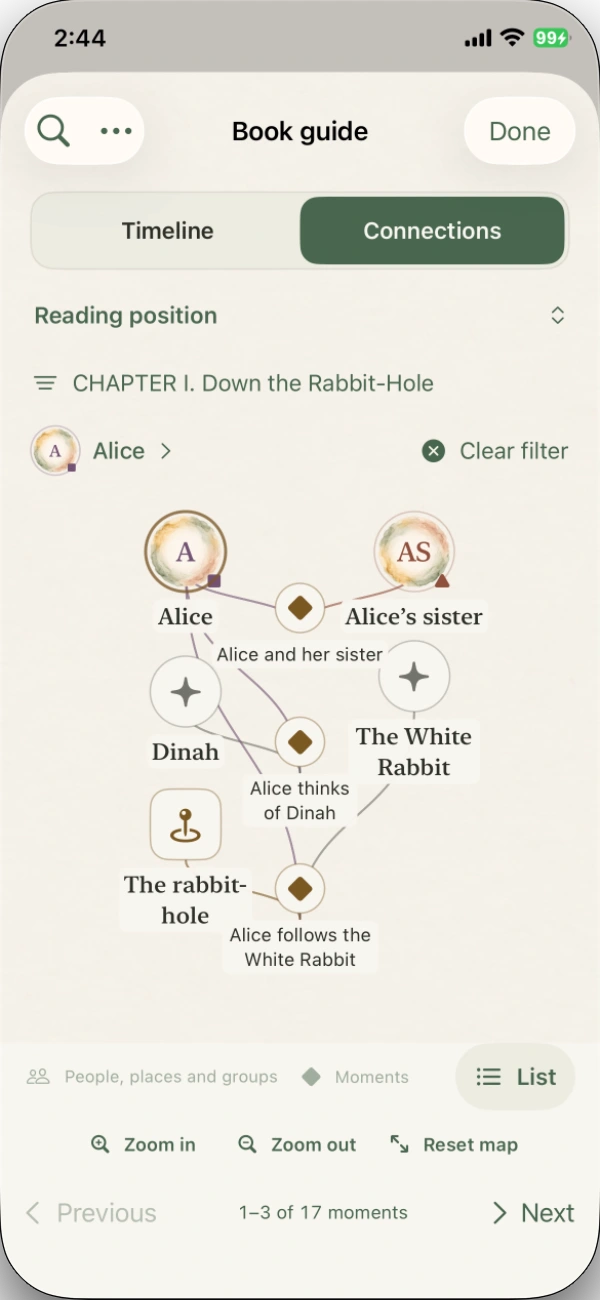
Connections: remember who belongs together. Explore people, places, and story moments within your reading range.
-
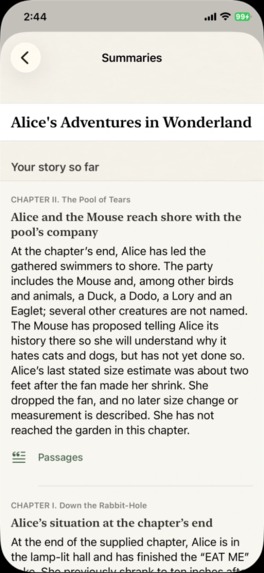
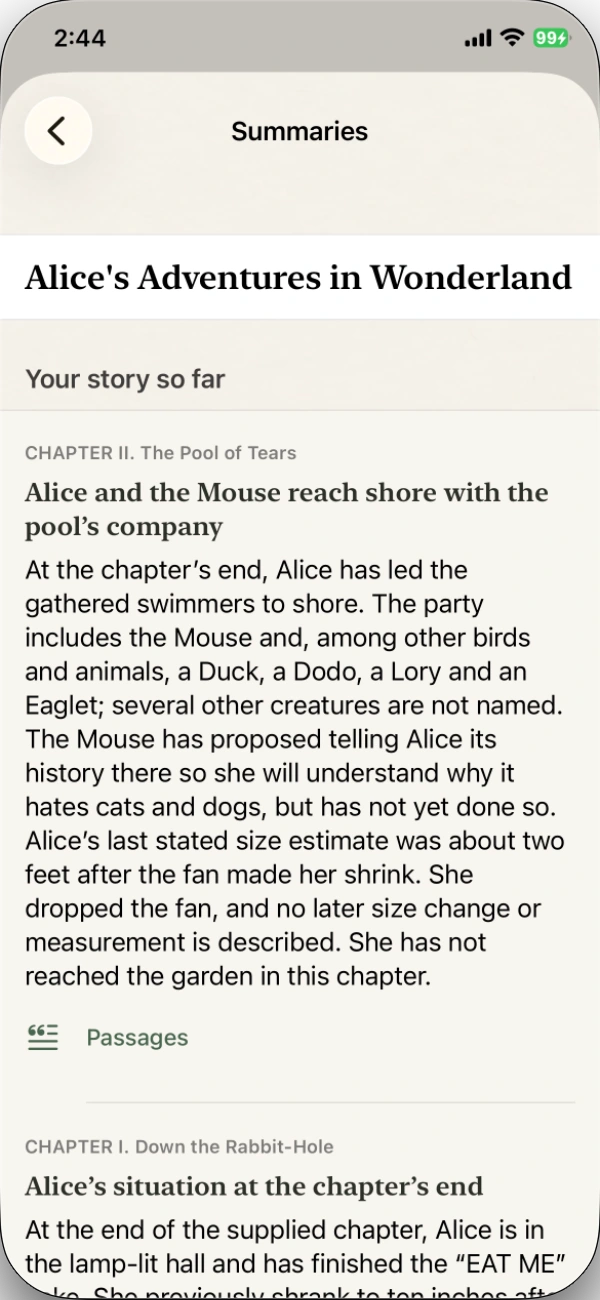
Summaries: return after time away with chapter recaps and the passages behind them. Optional paid cloud help.
-
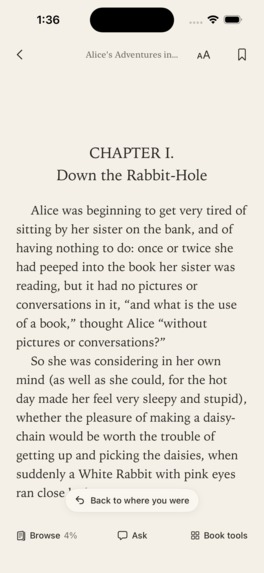
Bring your own EPUBs. Read offline without an account, with warm paper and legible book text.
-
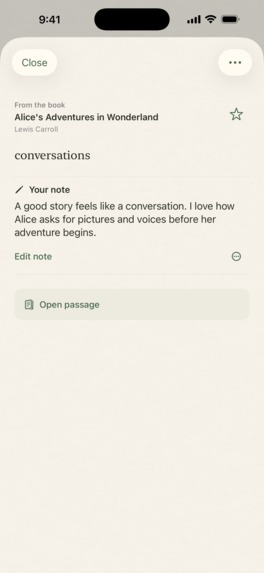
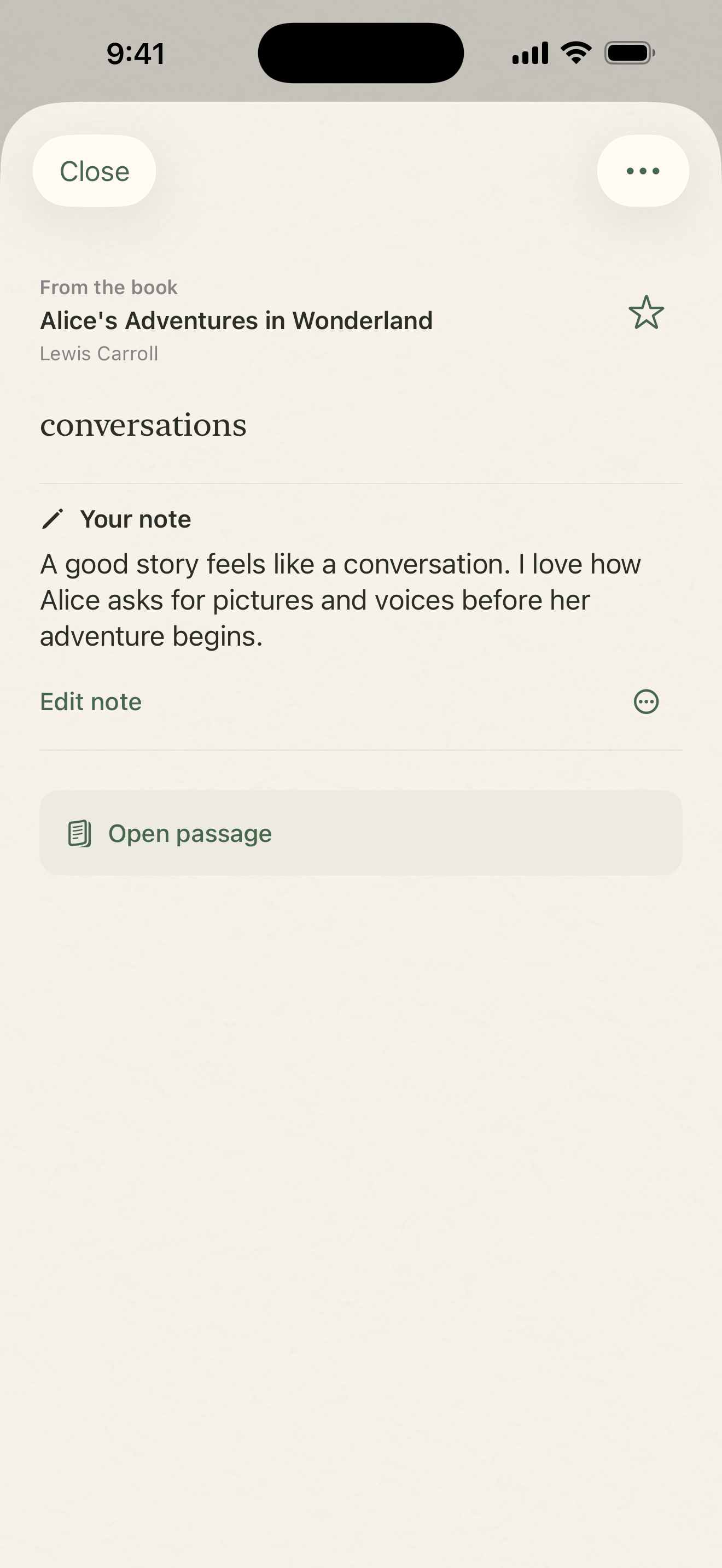
Keep the author's words beside your own thought. Open passage returns a saved note to its context.
-
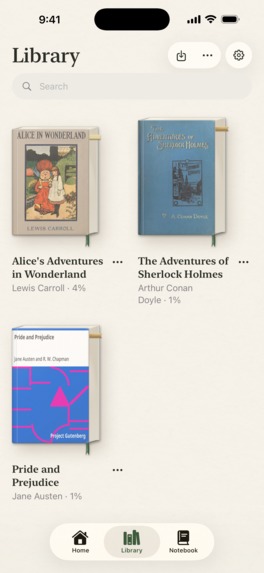
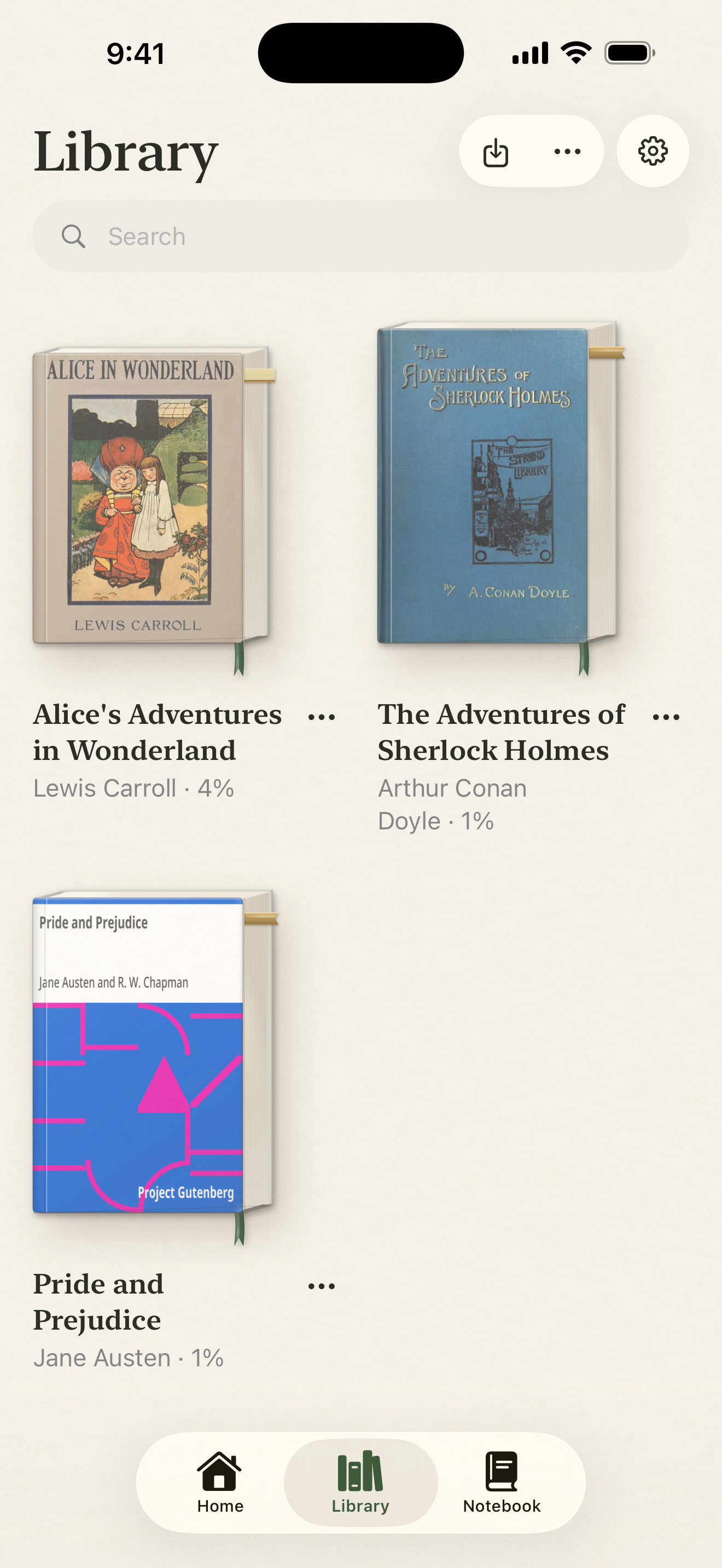
Your books, in one personal library. Import DRM-free EPUBs and return to the world you were reading.
-

HonPaca app icon — original uncropped 1024 × 1024 image.

Inspiration
You remember your page. But do you remember who that character is, why a moment mattered, or the line you wanted to keep?
Looking for help outside a book breaks the reading flow and risks revealing what happens next. I built HonPaca to make those small detours part of reading: a question, a little clarity, and a way back to the words.
Lose yourself. Keep the thread.
What it does
HonPaca is an iPhone EPUB reader for people who want to understand more of what they read without losing the pleasure of discovery. Bring your own DRM-free EPUBs. Reading, dictionary lookup, highlights, bookmarks, and personal notes work offline without an account. Optional paid cloud features add book-aware Ask, Story Guide, and sync, with your consent.
The experience follows the questions that come up while reading:
- “Where was that line?” — Browse. Flip through page previews and find your saved marks. Browsing keeps its own position: cancel to return, or choose Read here to move your reading place. A curious look ahead does not silently expand your reading scope.
- “What does this mean?” — Look Up and Ask. Look up a word without leaving the reader, or bring a selected passage into Ask. Ask also accepts questions about the book within your chosen scope. For example, “Why does Alice follow the White Rabbit?” produces an answer with numbered citations and inspectable source excerpts. Broader options, including Entire Book, require an explicit choice.
- “Who was that, and how are they connected?” — Story Guide. A chapter Timeline organizes moments and people. Connections lets you explore the people, places, and relationships around those moments. Character context and chapter recaps help you pick up the thread after time away. Reading-range controls keep the scope visible; supporting passages keep the original book close.
- “I want to remember this.” — Notebook. Keep a highlight and your own thought together, with a clear distinction between the author's words and your note. Search, favorites, and Open passage help you find the thought and return to its context. A Home Screen widget can bring a saved book passage back into your day.
Design decisions
The book remains the main object. Its cover, page edges, reading ribbon, and saved-mark tabs carry familiar meaning across Home, Library, and reading. Browse makes movement through a book visible through turning pages, rather than reducing it to a percentage slider.
Warm paper, charcoal text, restrained sage controls, and serif passages keep the words prominent. Timeline and Connections offer two views of the same story: what happened, and who belongs together. Reduce Motion provides quieter alternatives to the book lift and curved page presentation.
The most important design decision is less decorative: reading, previewing, and inspecting evidence are separate actions. Exploring a page or opening a citation must not silently authorize broader answers.
How I built it
I built the app in Swift and SwiftUI, with Readium behind an app-owned EPUB reader boundary and GRDB/SQLite for local books and annotations. Supabase supports opted-in cloud features, and OpenAI powers generation.
For scoped Ask, retrieval filters the book's text to the authorized reading cutoff before model input. The phone then checks returned citations against the canonical book text and permitted range. This gives readers evidence to inspect, rather than asking them to trust an answer alone.
RevenueCat manages subscription entitlements, purchase restoration, and the optional paid cloud layer. Core reading stays available without a subscription or network; cloud processing also requires disclosure acceptance and server authorization.
Challenges and lessons
The hardest part was keeping every kind of “place” consistent: the current page, a preview, a saved passage, and the furthest text an answer may use. Those boundaries have to survive navigation, background work, and returning to an old note.
I learned that useful AI book help depends as much on scope and evidence as on generation. An answer needs its source. A note needs its passage. A detour needs a way back.
What's next
Reader feedback, faster preparation for long books, and more reliable journeys from generated context to original passages. The goal is to help readers understand more while spending more of their time with the book.

Log in or sign up for Devpost to join the conversation.