-
-
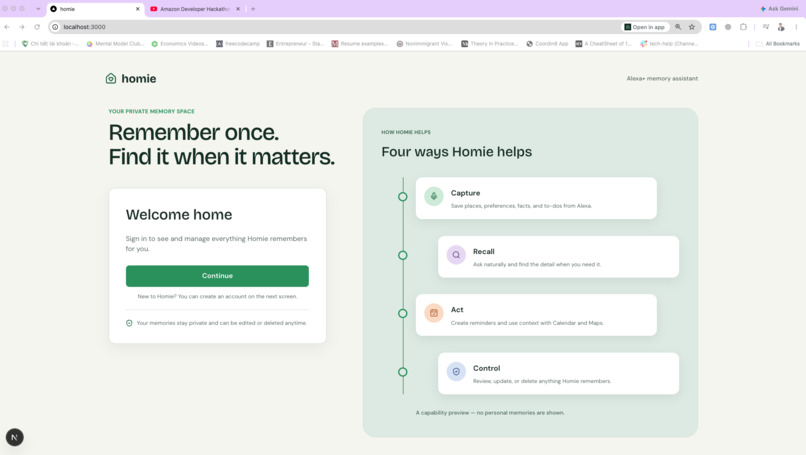
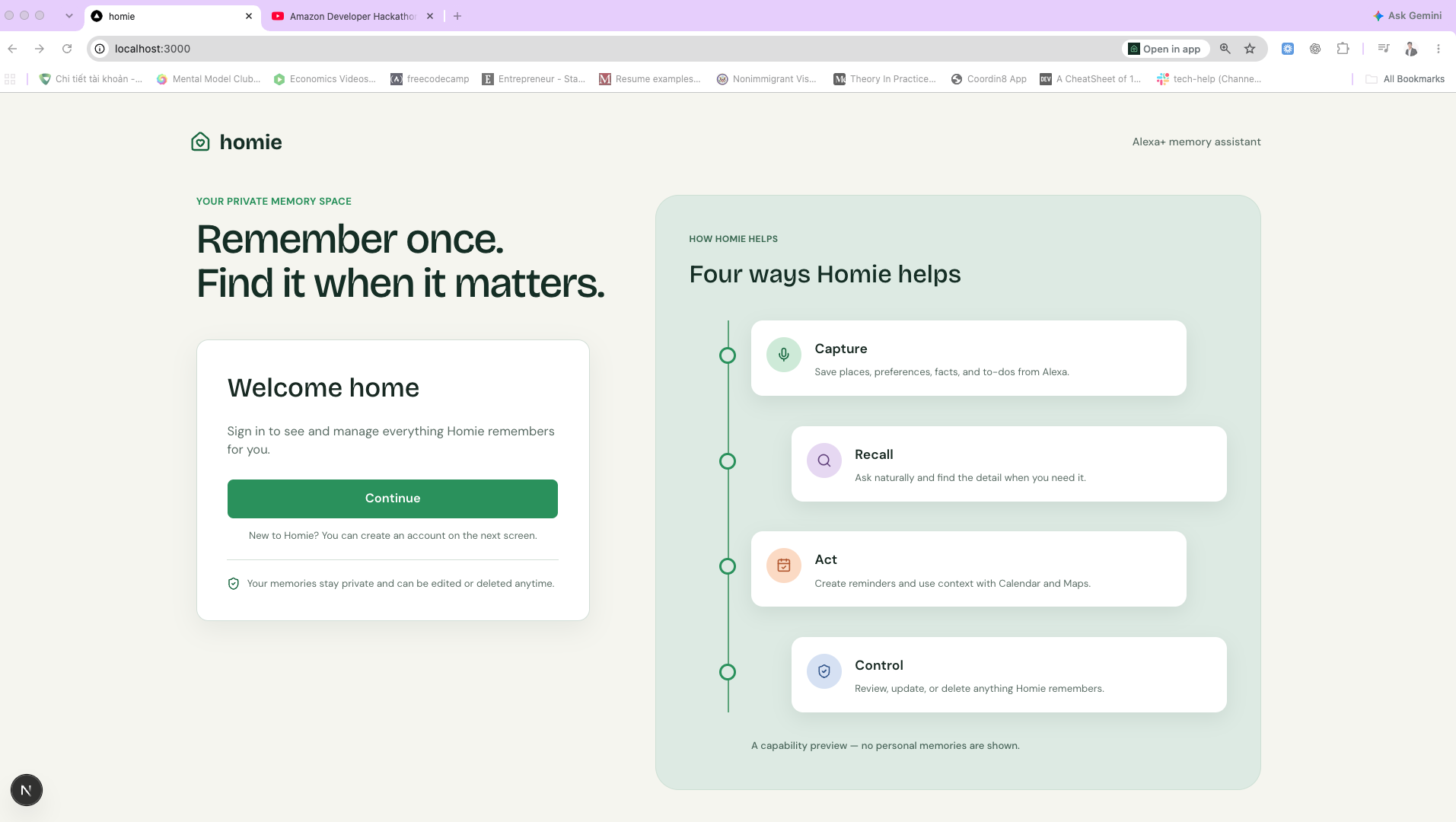
Sign in page
-
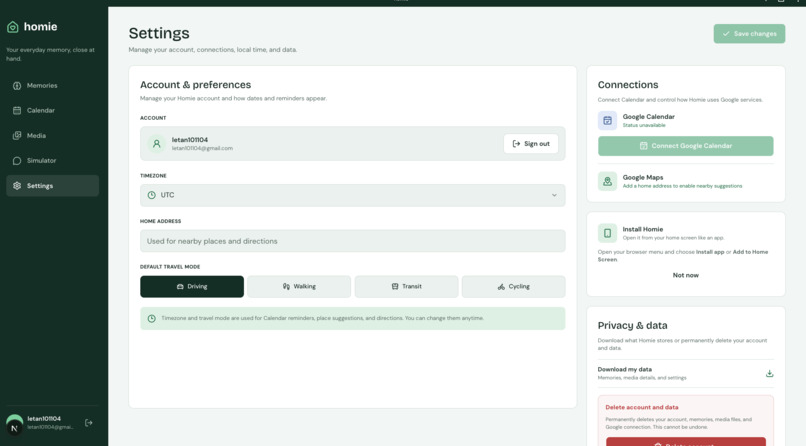
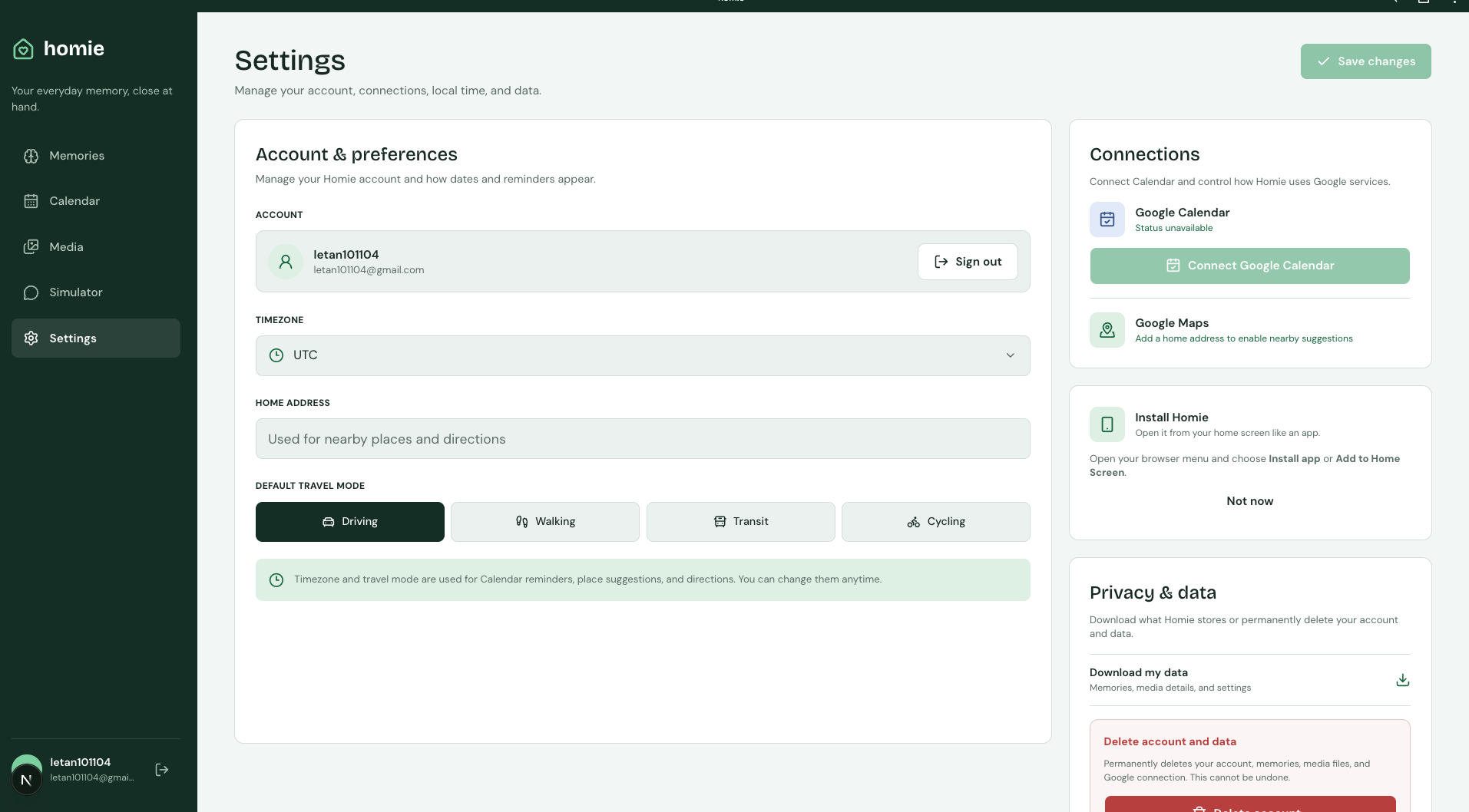
Settings page
-
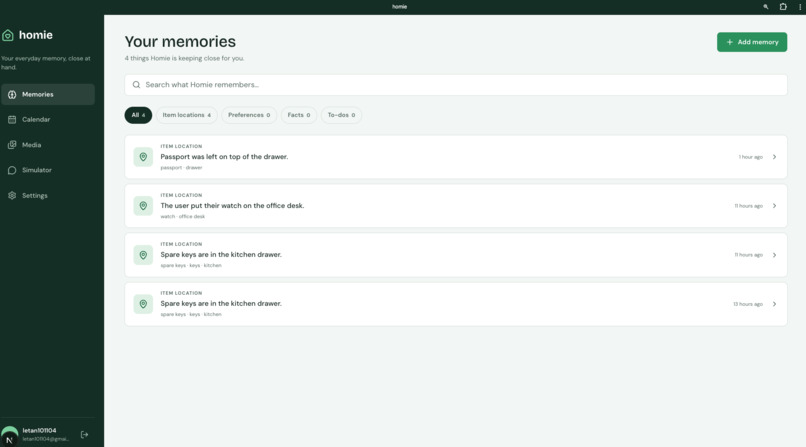
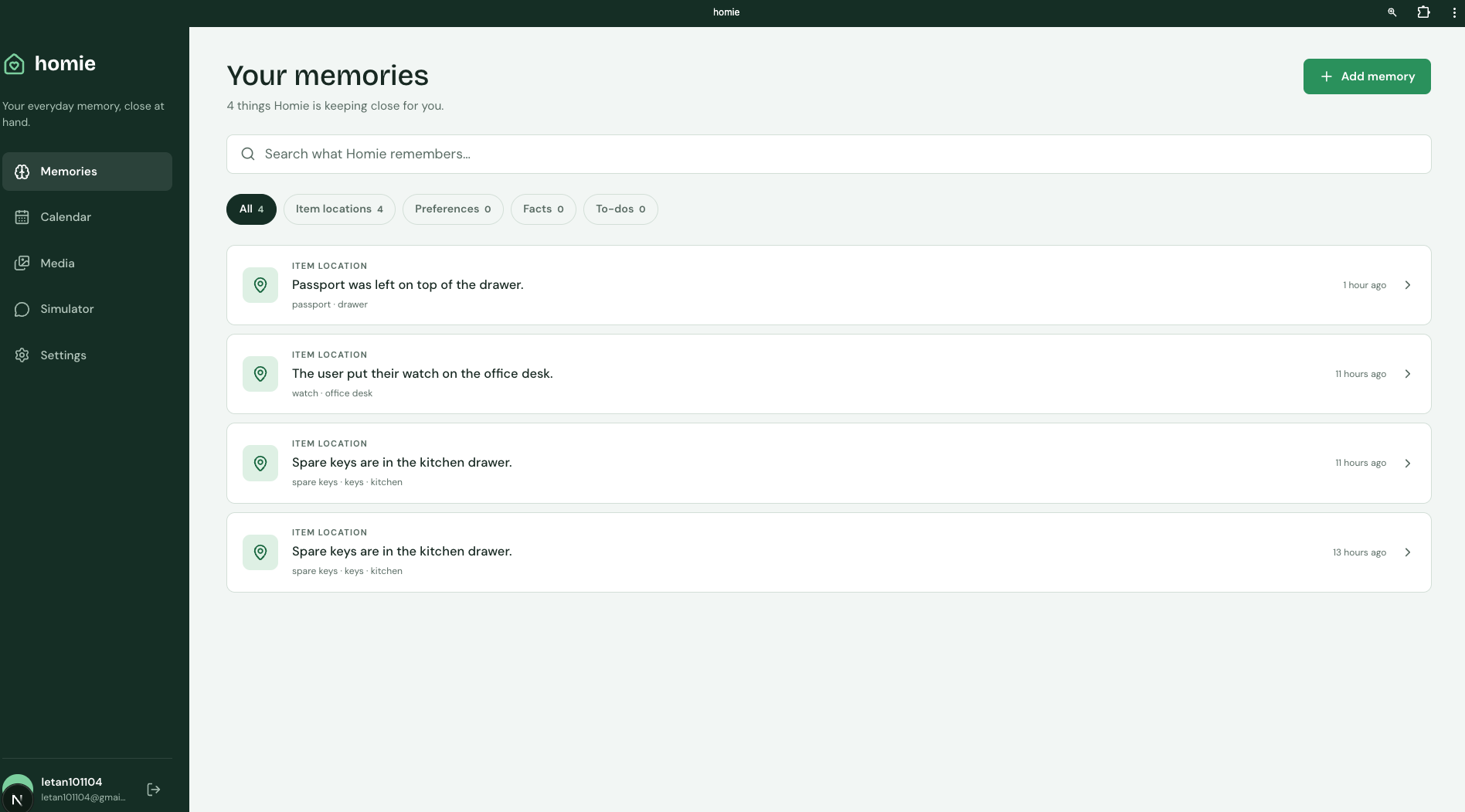
Memory management page
-
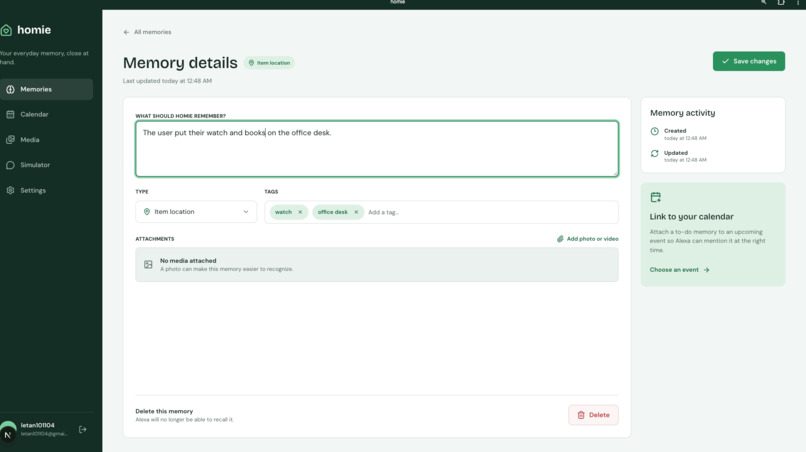
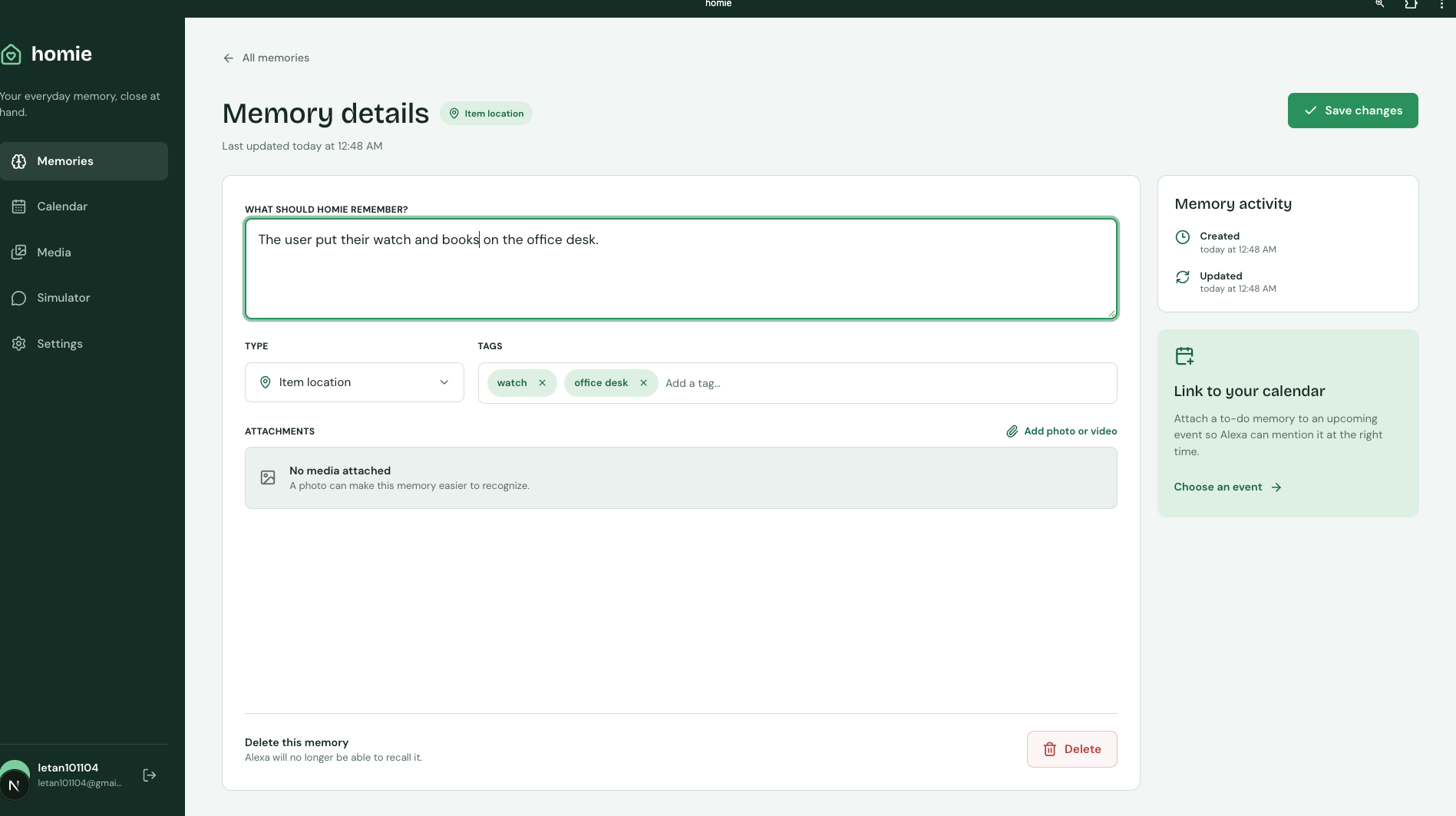
Memory editing page
-
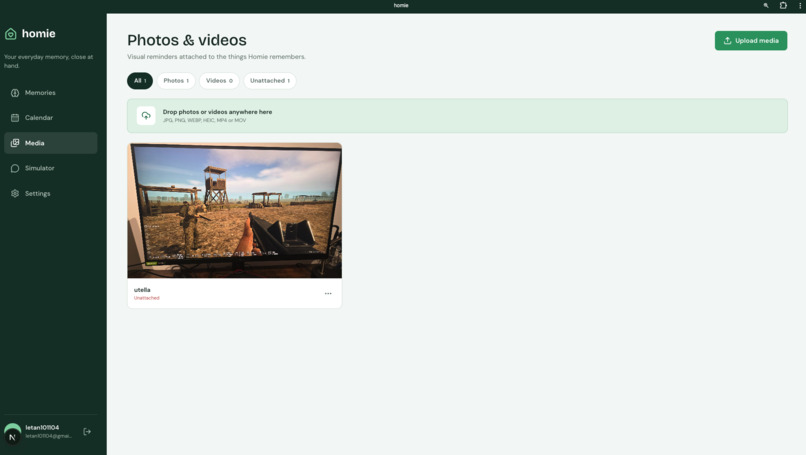
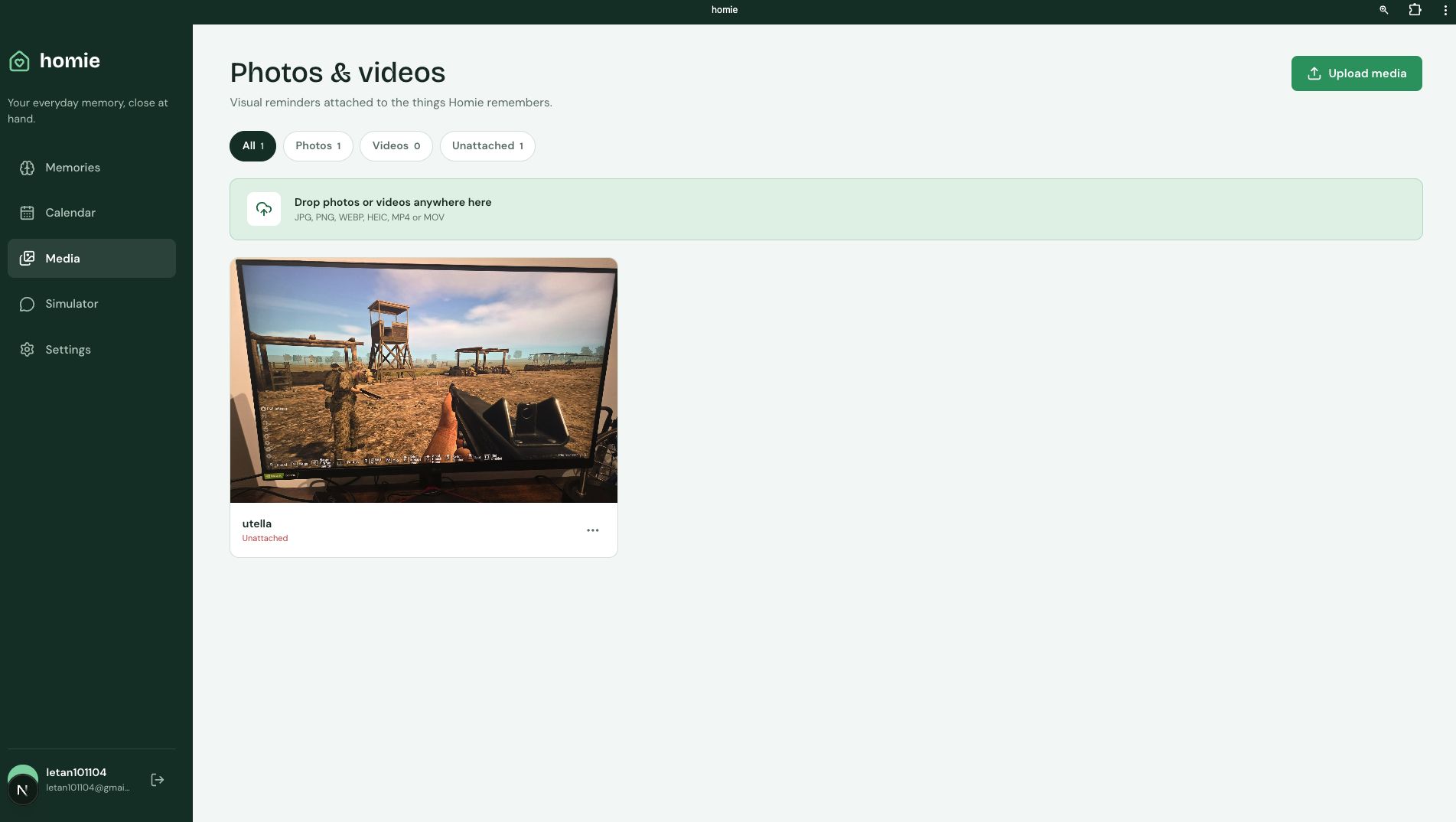
Media upload page
-
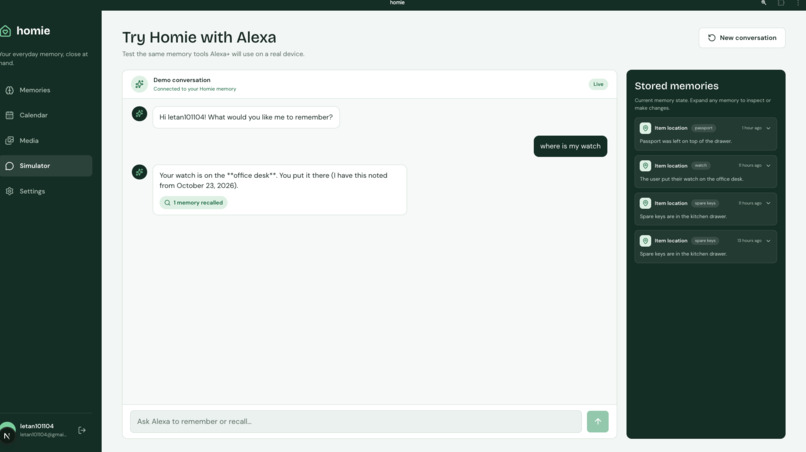
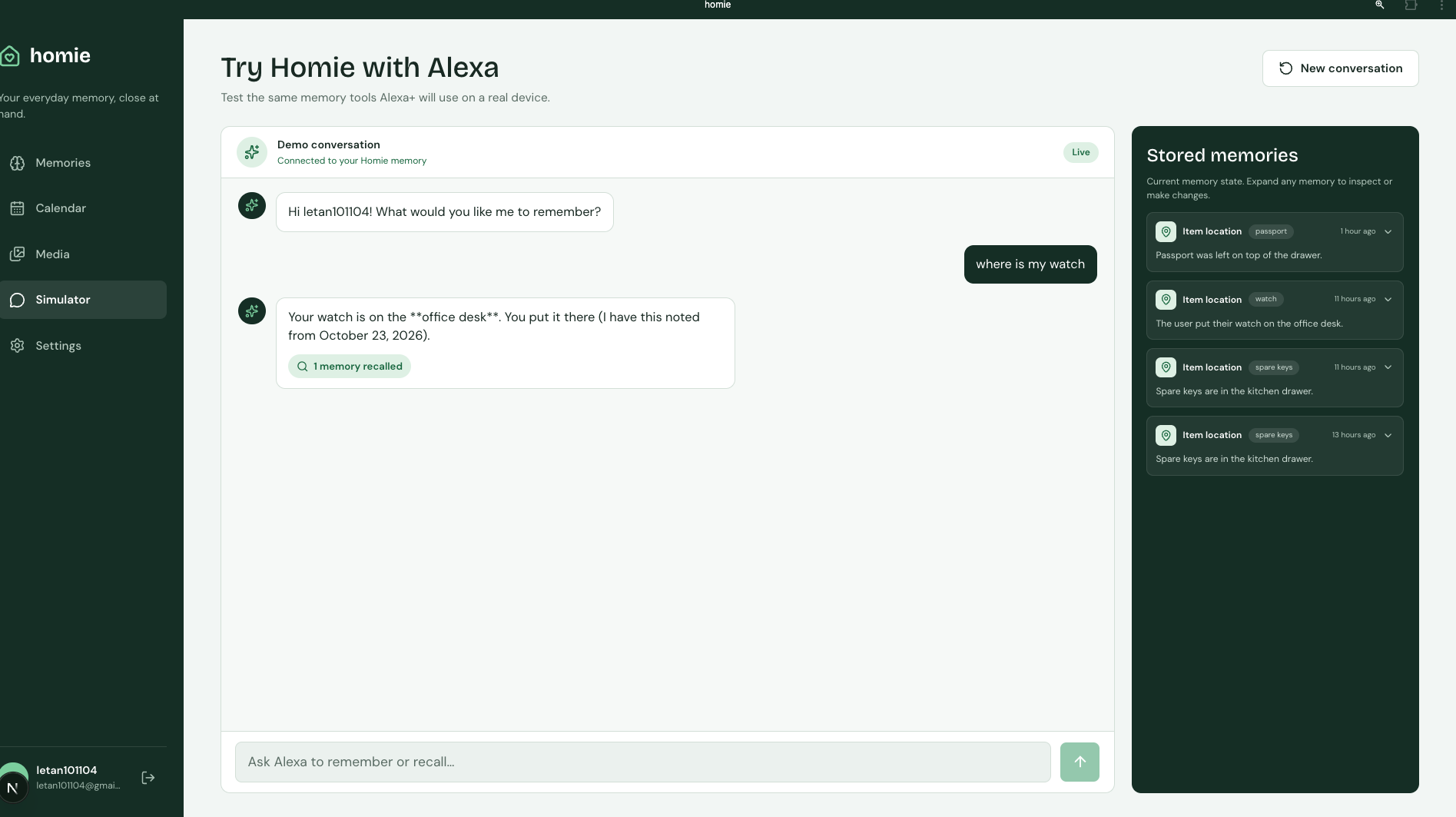
Alexa Simulator/ conversation
Inspiration
Everyone has a "where did I put it?" moment: the passport in some drawer, the spare key, the warranty card, which coffee order a friend likes. Voice assista homie gives Alexa+ a memory.
- Remember anything by voice. "Alexa, my passport is in the top desk drawer." Later: "Alexa, where's my passport?" homie stores item locations, facts, preferences and to-dos, and recalls the best match even when you phrase it differently.
- Forget on request. "Alexa, forget where I put my keys." Memories are yours to remove.
- Photos and videos as visual reminders. Snap where you put something and attach it to the memory, so "the blue box" means something later.
- A companion app you control. A mobile-first, installable web app (PWA) shows everything homie stores: browse and search memories, edit or delete them, manage media, set your timezone, home address and travel mode, or delete your account and everything in it.
- An Alexa simulator in the app. Try the full voice flow by typing: a real model calls homie's memory tools exactly the way Alexa+ does, and you watch each tool call and the memories it touched.
Every read and write is scoped to the signed-in user. One person's memories can never answer another person's question.
How we built it
- Alexa+ integration over MCP. The backend is a Model Context Protocol server (spec 2025-11-25, Streamable HTTP transport) exposing remember, recall and forget tools. Alexa+ calls these tools on the user's behalf after account linking through Amazon Cognito. [confirm: live Alexa+ connection status for the demo]
- Backend: Python 3.14 + FastAPI, managed with uv. Thin routes call services; pydantic validates every input at the boundary.
- Auth: Amazon Cognito user pool with a custom resource server and two scopes: homie/mcp:tools (acting for a user) and homie/mcp:service (Alexa service-level).account" wipes everything.
- Media: Amazon S3 with short-lived presigned upload/view URLs scoped to the user's prefix. Uploads are two-phase (pending → verified with HeadObject), and a bounded cleanup job removes abandoned uploads and orphaned objects.
- Simulator: Amazon Bedrock Converse API with tool use (Claude Sonnet 5.5 via a US cross-region inference profile; we also ran Kimi K3). The simulator forwards the user's own token to homie's MCP endpoint, so the model goes through exactly the same authorization and per-user scoping as Alexa+. Every request is bounded: 3 model rounds, 4 tool calls, 4 KiB per tool call, 60 seconds overall, and per-user rate limits.
- Frontend: Next.js 16 (App Router) + React 19, Tailwind 4 and shadcn/ui, built with bun. Installable PWA with an offline fallback screen; private data is never cached by the service worker.
- Infrastructure: Terraform for Cognito, DynamoDB and S3; Docker Compose with DynamoDB Local for development; GitHub Actions running server tests, client lint/type/format/build and Terraform checks on every PR.
- Process: small stacked PRs with review on every change. [confirm: team size and who owned what]
Challenges we ran into
- Account linking and scopes. We had to prove Cognito could issue tokens Alexa+ accepts, with custom scopes and the resource parameter, before writing any tool code. A focused spike confirmed we could go Cognito-only, with no custom token server.
- Treating model output as untrusted input. In the simulator the model decides which tools to call. We validate each whole batch of tool requests before running any of them (allowed names, unique IDs, argument size, call budget), so a malformed or runaway response causes no side effects. If a later step fails, we still report the tool calls that already ran.
- Reliable uploads from a phone. Direct-to-S3 uploads can be abandoned mid-way, retried, or raced by account deletion. We built a pending → complete flow, map S3's "muser's whole media partition on every memory read, right on the latency-critical Alexa path. We moved that to the detail view only.
- Client/server contracts drifting. Screens and APIs were built and reviewed in parallel, and some only met once both reached main (for example, the settings page sent a different field name than the profile API expected). Strict request validation made these failures loud instead of silent, and we're moving the client to types generated from the server's OpenAPI schema to close the gap.
- Installed-app auth on mobile. OAuth redirects behave differently in an installed PWA than in a browser tab, especially on iOS, so we documented and tested install, cold launch, OAuth return, sign-out and expired sessions on real devices.
Accomplishments that we're proud of
- A working MCP server for Alexa+ with real per-user authorization, not a demo that trusts a user ID in the request.
- Privacy you can see and use: view, edit and delete everything, including a one-tap "delete my account and data" that also clears media.
- A simulator that uses the same front door as Alexa+: the model only reaches memories through the authenticated MCP endpoint, which we proved with a two-user isolation test.
- Defensive limits everywhere they matter: rate limits per user, bounded list sizes, timeouts on every external call, idempotent writes.
- Discipline under hackathon pressure: about 60 reviewed PRs, CI on every change, and more than 250 automated server tests.
What we learned
- MCP is a great fit for voice. Describing a few well-named tools with clear schemas let the model do the natural-language work, and kept our backend small and testable.
- Auth is the product for a memory assistant. Deciding early that identity comes only from the verified token simplified every feature after it.
- Design the failure paths firstmake it feel trustworthy.
- Shared API contracts save time. Generating client types from the server's OpenAPI schema catches mismatches before users do.
What's next for homie
- Google Workspace integration (next milestone). Google Calendar reminders created by voice ("remind me before the milk expires") with linked to-dos, and Google Maps place suggestions and routes ranked by the preferences you've told homie. The API contract and implementation plan are already written. After that: Gmail and Google Drive, so homie can remember where a document or receipt lives too.
- More connected services beyond Google, so memories can trigger action wherever your life already is.
- Smarter recall: semantic search over memories, plus photo understanding so a picture of a shelf can answer "where's the blue box?".
- Production hardening: shared rate limits across instances, scheduled media cleanup, a remote Terraform state backend, and an end-to-end deployment smoke test.
- Data export: a one-tap "download my data" (the button is in Settings; the server endpoint is next).
- Proactive help: gentle, opt-in nudges like "you said your passport expires in March."
Product feedback (AWS and other tools)
Amazon Cognito
- Used for: user sign-up/sign-in (Hosted UI + PKCE) for the web app, and OAuth account linking for Alexa+. A custom resource server provides the homie/mcp:tools and homie/mcp:service scopes; the backend verifies access tokens against the pool's public JWKS.
- Worked well: custom scopes and resource servers did exactly what MCP authorization needed, and Cognito aand needs no AWS credentials on the server.
- Needs work: the Hosted UI is hard to brand, and redirect/callback errors are vague. Access tokens have no aud claim (you check client_id instead), which is a surprise when following generic OAuth/MCP guidance. Installed-PWA redirect flows on iOS needed a lot of manual testing.
- Onboarding: moderate. The concepts (user pool vs. app client vs. resource server vs. domain) take a while to map onto a real OAuth design.
- Would we use it again? Yes, for AWS-hosted apps that need OAuth scopes.
Amazon DynamoDB (and DynamoDB Local)
- Used for: all user data in a single table (memories, profile, media records, idempotency keys, maintenance checkpoints), partitioned by user.
- Worked well: transactions with condition checks let us block writes during account deletion and dedupe retried writes atomically. DynamoDB Local in Docker made development and tests fast with no AWS account.
- Needs work: TransactionCanceledException reasons are positional and easy to misread. FilterExpressions apply after Limit, which surprised us when listing. Single-table key design has a learning curve.
- Onboarding: good with DynamoDB Local; the docs on access-pattern design are where we spent time.
- Would we use it again? Yes.
Amazon S3
- Used for: user photos and videos via short-lived presigned PUT/GET URLs, scoped to a per-user prefix, with bucket CORS for direct browser uploads.
- Worked well: presigned URLs keep large files off our server entirely. ContentType and ContentLength can be bound into the upload signature.
- Needs work: HeadObject returns 403 instead of 404 for a missing key when the caller lacks ListBucket, whifailure. There's no official local emulator comparable to DynamoDB Local, so local upload testing needs real credentials.
- Onboarding: easy for basics; CORS and presigned-URL edge cases took longer.
- Would we use it again? Yes.
Amazon Bedrock (Converse API)
- Used for: the in-app Alexa simulator. A tool-use loop over the Converse API with Claude Sonnet 5.5 (US cross-region inference profile), plus a run with Kimi K3, calling homie's MCP tools.
- Worked well: the Converse API gives one request/response shape and tool-use format across model providers, so switching models was mostly configuration. boto3's adaptive retry mode handled throttling.
- Needs work: providers still differ in the details. Kimi K3 needed reasoning disabled and its reasoning blocks stripped before the next tool turn. Inference-profile IDs vs. model IDs, and which source regions each profile supports, are easy to get wrong. Using the newer aws login credential provider required installing botocore's CRT extra.
- Onboarding: smooth once model access is enabled and you find the right inference-profile ID on the model card.
- Would we use it again? Yes, especially for multi-model experiments.
Alexa+ / Alexa Developer Console
- Used for: connecting homie to Alexa+ as an MCP integration, with account linking to Cognito (skill redirect URIs provisioned in the console).
- Worked well: [confirm: what went smoothly for your team, e.g. MCP tool discovery, account linking setup]
- Needs work: [confirm: pain points, e.g. testing the live voice flow, debugging tool calls, docs for MCP integrations]
- Onboarding: [confirm]
- Would we use it again? [confirm]
AWS IAM, Terraform AWS provider, boto3
- Used for: Terraform defines Cognito, DynamoDB and S3; boto3 is the SDK for DynamoDB, S3 and Bedrock.
- Worked well: Terraform made the dev stack reproducible; boto3's configurable timeouts and retries made the external calls easy to bound.
- Needs work: sharing one stack across a team needs a remote state backend from day one; we started with local state and paid for it in onboarding. Getting least-privilege IAM credentials to teammates for local testing was slower than writing the code.
- Would we use it again? Yes.
Non-AWS tools
- MCP Python SDK: made a spec-compliant Streamable HTTP server and an in-process test client straightforward. The fast-moving spec and SDK versions mean docs and examples are often a step behind.
- FastAPI + pydantic: request validation at the boundary caught client/server mismatches immediately, and the OpenAPI output generated our client types.
- Next.js 16, React 19, Tailwind 4, shadcn/ui: quick to build a polished, accessible, mobile-first UI. Next.js 16 is newer than most docs and examples, so we leaned on the bundled docs.
- uv and bun: very fast installs and lockfile-based CI.
- GitHub Actions: server, client and Terraform checks on every PR kept a multi-person repo green.
Built With
- amazon-alexa
- amazon-web-services
- bedrock
- fastapi
- nextjs
- typescript


Log in or sign up for Devpost to join the conversation.