-
-
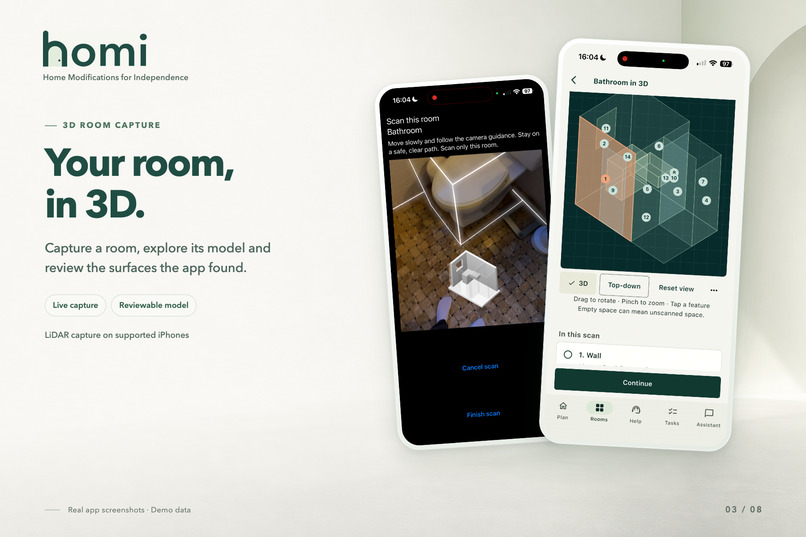
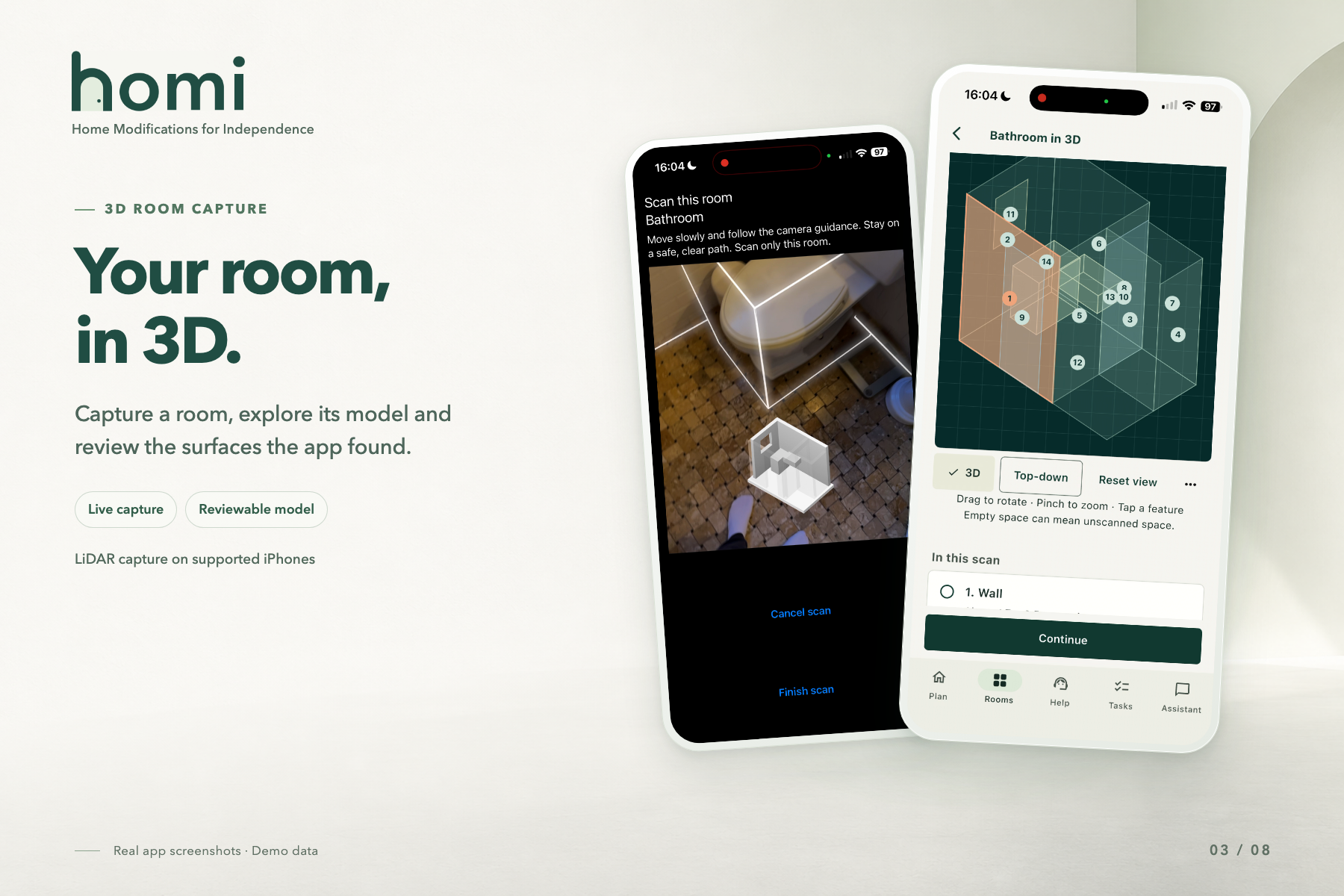
RoomPlan LiDAR scan in progress (left) and the 3D model with numbered surfaces (right).
-
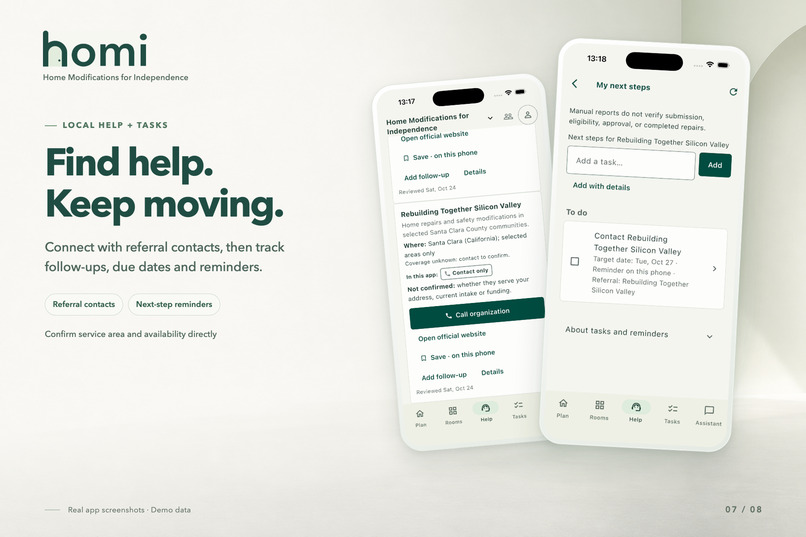
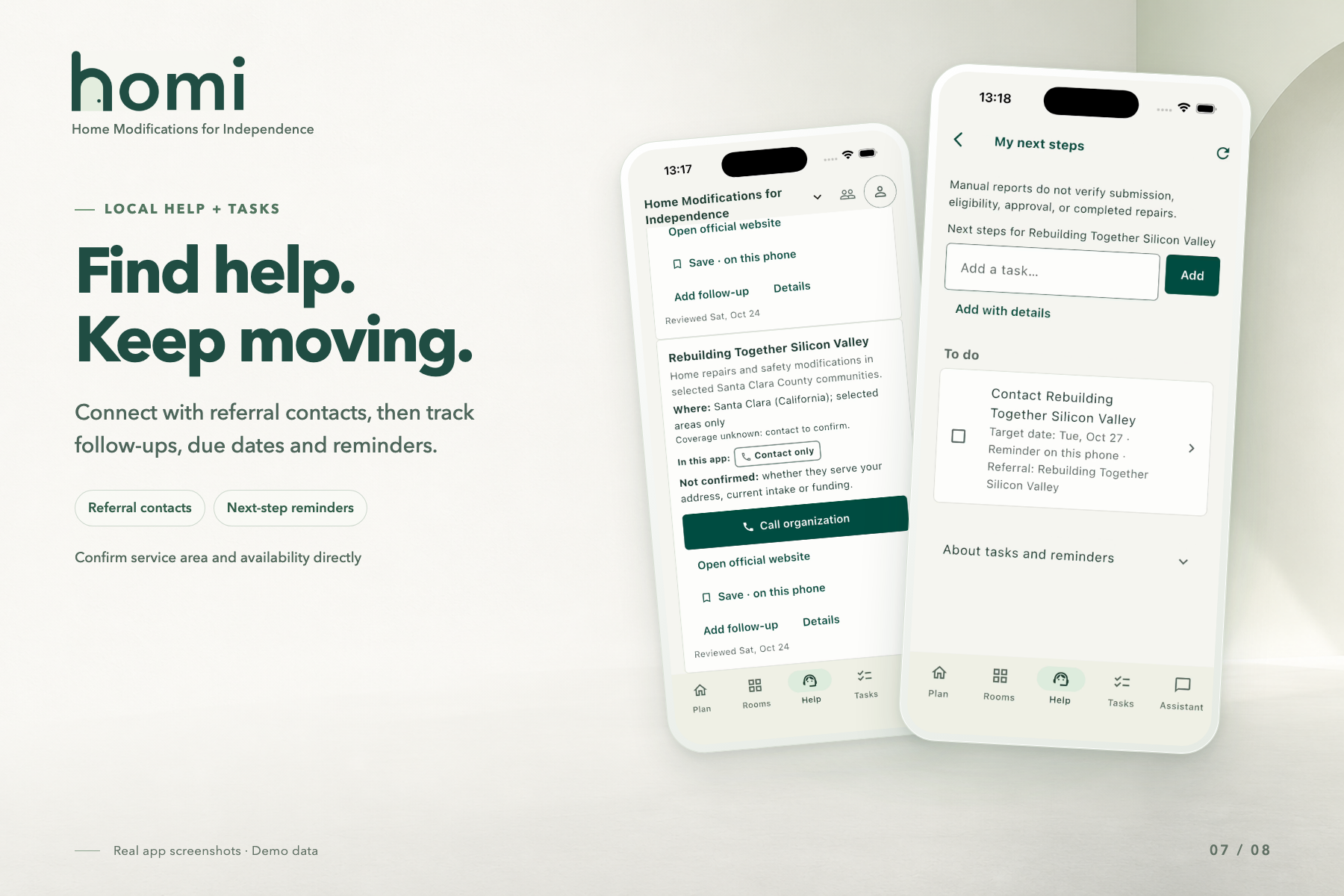
Rebuilding Together Silicon Valley referral (left) and its follow-up task with a due date (right).
-
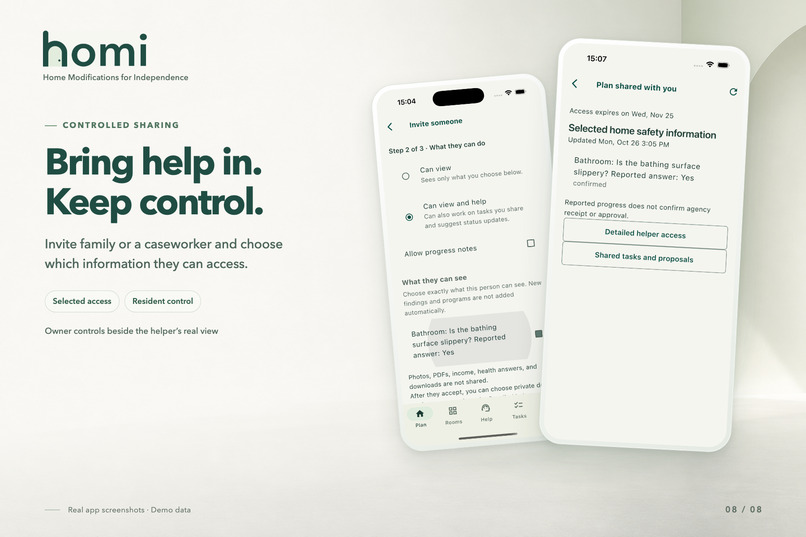
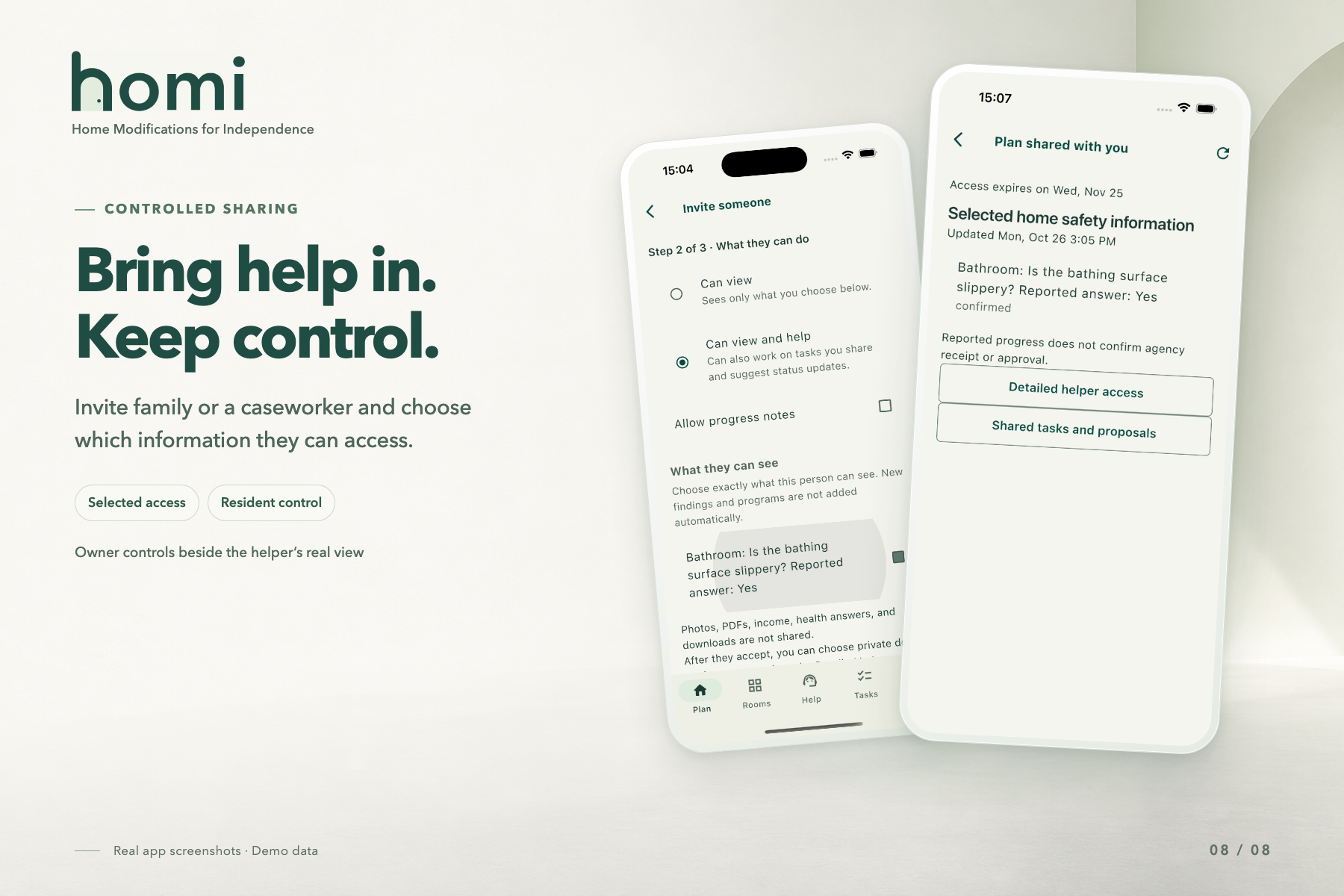
Helper invite with permission levels (left) and the helper’s limited view after accepting (right).
-
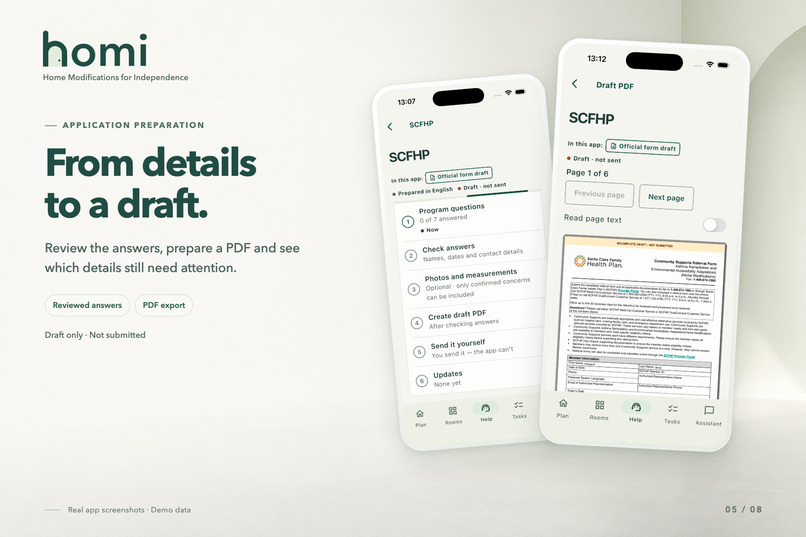
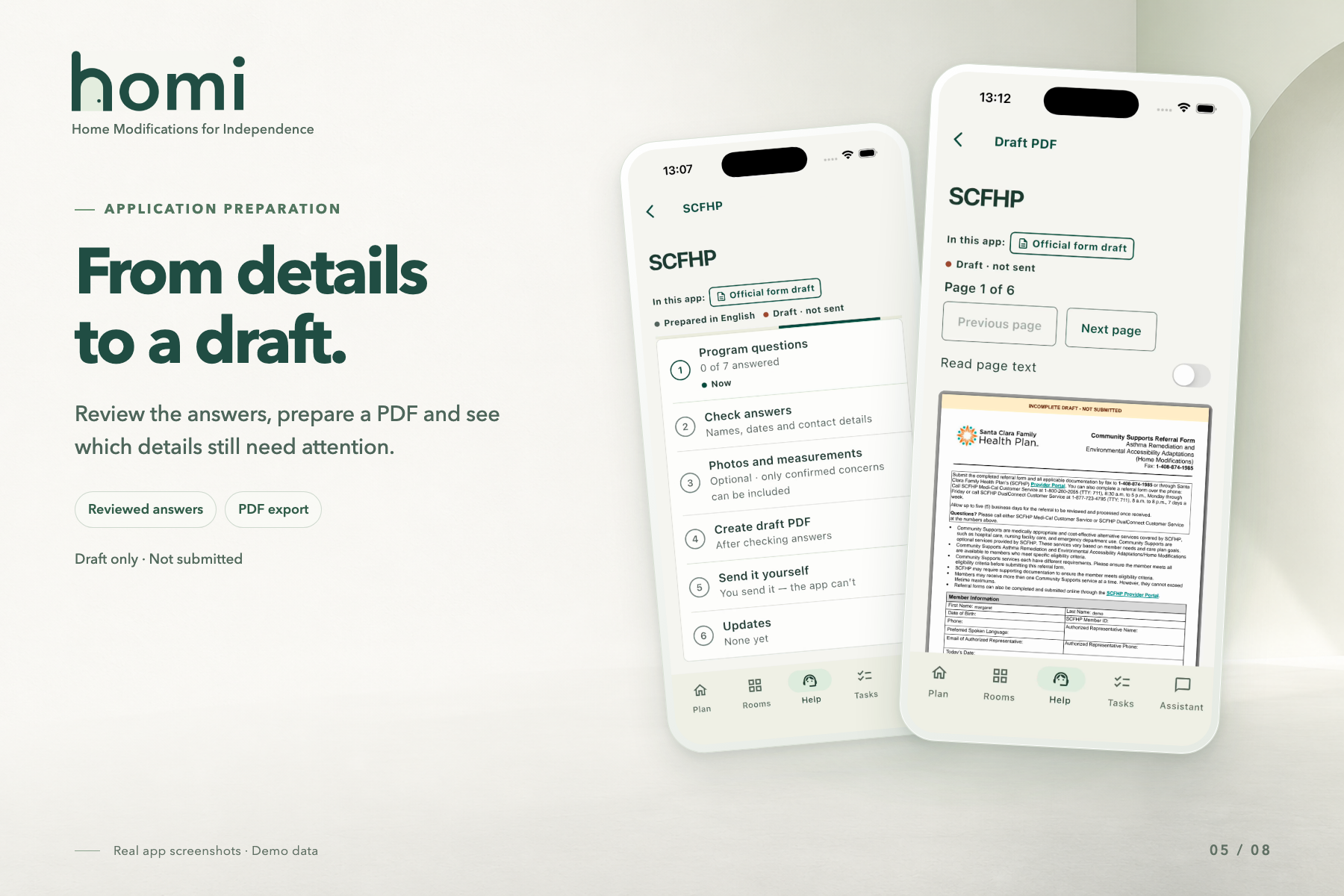
6-step SCFHP draft checklist (left) and page 1 of the filled form, not submitted (right). Assistant answers using only plans and statuses.
-
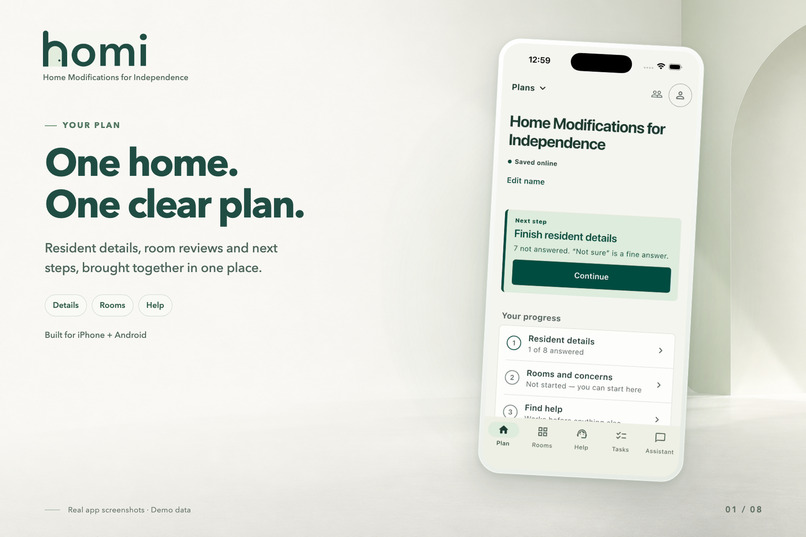
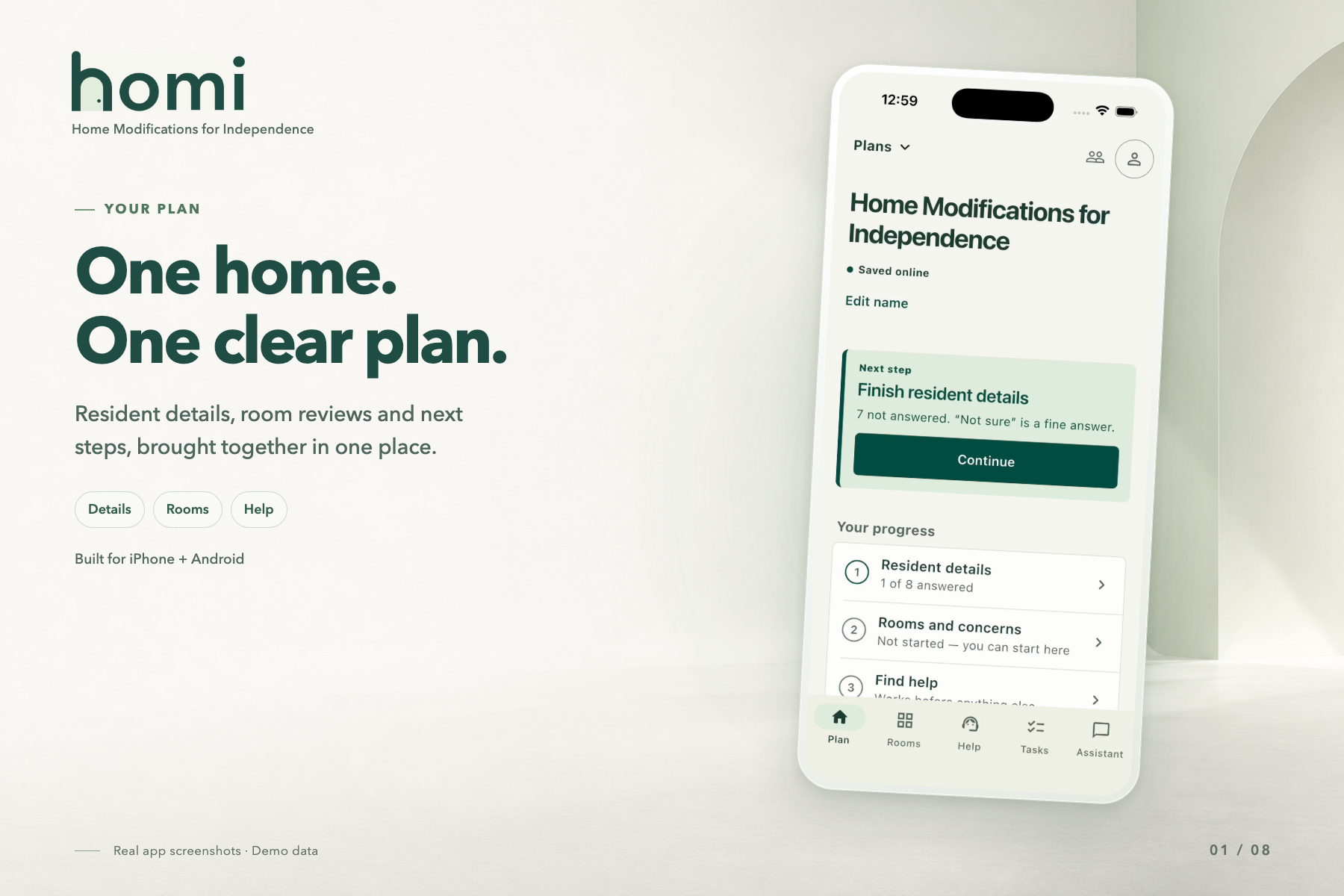
Home screen tracking resident details, rooms, and help, with a next-step card.
-
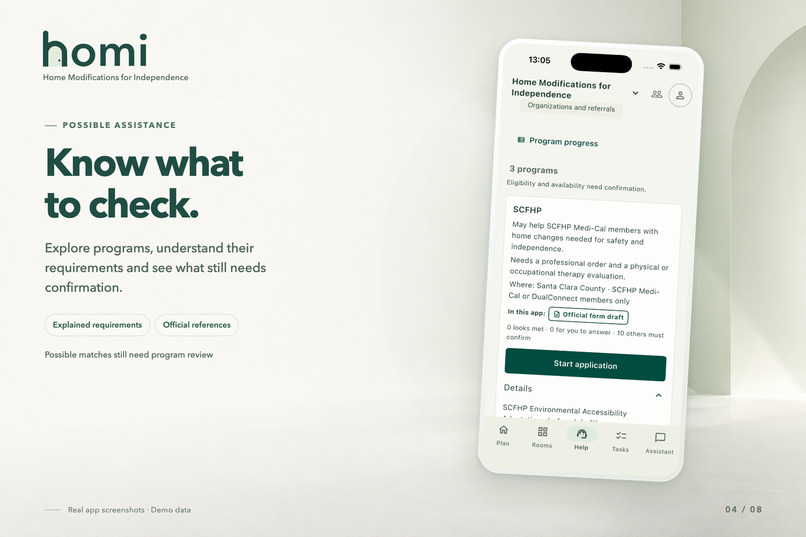
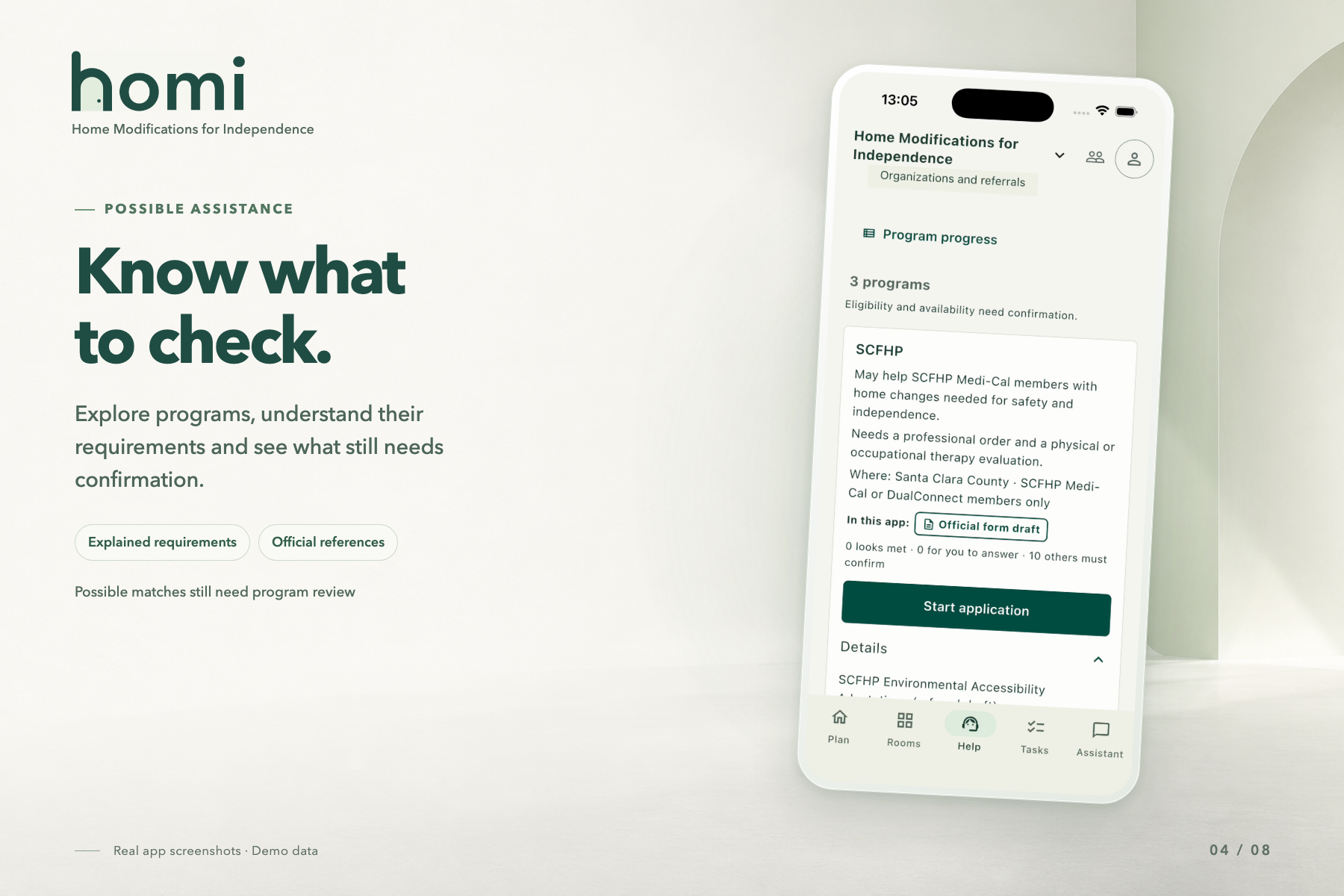
SCFHP match showing requirements, coverage area, and 10 checks left to confirm.
-
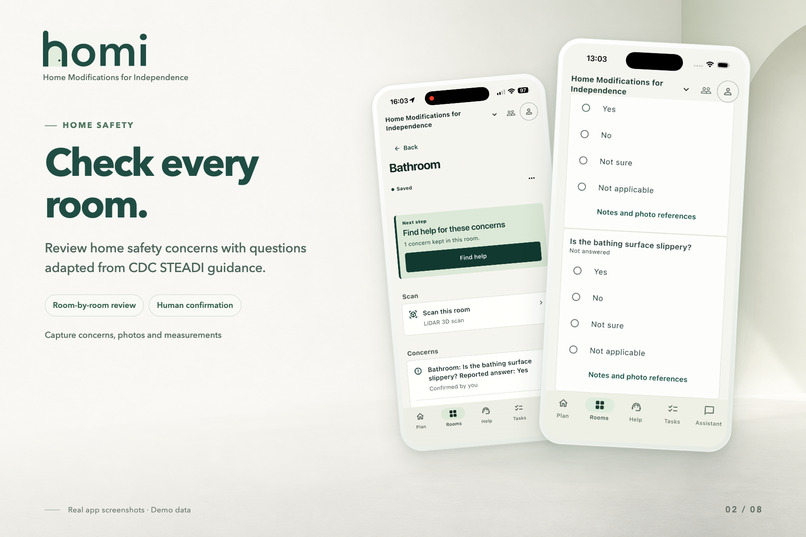
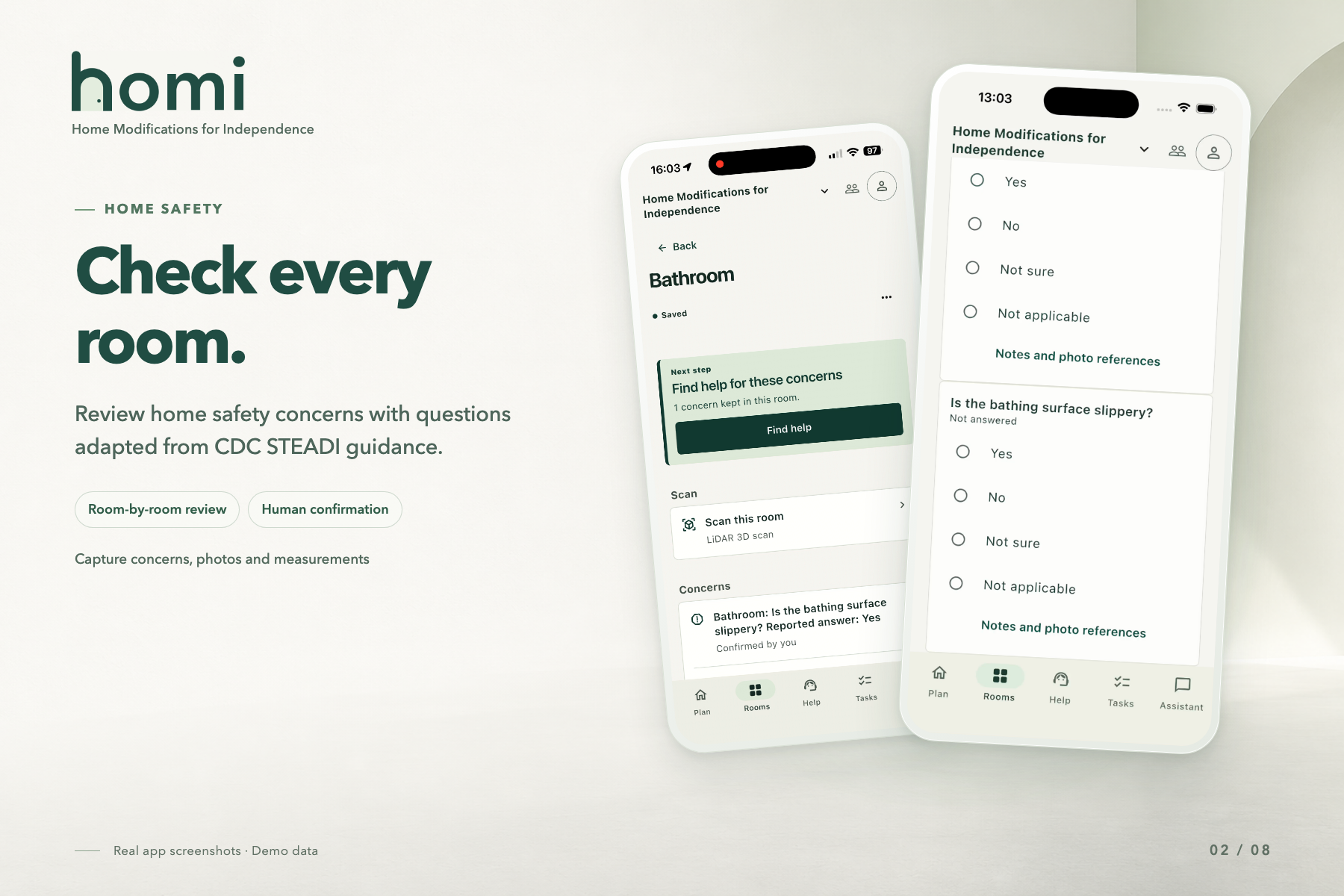
Bathroom page with a confirmed concern (left) and CDC STEADI checklist questions (right).
-
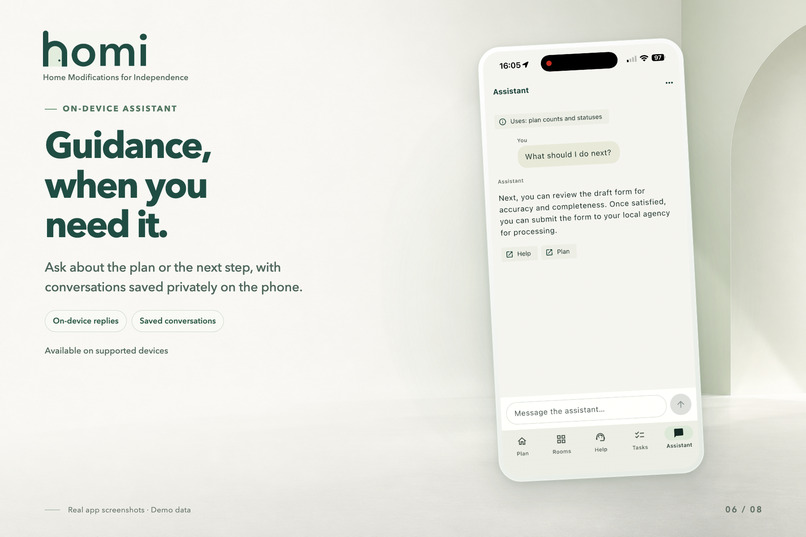
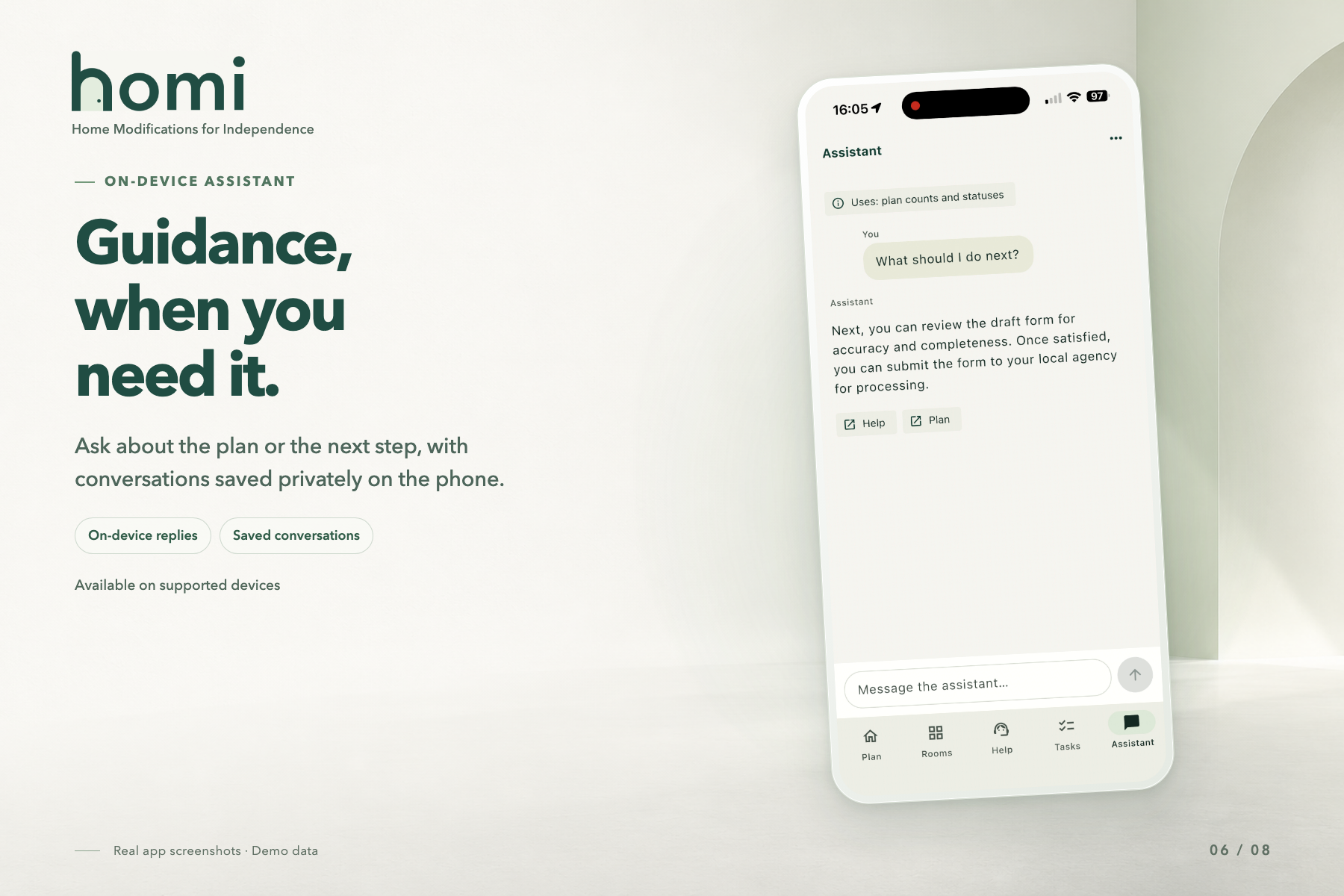
Assistant answers “What should I do next?” using only plan counts and statuses.
Inspiration
One of our team members' grandparents slipped in the shower and got hurt because there was no grab bar to hold onto. It was an injury that shouldn't have happened. According to the CDC, more than one in four adults 65 and older fall each year, leading to roughly 4.5 million emergency department visits annually, and many of those falls could be reduced with fairly simple home modifications. What surprised us was how hard it is to actually get them: each assistance program has its own eligibility rules, forms, and processes, and even documenting the problem is hard. We built Homi so senior residents can stay safely and independently in their own homes.
What it does
Homi helps older adults document accessibility problems in their homes, figure out what could be improved, and fill out a draft application for home-modification assistance, on their own or with a family member or caseworker.
- Room-by-room checklist adapted from CDC guidance, with photos, notes, annotated images, and hand-entered measurements.
- 3D scans: RoomPlan on LiDAR iPhones, ARKit on other iPhones, and ARCore on Android. Scans are approximate, so nothing enters the assessment until the resident confirms it.
- Program checks: shows whether the resident seems to qualify and what's still missing, then fills in a draft application they can export as a private PDF.
- Tasks and help: reminders they can snooze or reschedule, plus 211 and Rebuilding Together referrals linked to follow-up tasks.
- Privacy: records are encrypted on the phone, and residents choose exactly what each helper can see.
Homi supports multiple languages, scalable text, and automatic save-and-resume. It doesn't certify that a home is safe, guarantee funding, or submit applications.
Project status: a working team beta tested with fictional residents. Program rules aren't verified as current policy, public sign-up is off, and drafts are never submitted.
How we built it
The app is Flutter and Dart for iOS and Android, with native Swift (RoomPlan, ARKit) and Kotlin (ARCore) connected through platform channels. The server uses Node.js and TypeScript on Railway, Supabase for sign-in, and PostgreSQL for data storage. pdf-lib fills in the official program form, and the assistant runs on the phone using Apple's and Google's on-device models.
AI use: We used Claude Code and OpenAI Codex to generate specific parts of code, research frameworks, learn Kotlin for ARCore, brainstorm UI improvements, troubleshoot when we got stuck, write commit messages, and generate over 3000 tests across the backend, Flutter, and Python. We also used AI to find research on falls and home modifications, and checked every source ourselves.
Challenges we ran into
- Connecting Flutter to three scanning frameworks, detecting what each phone can do, and falling back to photos on older phones.
- Mirrors, glass, and clutter made scans unreliable, so we built a review step where residents confirm or dismiss each observation.
- Saves sometimes reached the server without the confirmation reaching the phone, so we track each operation on the device and recover after a restart without creating duplicates.
- Keeping program results and drafts up to date when answers or findings change.
- Notifications: denied permissions, daylight saving time, background restrictions, and cleanup on sign-out.
Accomplishments that we're proud of
- Three scanning paths in one app, with a photo fallback for any phone.
- Every field on a real program's referral form is filled from reviewed answers or flagged for the person who must complete it.
- Privacy built in: encryption on the phone, GPS stripped from photos, limited helper access, and an on-device AI assistant.
- Over 3000 automated tests.
What we learned
Designing for older adults is different from designing for the general public. We redesigned the flow several times after finding that nested menus and unlabeled icons confused less phone-savvy users. When our grandparents tried scanning, they couldn't tell when a scan was finished, so we added a clear "done" screen. We also learned to be honest about uncertainty: the app labels data as "approximate," "needs confirmation," or "unknown" so rough estimates are never treated as exact.
What's next for Homi: Home Modifications for Independence
Voice guidance that reads checklist questions aloud and accepts spoken answers; in-person testing with older adults through a local senior center; translations reviewed by native speakers; and more accurate scans, by comparing them with hand measurements across many homes, phones, and lighting conditions so Homi can show ranges like "29 to 31 inches."
Built With
- android
- android-studio
- apple-intelligence
- arcore
- arkit
- dart
- docker
- flutter
- gemini-nano
- github
- ios
- json-schema
- kotlin
- ml-kit
- node.js
- pdf-lib
- postgresql
- railway
- roomplan
- sharp
- sql
- supabase
- swift
- typescript
- xcode

Log in or sign up for Devpost to join the conversation.